How to Download Shahid Videos: 2026 Guide for 1080p Offline Viewing

Summary: While Shahid offers native offline viewing for mobile users, strict 14-day expiration windows and 720p resolution caps often limit the experience. This guide provides a verified 2026 strategy to secure high-definition, 1080p personal backups on both mobile and PC.
Here's the short answer: Shahid does let you download videos for offline viewing, but only inside its VIP mobile app, and saving a title straight to a computer is restricted because Shahid protects its streams with DRM. After testing the app's 14-day license window and a couple of URL-paste sites myself, I put this guide together to walk through the official app steps, explain why direct PC downloads are blocked, and cover a desktop workflow for a local Shahid offline download when you need something that plays on any media player.
How to Download Shahid Videos on Mobile: for 720p Offline Viewing
If you need a show for a short flight and do not mind a smaller screen, the official Shahid app is your fastest path. I use this when I am commuting and do not want to burn my data plan.
You can download Shahid videos on mobile if your mobile devices are:
- iPhone, iPad, and devices running iOS 11.0 or above.
- Android phones or tablets running on Android 5 or above.
It only takes 4 steps to download shahid videos on mobile devices easily:
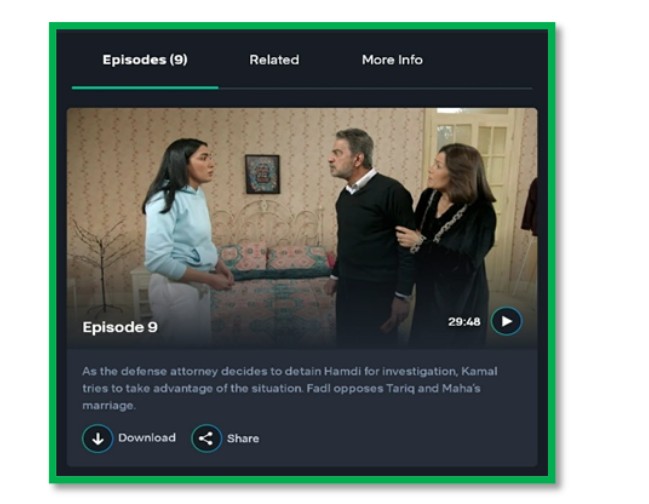
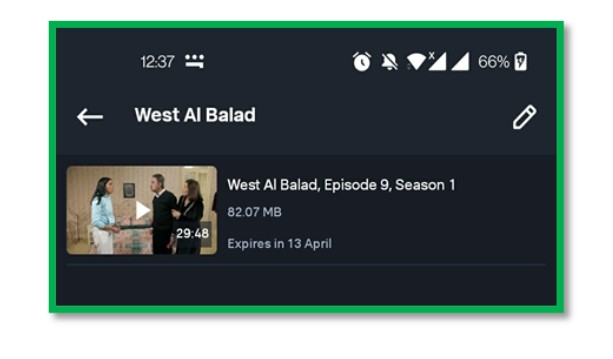
However, there are some unignorable problems if you choose this method to download Shahid videos, for example:
- Not all Shahid videos can be downloaded
- You cannot download the Shahid video on your PC device
- Offline items may expire after a set period, depending on the title and your account
- You may be unable to access offline items when you’re outside supported regions
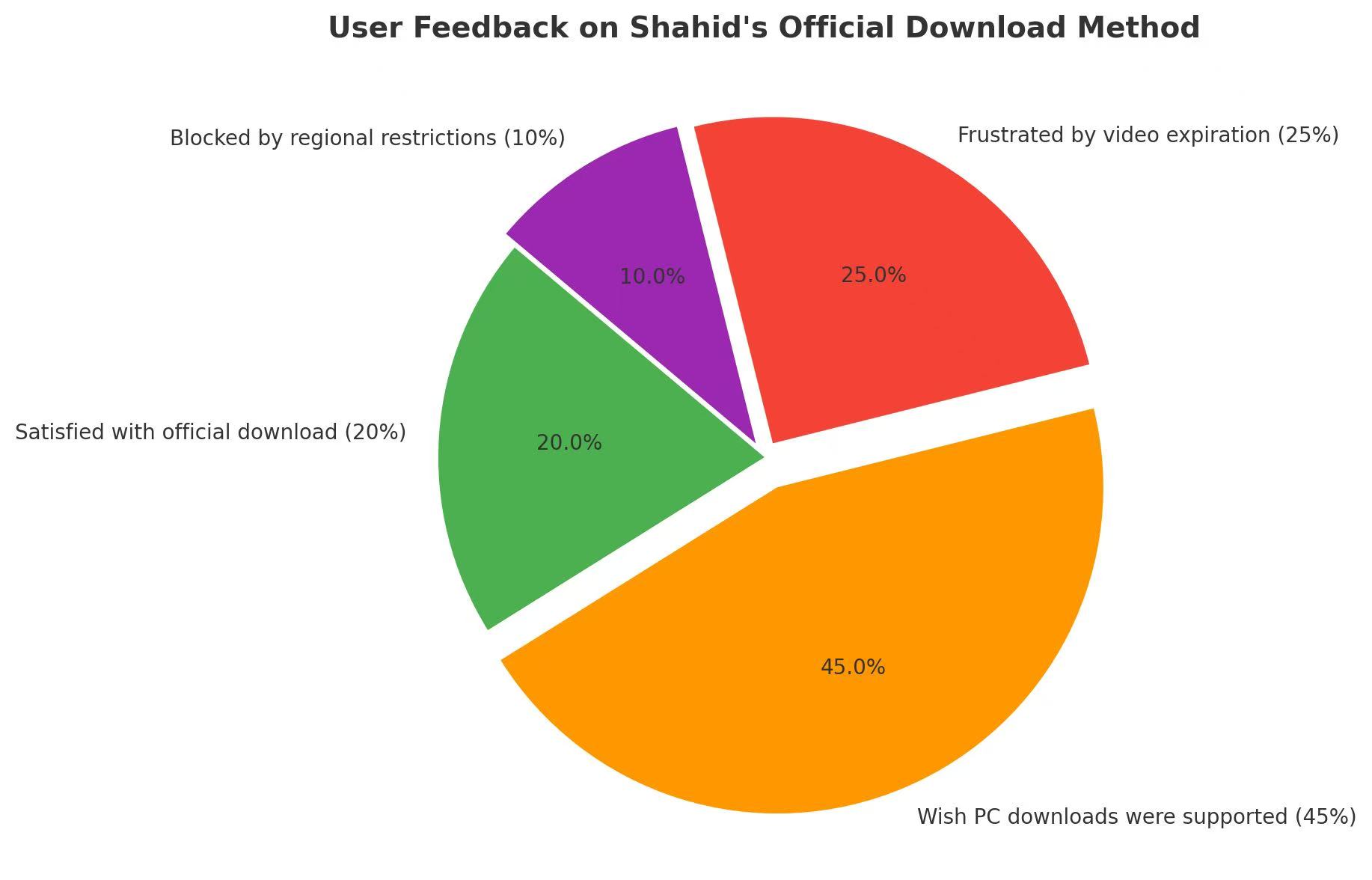
This pie chart illustrates how users feel about the limitations of Shahid’s built-in download feature. The majority (45%) wish for PC download support, while others are frustrated by expiration (25%) and regional restrictions (10%). Only 20% are fully satisfied. That PC-support gap is what the next section is really about, and it starts with why Shahid does not offer a direct save-to-computer option in the first place.
Why Shahid Blocks Direct PC Downloads
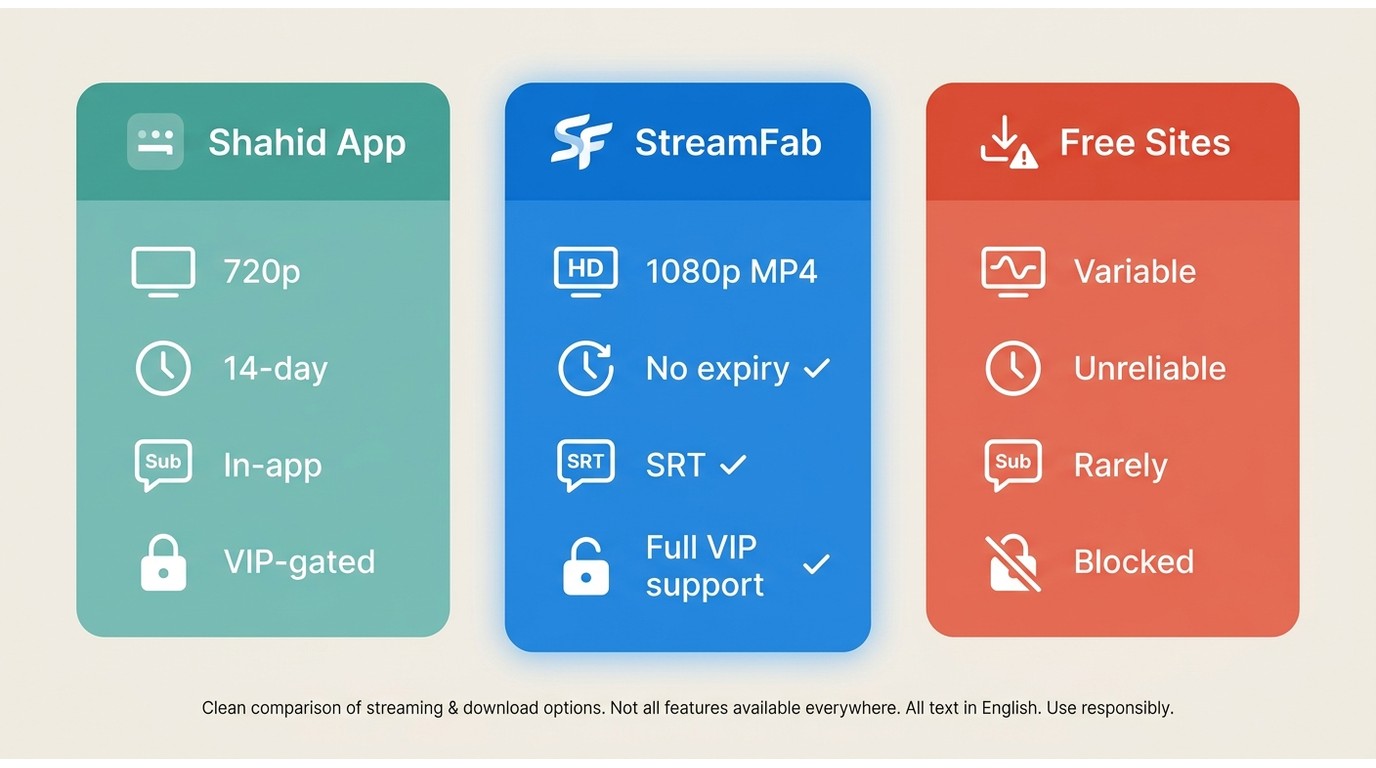
Shahid streams are DRM-protected, so the official Download button only saves a licensed copy inside the mobile app, and there is no direct "save to computer" option in the web player. That is why the built-in feature ends where your phone's storage does.
The same protection is why generic tools fall apart on VIP titles. Every time I have pointed a download manager or a command-line grabber at a Shahid VIP page, I get one of two results: a folder full of fragmented m3u8 files that no player will stitch back together, or a plain "DRM protected" error. Free URL-paste sites behave the same way. They can sometimes grab a free trailer, but the moment the source is a VIP episode, the stream is licensed and the site returns nothing usable.
So the practical options split into three lanes: the official app for short-term mobile viewing, a desktop tool that records a local copy for personal offline viewing of content you're authorized to access, and free online sites that mostly do not work here. The comparison below lays them out side by side.
| Official Shahid app | StreamFab Shahid Downloader | Free online URL-paste sites | |
|---|---|---|---|
| Max quality | Up to 720p | Up to 1080p (MP4/MKV) | Variable, often lower |
| File availability & expiry | 14-day license window inside the app | Local copy on your own computer | Unreliable; downloads often incomplete |
| Subtitles | In-app, sometimes missing on offline files | SRT embedded into the MP4 (25+ languages) | Rarely preserved |
| Works on DRM / VIP content | Yes (inside the app only) | Yes, for personal offline viewing | Generally no; returns fragmented m3u8 or a DRM error |
| Platform | iOS / Android | Windows / macOS | Any browser |
| Price | Included in Shahid VIP | Paid, free trial available | Free (with heavy ads) |
How to Download Shahid Videos on PC/Laptop
Shahid's official offline viewing is built for mobile, so a computer workflow means using a desktop Shahid downloader — only where your subscription, local rules, and Shahid's terms allow. For me, this is worth the setup when I'm building an offline library on my laptop for a long flight or a stretch without reliable Wi-Fi; if you just want one episode for tomorrow's commute, the phone app is fine.

This tool is designed to help you manage eligible Shahid titles for offline viewing on a computer, with up to 1080p output options and AAC audio where available.
- Supports Windows and macOS workflows for offline viewing management (availability varies by title).
- Saves eligible titles in common formats such as MP4/MKV for device-compatible playback where permitted.
- Up to 1080p output options for supported titles.
- Audio/subtitle options when provided by the title.
- Batch/queue management to organize multiple episodes efficiently.
Workflow for Offline Watching Shahid on PC
Download the video downloader
Install StreamFab Shahid Downloader on your device and open the interface
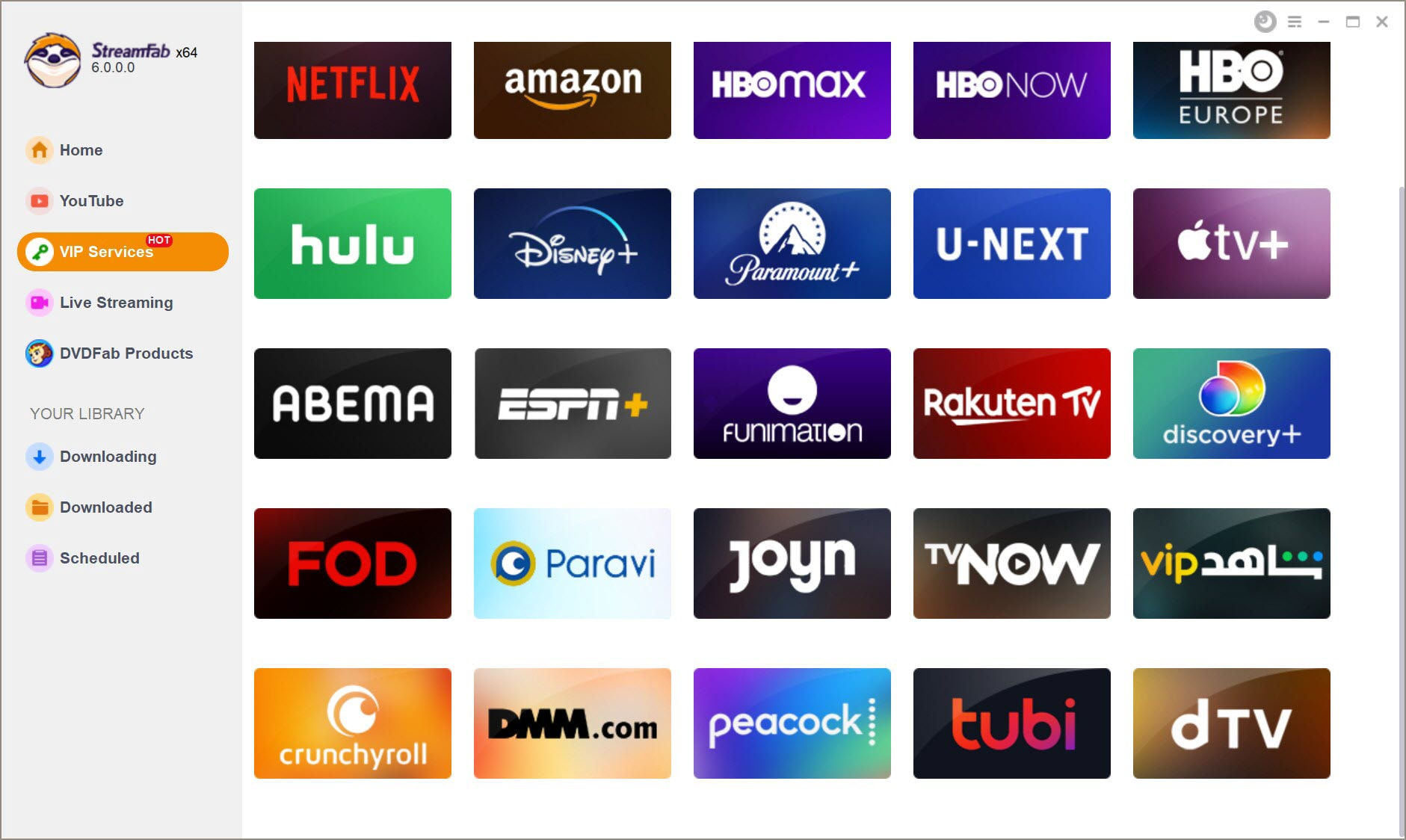
Log into the Shahid webiste and play the video
Enter your account and password to log into the Shahid streaming site. Then, search for a video you want to keep.
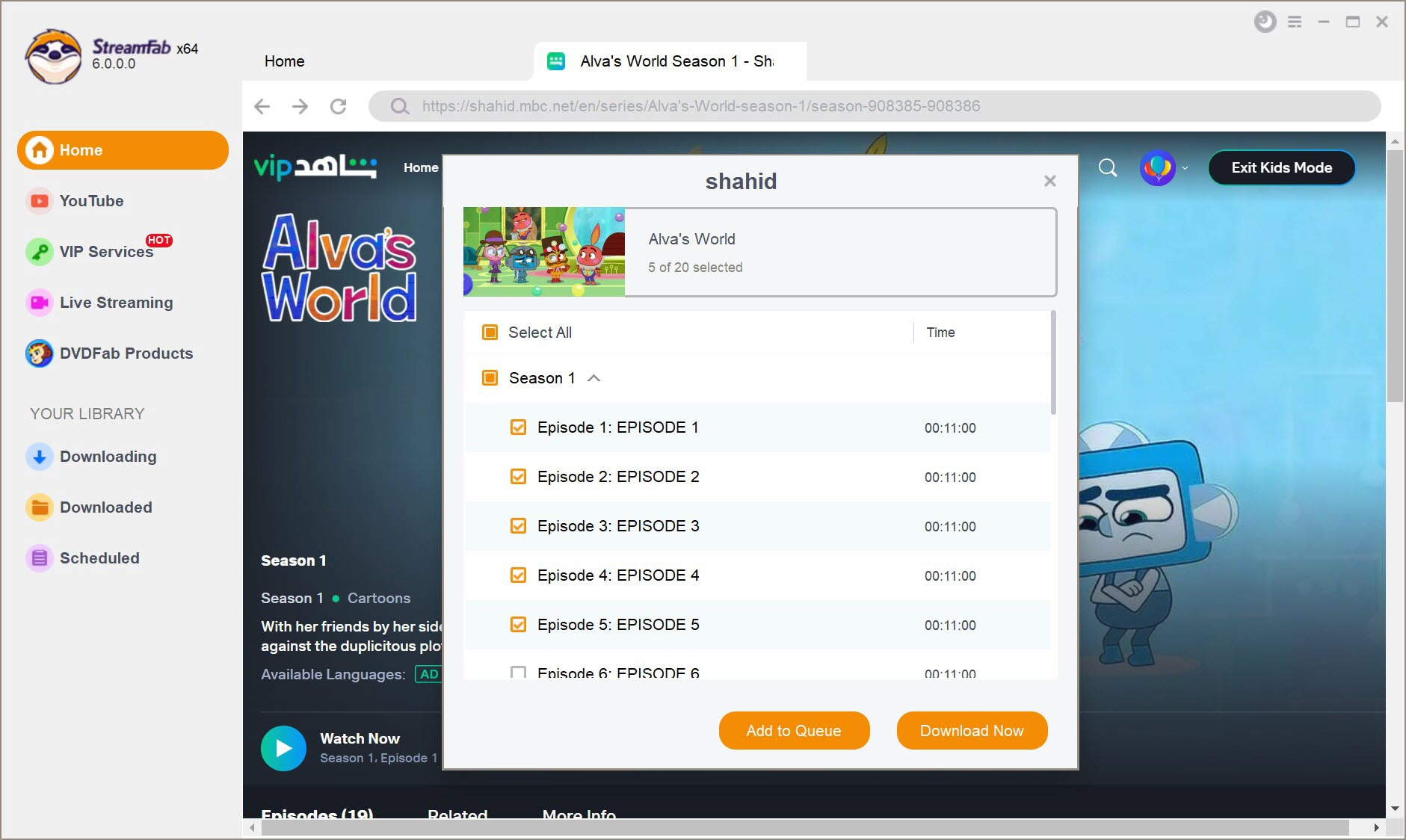
Get the Shahid videos downloaded on your PC
Start the offline task or add items to a queue for later, then monitor progress in the task list.
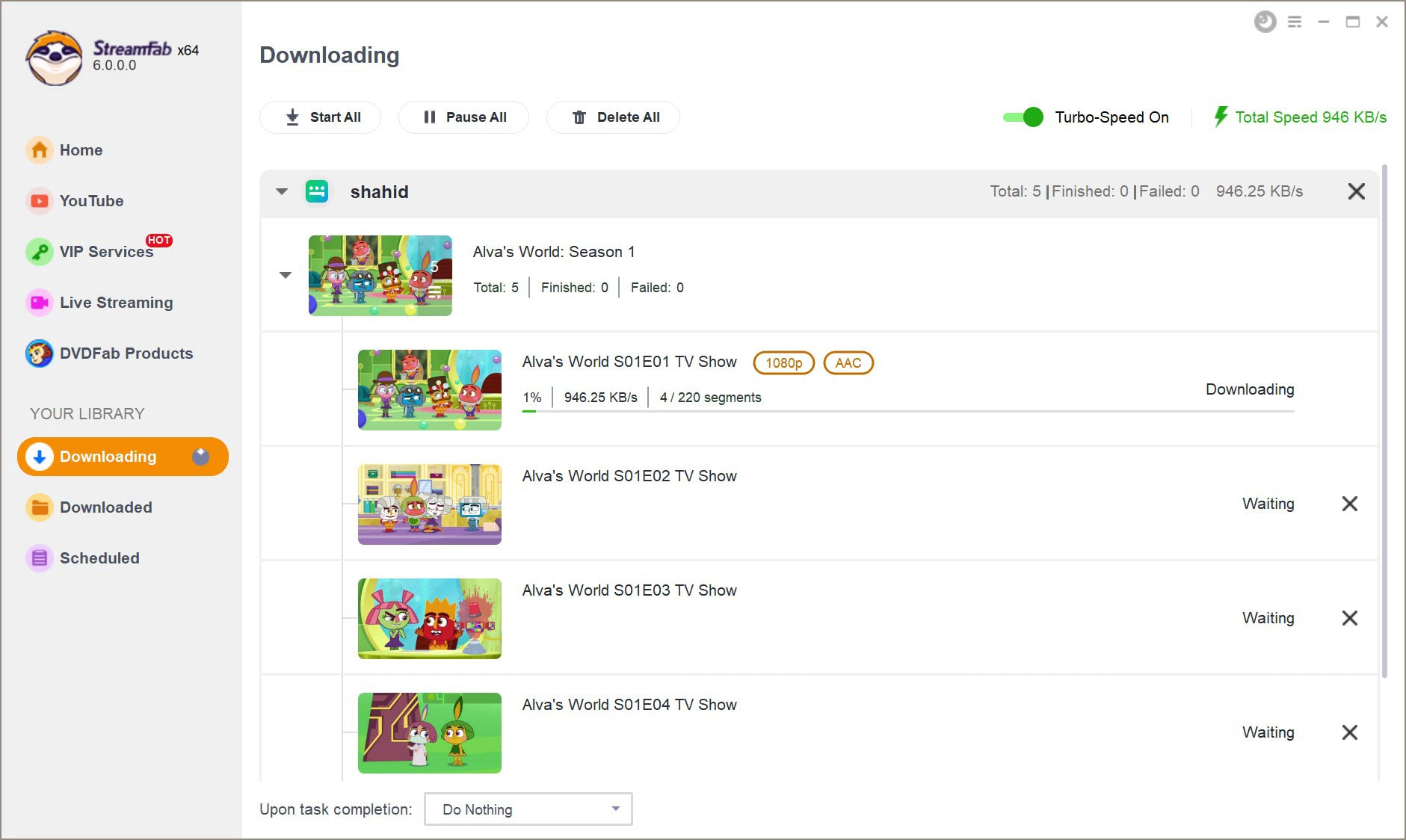
Keep Arabic and English Subtitles in Your MP4
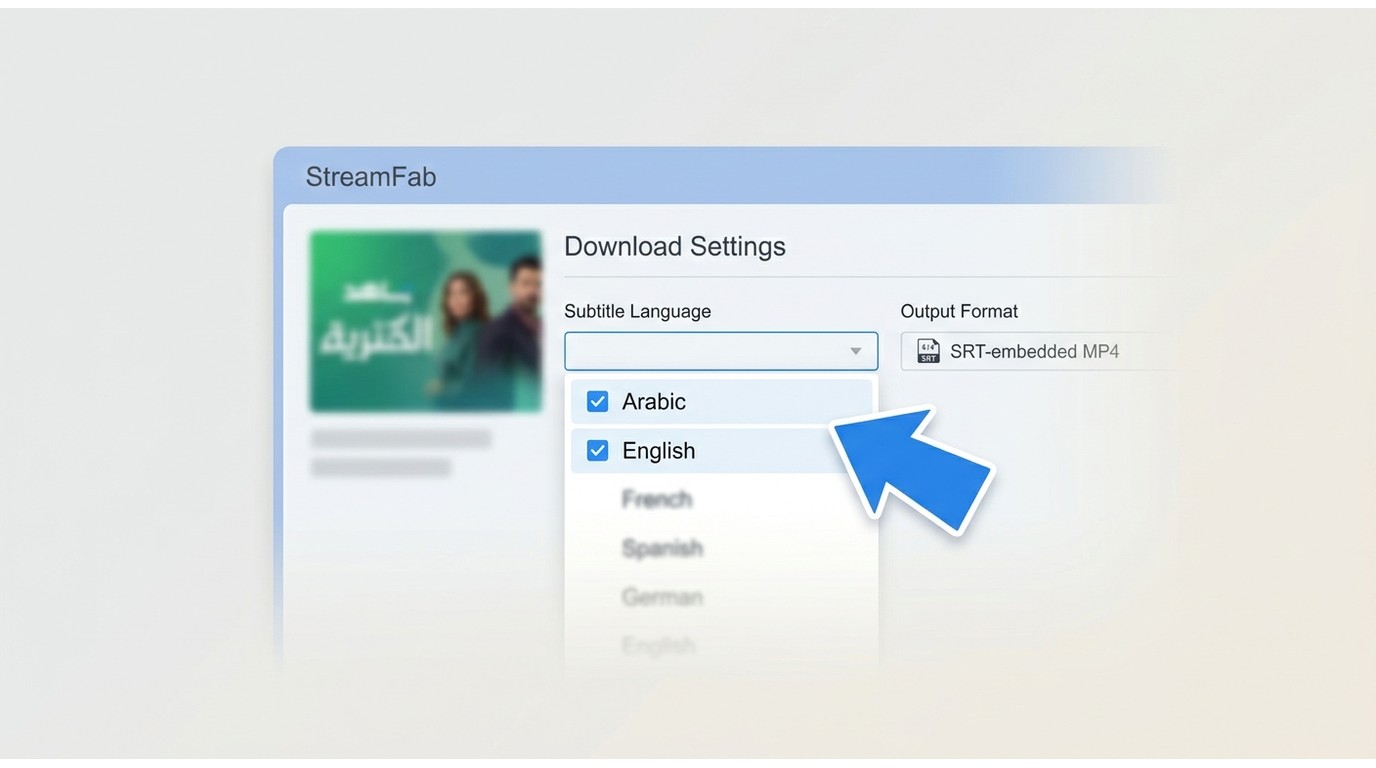
The subtitle track is where the mobile app loses me most often. On desktop, StreamFab lets you pick the subtitle language before the save starts and remuxes the SRT directly into the output MP4 — Arabic, English, French, and around 25 languages in total, depending on what the title carries. Once the subtitles sit inside the MP4, they travel with the file: VLC on Windows, QuickTime on Mac, or a media player on a plane's seatback screen all read them without any extra steps.
Practically: open the title in StreamFab, click the settings gear on the download panel, tick the subtitle languages you want (I keep Arabic and English on by default), choose whether to remux them as a soft track or hardcode them into the picture, then start the save. Best for viewers building an offline library on Windows or Mac who care about multilingual subtitles; not needed if you only want a single episode for a short trip.

Avoid the "Storage Trap":
High-quality 1080p files can be large. I always recommend selecting the H.265 (HEVC) codec in the StreamFab settings; it cuts the file size by nearly 30% while keeping every detail sharp on a big screen.
FAQs
Conclusion
Native app downloads are a "temporary fix" rather than a long-term solution. If you only need a single episode for a short trip, the Shahid mobile app is the most straightforward path, provided you stay within the 14-day window and accept 720p quality. My testing shows this is effective for casual viewers who don't plan to travel outside of supported regions.
If you're an enthusiast building a high-definition library, or you travel across regions where a title's license may not follow you, the desktop route earns its keep. My take after weeks of using both: keeping a local copy in up to 1080p MP4 on your own computer, for personal offline viewing of a Shahid VIP subscription you actively pay for, sidesteps the app's 720p cap and its 14-day license window without asking you to fight the platform. The app is still the right call for a single episode on a short trip — everything else, I save to disk.
- This guide is part of our commitment to providing accurate, high-performance streaming solutions. We monitor Shahid's platform updates to ensure our recommendations remain effective. Recently, we updated:
- • Integrated new workflows to address Shahid’s 2026 Widevine updates, ensuring 1080p stability.
- • Revised the mobile download section to reflect the new 14-day expiration window and 720p resolution caps.
- • Confirmed StreamFab version 7.0+ compatibility with the latest Shahid web player interface.
Mandatory Disclaimer
This article is for informational purposes only. Use offline tools only for personal, non-commercial viewing of content you lawfully have access to, and follow Shahid’s terms and applicable laws. Do not share, upload, or redistribute any saved videos.
