StreamFab AbemaTV Downloader
Imagine settling into your seat on a long Shinkansen ride, ready to binge the latest ABEMA anime season — only to realize your downloaded episodes expired overnight. StreamFab AbemaTV Downloader captures ABEMA content in 1080p with AAC 2.0 audio as MP4 or MKV files that never expire — permanently yours on any device you own.

Download anime and shows from abema.tv with ease

Auto-download new ABEMA episodes on schedule

Save ABEMA videos in crystal-clear 1080p quality

Browse and download ABEMA with the built-in browser
Why ABEMA Fans Need StreamFab
Your ABEMA downloads expire — even though you paid for AbemaPremium
You have been following a seasonal anime on ABEMA every week for three months, carefully saving each episode through the official app for a weekend marathon rewatch. Then Friday evening arrives, you open the app on the train home, and half your downloads have expired — silently deleted because the viewing window closed.
AbemaPremium subscribers paying ¥960 per month can download select content, but every download carries an expiry timer, is locked to a single device, and disappears if the show leaves ABEMA's catalog. The PC browser experience is even worse — zero download capability, making desktop users entirely dependent on a stable internet connection. StreamFab's StreamFab AbemaTV Downloader, built on 8+ years of media technology expertise, eliminates all of these restrictions by capturing ABEMA streams as permanent 1080p MP4 or MKV files with no expiry, no device locks, and no download limits.
A downloader that millions of users trust with their content libraries
For AbemaPremium subscribers, the situation is only marginally better: downloads expire, cannot be transferred between devices, and are restricted to mobile apps. StreamFab has been solving media preservation challenges for over 8 years, serving tens of millions of users worldwide who trust the platform for reliable, high-quality video archiving. All streaming connections use SSL encryption, and your ABEMA credentials are processed exclusively through ABEMA's own authentication servers — never transmitted to or stored by StreamFab.
StreamFab engine, compatible with Windows 10/11 and macOS 10.10 or later, receives weekly compatibility updates that resolve new content delivery changes within 24 to 48 hours. With a 4.9-star Trustpilot rating and reviews from PCMag and TechRadar, StreamFab represents a mature, proven solution. Try it risk-free with 3 free downloads, backed by a money-back guarantee — 7 days for monthly plans, 14 days for annual and lifetime licenses.
What StreamFab Does for Your ABEMA Library
Your favorite ABEMA anime deserves 1080p — not a blurry screen recording
You are watching the season finale of a beautifully animated fantasy anime on ABEMA — the climactic battle scene is a masterpiece of fluid animation, vivid color palettes, and dramatic lighting shifts. You want to keep this forever, but ABEMA's free tier offers no download option, and the premium download would expire in days. StreamFab captures the stream at its full 1080p HD resolution using the native H.264 codec, preserving the original bitrate and encoding without any re-compression.
Every frame of animation — from subtle character expressions to explosive action sequences — is saved exactly as the studio intended. The AAC 2.0 audio captures the full dynamic range of the soundtrack, from whispered dialogue to thundering battle effects. You can also choose 720p for a smaller file size when downloading content for mobile viewing on your commute. The result is a permanent local file that looks and sounds identical to the live stream.
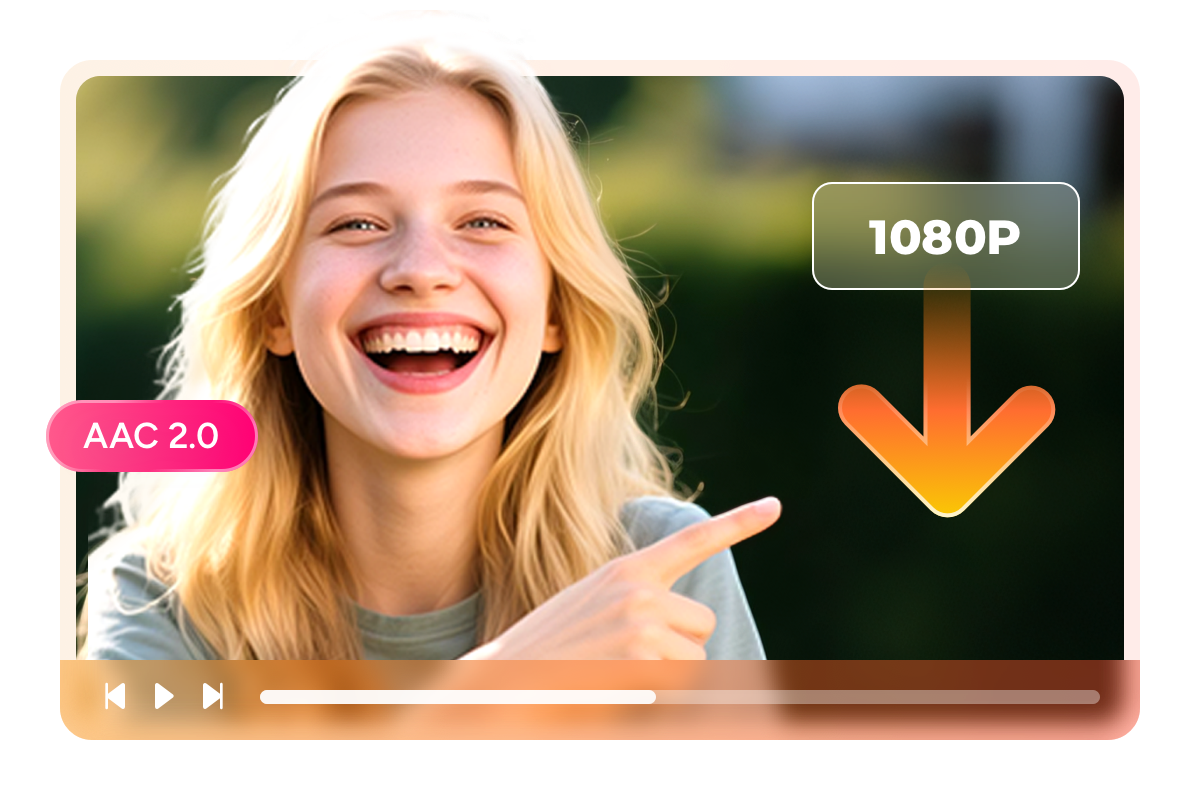
Watch your ABEMA downloads on any screen — from phone to TV
Your friend asks to see that viral ABEMA variety show clip everyone at work has been talking about, but you cannot share it because the official download is locked to your phone and will expire tomorrow anyway. StreamFab saves your ABEMA content as standard MP4 or MKV files that play on any device without restrictions. MP4 works natively on iOS, Android, Windows, macOS, smart TVs, and portable players — just transfer the file and press play.
MKV supports multiple embedded subtitle tracks in a single container, perfect for anime where you might want both Japanese and English subtitle options available during playback. Whether you want to watch on a 27-inch desktop monitor at home, a laptop during a business trip to Osaka, or a tablet on the Shinkansen, StreamFab's format flexibility means your ABEMA content goes wherever you go — no app required, no internet needed, no expiry date attached.

Save ABEMA subtitles your way — as external files or embedded tracks
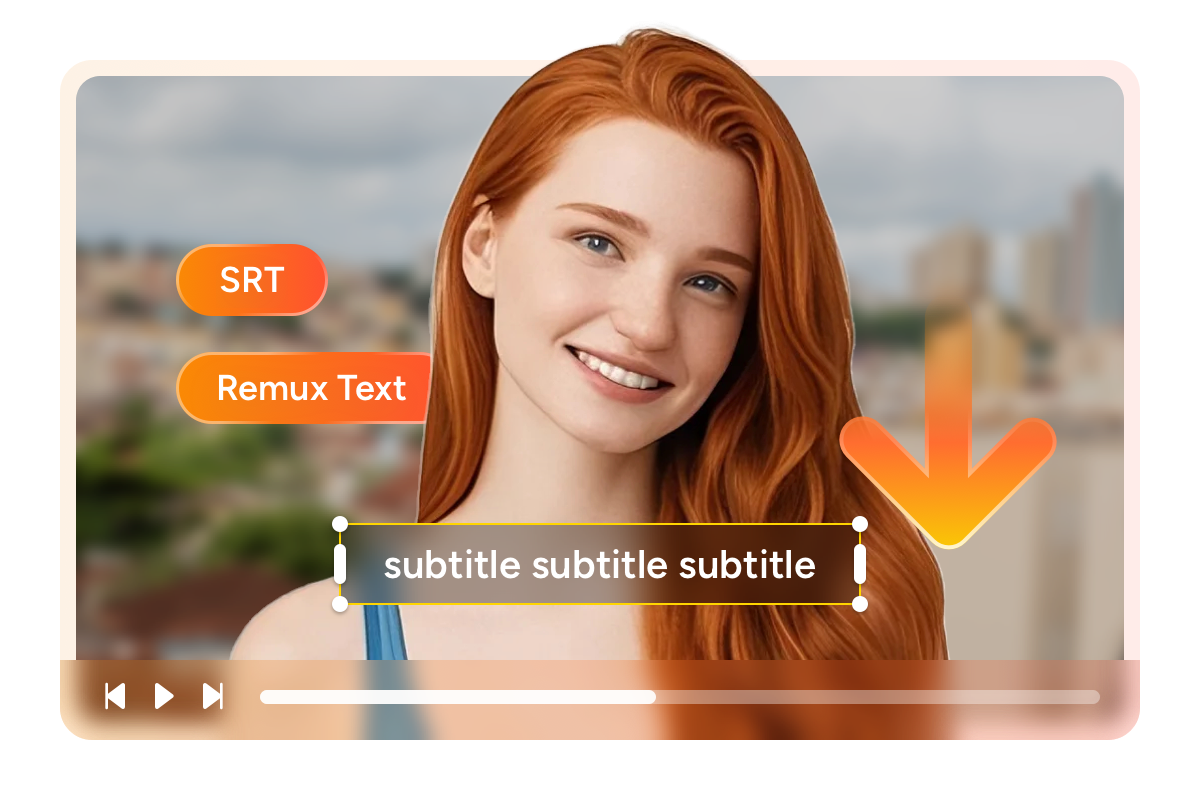
You are watching a Korean drama on ABEMA with Japanese subtitles when a friend asks you to share the episode — but she prefers English subtitles, and you want to keep the Japanese ones too. StreamFab handles this by offering two subtitle modes. External SRT files are saved alongside the video and can be toggled on or off during playback, switched between languages, or edited with any text editor for language study purposes.
Embedded subtitles are remuxed directly into the MKV container as selectable tracks, creating a self-contained file that stays perfectly synchronized on any player. For ABEMA's international content catalog — Korean dramas, foreign films, and anime with multilingual subtitle options — this flexibility means preserving every available subtitle track exactly as ABEMA provides it, ready for viewing in any context.
A Downloading Experience Designed Around Your Life
Schedule Mode and Auto Download
Point it at your ongoing ABEMA series, set a download schedule, and every new episode is captured automatically — no manual checking, no missed releases. The download runs overnight in the background, so fresh content is waiting on your device when you wake up.

Batch Mode and Fast Speed
The software queues every episode and processes them sequentially without supervision. A standard 24-minute anime episode at 1080p downloads efficiently, so a full 12-episode season completes in a single session.

Preset Audio & Subtitle Language
StreamFab's language engine reads your system's UI language and automatically pre-selects matching subtitle tracks for each download. A Japanese-language system gets Japanese subtitles by default; an English system selects English where available. You can always override manually.
More Than Just Downloading
Stop scrolling through unnamed files — every download comes fully tagged
You have downloaded 80 ABEMA anime episodes and 30 variety show segments, but your video folder is a mess of cryptic filenames that tell you nothing about what is inside each file. StreamFab prevents this chaos by including comprehensive metadata with every download — title in Japanese and English where available, episode and season numbers, cast information, genre tags, plot synopsis, and cover artwork.
Import these files into Plex, Jellyfin, Emby, or PlayerFab and your collection instantly transforms into a beautifully organized media library with poster art, episode descriptions, and proper categorization. For ABEMA's diverse catalog spanning anime, variety shows, sports, news, and original dramas, this metadata ensures you can find any specific episode in seconds — no manual renaming, no guesswork, no frustration.
Real Stories from ABEMA Viewers

Mark
Freelance Writer, SapporoDiana
English Teacher, NagoyaJacob
Anime Collector, SaitamaMark
Freelance Writer, SapporoDiana
English Teacher, NagoyaJacob
Anime Collector, SaitamaMark
Freelance Writer, SapporoDiana
English Teacher, NagoyaJacob
Anime Collector, SaitamaMark
Freelance Writer, SapporoDiana
English Teacher, NagoyaJacob
Anime Collector, Saitama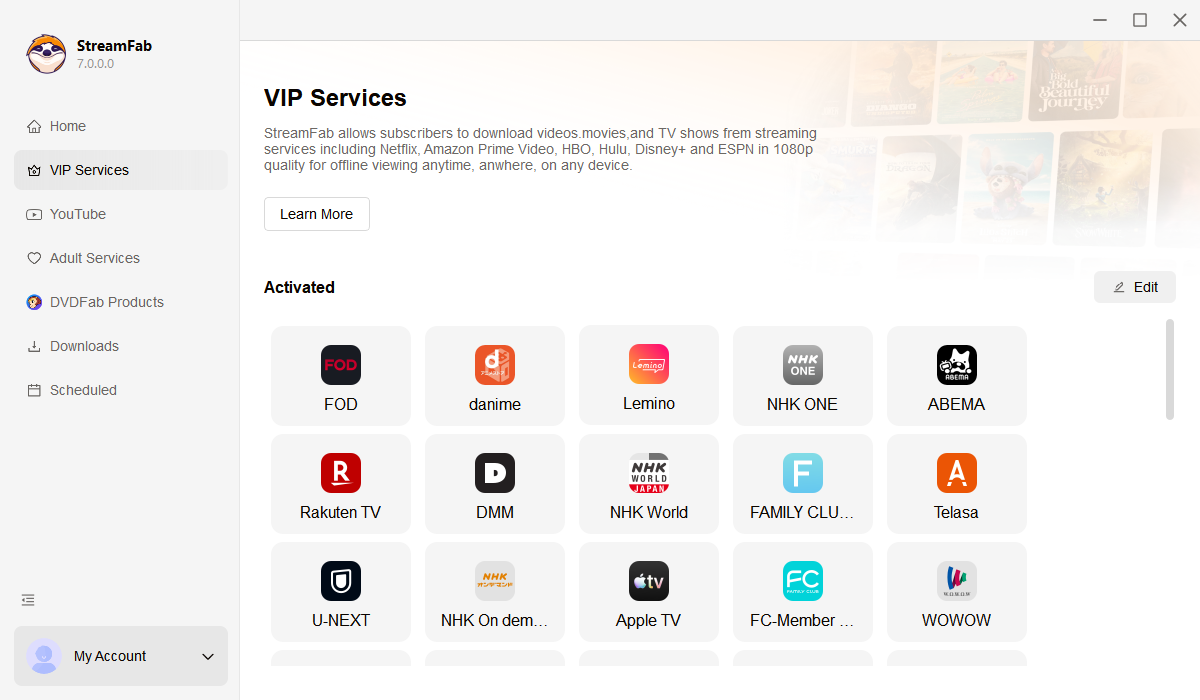
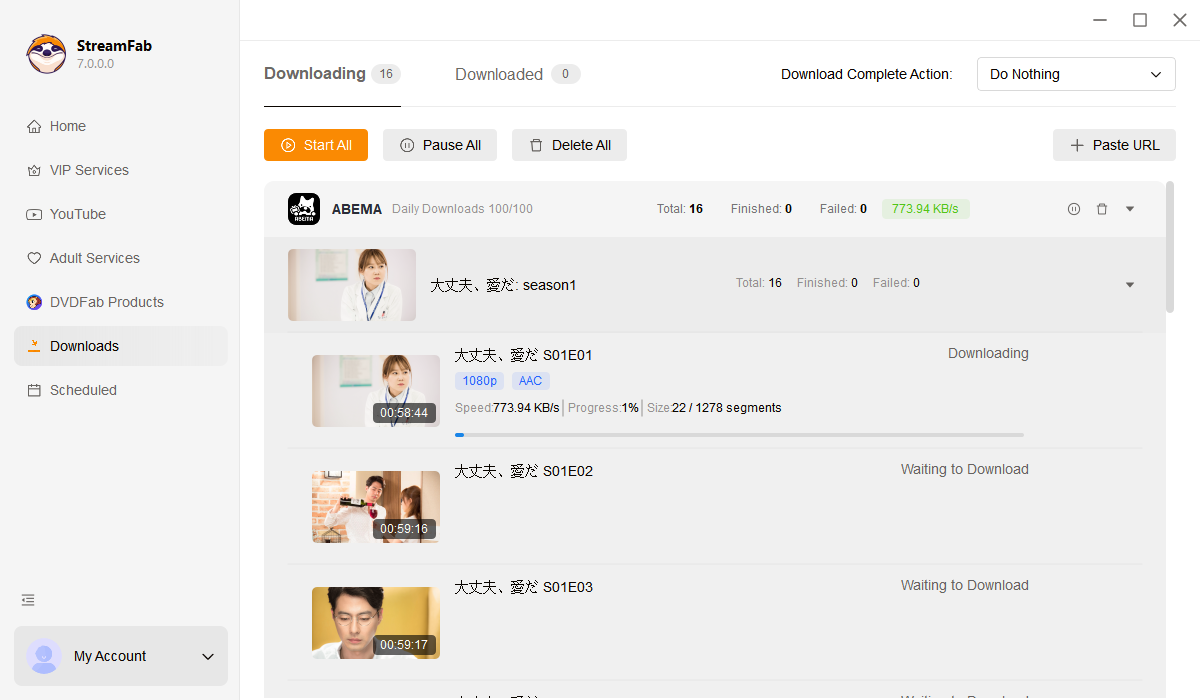
Open StreamFab and click the ABEMA icon in the VIP Services panel to launch the integrated browser.
Log into your ABEMA account at abema.tv, find the anime, variety show, or sports content you want, and start playback.
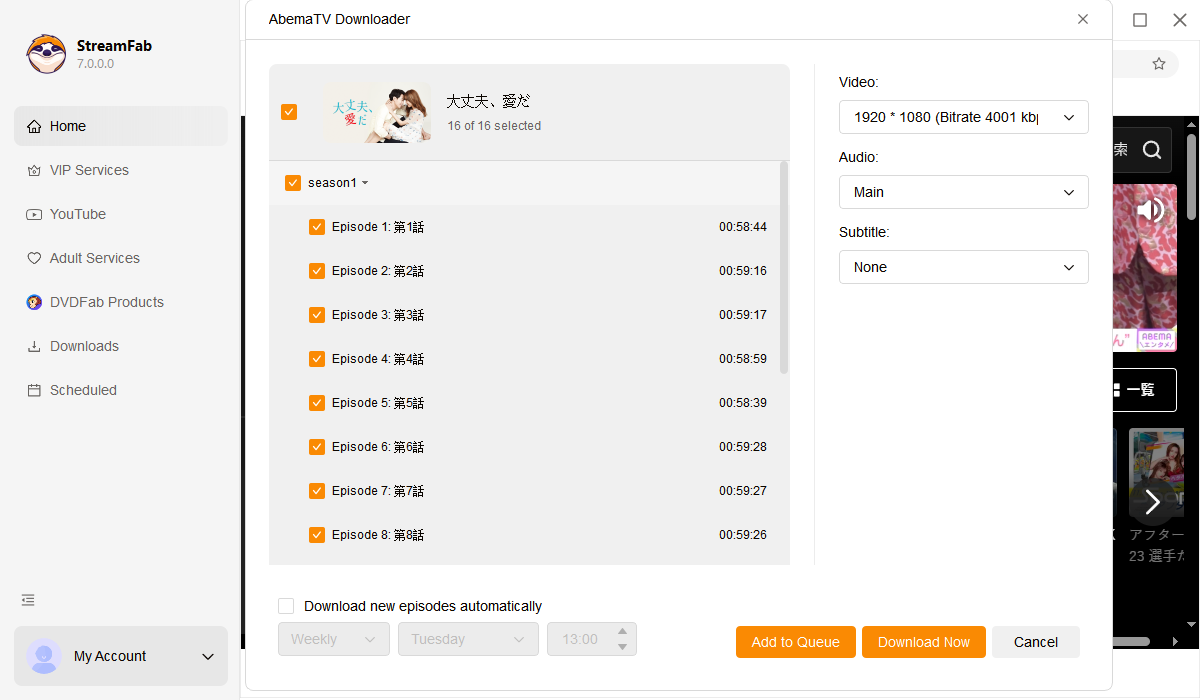
A download dialog appears during playback. Choose 1080p or 720p, select subtitle handling (SRT or embedded), pick MP4 or MKV format, and click Download Now.
System Requirements

To avoid being blocked by streaming providers, a StreamFab licensed account has a quota of 100 downloads per day, and 700 downloads per week from each supported streaming service. Whenever some of it is used up, it will refill during the next time cycle.