




Products Included (Lifetime):
International
North America
Asia
Europe
Adult
StreamFab MyCombo (Lifetime)
You can choose at least 2 single products from all StreamFab products according to your needs.
Start from$159.99
Customize Now

What Can You Get from StreamFab Video Downloader?

Download, Not Record

Download, Not Record – Faster Speed & Higher Quality

If you choose screen recording in real time, you have to leave her laptop untouched for the full two hours while the recorder captured each frame from the display. The resulting file showed compression artifacts in dark scenes, dropped the audio to stereo AAC at 192 kbps, and ballooned to over 10 GB because the re-encoding pipeline could not match the efficiency of the original stream. 


StreamFab All-In-One takes a fundamentally different path by extracting the source video directly from the platform's content delivery pipeline rather than recording what appears on screen. This direct-extraction method preserves the original encoding — H.264 or H.265 at native bitrates — so a 1080p Netflix episode lands on drive at roughly 3 to 5 GB with zero quality loss. The process finishes in a fraction of the real-time duration thanks to turbo-speed acceleration. Built on DVDFab's 20-plus years of video processing expertise, the extraction engine receives weekly compatibility updates to stay aligned with platform changes, typically resolving delivery-system shifts within 24 to 48 hours of detection.

Download online videos

Save Videos from 1000+ Online Websites for Personal Offline Viewing

The problem is that each platform handles downloads differently — some offer no download option at all, some lock files behind proprietary apps, and some simply do not make the content available offline. StreamFab All-In-One covers over 1,000 general online video websites beyond the VIP streaming services, giving David a single tool to save content from virtually any site that hosts video. 


StreamFab's engineering team continually expands site compatibility as new platforms emerge. For researchers, students, hobbyists, and anyone who relies on online video content that may not be available forever, this broad website coverage turns StreamFab from a streaming-only tool into a comprehensive personal video archive solution.

streamfab video downloader free
Major streaming services supported

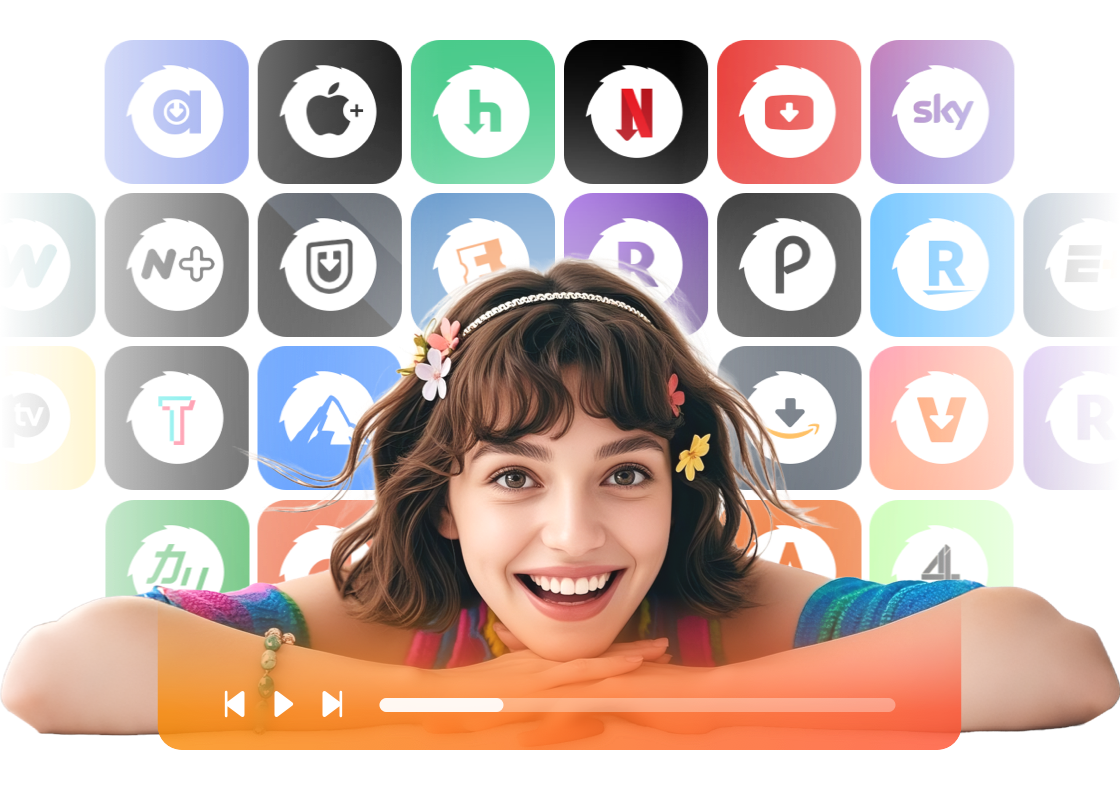
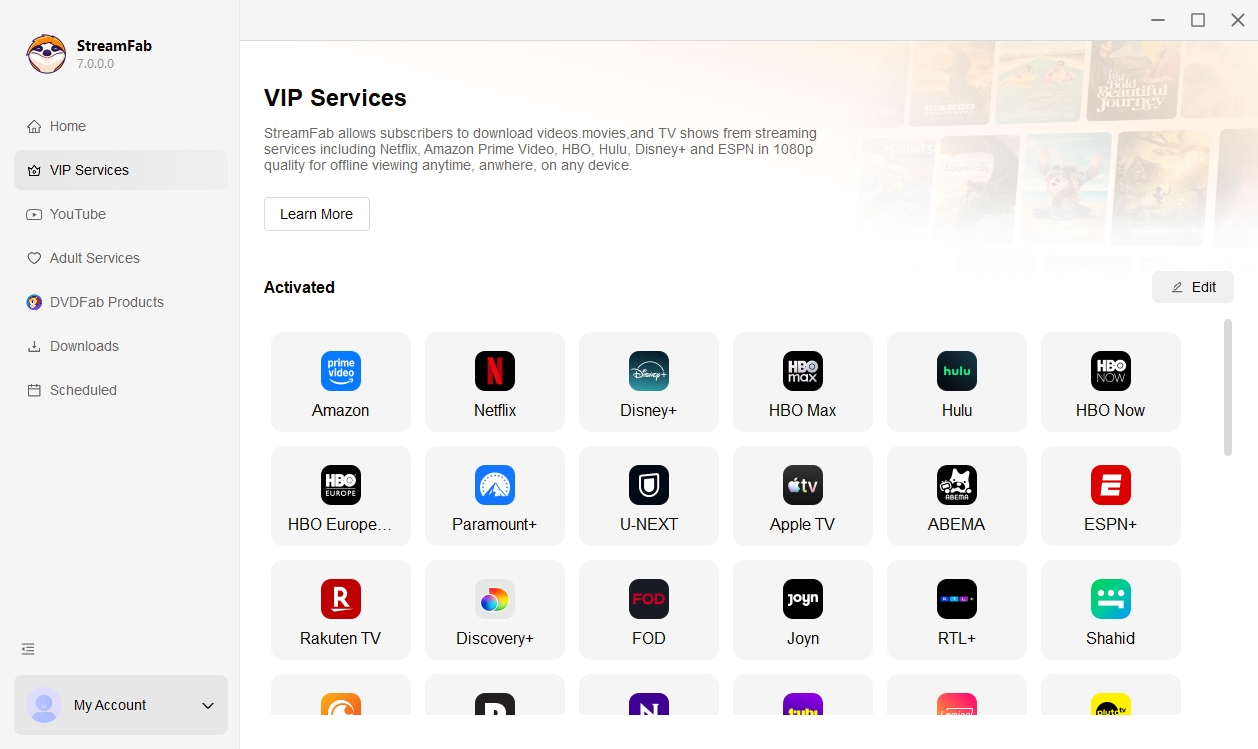
60+ VIP Streaming Services Supported with Dedicated Modules

StreamFab All-In-One consolidates more than 60+ VIP streaming services into a single application with a unified interface. Each service has a dedicated downloader module that is individually maintained and updated by DVDFab's engineering team to match that platform's specific content delivery system. 


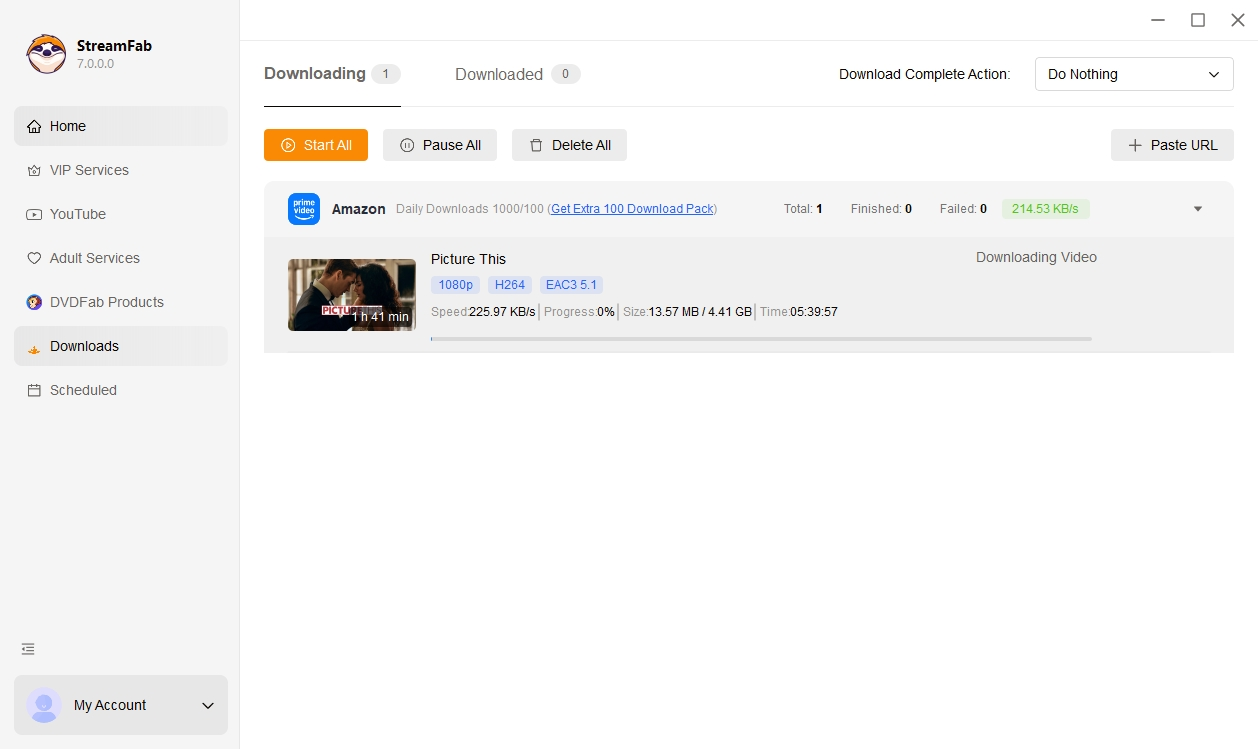
Whether you want to save a 4K Dolby Vision film from Disney+, a 1080p series from Netflix with EAC3 5.1 surround audio, or a live sports replay from ESPN+, every download starts from the same built-in browser and lands in the same organized output folder. The coverage spans major US platforms like Amazon Prime, HBO Max, Paramount+, Peacock, and Hulu, alongside European services, Australian platforms, Asian streaming sites, and niche content providers. 

streamfab video downloader supported services

Experience Cinema-Grade Quality on Every Download

Lossless video up to 8K

From 8K YouTube to 4K Disney+ — Genuine Lossless Quality, Not Re-Encoded Copies

StreamFab All-In-One extract the original source stream without re-encoding, which preserves every pixel and every audio channel exactly as the platform delivers them. For YouTube content, that means resolution up to 8K in VP9 encoding. For Disney+ and Hulu, you get native 4K Ultra HD with HDR10 and Dolby Vision metadata intact, paired with EAC3 5.1 Dolby Digital Plus surround audio.


 Netflix and Amazon downloads reach 1080p Full HD with H.264 or H.265 encoding at native bitrates, and platforms that support Dolby Atmos deliver the full immersive audio experience. The audio quality difference alone is dramatic: EAC3 5.1 at 640 kbps versus the AAC stereo at 192 kbps that most mobile-optimized downloads settle for, a gap that any home theater owner will hear immediately. On a large screen, StreamFab downloads retain the crisp detail and rich color gradients that re-encoded files lose to compression artifacts.

download 4k streaming videos
Universal MP4 and MKV output

MP4 for Every Device, MKV for Your Media Server — You Choose

Whether you run a Plex media server at home or load movies onto a tablet for long flights, you probably need two different things from the same downloaded file — and that is exactly the flexibility StreamFab All-In-One provides. Every download can be saved in either MP4 or MKV format, and you can set your preference globally or choose per download. MP4 files play natively on virtually any device without additional software, from smart TVs and gaming consoles to tablets and laptops, making it the ideal format for portable viewing. 


MKV containers, on the other hand, support multiple embedded audio tracks, soft subtitles in several languages, and chapter markers, which is exactly what media server software like Plex, Emby, and Jellyfin expects for a polished library experience. StreamFab also offers MP3 extraction for users who want just the audio from a concert recording or podcast. Because every module across all 65 products in the All-In-One bundle uses the same output engine, the format settings you configure once apply universally across Netflix, Amazon, Disney+, and every other supported platform.

download streaming videos in mp4
One-stop built-in browser

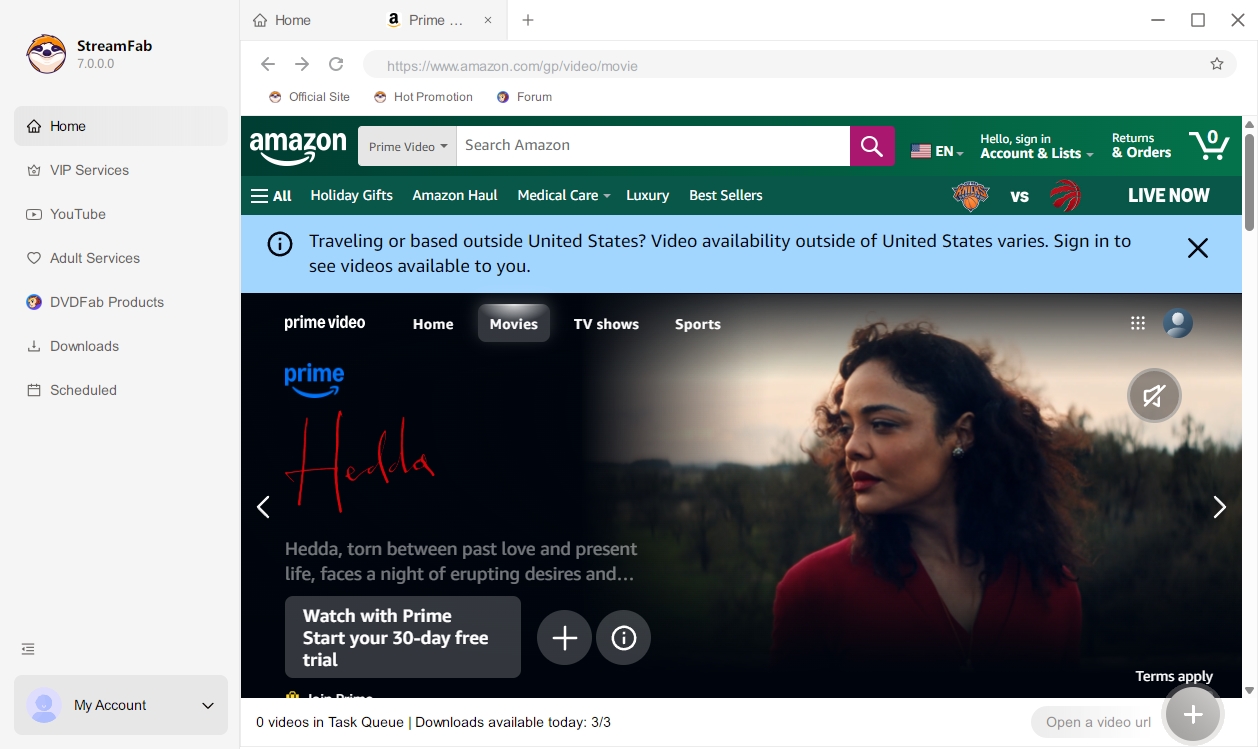
Browse, Select, and Save — All Without Leaving StreamFab

Most download tools force you to keep a browser tab open for each streaming service, manually copy and paste URLs into a separate window, and hope the link format gets recognized correctly — a workflow that fails more often than it works. StreamFab All-In-One eliminates that friction with a fully integrated browser built directly into the application. 


You simply open StreamFab, navigate to any of the 50-plus supported streaming platforms within the built-in browser, log into your existing account, and click play on whatever you want to save. The software automatically detects the video stream and presents download options without requiring any URL copying, pasting, or format guessing. 

built-in browser of stream video downloader
Multi-language subtitles

Watch in Any Language — Download Subtitles as SRT or Embedded Tracks

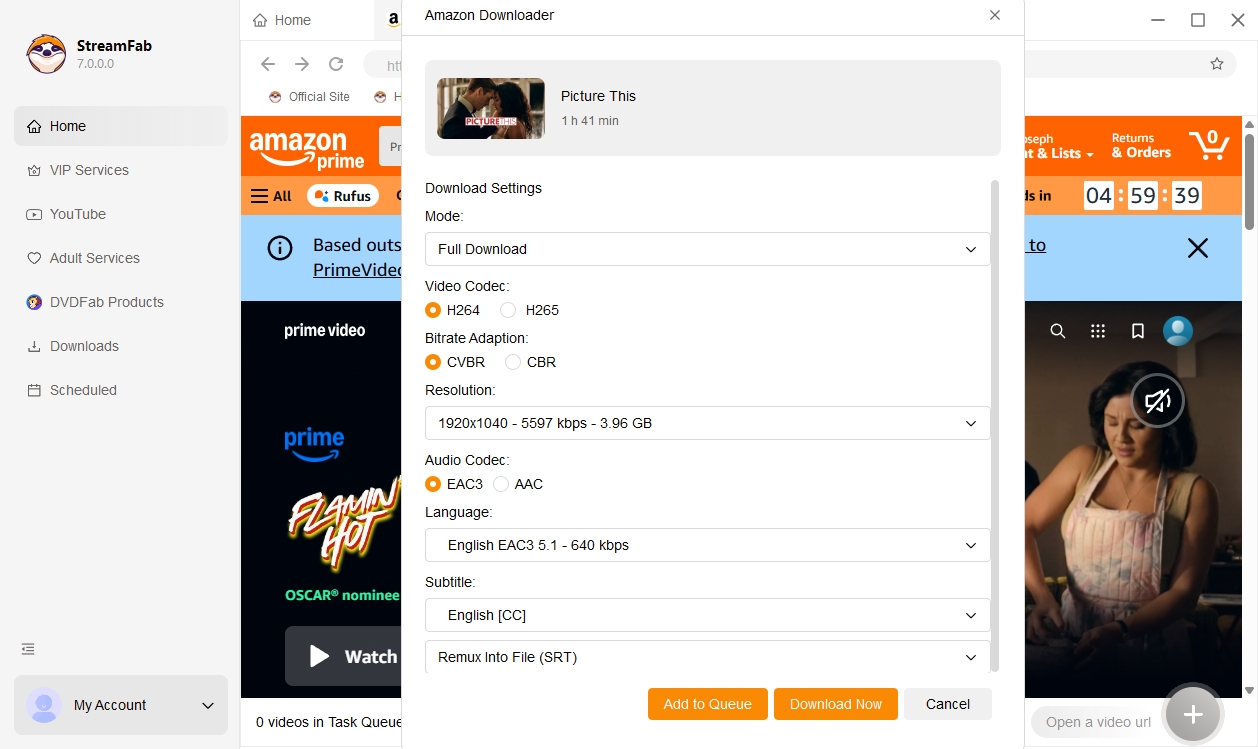
In a multilingual household — or for anyone learning a new language through TV — subtitle flexibility is not a luxury but a daily necessity. StreamFab All-In-One lets you download subtitles in multiple languages for the same video and choose between two practical output methods. You can remux subtitle tracks directly into the MP4 or MKV file, creating a single self-contained container where subtitles toggle on and off in players like VLC, Plex, or any smart TV app. 


Alternatively, you can save subtitles as standalone SRT files, which is useful when you want to edit the timing or use them with a different player. Because these subtitle options work consistently across all 60+ modules in the All-In-One bundle, you configure your preferred languages once and the setting applies whether you are downloading from Netflix, Amazon, Disney+, or any other supported service. For multilingual households and language learners alike, this flexibility transforms offline viewing from a compromise into a personalized experience.
 

stream video downloader: download subtitle

Smart Features That Fit Your Real Life

Schedule Mode and Auto Download

Schedule Mode and Auto Download

Set a schedule time to download newly released episodes automatically per day or week.
batch download streaming videos

Fast Speed and Batch Mode

Batch download a whole season and 10X turbo fast speed to save your time and enhance efficiency.
streamfab: choose subtitle languages

Pre-Select Language

Select audio and subtitle language according to your UI language or choose the language you want manually (it is up to you).
streamfab: remove ads

Remove Ads

Remove ads from video downloaded by StreamFab to ensure a seamless offline watching experience and improve your experience.

Keep Your Media Library Perfectly Organized

Complete metadata for every file

Automatic Metadata Download for a Polished Media Library

Anyone who has built an offline video collection knows the frustration of scrolling through folders full of cryptically named files like 'video_1080p_final.mp4' with no cover art, no episode descriptions, and no way to tell one title from another without opening each file. StreamFab All-In-One automatically downloads comprehensive metadata alongside every video, including the title, episode number, season information, plot synopsis, cast details, cover artwork, and duration. 


When these files are imported into media server software like Plex, Emby, or Jellyfin, the metadata populates beautiful library views with poster art, episode descriptions, and organized season structures that rival the streaming apps themselves. This metadata preservation works across all 65 modules in the bundle, ensuring a consistent and polished library experience regardless of which platform the content originally came from. For users who take pride in a well-organized media collection, this feature transforms a pile of generic video files into a curated personal entertainment hub.

built-in browser of stream video downloader

Real Stories from StreamFab All-In-One Users

download streaming video with streamfab
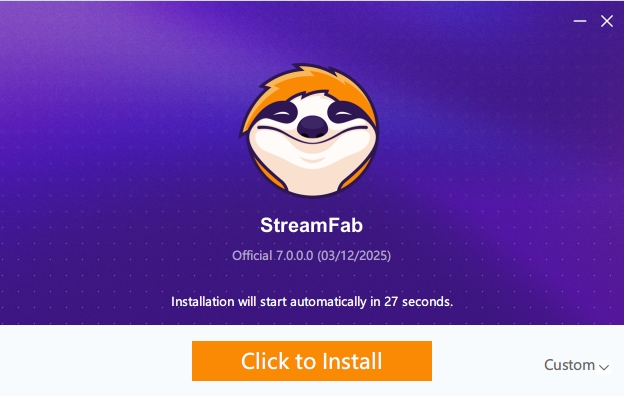
Step 1. Install StreamFab and Pick Your Platform

Install and open StreamFab Install StreamFab on your computer and open it to access the main interface.

Step 2. Choose a website to download videos

Choose a supported website In the Explore or Streaming Services section, select a supported platform that you already use and can legally access.

Step 3. Select and play a video you prefer

Find the video you want to watch offline Use the built-in browser to browse the platform and open the video you want to save for personal offline viewing.

Step 4. Customize your videos before downloading

Adjust your offline viewing options Choose the audio and subtitle languages and, where available, select the episodes or seasons you want StreamFab to prepare for offline viewing.

Step 5. Start to download the video

Start your offline viewing task StreamFab will process the selected content in the background according to your settings so that you can watch it later offline for personal, non-commercial use and in accordance with each service’s terms.

Watch the video

What We Have Achieved

Downloads
100+ Million
Updates/Year
50+
Get Response
48-Hour

System Requirements

Icon
Windows 11/10 (32/64 bit)
Intel i3 or above
4GB of RAM or above
40GB of free hard disk space or above
Live Internet connection required

Tips & Tricks to Watch Videos Offline Flexibly

  • StreamFab 2026: A Deep Technical Review After the StreamFab 7 Release
    StreamFab 2026: A Deep Technical Review After the StreamFab 7 Release

    StreamFab 7 marks the first major update in nearly three years. This review looks beyond surface-level changes and examines what actually matters in everyday use based on real testing, community feedback

    By Erika Leen - Dec 16, 2025
  • Is StreamFab Safe and Legal? Official Answer Released 2026
    Is StreamFab Safe and Legal? Official Answer Released 2026

    This article is an official response to users asking regarding the safety and legality of StreamFab. Written by StreamFab team, it moves beyond simple assurances to provide a transparent technical and legal analysis.

    By Nicole Lopez - Dec 16, 2025
  • How to Use StreamFab Video Downloader: The Ultimate 2026 Guide
    How to Use StreamFab Video Downloader: The Ultimate 2026 Guide

    Want to know how to download streaming videos and music for unrestricted offline playback on any device from Amazon Prime Video, HBO, Disney+, YouTube, and other 1000+ music & video-sharing websites? This article discusses multiple ways you can use to download streaming videos and music with the powerful video downloader: StreamFab.

    By Erika Leen - Mar 2, 2026

Fair Use Policy: StreamFab is intended only for creating personal backups and enabling offline viewing of streaming content that you have legally obtained access to (for example, via an active subscription or purchase). Any commercial use, public playback or sharing of downloaded content with third parties is strictly prohibited, and you are responsible for complying with the terms of use of each streaming service and with applicable copyright laws in your region. To avoid being blocked by streaming providers, a StreamFab licensed account has a quota of 100 downloads per day and 700 downloads per week from each supported streaming service. Whenever part of this quota is used, it will automatically reset in the next time cycle.