Win
Mac
StreamFab BBC iPlayer Downloader
Your favorite BBC iPlayer program can be available only while you are in the UK and while the service keeps it online. StreamFab BBC iPlayer Downloader saves eligible content in up to 4K as MP4 or MKV, with subtitles and metadata, so your personal offline copy stays ready when you travel or lose your connection.
Last Update: Sep 24, 2026
100% Safe & Clean

Save eligible BBC iPlayer content for offline viewing

Download episodes together, not one by one

Up to 4K with AAC 2.0 audio

Keep subtitles and organized program details
Why Viewers Choose StreamFab BBC iPlayer Downloader
Reliable Technology
A Stable Way to Keep BBC iPlayer Programs Available Offline
You may be following a BBC documentary during a short stay in the UK, planning a long flight, or trying to finish a series before its availability changes. The difficulty is that BBC iPlayer viewing depends on the service, the title, and your location. Once you leave the UK, the same program may no longer be available to stream.
StreamFab BBC iPlayer Downloader gives eligible viewers a practical way to create a personal offline copy while the content is available to them. It saves videos in up to 4K resolution, supports H.264 and H.265 video encoding, and keeps AAC 2.0 audio, subtitles, and metadata together with the file. Built on video software expertise refined by DVDFab for over 20 years, StreamFab receives regular compatibility updates so your saved library remains dependable.
StreamFab BBC iPlayer Downloader gives eligible viewers a practical way to create a personal offline copy while the content is available to them. It saves videos in up to 4K resolution, supports H.264 and H.265 video encoding, and keeps AAC 2.0 audio, subtitles, and metadata together with the file. Built on video software expertise refined by DVDFab for over 20 years, StreamFab receives regular compatibility updates so your saved library remains dependable.
Safe & Trusted
Clear Protection for Your Account and Personal Library
Using any third-party downloader naturally raises questions about account safety, privacy, and what happens to your files. StreamFab is designed to keep the workflow clear: sign in through the built-in browser on your own computer, create a personal local copy of content you are entitled to view, and keep the resulting files for private offline use.
All download connections use SSL/TLS protection, and your account credentials are not sent to external servers for processing. You can test the workflow with 3 free downloads before buying. Monthly and annual plans include a 7-day refund window, while Lifetime plans include 14 days. Weekly updates and responsive customer support help maintain compatibility as BBC iPlayer changes.
All download connections use SSL/TLS protection, and your account credentials are not sent to external servers for processing. You can test the workflow with 3 free downloads before buying. Monthly and annual plans include a 7-day refund window, while Lifetime plans include 14 days. Weekly updates and responsive customer support help maintain compatibility as BBC iPlayer changes.

Every Detail Ready for Offline Viewing
Up to 4K Quality
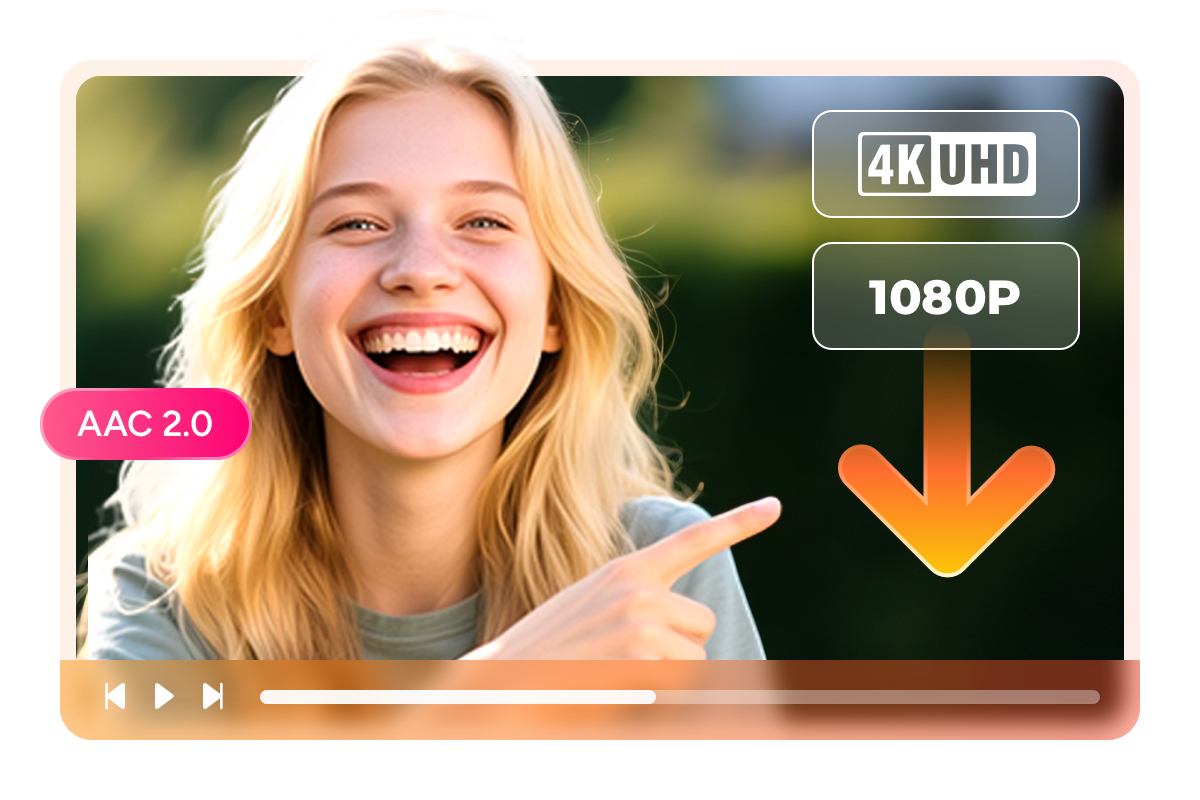
Up to 4K Video with H.264/H.265 and AAC 2.0 Audio
You have chosen a BBC program because the picture, pacing, and sound all matter. A low-quality screen recording can make a carefully produced documentary look soft and leave dialogue difficult to follow.
StreamFab BBC iPlayer Downloader saves eligible programs at up to 4K resolution when that quality is available, with H.264 or H.265 video encoding and AAC 2.0 audio. The result is a clean personal offline copy suited to a laptop, TV, or media library. Choose the quality your account and the source program provide, then keep the viewing experience close to what you enjoyed online.
StreamFab BBC iPlayer Downloader saves eligible programs at up to 4K resolution when that quality is available, with H.264 or H.265 video encoding and AAC 2.0 audio. The result is a clean personal offline copy suited to a laptop, TV, or media library. Choose the quality your account and the source program provide, then keep the viewing experience close to what you enjoyed online.
Flexible File Formats
MP4 or MKV — Choose the Format That Fits Your Library
You may want a file that plays immediately on everyday devices, or you may be building a carefully organized media library. StreamFab BBC iPlayer Downloader supports both workflows. Choose MP4 for broad compatibility across computers, TVs, phones, tablets, and common media players. Choose MKV when you want a flexible container for a long-term personal library and subtitle handling.
Both formats give you a standard local file instead of a stream tied to a particular app session. That makes it easier to arrange programs by series, move your personal copies to a compatible device, and watch without depending on the current BBC iPlayer catalog or an active connection.
Both formats give you a standard local file instead of a stream tied to a particular app session. That makes it easier to arrange programs by series, move your personal copies to a compatible device, and watch without depending on the current BBC iPlayer catalog or an active connection.

Video Encoding
Efficient H.264, H.265, and HLG Video Encoding
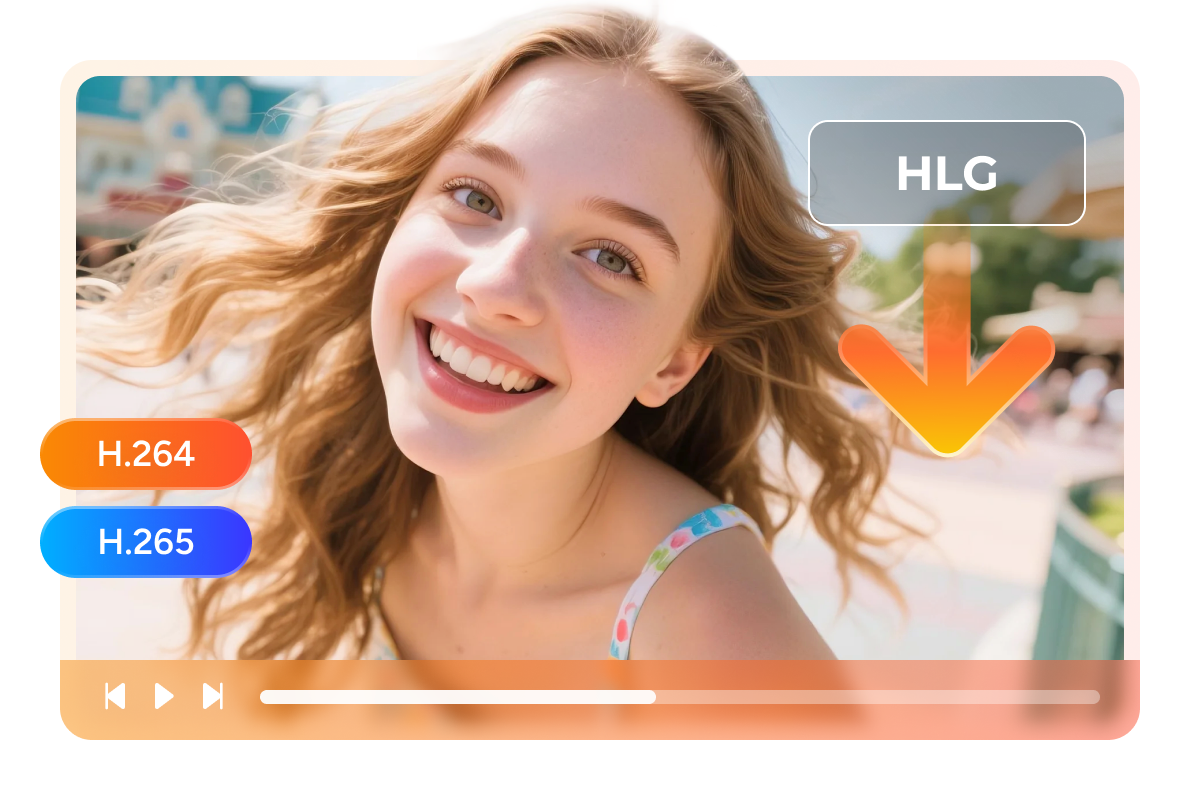
StreamFab supports H.264 and H.265 video encoding for BBC iPlayer downloads and preserves HLG when the source provides it. HLG (Hybrid Log-Gamma) is an HDR format used for broadcast and streaming content. On HLG-compatible playback devices, it can deliver HDR presentation while remaining compatible with SDR displays in supported setups.
The final HDR effect depends on HLG support across the source, player, display, and conversion path. H.264 remains a broadly compatible choice, while H.265 can help reduce file size when the playback environment supports it.
The final HDR effect depends on HLG support across the source, player, display, and conversion path. H.264 remains a broadly compatible choice, while H.265 can help reduce file size when the playback environment supports it.
Subtitle Support
Keep the Subtitles That Make Every Program Easier to Follow
You may use subtitles for accessibility, to follow fast dialogue, or to catch a phrase while watching in a busy room. StreamFab BBC iPlayer Downloader preserves available subtitle tracks alongside the video and lets you choose the language options offered by the source program.
Keep subtitles as separate files when you want flexibility across players, or use the supported container workflow for a more self-contained library. Whether you are revisiting a factual series, watching a drama, or studying regional accents, your personal offline copy keeps the subtitle support that helped you enjoy the original program.
Keep subtitles as separate files when you want flexibility across players, or use the supported container workflow for a more self-contained library. Whether you are revisiting a factual series, watching a drama, or studying regional accents, your personal offline copy keeps the subtitle support that helped you enjoy the original program.
Designed Around Real Viewing Habits

Download Enrolled BBC iPlayer Content
Save eligible programs while they are available to your account, then keep your personal offline copy ready for later viewing.

Batch Download Complete Series
Select a series or several episodes and add them to the queue so the complete set is processed without repetitive clicking.

Choose Available Languages
Choose from the subtitle and audio options provided by the program, making each saved copy better suited to your preferred way of watching.

Ad-Free Offline Playback
Create a clean personal offline copy without the interruptions that can make focused viewing harder on a connected stream.
Your BBC iPlayer Library, Properly Organized
Smart Metadata
Metadata That Keeps Series and Episodes Findable
When a library grows beyond a few files, generic names make it difficult to find the episode or documentary you want. StreamFab BBC iPlayer Downloader saves available metadata with your downloads so program and episode information remains easier to recognize later.
Use the organized details to sort your personal library by series, episode, or program title. Instead of reopening BBC iPlayer to identify a file, you can browse the local collection and continue watching from the right place. It is a small feature that makes a long-term offline archive much more useful.
Use the organized details to sort your personal library by series, episode, or program title. Instead of reopening BBC iPlayer to identify a file, you can browse the local collection and continue watching from the right place. It is a small feature that makes a long-term offline archive much more useful.
What Viewers Say About StreamFab

J
Jacob
Travel WriterI watched several BBC documentaries during a work trip in the UK and wanted to keep them ready for the flight home. StreamFab let me save eligible programs before leaving, with subtitles and metadata still attached to each file. I used MP4 for easy playback on my laptop and TV, and the 1080p picture looked sharp enough for detailed maps and archive footage. Three free downloads were enough to test the workflow, and the batch queue saved me from opening every episode separately.
A
Alice
University ResearcherMy research schedule often takes me away from a reliable connection, so I prefer preparing a small offline library before a trip. StreamFab BBC iPlayer Downloader made it straightforward to save a series I was entitled to watch while in the UK. I selected the available subtitle track, kept the AAC 2.0 audio, and used MKV for my media server. The files were easy to identify later because the metadata stayed with them.
M
Mark
Broadcasting ConsultantI care about picture quality because I use documentary footage for reference and discussion. StreamFab gave me a clear choice between H.264 and H.265 encoding and preserved the available BBC iPlayer quality up to 4K. I also liked being able to queue a complete series instead of monitoring each download. The result is a tidy personal library that works offline, without relying on the program still being available in the current catalog.
J
Jacob
Travel WriterI watched several BBC documentaries during a work trip in the UK and wanted to keep them ready for the flight home. StreamFab let me save eligible programs before leaving, with subtitles and metadata still attached to each file. I used MP4 for easy playback on my laptop and TV, and the 1080p picture looked sharp enough for detailed maps and archive footage. Three free downloads were enough to test the workflow, and the batch queue saved me from opening every episode separately.
A
Alice
University ResearcherMy research schedule often takes me away from a reliable connection, so I prefer preparing a small offline library before a trip. StreamFab BBC iPlayer Downloader made it straightforward to save a series I was entitled to watch while in the UK. I selected the available subtitle track, kept the AAC 2.0 audio, and used MKV for my media server. The files were easy to identify later because the metadata stayed with them.
M
Mark
Broadcasting ConsultantI care about picture quality because I use documentary footage for reference and discussion. StreamFab gave me a clear choice between H.264 and H.265 encoding and preserved the available BBC iPlayer quality up to 4K. I also liked being able to queue a complete series instead of monitoring each download. The result is a tidy personal library that works offline, without relying on the program still being available in the current catalog.
J
Jacob
Travel WriterI watched several BBC documentaries during a work trip in the UK and wanted to keep them ready for the flight home. StreamFab let me save eligible programs before leaving, with subtitles and metadata still attached to each file. I used MP4 for easy playback on my laptop and TV, and the 1080p picture looked sharp enough for detailed maps and archive footage. Three free downloads were enough to test the workflow, and the batch queue saved me from opening every episode separately.
A
Alice
University ResearcherMy research schedule often takes me away from a reliable connection, so I prefer preparing a small offline library before a trip. StreamFab BBC iPlayer Downloader made it straightforward to save a series I was entitled to watch while in the UK. I selected the available subtitle track, kept the AAC 2.0 audio, and used MKV for my media server. The files were easy to identify later because the metadata stayed with them.
M
Mark
Broadcasting ConsultantI care about picture quality because I use documentary footage for reference and discussion. StreamFab gave me a clear choice between H.264 and H.265 encoding and preserved the available BBC iPlayer quality up to 4K. I also liked being able to queue a complete series instead of monitoring each download. The result is a tidy personal library that works offline, without relying on the program still being available in the current catalog.
J
Jacob
Travel WriterI watched several BBC documentaries during a work trip in the UK and wanted to keep them ready for the flight home. StreamFab let me save eligible programs before leaving, with subtitles and metadata still attached to each file. I used MP4 for easy playback on my laptop and TV, and the 1080p picture looked sharp enough for detailed maps and archive footage. Three free downloads were enough to test the workflow, and the batch queue saved me from opening every episode separately.
A
Alice
University ResearcherMy research schedule often takes me away from a reliable connection, so I prefer preparing a small offline library before a trip. StreamFab BBC iPlayer Downloader made it straightforward to save a series I was entitled to watch while in the UK. I selected the available subtitle track, kept the AAC 2.0 audio, and used MKV for my media server. The files were easy to identify later because the metadata stayed with them.
M
Mark
Broadcasting ConsultantI care about picture quality because I use documentary footage for reference and discussion. StreamFab gave me a clear choice between H.264 and H.265 encoding and preserved the available BBC iPlayer quality up to 4K. I also liked being able to queue a complete series instead of monitoring each download. The result is a tidy personal library that works offline, without relying on the program still being available in the current catalog.
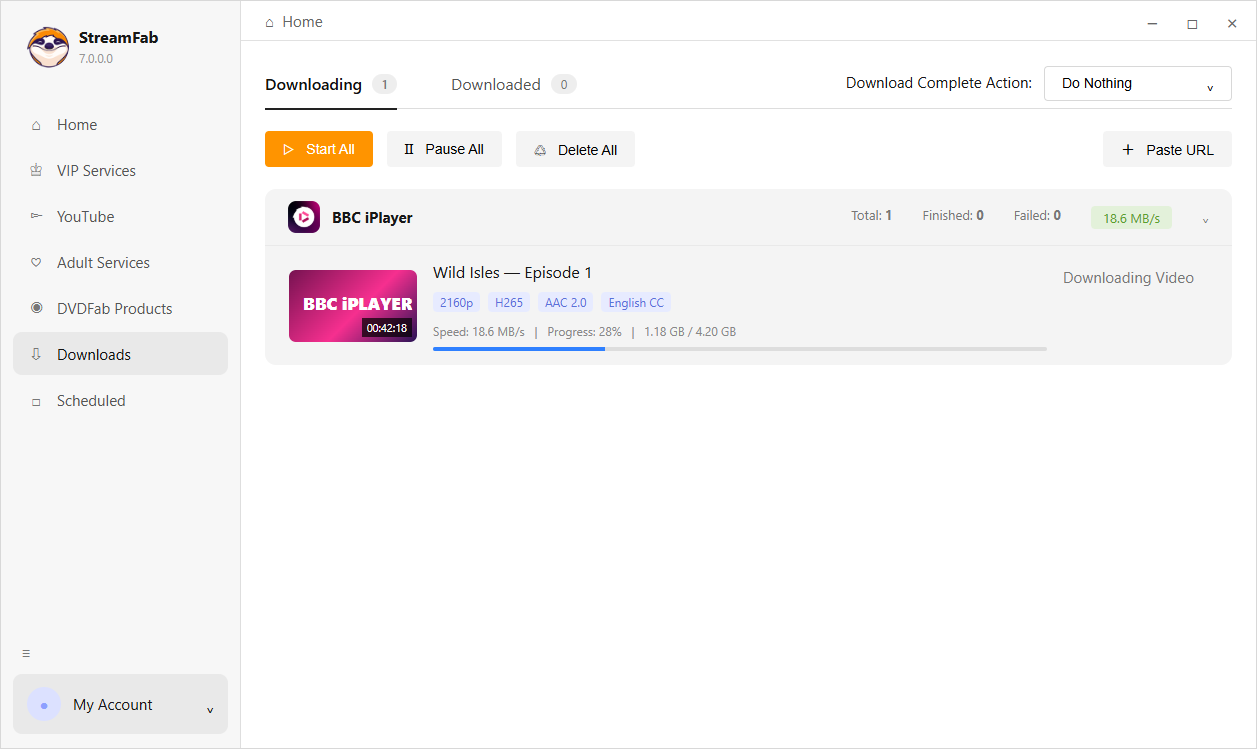
Step 1. Download and Install StreamFab
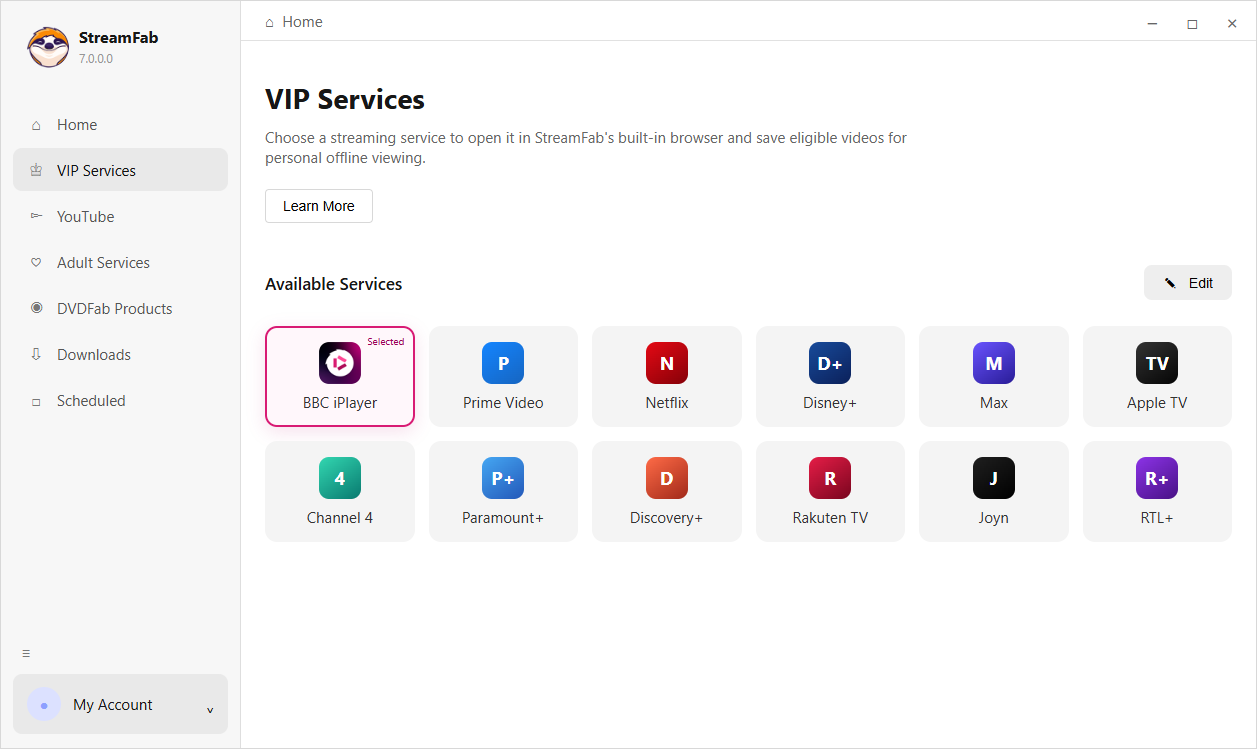
Download StreamFab from the official DVDFab website and install it on your Windows 10/11 PC. Open BBC iPlayer Downloader from the VIP Services menu.
Step 2. Sign In and Open BBC iPlayer
Use the built-in browser to sign in and navigate to the BBC iPlayer program you are entitled to view. The service is intended for content available in the UK.
Step 3. Choose Settings and Start Download
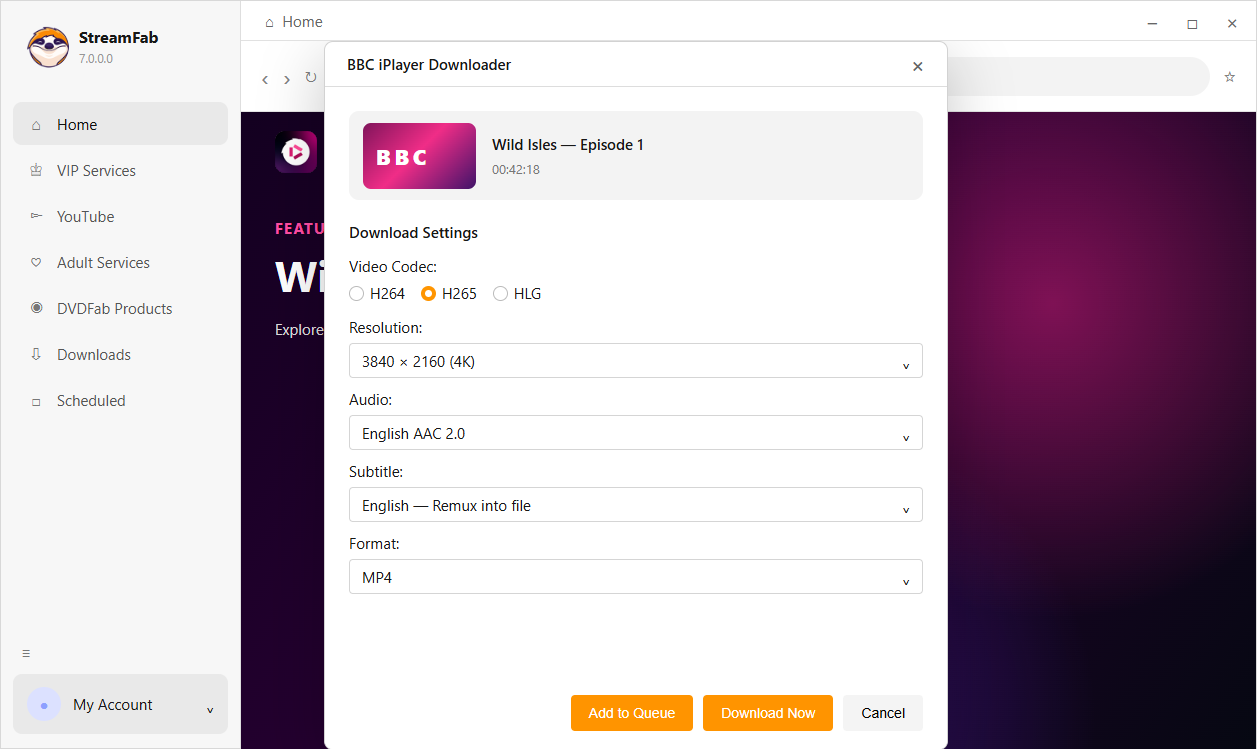
Choose the available resolution, video encoding, output format, subtitle options, and metadata settings, then click Download or add episodes to the queue.
System Requirements

Windows 11/10 (32/64 bit)
Intel i3 or above
4GB of RAM or above
40GB of free hard disk space or above
Live Internet connection required