
JDownloader 2 Review: Safety, Limits, and 6 Alternatives in 2026

Summary: JDownloader 2 is still a useful free download manager for large link queues and file hosts, but it is not a universal video-saving tool. This JDownloader review explains the 2026 installer incident, practical limits, and which JDownloader alternatives fit different source types.
Table of Contents
JDownloader 2 Review and Quick Verdict
JDownloader 2 is best for free, high-volume link and file-host management. It is less suitable when the goal is a predictable local video file from a protected subscription streaming service.
My editorial take is simple: choose it for queues, hosts, archives, and repeatable link handling, not because one downloader should cover every kind of media source.
- Strengths: free, open-source software; LinkGrabber automation; large queues; archive extraction; account and host-plugin support.
- Limitations: the interface takes time to learn, host rules control speed and resume behavior, and protected subscription streams fall outside its intended job.
JDownloader 2 at a Glance
The JDownloader official installer page offers several package types, so Java handling depends on the package rather than one universal requirement.
| Item | Current position |
|---|---|
| Price | Free |
| License | Open-source components with project-specific licensing |
| Desktop choices | Windows, Linux, and macOS packages |
| Architecture choices | ARM64 and Apple Silicon options are listed where supported |
| Portable or package-manager choices | Multi-OS JAR, Flatpak, and Snap choices are available |
| Java | Many installers bundle a suitable runtime; the multi-OS JAR requires compatible Java |
Ease of Use and Core Functions
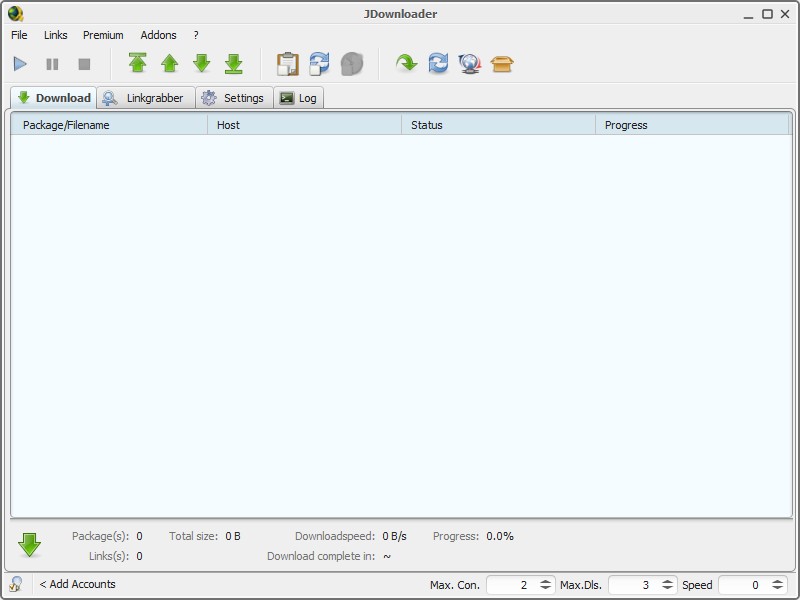
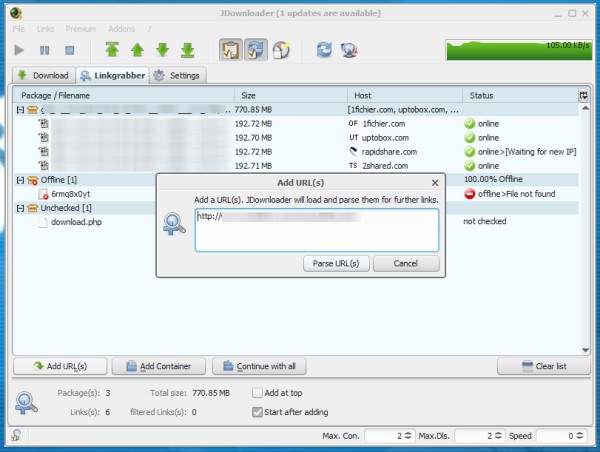
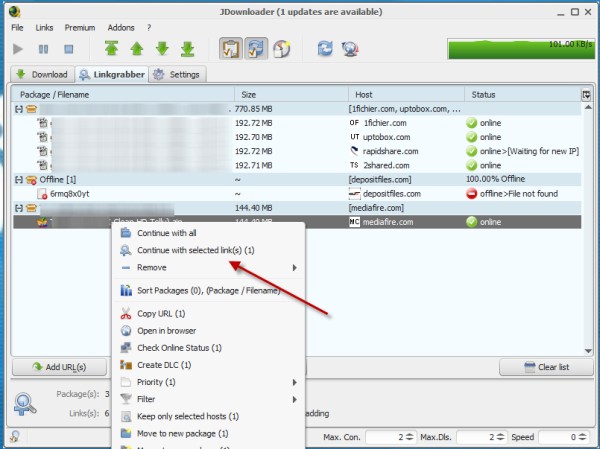
A JDownloader video download starts with links: LinkGrabber watches the clipboard, identifies supported items, groups packages, and sends selected files to the download queue.
The strongest workflow is repetitive rather than glamorous. Filters, package names, extraction rules, and account settings reduce manual work when a page exposes direct files or a supported host plugin can resolve them.
Speed, Hosts, and Resume Limits
JDownloader itself does not sell a faster tier. Download speed and resume support depend on the host, account limits, plugin behavior, server range requests, and the number of connections the source permits.
Connection tuning can help only when the host and account allow it. If JDownloader is Cloudflare blocked, increasing chunks will not solve the underlying host or plugin interaction; updating the application and affected plugin is the better first step.
How to Use JDownloader 2
The basic workflow is to install the appropriate package, add supported links, review LinkGrabber results, and start the queue.

Is JDownloader 2 Safe Now?
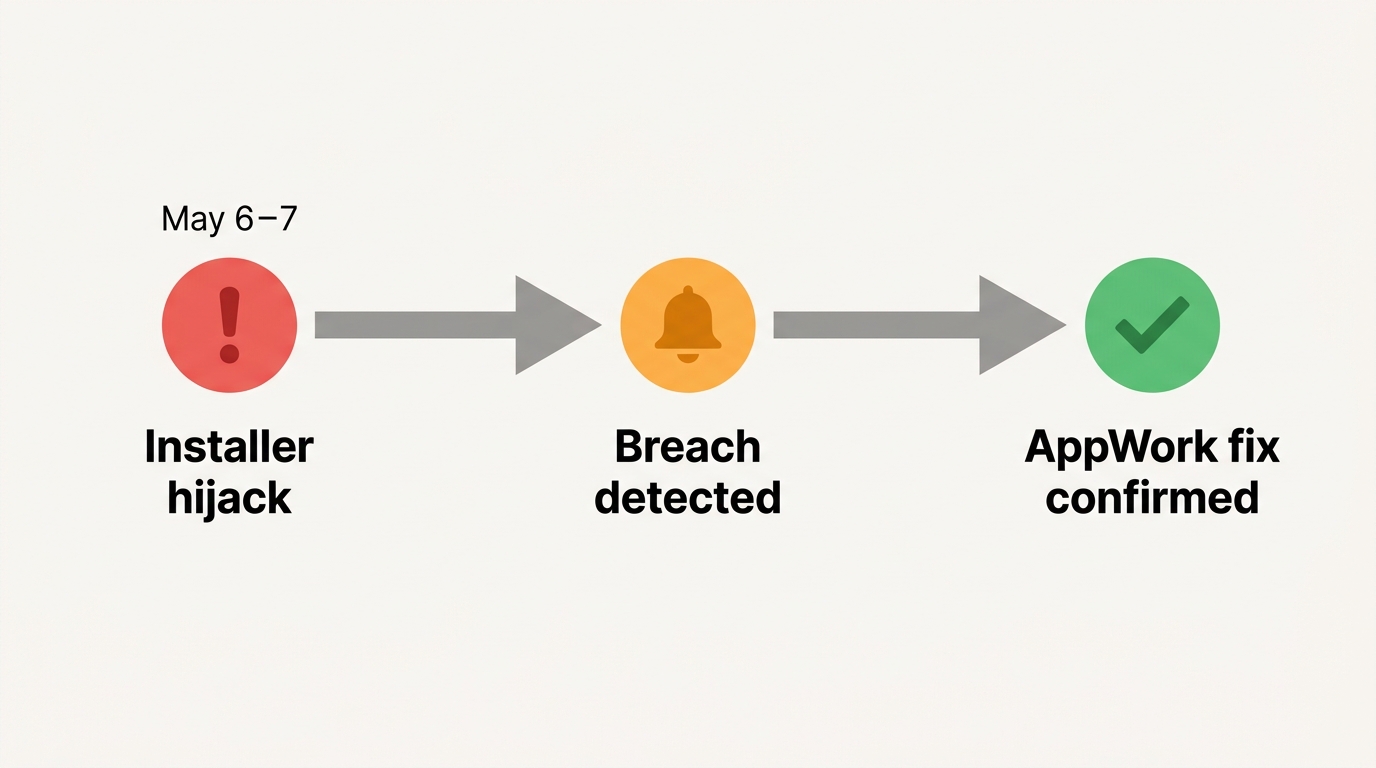
JDownloader 2 can be used safely with careful package selection and verification, but the May 2026 incident showed that an official domain alone is not a sufficient trust check.
The May 2026 Installer Incident
On May 6–7, 2026, attackers replaced specific links for the Windows Alternative Installer and Linux shell installer on the project website. The project restored the links and published incident guidance; the event concerned those delivery links, not a finding that the core application or updater had been replaced.
Anyone who ran one of the affected files during that window should disconnect the machine if suspicious behavior appears, run current security scans, review the project’s incident guidance, and replace the package with a verified current download.
Safer Installer Verification
Use the current official download page, select an optional-offer-free package where available, and verify the AppWork GmbH digital signature or the published SHA-256 or GPG information before running it.
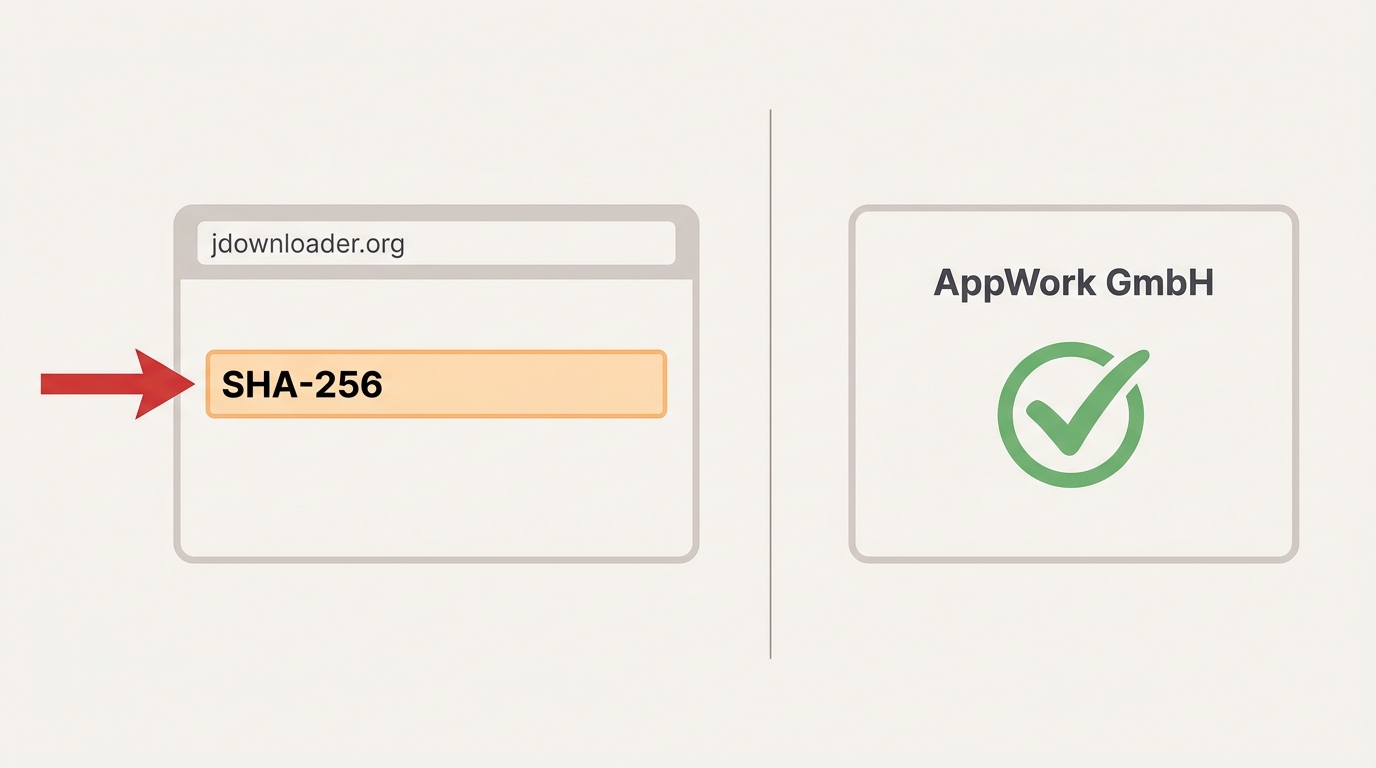
- Download source: Use the current JDownloader 2 download page and select an optional-offer-free package where available.
- File verification: Check the AppWork GmbH digital signature or compare the published SHA-256 or GPG information before installation.
- Incident context: Specific installer links were replaced on May 6–7, 2026; the project restored them and issued guidance.
- Java handling: Many official installers bundle a suitable runtime, while the multi-OS JAR needs a compatible Java installation.
What JDownloader Can Download
JDownloader video download support is strongest for direct files, file hosts, archives, browser-captured links, and some open-web media. JDownloader MP4 output depends on whether the source exposes a usable media file.
The source type matters more than the downloader’s brand name. A direct MP4, a host-managed archive, an open-web video page, and a protected subscription title are different technical jobs.
Netflix and Amazon Limits
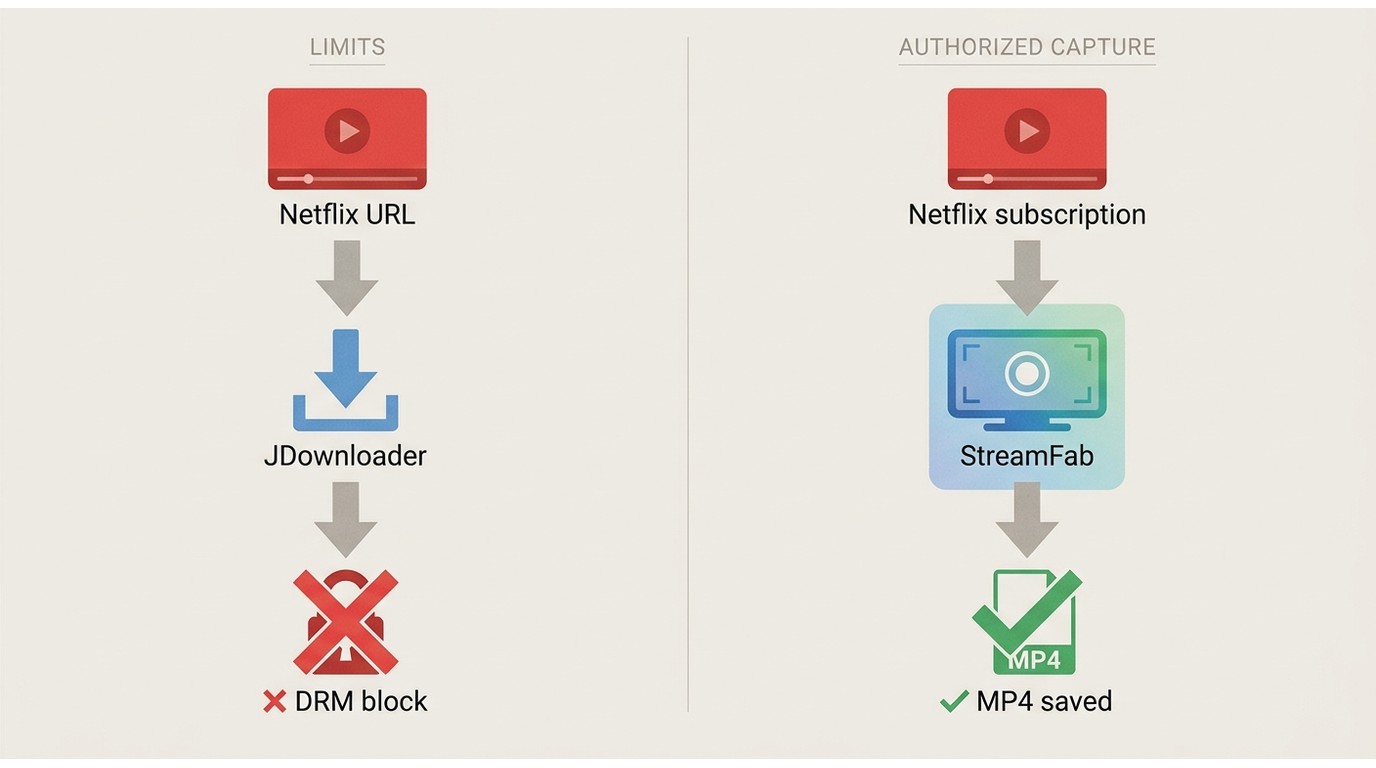
JDownloader Netflix links and Amazon subscription titles do not become standard local MP4 files simply by pasting a watch-page URL. JDownloader is not designed for protected subscription streams, though it may handle direct or unencrypted media links found elsewhere.
A streaming video downloader built for an authorized local-file workflow serves a different use case. Official in-app downloads remain the simplest choice when the platform and device support them.
JDownloader Alternatives by Use Case
The right JDownloader alternatives depend on the source: file hosts, ordinary web downloads, open-web video, or authorized subscription content. No single option leads in all four.
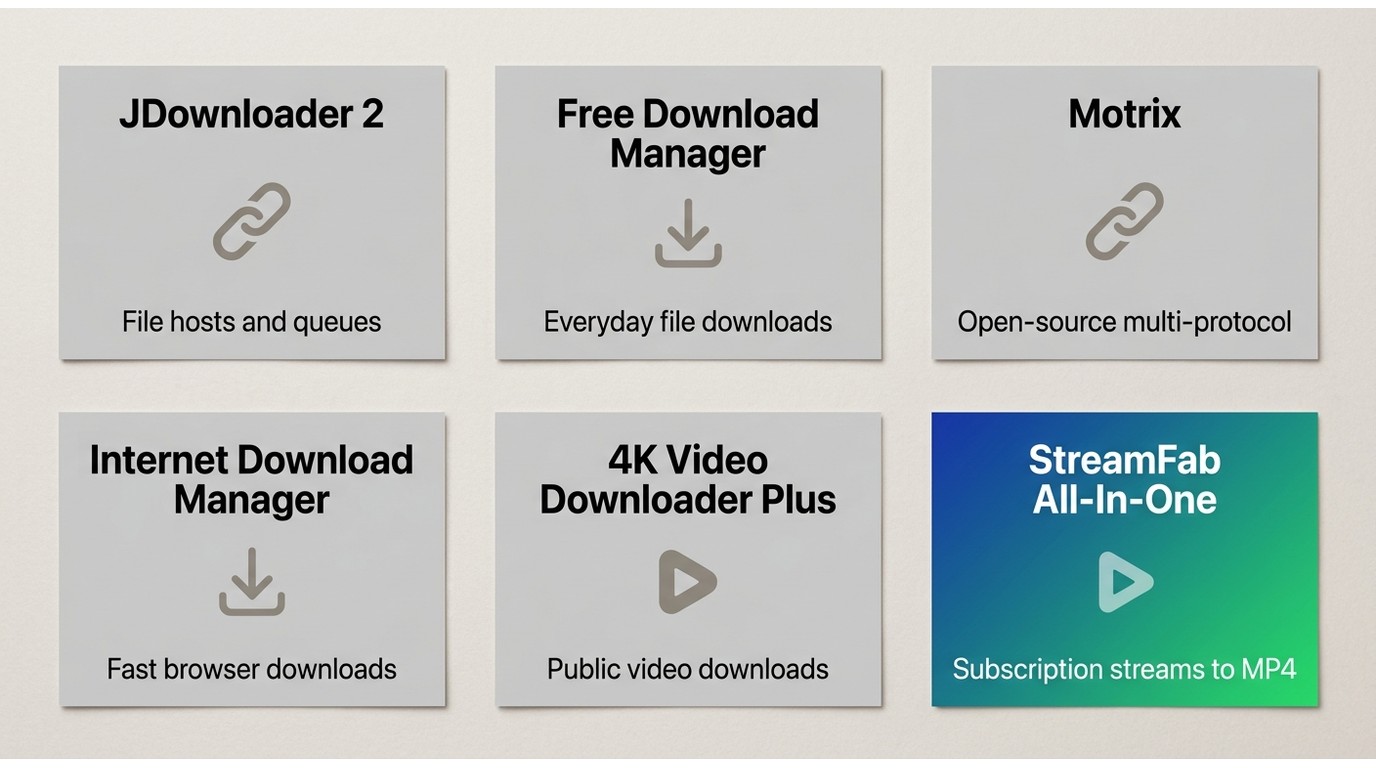
| Option | Best use case | Operating systems | Price model | Download source type | Typical output | Batch and resume behavior | Main limitation |
|---|---|---|---|---|---|---|---|
| JDownloader 2 | Large link queues and file hosts | Windows, macOS, Linux | Free | Direct links, hosts, archives, supported pages | Original hosted files | Strong queues; resume is host-dependent | Not designed for protected subscription streams |
| Free Download Manager | General browser downloads | Desktop and mobile builds | Free | Direct web files and common transfers | Original downloadable files | Queue and resume support vary by server | Less specialized for host-plugin ecosystems |
| Motrix | Simple multi-protocol desktop queues | Windows, macOS, Linux | Free and open source | Direct links and supported transfer protocols | Original downloadable files | Concurrent tasks with server-dependent resume | Fewer site-specific host plugins |
| Internet Download Manager | Windows browser integration | Windows | Paid license with trial | Direct web files and browser-detected media | Original downloadable files | Segmented downloads and server-dependent resume | Windows-focused and not free |
| 4K Video Downloader Plus | Open-web video and playlists | Desktop platforms | Limited free use with paid plans | Supported public video pages | Local video or audio files | Playlist support depends on the site and plan | Not a general file-host manager |
| StreamFab All-In-One | Authorized subscription and streaming local-file workflows | Windows and macOS | 30-day trial with per-service limits; paid plans | Supported streaming services and web video | MP4 or MKV with selectable audio and subtitles | Batch and scheduled series downloads | Not ideal for someone who only needs a free file-host manager; compare broader StreamFab alternatives separately |
Free File and Link Managers
For a free download manager centered on direct files and queues, start with JDownloader 2, Free Download Manager, or Motrix. Internet Download Manager fits Windows users who prioritize browser integration and accept a paid license.
Video and Streaming Workflows
For open-web video, a purpose-built video tool may be simpler than a host manager. For personal offline viewing of content you are authorized to access, where permitted by platform terms and applicable law, StreamFab is one desktop alternative when official downloads are unavailable.
StreamFab and JDownloader Fit Different Jobs
JDownloader manages links and hosted files; StreamFab All-In-One focuses on supported streaming services and local MP4 or MKV output. The practical choice follows the source, not a feature-count contest.
Usage note: Save only content you are authorized to access for personal offline viewing, subject to platform terms and applicable law.
StreamFab can preserve selectable multichannel audio and subtitles, and it supports batch or scheduled series downloads. It is a poor fit for someone who needs only a free host-link queue, a boundary also reflected in this focused StreamFab review.
YouTube and Open-Web Video
JDownloader can resolve many supported open-web pages, while site changes can temporarily affect parsing or audio-video merging. StreamFab also supports web-video workflows, but neither choice should be judged from a single site result.
Local Files, Audio, and Subtitles
For supported services, StreamFab All-In-One outputs MP4 or MKV, offers selectable audio and subtitles, and supports resolutions up to the service and plan limit. JDownloader usually saves the file exposed by the host rather than applying one standard media profile.
| Capability | JDownloader 2 | StreamFab All-In-One |
|---|---|---|
| Direct files and file hosts | Primary use case with broad queue and plugin support | Not its main purpose |
| Open-web video | Works on supported pages and exposed media links | Supports web-video workflows on compatible sites |
| Protected subscription streams | Not designed to create standard local video files from them | Supports authorized local-file workflows on listed services |
| Typical local output | The original file exposed by the source | MP4 or MKV with selectable audio and subtitles |
| Best fit | Free link, archive, and file-host management | Supported streaming services, batch jobs, and scheduled series downloads |
A Short StreamFab Workflow
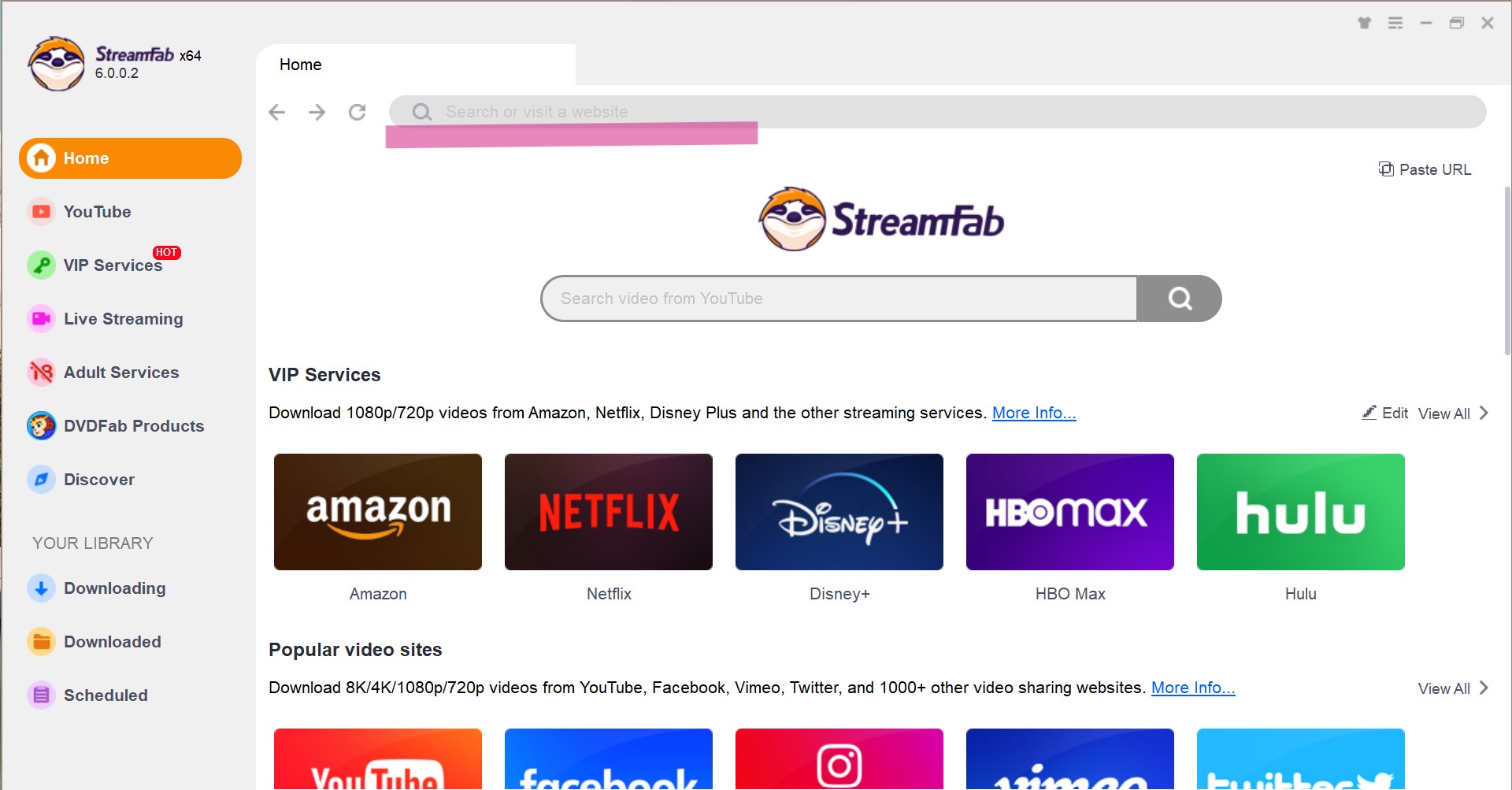
The concise StreamFab workflow is install, sign in to an authorized service, and choose output settings before adding the title to the queue.
Step 1: Install StreamFab on Windows or macOS, then open the supported service inside the application.
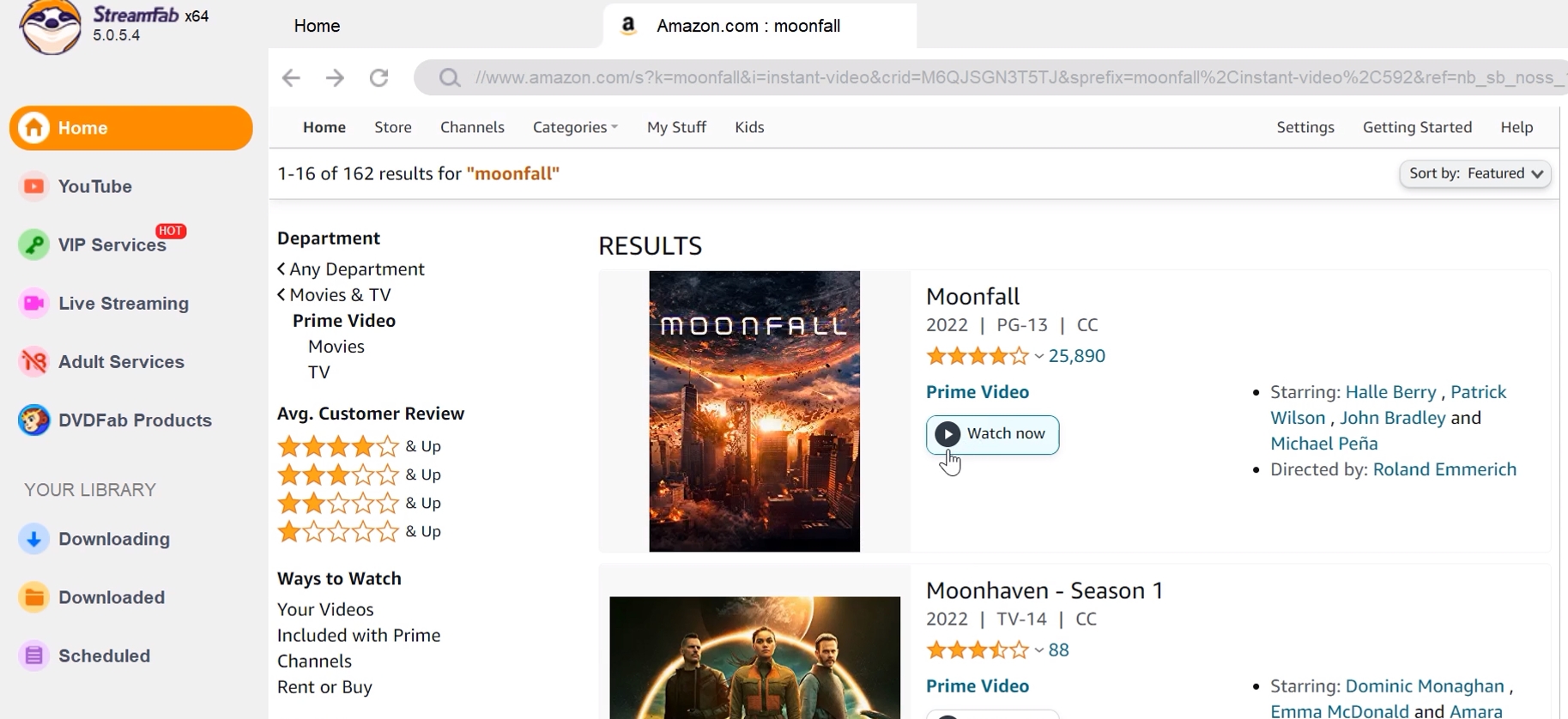
Step 2: Sign in with a valid subscription, open the title, and select the available video, audio, and subtitle options.
Step 3: Add the item to the queue and start it immediately or use an available schedule.
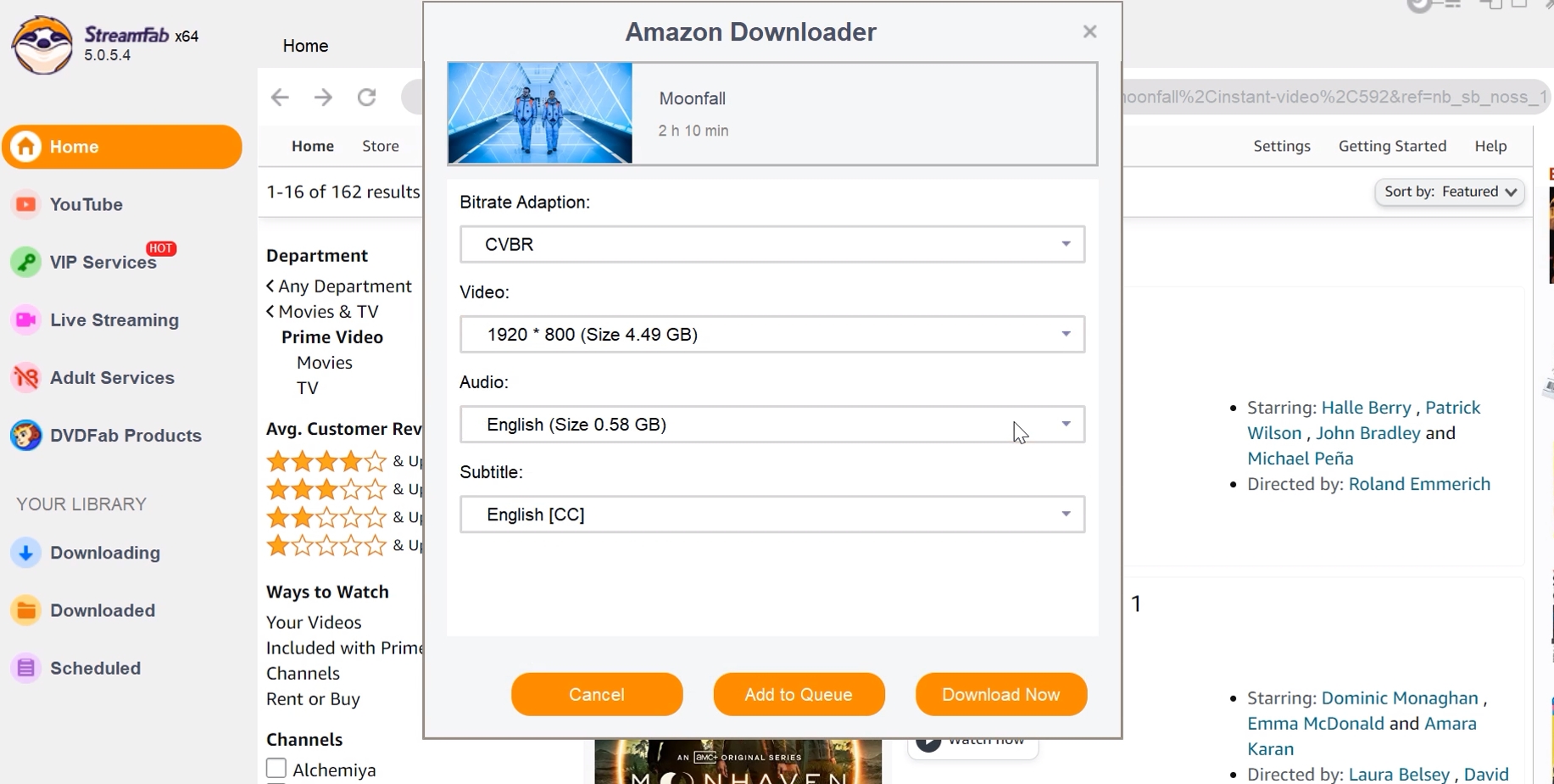
A 30-day trial is available with a limit of three downloads per supported service; paid plans have service-level usage quotas. Pricing varies by current plan, so no fixed price is stated here.
Frequently Asked Questions
Should I update JDownloader after the 2026 installer incident?
Yes. The incident affected specific website-served installer links during a narrow window, not the updater itself. Use a current package and verify its AppWork GmbH signature or published hash before installation.
Why does JDownloader show links as blocked by Cloudflare?
Host anti-bot changes can disrupt JDownloader plugins across operating systems. Update JDownloader and the relevant plugin, then check browser integration compatibility. The MyJDownloader extension may help with some challenges, but it is not a universal fix.
Is JDownloader 2 different from the original JDownloader?
Yes. JDownloader 2 is the current generation readers should choose. Its official page lists the current installers and package formats.
Can JDownloader save Netflix videos as MP4 files?
Not from protected Netflix watch-page streams as a normal JDownloader task. Direct or unencrypted media links are different; authorized subscription content requires either the platform’s official offline feature or a compatible streaming-focused workflow where permitted.
Conclusion
Choose JDownloader 2 for free file-host management, archives, and large link queues. Choose another general manager when interface or browser integration matters more, and consider a streaming-focused desktop workflow only for authorized content where permitted.
My verdict is that JDownloader 2 remains relevant when its job is defined narrowly. The strongest decision is not “which downloader wins,” but “what kind of source am I trying to save?”


Evaluating the Audials One 2026 free trial? I tested its 720p caps, examined if is audials legal under Fair Use
By Erika Leen - Sep 29, 2026

Are you thinking of purchasing NoteBurner and unsure if it’s worth the investment? In this NoteBurner review, let’s delve into its product lines, particularly the NoteBurner Video Downloader’s pros and cons.
By Marcia Hatcher - Sep 28, 2026

Read our in-depth Audials review for 2026. Is Audials safe and legal for Amazon Prime? Discover actual test results, Widevine DRM fixes, and better alternatives.
By Erika Leen - Sep 28, 2026
TuneFab’s Amazon downloader suits a focused desktop routine, while VideOne covers multiple services. Compare their workflows, license structures, and output checks with StreamFab, then use the numbered setup and maintenance steps for authorized personal offline viewing.
By Erika Leen - Sep 24, 2026