
How to Download YouPorn Videos: A Step-by-Step Guide 2025

Summary: Discover the top-rated YouPorn downloaders for 2025 and easily save your favorite videos offline. Find out which YouPorn downloader software is worth your time!
As one of the world’s largest adult video streaming sites, YouPorn has an extensive collection of videos in different categories. But as same as all other adult sites, you need a stable internet connection to keep browsing its content. In that case, downloading and offline viewing can enhance your watching experience.
So, I’m going to walk you through 4 tools that people often use to manage YouPorn videos for offline viewing, in cases where saving a copy is clearly allowed. Check them out.

Can I Download Videos from YouPorn?
YouPorn doesn’t officially let you download videos, which is a bit of a bummer if you ask me. That said, there are third-party tools and websites that can sometimes help you handle videos for offline viewing. Whether you should use them always depends on the site’s rules and your local laws—so any method in this article is meant only for situations where saving a copy is clearly permitted.
Honestly, third-party tools can be a lifesaver when your internet crawls slower than a snail. But, fair warning: make sure you’re not breaking any local laws. And don’t forget about privacy stuff. Downloading (or just surfing around) on adult sites can get sketchy, security-wise. Stick to reputable tools from official sources if you can; no one wants an accidental virus, right?
Top 4 Best YouPorn Video Downloaders in 2025
One of the most popular methods to download YouPorn videos is by using video downloader software, which enables you to download videos from various websites, including YouPorn. But before that, you should take care about how I ensure the safety of YouPorn downloaders. Before I ever hit “Download”, I run through a quick but ruthless safety checklist. It takes me less than a minute, yet it spares me from malware, privacy leaks, and legal headaches.
- Stick to Official, Signed Installers
Heavily modified or “free but unofficial” versions of downloader software are a magnet for trojans and info-stealers—researchers keep finding malware hidden inside fake installers distributed via social channels and shady sites.
That’s why I only grab the installer from the vendor’s own domain and check that the file is digitally signed. In StreamFab’s case, the official build is not only signed but updated frequently, which real users on Trustpilot highlight as a key reason they trust it.
- Check the Padlock & Site Reputation
When I’m downloading, I confirm the page uses HTTPS, the encryption prevents most man-in-the-middle tampering that could swap the installer with something malicious. I’ll also do a quick reputation look-up (for example, via browser safety extensions) because adult-content spam sites are a common phishing vector.
- Scan Before You Run
Next, I drag-and-drop the file into VirusTotal. It runs dozens of antivirus engines simultaneously and flags anything suspicious before I ever execute it. This matters: AI-driven phishing and malware campaigns grew by 76 % last year, so one missed scan can cost you.
- Pair With Real-Time Protection & Timely Updates
After download, my real-time antivirus (Microsoft Defender or a premium suite) keeps watching for rogue behavior, an approach Microsoft explicitly recommends for best protection.
Independent testing still shows that a reputable paid suite, Bitdefender, Norton, or McAfee, catches more zero-day threats than free tools, so I budget for one license per year.
Equally important, I keep all software patched; outdated programs are one of the easiest ways attackers slip in.
- Sandbox Anything Suspicious
If I’m still unsure, I fire up Windows Sandbox (built into Windows 10/11 Pro and Enterprise). It spins up a disposable VM so I can test the installer in isolation; when I close the window, every trace is wiped.
- Hide Your Tracks With a Proven VPN
Downloading adult content can expose your IP to ISPs and data brokers. A top-tier VPN adds an encrypted tunnel and masks location—NordVPN, Surfshark, and ExpressVPN currently lead most 2025 reviews for their no-logs policies and strong encryption.
VPN usage has spiked dramatically wherever age-verification laws rolled out, underscoring how many viewers rely on it for privacy.
- Know the Law & Your Limits
Finally, I review local regulations; Keeping adult content for personal use can be acceptable in some places, but the exact rules depend heavily on where you live and what the site allows. Getting familiar with the rules keeps me on the right side of the law.
You’ve completed all the checks, and everything looks good? Great! Now explore the following tools that all tested and approved by the editor. Enjoy!
1. StreamFab YouTube Downloader
With StreamFab YouTube Downloader, you can effortlessly download videos from YouPorn, xHamster, XVideos, and other adult sites.
- Helps you keep eligible videos available across different regions and for long-term personal viewing
- Supports high-quality 1080p saving with EAC3 5.1 or AAC 2.0 audio on a large number of videos.
- Downloading option with H.264 or H.265 codecs to save your device storage space.
- MP4 saving for flexible access to downloads on any device.
- Get downloads with your best-suited subtitles & metadata.
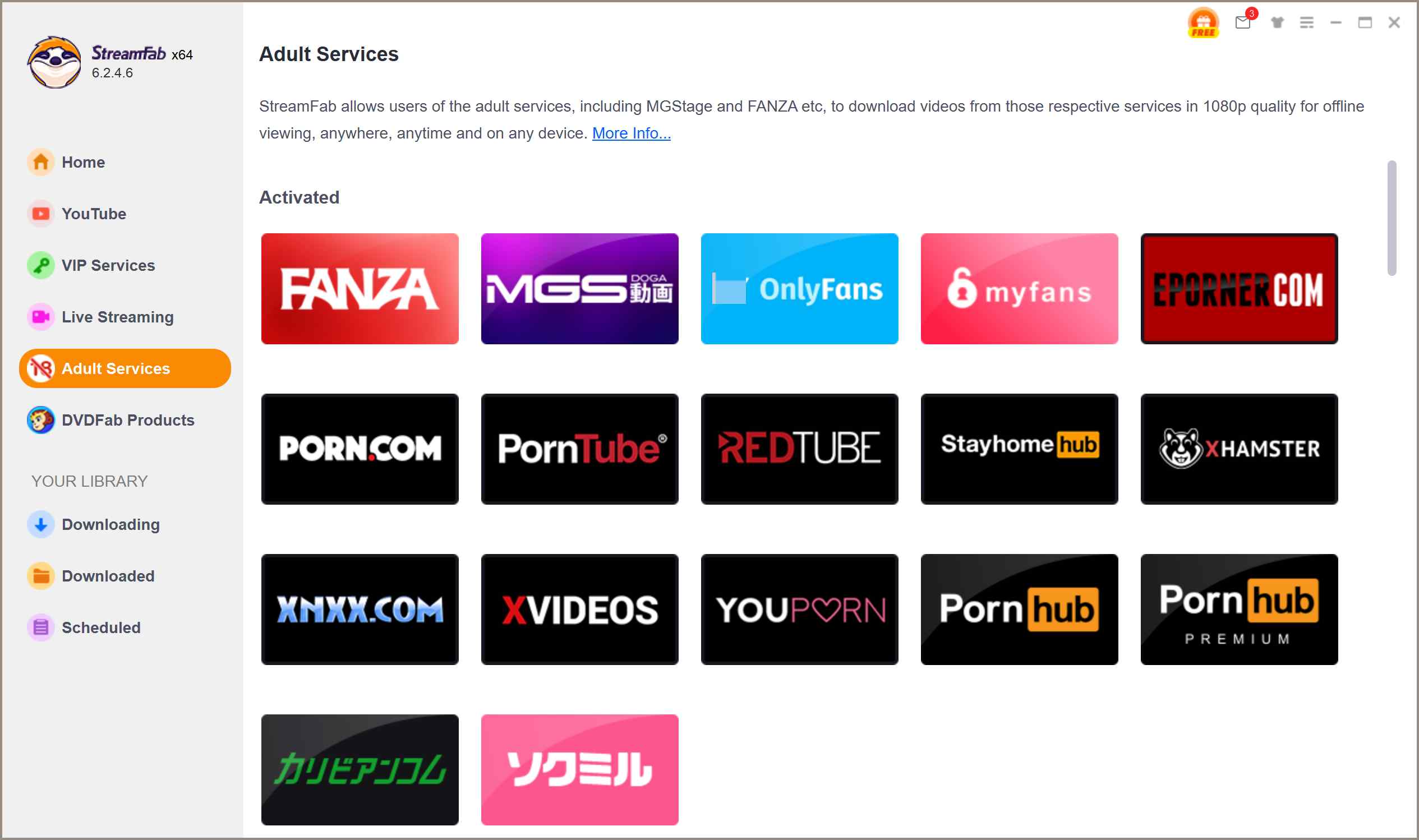
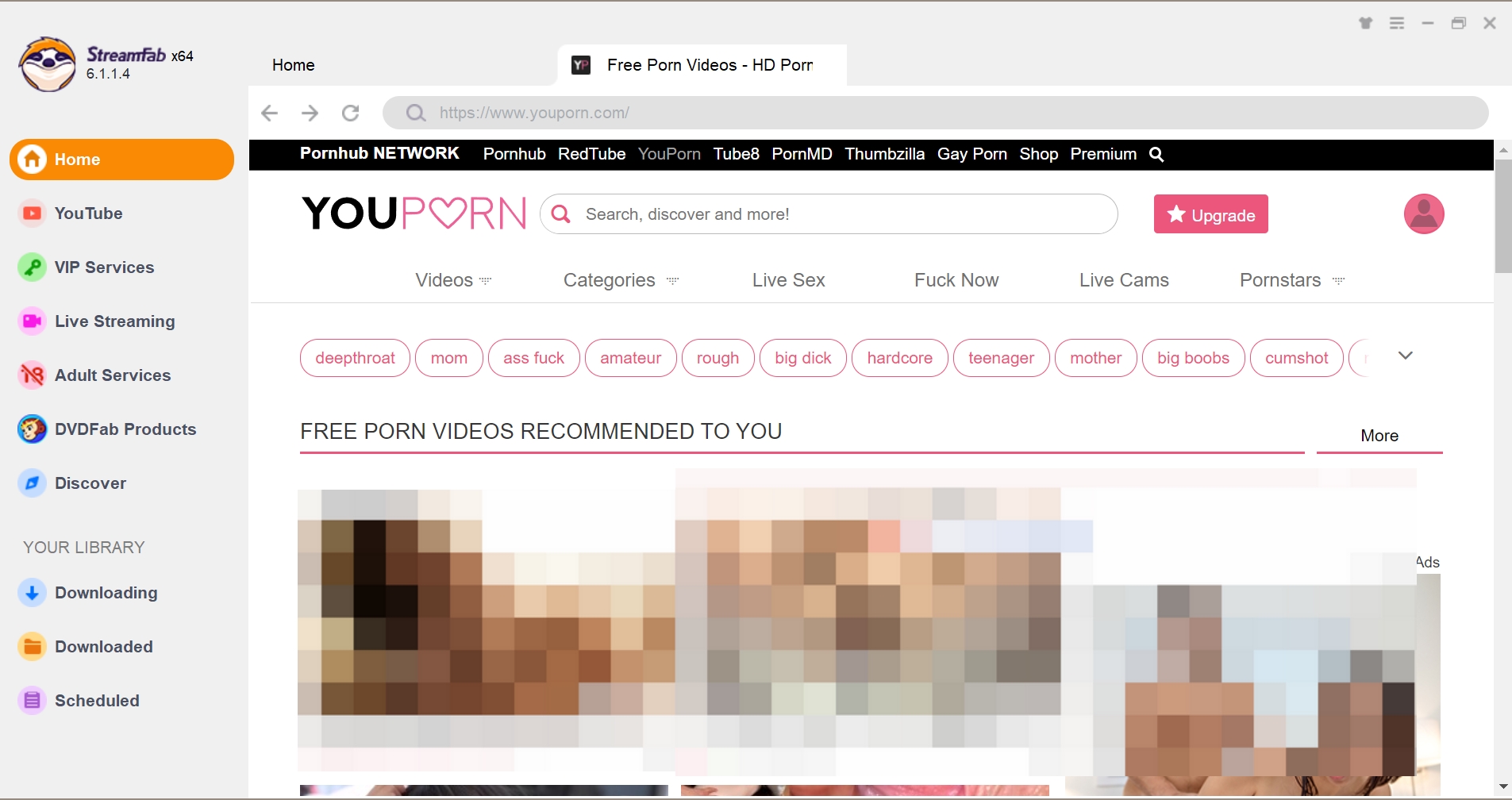
Choose the streaming service and select the video
Use the built-in browser to sign in and browse to a YouPorn video you’re clearly allowed to keep for personal use. You can either navigate through the site normally or open a direct page link in the address bar.
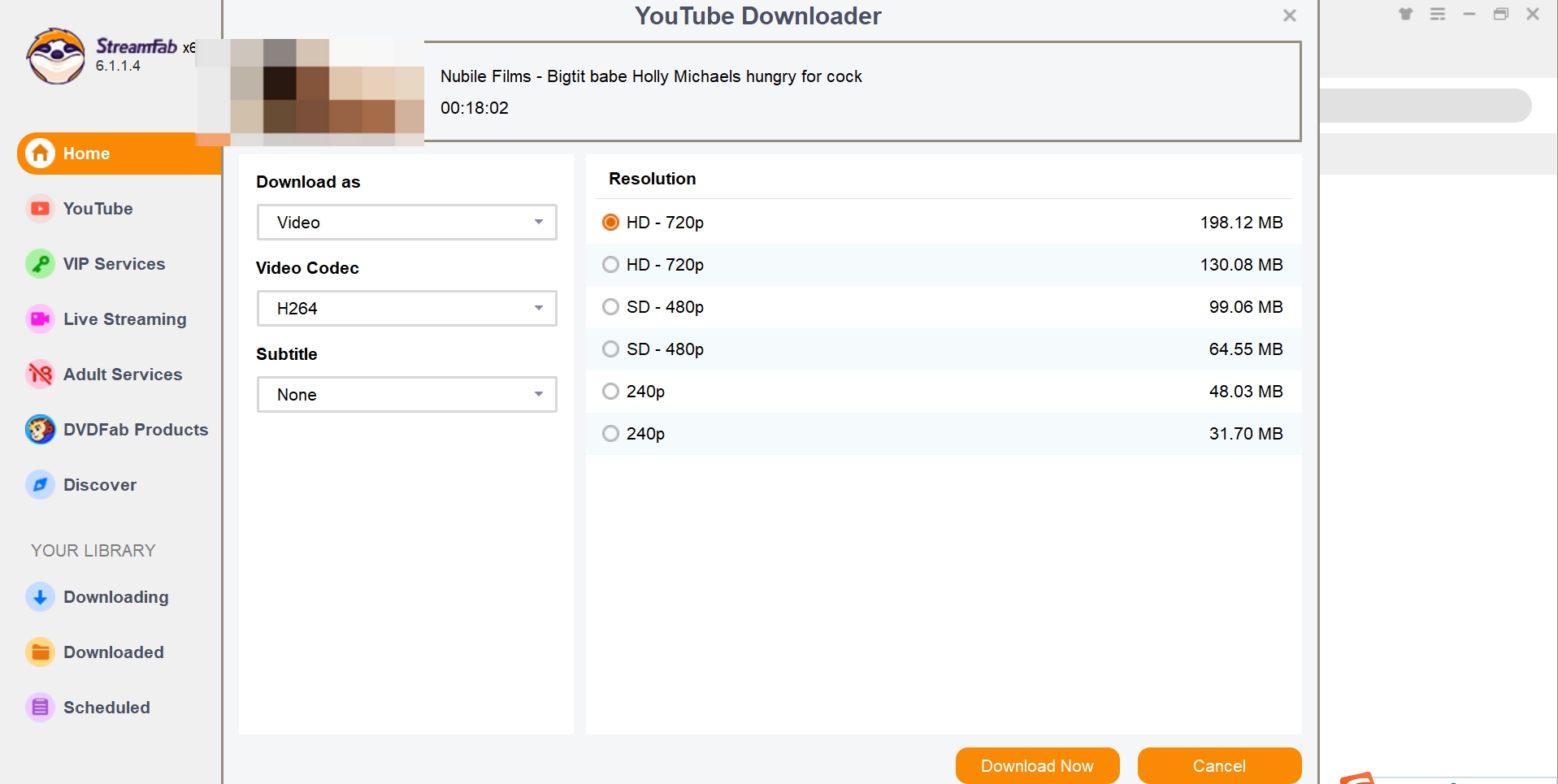
Customize the file
StreamFab will usually recognize the video while you play it and show a panel where you can adjust format and quality. After you confirm the settings, the program processes the task in the background so you can continue browsing.
2. MagicPH
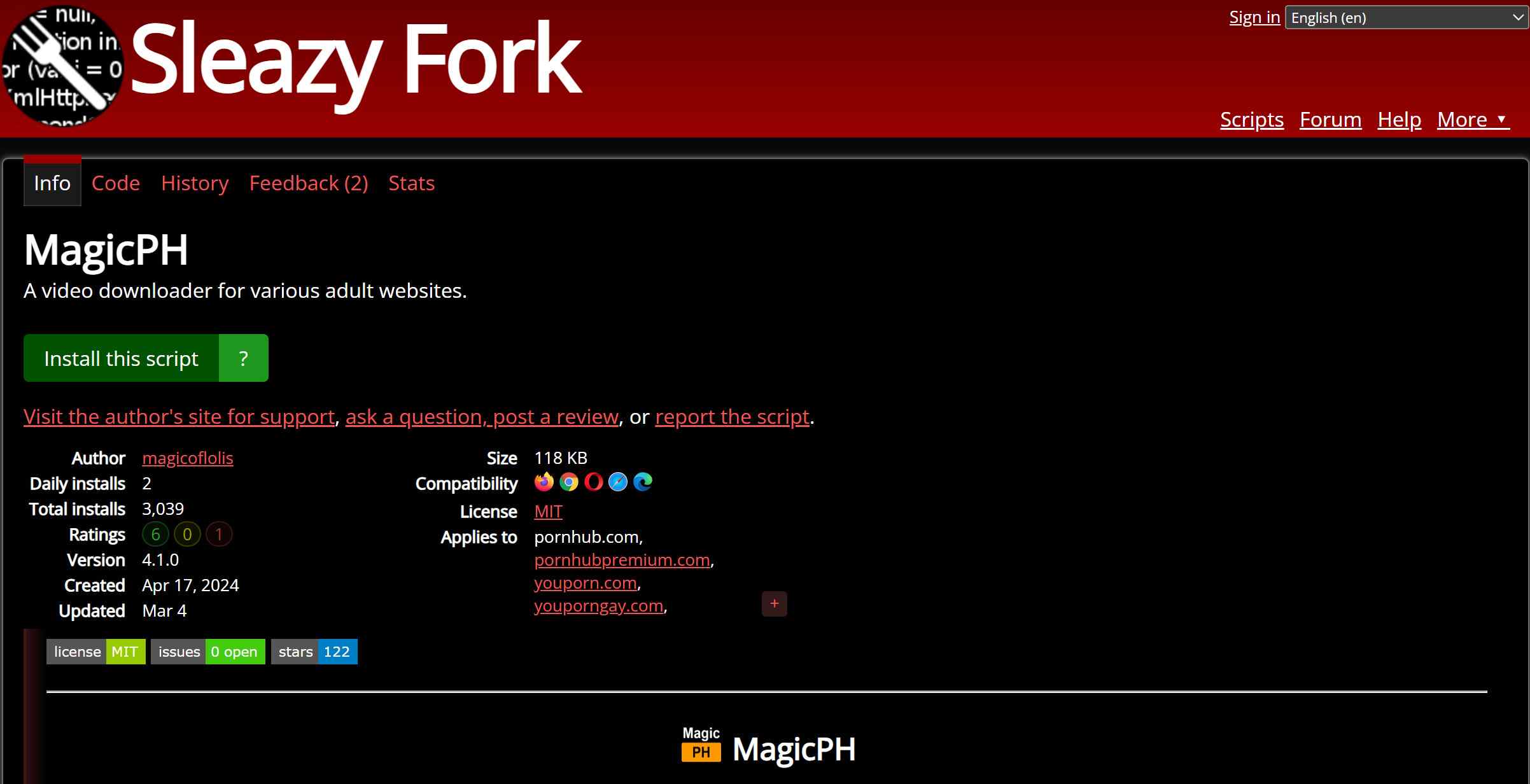
Another popular way to download YouPorn videos is through the online downloaders on web browsers. Most modern browsers such as Google Chrome, Mozilla Firefox, and Microsoft Edge come with extensions that allow you to download videos from websites directly. MagicPH is such an online tool, not only allows you to download YouPorn videos, but to download XVideos as well.
- Supports Windows & macOS.
- Supports saving a wide range of clips in SD/HD resolution for private viewing
- Mp4 format saving option from 144p to 720p resolution
- Age restriction-free porn-saving benefits
- Slow downloading speed and low video quality
- Frequent ads
- There is a very limited customization feature
- The security protection policy is not adequate
Download the extension
Install Tampermonkey on your browser first. Make sure you’re using a reputable userscript manager in your browser, and only install scripts from sources you genuinely trust.
Choose the streaming service
Whether you want to download YouPorn videos or download Pornhub movies or any other porn video, just navigate to the video page and you'll see a download button on your browser. Click it.
Customize the file
After that, select the resolution & format of the video & finally tap on the "Download" option to save porn video on your device.
3. YouPornDownload
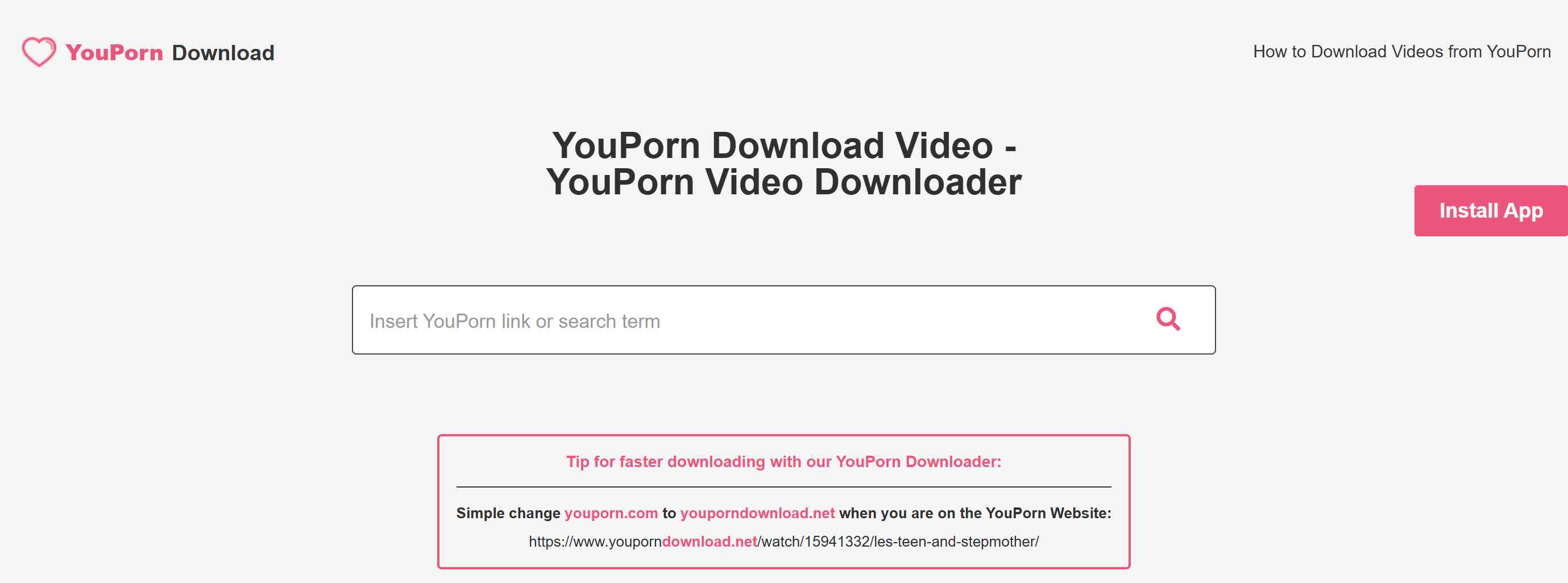
When it comes to knowing the more convenient options, we should never miss the online YouPorn downloaders. YouPornDownload is one of them. With selectable quality and output formats, it’s often seen as a convenient option for handling YouPorn videos for offline viewing—again, only where doing so is allowed.
And it's pretty simple to use. You just copy & paste the YouPorn video URL and that's it, the YouPorn video you want will be saved to your local drive in a few seconds.
- Easy to use, no need to download any tool
- MP4 format output with selectable quality
- Free to use
- Support Android & iOS system
- Damaged video quality
- Potential phishing links
- Unstable download service
4. Built-in Screen Recording
When it comes to a convenient option for capturing short clips from YouPorn, or other site, such as download manyvids video, on mobile devices, you will be very sorted to understand that these iOS and Android devices have a built-in screen recording option. With this built-in feature, you can record what’s playing on your screen—including YouPorn clips you’re clearly allowed to keep—fairly easily.
- Easy to use, no need to download any tool
- The recorded videos are mp4 format
- Bad video quality because you just record it, not download it
- It takes a long time to record the full video
- Audio and scene out of sync
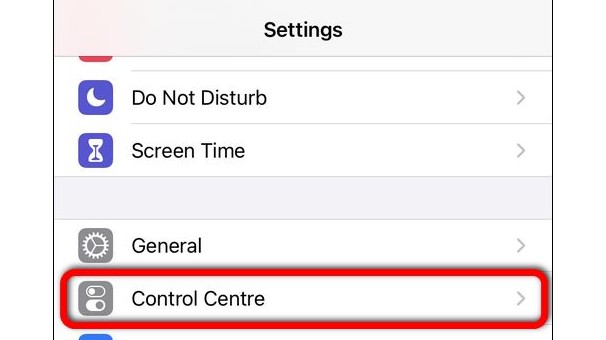
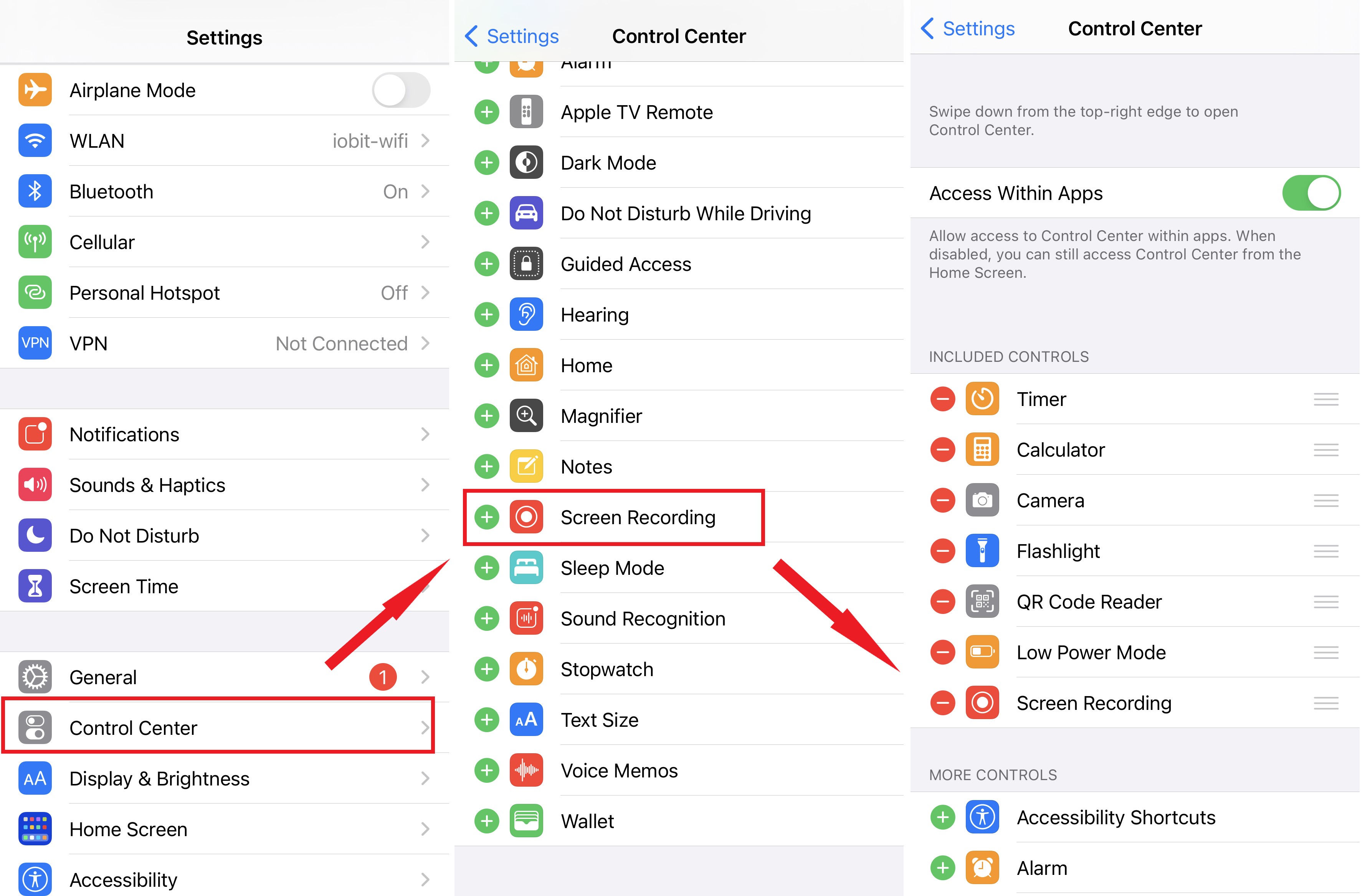
Move to the "Settings" option on your device & head to "Control Center." Ensure that the "Access Within App" option is turned on.
To include the "Screen Recording" option in the "Control Section," you need to select the "Screen Recording" option under "More Control Section."
While heading to the screen you like to record, swipe the "Control Center" to open it. Next, hold the gray circular "Screen Recording" button & select the "Microphone" option.
Next, hit on the "Start Recording" option & the recording countdown will begin within three seconds. To pause recording, you can open the Control Center & hit on the red color circular button, or you can click on the red status bar shown on the top of your screen & then click on "Stop."
FAQs
In most cases, downloading content from adult video websites like YouPorn for personal offline viewing, without public distribution, generally carries no legal risks.
People on forums toss around a few big names:
- StreamFab Video Downloader: Tons of platforms, customizable options galore, and crisp quality.
- yt-dlp: A time-tested tool, simple and easy to use, supports multiple format conversions.
A reminder: To ensure safety, always download from official websites to avoid third-party malware. From a personal standpoint, it is not advisable to use dubious unofficial copies or shady online downloaders to prevent privacy leaks and virus risks.
Final Thoughts
So, here’s the thing: it’s not all that difficult to find tools that claim to work with YouPorn these days. The tricky part is choosing options that aren’t riddled with malware or sketchy pop-ups—and using them in a way that stays within the rules. If you decide to manage videos for offline viewing, do it safely and legally. Stick with the security tips from this guide, double-check that you’re allowed to save what you’re saving, and don’t trade your device’s health for a few minutes of video.
Mandatory Disclaimer: All tools and workflows mentioned in this article are intended only for managing and privately backing up videos that you are clearly allowed to keep—such as your own uploads or content where the rights holder and platform explicitly permit saving a copy. Always follow YouPorn’s Terms of Service and all applicable laws in your region. Do not use any software or methods described here to avoid paying for content, to defeat site restrictions, or to share, repost, or redistribute videos in any form.
