StreamFab danime Downloader
danime's offline episodes expire after 48 hours — your saved seasons vanish before the next weekend. StreamFab saves danime anime as permanent 1080p MP4/MKV files with cast metadata, backed by StreamFab's 8+ years of video software expertise. 3 free downloads to try.

Download danime anime with permanent ownership

Auto-download danime videos at a set time

Save danime anime in native 1080p Full HD & AAC 2.0

Browse danime privately with the built-in browser
Why danime Subscribers Turn to StreamFab
danime's 48-hour window makes your downloaded episodes temporary, not owned
Picture a Sunday evening on the Chuo Line commute home. You have downloaded three episodes of a classic Masaaki Yuasa series that just appeared in danime's catalog — titles you have been searching for since university. You watch the first episode, life gets busy, and you do not return to them for five days. When you open the danime app, the downloads are unplayable: the 48-hour window from first play has expired, and two of the three titles have been removed from the catalog in a quarterly rotation. This scenario plays out constantly for danime subscribers.
The platform applies a strict time limit to all offline content, compounded by a catalog that shifts seasonally as licensing agreements expire. The shows you are currently watching may not exist on the platform next season. StreamFab danime Downloader, built on StreamFab's 8+ years of video software engineering, captures danime's 1080p H.264 stream and saves it as a permanent MP4 or MKV file with no countdown — content you have saved once can be rewatched years later, and content you have archived cannot be removed by any catalog update.

Trusted by Millions — Proven for Anime Collectors
Anime collectors who maintain Plex, Jellyfin, or Kodi servers know the frustration of having danime-watched titles trapped inside the official app, invisible to their media library. StreamFab downloads every danime episode as a properly tagged file — episode titles, season numbers, cast information, and cover artwork all arrive embedded, ready for Plex to scan and categorize automatically. Trusted by over 80 million users worldwide with more than 100 million downloads, the StreamFab engineering team behind StreamFab publishes weekly engine updates, typically resolving any content delivery changes within 24 to 48 hours.
The platform holds a 4.9-star Trustpilot rating and has been reviewed by PCMag and TechRadar. All logins through StreamFab's built-in browser use SSL-encrypted connections, with no account credentials stored on StreamFab servers — your danime login stays between you and danime. Three free downloads are available before any purchase commitment — no credit card required — and all purchases include a money-back guarantee: 7 days for monthly licenses, 14 days for annual and lifetime plans.

What StreamFab Saves for Your danime Library
1080p H.264 capture with AAC 2.0 audio — every frame as danime streams it
danime encodes its anime library in H.264 at up to 1080p Full HD — the standard that guarantees compatibility across the widest range of playback devices, from modern smart TVs to portable media players. StreamFab captures this stream directly without re-encoding, preserving the original H.264 bitrate profile and delivering every frame to your drive with the same visual fidelity as the danime stream itself.
A standard 23-minute episode at 1080p typically saves as 600MB to 900MB — a faithful, compact copy. The AAC 2.0 audio — typically at 128 to 192kbps for Japanese animation content, preserving the broadcast standard — is captured without transcoding, delivering the full stereo separation and dialogue clarity of danime's original audio without any generation loss. A standard 23-minute episode at 1080p typically completes downloading in under 5 minutes — faster than real-time playback.
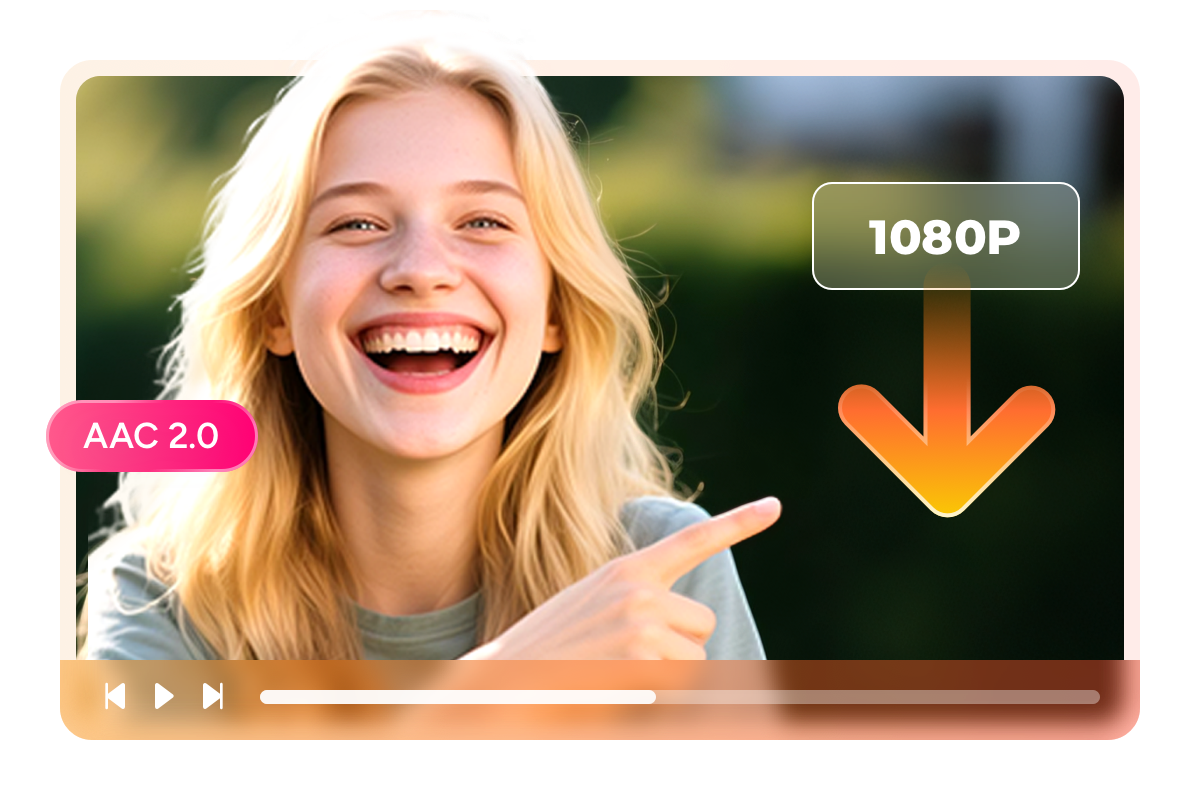
MP4 and MKV files that travel everywhere your danime app cannot
danime restricts its downloaded content inside the official app — no file transfer, no media player flexibility, no backup to external drives. StreamFab breaks this restriction by saving your downloads as open-standard MP4 or MKV files. MP4 provides maximum compatibility: every iPhone, Android phone, Windows PC, Mac, and smart TV plays it natively without additional software, making it the practical choice for commuters and multi-device viewers.
MKV offers the organizational advantages that serious anime collectors demand — it carries episode metadata, chapter markers, and cover art in a single self-contained file, and Plex and Jellyfin treat it as a first-class media format with automatic library organization. Both formats preserve the original 1080p resolution and AAC 2.0 audio without any quality degradation, giving you professional-grade local copies of your danime library that outlast any app or platform update.

Flexible Downloading Modes for Every Anime Routine
Schedule Mode and Auto Download
Set up auto-downloads for the series you are following at the start of the season and wake up each Thursday to a complete, offline-ready episode in your folder. No manual checking of release dates, no logging in at midnight, no risk of missing a simulcast before a licensing window narrows. A 12-episode cour accumulates quietly over three months with zero ongoing effort from you — your seasonal anime collection grows on its own schedule.

Batch Mode and Fast Speed
StreamFab's batch mode lets you select an entire season or series, queue every episode simultaneously, and walk away while the software processes the full list. For collectors archiving back-catalog titles before a seasonal removal, batch mode transforms what would be a multi-day manual project into a single session. StreamFab supports up to 100 downloads per day and 700 per week — more than sufficient to archive a complete series before catalog rotations create gaps in your collection.
More Than Just Downloads — A Proper Anime Archive
Every downloaded episode arrives fully tagged and library-ready
A folder of video files organized only by filename is a collection in name only. StreamFab downloads comprehensive metadata with every danime episode — series title, episode number and title, season designation, air date, cast information, genre tags, and cover artwork. When you add these files to Plex, Jellyfin, Kodi, or PlayerFab, the library scanner recognizes all metadata automatically: seasons group correctly, episode titles display in Japanese and romanized form where available, and cover art appears in the library browser without any manual tagging.
For collectors maintaining organized anime libraries across dozens of series and hundreds of episodes, this automation transforms a time-intensive cataloging process into an instant, accurate archive update. The result is a personal danime collection that looks as polished as the streaming platform itself, but exists permanently on your own hardware — without any app dependency.
What danime Fans Say About StreamFab

Mark
In-Betweener Animator, TokyoAlice
Pharmacist, NagoyaJacob
Network Engineer, SapporoMark
In-Betweener Animator, TokyoAlice
Pharmacist, NagoyaJacob
Network Engineer, SapporoMark
In-Betweener Animator, TokyoAlice
Pharmacist, NagoyaJacob
Network Engineer, SapporoMark
In-Betweener Animator, TokyoAlice
Pharmacist, NagoyaJacob
Network Engineer, Sapporo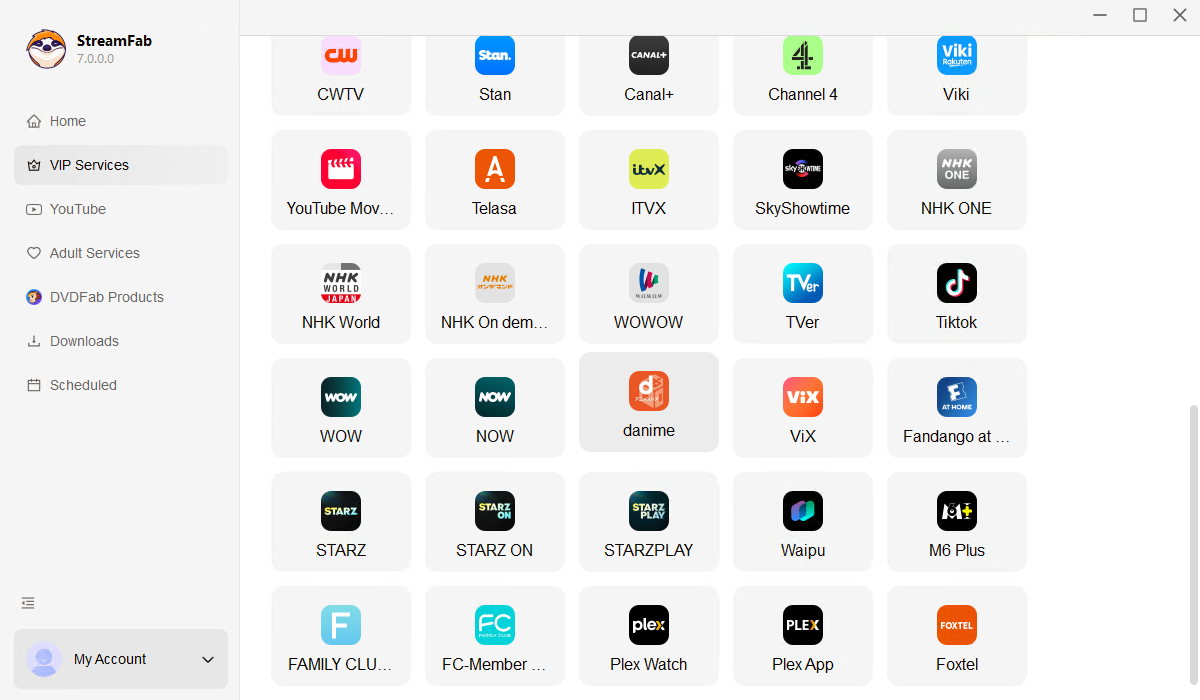
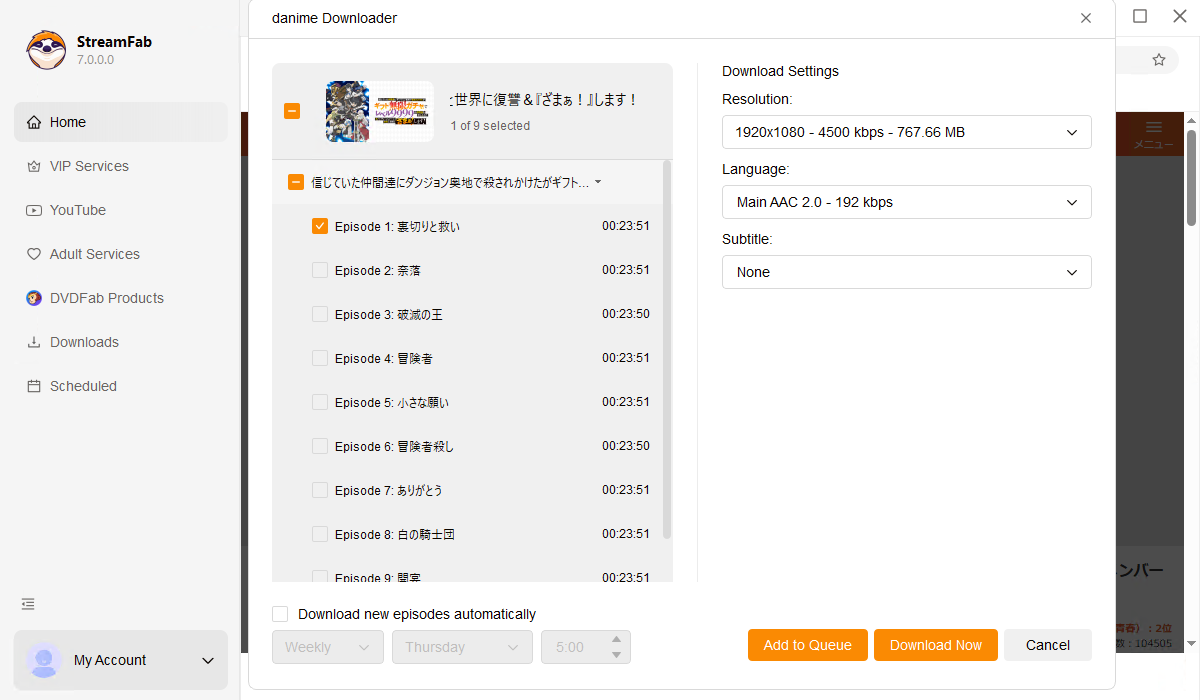
Download and install StreamFab on your PC or Mac. Click "VIP Services" on the left panel and select the danime logo to open the built-in browser.
Log in to danime through the built-in browser, search for the anime you want, and play the episode. A download dialog appears after a few seconds of playback.
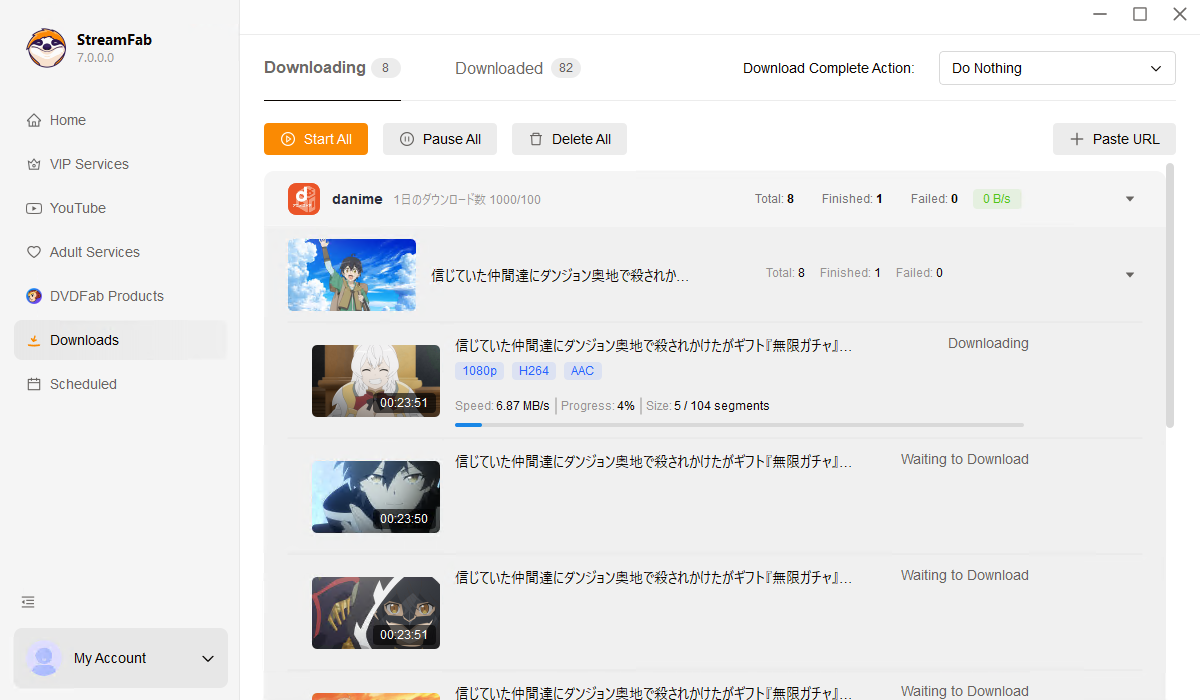
Choose your preferred resolution (1080p or 720p) and format (MP4 or MKV), then click Download Now. Monitor progress under "Downloading" in the left panel — your anime files are saved with complete metadata automatically.
System Requirements

To avoid being blocked by streaming providers, a StreamFab licensed account has a quota of 100 downloads per day, and 700 downloads per week from each supported streaming service. Whenever some of it is used up, it will refill during the next time cycle.