Win
Mac
StreamFab Fansly Downloader
Your subscription expired and your watch history vanished. Sound familiar? StreamFab Fansly Downloader keeps your content safe — saved in 1080p, stored on your device, available forever.
Last Update: Oct 21, 2026
100% Safe & Clean
4.8(176)

Save Fansly videos from any region worldwide

Archive new uploads at your scheduled time

Keep Fansly videos in 1080p MP4 format

Browse Fansly content with its built-in browser
Why You’ll Want StreamFab for Fansly
Built Different
When Free Tools Fail, StreamFab Keeps Working
You’ve probably tried the free route already — a browser extension that worked twice then stopped, a Python script from a forum that broke after the last Fansly update, or a screen recorder that took 45 minutes to capture a 45-minute video. The pattern is always the same: something works briefly, then Fansly changes its platform and you’re back to square one.
StreamFab breaks that cycle. Developed by DVDFab — a company with over 20 years in digital media software — it receives weekly updates from a full-time engineering team that monitors Fansly around the clock. While free tools depend on anonymous contributors who may or may not push a fix, StreamFab typically resolves compatibility issues within 72 hours of any platform change. That’s the difference between a hobby project and software you can actually count on.
StreamFab breaks that cycle. Developed by DVDFab — a company with over 20 years in digital media software — it receives weekly updates from a full-time engineering team that monitors Fansly around the clock. While free tools depend on anonymous contributors who may or may not push a fix, StreamFab typically resolves compatibility issues within 72 hours of any platform change. That’s the difference between a hobby project and software you can actually count on.

Peace of Mind
Your Credentials Stay on Your Machine. Period.
Handing your Fansly login to a random online tool is a gamble most people aren’t comfortable with — and for good reason. Data breaches from third-party services make headlines regularly. StreamFab eliminates this concern entirely: its encrypted built-in browser processes your Fansly authentication locally on your device. Your credentials never leave your machine, never touch an external server, and are never stored anywhere you don’t control.
This isn’t just a privacy claim — it’s a design principle backed by DVDFab’s two-decade reputation serving millions of users worldwide. Add a 7/14-day money-back guarantee and 3 free trial downloads that let you verify everything before spending a cent, and the risk equation is completely in your favor. Try it, test it, decide for yourself.
This isn’t just a privacy claim — it’s a design principle backed by DVDFab’s two-decade reputation serving millions of users worldwide. Add a 7/14-day money-back guarantee and 3 free trial downloads that let you verify everything before spending a cent, and the risk equation is completely in your favor. Try it, test it, decide for yourself.

What Your Downloads Actually Look Like
Full Quality
The Same 1080p You Stream — Now Saved on Your Device
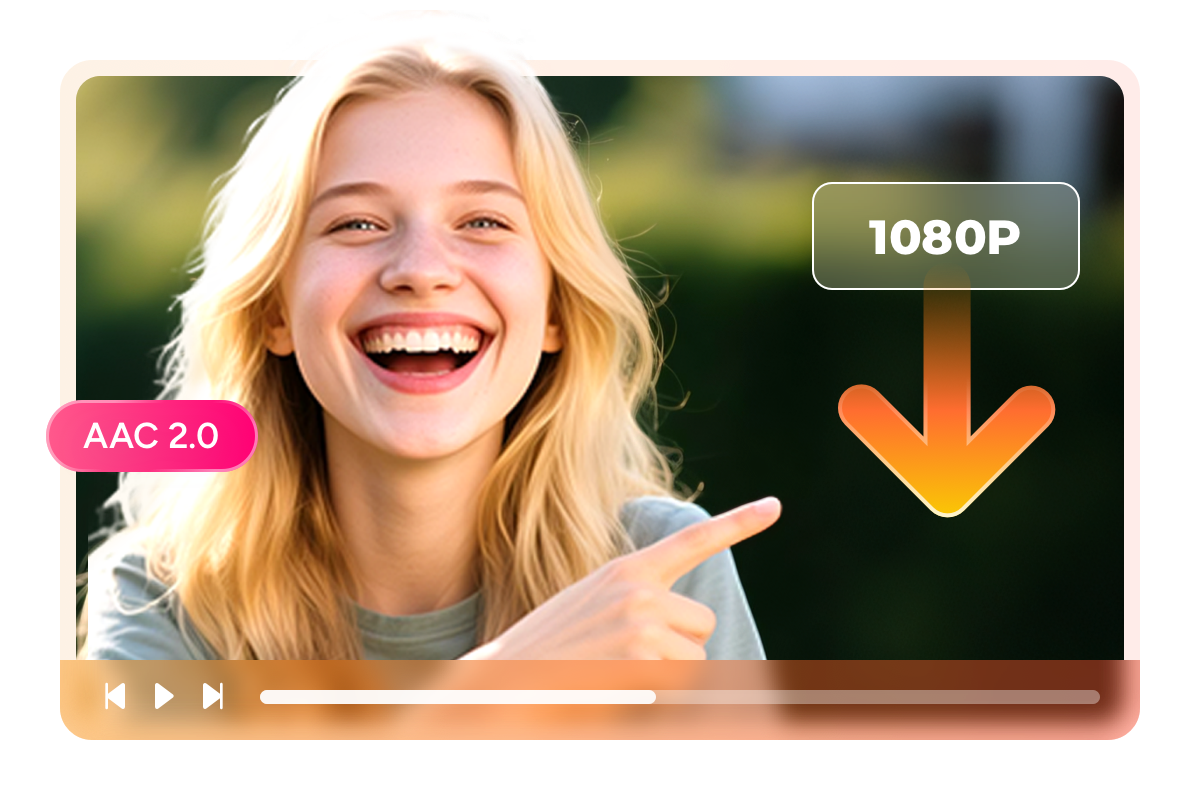
You’re paying for Full HD content on Fansly — it would be a shame to save it in anything less. StreamFab captures your videos at up to 1080p resolution with AAC 2.0 stereo audio, producing files that look and sound identical to what you see when streaming. No blurry frames from compression, no muffled audio, no “good enough” compromises.
And unlike screen recording — where you sit through every minute of playback in real time while your laptop fan screams — StreamFab works directly with the video stream and finishes significantly faster. The result is a clean file on your hard drive that plays perfectly on your phone, your tablet, your TV, or any other device you own. Same quality you paid for, now permanently yours.
And unlike screen recording — where you sit through every minute of playback in real time while your laptop fan screams — StreamFab works directly with the video stream and finishes significantly faster. The result is a clean file on your hard drive that plays perfectly on your phone, your tablet, your TV, or any other device you own. Same quality you paid for, now permanently yours.
Your Format
MP4 for Your Phone, MKV for Your Library — You Choose
Where you watch matters. If you’re someone who transfers videos to your phone or tablet for viewing on the go, MP4 is your format — it plays everywhere, on every device, without installing extra apps. Open the file and it just works, whether that’s on an iPhone, an Android phone, or a smart TV at home.
Prefer to keep an organized media library on your computer? MKV gives you more flexibility with metadata and works beautifully with players like VLC, Plex, or DVDFab Player. Either way, both formats deliver the exact same 1080p video quality and AAC 2.0 audio — there’s zero quality difference between the two. StreamFab lets you set a default or switch on a per-video basis. Your content, your preferred format, your call.
Prefer to keep an organized media library on your computer? MKV gives you more flexibility with metadata and works beautifully with players like VLC, Plex, or DVDFab Player. Either way, both formats deliver the exact same 1080p video quality and AAC 2.0 audio — there’s zero quality difference between the two. StreamFab lets you set a default or switch on a per-video basis. Your content, your preferred format, your call.

Smart Features That Save You Time

Automatic Subscription Tracking & Downlaoding
When your favorite creators post new content, StreamFab detects it automatically and adds it to your download queue. Stay current without checking Fansly daily.

Batch Download Multiple Fansly Videos Simultaneously
Queue up an entire creator’s video catalog for download in one click. StreamFab handles the rest in the background — up to 100 files per day.
Real Stories from Fansly Subscribers

M
Mark
PhotographerI subscribe to three Fansly creators for design inspiration and reference material. Last year, one of them deleted six months of uploads without any warning — content I’d bookmarked and planned to revisit for projects. That was my wake-up call. Since installing StreamFab, I’ve saved every video the day it’s posted. The scheduled download runs overnight, so I wake up with new content already on my hard drive. Quality is perfect 1080p, files play instantly on my iPad. Honestly, the peace of mind alone is worth the license. I don’t worry about losing content anymore.
A
Alice
CopywriterTwelve-hour hospital shifts and constant travel mean I’m rarely near stable Wi-Fi. I use StreamFab to batch-download my Fansly subscriptions every weekend — usually 20 to 30 videos in one session — and watch them offline during downtime between shifts. The MP4 files work perfectly on my phone without any special app. What sold me initially was the 3 free trial downloads: I could see the quality was real before paying anything. Four months in, it hasn’t missed a beat. Simple software that does exactly what it promises.
J
Jacob
EditorI’m not technical at all, and that’s what I appreciate most about StreamFab. The built-in browser means I don’t need to copy-paste URLs or mess with complicated settings — I just log into Fansly inside the app, click download, and it works. My first month, I saved about 50 videos and never once had a quality issue or an error message. The fact that it comes from DVDFab, a company that’s been around for over 20 years, made me feel safe with my login. If it were some unknown app from a random developer, I’d never have tried it.
M
Mark
PhotographerI subscribe to three Fansly creators for design inspiration and reference material. Last year, one of them deleted six months of uploads without any warning — content I’d bookmarked and planned to revisit for projects. That was my wake-up call. Since installing StreamFab, I’ve saved every video the day it’s posted. The scheduled download runs overnight, so I wake up with new content already on my hard drive. Quality is perfect 1080p, files play instantly on my iPad. Honestly, the peace of mind alone is worth the license. I don’t worry about losing content anymore.
A
Alice
CopywriterTwelve-hour hospital shifts and constant travel mean I’m rarely near stable Wi-Fi. I use StreamFab to batch-download my Fansly subscriptions every weekend — usually 20 to 30 videos in one session — and watch them offline during downtime between shifts. The MP4 files work perfectly on my phone without any special app. What sold me initially was the 3 free trial downloads: I could see the quality was real before paying anything. Four months in, it hasn’t missed a beat. Simple software that does exactly what it promises.
J
Jacob
EditorI’m not technical at all, and that’s what I appreciate most about StreamFab. The built-in browser means I don’t need to copy-paste URLs or mess with complicated settings — I just log into Fansly inside the app, click download, and it works. My first month, I saved about 50 videos and never once had a quality issue or an error message. The fact that it comes from DVDFab, a company that’s been around for over 20 years, made me feel safe with my login. If it were some unknown app from a random developer, I’d never have tried it.
M
Mark
PhotographerI subscribe to three Fansly creators for design inspiration and reference material. Last year, one of them deleted six months of uploads without any warning — content I’d bookmarked and planned to revisit for projects. That was my wake-up call. Since installing StreamFab, I’ve saved every video the day it’s posted. The scheduled download runs overnight, so I wake up with new content already on my hard drive. Quality is perfect 1080p, files play instantly on my iPad. Honestly, the peace of mind alone is worth the license. I don’t worry about losing content anymore.
A
Alice
CopywriterTwelve-hour hospital shifts and constant travel mean I’m rarely near stable Wi-Fi. I use StreamFab to batch-download my Fansly subscriptions every weekend — usually 20 to 30 videos in one session — and watch them offline during downtime between shifts. The MP4 files work perfectly on my phone without any special app. What sold me initially was the 3 free trial downloads: I could see the quality was real before paying anything. Four months in, it hasn’t missed a beat. Simple software that does exactly what it promises.
J
Jacob
EditorI’m not technical at all, and that’s what I appreciate most about StreamFab. The built-in browser means I don’t need to copy-paste URLs or mess with complicated settings — I just log into Fansly inside the app, click download, and it works. My first month, I saved about 50 videos and never once had a quality issue or an error message. The fact that it comes from DVDFab, a company that’s been around for over 20 years, made me feel safe with my login. If it were some unknown app from a random developer, I’d never have tried it.
M
Mark
PhotographerI subscribe to three Fansly creators for design inspiration and reference material. Last year, one of them deleted six months of uploads without any warning — content I’d bookmarked and planned to revisit for projects. That was my wake-up call. Since installing StreamFab, I’ve saved every video the day it’s posted. The scheduled download runs overnight, so I wake up with new content already on my hard drive. Quality is perfect 1080p, files play instantly on my iPad. Honestly, the peace of mind alone is worth the license. I don’t worry about losing content anymore.
A
Alice
CopywriterTwelve-hour hospital shifts and constant travel mean I’m rarely near stable Wi-Fi. I use StreamFab to batch-download my Fansly subscriptions every weekend — usually 20 to 30 videos in one session — and watch them offline during downtime between shifts. The MP4 files work perfectly on my phone without any special app. What sold me initially was the 3 free trial downloads: I could see the quality was real before paying anything. Four months in, it hasn’t missed a beat. Simple software that does exactly what it promises.
J
Jacob
EditorI’m not technical at all, and that’s what I appreciate most about StreamFab. The built-in browser means I don’t need to copy-paste URLs or mess with complicated settings — I just log into Fansly inside the app, click download, and it works. My first month, I saved about 50 videos and never once had a quality issue or an error message. The fact that it comes from DVDFab, a company that’s been around for over 20 years, made me feel safe with my login. If it were some unknown app from a random developer, I’d never have tried it.
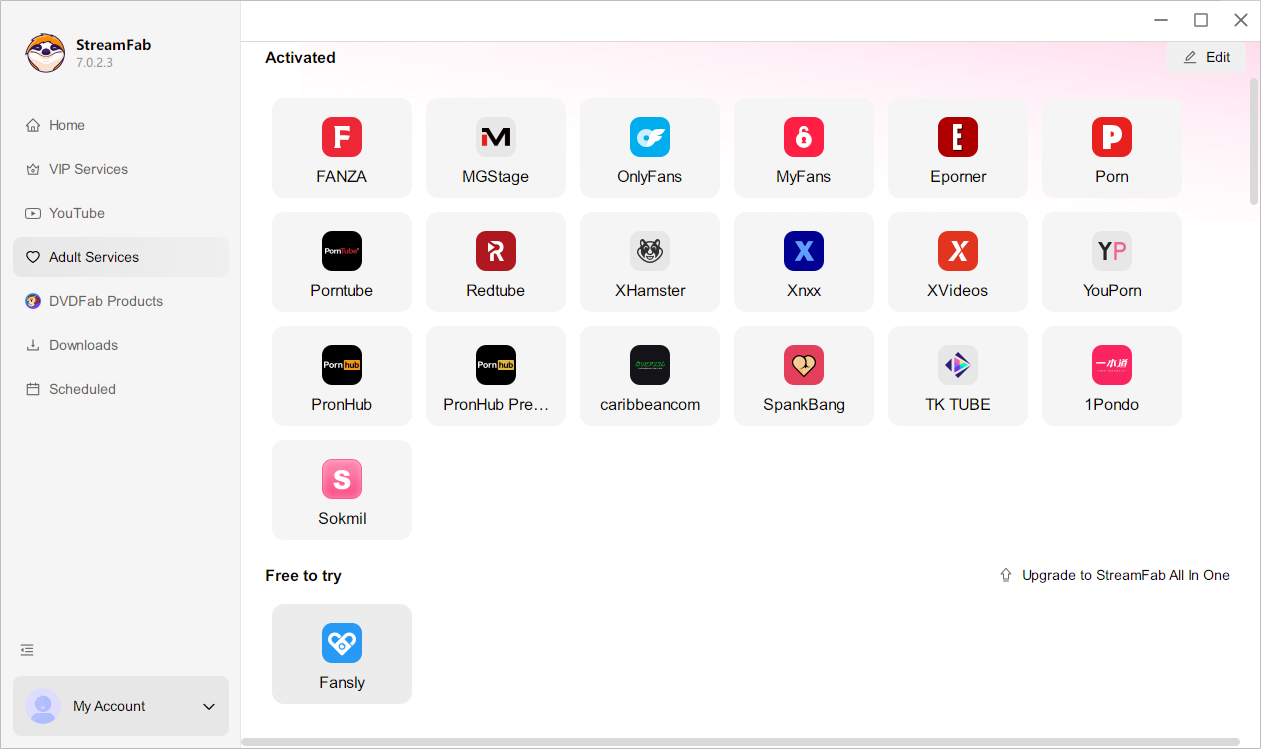
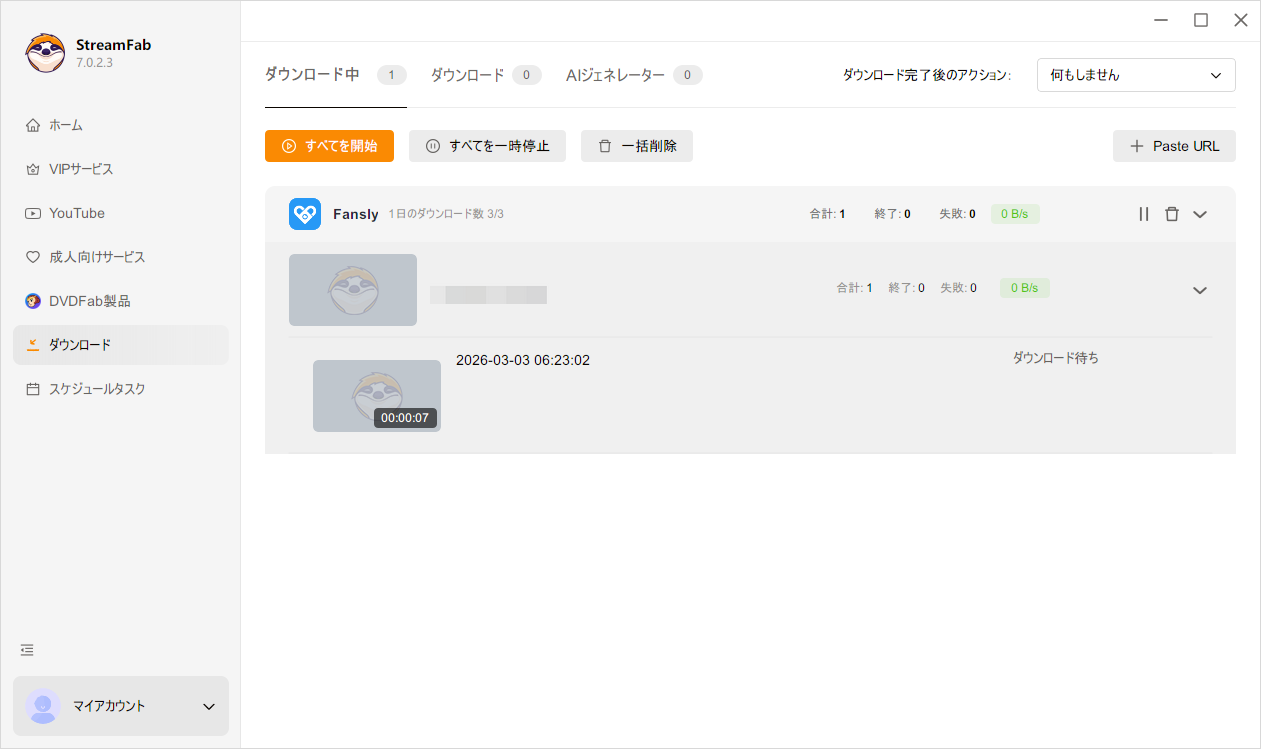
Step 1. Open StreamFab & Pick Fansly
Install StreamFab and launch it. You’ll find Fansly listed among the supported services — just click to open it.
Step 2. Log In & Find What You Want
Sign into your Fansly account using the built-in browser. Browse your subscriptions and navigate to the content you’d like to keep.
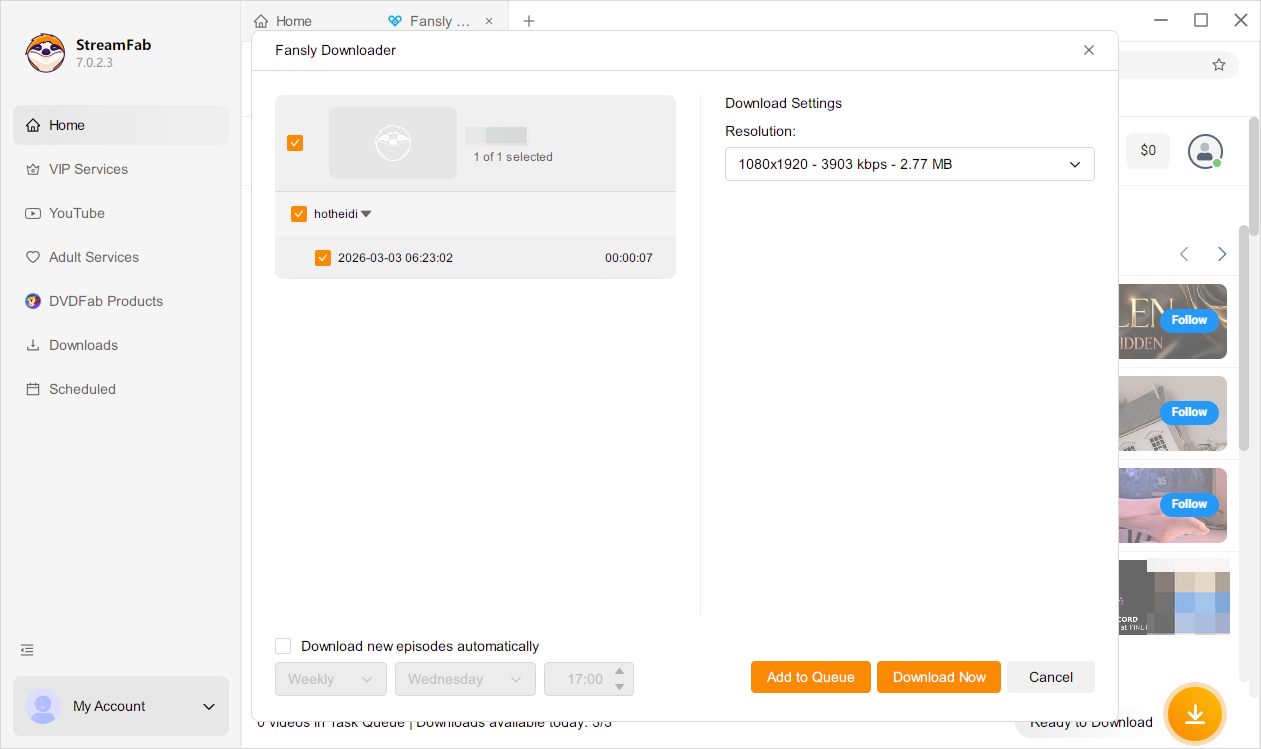
Step 3. Hit Download & You’re Done
Choose 1080p quality and your preferred format (MP4 or MKV), then click download. Your video is saved locally and ready to watch anytime.
System Requirements

Windows 11/10 (32/64 bit)
Intel i3 or above
4GB of RAM or above
40GB of free hard disk space or above
Live Internet connection required