StreamFab OnlyFans Downloader for Browser
Your subscription content shouldn't disappear when a creator hits delete. StreamFab OnlyFans Downloader for Browser saves 1080p videos directly from your browser — no desktop app, no hassle.
Also Available on:Desktop SoftwareLast Update: May 11, 2026
100% Safe & Clean
4.8(113)


Save content from OnlyFans creators worldwide

1080p Full HD video with AAC 2.0 audio

Download videos right from your browser
Why StreamFab Is the Smart Choice
Leading Technology
A Download Engine Refined Over Two Decades
You've probably tried free OnlyFans downloaders before. Maybe it was a sketchy browser tool that worked once, then broke the next day. Maybe it was a screen recorder that took forever and delivered blurry, compressed results. When it comes to saving content you actually paid for, unreliable tools aren't just frustrating — they're a waste of your subscription money.
StreamFab OnlyFans Downloader for Browser is built on StreamFab's proprietary download engine — the same core technology refined across 20+ years of continuous development and trusted by tens of millions of users worldwide. Featured in reviews by leading technology publications, the engine captures video streams in their native 1080p resolution with AAC 2.0 stereo audio at full 192 kbps clarity. The browser extension detects downloadable content automatically the moment you visit a creator's page, and with the lightweight CoApp handling the download process in the background, every save completes quickly, cleanly, and without interrupting your browsing.
StreamFab OnlyFans Downloader for Browser is built on StreamFab's proprietary download engine — the same core technology refined across 20+ years of continuous development and trusted by tens of millions of users worldwide. Featured in reviews by leading technology publications, the engine captures video streams in their native 1080p resolution with AAC 2.0 stereo audio at full 192 kbps clarity. The browser extension detects downloadable content automatically the moment you visit a creator's page, and with the lightweight CoApp handling the download process in the background, every save completes quickly, cleanly, and without interrupting your browsing.
Trusted & Secure
Security and Privacy You Can Actually Verify
Let's be honest — downloading content from any platform comes with a trust question. Is this tool safe? Is it harvesting my data? Will it get my account flagged? With random free tools floating around the internet, those worries are completely justified.
StreamFab OnlyFans Downloader for Browser comes from DVDFab, a company with over 20 years of software development heritage, a strong Trustpilot reputation, and tens of millions of active users across the globe. The CoApp companion — required for processing downloads — has been verified safe by major antivirus platforms and never accesses your browsing history, personal files, or account credentials. Every download connection is protected through SSL/TLS encryption. You get 3 completely free downloads to test everything before spending a penny — and if you do subscribe, there's a clear refund policy: 7 days for monthly plans, 14 days for annual and lifetime subscriptions. Combined with responsive customer support and weekly software updates, StreamFab OnlyFans Downloader for Browser is built to earn your trust through action, not just promises.
StreamFab OnlyFans Downloader for Browser comes from DVDFab, a company with over 20 years of software development heritage, a strong Trustpilot reputation, and tens of millions of active users across the globe. The CoApp companion — required for processing downloads — has been verified safe by major antivirus platforms and never accesses your browsing history, personal files, or account credentials. Every download connection is protected through SSL/TLS encryption. You get 3 completely free downloads to test everything before spending a penny — and if you do subscribe, there's a clear refund policy: 7 days for monthly plans, 14 days for annual and lifetime subscriptions. Combined with responsive customer support and weekly software updates, StreamFab OnlyFans Downloader for Browser is built to earn your trust through action, not just promises.

Browser-Native
Download Where You Browse — No Extra Software Windows
Remember the old way of downloading videos? Copy a URL from your browser, switch to a desktop app, paste the link, configure a dozen settings, hit download, then switch back to your browser to find the next video. It was a tedious, back-and-forth process that nobody enjoyed.
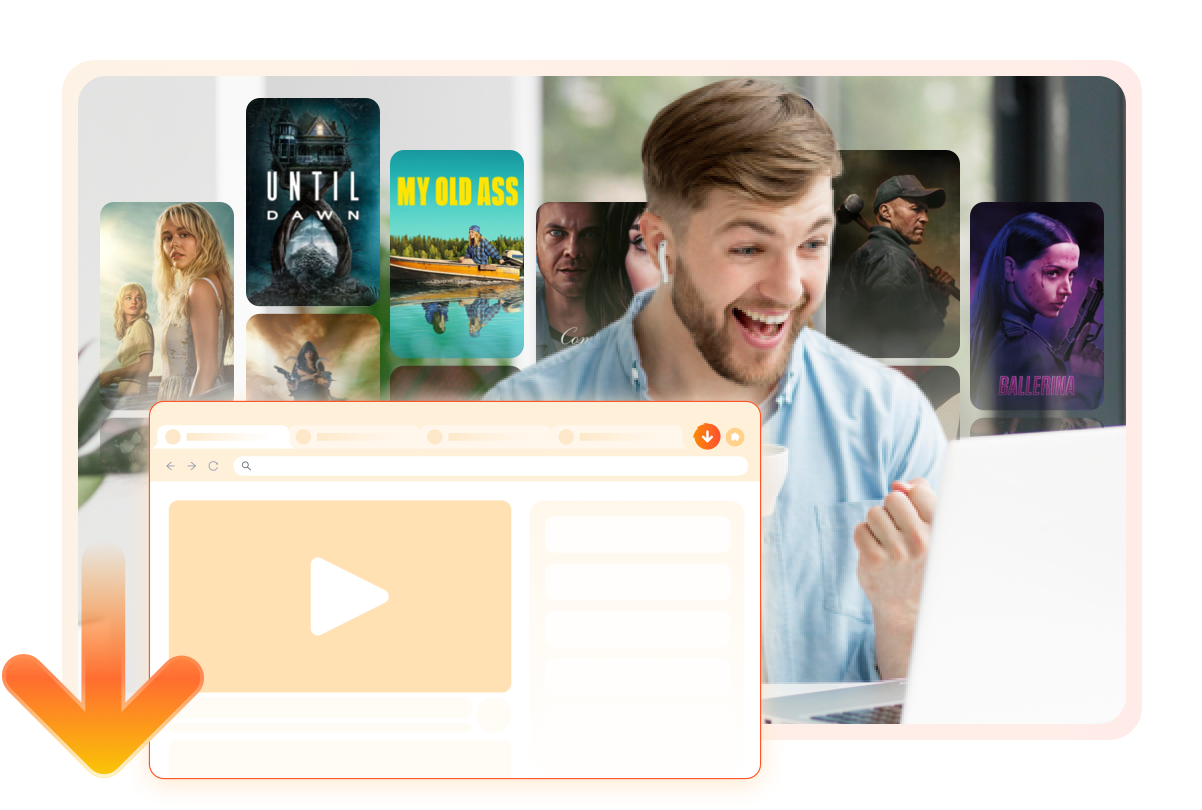
StreamFab OnlyFans Downloader for Browser changes the game entirely. It lives right inside your browser as a lightweight extension — no separate application window to manage, no URLs to copy and paste. Just browse OnlyFans as you normally would, and when you find content worth keeping, the download option is right there. The CoApp desktop companion works silently behind the scenes, handling video processing and file saving while you keep scrolling through your feed. It's downloading made invisible — the way it should have always been.
StreamFab OnlyFans Downloader for Browser changes the game entirely. It lives right inside your browser as a lightweight extension — no separate application window to manage, no URLs to copy and paste. Just browse OnlyFans as you normally would, and when you find content worth keeping, the download option is right there. The CoApp desktop companion works silently behind the scenes, handling video processing and file saving while you keep scrolling through your feed. It's downloading made invisible — the way it should have always been.
Quality That Matches What You're Paying For
Full HD Quality
1080p Video + AAC 2.0 Audio — Zero Compromise
You're paying a monthly subscription to access high-quality exclusive content from your favorite creators. The last thing you want is a downloader that chops that quality in half — blurry video, muffled audio, compression artifacts that weren't there in the original. Sound familiar?
StreamFab OnlyFans Downloader for Browser preserves the full viewing experience. Videos save in genuine 1080p Full HD resolution, capturing every visual detail exactly as the creator uploaded it. The audio track comes through in AAC 2.0 stereo at 192 kbps — delivering natural clarity for voices, music, and ambient sound without compression loss. There's no re-encoding, no forced compression, no quality trade-off. What plays on OnlyFans is what lands on your hard drive. Whether you're rewatching tomorrow or six months from now, on your laptop screen or your living room TV, it looks and sounds exactly like the original.
StreamFab OnlyFans Downloader for Browser preserves the full viewing experience. Videos save in genuine 1080p Full HD resolution, capturing every visual detail exactly as the creator uploaded it. The audio track comes through in AAC 2.0 stereo at 192 kbps — delivering natural clarity for voices, music, and ambient sound without compression loss. There's no re-encoding, no forced compression, no quality trade-off. What plays on OnlyFans is what lands on your hard drive. Whether you're rewatching tomorrow or six months from now, on your laptop screen or your living room TV, it looks and sounds exactly like the original.
Universal Formats
MP4 & MKV — Your Files Play Everywhere
You've downloaded the video, you're ready to watch — and then your device says "format not supported." It's a small frustration that ruins the whole experience, especially when you just want to sit back and enjoy your saved content without troubleshooting codec issues.
StreamFab gives you two battle-tested format options that cover virtually every device on the planet. Choose MP4 for maximum compatibility — it plays natively on Windows PCs, phones, tablets, smart TVs, and gaming consoles without any extra software. Or select MKV if you prefer a container format with richer metadata support, ideal for users who organize large media libraries. Pick your preferred format before each download, and your files are immediately ready to play on whatever screen you reach for. No conversion tools, no compatibility headaches — just click and watch.
StreamFab gives you two battle-tested format options that cover virtually every device on the planet. Choose MP4 for maximum compatibility — it plays natively on Windows PCs, phones, tablets, smart TVs, and gaming consoles without any extra software. Or select MKV if you prefer a container format with richer metadata support, ideal for users who organize large media libraries. Pick your preferred format before each download, and your files are immediately ready to play on whatever screen you reach for. No conversion tools, no compatibility headaches — just click and watch.

Built for How You Actually Use It

Batch Download — Save Entire Collections at Once
Select multiple videos from a creator's page and download them all in one go. Build your personal offline collection in minutes instead of tedious one-by-one saves.
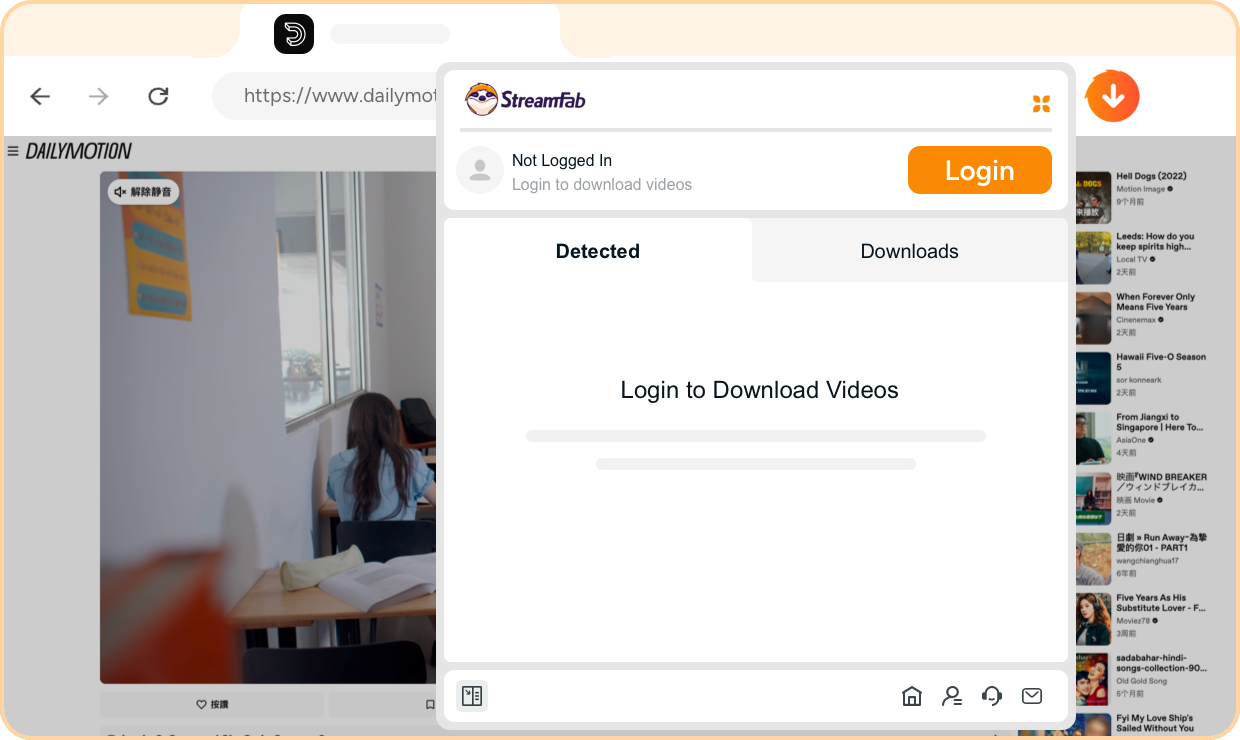
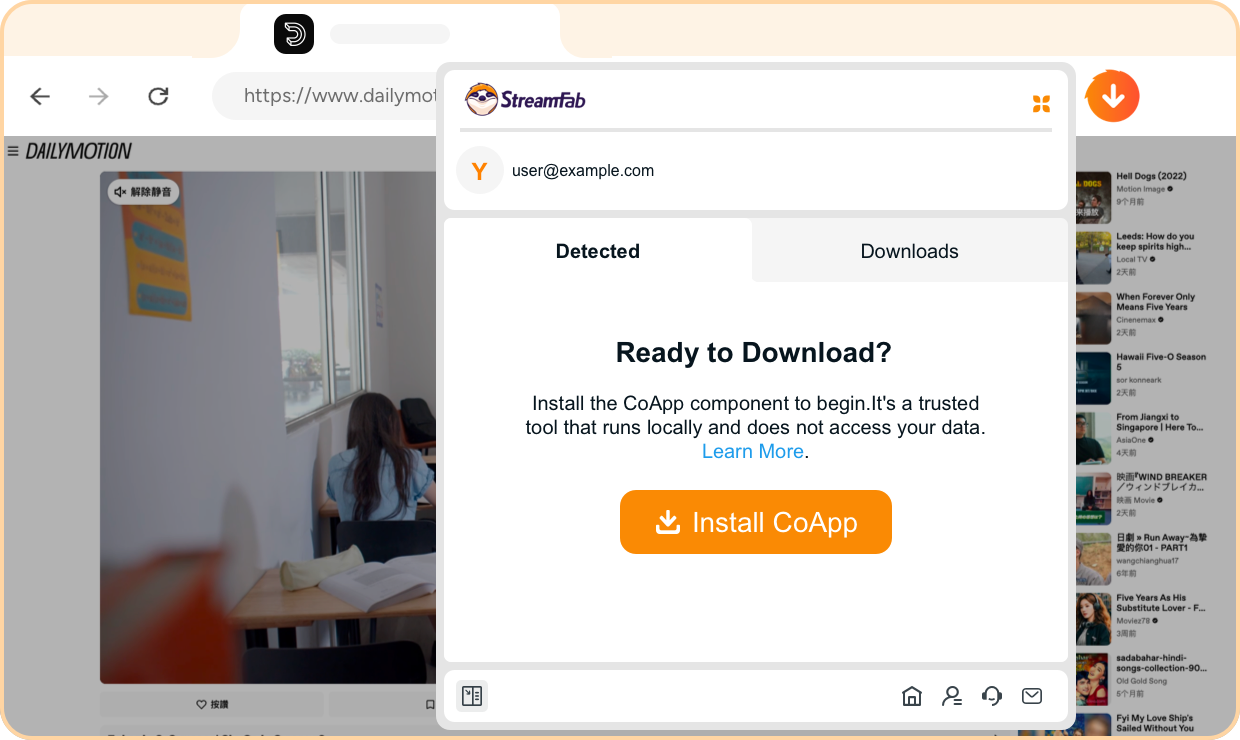
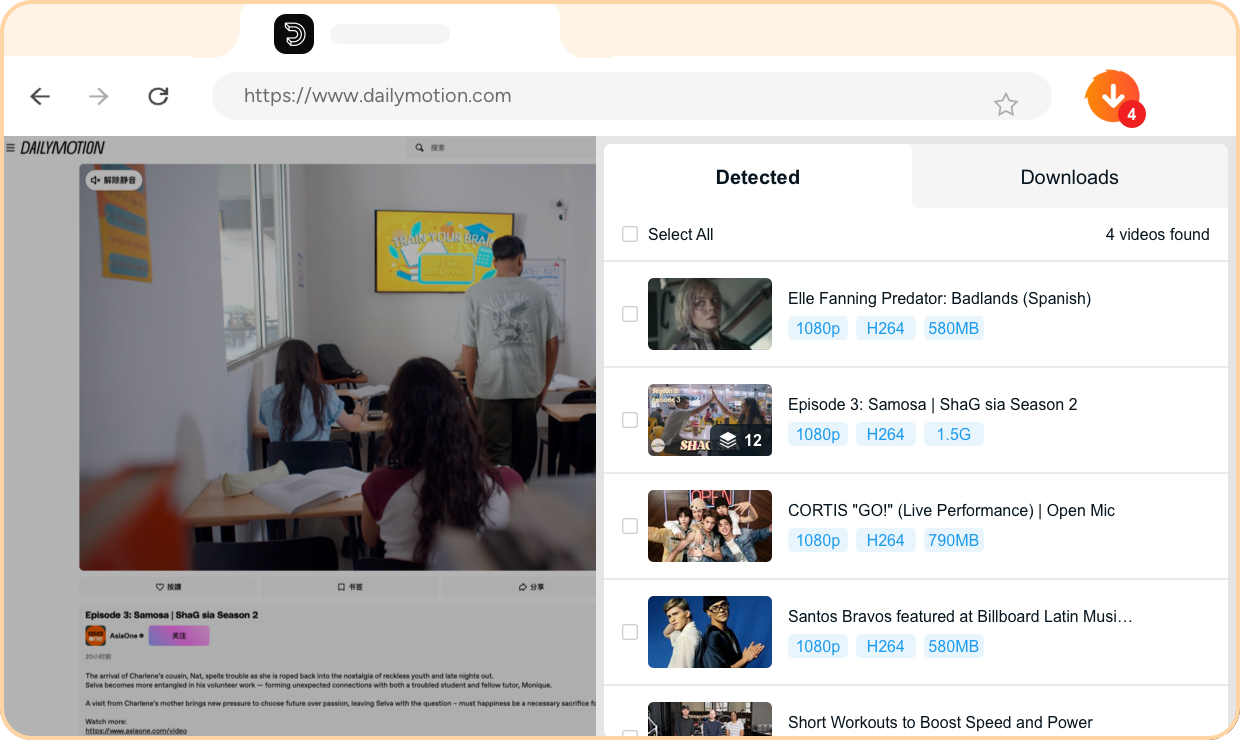
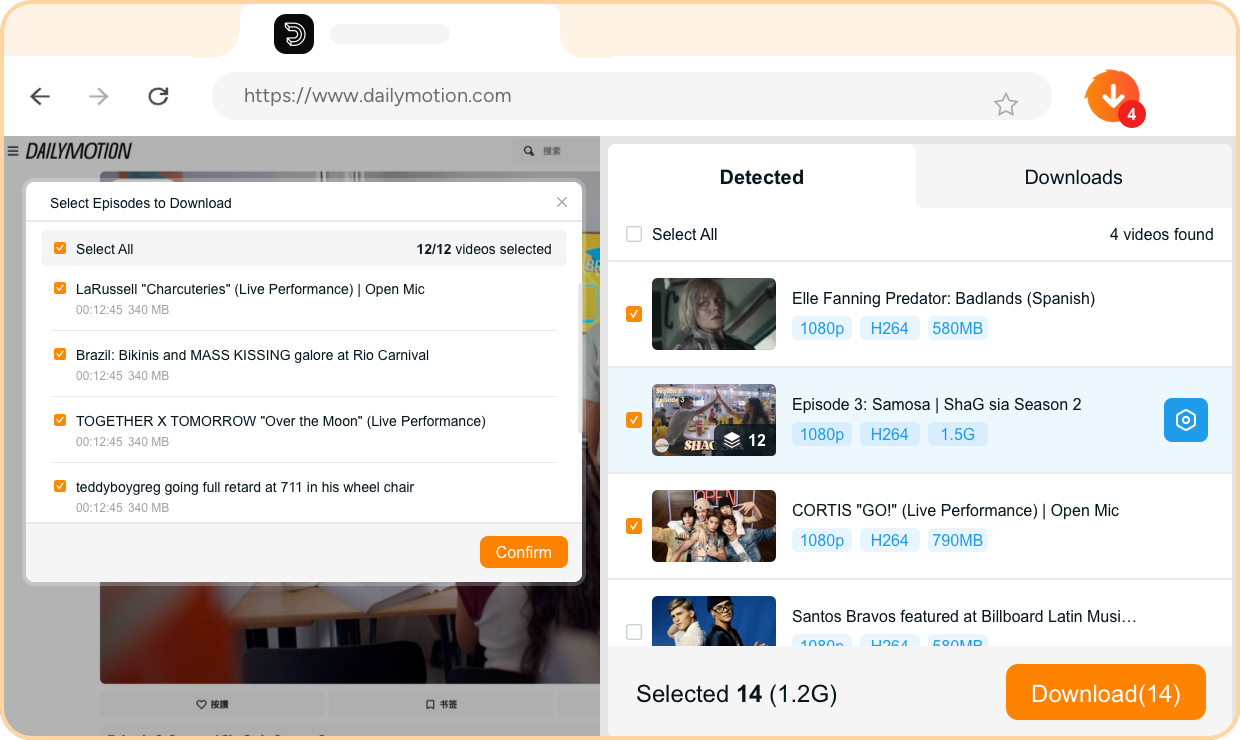
Step 1. Install the Extension & Sign In
Add StreamFab OnlyFans Downloader for Browser to your browser from the official store, then sign in with your StreamFab account.
Step 2. Install the CoApp Companion
Download and install the lightweight CoApp — StreamFab's official desktop companion that securely handles video downloading and decoding in the background.
Step 3. Browse OnlyFans — Videos Detected Automatically
Visit any OnlyFans creator page as usual. The extension automatically detects all downloadable content on the page — no manual input needed.
Step 4. Pick Your Videos & Download
Choose the videos you want, select your preferred quality and format, then hit download. Your content saves to your local drive while you keep browsing.
System Requirements
Windows 11/10 (32/64 bit)
Intel i3 or above
4GB of RAM or above
40GB of free hard disk space or above
Live Internet connection required
Microsoft Edge 88 or above
Google Chrome (Chromium) 88 or above