StreamFab SkyShowtime Downloader
SkyShowtime native downloads expire after 30 days and are limited to mobile apps. StreamFab SkyShowtime Downloader saves any SkyShowtime title as a permanent 4K/1080p local copy in MP4 or MKV, with EAC3 5.1 surround or AAC 2.0 audio.

Save SkyShowtime content across all 12+ European markets

Auto-download new SkyShowtime episodes on schedule

Download SkyShowtime titles in full 4K quality

Browse and capture SkyShowtime with built-in browser
Why StreamFab SkyShowtime Downloader?
SkyShowtime downloads expire after 30 days — and only work on mobile
Imagine boarding an overnight train from Warsaw to Amsterdam, ready to watch a Paramount+ series you saved on SkyShowtime — only to discover the download has expired. SkyShowtime's native download feature restricts you to mobile devices only, and every saved file disappears after 30 days whether you've watched it or not.
Once you start playing a title, you're also working against expiry timers that vary by content deal. Beyond these restrictions, SkyShowtime's catalogue itself shifts as licensing agreements between Universal, Paramount, and Showtime are renegotiated — titles you love today may disappear from the service entirely. When that happens, your subscription cannot bring them back. If you want reliable, permanent access to the SkyShowtime content you're paying for each month, the app's own download feature simply falls short.

StreamFab's proven engine makes every SkyShowtime title permanently yours
Think about a Paramount+ series you watched on SkyShowtime six months ago that you want to revisit — only to find it's no longer on the service. StreamFab SkyShowtime Downloader, developed by the StreamFab team with over 8 years of video software experience, converts any SkyShowtime title into a standard MP4 or MKV file that lives permanently on your device.
No expiry dates, no device restrictions, no dependency on whether SkyShowtime renews its licensing deal. Whether you're in Poland, the Netherlands, Norway, or any of the other 12+ European countries where SkyShowtime operates, StreamFab gives you a local copy that plays on any screen you own. Try it with 3 free downloads before you decide — no commitment required.

Save SkyShowtime Content at Its Best
4K Video + Dolby Atmos — The Full Theatrical Experience at Home
StreamFab SkyShowtime Downloader captures your content at its full original quality before you go offline. Videos download in up to 4K Ultra HD resolution — matching exactly what SkyShowtime streams at peak quality. Choose Dolby Atmos for immersive spatial audio, EAC3 5.1 for traditional surround sound, or AAC 2.0 stereo for maximum device compatibility. Every detail the creators intended — color grading, dynamic range, spatial audio mixing — arrives intact on your device. Play it on a laptop screen, connect to a 4K TV, or pack it for a long journey. The cinematic experience follows you, not your Wi-Fi signal.

Save SkyShowtime content as MP4 or MKV for any device or player
You want to watch your saved SkyShowtime content on a smart TV, Windows laptop, or media server — not just the SkyShowtime app on your phone. SkyShowtime's official downloads are locked to their mobile app, making them useless on anything else. StreamFab SkyShowtime Downloader saves your content as either MP4 or MKV. MP4 offers the widest device compatibility — play it on any modern smartphone, Samsung or LG smart TV, tablet, or PC without installing extra codecs.
MKV is ideal for media servers like Plex, PlayerFab, or Jellyfin, preserving all audio tracks and subtitle streams cleanly within a single container file. Neither format carries an expiry date. Copy your files to a USB drive, a NAS, or a streaming device and they play whenever you need them.

H.264, H.265 & HDR10 — Choose the Right Codec for Every Screen
StreamFab SkyShowtime Downloader gives you full control over video encoding before you hit download. Choose H.264 (AVC) for the widest compatibility — it plays natively on virtually every device made in the last decade, from aging laptops to modern smartphones to gaming consoles. Select H.265 (HEVC) when storage matters — it delivers equivalent visual quality at roughly half the file size of H.264, ideal for building large offline libraries. Enable HDR10 to preserve the extended color range and brightness metadata that make 4K content truly come alive on compatible displays. One downloader, three codec choices — your content, your call.

Save subtitles as SRT files or remux into video

Everything You Need for a Perfect Offline Experience
Auto-Download New SkyShowtime Episodes on Schedule
Add SkyShowtime series to your schedule queue and StreamFab downloads new episodes automatically — daily or weekly — the moment they're released, so your offline library is always up to date.

Batch Download Full SkyShowtime Seasons at Once
Queue entire SkyShowtime seasons in one operation. StreamFab processes multiple titles simultaneously so your full offline collection is ready before your next long journey — no manually repeating downloads one episode at a time.

Pre-Select Audio and Subtitle Language for Every Download
Set your preferred audio language and subtitle track once in StreamFab's settings. Every SkyShowtime download in your queue automatically applies those preferences, saving you from configuring each title individually across multiple languages.
Your SkyShowtime Library
Keep metadata so your media server displays SkyShowtime content perfectly
If you use Plex, PlayerFab, or Kodi to manage your home media library, you know how frustrating it is when downloaded files appear as generic filenames with no artwork or episode information. StreamFab SkyShowtime Downloader solves that by automatically preserving each title's full metadata alongside the video file — including the series name, season and episode number, episode title, full cast list, and cover artwork.
When you add your SkyShowtime downloads to Plex, Kodi, Jellyfin, or PlayerFab, the media server recognizes every file instantly and displays your collection with the correct thumbnails, descriptions, and organisation. Instead of a folder of unlabelled video files, you get a polished, browsable library that looks as good as the SkyShowtime app itself.

European SkyShowtime Fans Trust StreamFab

John
Software DeveloperLucas
CopywriterJacob
EditorJohn
Software DeveloperLucas
CopywriterJacob
EditorJohn
Software DeveloperLucas
CopywriterJacob
EditorJohn
Software DeveloperLucas
CopywriterJacob
Editor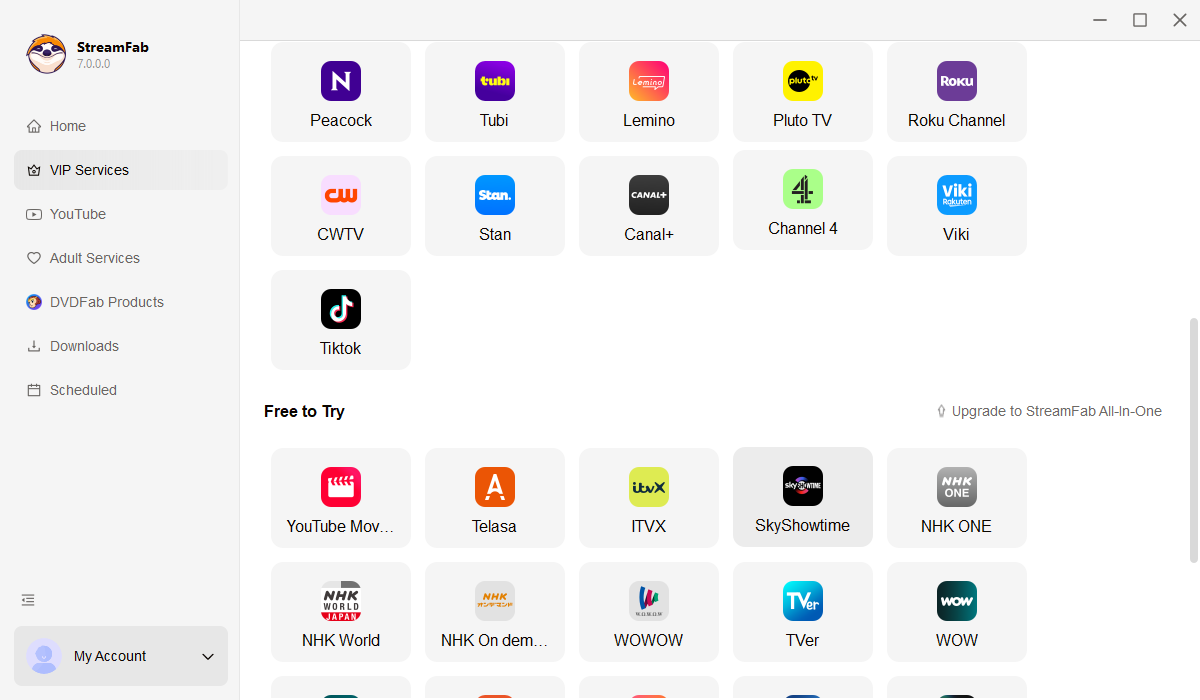
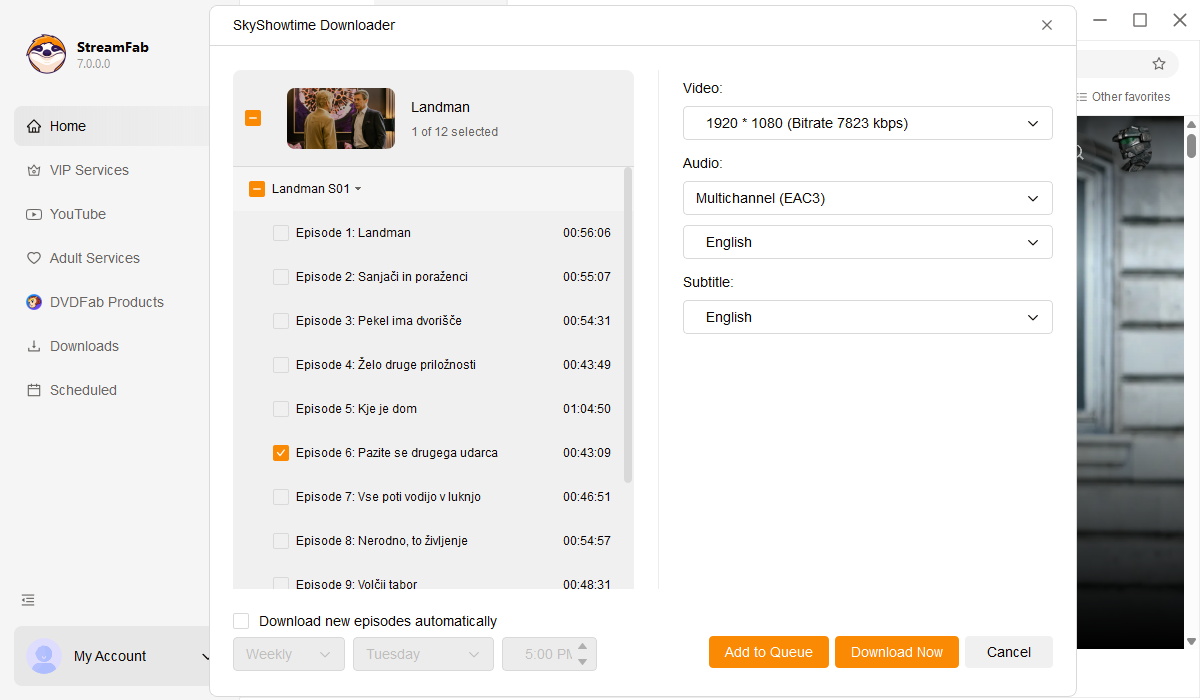
Open StreamFab on your Windows or Mac computer. In the left sidebar, click 'VIP Services' and select the SkyShowtime option to open the built-in browser.
Log into your SkyShowtime account inside StreamFab's built-in browser. Browse to any movie or series from Universal, Paramount+, Showtime, Sky, or Peacock, select your audio and subtitle language, and press Play.
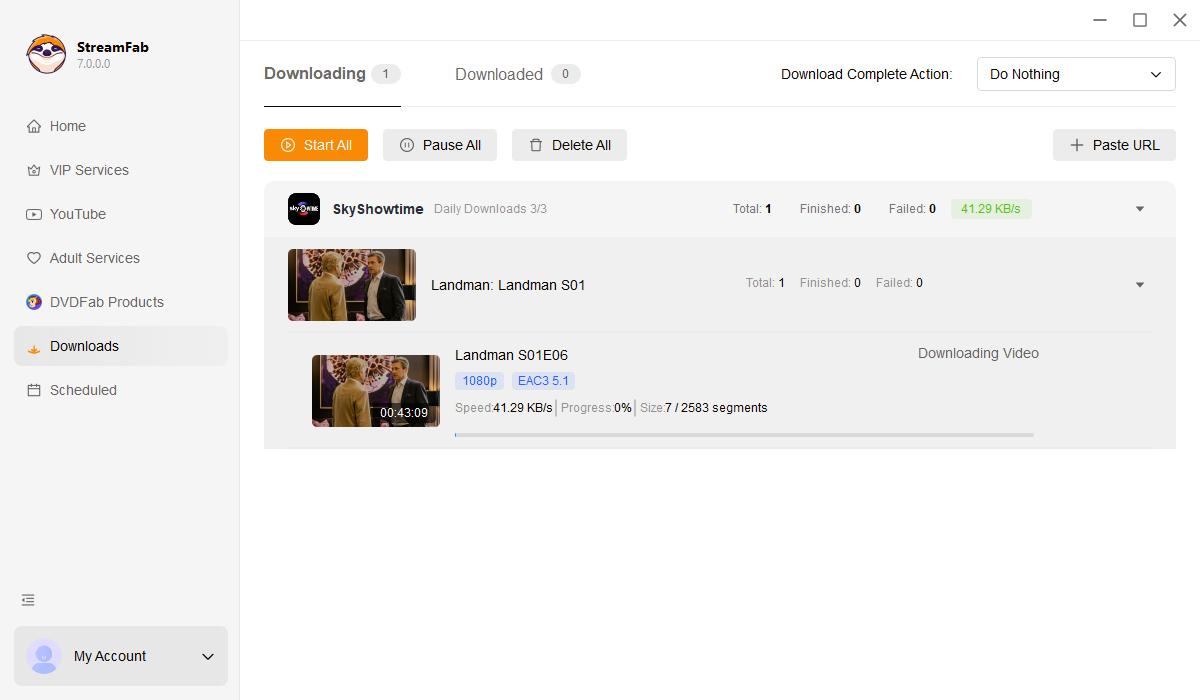
StreamFab detects the stream and shows a download prompt. Choose your resolution (1080p / 720p) and output format (MP4 / MKV), then click Download Now. Your finished files appear in the output folder, ready to transfer to any device.
System Requirements

To avoid being blocked by streaming providers, a StreamFab licensed account has a quota of 100 downloads per day, and 700 downloads per week from each supported streaming service. Whenever some of it is used up, it will refill during the next time cycle.