StreamFab STARZ Downloader
STARZ downloads expire in 2 weeks, only work on mobile, and vanish the moment your subscription lapses. StreamFab saves any STARZ video as a permanent 1080p MP4 or MKV file with AC3 5.1 surround audio — ad-free, device-free, and yours to keep.

Download STARZ videos for permanent offline viewing

Auto-download new STARZ episodes on schedule

Save STARZ in full 1080p with AC3 5.1 surround audio

Browse STARZ inside StreamFab's secure built-in browser
Why STARZ Subscribers Need StreamFab
STARZ locks downloads to phones and tablets — and deletes them after 14 days
Picture this: you have spent the past three months binge-watching every season of Power and its spin-offs — Ghost, Raising Kanan, Force — building up a collection you plan to revisit. Then your STARZ subscription lapses for a single billing cycle, and every downloaded episode on your phone vanishes instantly.
Even while your subscription is active, STARZ only allows downloads on mobile devices, caps you at a handful of titles, and auto-deletes everything after two weeks. You cannot save a single episode to your laptop, your desktop, or an external drive. For a service that costs $9.99 per month — $119.88 per year — those restrictions feel unnecessarily punishing. That is where StreamFab changes everything.

StreamFab creates permanent 1080p copies of your entire STARZ library
Imagine having every episode of Outlander, the complete Power franchise across all spin-offs, and your favorite Lionsgate theatrical releases sitting permanently on your hard drive — ready to play on any device, at any time, with no subscription check required. StreamFab, developed by the StreamFab team with over 8 years of video software experience and trusted by tens of millions of users worldwide, saves any STARZ video as a 1080p MP4 or MKV file with full AC3 5.1 surround sound.
No expiry date, no device limits, no ads in the saved copy — just the episode or film exactly as it aired on STARZ. Try StreamFab with 3 free downloads before making any commitment. The 14-day refund guarantee on annual and lifetime plans removes every remaining risk, so you have nothing to lose and a full offline STARZ library to gain.

The Complete STARZ Download Feature Set
Download 7,500+ STARZ titles in 1080p Full HD with AC3 5.1 surround audio
Imagine settling in for a Power marathon on your home theater system — the intense dialogue in every scene, gunshots with directional audio, and a deep bass underscore that you feel in your chest. STARZ is one of the few streaming platforms that delivers content in AC3 5.1 (Dolby Digital) surround sound, and StreamFab preserves every channel of that six-speaker audio experience at full bitrate.
For your home theater setup, AC3 5.1 delivers the immersive surround mix that premium dramas like Power, P-Valley, and Outlander were mixed for. For casual viewing on a laptop or tablet, AAC 2.0 stereo provides clean, balanced sound at a smaller file size. StreamFab captures STARZ content at up to 1080p resolution, and the quality in your saved file matches what STARZ delivers during streaming — whether it is a 45-minute drama episode or a 2-hour Lionsgate feature film.
Save STARZ videos as MP4 or MKV to watch on any device
Think about all the screens you use to watch content — a Smart TV in the living room, an iPad for travel, a laptop for commuting, a Plex server at home. StreamFab saves STARZ videos in MP4, compatible with virtually every device from iPhones and Android tablets to Smart TVs and Windows PCs, or in MKV for media server setups like Plex, Kodi, and PlayerFab.
MP4 files open instantly without extra codecs, making them ideal for family devices. MKV is perfect when you want to embed both AC3 5.1 surround and AAC 2.0 stereo audio tracks in a single file, so your media server can automatically serve surround to your living room and stereo to a bedroom TV. Both formats play indefinitely with no STARZ subscription check required.

Download STARZ subtitles as SRT files or embed them in the video
Think about watching Outlander with your family — some viewers want subtitles on to catch every word of the Scottish dialogue, while others find them distracting. StreamFab downloads available subtitle tracks alongside the video and gives you two options: save them as separate SRT files for use in any subtitle-compatible player like VLC, Plex, Kodi, or MPC-HC, or remux them directly into the MP4 or MKV file itself.
Remuxed subtitles appear automatically in most Smart TVs and media players without needing to manage extra files sitting alongside your video collection. SRT files give you the flexibility to toggle captions on or off at will, or even open the text for reference.
Discover Unique Features of StreamFab STARZ Downloader
Auto-Download New STARZ Episodes
StreamFab's auto-download feature monitors for new episodes and captures them automatically as they become available. Set it once and every weekly premiere downloads without manual intervention, with your preferred resolution and audio settings applied consistently.

Batch Download Complete STARZ Seasons Fast
Queue full seasons or multiple STARZ series in one go. StreamFab handles them simultaneously so your offline library is ready in hours, not days. Catching up on the entire Power franchise — spanning hundreds of episodes across six series — becomes practical instead of a weeks-long manual task.

Select Subtitle and Audio Language
Choose your preferred subtitle language and audio track before downloading. StreamFab auto-detects your system language and pre-selects matching tracks, then applies your language preferences consistently across every episode in a batch download.

Remove STARZ ON Ads from Downloads
STARZ ON, the platform's free ad-supported tier, interrupts your viewing with regular commercial breaks. StreamFab automatically detects and removes all ad segments during the download process, producing clean video files that play from beginning to end without a single interruption — no manual editing required.
Organize Your Offline STARZ Library Like a Pro
Preserve metadata so your media server organizes STARZ content perfectly
Imagine you have built a library of 200 or more STARZ episodes spanning the Power franchise, Outlander seasons, and Lionsgate films. Without metadata, they are just a folder of generic video files. StreamFab preserves title, series name, season number, episode number, cast, cover art, and synopsis for every download.
Media server apps like PlayerFab, Plex, Kodi, and Jellyfin use that metadata to display your STARZ collection with correct thumbnail artwork and episode descriptions — making it as easy to browse your offline library as navigating the STARZ app itself, but available permanently without any internet connection.
STARZ Subscribers Love StreamFab

John
Home Theater EnthusiastEmily
Freelance JournalistJacob
IT ConsultantJohn
Home Theater EnthusiastEmily
Freelance JournalistJacob
IT ConsultantJohn
Home Theater EnthusiastEmily
Freelance JournalistJacob
IT ConsultantJohn
Home Theater EnthusiastEmily
Freelance JournalistJacob
IT Consultant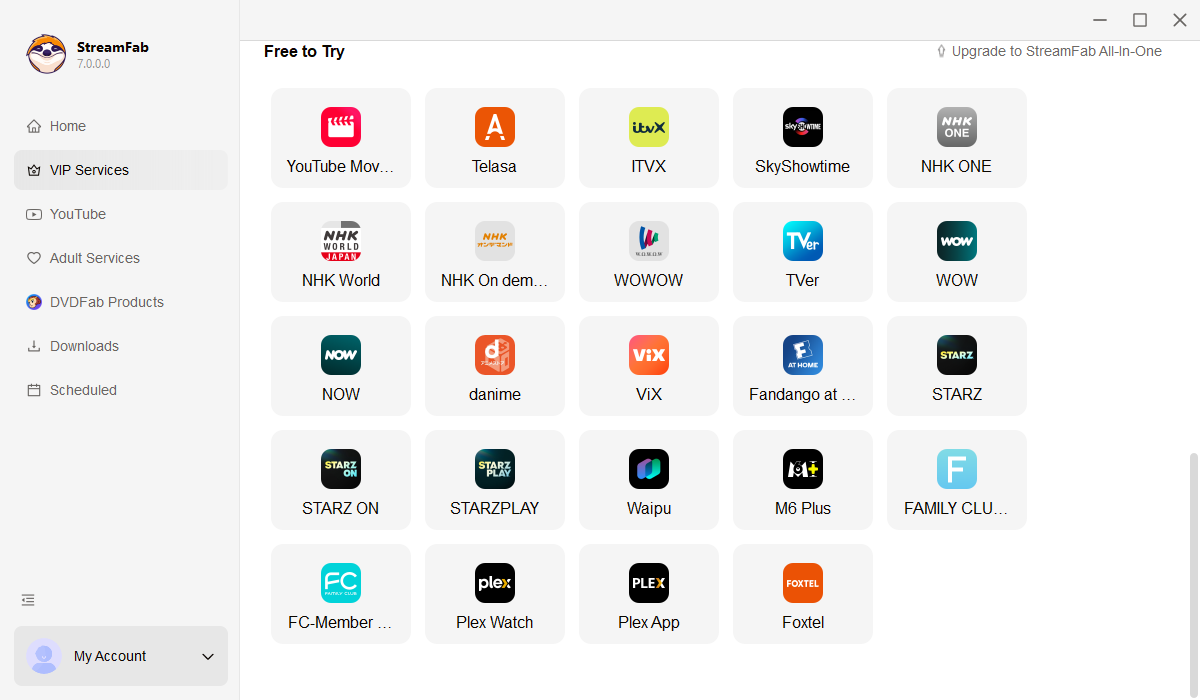
Launch StreamFab on your Windows PC or Mac. Navigate to VIP Services in the left panel and select the STARZ logo to open the secure built-in browser.
Sign into your STARZ account inside the built-in browser. Search for the show, movie, or episode you want — whether it is a Power spin-off, an Outlander season, or a Lionsgate film — and press Play.
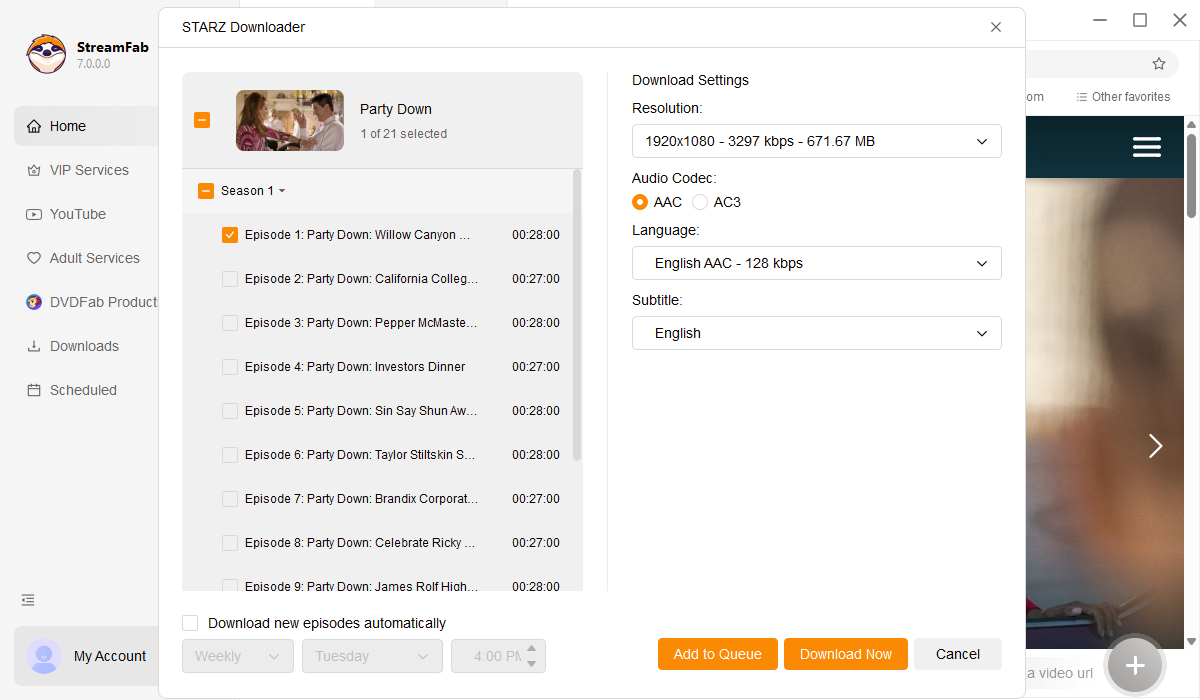
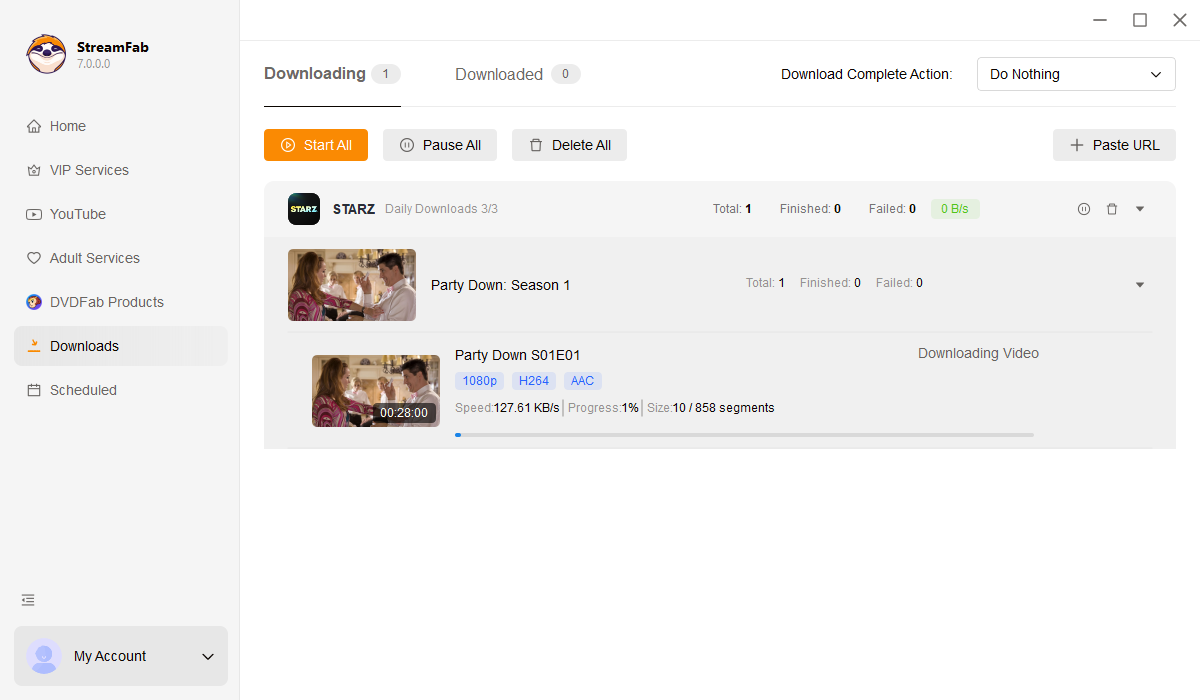
As the video begins playing, StreamFab displays a download prompt. Select your resolution (1080p or 720p), audio (AC3 5.1 or AAC 2.0), and format (MP4 or MKV), then click Download Now. Your personal offline copy begins saving immediately.
System Requirements

To avoid being blocked by streaming providers, a StreamFab licensed account has a quota of 100 downloads per day, and 700 downloads per week from each supported streaming service. Whenever some of it is used up, it will refill during the next time cycle.