StreamFab TELASA Downloader
Save any TELASA video — TV Asahi drama, tokusatsu series, or KDDI original — as a 1080p MP4 file on your PC. Watch offline anytime, no active subscription needed.


Download TELASA videos on Windows and Mac

Auto-download new TELASA episodes on schedule

Download TELASA videos in crisp 1080p HD

Browse and find TELASA videos via in-app browser
Why do you need StreamFab?
Licensing deals end — and TELASA titles vanish without warning
You've finally tracked down that classic TV Asahi tokusatsu series you loved as a child, only to find that its streaming license expires in two weeks. On TELASA — operated jointly by KDDI and TV Asahi — content availability is always subject to licensing agreements between the platform and the production studios. When a deal lapses, the title is gone. No notice, no archive, no guarantee it will return.
Backed by over 8 years of digital media expertise, StreamFab developed StreamFab to give you a permanent copy of what you love. StreamFab TELASA Downloader saves your chosen videos as standard MP4 files on your PC — files you keep forever, regardless of what TELASA's catalog looks like tomorrow.

Save every TELASA drama and TV Asahi exclusive for permanent offline access
TELASA, operated by KDDI and TV Asahi, is the destination for fans of TV Asahi programming — tokusatsu heroes, prime-time dramas, variety shows, and archive content spanning decades of Japanese television. Its catalog is deep, but its availability can shift without warning.
StreamFab TELASA Downloader was built for TELASA fans who want certainty. Whether it's a current-season Kamen Rider series, a long-running TV Asahi drama, or a TELASA-exclusive film, you can download it in full 1080p HD quality and keep it permanently on your PC. Your archive stays intact — even when the platform's catalog changes. StreamFab's download engines are updated every week to maintain compatibility with TELASA's latest streaming changes. Try it risk-free with 3 complimentary downloads before purchasing — no commitment required.

What can StreamFab do?
Download TELASA videos in crisp 1080p HD with AAC 2.0 audio
Settling for compressed, pixelated video when you've waited all week for the latest TV Asahi drama is not acceptable. StreamFab TELASA Downloader ensures that every TELASA video you save arrives at its maximum quality — up to 1080p full HD resolution paired with AAC 2.0 stereo audio, preserving every detail exactly as the platform streams it.
Whether you're downloading a sweeping period drama or a fast-paced tokusatsu action sequence, the picture stays sharp and the audio stays clear. StreamFab's processing pipeline, refined over more than two decades, maintains the original quality of each TELASA stream so your offline copies are indistinguishable from a perfect live session.

Download and save TELASA videos as widely compatible MP4 files
Downloading a TELASA series only to find the files won't open on your home theater setup is a frustrating dead end. StreamFab TELASA Downloader saves every video as an MP4 file — the most universally compatible video format available — so your downloads work on any device you already own.
Windows PCs, Macs, smartphones, smart TVs, game consoles, and media players like PlayerFab all handle MP4 natively. No conversion software, no re-encoding, no compatibility errors. The MP4 format also makes it straightforward to archive your TELASA collection on an external drive or organize it alongside your other media files.

Download TELASA subtitles as SRT files or embed them directly into the video
"Whether you're watching a TELASA drama in Japanese with English subtitles or following dialogue in a variety show, StreamFab TELASA Downloader handles subtitles with precision. Set your preferred subtitle language once in the settings, and every subsequent TELASA download automatically includes the correct subtitle track.
You can save subtitles as a separate SRT file for flexible use across different media players, or embed them directly into the MP4 file so they display automatically on playback. Either way, the subtitle accuracy matches what you see on the TELASA platform itself — no manual editing required."

Perfect Downloading Experience You Get
Schedule Mode and Auto Download
Set a schedule and StreamFab automatically downloads newly released TELASA dramas and series — never miss a new episode from your favorite TV Asahi show.

Batch Mode and Fast Speed
Add an entire TELASA drama season to the download queue at once. A full 2-hour TELASA film typically downloads in just 8 minutes.

Preset Audio & Subtitle Language
StreamFab automatically preselects audio and subtitle tracks matching your UI language. Adjust at any time to download TELASA videos in the language of your choice.
More Than Downloading
Download metadata to organize your TELASA media library effortlessly
As your TELASA collection grows across multiple TV Asahi drama seasons and tokusatsu series, keeping your files organized becomes a real challenge. StreamFab TELASA Downloader automatically saves the metadata for every download — including the show title, episode title, season number, cast information, and cover artwork — alongside the video file.
This metadata makes your downloads immediately compatible with popular media server applications like Kodi, Plex, and PlayerFab. Your library displays with proper titles, thumbnails, and episode information, exactly like a professional streaming interface — but stored locally and entirely under your control.

Feedbacks on TELASA Downloader

Mark
Drama EnthusiastDiana
Graduate StudentAmber
IT EngineerMark
Drama EnthusiastDiana
Graduate StudentAmber
IT EngineerMark
Drama EnthusiastDiana
Graduate StudentAmber
IT EngineerMark
Drama EnthusiastDiana
Graduate StudentAmber
IT Engineer
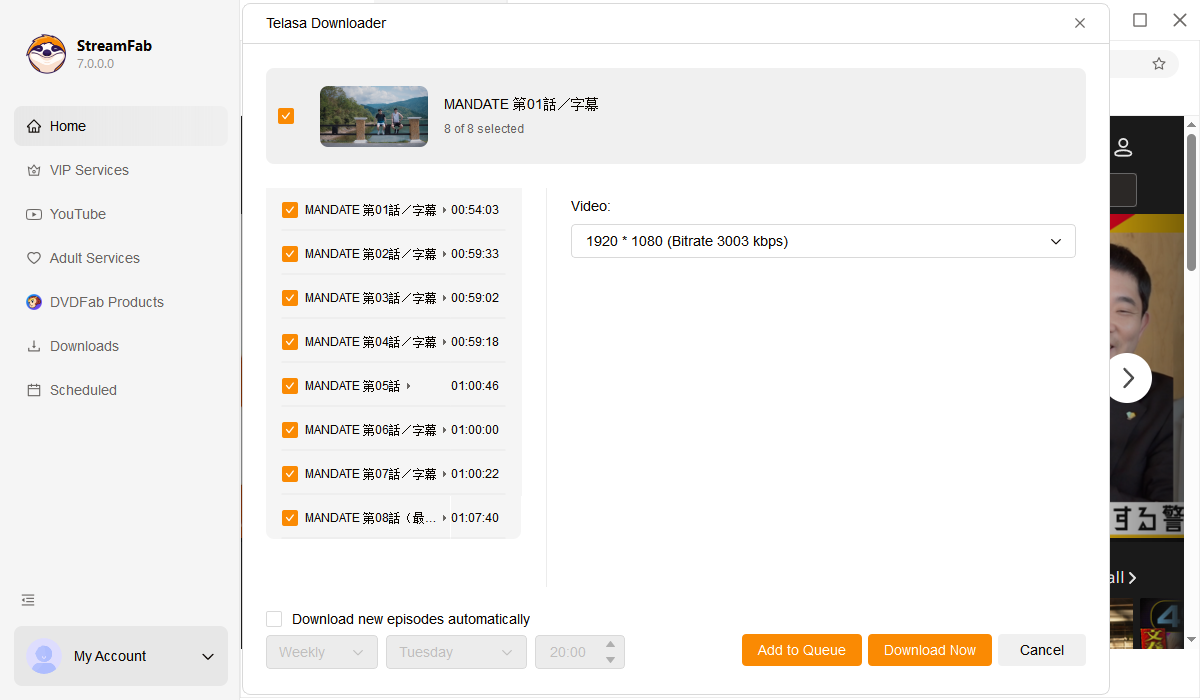
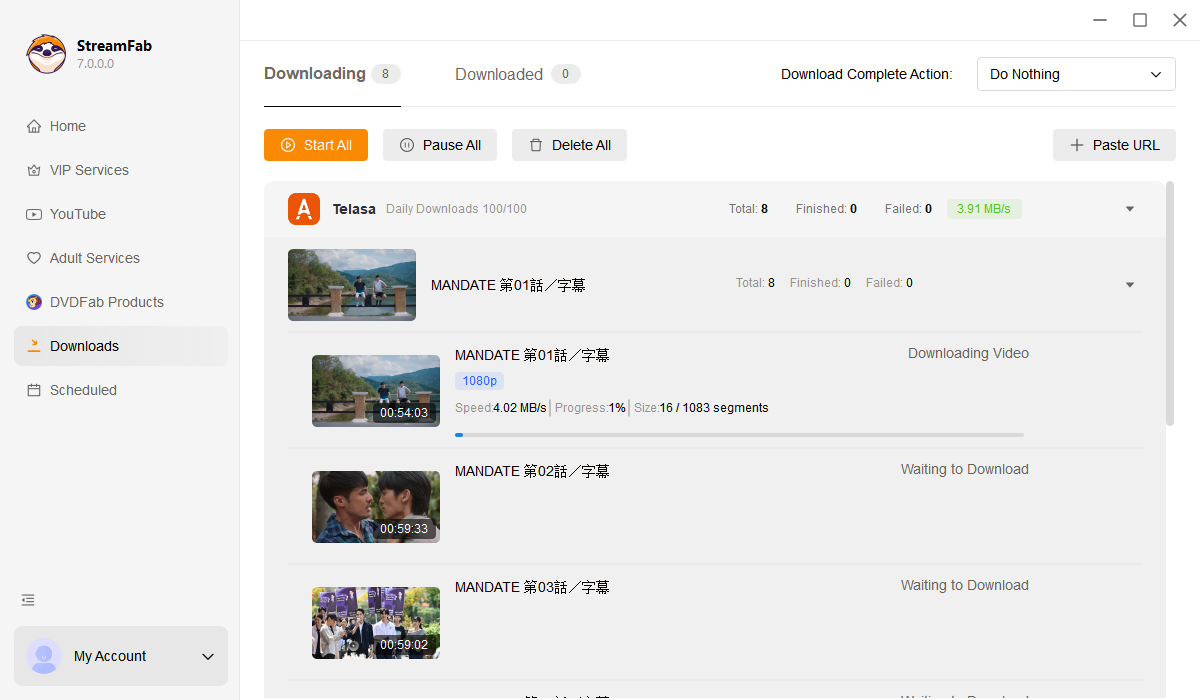
Download and install StreamFab on your Windows PC or Mac. Launch the app to reach the main interface, then find TELASA in the Streaming Services panel.
Click into the built-in TELASA browser. Sign in with your TELASA or au ID account to access the full library, then find the drama, tokusatsu series, or movie you want to download.
Press play on your selected TELASA video. StreamFab automatically detects the stream and begins downloading it at full 1080p quality to your chosen local folder.
System Requirements

To avoid being blocked by streaming providers, a StreamFab licensed account has a quota of 100 downloads per day, and 700 downloads per week from each supported streaming service. Whenever some of it is used up, it will refill during the next time cycle.