



• Download from all TikTok regional sites

    Download from all TikTok regional sites

  • Save new TikTok video at scheduled time

    Save new TikTok video at scheduled time

  • Save TikTok videos in 1080P MP4/MKV format

    Save TikTok videos in 1080P MP4/MKV format

  • Explore TikTok videos with its in-built browser

    Explore TikTok videos with its in-built browser

Why StreamFab TikTok Downloader?

Advanced Technology

TikTok's built-in save is limited — watermarked, low quality, and often disabled

Imagine you find a TikTok cooking tutorial or educational clip you want to reference later. You tap the Share > Save Video button — and the downloaded clip has a TikTok watermark stamped across the corner, compressed to lower resolution, and rendered un-shareable in professional contexts. Worse, many creators have disabled TikTok's native download option entirely for copyright or personal reasons. 


This means the content you want is inaccessible offline. Even when downloads are available, you're stuck at TikTok's compressed quality settings rather than the creator's original upload quality. StreamFab bypasses all of these barriers to deliver clean, high-quality saves.

download TikTok videos
Reliable and Verified

StreamFab saves TikTok videos cleanly — no watermarks no quality loss

Picture yourself as a content creator, researcher, or avid TikTok viewer who wants a clean archive of educational, entertainment, or reference videos. StreamFab, developed by the StreamFab team with over 20 years of video software expertise and trusted by millions of users worldwide, captures TikTok videos at their full resolution — 720p or 1080p — in MP4 or MKV format, completely free of TikTok's watermark overlay. 


The result is a video file identical in quality to the creator's upload. Start with 3 free downloads before purchasing; annual plans include a 14-day refund guarantee.

TikTok video download

Flexible Output Options Built for TikTok Content

1080p · AAC 2.0

Download TikTok videos in crisp 1080p with AAC 2.0 audio — no watermarks

Say you follow a fitness trainer, chef, or educator on TikTok and want their tutorial videos saved in the clearest possible quality for offline reference. StreamFab captures TikTok video at up to 1080p resolution — the highest quality the creator originally uploaded — with clean AAC 2.0 stereo audio. 


This is a significant upgrade from TikTok's watermarked, compressed native saves. The result is a clean 1080p file suitable for personal archives, study reference, or offline viewing on any screen — from a phone to a 4K monitor. Choose 720p to reduce file size for mobile storage.

TikTok video downloader
MP4 · MKV

Save TikTok videos as MP4 or MKV — plays on any device without apps

Think about wanting to view saved TikTok videos on your TV, laptop, or media server without needing the TikTok app. StreamFab saves in MP4 — universally supported by every modern device, Smart TV, tablet, and PC without extra codecs or applications — or MKV for more advanced playback setups and media servers. 


Either format plays with any standard media player (VLC, Windows Media Player, PlayerFab) and can be transferred to USB drives, external hard drives, or NAS storage without quality degradation. No TikTok account or app needed to watch your saved clips.

download video from TikTok
H.264 · H.265

Choose H.264 for compatibility or H.265 for efficient storage of large TikTok archives

If you're building a large archive of TikTok content — hundreds of tutorial videos, travel clips, or entertainment favorites — storage space matters. StreamFab offers H.264 and H.265 codec options at download time. H.264 plays on every device without exception, making it the safest choice for videos you'll watch on multiple platforms.


H.265 delivers the same 1080p visual quality at roughly 40-50% smaller file sizes — ideal when your collection grows large and you want maximum videos per GB of storage. The codec choice has no impact on download speed; both produce clean, watermark-free files.

TikTok video downloader

Perfect Downloading Experience You Get

download TikTok video

Auto-Save New TikTok Posts on Schedule

Follow favorite TikTok creators and let StreamFab automatically download their new videos at a scheduled time — daily or weekly. Never miss content you care about.

download videos from TikTok

Batch Save Multiple TikTok Videos at Once

Queue up multiple TikTok video links and StreamFab downloads them all simultaneously. Save an entire creator's catalog or a curated collection in one session.

TikTok Creators and Fans Trust StreamFab

download short videos from TikTok
Step 1. Launch StreamFab and open TikTok Downloader

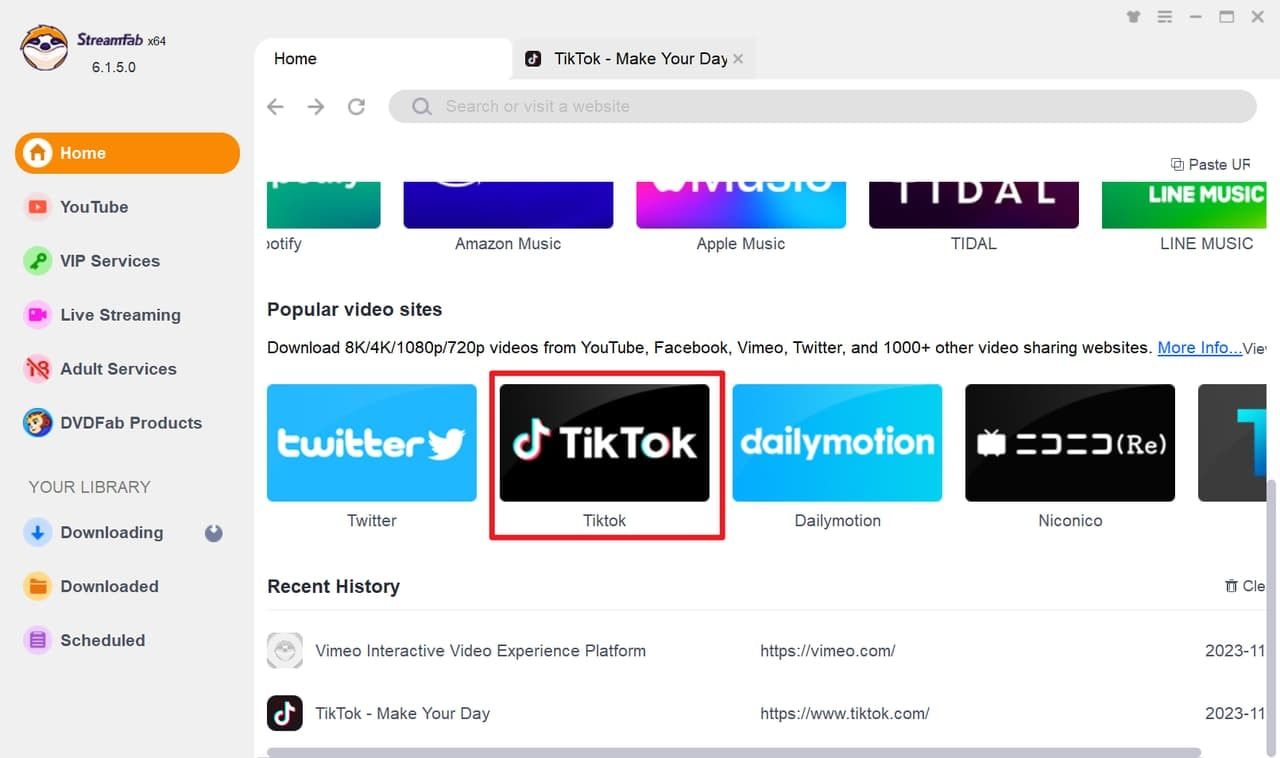
Launch StreamFab and select TikTok Downloader from the left panel under VIP Services.

Step 2. Browse TikTok and play the video you want to save

Browse TikTok in the built-in browser — find a video and press Play. StreamFab automatically detects the stream.

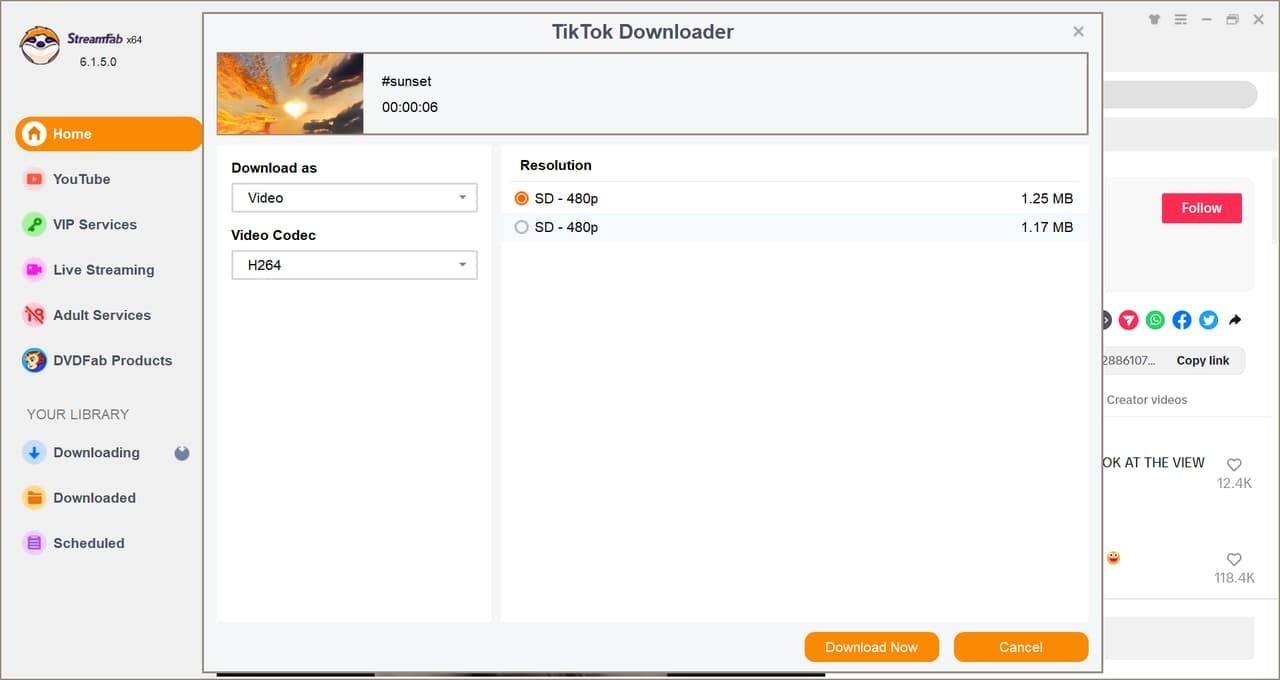
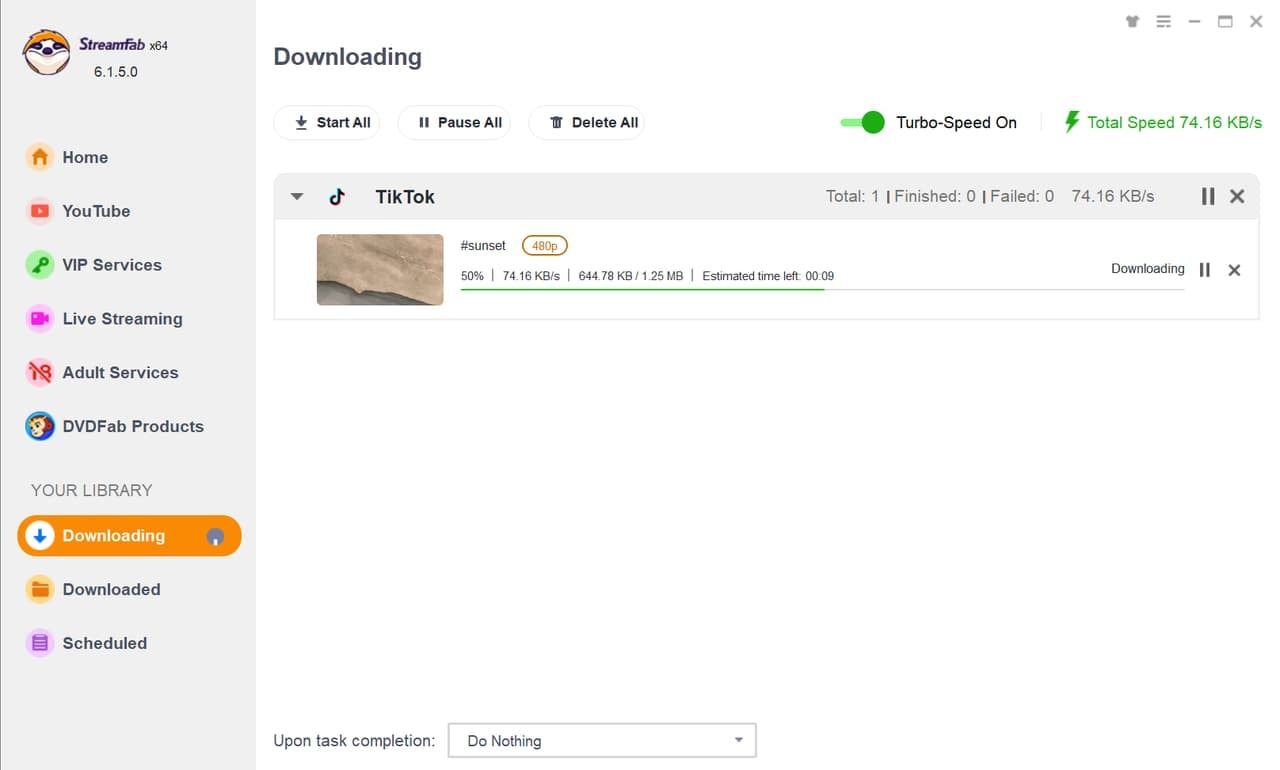
Step 3. Choose your settings and click Download Now

StreamFab detects the video — choose 1080p or 720p, H.264 or H.265, MP4 or MKV — then click Download Now. Your clean, watermark-free file saves to your output folder.

System Requirements

Icon
Windows 11/10 (32/64 bit)
Intel i3 or above
4GB of RAM or above
40GB of free hard disk space or above
Live Internet connection required

Tips & Tricks for TikTok Videos Download
  • How to Download TikTok Videos on Android/iOS/PC?
    How to Download TikTok Videos on Android/iOS/PC?

    This guide will help you navigate downloading freely available TikTok videos on Android or iOS devices and methods for saving those that can’t be directly downloaded from the app. We’ll also introduce StreamFab YouTube Downloader - an effective tool for downloading TikTok videos on Windows & Mac systems, alongside its dedicated counterpart for Android devices.

    By Nicole Lopez - May 25, 2026
Fair Use Policy: StreamFab is legal only for personal needs and it's not allowed to share the downloaded content with any third party.

To avoid being blocked by streaming providers, a StreamFab licensed account has a quota of 100 downloads per day, and 700 downloads per week from each supported streaming service. Whenever some of it is used up, it will refill during the next time cycle.