StreamFab Waipu Downloader
Your Waipu TV cloud recordings are capped at 100 hours, and ads on SAT.1, ProSieben, and Kabel Eins cannot be skipped even in playback. StreamFab saves any Waipu content as ad-free 1080p MP4 or MKV files with no recording limits, directly to your local drive.

Save German live TV channels offline

Auto-download new Waipu TV episodes overnight

Download Waipu TV in full 1080p HD quality

Browse and Download Inside StreamFab Browser
StreamFab: Indulge Your Binge-Watching Fantasies!
Why Your Waipu Cloud Recordings Are Holding You Back
It is Saturday afternoon in Munich, and the Bundesliga match you planned to watch tonight on Waipu TV just failed to record because your Comfort plan's 100-hour cloud storage has been full since midweek. Older recordings are already being overwritten automatically, and there is no option to download any of them to your computer for safekeeping. This is the core limitation of Waipu's cloud-only recording system — your content exists solely on their servers, governed by hour caps and automatic deletion policies.
StreamFab Waipu Downloader eliminates this dependency entirely by capturing any Waipu stream directly to your local drive as a standard MP4 or MKV file. Built on StreamFab's 20-plus years of media software development, the engine receives weekly compatibility updates and responds to Waipu platform changes within 24 to 48 hours, ensuring your download workflow never breaks.

Backed by StreamFab's Two Decades of Media Software Excellence
You have searched online for a way to download Waipu TV content and found a dozen different tools, most from unknown developers with no track record and questionable reviews. How do you decide which one to trust with your Waipu account credentials? StreamFab answers that question with over two decades of proven history under the StreamFab brand — downloaded more than 100 million times, trusted by over 80 million users worldwide, and recognized on platforms like Trustpilot, G2, and Reviews.io.
The software includes an integrated private browser that handles your Waipu login locally without transmitting credentials to any third-party server. A 99 percent download success rate, three free trial downloads before any purchase, and a clear refund policy — 7 days for monthly plans, 14 days for annual and lifetime plans — mean you can verify the quality and reliability completely risk-free before committing. StreamFab also supports over 60 streaming services across Windows and Mac, so your investment covers far more than just Waipu.

What Can StreamFab Do for Your Waipu TV Experience?
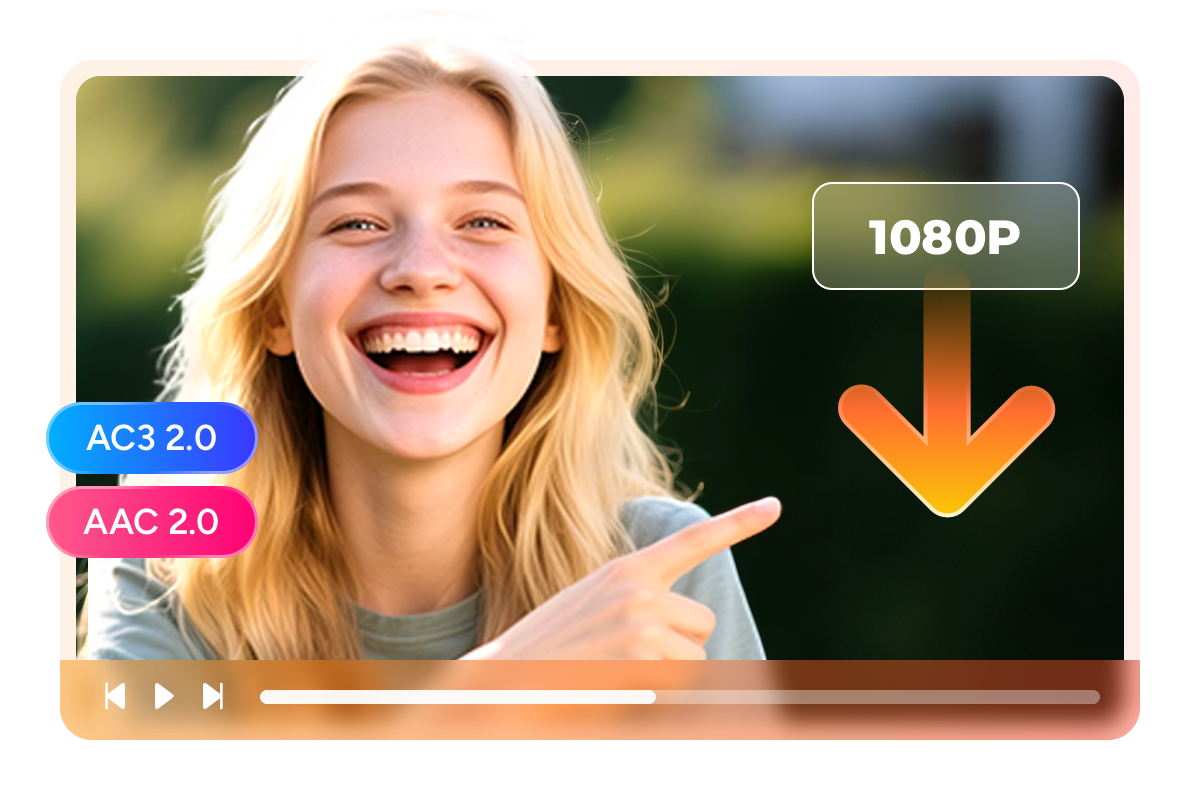
Waipu Video Download with up to 1080p Video Quality and AC3 2.0/AAC 2.0 Audio Tracks
You are settling in for a Friday evening film premiere on ProSieben via Waipu TV, but the stream keeps buffering because everyone in the household is online simultaneously. Even worse, your cloud recording of the same film later turns out blurry — Waipu's servers were under heavy load and defaulted to a lower resolution. StreamFab Waipu Downloader captures the stream at its highest available quality — either 1080p Full HD or 720p HD depending on the source — completely independently of your real-time internet speed.
The download preserves the original H.264 encoding without re-compression, so every frame arrives exactly as broadcast. For audio, you choose between AC3 2.0 with its richer dynamic range and bass response, or AAC 2.0 for efficient mobile playback. No buffering, no quality drops — just broadcast-grade files on your own drive.
Save Waipu Content as MP4 or MKV — Play on Any Device, Anytime
You downloaded a two-part crime thriller from Waipu TV last week and want to continue watching on the train to Berlin, but Waipu's cloud player requires a stable internet connection that Deutsche Bahn WiFi simply cannot guarantee. StreamFab solves this by saving every Waipu download as a standard MP4 or MKV file that plays on any device without an internet connection or the Waipu app.
Choose MP4 when you need plug-and-play compatibility across iPhones, Android tablets, laptops, smart TVs, and game consoles. Choose MKV when you want to embed both AC3 and AAC audio tracks in a single container, letting you switch between them during playback on your home media server. The video and audio data remain bit-identical regardless of format — you are simply choosing the wrapper that fits your playback setup.

A Perfect Downloading Workflow Tailored to Your Needs
Auto-Download New Waipu TV Episodes Overnight
Your favorite RTL series drops a new episode every Tuesday evening. Set StreamFab to monitor it once, and fresh episodes download automatically overnight — no manual effort, no cloud recording quota consumed.

Download Entire Series Seasons in a Single Click
Found a twelve-episode crime series on Waipu you want to archive? Select the full season and batch-download every episode in one click — a standard 45-minute episode finishes in minutes

Enjoy Ad-Free Downloads
Unskippable ads on SAT.1 and ProSieben recordings eat 15 to 20 minutes of your daily viewing time. StreamFab strips every commercial break during download, delivering clean, uninterrupted video files.
More Than Just a Downloader — Your Personal Media Archive
Build a Professional Media Library from Your Waipu TV Collection
After three months of downloading Waipu TV content, your hard drive holds 200 video files — but they are all named with cryptic strings that tell you nothing about what is inside. Finding that specific episode of a German crime series means opening files one by one until you stumble across the right one. StreamFab eliminates this chaos by attaching complete metadata to every download automatically: show title, episode number, season designation, cast information, plot synopsis, and cover artwork.
Import your files into Plex, Kodi, Jellyfin, or PlayerFab, and they instantly appear as a professionally organized library with poster art and episode descriptions. For German television enthusiasts building long-term archives of live broadcasts, documentaries, and series, this metadata transforms a random folder of downloads into a browsable, searchable personal media collection.
Real Stories from StreamFab Waipu Downloader Users

John
Freelance Sports JournalistMartin
German Language TeacherEmily
Home Media EnthusiastJohn
Freelance Sports JournalistMartin
German Language TeacherEmily
Home Media EnthusiastJohn
Freelance Sports JournalistMartin
German Language TeacherEmily
Home Media EnthusiastJohn
Freelance Sports JournalistMartin
German Language TeacherEmily
Home Media Enthusiast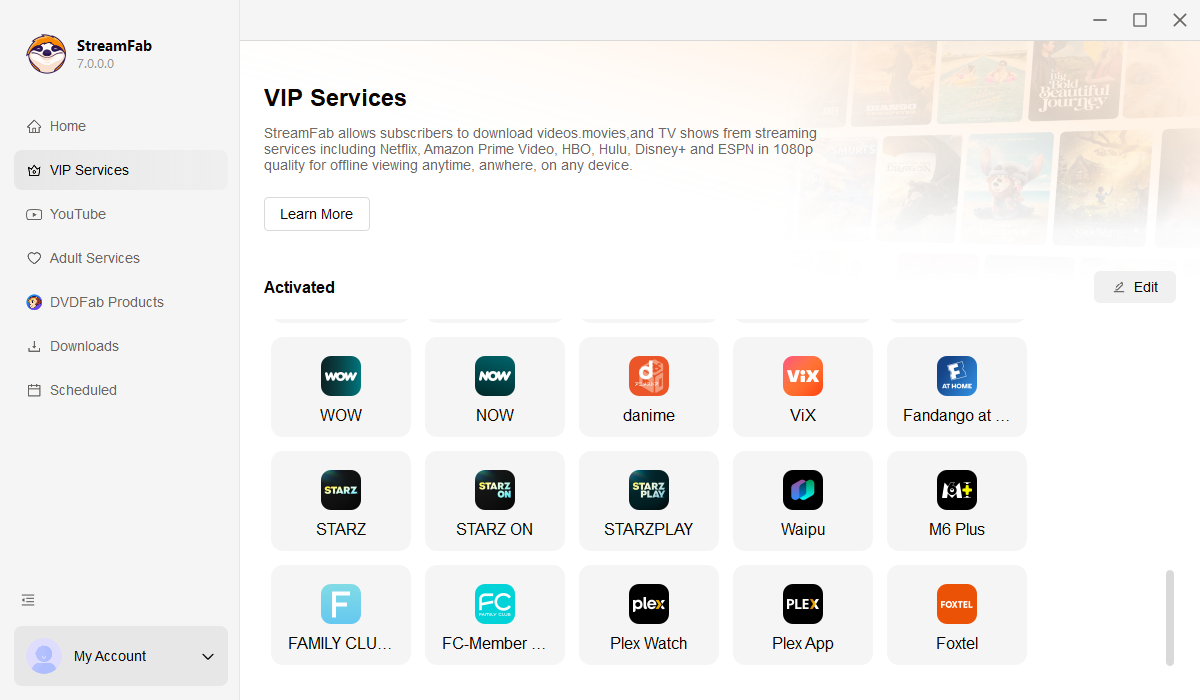
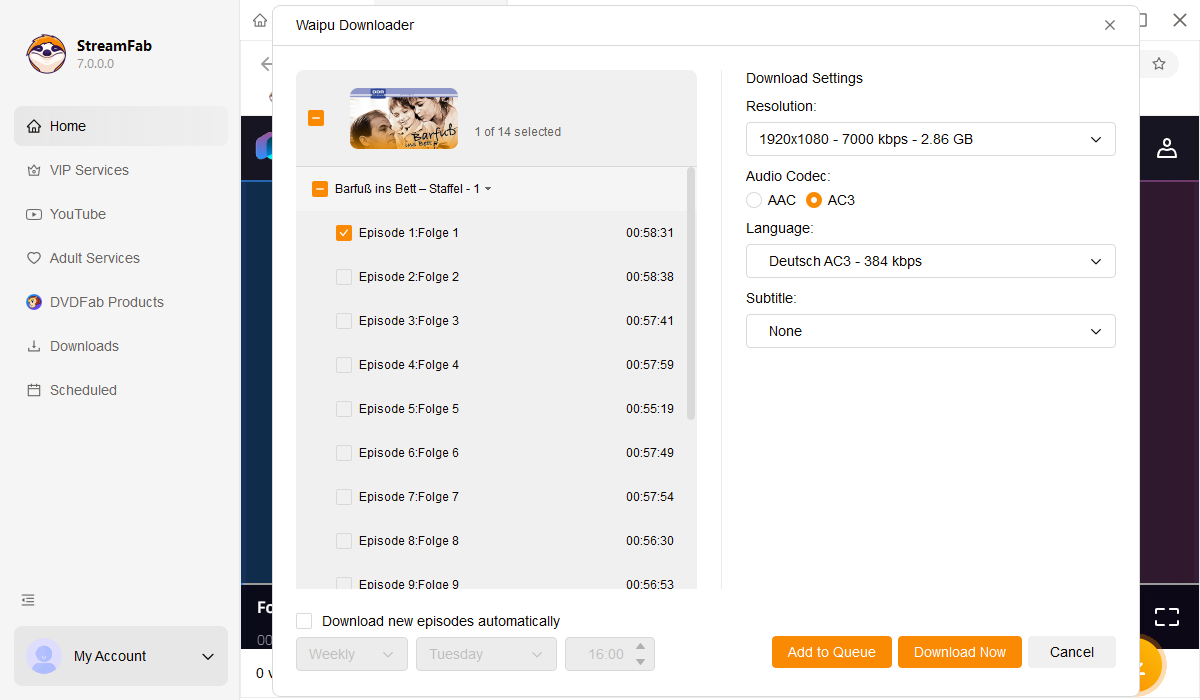
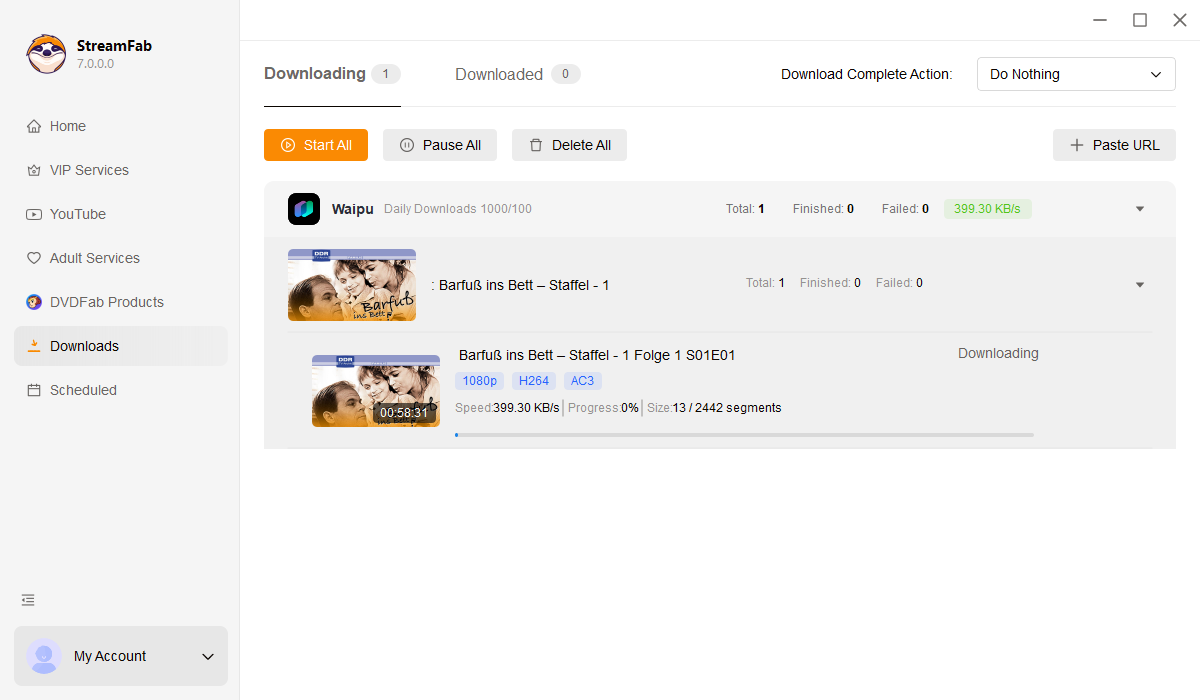
Open StreamFab on your Windows or Mac computer, navigate to the VIP Services section in the left panel, and click the Waipu TV icon to launch the built-in browser.
Sign in to your Waipu TV account within StreamFab's browser, browse live channels or on-demand content, and click play. StreamFab will automatically detect and analyze the stream.
A download dialog appears during playback. Select 1080p or 720p resolution, choose AC3 or AAC audio, pick MP4 or MKV output format, and click Download Now. Your ad-free file will be saved to your local drive.
System Requirements

To avoid being blocked by streaming providers, a StreamFab licensed account has a quota of 100 downloads per day, and 700 downloads per week from each supported streaming service. Whenever some of it is used up, it will refill during the next time cycle.