StreamFab ZDF Downloader
You have just found the perfect Terra X documentary for your research project — and then German law removes it from ZDF Mediathek within days. StreamFab ZDF Downloader saves Mediathek videos in 1080p with AAC 2.0 audio as permanent MP4/MKV files, so depublication deadlines never erase your collection.

Download ZDF videos from any supported dach region

Automatically download new episodes of scheduled ZDF series

Save videos in 1080p HD quality with AAC 2.0 audio

Search and download directly with the built-in browser
StreamFab: Must-Have for ZDF Binge-Watching & Archiving!
When German Law Deletes Your Favorite ZDF Content
German broadcasting law requires ZDF to remove most streaming content within 7 to 30 days of publication. The official ZDF app offers mobile-only temporary downloads that expire on the same timeline and cannot be transferred to a PC, living room TV, or external drive.
StreamFab ZDF Downloader, built on 8+ years of multimedia engineering trusted by millions of users worldwide, saves Mediathek content at full 1080p resolution with AAC 2.0 audio as standard MP4 or MKV files. Choose between H.264 for maximum device compatibility or VP9 for superior compression efficiency.
8+ Years of Expertise Keeping Your Downloads Working
StreamFab's engineering team, drawing on more than two decades of multimedia software development, monitors ZDF's streaming infrastructure around the clock. When ZDF updates its platform — which happens regularly as part of routine maintenance — StreamFab typically resolves compatibility within 24 to 48 hours through its weekly update cycle.
Free online tools and open-source scripts cannot match this response time, often breaking for weeks after platform changes. Your downloaded ZDF files play on any device without restrictions: phones, laptops, tablets, smart TVs, and media servers like Plex and Jellyfin all handle the standard MP4 and MKV output natively.
Flexible Output Tailored to Your ZDF Archive
Full 1080p HD with AAC 2.0 — Exactly as ZDF Broadcasts It
You are watching a Terra X documentary about the Alps on your 55-inch living room display. The aerial cinematography sweeps across glacial valleys, sunlight catching individual rock textures on mountain faces. This is the kind of visual detail that separates 1080p from lower resolutions — and the kind of detail that disappears when download tools re-encode or compress the original stream.
StreamFab ZDF Downloader captures Mediathek content at its full 1080p resolution with AAC 2.0 stereo audio, preserving the original bitrate and visual fidelity without re-encoding. Shadow detail remains intact in dimly lit crime drama scenes, color gradients stay smooth across landscape panoramas, and the precise diction of heute news anchors comes through with broadcast-grade clarity.
MP4 or MKV — Universal Formats for Every Device
Your colleague sends you a link to a ZDF documentary. You download it through the official app — but the file only plays on your phone, cannot be transferred to your laptop, and expires in seven days. This is the limitation StreamFab eliminates entirely. MP4 output provides instant playback on every device you own: iPhones, iPads, Android phones, Windows and macOS laptops, smart TVs, and gaming consoles — no extra codecs, no conversion tools, no compatibility headaches.
MKV output is built for archivists: it supports embedding multiple subtitle tracks within a single file, including ZDF's Untertitel fuer Hoergeschaedigte alongside standard subtitles, creating self-contained files perfect for NAS storage and media server libraries. Both formats preserve the full 1080p resolution and AAC 2.0 audio without re-encoding, giving you permanent files that outlast every Depublizierungspflicht deadline.

H.264 and VP9 — Two Codecs for Different Priorities
You have been archiving Terra X documentaries for two years, and your 2TB drive is running low. Do you buy more storage, or switch to a more efficient codec? StreamFab gives you the choice. H.264 is the universal standard — virtually every media player, smart TV, tablet, and phone handles it natively. Choose H.264 when you share files with family or play content on older devices where compatibility matters most.
VP9 delivers approximately 30-50% better compression at equivalent visual quality: a 90-minute documentary that occupies 2.5 GB in H.264 shrinks to roughly 1.7 GB in VP9. For archivists building comprehensive collections of multi-season crime series or complete documentary catalogs, those savings compound dramatically. StreamFab lets you select your preferred codec per download, so you can optimize storage for your personal archive while keeping shared files in the universally compatible format.
SRT Files or Embedded Tracks — Your Subtitles, Your Way
You are learning German and using ZDF crime dramas to improve your listening comprehension. You need the subtitles — but you also need control over how they appear. StreamFab provides two subtitle handling methods for every ZDF download. External SRT files are saved alongside the video as separate text documents, letting you toggle subtitles on or off, switch languages, or edit timing with any text editor.
This is ideal for language learners who want to study vocabulary or pause and annotate specific dialogue. Embedded subtitles are remuxed directly into the video container as selectable tracks, creating self-contained files that never lose their subtitles when moved between devices or uploaded to a media server. For ZDF's accessibility subtitles (Untertitel fuer Hoergeschaedigte), embedding guarantees they travel with the file permanently — critical for viewers who rely on them.

The Complete ZDF Downloading Experience

Auto-Download New Episodes
StreamFab's subscription feature monitors your selected ZDF series and automatically downloads new episodes the moment they appear on the Mediathek — well before the depublication deadline. For daily news programs & weekly dramas, this automated archiving ensures nothing falls through the cracks.

Batch Mode for Complete Series Archiving
StreamFab's batch mode lets you queue every episode with a single action and download the entire season before removal deadlines arrive. The batch queue processes at optimized speed, handling multi-episode and multi-season downloads without manual oversight.

Smart Language Detection for Audio and Subtitles
StreamFab automatically detects your system language and pre-selects matching audio and subtitle tracks for every ZDF download. For German-language systems, it defaults to German audio with German subtitles where available.

Remove Ads
While ZDF is publicly funded and does not run traditional commercials, promotional trailers for other ZDF programs and sponsorship announcements can appear before and during Mediathek playback. StreamFab's capture process automatically identifies and excludes these promotional segments and delivers clean video files.
More Than Downloading — A Complete Archive Solution
Full Metadata for Professional Media Library Integration
Your ZDF archive has grown to 200 files. Without proper organization, finding that specific Terra X episode about Roman aqueducts means scrolling through an endless folder. StreamFab solves this by embedding comprehensive metadata with every download — program title, episode and season information, cast details, plot synopsis, and cover artwork.
This structured data integrates seamlessly with Plex, Jellyfin, Emby, and PlayerFab, transforming your collection into a professionally organized library. Browse by series, view episode descriptions, and enjoy proper ZDF cover art — all from your media server. For content that will eventually vanish from the Mediathek, metadata ensures your archive remains navigable years after depublication.

Trusted by Millions — What ZDF Viewers Say

Mark
Photographer, HamburgAlice
Copywriter, MunichJacob
Editor, ZurichMark
Photographer, HamburgAlice
Copywriter, MunichJacob
Editor, ZurichMark
Photographer, HamburgAlice
Copywriter, MunichJacob
Editor, ZurichMark
Photographer, HamburgAlice
Copywriter, MunichJacob
Editor, Zurich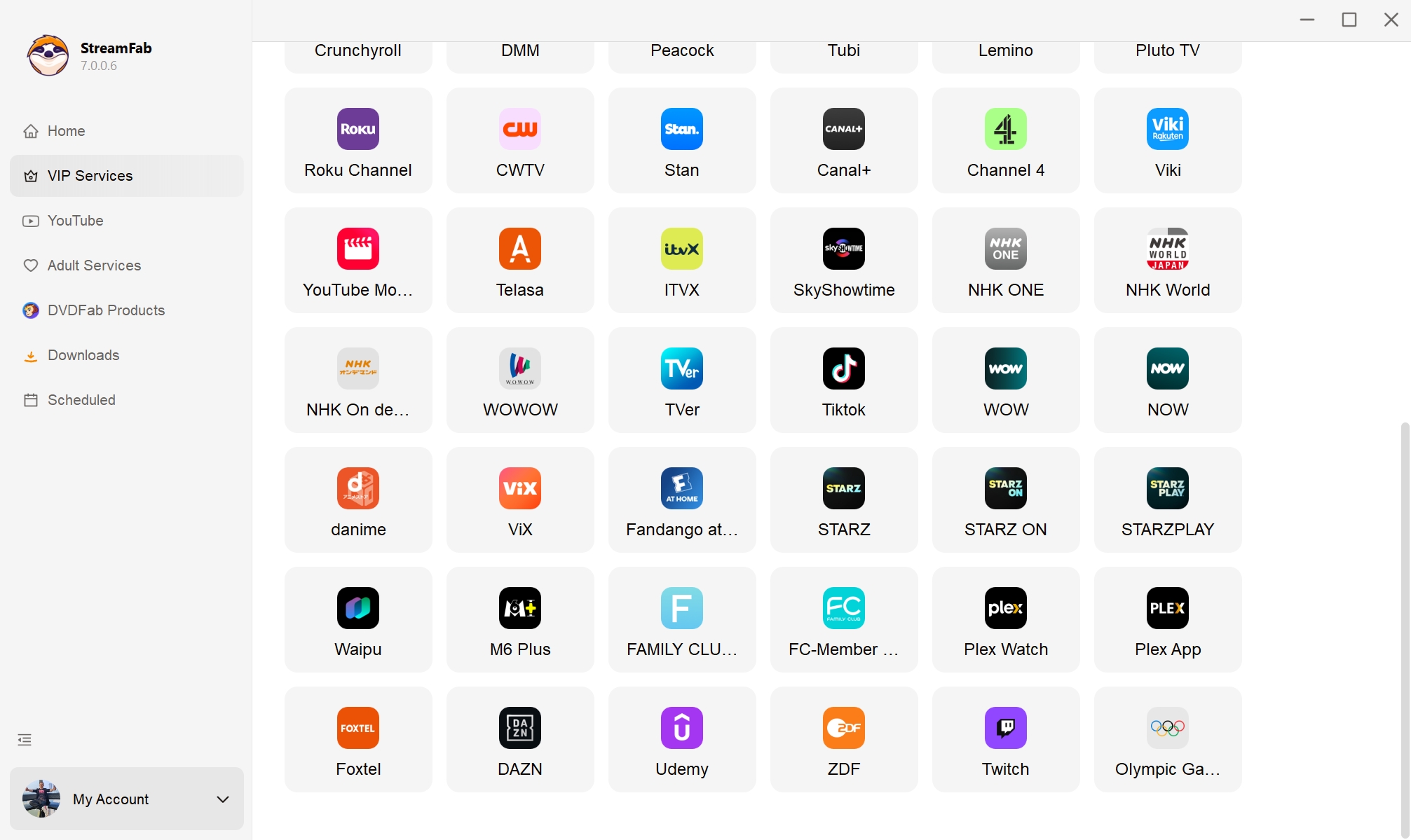
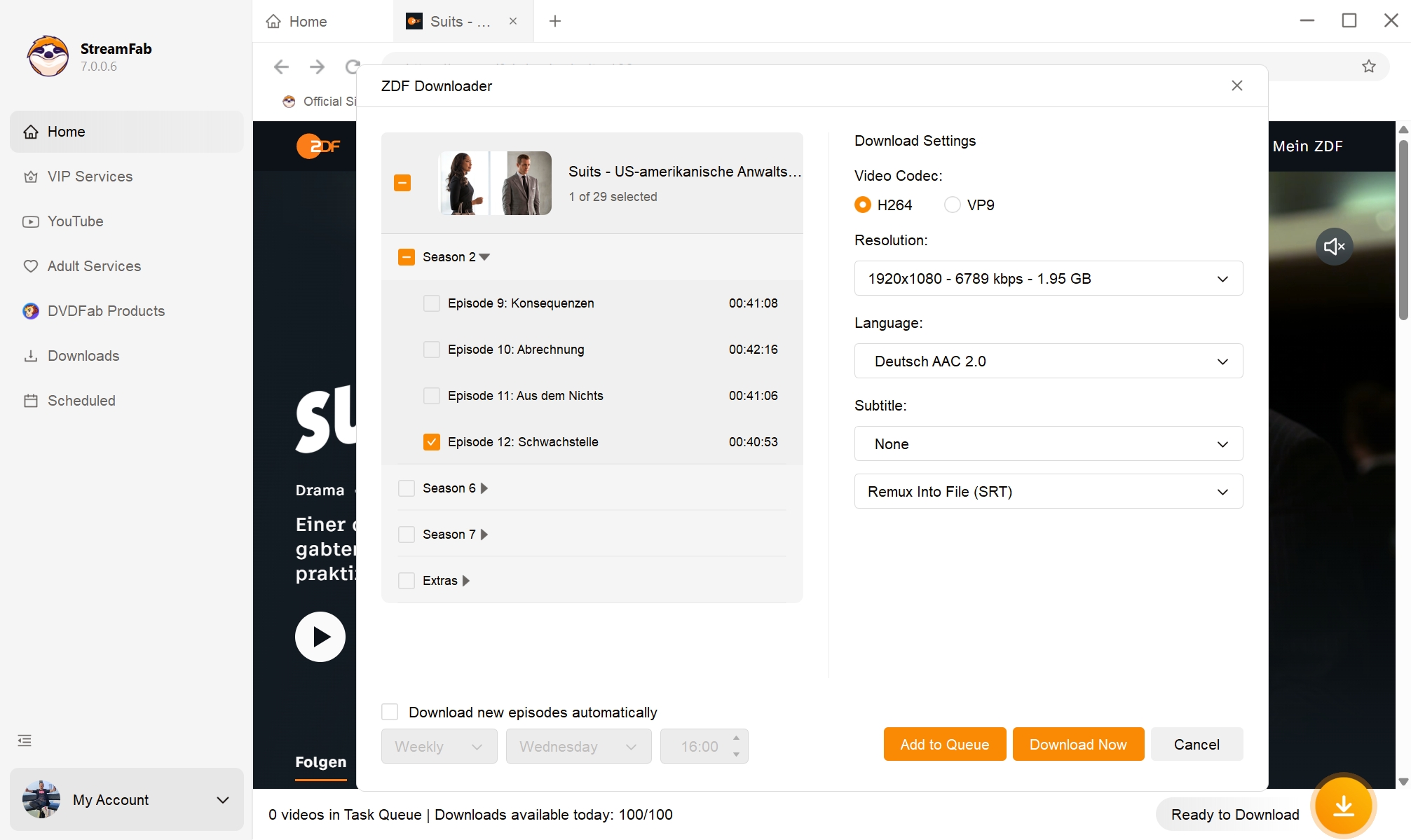
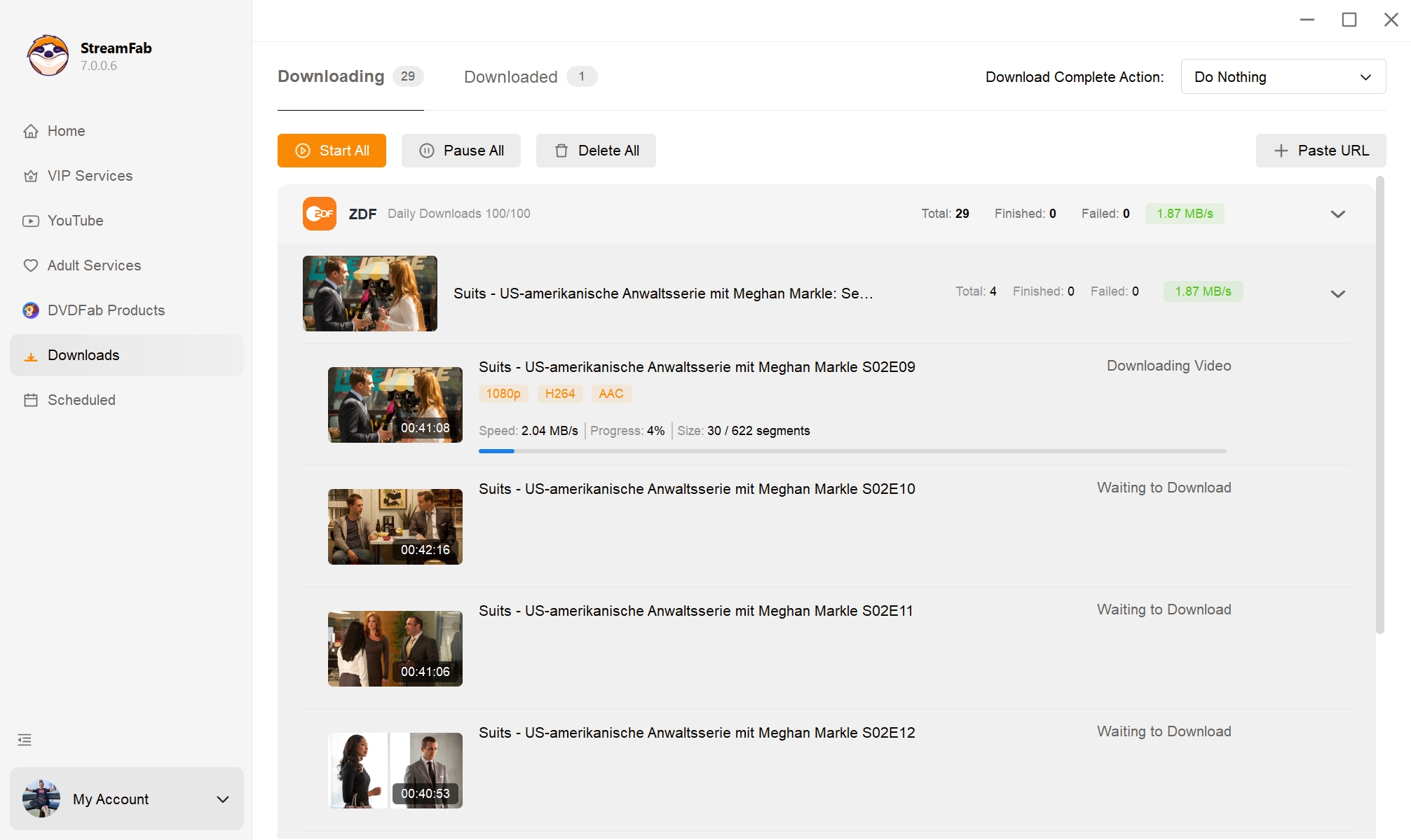
Open StreamFab and select the ZDF Mediathek icon from the supported services list, or type the ZDF URL directly into the built-in browser.
Play the video you want to save. StreamFab analyzes the stream and presents download options. Choose 1080p quality, your preferred codec (H.264 or VP9), subtitle handling, and batch settings.
Click Download Now. StreamFab captures the content in the background. Once finished, your permanent ZDF file is ready to play on any device — no expiry, no restrictions.
System Requirements