
Download NOW TV Videos on Mobile and Desktop (2026)

Summary: You can download eligible NOW TV shows and movies in the NOW TV app for supported iPhone, iPad, and Android devices. For a trip or unreliable connection, the official route works on mobile, while Windows and Mac users need a separate local-file workflow for authorized personal offline viewing.
Table of Contents
The practical decision is simple: use official NOW TV downloads when an eligible title and a supported mobile device meet your needs. If your priority is a Windows or Mac laptop, review the desktop option and its limits before choosing a workflow.

Can I Download Videos from NOW TV?
Official NOW downloads are available for eligible on-demand titles with supported memberships on supported iOS and Android devices. Sports Membership does not support downloads, and title-level rights or other eligibility limits can remove the download option.
Boost and Ultra Boost can affect streaming benefits, but they do not add an official laptop-download feature. The official route is most practical for an eligible phone or tablet download before travel, not for creating a laptop file.
The official method is designed for supported mobile devices and eligible titles, with app-managed viewing conditions. If you need to watch NOW TV offline on a laptop, the desktop section explains a separate local-file workflow and its personal-use boundaries.
Method 1: Download NOW TV Videos on Android/iPhone
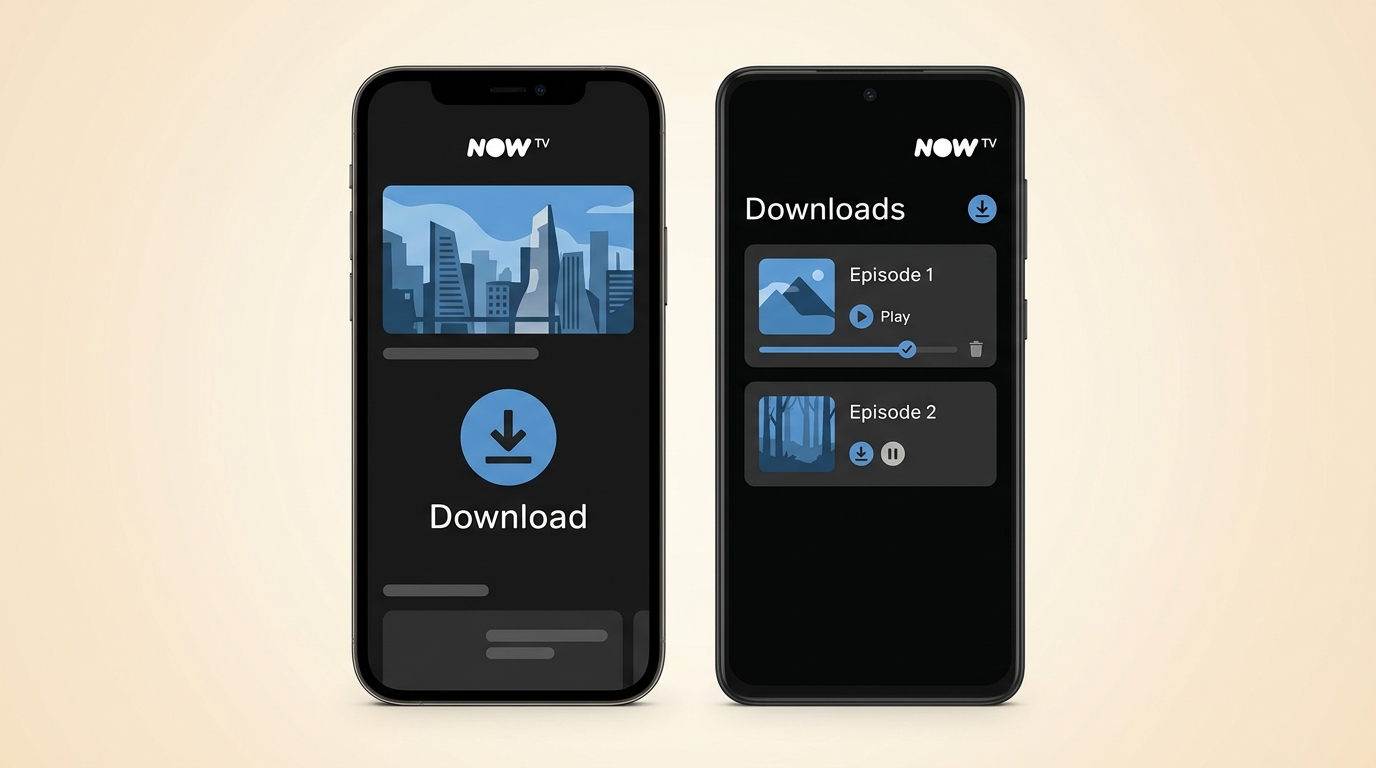
Before you start, make sure you have an eligible NOW membership, a supported iPhone, iPad, or Android device, enough storage, and a title that displays the download option. This route suits travelers who want to download NOW TV episodes or films on the device they will use.
The steps are as follows:
Note: Just be aware that not every single title is downloadable due to licensing rights—sometimes the "Download" button just isn't there, which can be frustrating.
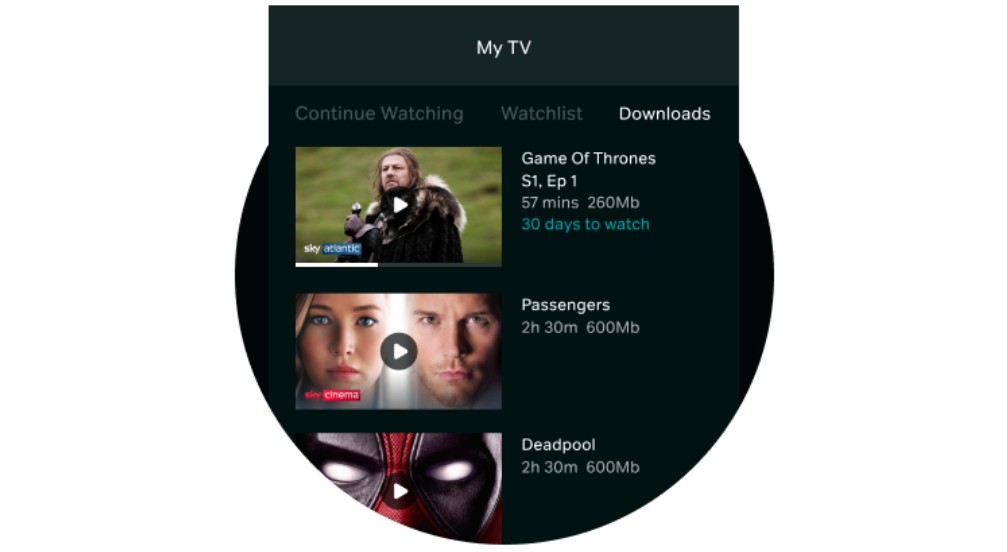
This looks perfect, right? But in practice, I ran into many "usage conditions" the officials didn't explicitly advertise:

- Official download limits:A downloaded title can remain available for up to 30 days,or until it leaves the service, whichever comes first.Once playback starts, the viewing window is 48 hours, subject to the overall availability period.
- Device restrictions:Official downloads stay within the NOW TV app on the device used for download.
Official Download Limits at a Glance
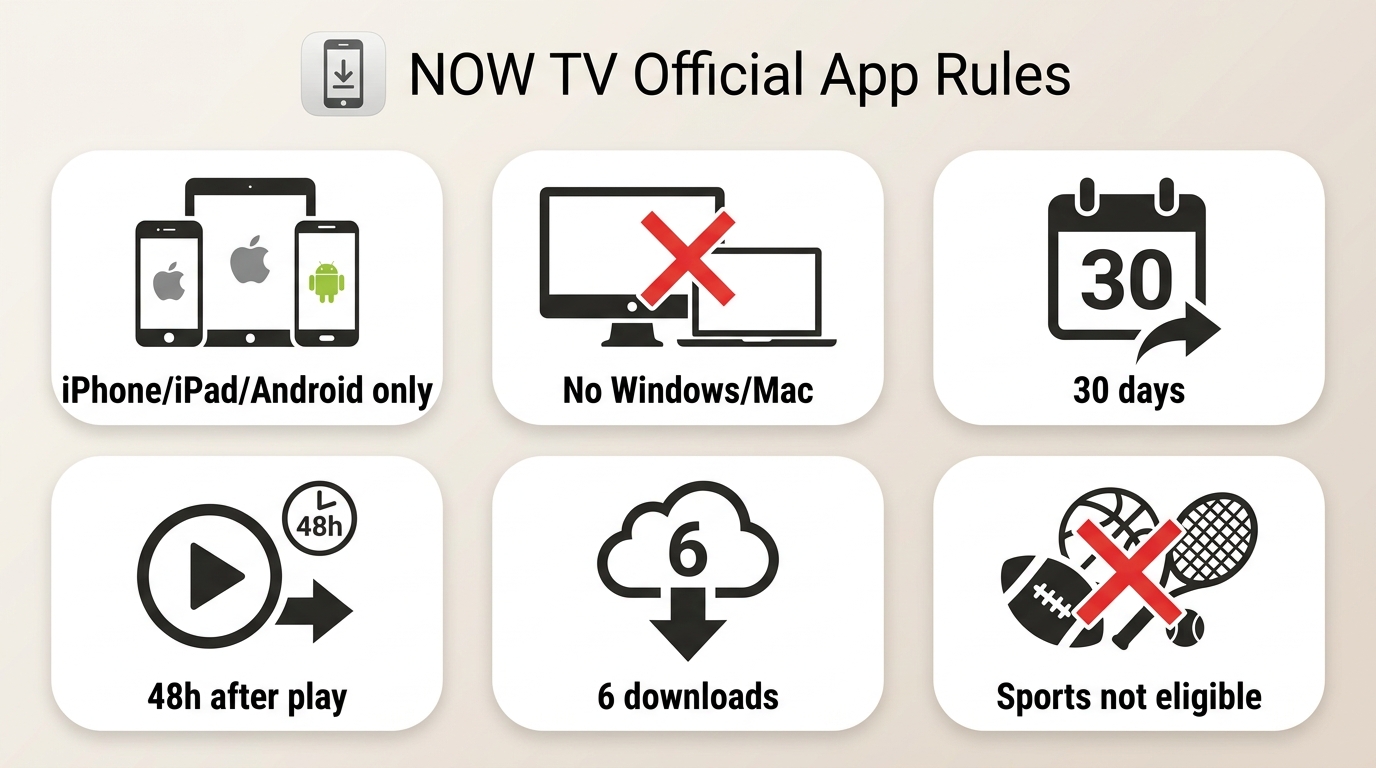
| Limit | What it means |
|---|---|
| Supported devices | Official downloads are for supported iOS and Android devices, not Windows or Mac laptops. |
| Eligible titles | Availability depends on membership and title-level rights. Sports Membership does not support downloads. |
| Playback location | Downloads are managed in the NOW TV app on the same device. |
| Availability period | A title may be available for up to 30 days, or less if it leaves the service. |
| After playback begins | You have a 48-hour viewing window after starting the title. |
| Other blockers | Profile maturity settings, low storage, prior downloads, sign-in state, and download-count limits can prevent a download. |
| Download count | NOW allows up to six total downloads under its published rules. |
Official NOW TV download rules, as of July 2026.
Fix Missing or Failed Downloads
- If the download icon is missing, confirm that the title, membership, device, and profile settings are eligible.
- If a download fails immediately, check available storage, update the app, and sign in again on a stable connection.
- If the title has already been downloaded on the device or has left the service, remove the old item or choose another eligible title.
- Some users report that quality controls can disappear or downloads can look SD after an app update. Treat that as app behavior that may vary, not a fixed rule.
- Before travel, confirm the item appears in Downloads and test playback briefly while you still have a stable connection.
For travel, a completed download is not the final check. Testing playback before departure is the more dependable way to catch an account, app, or title issue early.

That's too much hassle! I want to watch offline on my MacBook or Windows laptop without worrying about expiration dates. Is there a way?

Absolutely. This is why I strongly recommend Method 2: which helps you completely break free from the official App's chains.
Method 2: Offline Viewing Options for Windows and Mac
For content you’re authorized to access, where permitted by platform terms and applicable law, a desktop local-file workflow can be useful when official mobile downloads do not fit your device needs. StreamFab NOW Downloader is separate from NOW’s official app and is intended for personal offline viewing, not redistribution or commercial use.
Official App vs Local-File Method
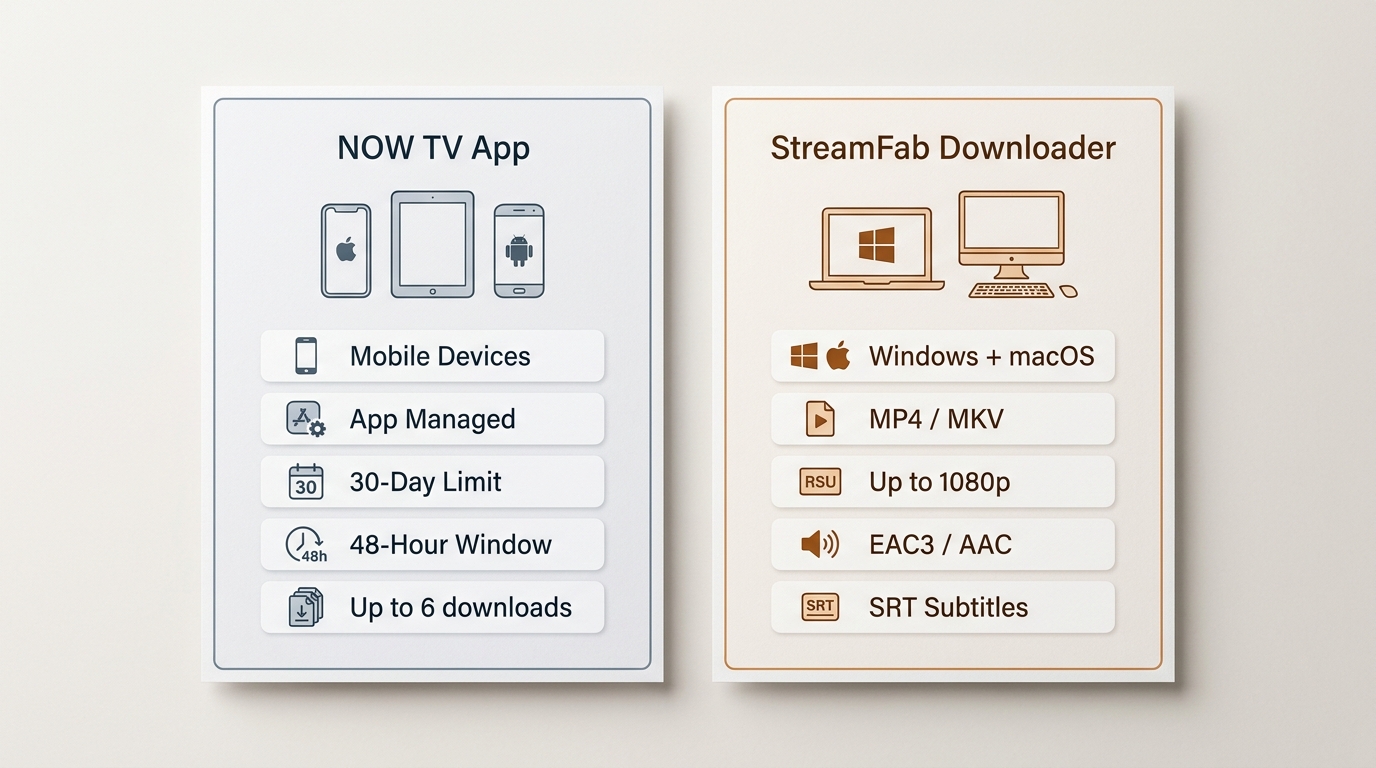
| Decision point | Official NOW app downloads | StreamFab NOW Downloader local-file workflow |
|---|---|---|
| Supported devices | Supported iOS and Android devices | Windows 10/11 and macOS |
| Eligible titles | Eligible on-demand titles under supported memberships | Content you are authorized to access, subject to platform terms and applicable law |
| Output format | App-managed download | MP4 or MKV |
| Maximum stated quality | App-managed and may vary | Up to 1080p where available |
| Audio options | App-managed | EAC3 5.1 or AAC 2.0 where available |
| Expiry environment | Up to 30 days, plus a 48-hour window after playback starts | Local files for authorized personal offline viewing; playback conditions can depend on the service and environment |
| Transferability | Stays in the NOW TV app on the download device | Standard files for compatible personal devices |
| Subtitle options | App-managed | SRT or remuxed subtitles where available |
| Batch support | Title-by-title in the app | Available for selected episodes |
| Account and authorization | Requires an eligible NOW membership and app sign-in | Requires authorized access and compliance with platform terms and applicable law |
| Best fit | Eligible titles on a phone or tablet before travel | Authorized Windows or Mac users who need MP4 or MKV files |
| Not ideal for | Laptop viewing or titles without a download option | Chromebook users, unsupported content, or anyone seeking redistribution rights |
The NOW TV app remains the simplest choice when your title is eligible and you will watch on the same supported mobile device. A desktop workflow is for a different need: Windows or Mac users who want device-compatible files for authorized personal offline viewing.
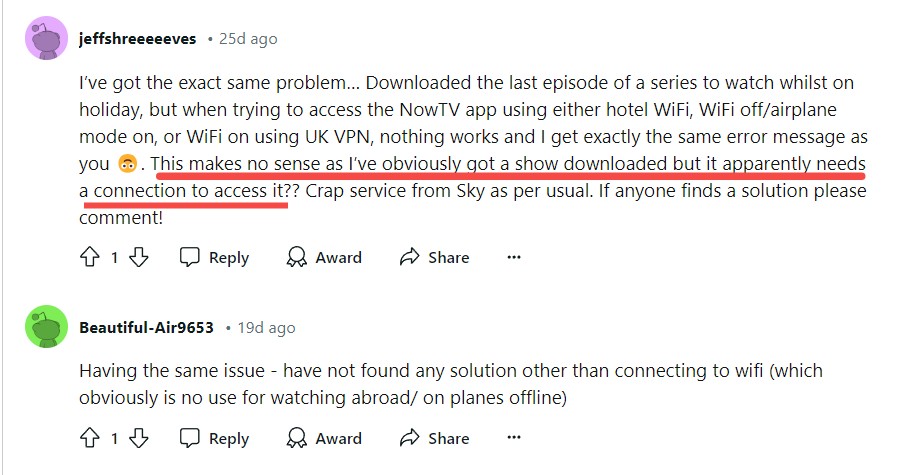
Official downloads remain tied to the app environment, so sign-in status, device eligibility, app updates, and title availability can affect playback. That is why the mobile checklist above recommends testing a download before leaving a stable connection.
A local-file workflow can provide MP4 or MKV output for compatible personal devices when that better fits an authorized Windows or Mac setup. You can also screen record NOW TV as a separate approach, although that has different setup and playback considerations.

If official mobile downloads do not match your device needs,a Windows or Mac local-file workflow can be useful for authorized personal offline viewing on compatible devices.It is not a replacement for membership eligibility, platform terms, or applicable law.
Optional Tool: StreamFab NOW Downloader
StreamFab NOW Downloader is a Windows and macOS desktop app that can save authorized NOW TV content in MP4 or MKV, with up to 1080p video and EAC3 5.1 or AAC 2.0 audio where available.
- Video and audio selection:Choose from available video quality and audio-track options, including EAC3 5.1 or AAC 2.0 where available.
- Flexible output:Save authorized personal-viewing files as MP4 or MKV for compatible devices.
- Episode handling:Select multiple episodes for batch processing when a series is available.
- Library details:Metadata retention and subtitle choices can help keep personal libraries organized.
Operation Steps
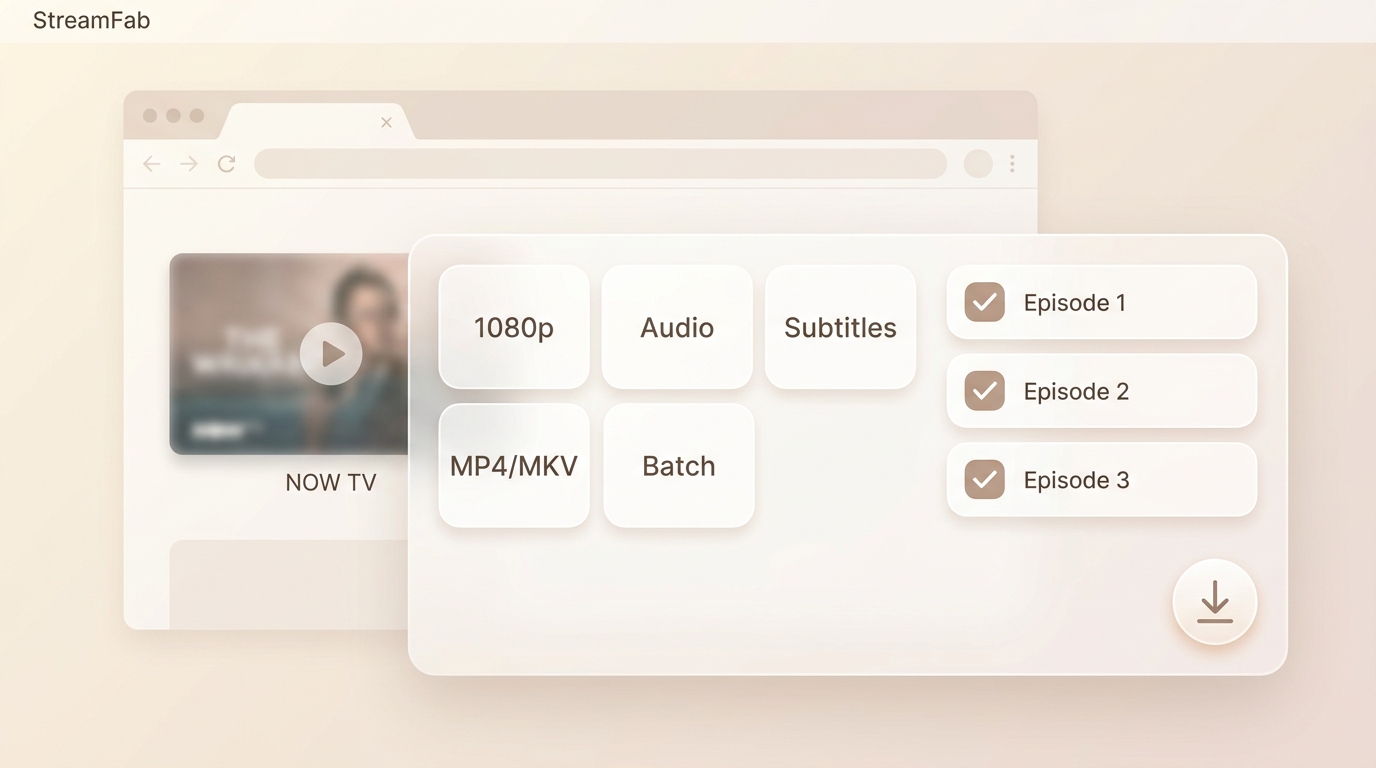
In the current download dialog, choose the available video quality, audio track, subtitle option, output format, and episodes that fit your authorized personal offline-viewing needs. Device-compatible files, audio and subtitle control, and batch handling are the practical differences to consider here.
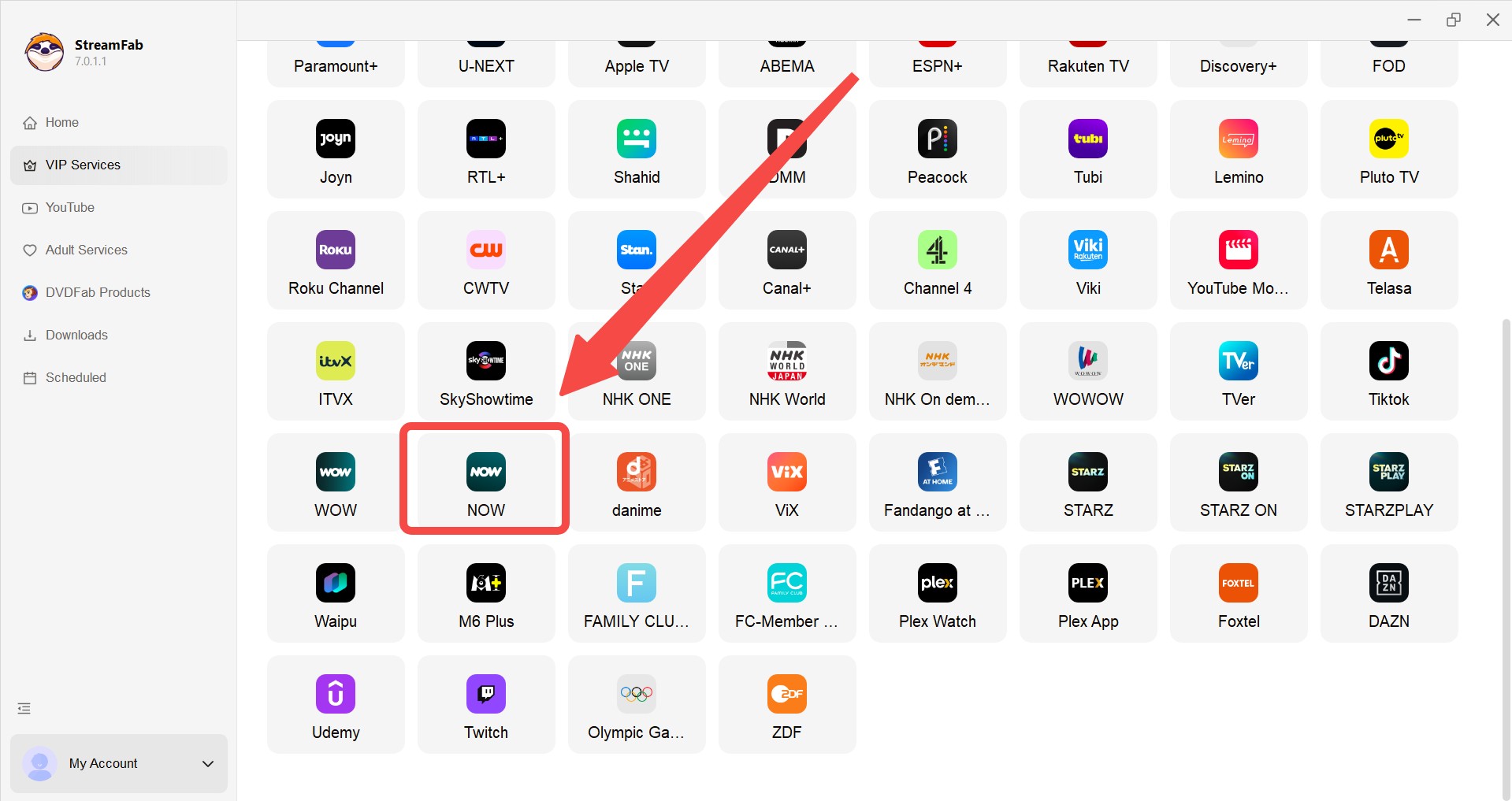
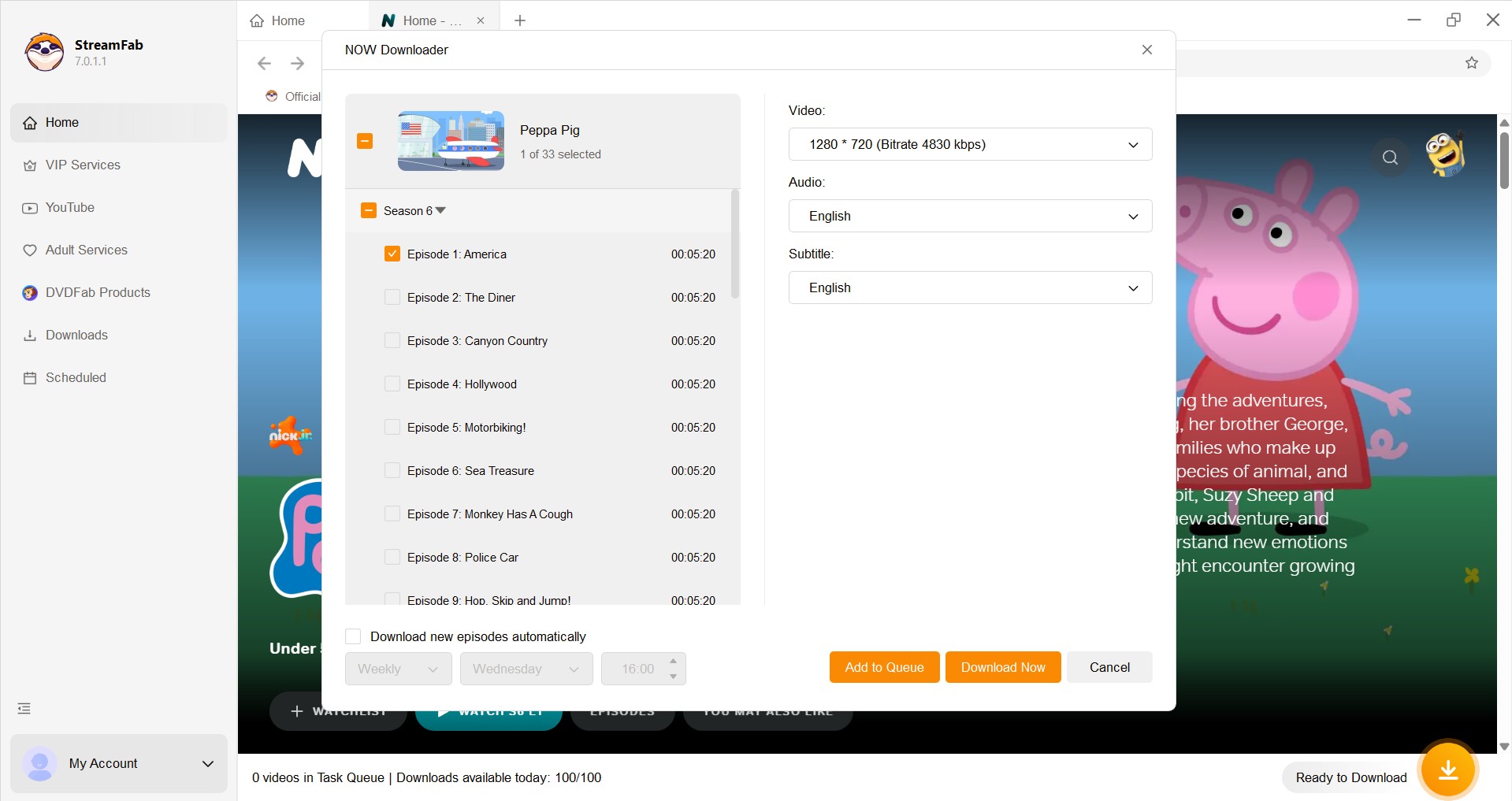
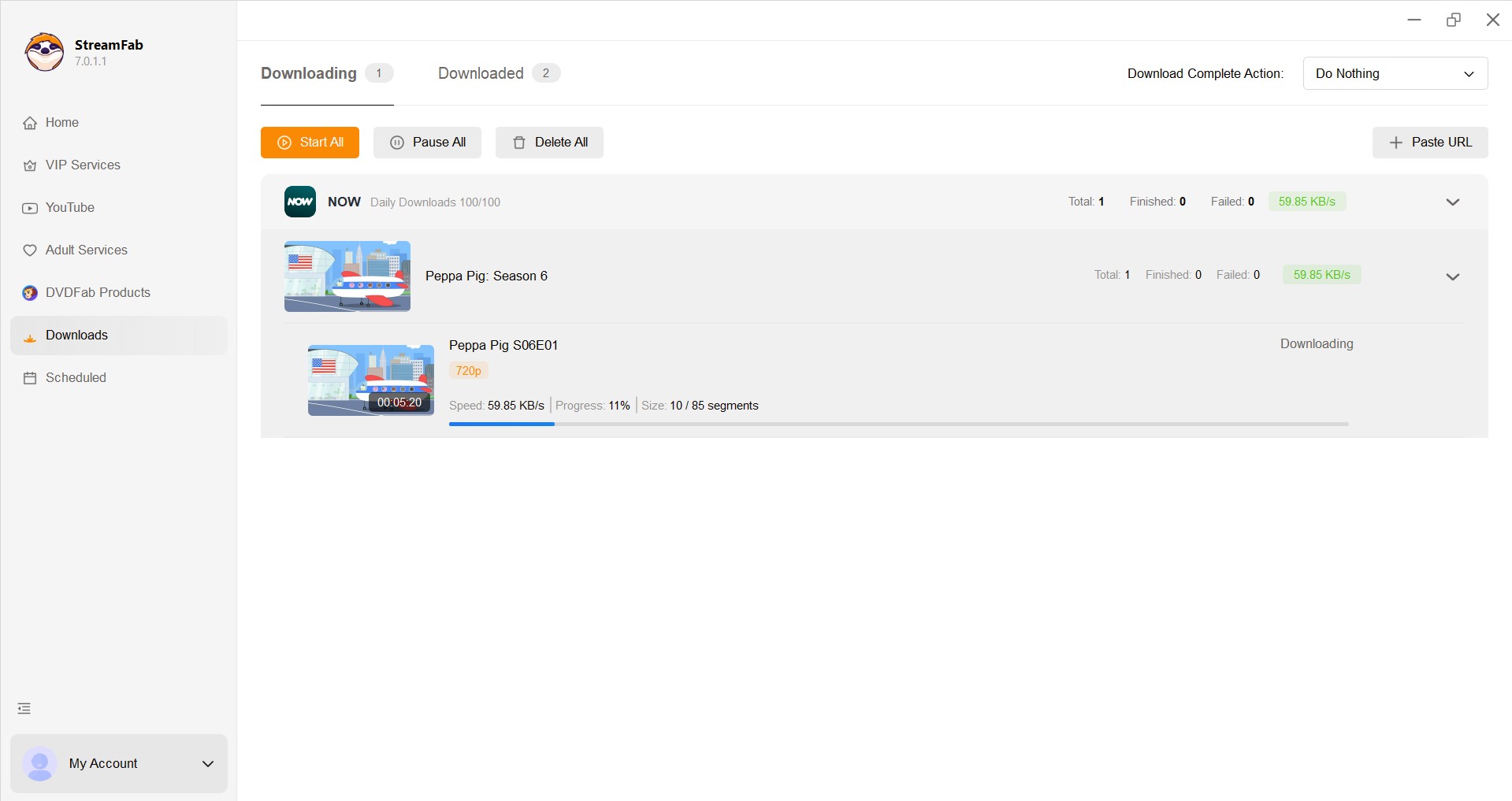
Since switching to this method, the movie-watching experience for my niece and me has completely changed. Now, I use StreamFab at home on high-speed Wi-Fi to download whole seasons of Peppa Pig to my iPad. No matter where we go, I just tap play, and it works flawlessly—no more staring at that annoying buffering wheel.
FAQs
Does Boost or Ultra Boost improve offline download quality?
Boost and Ultra Boost describe streaming benefits; they do not create an official laptop-download feature. Some users report missing quality controls or SD-looking downloads after app updates, so offline quality can vary with current app behavior. StreamFab NOW Downloader states support for up to 1080p where available.
Why can’t I download every NOW TV show or movie?
Download availability can depend on your membership, supported iOS or Android device, title-level rights, profile maturity settings, storage, prior downloads, sign-in state, and download-count limits. Sports Membership does not support downloads, and a missing icon can simply mean that the title is not currently eligible.
Can NOW downloads open without internet during a trip?
They can be useful offline when the title is eligible and the app is ready, but prepare before you leave: update the app, stay signed in, finish downloads over a stable connection, confirm each title appears in Downloads, test playback briefly, check storage, and bring a charging plan.
Can I download NOW TV videos on a Chromebook?
The official NOW TV download feature is for supported iOS and Android devices. Chromebook streaming and downloading are separate questions, and this Windows/macOS workflow does not imply ChromeOS support.
Conclusion
Choose official NOW TV downloads when an eligible title, supported phone or tablet, and app-managed viewing fit your trip or daily routine. The 30-day availability period and 48-hour viewing window after playback starts are important limits to plan around.
If you need standard files on Windows or Mac, StreamFab NOW Downloader can suit authorized personal offline viewing with MP4 or MKV output, available subtitle and audio choices, and batch episode handling. It is not intended for Chromebook users, unsupported content, redistribution, or commercial use. For most mobile trips, the official app remains the lower-effort choice; use the desktop workflow when its device and file controls genuinely match your needs.


The NOW TV application features an "offline playback mode"; however, it imposes limitations on the storage and viewing duration of downloaded content. How may one enjoy unrestricted offline viewing of NOW videos? This article provides the answer.
By Erika Leen - Aug 4, 2026
Use NOW's pause, rewind, or selected replay when those options meet your needs. Browser and device recording can still show a black video layer, while desktop local-file workflows serve a different need for authorized personal offline viewing.
By Erika Leen - Jul 30, 2026