
Watch NOW TV Offline: 30-Day & 48-Hour Download Limits (2026)

Summary: The NOW TV application features an "offline playback mode"; however, it imposes limitations on the storage and viewing duration of downloaded content. How may one enjoy unrestricted offline viewing of NOW videos? This article provides the answer.
NOW TV Offline: The Quick Answer
You can watch NOW TV offline, but only inside the iOS or Android app, and only within a 30-day-before-play plus roughly 48-hour-after-play window. After running the official app through a few flights and hotel Wi-Fi trips, I've found the same pattern every time: laptop travelers get left out, and downloads quietly expire at the worst moment. This guide covers what the official app can and can't do, how to download NOW TV shows correctly, and a desktop workaround for Windows and Mac.
UK NOW vs. Hong Kong Now TV
Quick disambiguation before you install anything: this guide covers the UK NOW streaming service from Sky. US search results sometimes surface PCCW's Hong Kong "Now TV" player app, which is a completely separate product with its own catalog and login.
Official NOW Download Limits Explained
A NOW download has a two-stage lifecycle, not a single countdown:
- Before you press play: a downloaded title can usually be kept on the device for up to 30 days.
- After you press play: playback typically expires about 48 hours later.
- Catalog changes: a title can also stop working offline if it leaves the NOW catalogue, regardless of your timer.
Downloads are licensed for offline playback, and the NOW app checks that licence from time to time. That is why connectivity issues or travelling to a different region can affect whether saved titles still play. My take: these limits hit long-haul travelers and laptop-only viewers the hardest, and they're a product decision, not a hard technical wall. You can still download NOW TV shows through the official app if you're on a phone or tablet.

Which Memberships and Devices Allow Downloads
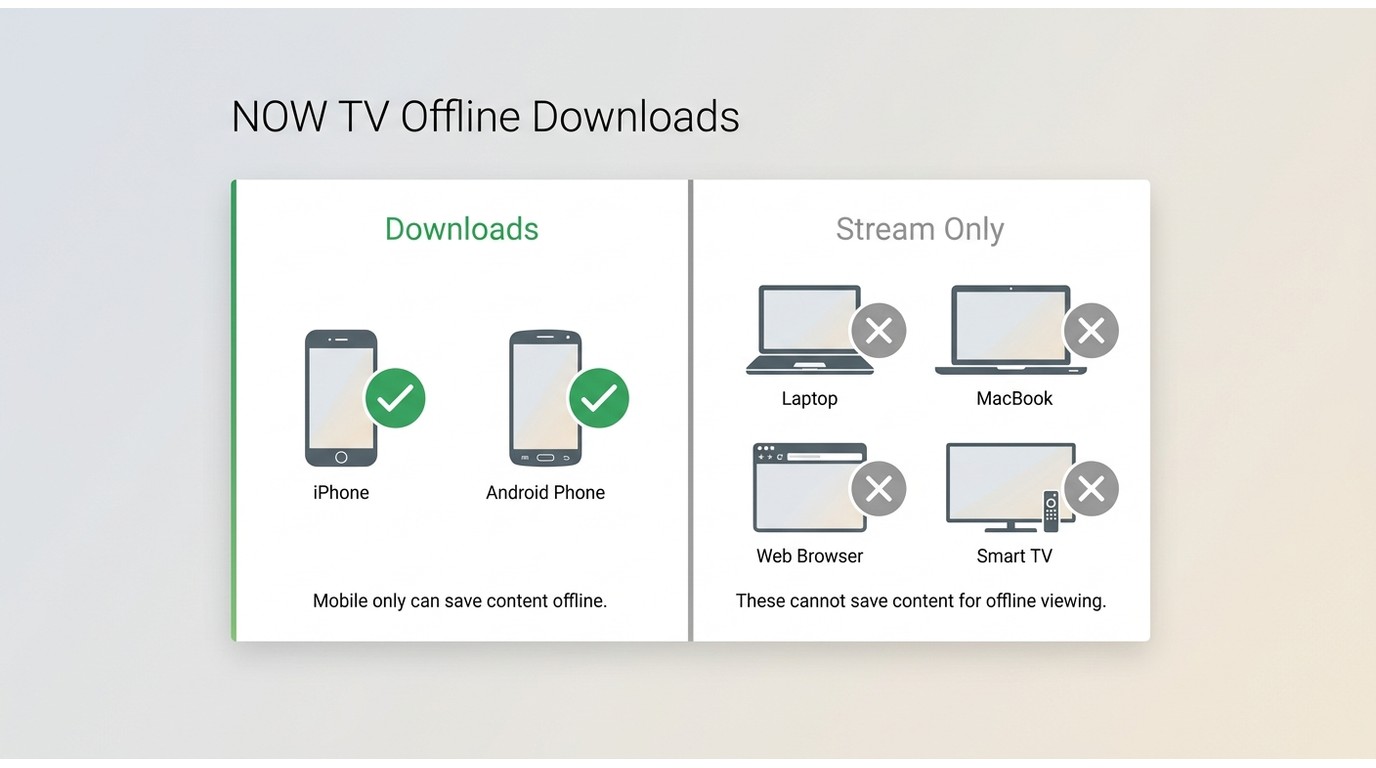
Whether you can download a title depends on two things at once: your membership tier and the specific title. Some sports events and shows aren't downloadable at all, so the reliable move is to look for the download icon on each title rather than assuming a whole tier qualifies.
Membership eligibility (varies by title):
- Cinema — downloads available on eligible titles.
- Entertainment — downloads available on eligible titles.
- Hayu — downloads available on eligible titles.
- Sports — most live and event content is not downloadable; check for the download icon.
Device support for offline downloads:
| Device | Official offline downloads? |
|---|---|
| iPhone / iPad | Yes (NOW app) |
| Android phone / tablet | Yes (NOW app) |
| Windows laptop / PC | No — stream only |
| Mac | No — stream only |
| Web browser | No — stream only |
| Smart TV / streaming stick | No — stream only |
So if you're on a MacBook or Windows laptop and want a file you can play on a flight, the native app won't help — you'll need a desktop workaround, covered further down.
Downloading NOW Shows in the App
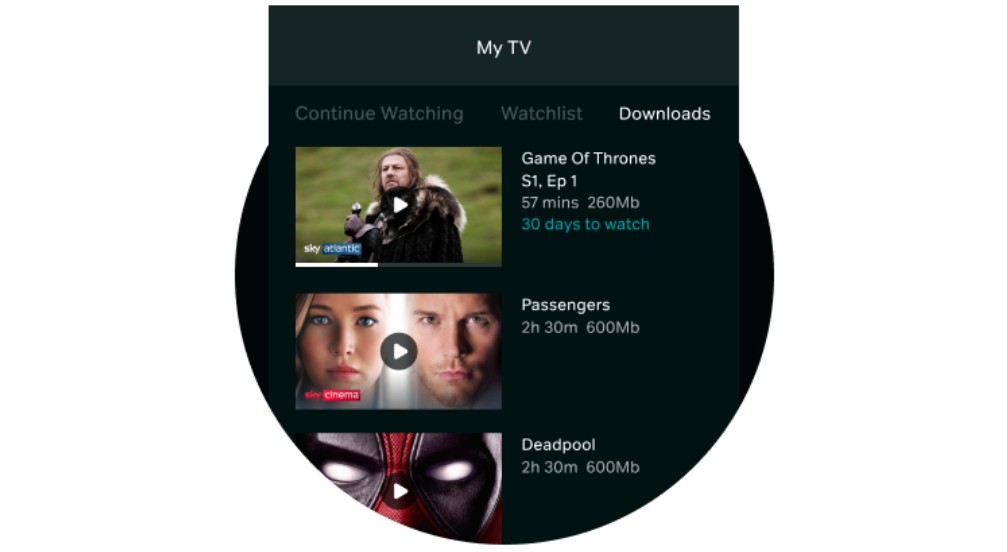
The core mobile workflow is short: sign into an eligible NOW membership on iOS or Android, open the title page, and tap the download icon (only shown on downloadable titles). For a fuller walkthrough covering both mobile setup and Edge cases, see the complete guide to downloading videos from NOW TV. PC and Mac users, skip ahead to the desktop section below.

Operation Steps
Fixing NOW TV Download Problems
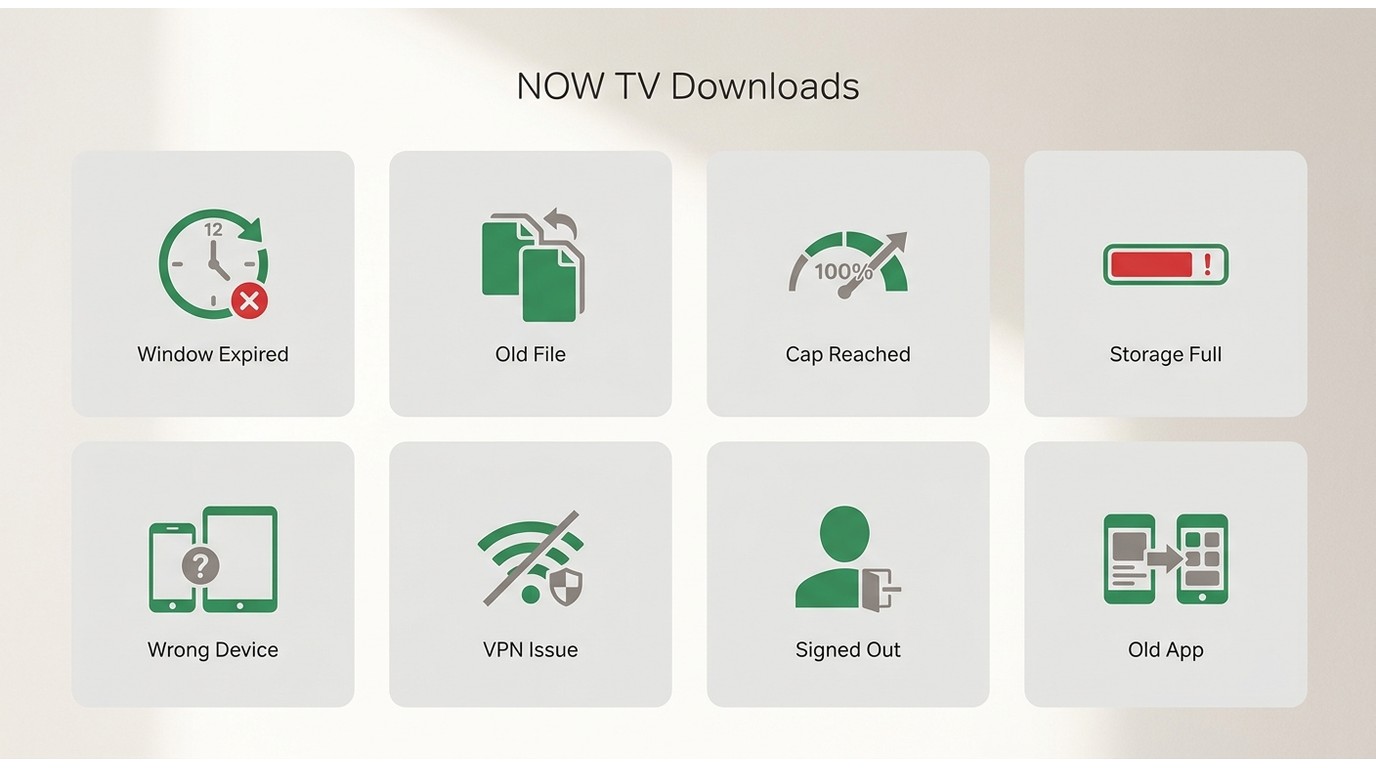
When a NOW download refuses to play or the download button is missing, it's usually one of these:
- The download expired — you're past the 30-day pre-play or ~48-hour post-play window.
- You've reached the maximum downloads for that title — some titles have a per-title cap.
- An existing copy is already on the device — remove the old one, then re-download.
- Storage is full — free up space, since NOW files are chunky.
- You downloaded it on another device — NOW tracks downloads per device.
- You've been signed out — sign back in and the licence check should resume.
- The download didn't finish — losing Wi-Fi mid-download leaves an incomplete file.
- The title has no download icon — that title isn't licensed for offline on your tier.
One practical habit before a trip: open the NOW app on Wi-Fi the night before and confirm each download plays for a few seconds. The app runs a quick licence check on launch, and it's much better to catch a stale download at home than at 30,000 feet.
A Desktop Option for Laptop Offline Viewing
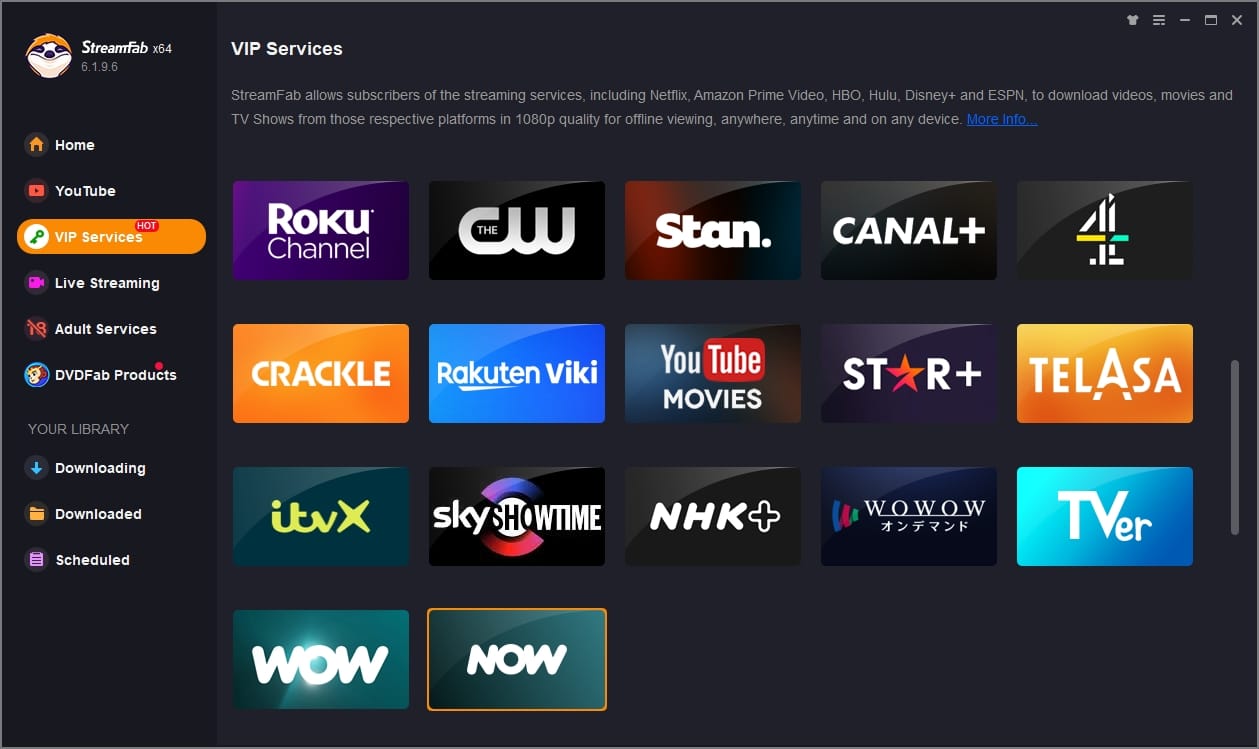
When the official app doesn't cover your device — specifically Windows and Mac laptops — a desktop tool is the practical fallback. For content you're authorized to access, where permitted by platform terms and applicable law, StreamFab NOW Downloader saves a local copy for personal offline viewing. Trying to screen record NOW TV on a laptop typically produces a black frame because of protected playback, which is why a dedicated downloader tends to be the workable route.
Best for: laptop or cross-device offline viewing of titles you can access through your subscription, when you want a portable file rather than an in-app cache.
Not ideal for: viewers who only watch on a phone or tablet, where the official NOW app already handles offline just fine.
Setting Up a Local Download
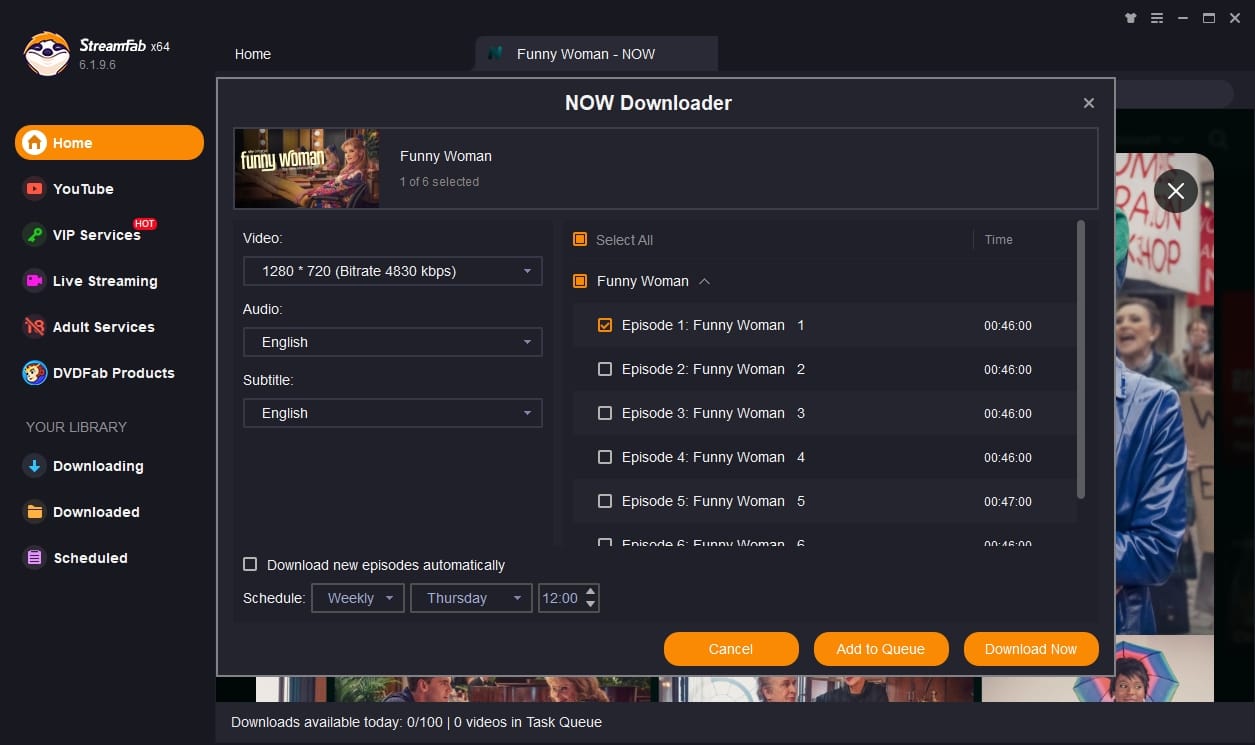
Because it runs on Windows 10/11 and macOS, StreamFab NOW Downloader saves a local MP4 or MKV file that plays in any standard player, at native 720p HD, with the original audio track, plus batch and scheduled overnight downloads for whole seasons. In practice I've found the scheduled-download option is the one feature that makes a real difference for a laptop trip — queue a season before bed, wake up to files you can drag to a MacBook.

Watch any videos from NOW TV offline in lossless 720p with AAC 2.0 audio track, and save them in compatible MP4/MKV to share with other devices, making your offline watching option more flexible.
- Save a local copy of NOW TV videos for personal offline viewing on Windows or Mac.
- Output universal MP4 or MKV files at native 720p HD, playable in any standard player.
- Schedule downloads of newly released NOW TV titles daily or weekly at set times.
- Use batch mode to save multiple NOW TV titles in one queue.
Official App vs. Desktop Option
Note:A desktop download tool should be used only for content you're authorized to access, for personal, non-commercial offline viewing, and in line with each service's terms and local law. Do not redistribute saved files.
| Feature | Official NOW App | Screen Recording | StreamFab Downloader |
|---|---|---|---|
| Supported Devices | Mobile only (iOS/Android) | PC/Mac | Windows/Mac (saves local MP4/MKV) |
| Availability window | Up to ~30 days before play, ~48 hours after play | Local file, kept on your device | Local file, kept on your device |
| Video quality | In-app cache, quality varies | Usually black frame on protected playback | Native 720p HD |
| Region behavior | Region checks may affect playback | N/A | Plays from the local file on your device |
Operation Steps
Official App vs. Desktop Option
See the comparison table above for a side-by-side view. The short version: the official NOW app is the right tool if you're on a phone or tablet and content to watch inside its 30-day/48-hour window. The desktop option is what you reach for when you need a portable local file on a laptop.
FAQs
Conclusion
The official NOW app does its job for phone and tablet viewing inside the 30-day-before-play, ~48-hour-after-play window — and for most casual viewers that's genuinely enough. Where it falls short is laptop travel and long trips, which comes back to the point I flagged earlier: these limits are a product decision, not a technical inevitability, and laptop-only viewers pay the highest price. If you want a portable local file for a MacBook or Windows laptop, a desktop option like StreamFab NOW Downloader can save a personal copy of content you're authorized to access. Pick the tool that matches how you actually watch, not the one with the longer feature list.

Use NOW's pause, rewind, or selected replay when those options meet your needs. Browser and device recording can still show a black video layer, while desktop local-file workflows serve a different need for authorized personal offline viewing.
By Erika Leen - Jul 30, 2026
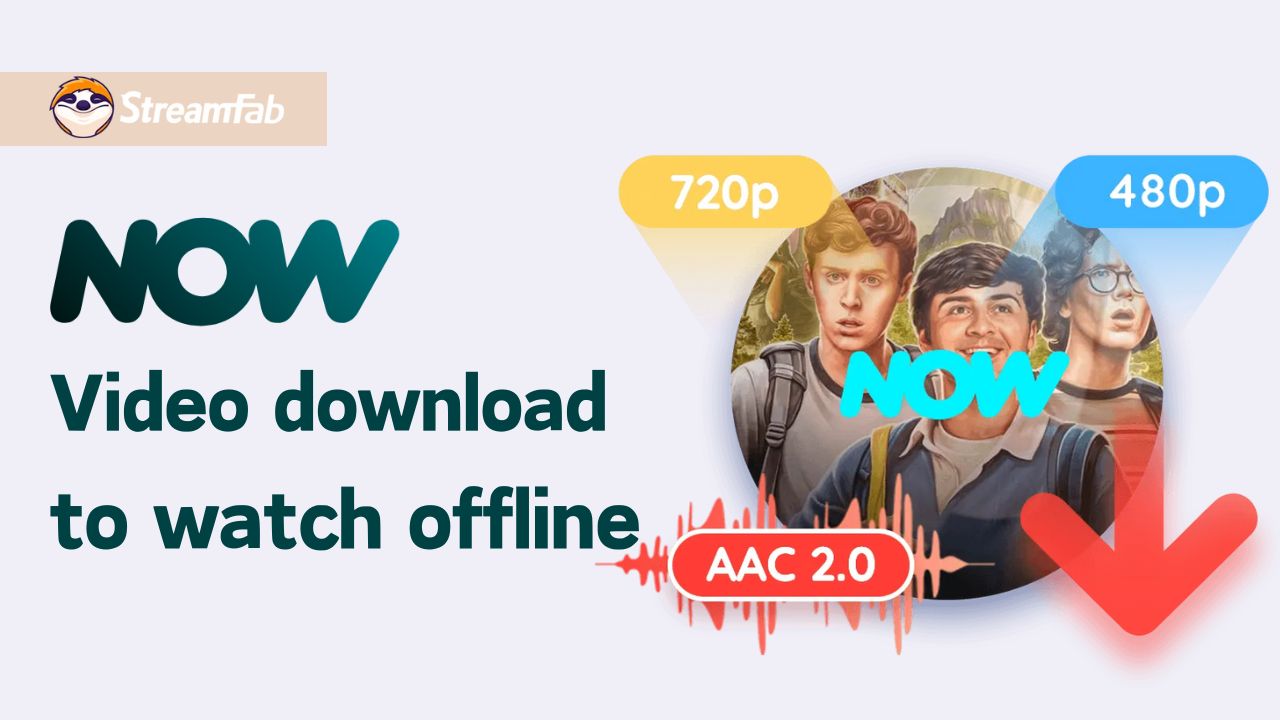
You can download eligible NOW TV shows and movies in the NOW TV app for supported iPhone, iPad, and Android devices. For a trip or unreliable connection, the official route works on mobile, while Windows and Mac users need a separate local-file workflow for authorized personal offline viewing.
By Marcia Hatcher - Jul 27, 2026