
Can You Save ITVX Offline? 4 Options Compared (2026)

Summary: You can watch ITVX offline through ITVX Premium on eligible phones and tablets, or use a desktop local-file workflow for authorized personal viewing where permitted. The practical choice comes down to your device, title eligibility, and how long you need access.
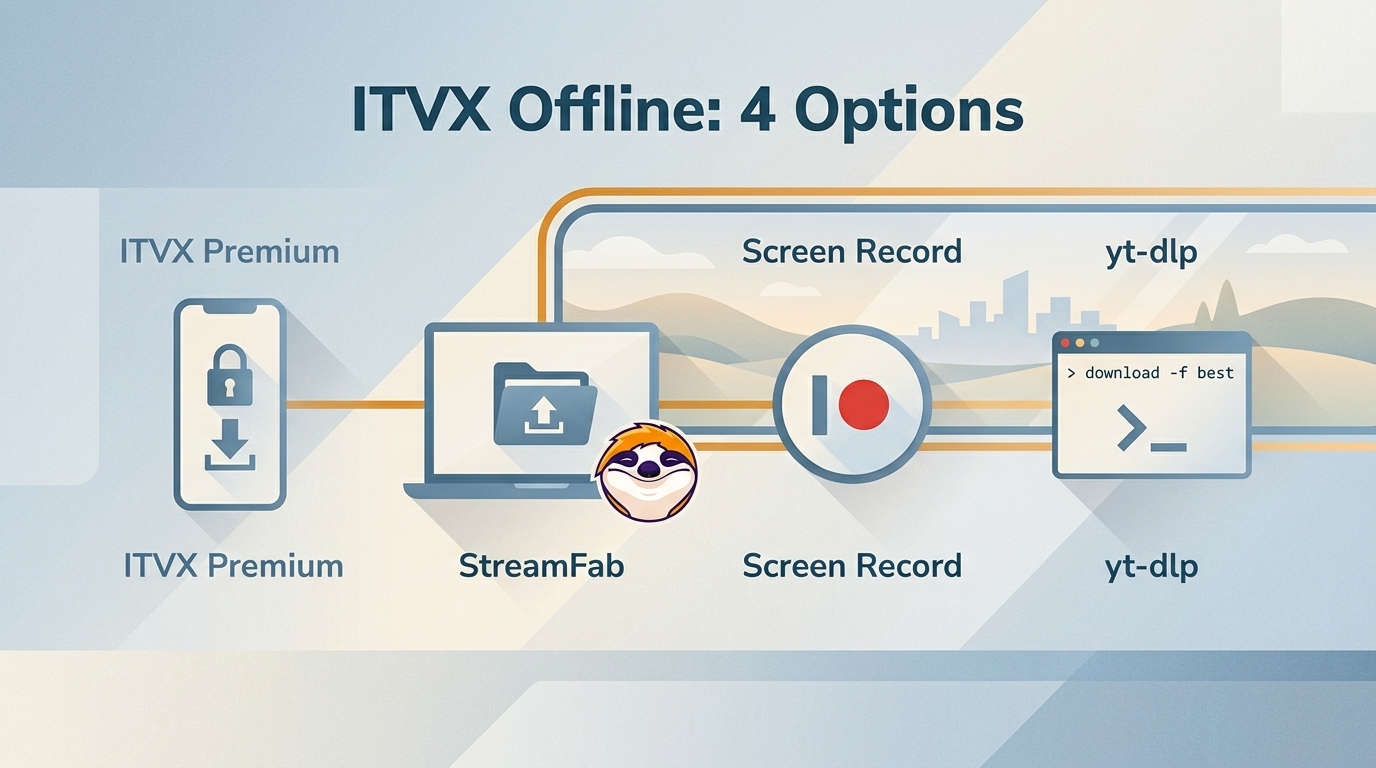
Can You Save ITVX for Offline Viewing?
Official ITVX downloads require ITVX Premium on supported phones or tablets. As of August 2026, downloads require Wi-Fi, work on iOS 14 or later and Android 7.0 or later, remain available for seven days, and have a 48-hour viewing window once playback begins. Storage space, a six-download limit, and title-level licensing restrictions also apply.
| Official ITVX rule | What it means |
|---|---|
| Eligible devices | Supported iPhone, iPad, and Android devices |
| Connection | Wi-Fi is required to download |
| Availability | Available for seven days |
| After playback begins | Finish within 48 hours |
| Download limit | Up to six at one time |
| Title access | Licensing and storage limits apply |
The official route is the sensible choice for short-term mobile viewing. If you need a portable desktop file instead, that requires a separate workflow and does not make every ITVX title available.
My ITVX Offline Workflow
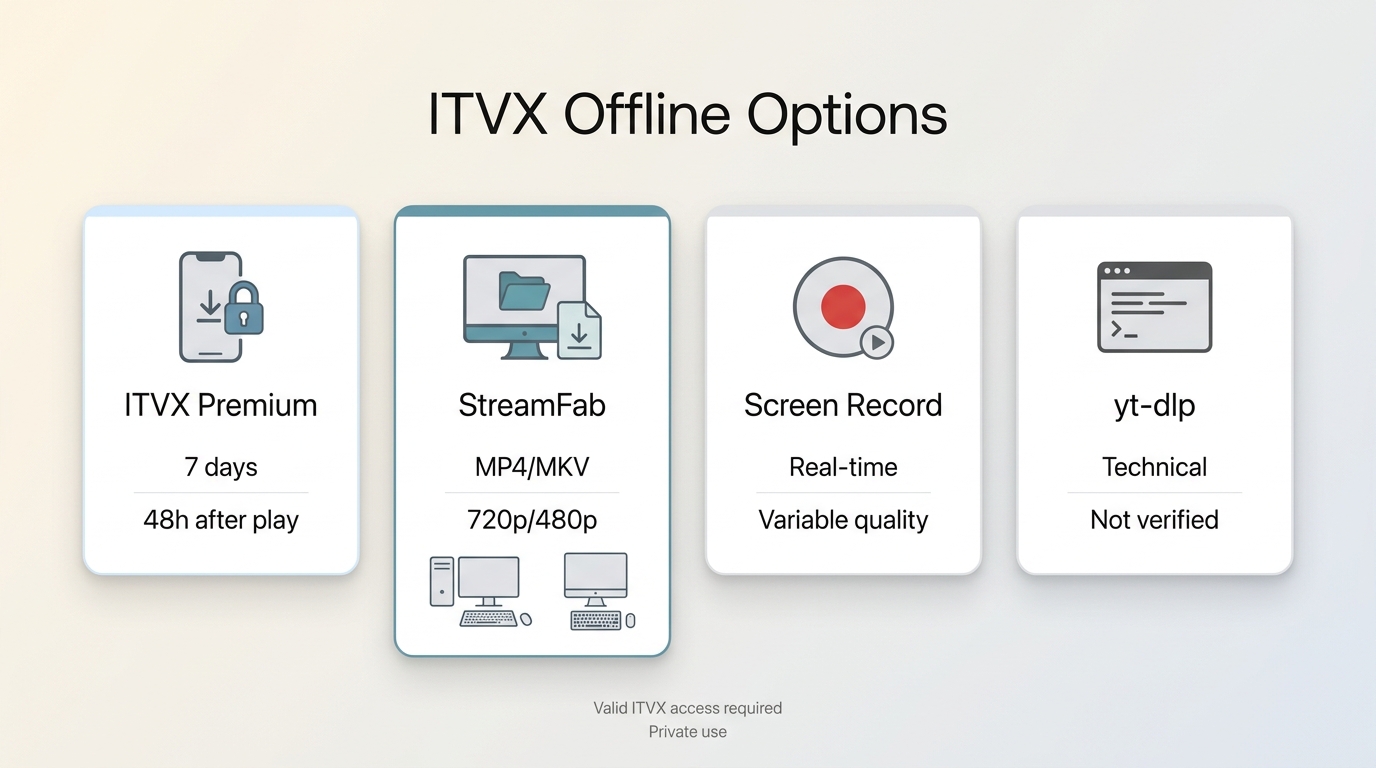
Screen recording can be useful for real-time capture, but it may produce uneven video or audio and does not reliably solve subtitle or title-eligibility issues. Not every ITVX title is eligible for download; ITVX notes that licensing can restrict some U.S. shows, including Family Guy.
For Windows and Mac users who need a local-file workflow, StreamFab ITVX Downloader is separate from ITVX’s official download feature. It is intended for authorized personal offline viewing with an active subscription, subject to ITVX terms and applicable law.
1. StreamFab ITVX Downloader: Best Fit
StreamFab ITVX Downloader fits Windows and Mac users who value batch organization and portable files for authorized personal offline viewing. It supports 720p or 480p source quality, AAC 2.0 audio, MP4 or MKV output, subtitle options, batch downloading, and library metadata. It is not the best fit if short-term official mobile downloads are all you need.

Instead of relying on optical screen capturing, it functions as a clean CDM emulator. It authenticates your session natively, requests the decryption keys, and pulls the raw 1080p MP4/MKV stream directly from the content delivery network (CDN).
- Save ITVX titles available to your account for authorized personal offline viewing.
- Save supported source quality up to 720p or 480p in MP4 or MKV.
- Choose embedded subtitles or separate SRT subtitle files.
- Ad handling can vary by service and title.
- Use batch downloads and metadata to organize eligible episodes and movies.
2. Four Steps for Personal Offline Viewing
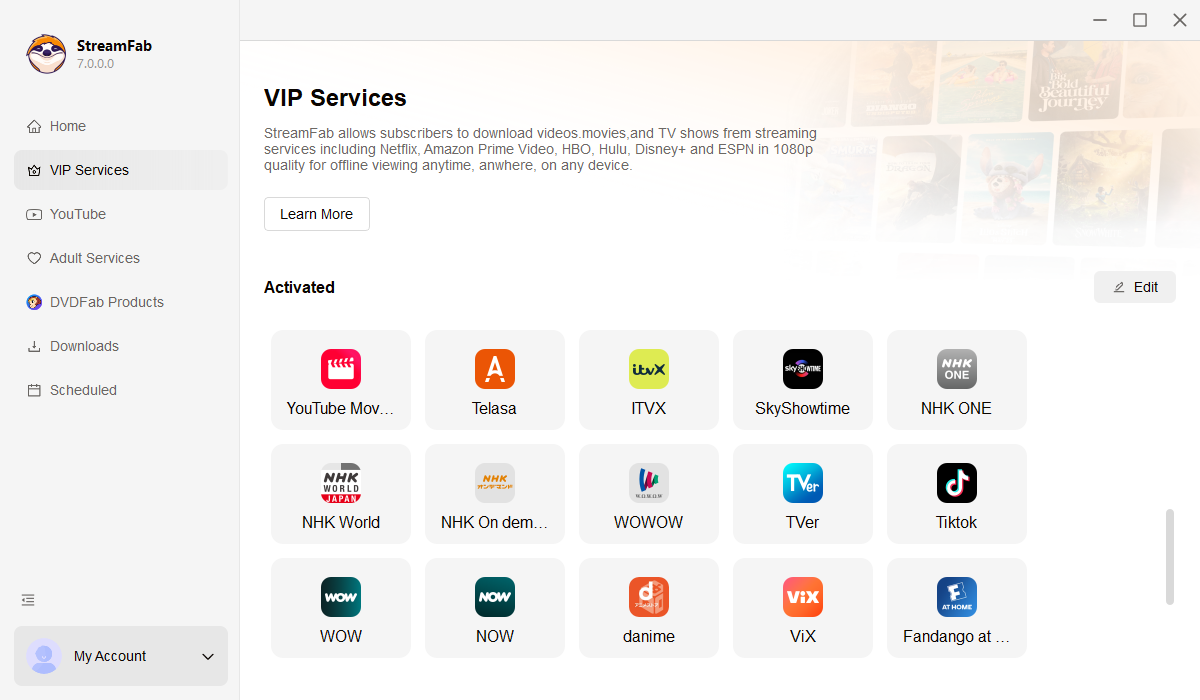
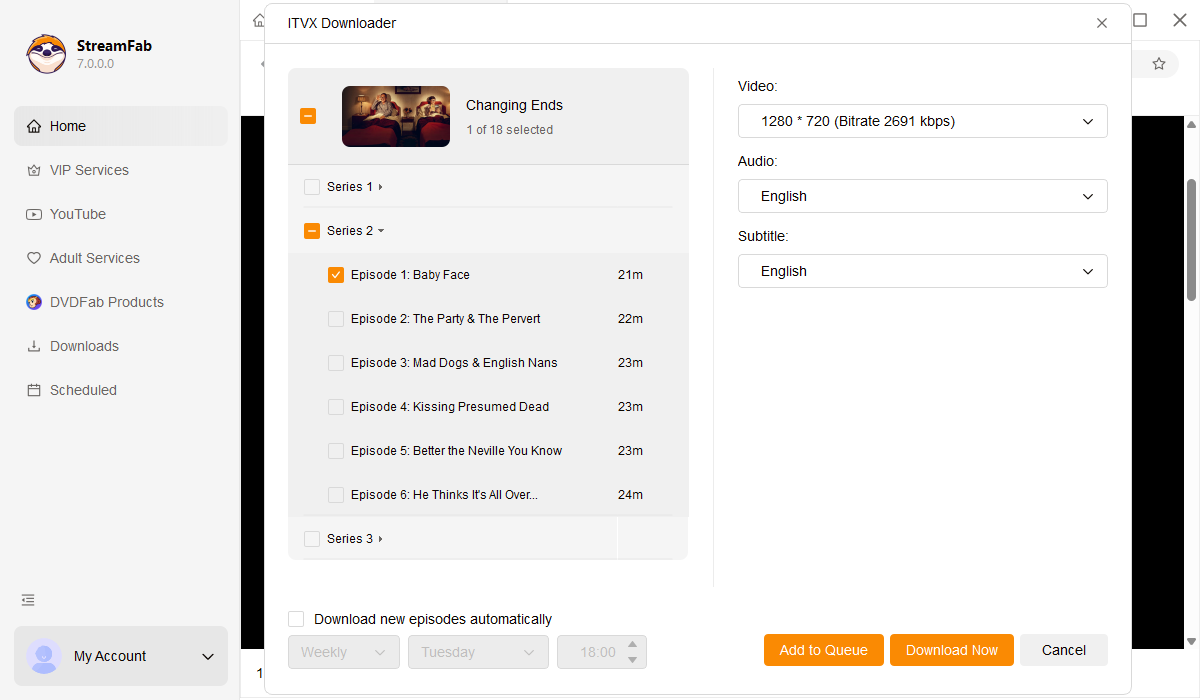
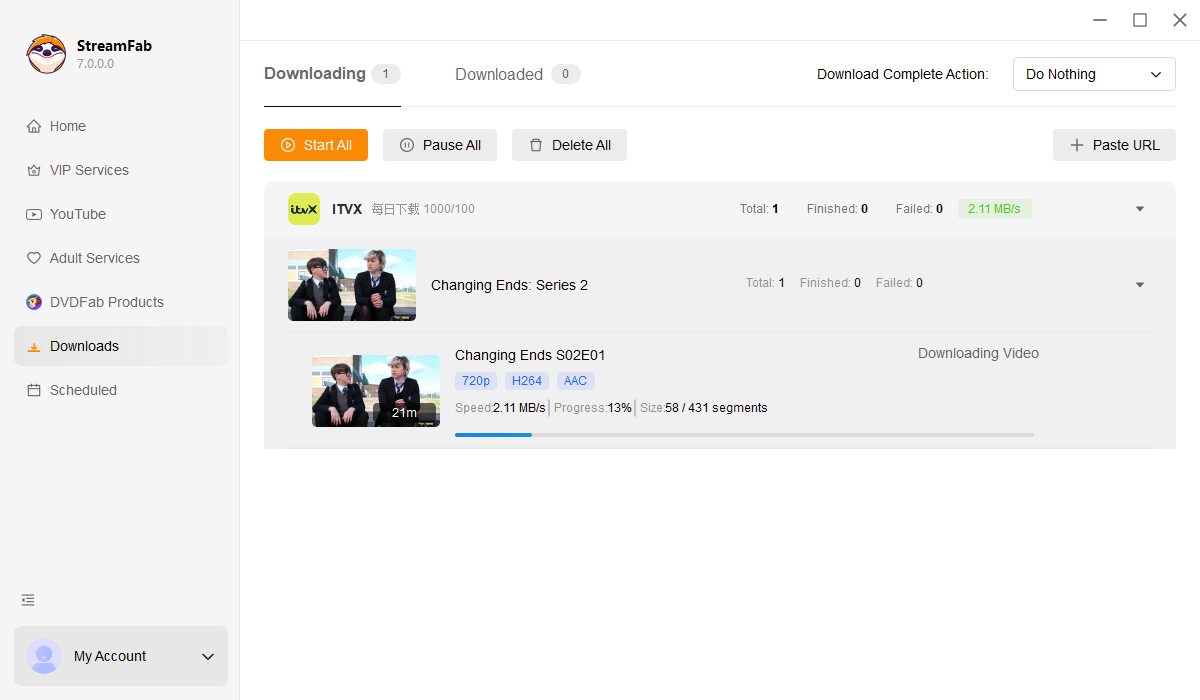
Before starting a full-season queue, confirm that the title is eligible and run one sample episode first. This broader download ITVX videos workflow is most useful when you need to choose episodes, audio, subtitles, and output settings before adding a season to the queue.
3. yt-dlp for ITVX: What to Expect
yt-dlp remains an active command-line project, but dependable current ITVX support was not verified for this guide. It should be treated as technical experimentation rather than a routine ITVX offline workflow.
It may suit readers comfortable troubleshooting scripts and changing platform behavior, but it is not ideal for a predictable episode queue. For most viewers, mobile simplicity, desktop file needs, and title eligibility are more useful decision points than technical control alone.
4. 2026 ITVX Method Matrix
| Method | Best for | Device | File and expiry | Main limitation |
|---|---|---|---|---|
| Official ITVX downloads | Short mobile viewing | Phone or tablet | Managed download; timed access | Premium, Wi-Fi, eligible titles |
| StreamFab ITVX Downloader | Organized desktop files | Windows or Mac | MP4/MKV; subtitle options | Authorized personal use only |
| Real-time screen recording | One-off live capture | Desktop | Recording file | Captions and video may vary |
| yt-dlp experimentation | Script troubleshooting | Desktop | Varies by setup | ITVX support not verified |
Fix ITVX Download and Recording Problems
Start with account status, title eligibility, and queue settings before changing browser settings. Those checks are usually more useful than speculative tweaks when ITVX downloads or recordings fail.
| Problem | Likely cause | Next check |
|---|---|---|
| Official download fails | Premium, Wi-Fi, or storage issue | Check plan, connection, and free space |
| Analyzer stays busy | Page or session did not load | Refresh and sign in again |
| Login refresh loop | Expired session | Sign out, then sign in once |
| Queue stops | Account session changed | Keep the account signed in |
| One episode selectable | Partial-title availability | Check eligible episodes individually |
| Black recording | Protected playback path | Use official offline options where available |
FAQs
What Starts ITVX 48-Hour Viewing Window?
Official ITVX downloads are generally available for seven days. The shorter 48-hour window starts when you begin playback, so start an episode only when you expect to finish it within that period.
Can I Save ITVX Shows Offline for Free?
Official ITVX downloads require ITVX Premium. StreamFab offers a 30-day trial with three downloads per streaming service, but it is intended for evaluating the workflow rather than unlimited downloading.
Can U.S. Viewers Download ITVX on a Phone?
Official ITVX availability is region-dependent. A VPN alone may not change U.S. app-store distribution, device eligibility, or which titles can be downloaded, so phone access should not be assumed before you can use the official app.
Why Are Some ITVX Episodes Unavailable?
ITVX does not make every show, season, or episode eligible for official download. Licensing, partial-series availability, device compatibility, and available storage can all affect what appears in the download list.
Conclusion
For eligible short-term mobile viewing, the official ITVX app is the straightforward option. Its device, Wi-Fi, title, and viewing-window limits matter most when deciding whether it fits your trip or viewing plan.
If you need portable files and episode organization on a Windows or Mac computer, StreamFab ITVX Downloader is a desktop option for authorized personal offline viewing where permitted. It is not the right choice for viewers satisfied with ITVX’s short-term phone or tablet downloads, but it can be a practical next step when a local-file workflow better matches your needs.
For readers comparing file formats, methods to convert ITVX to MP4 help explain why MP4 is often preferred for portable playback.

Frustrated by ITVX Premium's 7-day download limit? This guide shares proven solutions to convert ITVX to permanent MP4 files. We compare StreamFab ITVX Downloader and RecordFab, helping you choose the best tool to watch your favorite UK shows offline, anytime, anywhere.
By Marcia Hatcher - Aug 3, 2026

Struggling with the Windows 11 ITVX app or black screens when recording? As a digital archiving expert, I tested the best 2026 methods to download from ITVX to PC for offline viewing, covering DRM bypass limits and Widevine solutions.
By Marcia Hatcher - Jun 24, 2026