
StreamFab Copyright: Is StreamFab Legal in the U.S.?

Summary: This article provides guidance on responsible use of StreamFab and outlines StreamFab’s core mission, legal understanding, and commitment.
Table of Contents
Paying for streaming access does not automatically grant copying rights. StreamFab is a legitimate application for personal offline viewing, but a particular use must respect copyright permission, Section 1201, and platform terms, without redistribution. My recommendation: use official downloads when they meet your needs.
StreamFab's Core Stance
StreamFab supports personal offline viewing of content you are authorized to access. It is a third-party application relative to a streaming service's official download feature, for use where platform terms and applicable law permit. A subscription provides access, not blanket permission to copy.
Keep an active subscription for paid services and save authorized content only. Personal copies are not for sharing, public uploads, resale, or commercial distribution. The applicable permissions depend on your specific use; StreamFab's Terms of Use and legal disclaimer describe its intended boundaries.
StreamFab Copyright Rules at a Glance
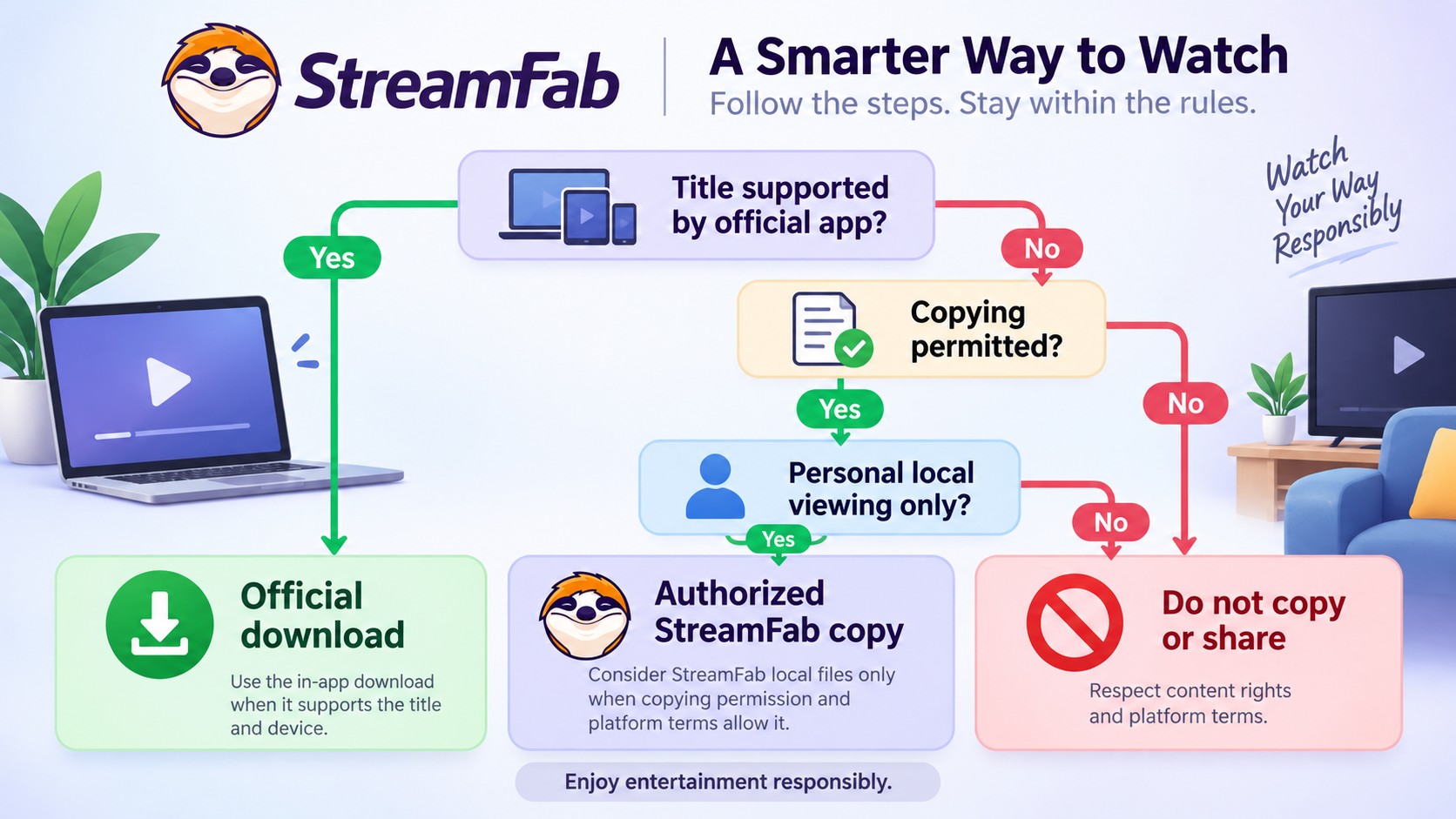
StreamFab copyright questions turn on the content, the service rules, and what you intend to do with the copy. The scenarios below distinguish permitted use from prohibited use under the stated personal-use boundary. These are practical categories, not universal legal verdicts.
| Scenario | Content authorization | Platform terms | Use boundary |
|---|---|---|---|
| Official in-app download | Eligible title and account | Built-in download rules | Lower-risk offline route |
| Local copy for personal viewing | Copying permission required | Must permit the activity | Conditional personal use |
| Copy outside permission or service rules | Missing or exceeded | Outside permitted activity | Outside StreamFab's intended use |
| Sharing, public upload, resale, commercial use | Personal access is insufficient | No distribution permission implied | Prohibited under personal-use boundary |
I would choose the official in-app download for a trip when it already supports the title and device. That keeps playback within the service's own offline feature. Permission and intended use matter more than an MP4 or MKV extension.
U.S. Copyright and Platform Rules
Personal viewing is an intended use, not an automatic legal exemption. For U.S. use, apply the current permissions to your account and content; a historical recording decision does not grant you a new streaming license.
Use an account you are authorized to access.
- Save content only when you have the necessary permission.
- Keep personal copies out of public uploads and redistribution.
- Follow applicable U.S. law and the streaming service's terms.
Assess permission for your specific content and intended use.
What Cablevision Actually Decided
Cartoon Network v. Cablevision addressed user volition, transitory copies, and public performance in a remote-DVR system; it did not establish a general right to copy subscription streams or resolve DMCA Section 1201 and platform terms. Save only content you are authorized to copy and follow the streaming service's terms.
The Betamax decision concerned recording broadcast television for later viewing. Neither case replaces the permission governing your streaming title.
DMCA Section 1201 Is a Separate Question
Copyright permission and DMCA Section 1201's rules for effective access controls are separate questions; personal use alone is not a blanket exemption. Use StreamFab for authorized content within its Terms of Use and legal disclaimer; those provide the product's usage guidance without granting additional rights. StreamFab is intended to record authorized content for local viewing, not to circumvent access controls or acquire content without permission. Keeping a local file does not expand the permission attached to the title.

A paid streaming subscription gives you the access specified by its terms, not ownership of the underlying video.
StreamFab Operation and Product Principles
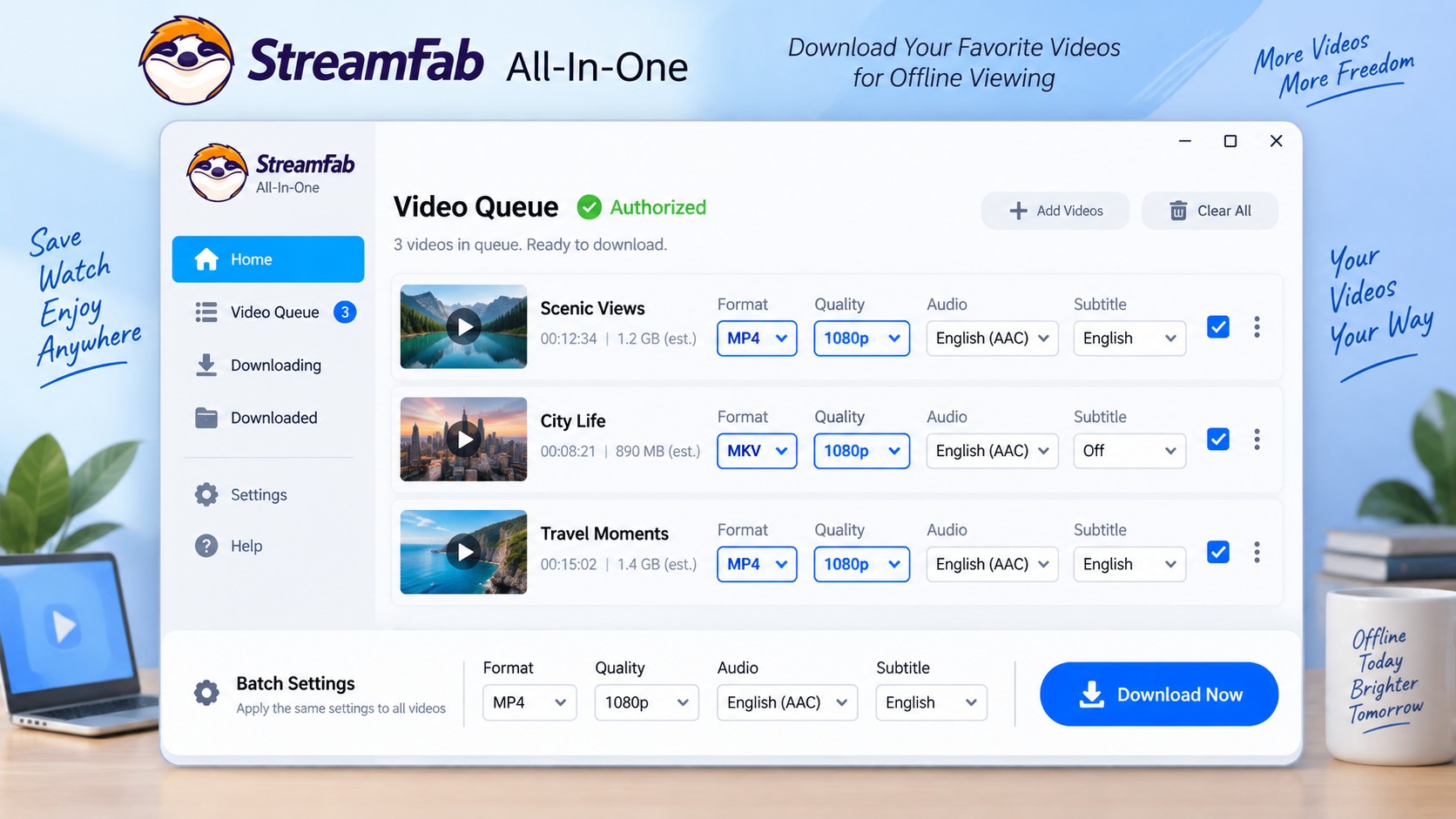
StreamFab All-In-One runs on Windows and Mac, saves MP4 or MKV files, supports batch downloads, and offers selectable output quality. You manage the saved files on your computer. These product capabilities serve local viewing; they do not determine the permission for a particular copy.
No Hosting or Distribution
- StreamFab does not host or distribute video files.
- StreamFab does not store or retain any content that users download.
- StreamFab does not provide access to any media library or catalog.
Technical Safety, Transparency, and Reliability
Start with the official StreamFab installer. The StreamFab safety guidance covers installation and account care, while the Amazon Prime Video warning guidance explains how to respond to service notices. For a compatibility problem, install the current update and follow the troubleshooting guidance for the affected service.
Authorized Local Files and Standard Formats
A StreamFab MP4 download is a local video file; an official in-app download remains managed by that streaming app. MP4 and MKV are containers that hold video, audio, and subtitles. Choose an output your playback app supports.
You can select output settings before saving through the how to use StreamFab workflow. Batch selection helps when you have several authorized videos to queue, while quality selection lets you balance picture detail and storage. Those are useful controls for a local library.
StreamFab and You: Responsible Use
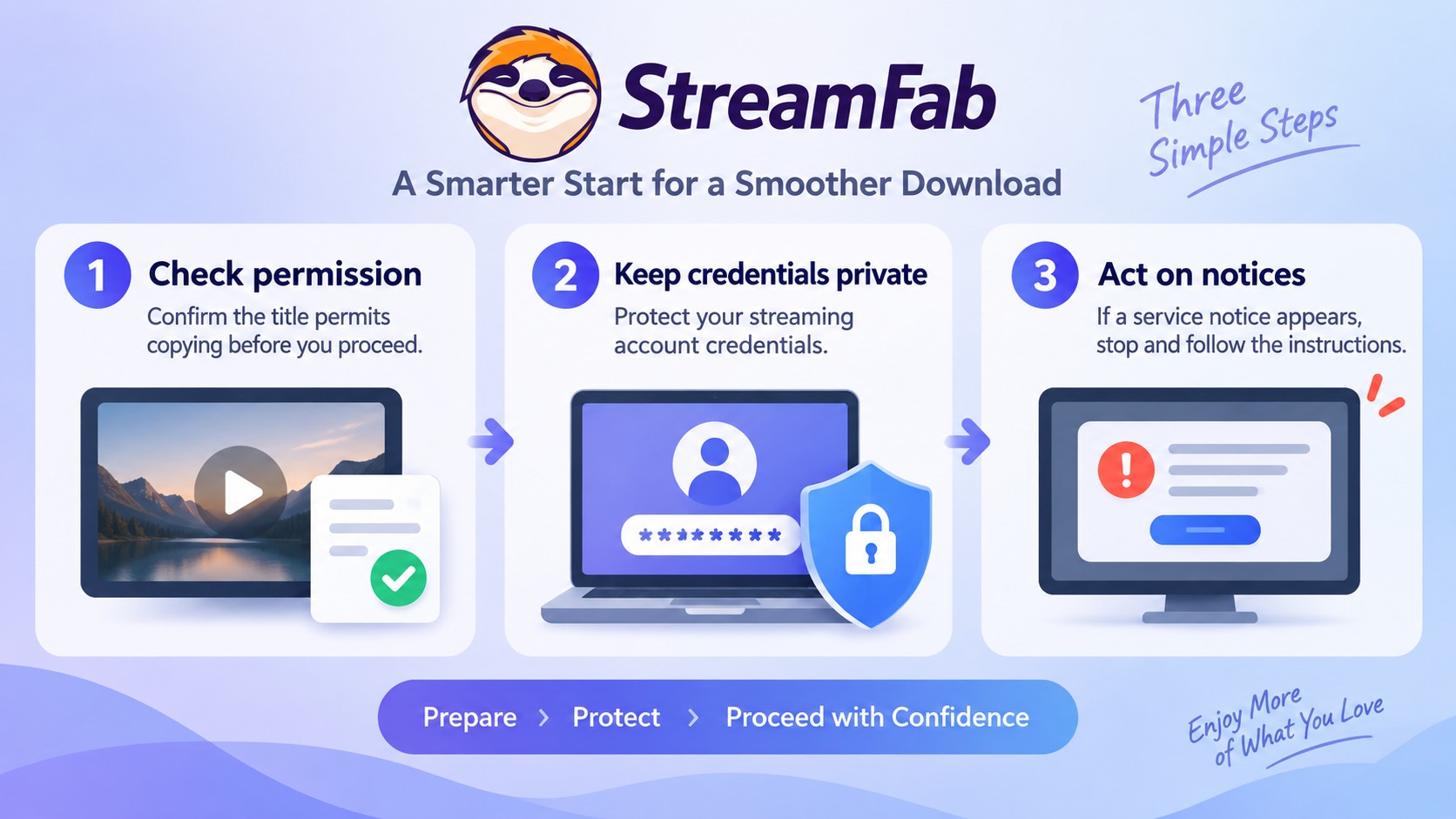
Make your next action specific: confirm the title's permissions, keep account credentials private, and act on service notices. Use this checklist before starting a new batch.
Follow Platform Terms and Protect Your Account
Copyright permission and account enforcement are separate: a streaming service may warn, suspend, or close an account under its terms. If you receive a notice, stop the affected activity, follow the service's account instructions, and use StreamFab's account-safety guidance for the next steps.

Confirm that your subscription, rental, purchase, or free-access permission is current.
- Read the title's copying permissions before adding it to the queue.
- Keep your login details private and use the official StreamFab installer.
- Stop the affected activity if a service sends a warning, then follow its account instructions and StreamFab's account-safety guidance.
Choose a private playback destination instead of a public or shared upload folder.
StreamFab Copyright FAQs
These FAQs clarify how authorization, personal offline viewing, file formats, and platform account rules affect StreamFab copyright questions.
How does dynamic CDM updating impact my archiving software?
Streaming services frequently update their Content Decryption Modules (CDM) to break compatibility with third-party tools. When this happens, your software may temporarily fail to process new titles. You do not need to alter your account settings; you simply have to wait for the developers to push a compatibility patch that aligns with the new Widevine certificate parameters.
Can I receive an ISP Warning for personal archiving?
No, you will not receive an ISP copyright notice for archiving via direct protocol parsing. StreamFab downloads directly from the platform's official CDN with your valid permission. Your ISP cannot see what you are downloading, nor are you uploading the file to anyone else.
Does personal use automatically make a StreamFab download legal?
No. “Personal use” describes your purpose, not a license. Apply the permission attached to the specific title rather than assuming that a noncommercial copy is automatically allowed.
Does saving a video as MP4 or MKV make the download lawful?
No. Changing the file extension does not change the permission to make or use the copy. Choose between MP4 and MKV for playback compatibility, not as a legal distinction.
Can a streaming service suspend an account for downloading outside its rules?
Yes. Streaming account risk is separate from copyright permission: a service can warn, suspend, or close an account under its terms. Stop the affected activity and follow the notice alongside StreamFab's account-safety guidance.
What should I check before using a shared streaming account?
Confirm that the service permits your access to that account. The account holder's consent does not replace the service's account-sharing rules. Keep credentials private and use the official StreamFab installer.
Conclusion
For authorized personal offline viewing, StreamFab fits a workflow built around local MP4 or MKV files and queued downloads. I would use the official platform download when it already covers the title and device: it is the straightforward route for that need. Choose local files when your permissions support that workflow.

StreamFab 7 marks the first major update in nearly three years. This review looks beyond surface-level changes and examines what actually matters in everyday use based on real testing, community feedback
By Erika Leen - Sep 28, 2026
Choose between StreamFab’s local file workflow, Audials’ Windows recording and editing, and PlayOn’s local or cloud recording. Compare queue behavior, picture quality, audio and subtitles, and recurring costs, with a repeatable way to check one authorized title before building an offline library.
By Marcia Hatcher - Sep 28, 2026
This article is an official response to users asking regarding the safety and legality of StreamFab. Written by StreamFab team, it moves beyond simple assurances to provide a transparent technical and legal analysis.
By Nicole Lopez - Sep 24, 2026
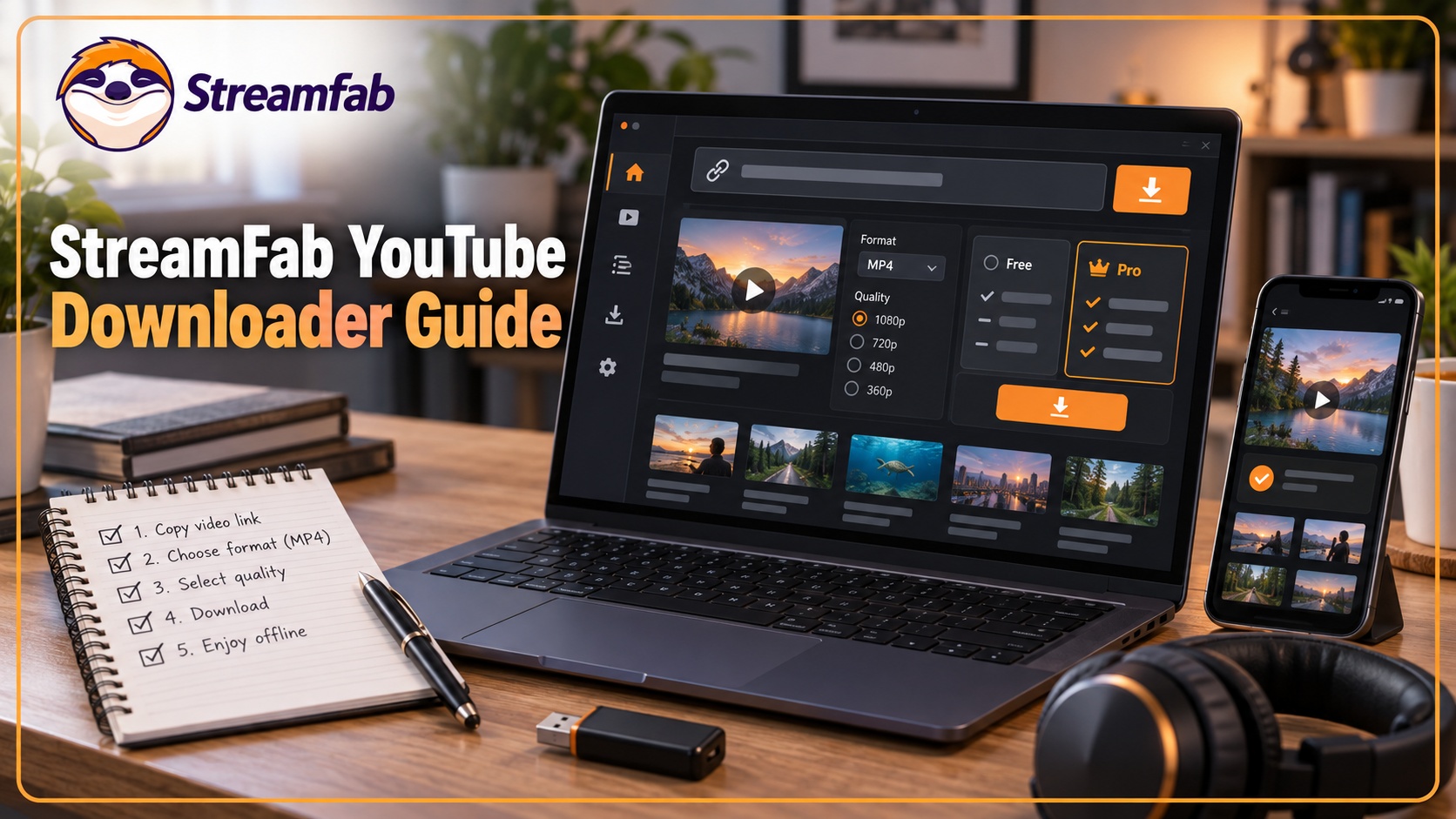
Wondering what is StreamFab? I tested the StreamFab YouTube Downloader Pro for YouTube TV offline access, 8K AV1 hardware acceleration, and batch archiving limits. See the 2026 real-world benchmark and learn how to avoid API throttling.
By Erika Leen - Sep 24, 2026