TunePat Amazon Video Downloader: Reviews & Guide 2026

Summary: I updated this TunePat Amazon Video Downloader review based on my most recent test. While it excels at stripping ads from the Amazon Standard plan and delivering clean MP4 files, my technical audit shows a significant gap between advertised and actual bitrates. Check the content for details.
Table of Contents
TunePat: Quick Verdict and Key Specifications
The quick takeaway: this TunePat Amazon Video Downloader review found a 3,140 kb/s output in the tested sample, not the 15,000 kb/s setting selected in the app. If you are weighing price, local MP4/MKV files, and reliability after Amazon changes, this Amazon-specific review gives you the decision points that a broader TunePat review cannot.
| What this review found | Quick verdict |
|---|---|
| Observed video bitrate | 3,140 kb/s in the Reacher trial sample |
| Resolution context | 1080p was available in the test, but results can also depend on the title, account tier, device, and Amazon restrictions |
| Output formats | MP4 and MKV |
| Audio and subtitles | EAC3 5.1 was available after manual selection; internal, external, and hard-coded subtitles were observed |
| Batch behavior | Queue-based rather than simultaneous downloading in this test |
| Desktop support | Windows desktop workflow tested; confirm current Mac and Android availability with TunePat |
| Free trial | First 5–6 minutes of each video |
| Safety evidence | The supplied scan screenshot is useful installation evidence, not a blanket safety guarantee |
Price, Trial, and Value
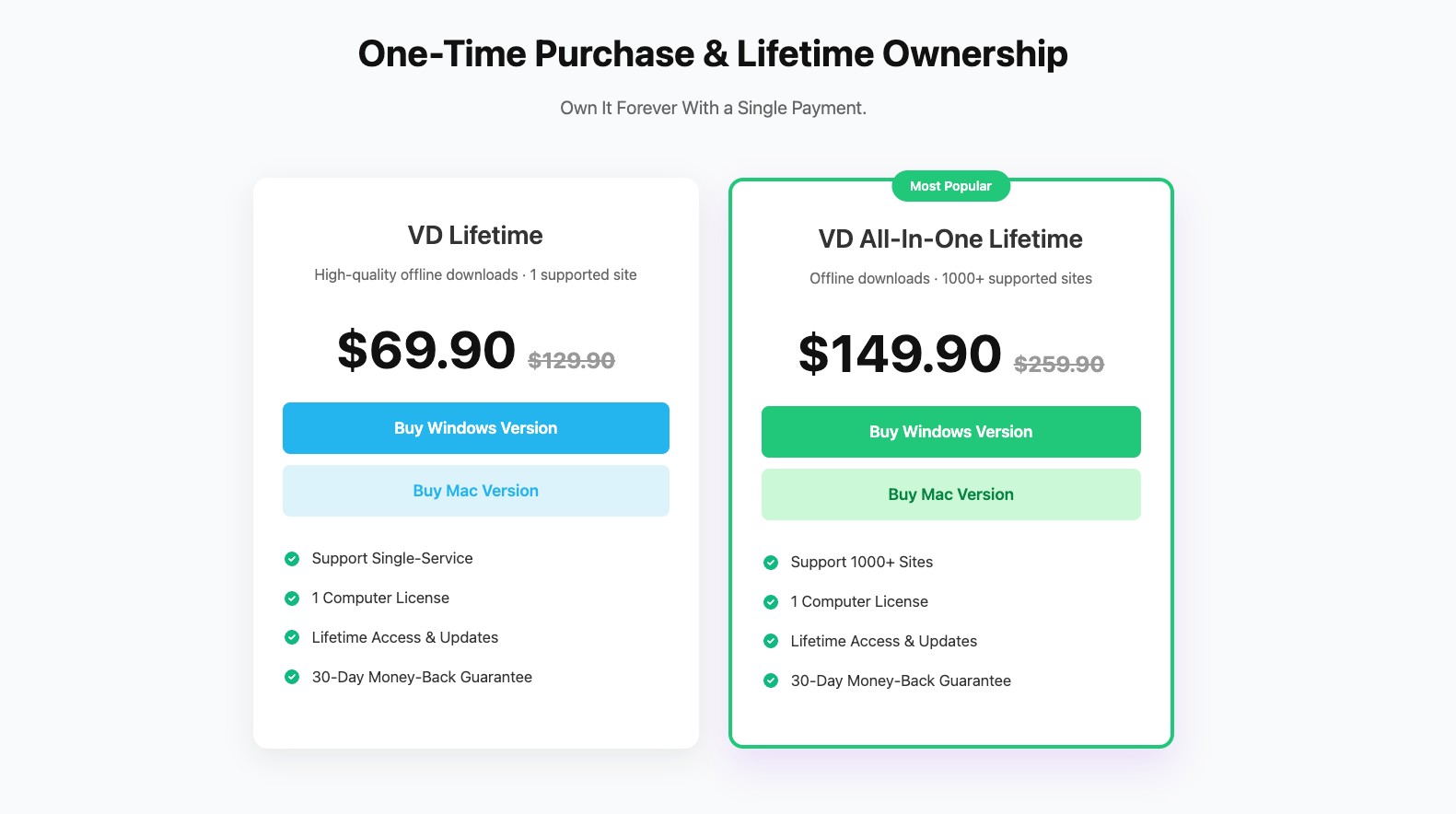
TunePat pricing plans for its Amazon Video Downloader include paid options. The free trial only lets you download the first 5–6 minutes of each video, which is mainly for testing functionality. As of July 2026, the current US checkout price was not independently confirmed, while TunePat’s official comparison page lists monthly, annual, and lifetime options. For me, the value question comes down to whether its observed output, support response, and update recovery match the way you plan to use it, not a price label alone.
Safety, Legality, and Account Risk
The scan screenshot below documents the build reviewed here, but it should not be treated as a permanent safety guarantee for future releases. Installation evidence matters more than a blanket “safe” label: review the installer you receive, keep your security software active, and avoid software copies from unofficial sources.
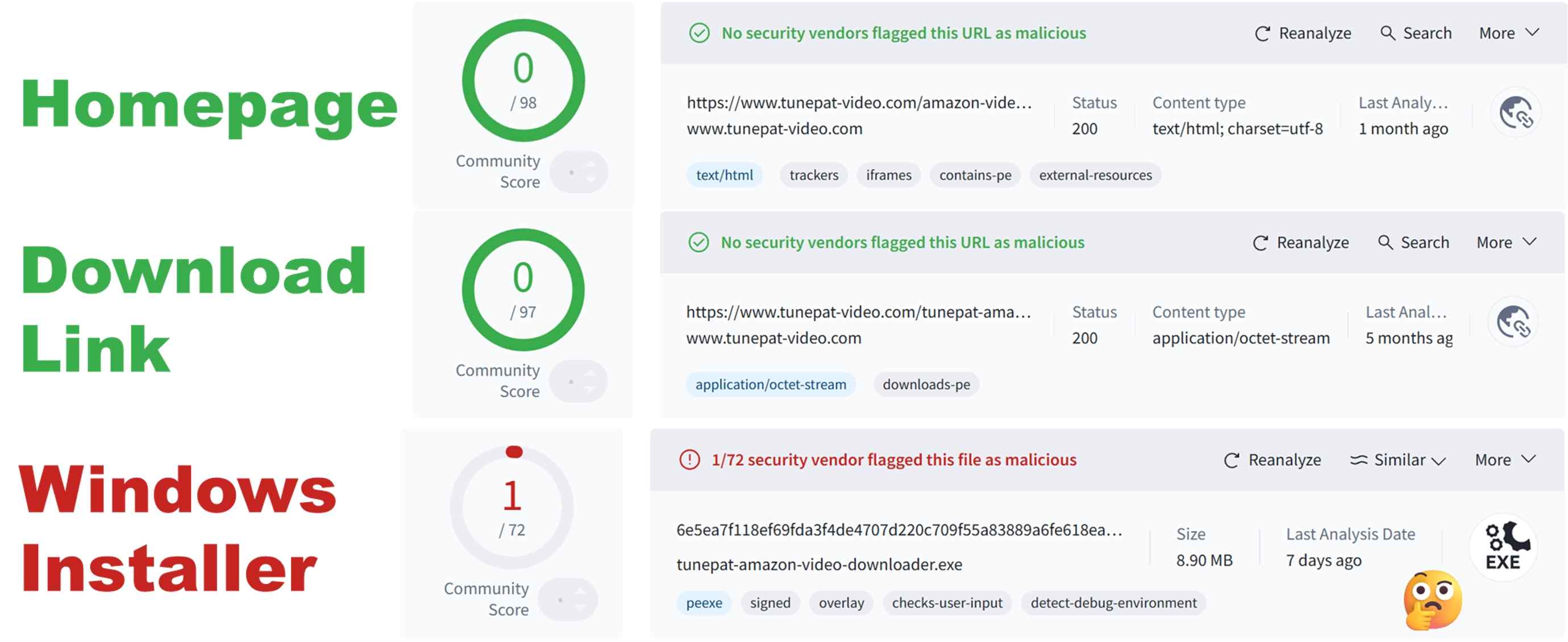
Account behavior is a separate question from device safety. No fixed download count can guarantee that an account will avoid review. Use any local-file workflow only for content you are authorized to access, where permitted by platform terms and applicable law, and keep it within personal offline viewing rather than sharing or commercial use. Readers concerned about Amazon Prime Video risk warning emails should treat unusual account activity as a reason to pause and review their usage.

My personal advice is:
- ✅ Use for personal learning/offline viewing only
- ✅ Do not share or use for commercial purposes
- ✅ Keep local-file use limited to authorized personal offline viewing.
Official Prime Downloads vs Local Files
Prime Video’s official downloads are managed inside the app, limited to supported devices, and may become unavailable under Amazon’s viewing rules. That is often enough for a short trip. A local MP4 or MKV workflow is more practical when an authorized viewer needs flexible playback or media-server organization, but it is not a promise of indefinite access and remains subject to Amazon’s rules.
My practical dividing line is simple: use the official app when app-bound offline viewing meets the need; consider a desktop workflow when file organization and compatible playback matter more than convenience.
Tested Pros & Cons of TunePat Amazon Video Downloader
Now let's check if it's really powerful like it advertised, or just being Pinocchio here. For references and in order to minimise test errors, this is my setup and the test environment.
- Device & OS: Windows 11 laptop, AMD Ryzen 7 5800U, 16 GB RAM
- Network: Home Wi-Fi (5 GHz), stable connection, 250 Mbps
- Amazon account: U.S. Prime Video Standard with Ads plan
- Test title: TV show: Reacher Season 1, Episode 1
- Duration: 5 minutes (should be 55m45s but cut by its trial)
- Target quality: 1080p where available, default or recommended audio & subtitle options
*Actual experience and results may vary due to differences in testing devices and environments.
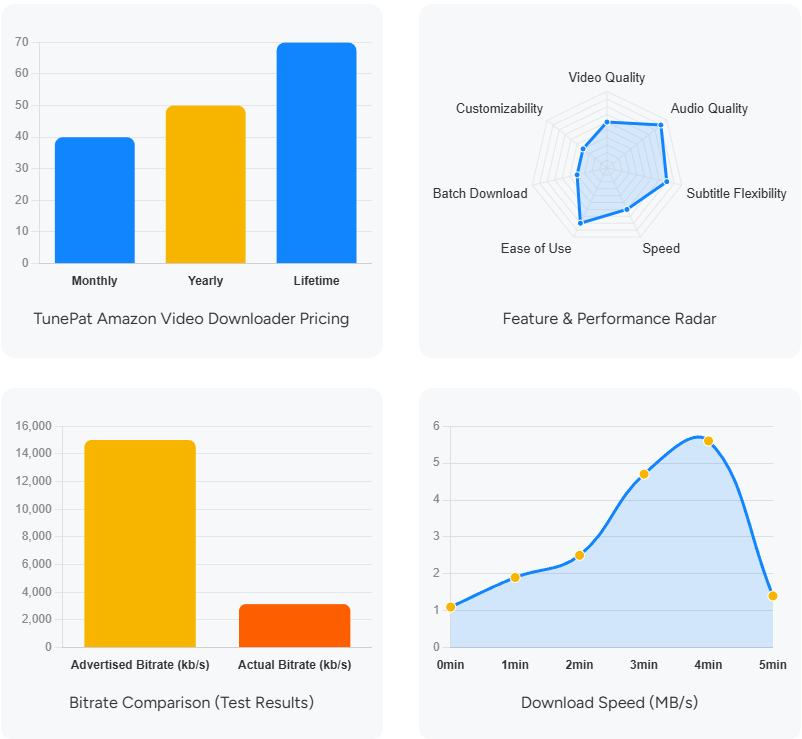
1. Resolution and Measured Bitrate: 3,140 kb/s Output in This Test
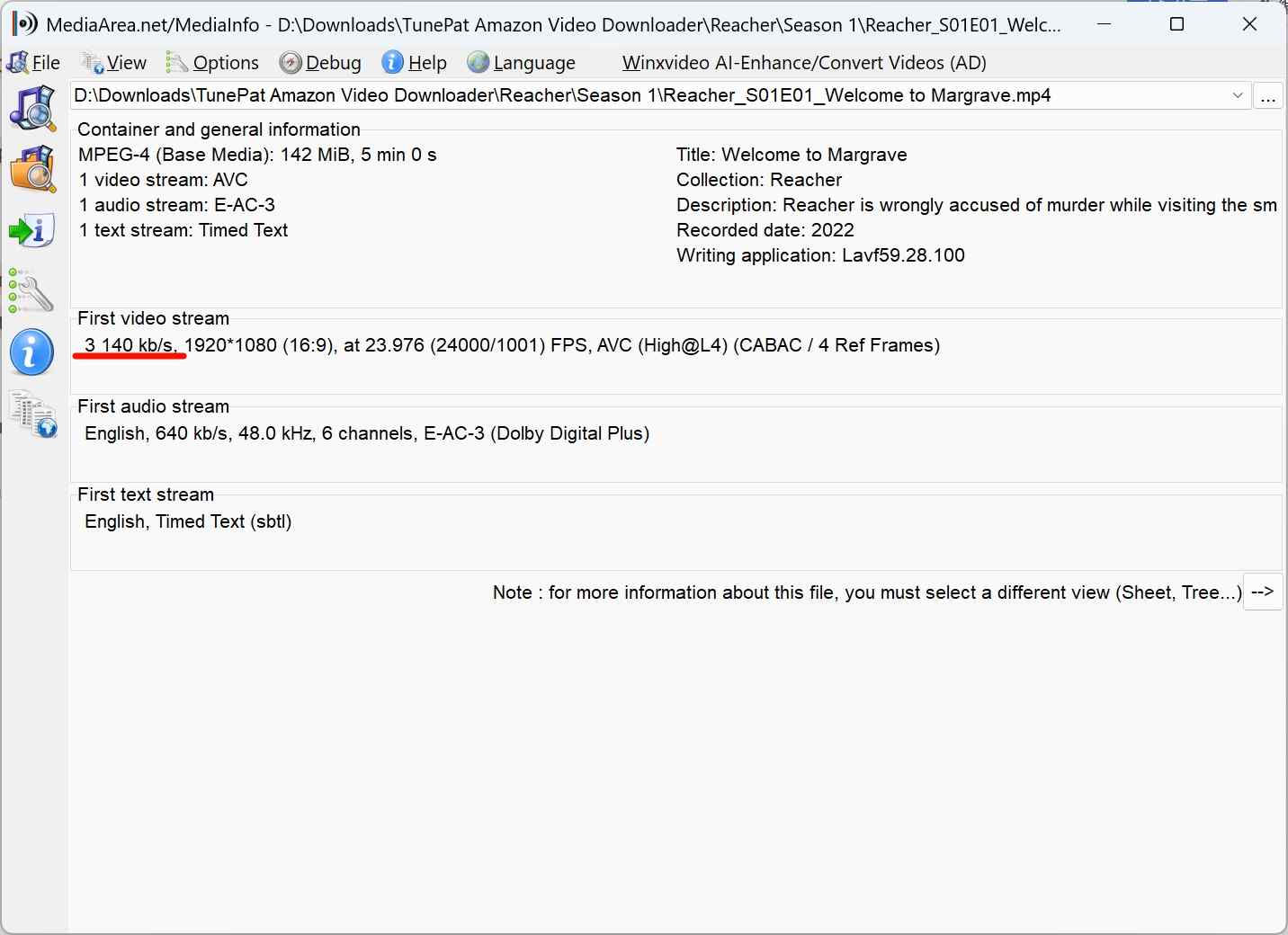
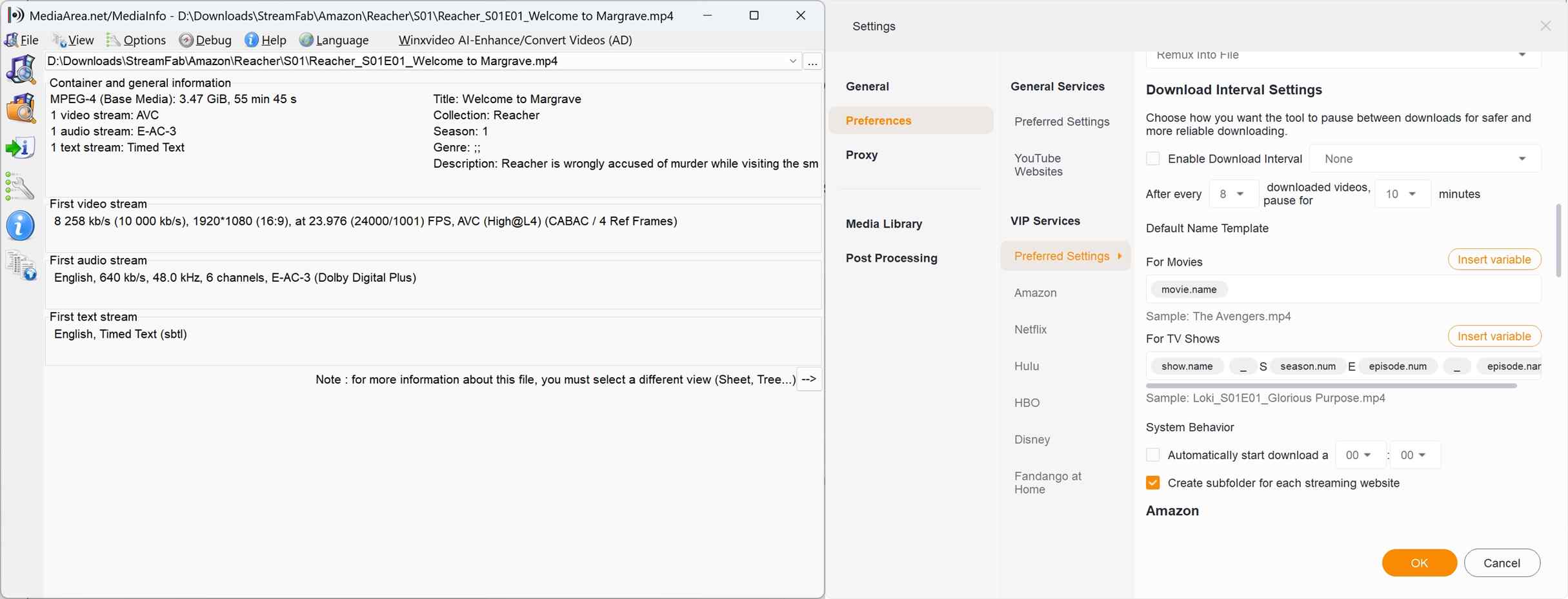
In my stress test using Reacher Season 1, I selected the "High" 15,000 kb/s bitrate setting. However, the actual output file registered at 3140 kb/s.

The 1080p label was accurate in this sample and looked sharp on a standard laptop, but the 3,140 kb/s output did not match the higher setting selected in the app. This result should not be treated as a universal quality limit: source availability, account tier, device support, current Amazon restrictions, and downloader compatibility can all affect what is available for a given title.
2. Audio & Soundtrack: Toggle EAC3 5.1 Settings Manually for High-Fidelity Audio
The sound quality is exactly as advertised. I managed to get a genuine EAC3 5.1 audio track. The only slightly troublesome part is that if you don’t specifically request it, it won’t show the 5.1 audio option at first. In other words, you need to go into the settings and manually enable it before downloading, then repeat the download process to get EAC3 5.1. Although it thoughtfully asks you whether you want to enable this setting before the download starts, since it’s ultimately up to the user to choose between AAC and EAC3 5.1, why not just show all the options from the beginning instead of hiding them?
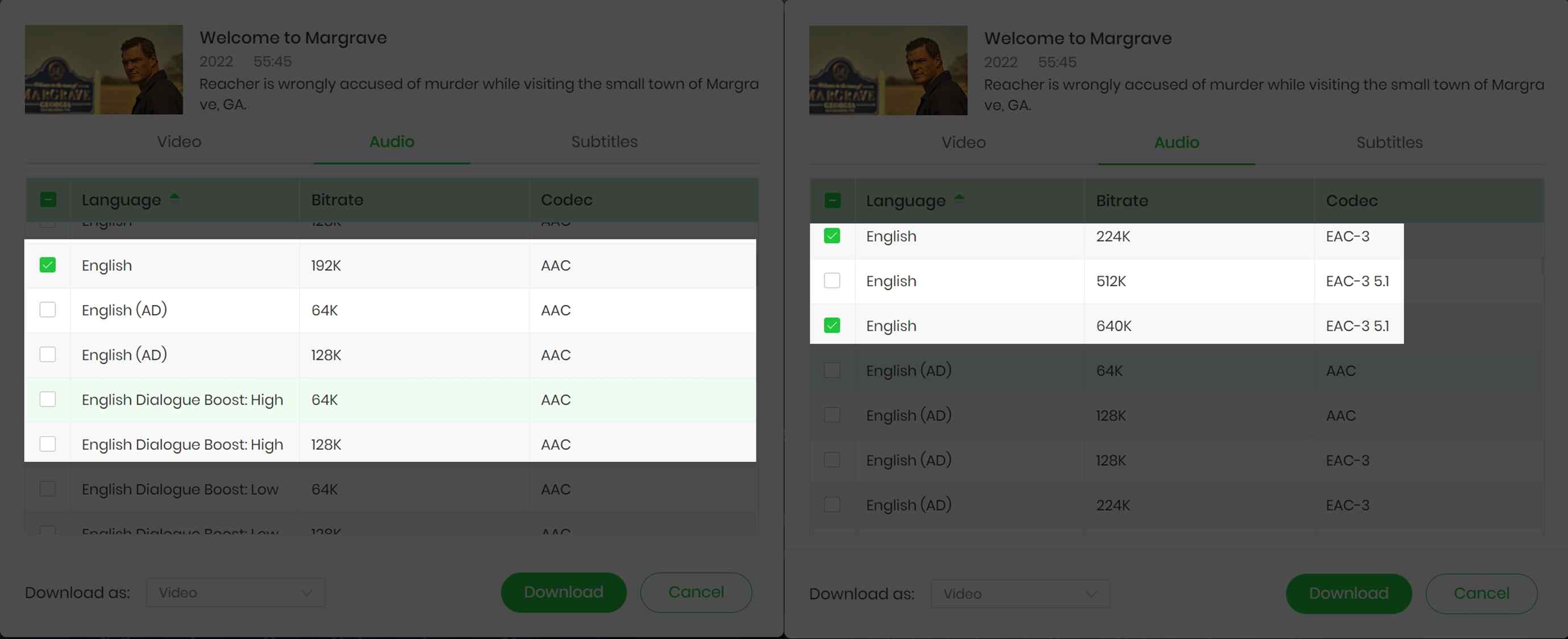
Moreover, it adds the EAC3 5.1 audio to the video, instead of replacing the AAC one. That's pretty annoying if you want the default quality to be the best, and now you have to change the soundtrack manually while playing. This is a minor usability drawback rather than a playback-quality failure.
3. Subtitle & Metainfo
It has 3 subtitle options. They are internal subtitles, external subtitles, and hard-coded subtitles. In simple words, they are built-in and can-be-toggled subtitles, standalone subtitle files, and always-on subtitles. And for external subtitles, it can output the subtitle to the original format or SRT format. I checked and found no issues with unsynchronised content, wrong language, or incomplete display. In this sample, I found no synchronization issues, incorrect language selections, or incomplete subtitle display.
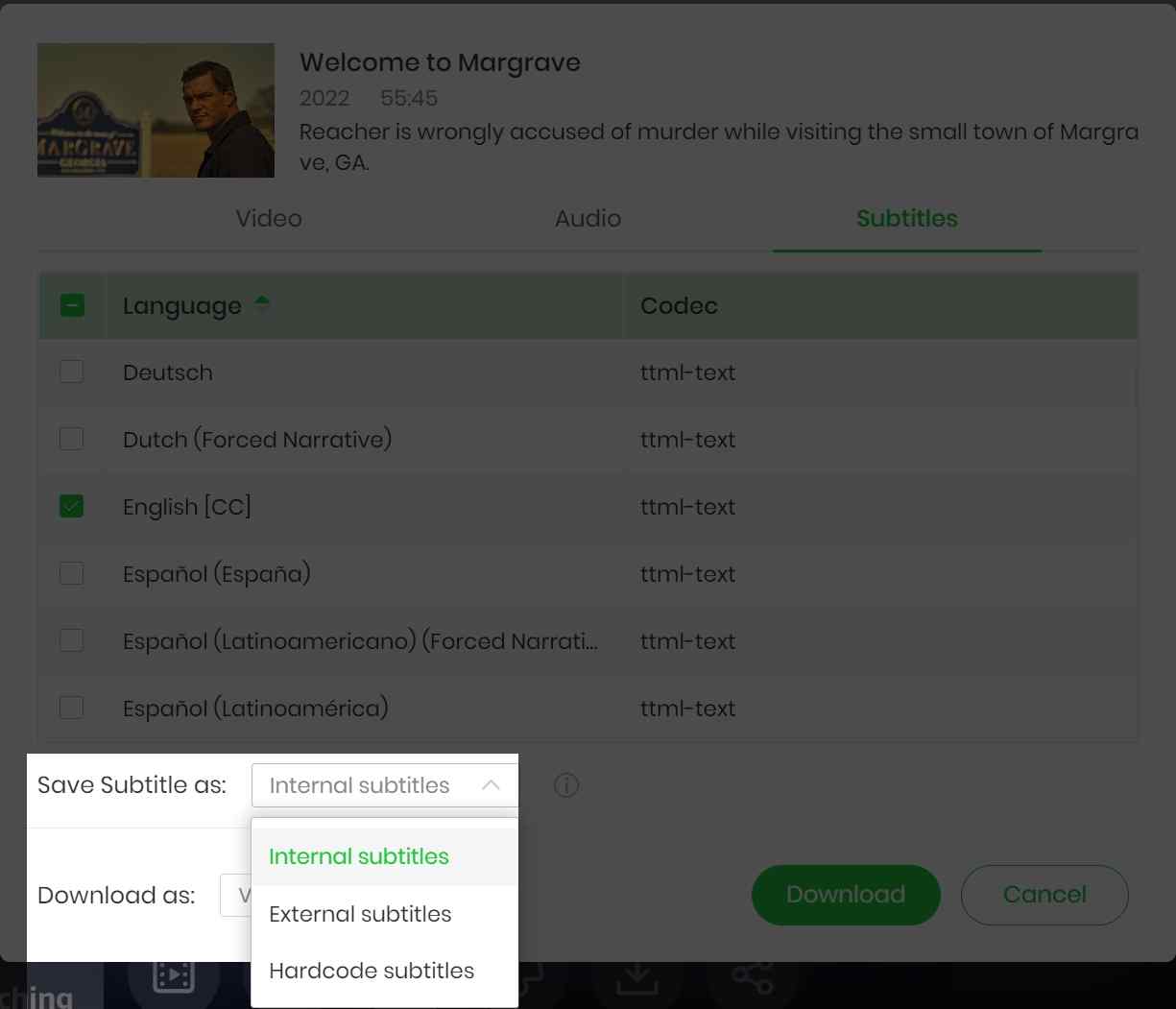
As for the metainfo, you can see from the MediaInfo screenshot above that it is still quite complete. It is more than enough for ordinary users, but for data hoarders with home servers, it does not support custom file name structures, which is a bit of a pity.
4. Speed, Reliability, and Support
In this test, speed rose to roughly 5.6 MB/s before dropping again. That is workable for individual episodes, but less compelling for large movies or long seasons. Its batch feature behaved as a queue rather than simultaneous downloading, so it helps organize requests without materially shortening the wait.
Reliability is the bigger buying factor. Amazon-side changes can temporarily disrupt compatibility, which makes update cadence, current compatibility testing, support responsiveness, and refund terms part of the decision. I would tolerate queued downloads and the occasional break/fix cycle for a simple Amazon-focused workflow; readers who need faster recovery should weigh maintenance history more heavily than the feature checklist.
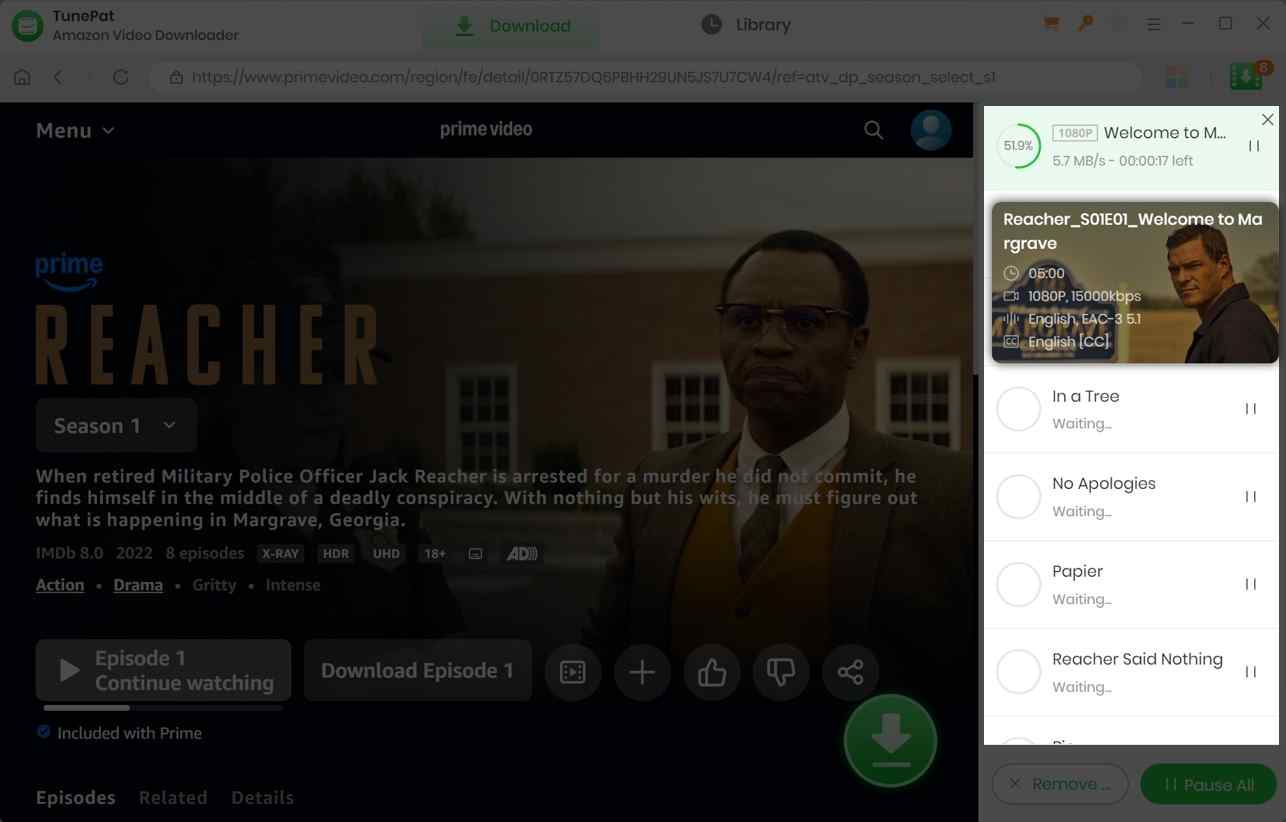
TunePat Download Workflow
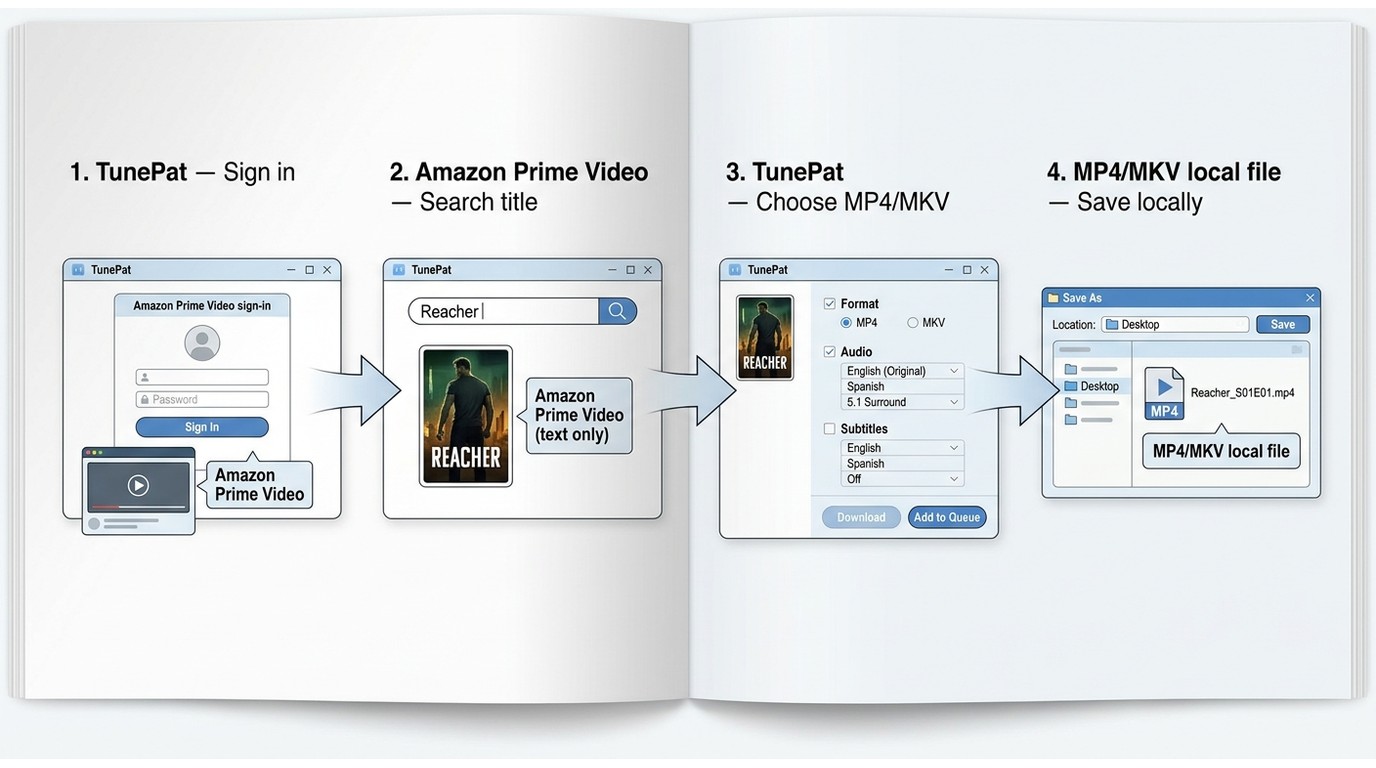
Unlike a generic browser or link downloader, TunePat uses an account-based, in-app search-and-click workflow. Generic copy-and-paste tools commonly fail on Prime Video links, while a dedicated desktop workflow can sign in, locate a title, and prepare an MP4 or MKV file. You still need an authorized Prime Video account and should expect compatibility to vary by title and platform changes.
Best for: readers who want a straightforward Amazon-focused desktop workflow.
Not ideal for: readers who need simultaneous downloads, highly flexible archive naming, or rapid recovery after service-side changes.
Open TunePat Amazon Video Downloader, click the key icon or go to Menu > Register, then enter your registration email and code to activate the software.
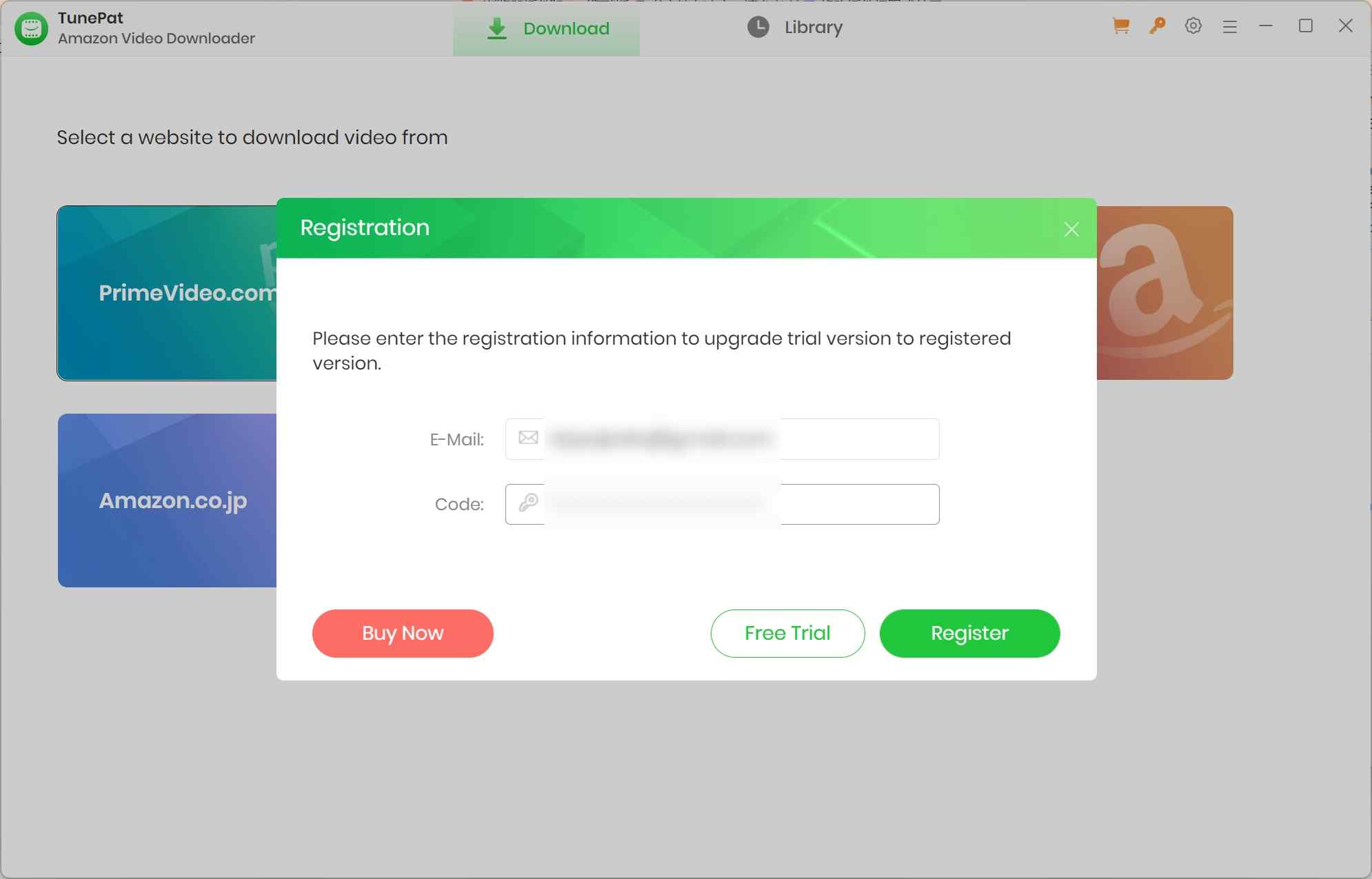
Select the appropriate Amazon website and log in to your Amazon Prime Video account.
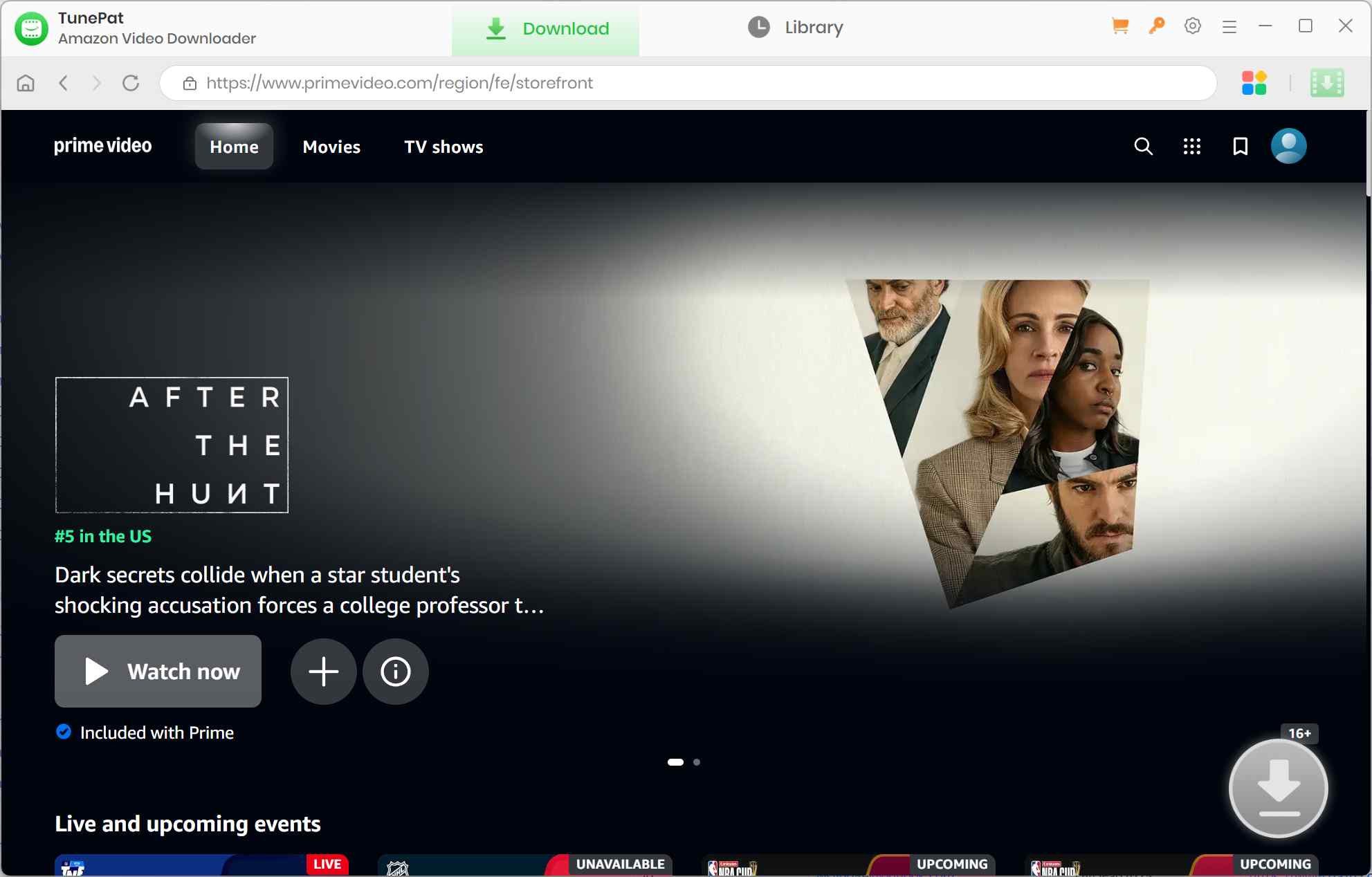
Find the video you want. Click on the green arrow, and move to Advanced Download to adjust resolution, audio, and subtitles to your interests.

Click the Download button to start. After downloading, find your saved videos in the Library and watch them offline.
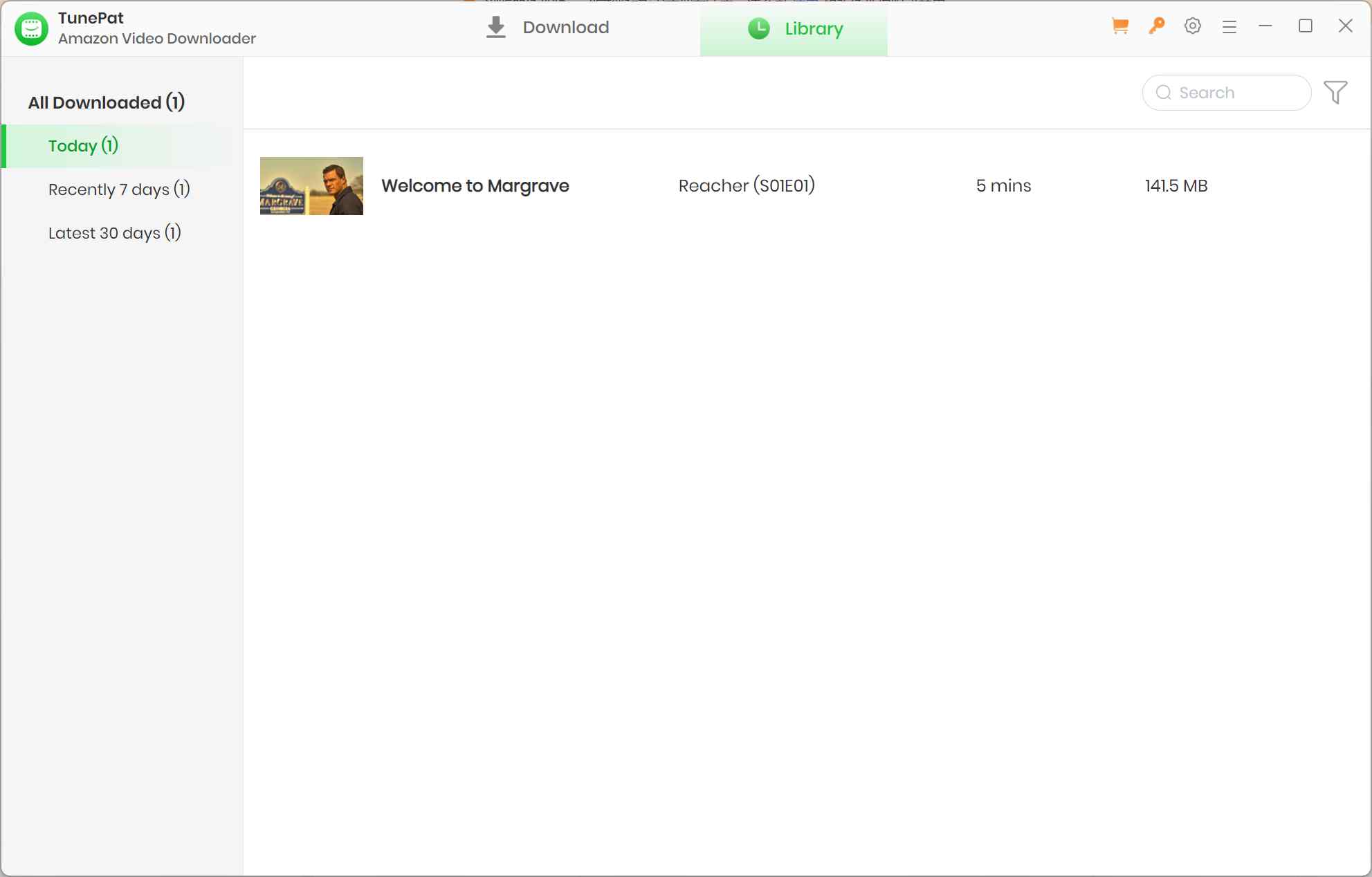
My takeaway from the workflow is that TunePat reduces the setup burden, but the real tradeoff is maintenance: a simple queue is fine when you download occasionally, yet it becomes a bottleneck when you need dependable episode management or archive controls.
TunePat vs StreamFab: Tested Fit
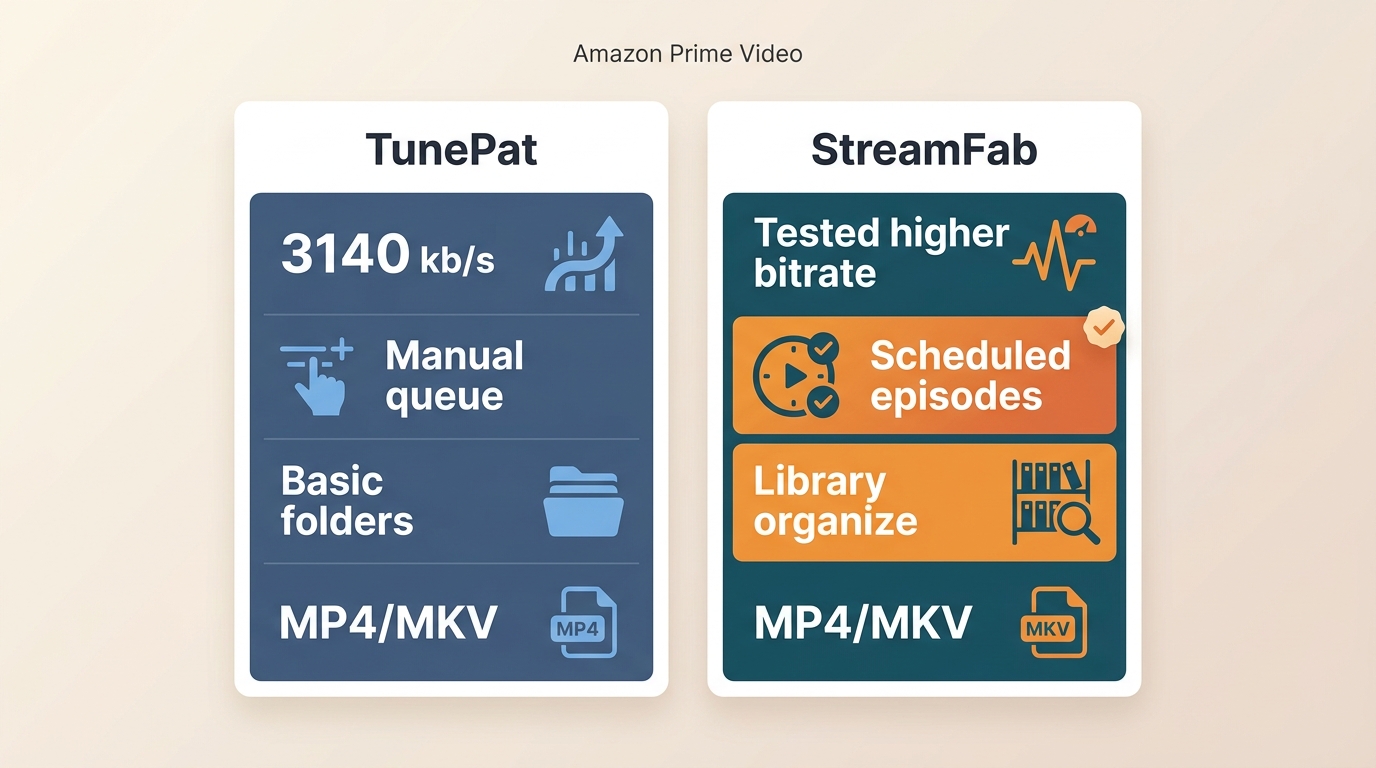
StreamFab Amazon Downloader is a desktop alternative to Prime Video’s official download feature for authorized personal offline viewing. The decision is not one-size-fits-all: TunePat remains the simpler Amazon-focused option, while StreamFab fits readers who place more weight on scheduling and archive organization. Readers considering more TunePat alternatives should compare those same practical criteria rather than defaulting to a feature-count contest.
| Decision point | TunePat Amazon Video Downloader | StreamFab Amazon Downloader |
|---|---|---|
| Measured bitrate in this article | 3,140 kb/s in the Reacher trial sample | Not measured in this article |
| Resolution context | 1080p observed; source plan, title, device, and Amazon restrictions matter | Up to 1080p, depending on source availability and account conditions |
| Audio and subtitles | EAC3 5.1 after manual selection; internal, external, and hard-coded subtitle options | EAC3 5.1 or AAC 2.0; selectable audio languages and downloadable subtitles |
| Queueing and scheduling | Queue-based batch behavior observed | Batch processing and scheduled episode downloads |
| Metadata and naming | Basic metadata; limited custom file-name structures observed | Metadata writing and archive-oriented organization tools |
| Trial and price status | 5–6 minute trial; US checkout price not independently confirmed | Free plan available with feature limits; no fixed price stated here |
| Best for | A simpler Amazon-focused workflow | Scheduled episodes and organized local libraries |
| Not ideal for | Readers who need stronger archive controls | Readers who want the least setup for occasional Prime Video use |

StreamFab Amazon Downloader supports up to 1080p Amazon output in MP4 or MKV, with selectable audio languages, subtitles, batch processing, and scheduled episode downloads for authorized personal offline viewing.
Scheduled episode downloads are the relevant StreamFab advantage here. For readers managing an ongoing series, StreamFab batch downloading can reduce repeated manual queueing, although current compatibility still depends on Amazon and the available title.
For Plex or Jellyfin users, the practical distinction is archive organization. TunePat’s naming flexibility was limited in this review, while StreamFab includes metadata writing and file-management controls that better suit a structured personal library.
Where StreamFab Fits Better
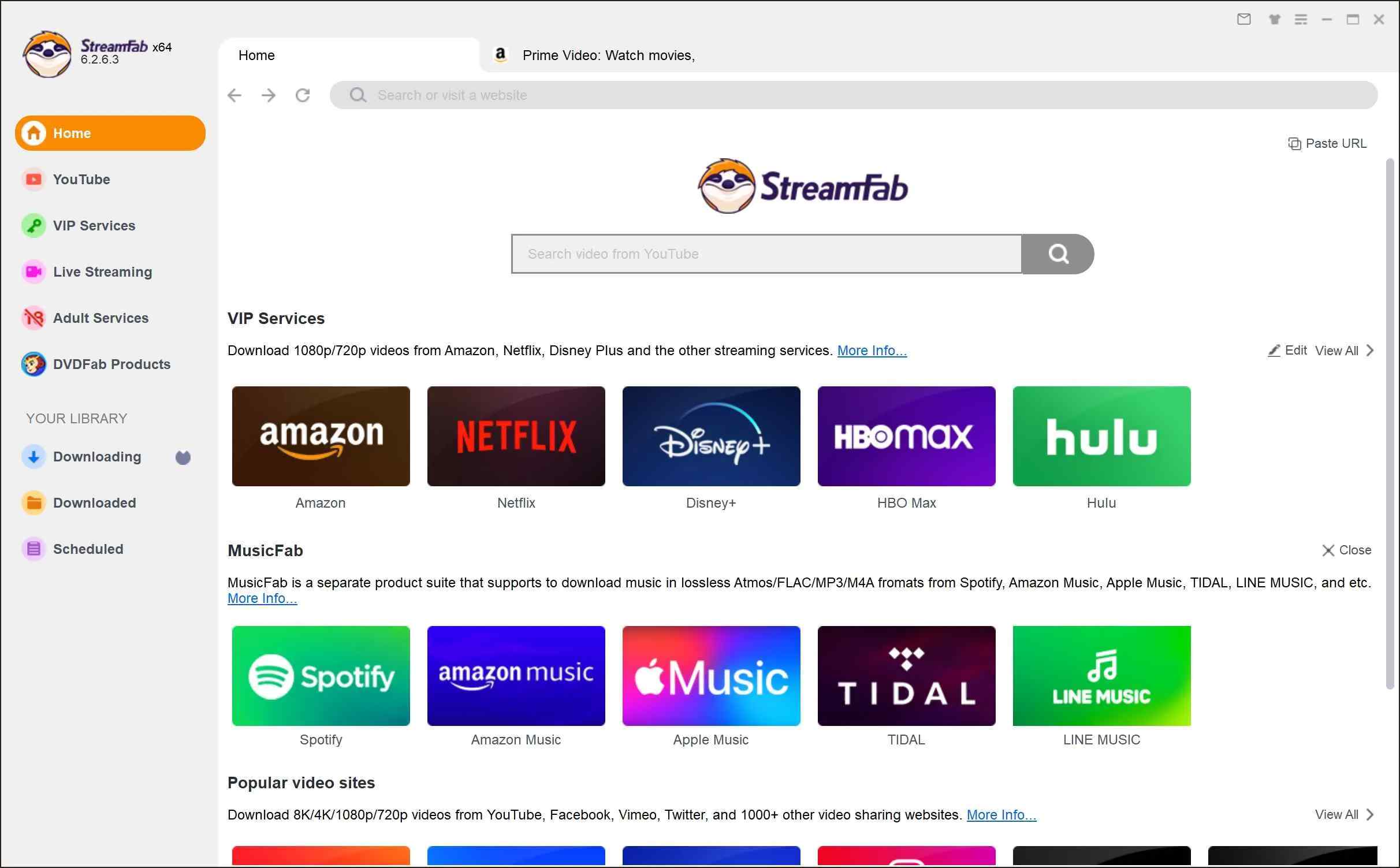
Locate the Amazon Prime website in the website list on the right side. Then, log in to your Amazon account using your authentic credentials.
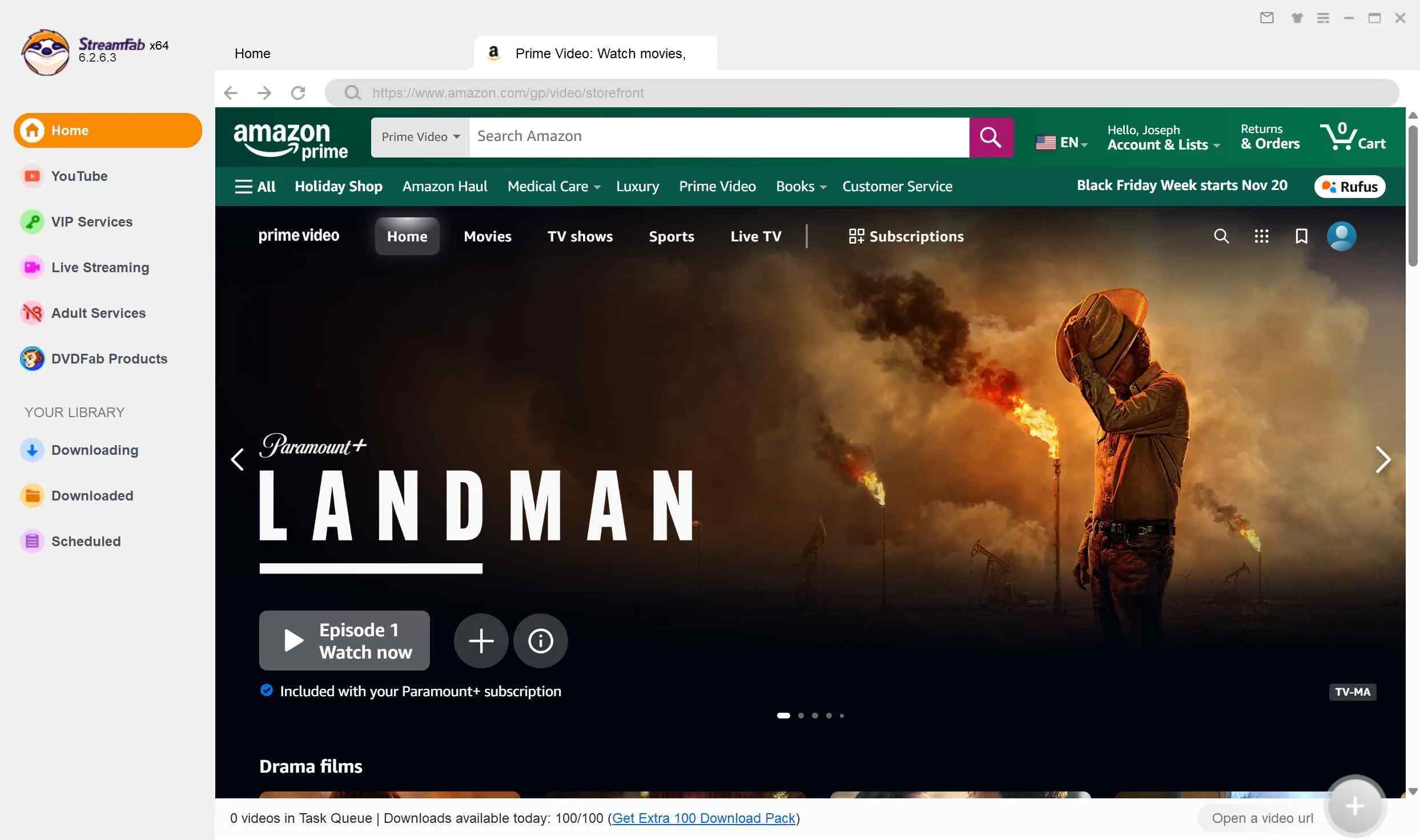
Search for the Amazon content you want to save for offline watching and play it for further customisation with quality, audio track, codec, etc.

After completing customisation, select the “Download” option to finish the process.

If scheduled episodes and library organization are your priority, the StreamFab workflow is worth considering. The comparison context is enough here; readers who need the operational details can see how to use StreamFab without turning this TunePat review into a second setup guide.
For either product, prioritize current compatibility updates and support response over a static public-review score. Streaming services change quickly, and maintenance quality becomes visible when a title or login workflow changes.
Frequently Asked Questions
Can using TunePat put my Amazon account at risk?
Whether TunePat is legit for your situation is separate from account behavior. No fixed behavior can guarantee that an account will avoid review, so separate software installation safety from account behavior and keep use limited to content you are authorized to access for personal offline viewing.
Why does TunePat report an unsupported format?
An outdated build, a temporary Amazon-side change, title-specific restrictions, or a delayed compatibility update can trigger this message. Updating the app and retrying may help, but it does not guarantee that every title will become available.
Does TunePat work with every Prime Video plan?
Available quality and download behavior can vary by title, account tier, supported device, current Amazon restrictions, and downloader compatibility. Source-plan limitations and downloader performance are related but not the same thing.
Why does TunePat download some titles below 1080p?
The 3,140 kb/s result in this review is one measured sample, not a universal limit. Title availability, account tier, device support, Amazon restrictions, and the downloader’s current compatibility can all affect the final result.
Final Verdict
TunePat Amazon Video Downloader is best for readers who want a simple, Amazon-focused desktop workflow and can accept a queue-based batch process. In this review, it produced a 3,140 kb/s file from the selected test sample, offered MP4/MKV output, and supported flexible subtitle handling. It is not ideal for buyers who need stronger archive organization or quicker recovery when Amazon-side changes interrupt compatibility.
The deciding issue is maintenance cost, not just the feature list. TunePat’s tested output and queue behavior are reasonable for occasional use; consider StreamFab Amazon Downloader when scheduled episodes and structured local-library management matter more. Keep either workflow within authorized personal offline viewing, where permitted by platform terms and applicable law.
- Choose TunePat if you want a straightforward Amazon-focused workflow and can work with queued downloads, title-dependent quality, and occasional compatibility updates.
- Consider StreamFab Amazon Downloader if scheduled episodes and organized local libraries matter more than minimizing setup.
Whichever workflow you choose, keep your use personal and authorized, and do not treat any tool as a guarantee against account or compatibility issues.
- Use this review to compare the tested workflow, output result, and ongoing maintenance demands before choosing a Prime Video desktop tool.
- Pricing: TunePat lists monthly, annual, and lifetime options, while the current US checkout price was not independently confirmed.
- Safety: Treat installation evidence as one consideration and keep security software active when installing any desktop app.
- Quality: This review observed a 3,140 kb/s output from the selected Reacher trial sample; other titles and account conditions can differ.
- Reliability: Current compatibility updates, support response, and authorized personal-use boundaries matter as much as the feature list.

AnyStream (RedFox AnyStream) shut down in June 2024 and remains gone in 2026. I tested every major replacement — here are the 5 best anystream alternatives, including free options, ranked by real-world performance.
By Erika Leen - Oct 12, 2026

Evaluating the Audials One 2026 free trial? I tested its 720p caps, examined if is audials legal under Fair Use
By Erika Leen - Sep 29, 2026

Are you thinking of purchasing NoteBurner and unsure if it’s worth the investment? In this NoteBurner review, let’s delve into its product lines, particularly the NoteBurner Video Downloader’s pros and cons.
By Marcia Hatcher - Sep 28, 2026

Read our in-depth Audials review for 2026. Is Audials safe and legal for Amazon Prime? Discover actual test results, Widevine DRM fixes, and better alternatives.
By Erika Leen - Sep 28, 2026