Video Downloader Plus Review 2026: Is the Chrome Extension Safe?

Summary: This review exposes the gap between Video Downloader Plus's marketing and its actual performance. Technical tests confirm the extension cannot process encrypted HLS streams found on major sites. Furthermore, the review critiques the lack of a free trial, forcing users to pay blindly for functionality that may not work on complex websites.
Table of Contents
Here’s the short answer: Video Downloader Plus is not one product. This review covers Vidow’s Chrome extension, and its safety depends on the exact store ID, permissions, data disclosures, update history, and site-specific results. The key conclusion is that shared names do not establish trust or capability.
This guide identifies the Vidow listing first, then examines safety disclosures, current feature claims, site observations, pricing, setup, common failures, and the point at which a desktop workflow makes more sense. Readers comparing broader video downloader for Chrome extensions should treat this as a single-product audit.
Which Video Downloader Plus Is Reviewed?
This review covers the Vidow Video Downloader Plus Chrome extension with store ID hkdmdpdhfaamhgaojpelccmeehpfljgf. Claims attached to another Chrome ID, Edge listing, Android package, or desktop app do not describe the same product.
That distinction is the foundation of a useful review because safety, price, and capability claims become unreliable when they are assigned by name alone.
Store ID, Developer, and Listed Version
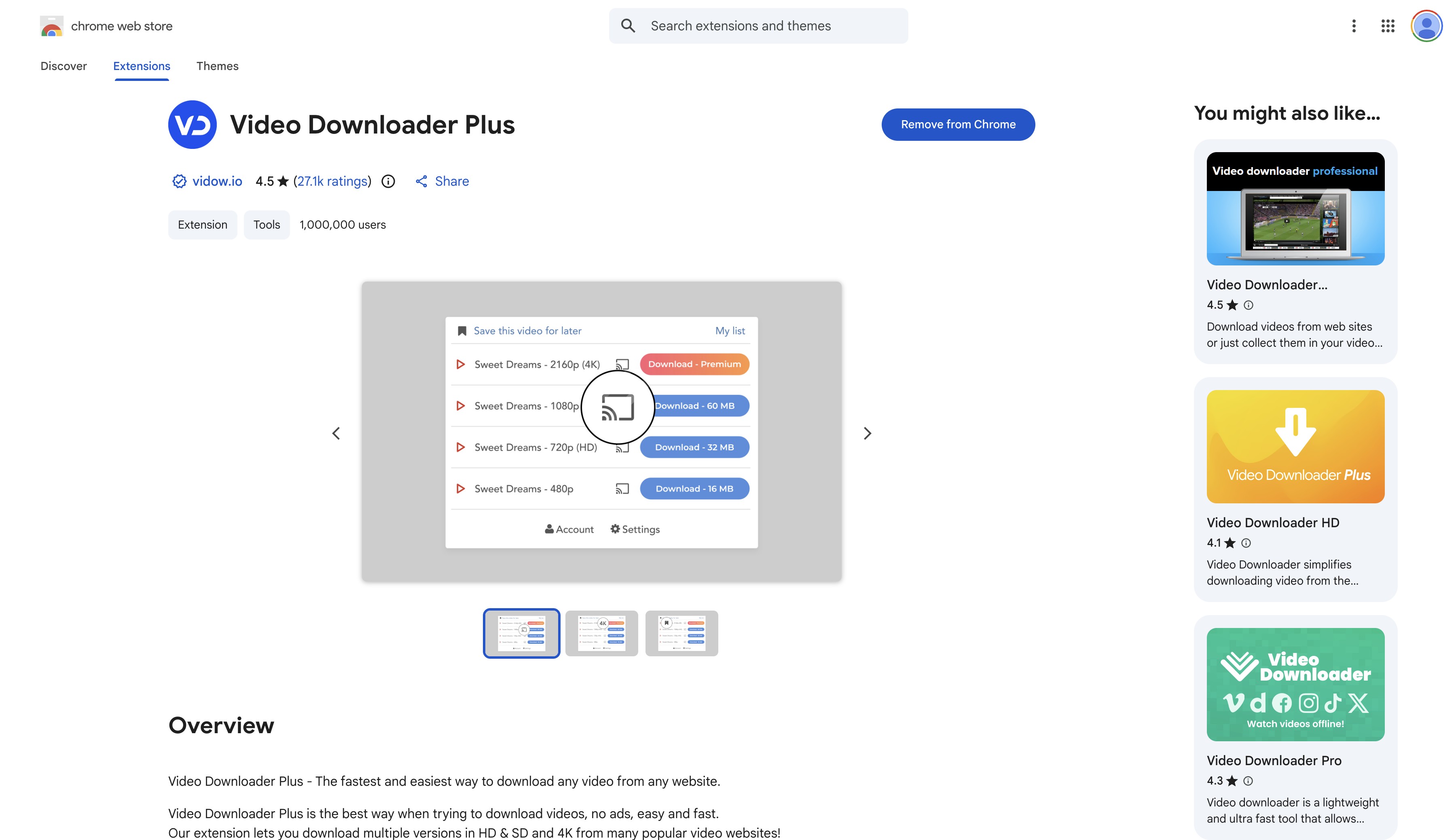
The confirmed listing names vidow.io as the developer, shows version 4.0.0, and records an April 22, 2026 update. The Chrome Web Store also marks the publisher as the owner of the listed website and says the extension follows recommended practices.
Similar Names to Avoid Confusing
The Video Downloader Plus official website for the reviewed extension is associated with Vidow. The similarly named desktop app is unrelated; readers researching that product can use this 4K Video Downloader Plus review without mixing its price or features into the Chrome-extension verdict.
| Entity | Platform or store ID | Status | Key distinction |
|---|---|---|---|
| Video Downloader Plus by Vidow | Chrome hkdmdpdhfaamhgaojpelccmeehpfljgf | Active, v4.0.0 | Reviewed listing |
| Video Downloader PLUS | Chrome njgehaondchbmjmajphnhlojfnbfokng | Stale listing | Separate extension |
| Video Downloader Plus | Edge cnbnfjhmdaflilgadocmfindhmcfpfnc | Separate listing | Different store record |
| Video Downloader Plus by Inzo Dev | Android com.Videodownloaderplus | Separate app | Mobile product |
| 4K Video Downloader Plus | Desktop app | Separate product | Not this extension |
Safety Depends on the Exact Extension
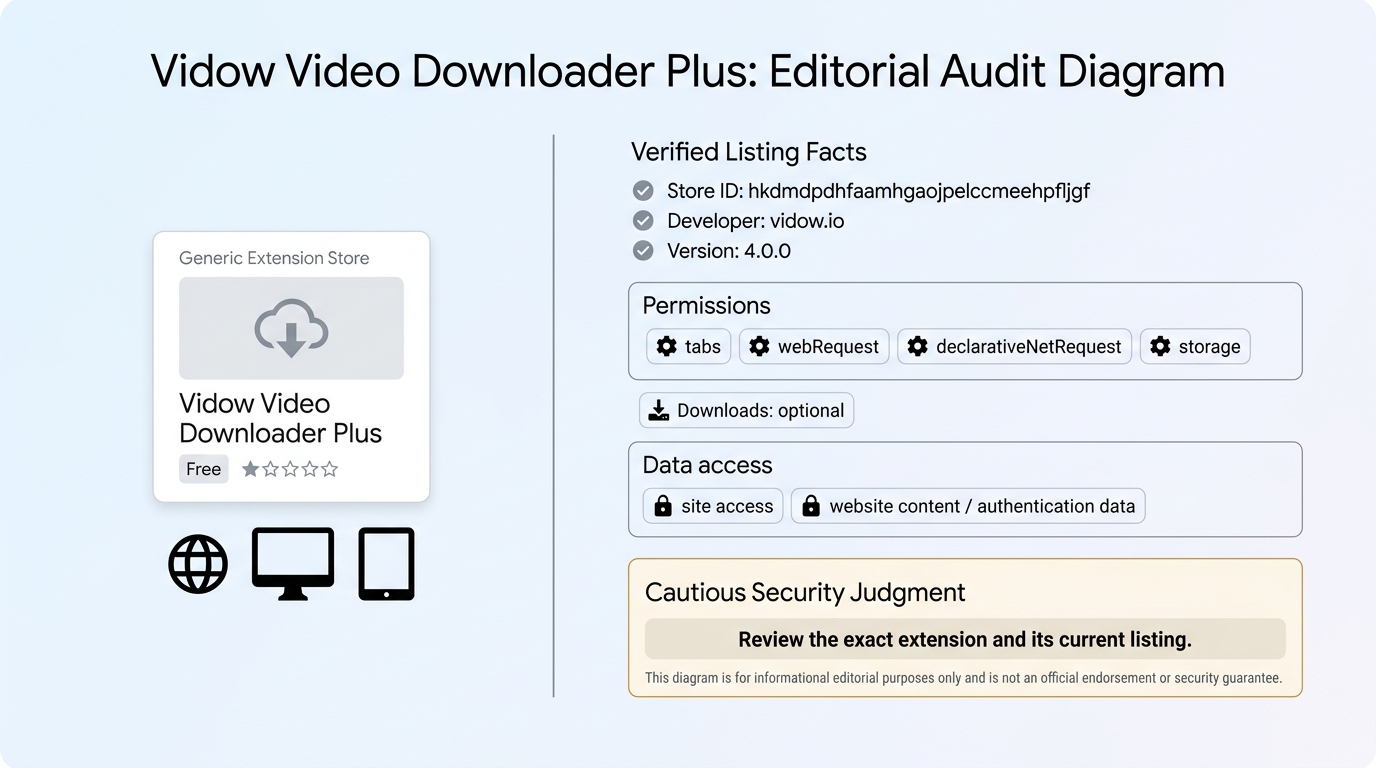
The current store disclosure does not justify a blanket “safe” label. A practical safety decision should be tied to the reviewed ID, its permissions, declared data handling, developer identity, update date, and whether extra software is required.
Permissions and Data Handling
Video Downloader Plus permissions for version 4.0.0 include tabs, webRequest, declarativeNetRequest, and storage, with downloads listed as optional. Its manifest also requests access across websites, which is relevant because detection happens on the pages you visit.
- Declared data types: authentication information and website content.
- Developer declarations: data is not sold outside approved use cases, used for unrelated purposes, or used for lending decisions.
- Browsing history: not listed in the current Vidow disclosure.
- Desktop companion: the current listing and manifest do not state that one is required.
My judgment is cautious rather than alarmist: these permissions are understandable for media detection, but broad website access deserves the same scrutiny you would give any extension that can observe page activity.
What Historical Reports Do and Do Not Prove
Historical security reports about a same-name downloader show why the store ID matters. Video Downloader Plus safety cannot be inherited from another product’s report, particularly when the developer, manifest, permissions, and update history differ.

Current Features and Historical Observations
The current listing claims HLS, DASH, and MP4 detection, format and quality selection, audio-video merging, cloud saving, and live recording. Available features can vary by site, browser policy, extension version, and account tier.
For a typical user, the result that matters is whether the installed build detects the intended site and produces a usable file, not how broad the store description sounds.
Official Claims by Version
The version 4.0.0 description explains how Video Downloader Plus works: open a playable page, wait for the icon to activate, choose an available format and quality, then save locally or to supported cloud storage. It also says YouTube is unsupported under Chrome Web Store rules.
The listing claims support for segmented delivery as well as direct files. That claim should be treated as a capability statement for version 4.0.0, not as a reproduced result for every site.
Historical Screenshots From an Unidentified Build
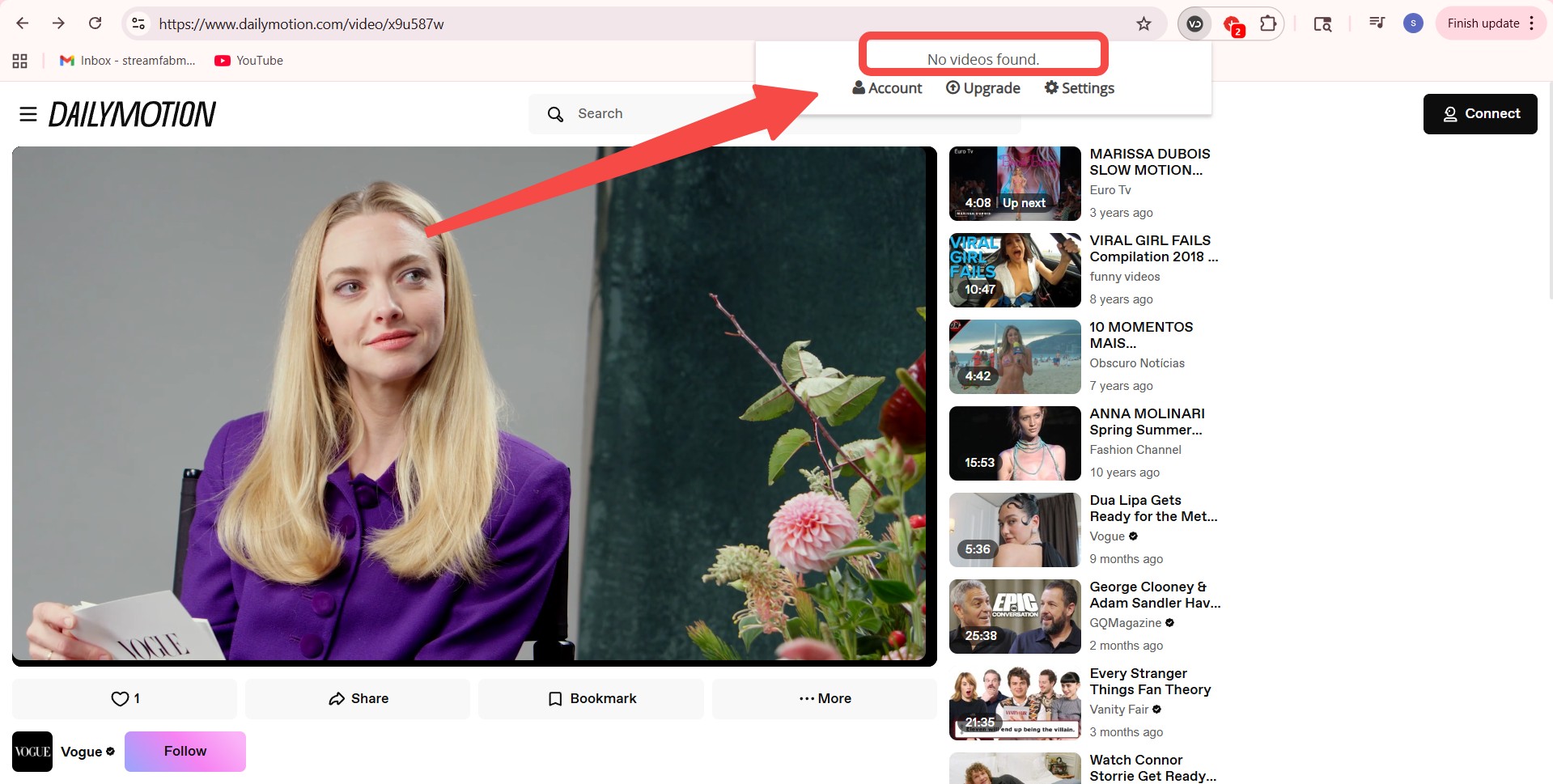
The following screenshots are historical observations from an unidentified build. They show what appeared in those captures and do not establish current performance for the Vidow listing.
Historical Dailymotion Screenshot: “No Media Found”
The captured Dailymotion screen shows an empty media list for a video page.
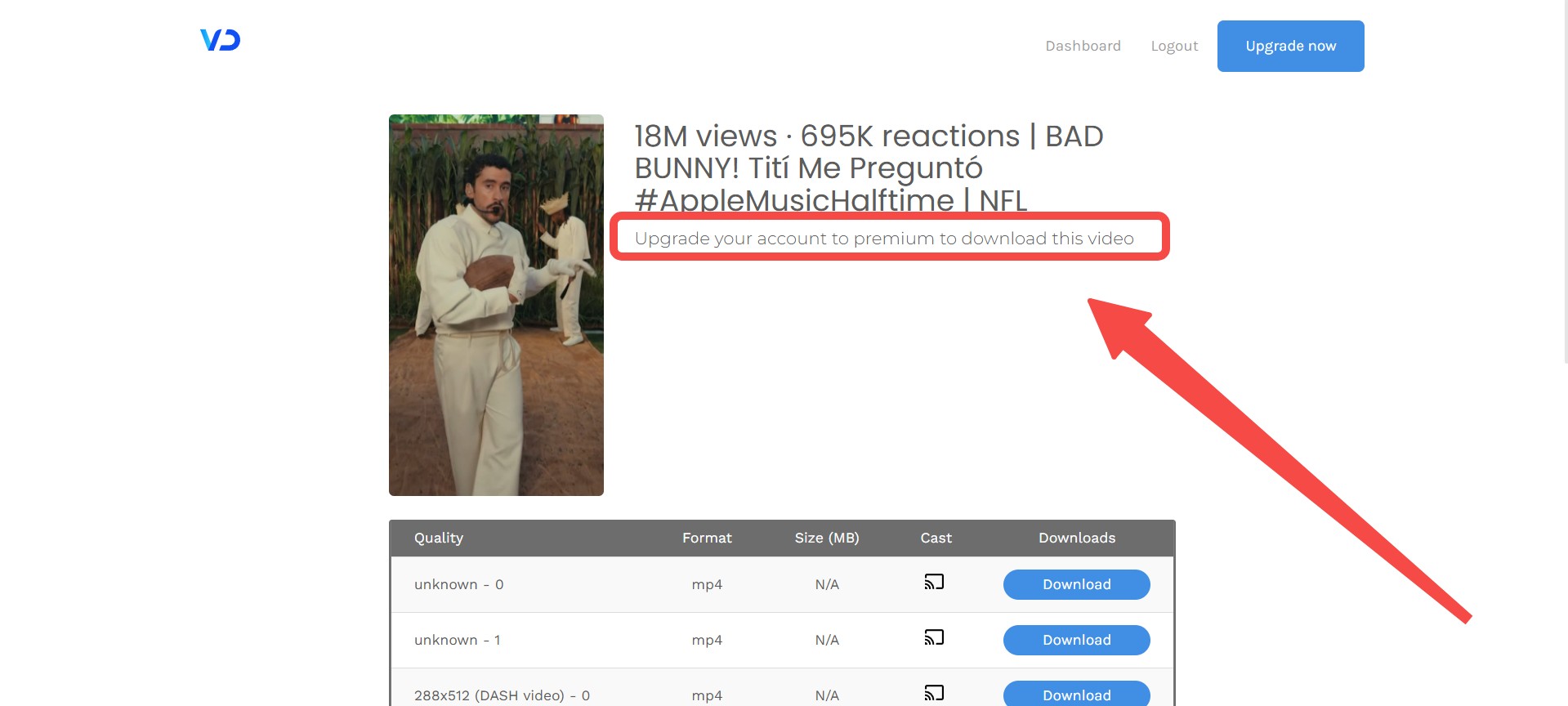
The historical Facebook screenshot shows a premium prompt after a 1080p option appeared.
Patterns in User Feedback
A Video Downloader Plus review on Reddit or another forum often raises four recurring concerns: a downloader suddenly stops detecting media, useful options sit behind a premium gate, an unexpected companion request reduces trust, or permissions feel broader than the task requires.
Those patterns help frame questions, but comments about another downloader or another store ID cannot be assigned to this Vidow extension. The most useful user report names the ID, version, browser, site, and visible error.
Price, Free Limits, and Trial Terms
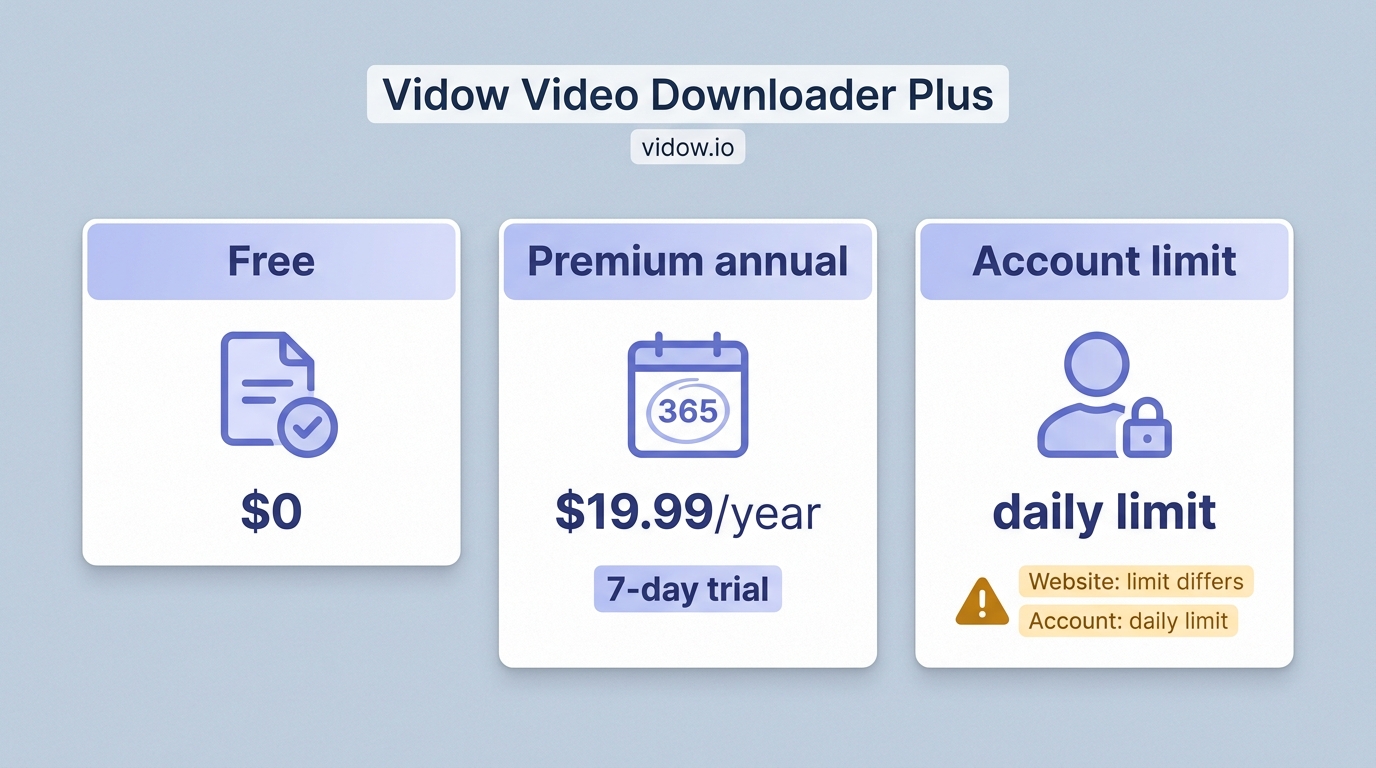
Video Downloader Plus pricing includes a free tier and a seven-day Premium trial. The annual plan is listed at $19.99, while the developer’s pages describe the free Video Downloader Plus allowance in different ways.
| Plan type | Free allowance | Trial | Billed price | Official source |
|---|---|---|---|---|
| Free | Conflicting official limits | Not required | $0 | Vidow pages |
| Premium annual | Premium limits | 7 days | $19.99 yearly | Vidow pricing |
| Other paid terms | Plan dependent | Varies by offer | Not used here | Vidow pricing |
Pricing note: Vidow’s pricing page (https://vidow.io/pricing), as of August 2026. One official description says standard-quality saves are described without a stated cap, alongside a daily HLS/DASH allowance, while account data shows a daily free limit.
That inconsistency matters more than the marketing label. A reader deciding on value should know which limit appears in the account before treating “free” as an unrestricted workflow.
Using the Chrome Extension Step by Step
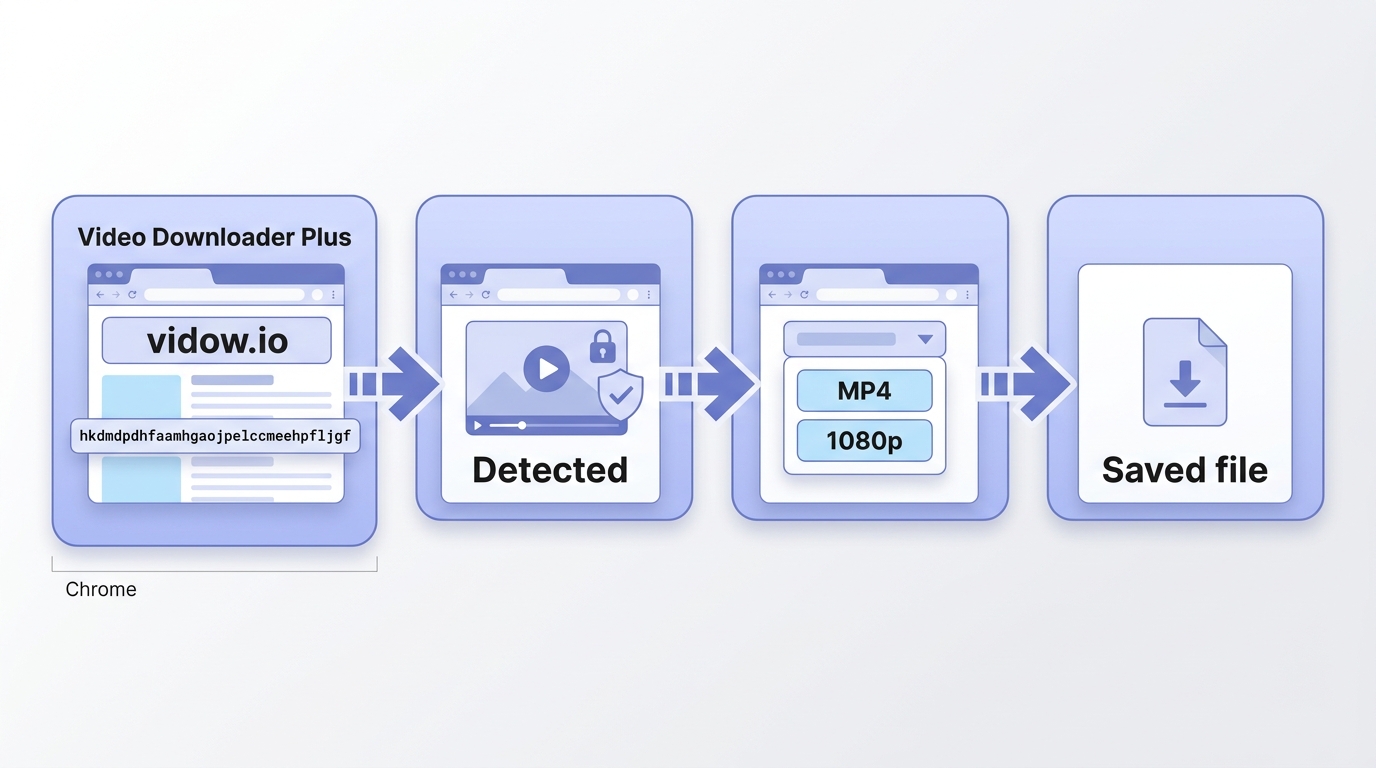
If you are asking how to use Video Downloader Plus, start by confirming the store ID. The workflow is short, but detection and available quality still depend on the site, browser policy, extension version, and account tier.
Install and Confirm the Listing
- Open the Chrome Web Store listing and confirm ID hkdmdpdhfaamhgaojpelccmeehpfljgf.
- Check that the developer is vidow.io and review the requested permissions.
- Install the extension, then pin its icon so detection status remains visible.
Detect, Select, and Save a Video
- Open a video you are authorized to save and start playback.
- Wait for the extension icon to show that media has been detected.
- Open the result list and choose an available format and quality.
- Select local saving or an offered cloud destination, then confirm the file opens correctly.
Troubleshoot an Empty Download List
- Reload the page and play the video for several seconds.
- Confirm the extension is enabled for that site and that its optional download permission is available.
- Sign in if the site or Vidow account requires it, then check whether the format sits behind a paid tier.
- Test another permitted page to separate a site-specific change from a broader extension failure.
A Video Downloader Plus not working report can mean unsupported delivery, changed site code, missing permission, an account gate, or a defective build. An empty list alone does not identify which cause applies.
The decisive check comes at the end: open the saved file rather than assuming a completed transfer produced a usable result.
Why Downloads Fail on Some Sites
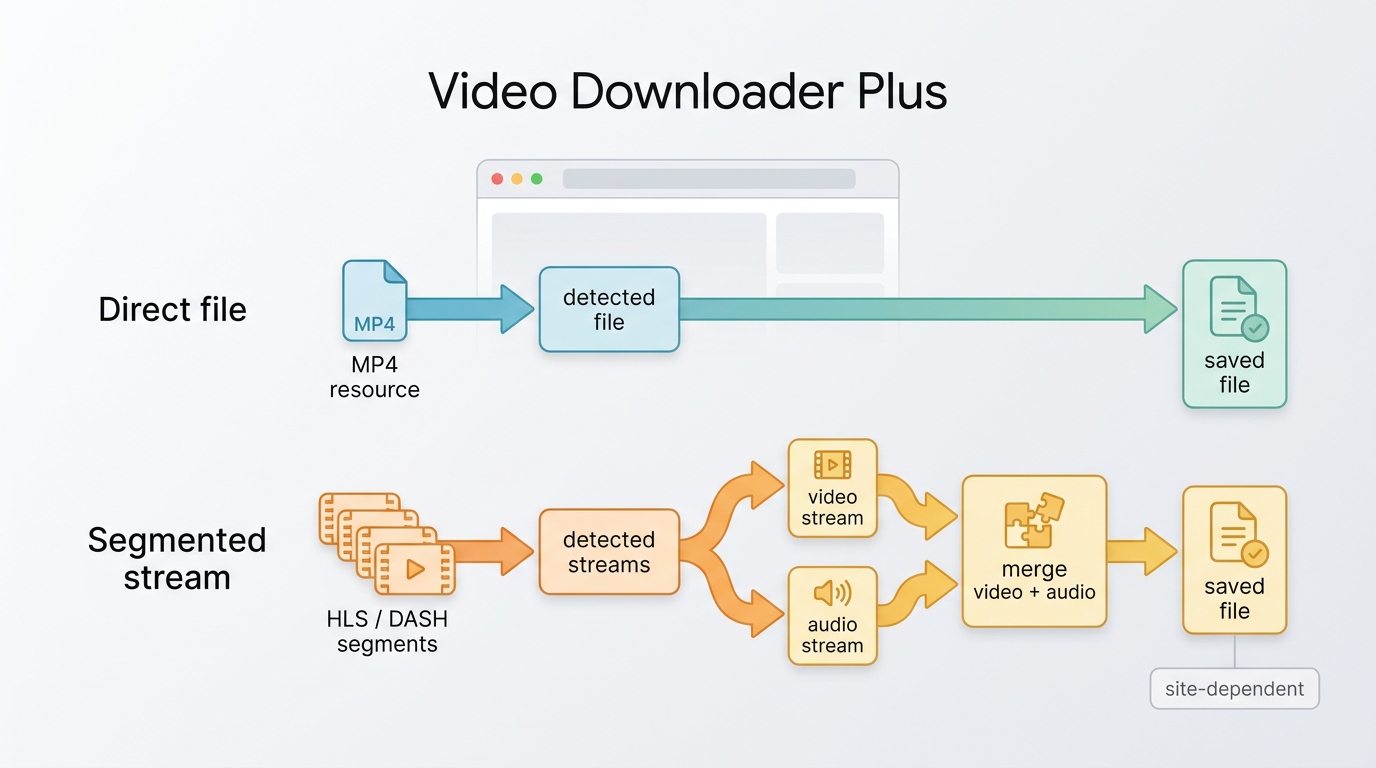
Video Downloader Plus HLS support can vary by site because websites deliver media differently and browsers restrict what extensions can observe or save. A specific page may still fail after a player, URL, authentication, or browser-policy change.
In practice, a site-specific result is more informative than an any-site slogan.
Direct Files Versus Segmented Streams
A direct file exposes one media resource, while HLS and DASH segmented streams deliver an index plus many smaller media parts, sometimes with audio and video separated. Detection, selection, and assembly therefore require different handling.
The current listing claims HLS and DASH support, so a failed historical session does not prove that version 4.0.0 recognizes direct MP4 files alone. It proves that the unidentified build did not produce a usable result in those captured cases.
Site Policies, Browser Changes, and Version Drift
A site can alter its player, authentication flow, or delivery URLs without changing the visible page. Chrome can also revise extension rules. These shifts explain why a previously working download may stop and why a YouTube video downloader plus search can lead to the wrong expectation.
For the confirmed Vidow listing, YouTube is excluded by the extension’s current description. That is a stated platform-policy limit, not evidence that every other site will work.
When a Desktop Downloader Fits Better
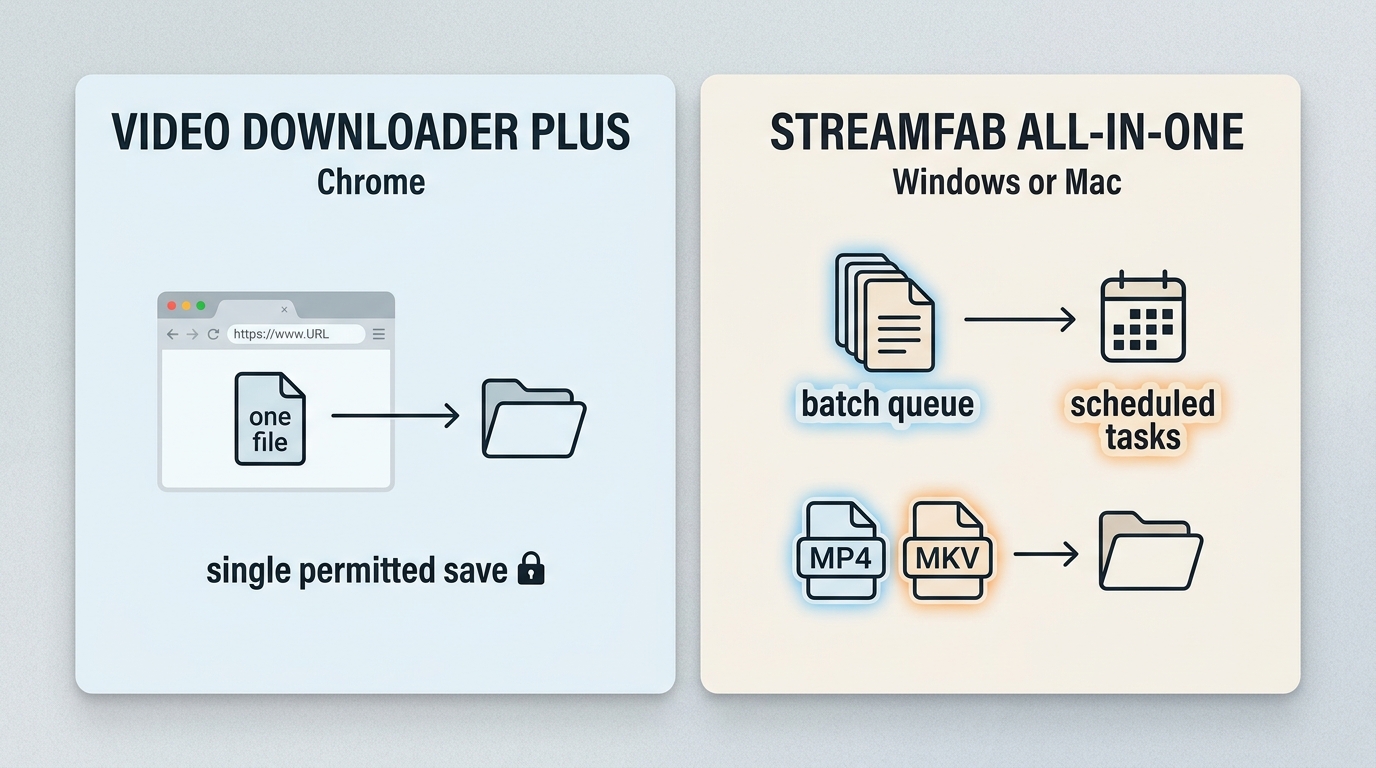
For content you’re authorized to access, where permitted by platform terms and applicable law, StreamFab All-In-One is a desktop alternative to official platform downloads and browser extensions. It runs on Windows and Mac and supports MP4 or MKV output, batch downloads, and scheduled tasks for local-file workflows.
Best Fit for Repeat and Batch Jobs
It fits readers who need repeat jobs across supported streaming services. Quality and availability depend on the service and plan.

- Directly save videos right inside your browser, with easy, quick, and safe access.
- Download videos in up to 1080p/4k/8k from 1,000+ websites without quality loss.
- Archive videos as MP4 or MKV for smooth playback on any device.
- Flexible output options on video codec and subtitles based on your preference.
- Output formats: MP4 and MKV for local playback workflows.
- Queue handling: Batch downloads and scheduled tasks for repeat jobs.
- Platform coverage: Verified support spans major streaming services without an any-site guarantee.
- Practical limit: Available quality and features depend on the service and subscription plan.
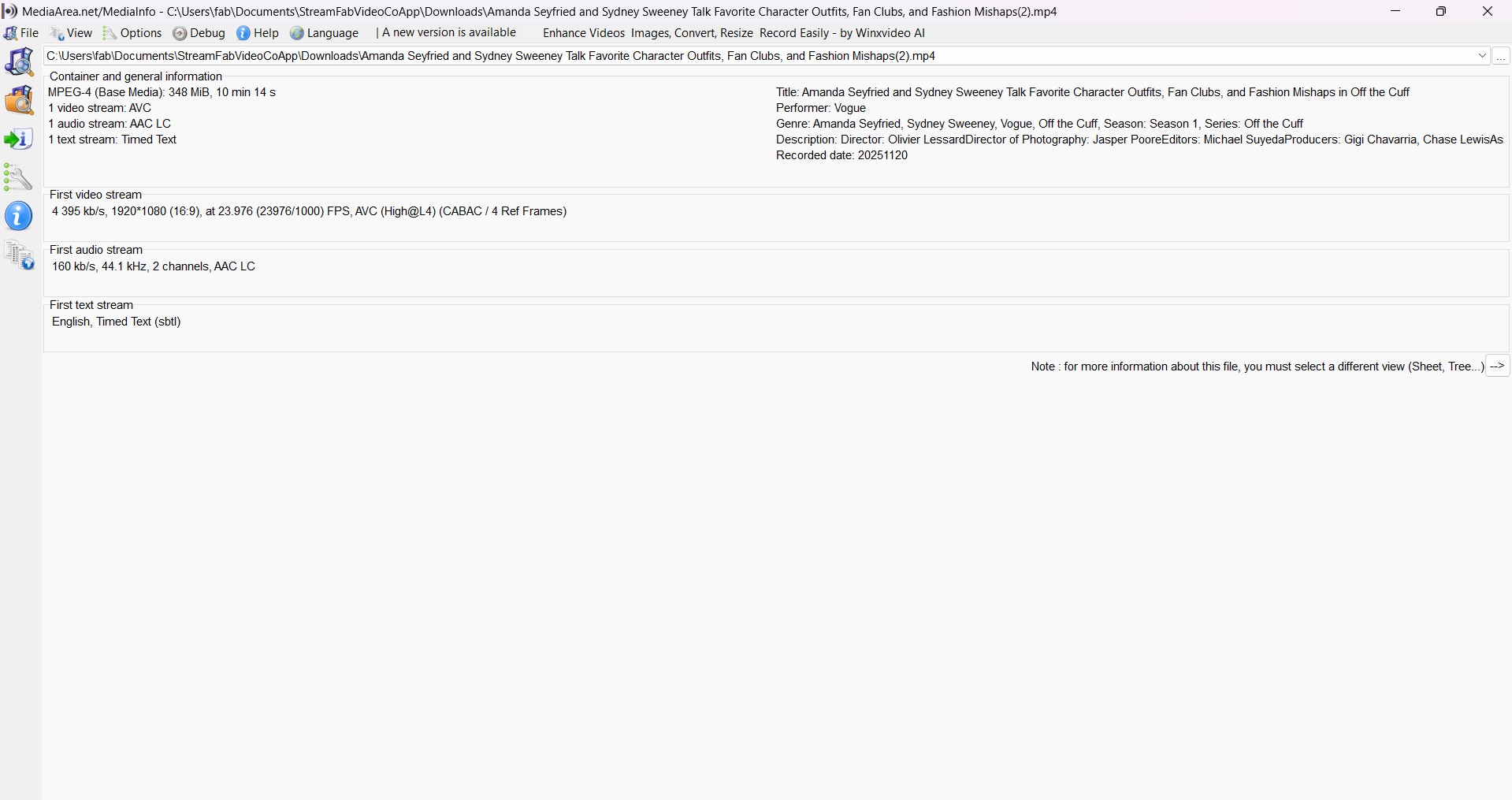
The StreamFab for Browser product page covers the separate browser-focused product illustrated below. Those images do not represent the StreamFab All-In-One desktop workflow discussed in this section.
Who Should Skip This Option
A desktop downloader is less suitable for someone who needs an occasional direct-file save, does not want to install desktop software, or prefers a browser-only workflow. It also does not replace the need for an active service subscription and authorized personal use.
The practical choice is based on frequency and control: use a lightweight extension for simple occasional tasks, and consider a desktop queue when repeat jobs and local-file organization justify the extra setup.
Frequently Asked Questions
Can Video Downloader Plus download YouTube videos?
No, not under the current Vidow Chrome listing. Its description says YouTube downloading is unsupported because of Chrome Web Store rules. A “YouTube video downloader plus” search may surface other products, so confirm the store ID before relying on a result.
What should I check before granting this extension permissions?
Check the developer, store ID, version, update date, requested permissions, data-use disclosure, recent reviews, and whether a desktop companion is required. For this listing, broad website access and website-content handling deserve particular attention.
Does an empty download list mean the extension is broken?
Not necessarily. It may reflect a site change, unsupported delivery, missing site access, an account or premium gate, or a build problem. Follow the numbered troubleshooting steps and compare another permitted page before drawing a broader conclusion.
Conclusion on Video Downloader Plus
This Video Downloader Plus review finds the Vidow extension suited to occasional Chrome users who accept its permissions and account limits. The question “is Video Downloader Plus safe?” still requires a personal judgment about broad site access and the declared handling of website content.
My editorial judgment is that identity and current disclosures matter more than a shared product name: version 4.0.0 advertises broader capabilities than the historical screenshots document, so its fit should be judged by the specific site, browser, account tier, and task.
For repeat desktop jobs, a desktop workflow is a better fit when batch queues, scheduled tasks, and MP4 or MKV local-file output matter more than a browser-only workflow.



Evaluating the Audials One 2026 free trial? I tested its 720p caps, examined if is audials legal under Fair Use
By Erika Leen - Sep 29, 2026

Are you thinking of purchasing NoteBurner and unsure if it’s worth the investment? In this NoteBurner review, let’s delve into its product lines, particularly the NoteBurner Video Downloader’s pros and cons.
By Marcia Hatcher - Sep 28, 2026

Read our in-depth Audials review for 2026. Is Audials safe and legal for Amazon Prime? Discover actual test results, Widevine DRM fixes, and better alternatives.
By Erika Leen - Sep 28, 2026
TuneFab’s Amazon downloader suits a focused desktop routine, while VideOne covers multiple services. Compare their workflows, license structures, and output checks with StreamFab, then use the numbered setup and maintenance steps for authorized personal offline viewing.
By Erika Leen - Sep 24, 2026