
Best Video Downloader Extensions for Chrome 2026: 7 Tools Tested After Manifest

Summary: Tested 7 Chrome video downloader extensions in 2026 after Manifest V3 forced updates. Find which free and paid extensions still capture YouTube, Vimeo & streaming video without audio loss.
As of June 2026, testing video downloader extensions for Chrome has become a genuinely different experience than it was even eighteen months ago. Chrome Manifest V3 enforcement completed its final phase in early 2026, eliminating the web Request blocking API that most traffic-sniffing extensions depended on. Combined with tighter DRM handshake enforcement on major streaming platforms, roughly half the extensions that worked reliably in 2024 now either fail silently, miss audio tracks, or have been pulled from the Chrome Web Store entirely.
This guide documents what actually happened when installing and running each of the 7 most-discussed video downloader extensions for Chrome in a real environment in June 2026 — not what their store pages claim.

Chrome Video Downloader Extensions in 2026: The Manifest V3 Reality Check
Here's the short answer up front: of the roughly dozen video downloader extensions that mattered in 2024, only a handful still work end-to-end on Chrome in 2026 — and the split between which ones survived and which quietly broke comes down almost entirely to how each team responded to Manifest V3. That's the thread running through this whole guide.
Manifest V3 is Chrome's extension platform overhaul that replaced the old declarativeNetRequest-incompatible APIs. For video downloader extensions, the practical consequence is that any extension which previously used blocking web Request listeners to intercept media responses can no longer do so under the standard MV3 ruleset. Some developers rebuilt their extensions with service workers and side-panel APIs; others abandoned updates entirely—a few well-known names (Flash Video Downloader clones, older Video Downloader Ultimate builds, and several generic "one-click" sniffers) either lost their capture ability after the January 2026 final cutoff or were removed from the Chrome Web Store outright for failing to migrate.
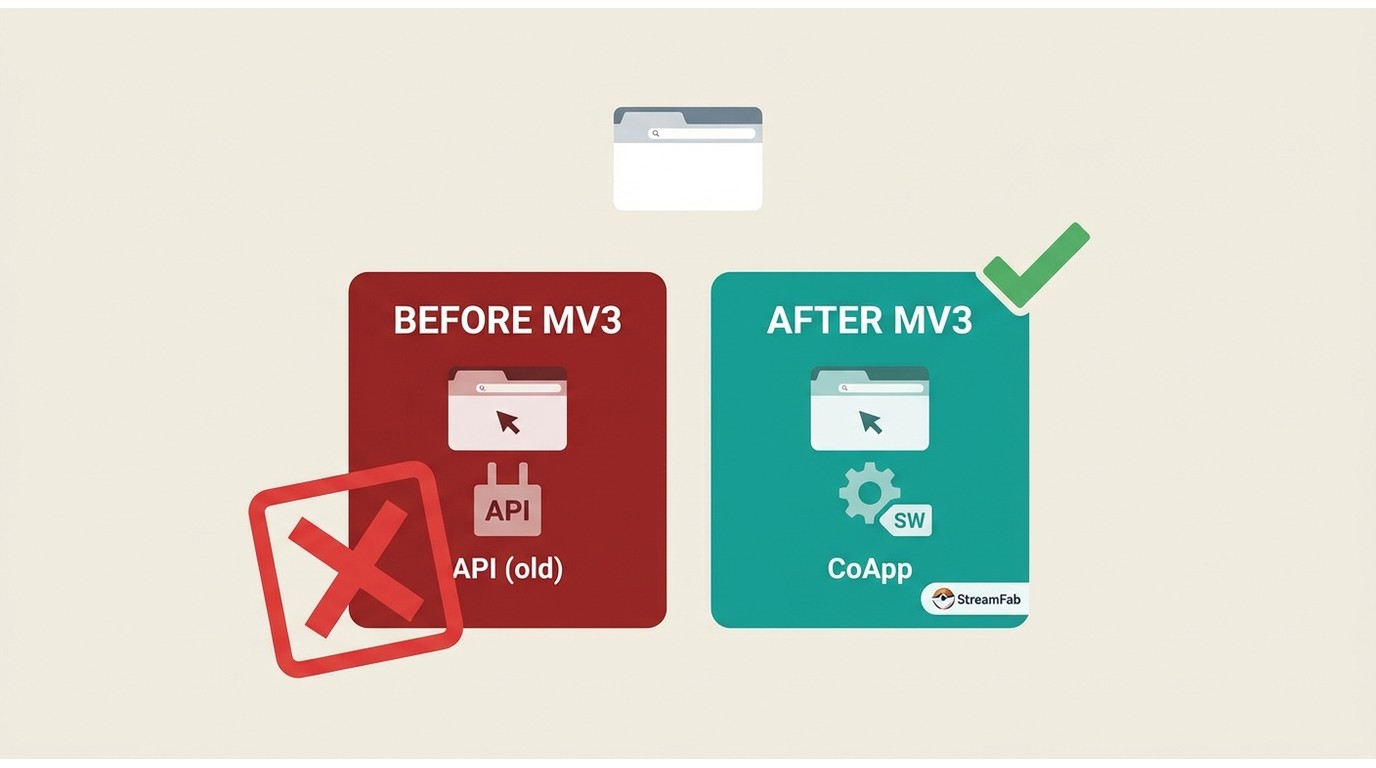
The Chrome Web Store enforcement deadline passed in June 2025, meaning any extension still listed today has nominally declared MV3 compatibility — but declaration and functional compatibility are two different things, especially when a site's player triggers a DRM handshake at the CDN level rather than serving a plain media URL.
Beyond MV3, a second pressure point is the DRM handshake itself. Sites like YouTube, Vimeo Premium, and most subscription streaming services now enforce Widevine L1 or L3 at the key exchange stage. A browser extension operating inside the Chrome sandbox never gets access to the protected media path; it only sees encrypted segments. This architectural gap is why most free Chrome extensions that "detect" streaming video are picking up the manifest or playlist file rather than a playable copy—and why downloads from those tools frequently arrive with no audio, partial segments, or a black screen.
Why No Chrome Extension Can Download YouTube
Before going into the tool-by-tool tests, one thing needs stating plainly, because it's the single most common source of confusion I see in reader questions: the Chrome Web Store developer program policy prohibits extensions whose primary purpose is downloading YouTube videos. That's a store-level rule, not a technical limitation of Chrome itself. Any extension listed today that advertises "YouTube download" as a pure in-browser feature is either misrepresenting what it does or is at risk of removal.
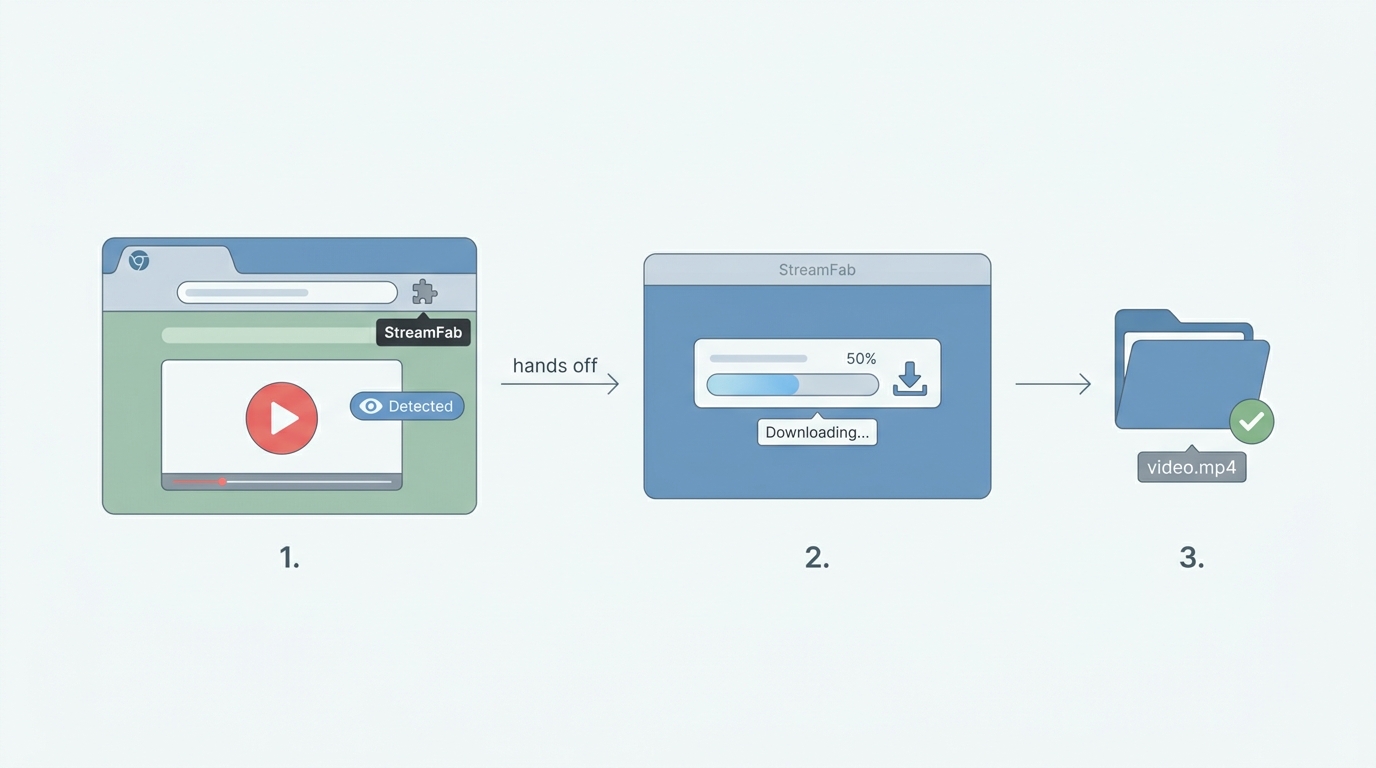
What some tools do instead is split the work in two. The Chrome extension only detects the video on the page and hands the request off; a separate desktop component installed alongside it performs the actual capture, audio/video merge, and file write outside the browser sandbox. That's a materially different architecture from "the extension downloads YouTube," and it's why a compliant Chrome extension can still be part of a workflow that ends with a saved file—for content you're authorized to access, where permitted by the platform's terms and applicable law. StreamFab for Browser is the example you'll see later in this list.
Top 7 Video Downloader Extensions for Chrome — 2026 Real Tests
How We Tested These Extensions (2026)
As an editor who spends most workdays wrangling video content across several platforms, I wanted the shortlist below to reflect what actually happens on a normal user's machine—not synthetic benchmarks. So each extension went onto a clean Chrome profile in June 2026, on the same laptop, against the same set of URLs (a public 8K YouTube upload, a public 4K Vimeo video, an unprotected HLS live stream sample, and a generic HTML5-embedded MP4 on a news site). I scored each one on five dimensions that matter after Manifest V3:
- Manifest V3 support—does it actually work post-2026 cutoff, not just declare compatibility
- DRM / streaming site coverage — what happens on YouTube, Vimeo, subscription platforms
- Maximum output quality — resolution ceiling and HDR handling
- Audio capture—does the file arrive with a matched audio track
- Price — free, freemium, or paid, and how the paywall behaves
After completing all seven tests, the overall picture is clear: Manifest V3-compatible extensions divide sharply between those that rebuilt their capture pipeline around a desktop component (StreamFab for Browser and IDM Integration Module) and those that rely purely on in-browser interception (Video DownloadHelper, CocoCut, FetchV, Video Downloader Professional, and Video Downloader Plus). The desktop-assisted tools consistently perform better on quality ceilings and modern adaptive streams, while the pure-extension tools remain useful for unprotected video from standard web players. Test environment details are listed below.

- Windows 11 laptop with Intel Core i7 CPU and 16 GB RAM
- Latest stable version of Google Chrome, no experimental flags enabled
- 200 Mbps home Wi-Fi with low latency
- No VPNs or proxy extensions used
Note: Quality and site support always depend on how each website delivers its streams and on Chrome's current extension policies.
Since StreamFab for Browser and IDM are the only two Chrome extensions in this list capable of downloading YouTube videos, their download quality is demonstrated using an 8K YouTube video, while the other extensions are compared by downloading a 4K-quality video from Vimeo.

1. StreamFab for Browser — Best for Protected & Streaming Video
StreamFab for Browser is the Chrome (and Edge) extension from the StreamFab ecosystem, and it's the concrete example of the split-architecture pattern I described above. The extension itself is Web Store compliant — it detects video on the page and drives the UI, nothing more. The actual stream capture and audio/video merge happen in a small desktop component ("CoApp") that runs outside Chrome's sandbox. That separation is what makes an 8K YouTube save possible from a browser-initiated workflow without violating the Web Store's rule against pure YouTube-download extensions, and it's the same reason the tool is unaffected by the Manifest V3 clampdown on in-browser interception. As with any archiving tool, use it for content you're authorized to access under the platform's terms and applicable law.

A browser-assisted downloader for Chrome and Edge that works with protected and adaptive streaming workflows through a desktop companion.
- Integrates with the StreamFab engine, which is stable for long or adaptive streams (HLS, DASH, and HTML5 players).
- Detects multiple videos on the page and lets you pick what to save.
- Interface is cleaner than many third-party plugins stuffed with ads.
- Up to 8K UHD with HDR-quality output.
- Supports common and 360° VR YouTube video downloads.
- Manifest V3 compatible by design—because the capture runs in the desktop CoApp, the MV3 transition did not affect its core workflow.
- Requires installing an extra desktop component, which may feel heavier than "pure" extensions.

2. Internet Download Manager (IDM) — Best for Batch Downloads
Internet Download Manager (IDM) is primarily a Windows desktop application, but it integrates tightly with Chrome via the IDM Integration Module. Once configured, IDM can intercept many video streams and offer to download them directly through the desktop client. The integration module was updated in late 2025 to declare MV3 compatibility, though its core capture logic still routes through the desktop application rather than operating inside the Chrome sandbox—a design that, like StreamFab's approach, sidesteps the most disruptive MV3 restrictions.

- Excellent download speed and resume capability for large files.
- Can capture multiple formats simultaneously with queue management.
- Wide site compatibility for standard HTTP/HTTPS video sources.
- Windows-only, no macOS support.
- Paid software (trial available).
- Can struggle with modern adaptive HLS stream capture and DASH segmented delivery.
3. Video DownloadHelper — Best Free All-Rounder (MV3 Updated)
Video DownloadHelper is one of the oldest and most recognized video downloader Chrome extensions, with millions of active users. The v8.x release series rebuilt the background listener using the service worker model and restored most of the detection functionality that broke during the MV3 transition. For unprotected video on standard web players, it remains a reliable free option in 2026.

- Free core features with no account required.
- Works across a large variety of sites serving unprotected streams.
- Simple, no-frills interface with v8.x now Manifest V3 compatible.
- Cannot download from YouTube — the Chrome Web Store policy blocks any extension from shipping that feature.
- Companion app still needed for format conversion and stream merging, which is a friction point users regularly flag in the project's own discussion threads.
- The MV3 migration introduced service worker timeout issues on pages with slow-loading players, and I've seen at least two Chrome stable updates in the past year silently break detection until VDH pushed a patch.
4. Video Downloader Professional — Lightweight Pick
Video Downloader Professional is a lightweight Chrome extension that embeds a small download button directly onto video players on the page. Its MV3 update kept the same embedded-button approach, making it one of the simpler extensions to use for users who do not want to configure anything.

- Zero configuration needed — click the embedded button to start.
- Compact footprint, minimal impact on browser performance.
- Limited to simple MP4/WebM streams only.
- Cannot detect HLS stream capture scenarios or adaptive DASH segments.
5. Video Downloader Plus — Minimal Setup Option
Video Downloader Plus uses a similar traffic-sniffing approach to Video DownloadHelper but comes with a cleaner interface and fewer settings. It updated to MV3 service worker architecture in 2025, preserving its basic detection loop.
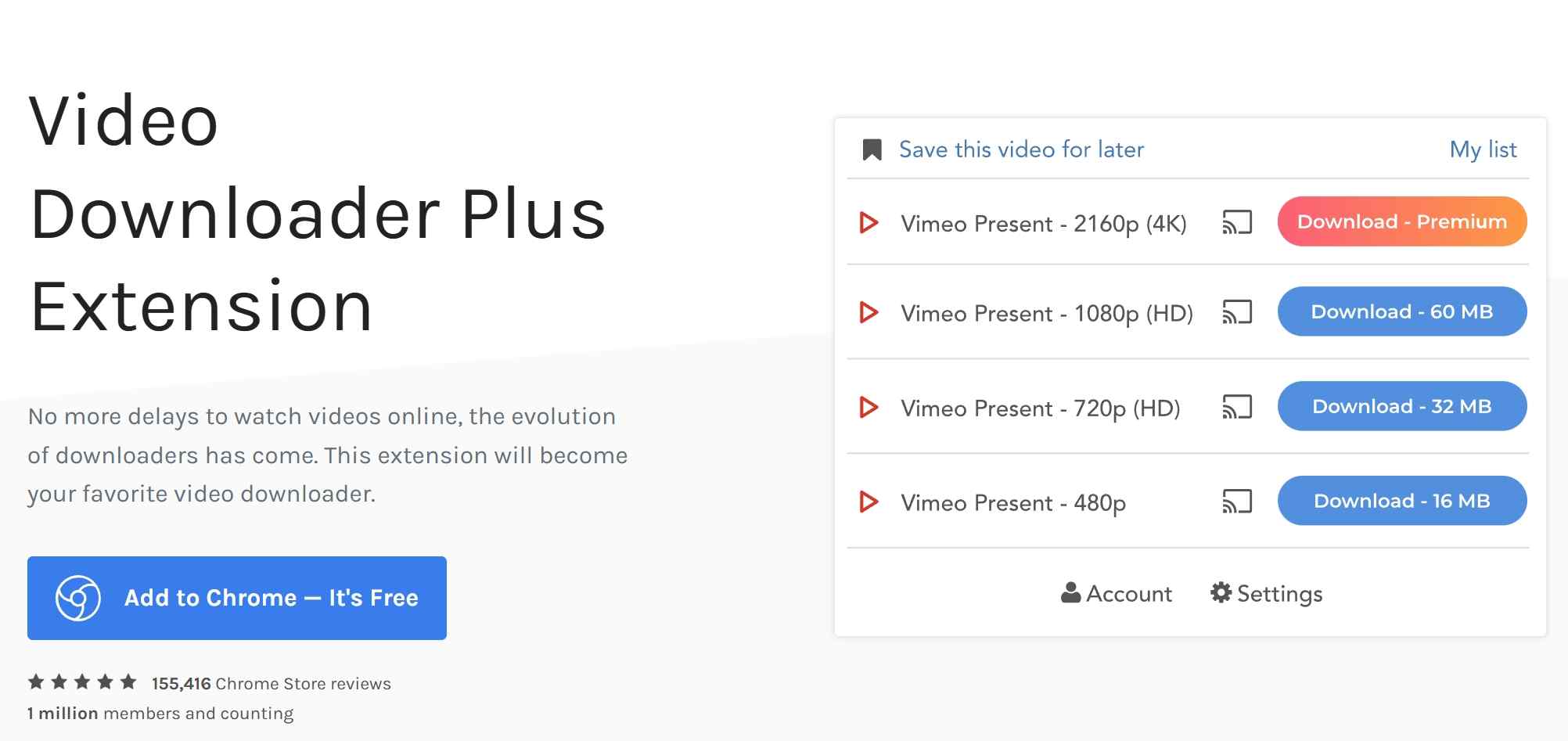
- Very simple to use for casual, one-off downloading needs.
- Fast detection for standard embedded HTML5 video elements.
- No HLS or DASH stream support — misses most modern streaming players.
- Ongoing reports of detection failures on sites using JavaScript-injected video elements.
6. CocoCut — HLS Stream Capture Specialist
CocoCut stands out by specifically targeting HLS (m3u8) and DASH streams—the adaptive bitrate formats used by most modern media players. Its panel displays detected stream manifests in real time. In 2026, it remains one of the few purely browser-based extensions that can attempt HLS stream capture without a desktop component.

- One of the few extensions with native HLS stream capture capability at the browser layer.
- Real-time stream detection panel shows manifest URLs and available bitrate variants.
- Useful for IPTV archive workflows and unencrypted live stream recording.
- Cannot handle encrypted streams protected by a DRM handshake at the CDN level.
- Outputs raw .ts segment files that require a separate remuxing step to produce a standard MP4.
7. FetchV — Real-Time Stream Detection
FetchV is a newer entrant that emphasizes real-time detection of video streams as they load, surfacing download options before the full video has buffered. It updated its manifest declaration to MV3 in 2025 and uses a service worker observer to catch stream requests early in the page load cycle.
Vetting a Free Downloader Extension Safely
Free is fine—most of the reputable options above are free or freemium—but the video-downloader category on the Web Store also attracts a steady stream of look-alike clones with overbroad permissions. Before I install any new extension in this category, I run through a short checklist:
- Read the permissions request carefully. A video downloader needs to see the current tab and network requests on video sites. It does not need "read and change all your data on all websites" with no scoping, and it does not need clipboard, browsing history, or identity access.
- Verify the publisher. Click through to the developer page and check whether the same publisher maintains other legitimate extensions, has a real website, and lists a support channel. Anonymous single-extension publishers with generic Gmail contacts are a soft red flag.
- Watch install count vs. review count ratios. A brand-new extension with 500,000 installs and 12 five-star reviews written in the same week is almost always a clone or promoted install, not organic growth.
- Prefer recently updated MV3 builds. Any listing whose last update predates mid-2025 is likely running on a service worker shim (if it works at all) and won't be maintained for the current Chrome stable.
- Avoid extensions that ask you to disable Chrome's security warnings or sideload from outside the Web Store — that's the fastest way to end up with a hijacked browser.
- Fast stream detection that surfaces options before full video buffering completes.
- Supports multiple quality options on sites that serve variant playlists.
- Newer with a smaller user base, so edge-case bugs surface more slowly—in my testing, HLS reliability was solid on mainstream video CDNs but wobbled on a couple of newer bundler builds that inject the player after page load.
- Limited support for any stream involving an encrypted handshake or proprietary token auth.
Side-by-Side: Chrome Extension vs Dedicated Downloader (2026 Performance Test)
Here is a quick reference table for all 7 Chrome video downloader extensions tested in 2026, measured across the five dimensions that matter most after the Manifest V3 transition:
| Extension | Manifest V3 Support | DRM Streaming Sites | Max Quality | Audio Capture | Price |
|---|---|---|---|---|---|
| StreamFab for Browser | ✅ Full | ✅ YouTube, Vimeo, 1000+ | 8K UHD + HDR | ✅ Auto-merged | Free / Paid tiers |
| IDM Integration Module | ⚠️ Partial (desktop-reliant) | ⚠️ Limited | Up to 4K | ✅ Standard streams | Paid (trial) |
| Video DownloadHelper | ✅ v8.x updated | ❌ No DRM | Up to 4K | ⚠ ️ Companion app needed | Free / Premium |
| Video Downloader Professional | ✅ MV3 updated | ❌ No DRM | Up to 1080p | ✅ Single-track streams | Free |
| Video Downloader Plus | ✅ MV3 updated | ❌ No DRM | Up to 1080p | ✅ Single-track streams | Free |
| CocoCut | ✅ MV3 updated | ❌ No DRM | Source quality (unencrypted HLS) | ⚠️ Requires remux | Free / Pro |
| FetchV | ✅ MV3 declared | ❌ No DRM | Up to 4K (unprotected) | ⚠️ Variable | Free |
Based on the data above, three of the seven come out ahead for different reader profiles: StreamFab for Browser for the widest site coverage and highest quality ceiling; Video DownloadHelper as the strongest pure-free pick for unprotected video; and IDM Integration Module if batch speed and resume are the top priority.
When a Chrome extension isn't enough—your honest options: if a video is protected by a DRM handshake or the site refuses to expose a clean stream to any pure extension, the alternatives worth considering are (a) a desktop application that handles the workflow outside the browser, (b) a reputable web-based downloader for one-off unprotected videos, or (c) the platform's own built-in download feature where it's offered (Netflix, Disney+, Prime Video, and YouTube Premium all provide one). None of these is universally better; they're better in different situations.
A note on StreamFab for Browser specifically, since it sits at the top of the table: it's the best fit for readers who are already comfortable installing a desktop companion and want a single tool covering YouTube, Vimeo, and most subscription platforms at high quality. It is not ideal for anyone who refuses to install any desktop component, is on a locked-down work laptop where they can't run installers, or only needs an occasional one-off save from an unprotected page—in those cases, a pure-extension option like Video DownloadHelper is the more sensible pick.
Chrome extensions alone cannot handle protected streaming media. For authorized content on supported platforms, a browser-assisted desktop workflow is the more practical option.
Can Any Chrome Video Download Extension Handle Netflix or Disney+ in 2026?
The short answer, based on June 2026 testing: not a pure Chrome extension on its own. Netflix, Disney+, Hulu, and most other subscription streaming services deliver protected content through a managed media path that conventional Chrome extensions can't work with — the player handles the license exchange and rendering in an environment isolated from the extension's JavaScript context. That's an intentional design boundary, and it applies uniformly to any tool operating purely inside the browser sandbox.
What has changed in the past year is the split-architecture workflow. StreamFab now offers platform-dedicated browser downloaders — including Netflix Downloader for Browser and Disney+ Downloader for Browser — where the Chrome extension handles detection and the desktop engine performs the capture and file assembly outside the browser. For a subscriber who is authorized to access the content and wants to save a local copy for personal offline viewing, within the platform's terms of service and applicable law, this is a workable path in 2026 that a pure extension can't provide.
Worth noting for balance: Netflix, Disney+, Prime Video, and most major subscription services also offer their own official offline-download feature inside their apps on mobile and, in some cases, on Windows. If in-app offline is all you need, that's the simplest route and doesn't require any third-party tool at all—the split-architecture option matters mainly when you want a file you can play in any standard media player on any device.
FAQs: Chrome Video Downloader Extensions in 2026
Why can't any Chrome extension download YouTube videos directly?
It's a store rule rather than a Chrome limitation. The Chrome Web Store's developer program policy prohibits extensions whose primary purpose is downloading YouTube videos, so no pure extension can ship that feature and stay listed. The tools that appear to offer YouTube capture actually split the work — the extension detects the video on the page, and a separate desktop component installed alongside it performs the capture outside the browser. That's a materially different architecture from what a pure extension does.
Is downloading an HLS or m3u8 stream the same as saving a regular video file?
Not quite. A regular MP4 is a single progressive file — you request it once and save it. HLS and m3u8 deliver adaptive segments (usually short .ts chunks) plus a playlist that tells the player which segments to fetch at which bitrate. To end up with a normal video file, an extension has to download all the segments and then remux them into a container like MP4. Some extensions (CocoCut, FetchV) do the fetching but leave you with raw .ts files that need a separate remux step; others handle the merge automatically.
Are free video downloader Chrome extensions safe to install?
Most reputable ones are, but the category attracts clones. Before installing), verify the publisher has a real website and support channel, look at whether the install count and review pattern look organic, and prefer extensions with a recent MV3 update. Extensions that ask you to sideload outside the Web Store or disable Chrome's security warnings should be skipped.
Do I need a desktop app to download DRM-protected or subscription streaming video?
Effectively yes, for content you're authorized to access. A pure Chrome extension can't work with the protected media path that Netflix, Disney+, Prime Video, and similar services use, because that layer is isolated from the extension's JavaScript context by design. A desktop-assisted tool moves the capture outside the browser sandbox and can save a local copy for personal offline viewing, within the platform's terms of service and applicable law. The other alternative is the platform's own in-app offline download, which many services offer natively.
Conclusion
Coming back to the question I put at the top: of the roughly dozen Chrome video downloader extensions that mattered before Manifest V3, only a small group still delivers a usable end-to-end result in 2026, and the right one depends on what you're actually saving.
If most of your downloads are unprotected video from standard web players—news sites, embedded HTML5 clips, or public course videos—a free option like Video DownloadHelper v8.x or Video Downloader Plus is capable enough and doesn't require any desktop install. If you mainly grab HLS or m3u8 streams from live or IPTV sources, CocoCut is the more specialized pick. If you want batch speed and resumes for large individual files, the IDM Integration Module still holds up on Windows.
Among the extensions tested for the wider workflow—YouTube, Vimeo, or subscription platforms where you're an authorized subscriber—StreamFab for Browser is the most complete of this list, thanks to its desktop-assisted architecture that separates in-browser detection from the actual capture. It's the option to consider if you want one tool covering that broader set, and you're comfortable running a desktop companion. If you're not, a pure-extension pick or the platform's own in-app download is the honest alternative.

Identify protected and unprotected M4V files, use authorized Apple TV playback, convert compatible files, or choose a separate supported-streaming workflow.
By Erika Leen - Sep 8, 2026
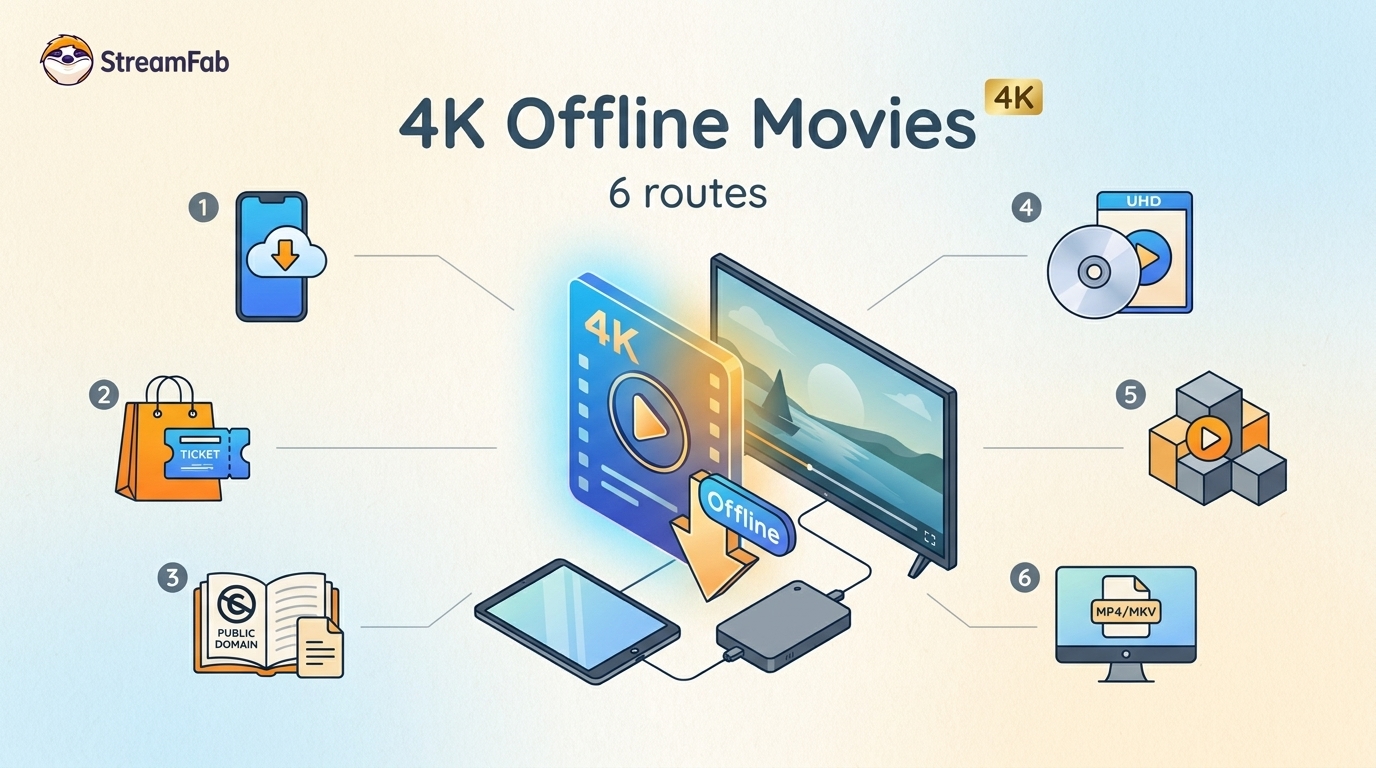
Legal 4K movie downloads do not all provide the same kind of offline access. Most mainstream services offer app-locked downloads, while portable movie files, UHD Blu-ray, public-domain media, and authorized desktop workflows involve different quality, cost, device, and licensing limits.
By Jacob Harrison - Aug 12, 2026
To get straight to the point, you can download a BitChute video as MP4 through its download icon: open the video, then use Save As. For authorized content where permitted, this guide explains when desktop, Android, or browser alternatives make sense.
By Marcia Hatcher - Aug 11, 2026
Looking to convert a link to MP4 in 2026? I've systematically tested top desktop and online converters to bypass Widevine DRM, dynamic tokens, and geoblocking for seamless PC and Android extraction.
By Jacob Harrison - Aug 7, 2026