How to Watch Udemy Offline on PC & Mobile (2026 Guide)

Summary: Can you watch Udemy offline? How to watch Udemy courses offline on PC? This guide covers everything you want to know about Udemy offline viewing on different devices.
You can watch Udemy offline through the mobile app, an instructor-enabled laptop download, or an authorized desktop local-file workflow. The right option depends on where you study, whether a lecture download is enabled, and whether you need portable files.
In short, you can watch Udemy offline on mobile and PC, but the best route depends on your situation: app-managed downloads for travel, an enabled lecture download on a laptop, or organized local files when a needed laptop lecture is not enabled. This matters when Wi-Fi drops, a flight is ahead, or a phone screen is too small for focused study.
This guide starts with Udemy mobile downloads, then explains the official laptop option and a desktop local-file workflow for authorized courses. The practical conclusion is simple: check Udemy's built-in options first, then consider a local-file workflow only when portability and organization genuinely matter.
Official Mobile Downloads and Limits
The Udemy mobile app is the lowest-friction option for short trips and routine Udemy offline viewing. It is a strong fit when app-contained playback is enough, but it is less suitable when you need portable files or a large-screen local study library.
Download Courses, Sections, or Lectures
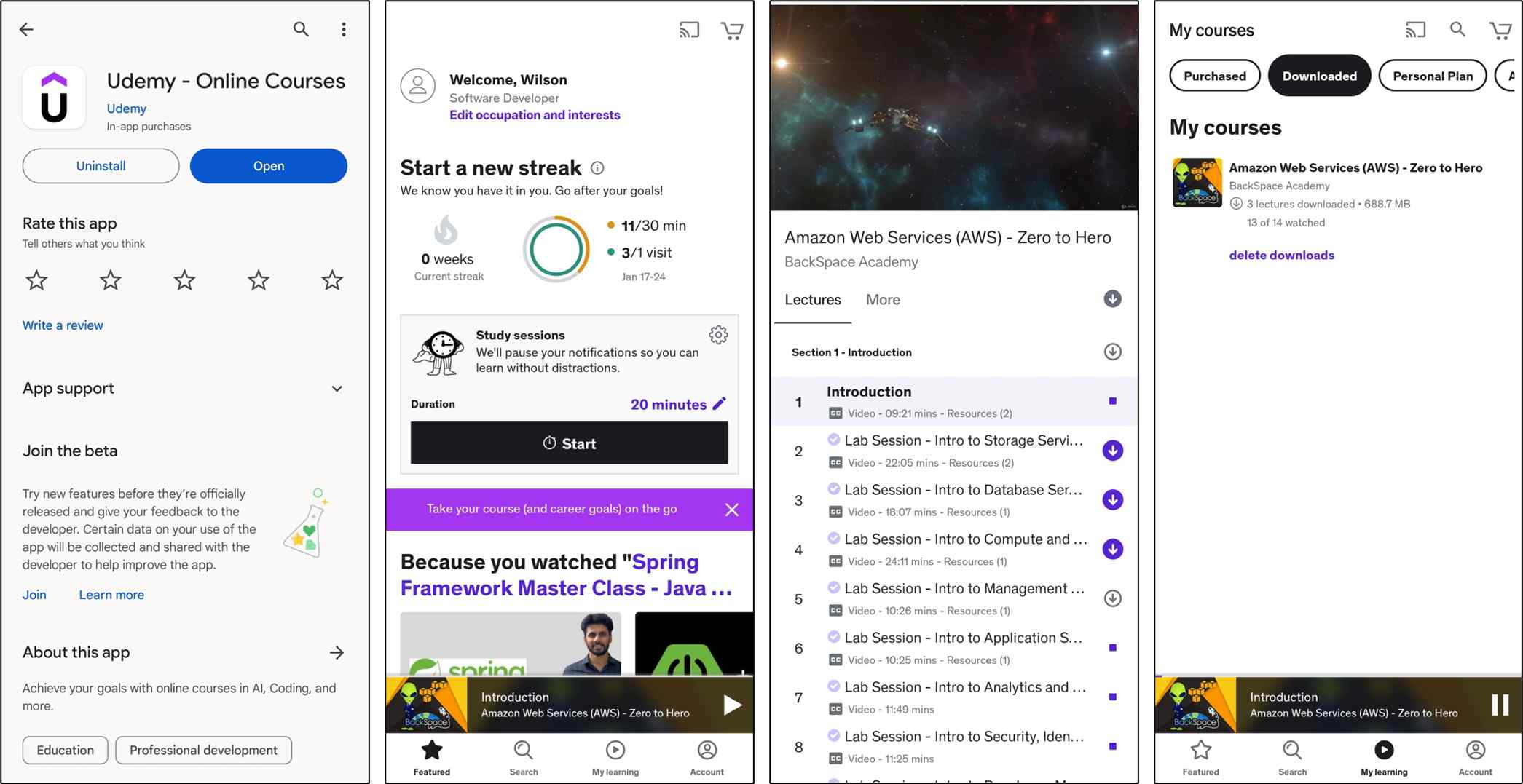
In the mobile app, you can download an entire course, a section, or an individual lecture. On iPhone and Android, the exact icon placement can differ slightly, but the available download scope is the same.
Storage, Expiration, and Reconnection
Mobile downloads remain inside Udemy's app-managed storage. As of August 2026, some downloaded content can expire after 30 days offline; reconnecting the device can restore access to eligible downloads.
- App-Managed Storage: Mobile downloads stay in the Udemy app rather than appearing as ordinary video files in Files, on a USB drive, or in VLC.
- Download Settings: Use the app settings to choose download quality, limit downloads to Wi-Fi, and delete completed downloads when storage is tight.
Official Laptop Downloads Come First
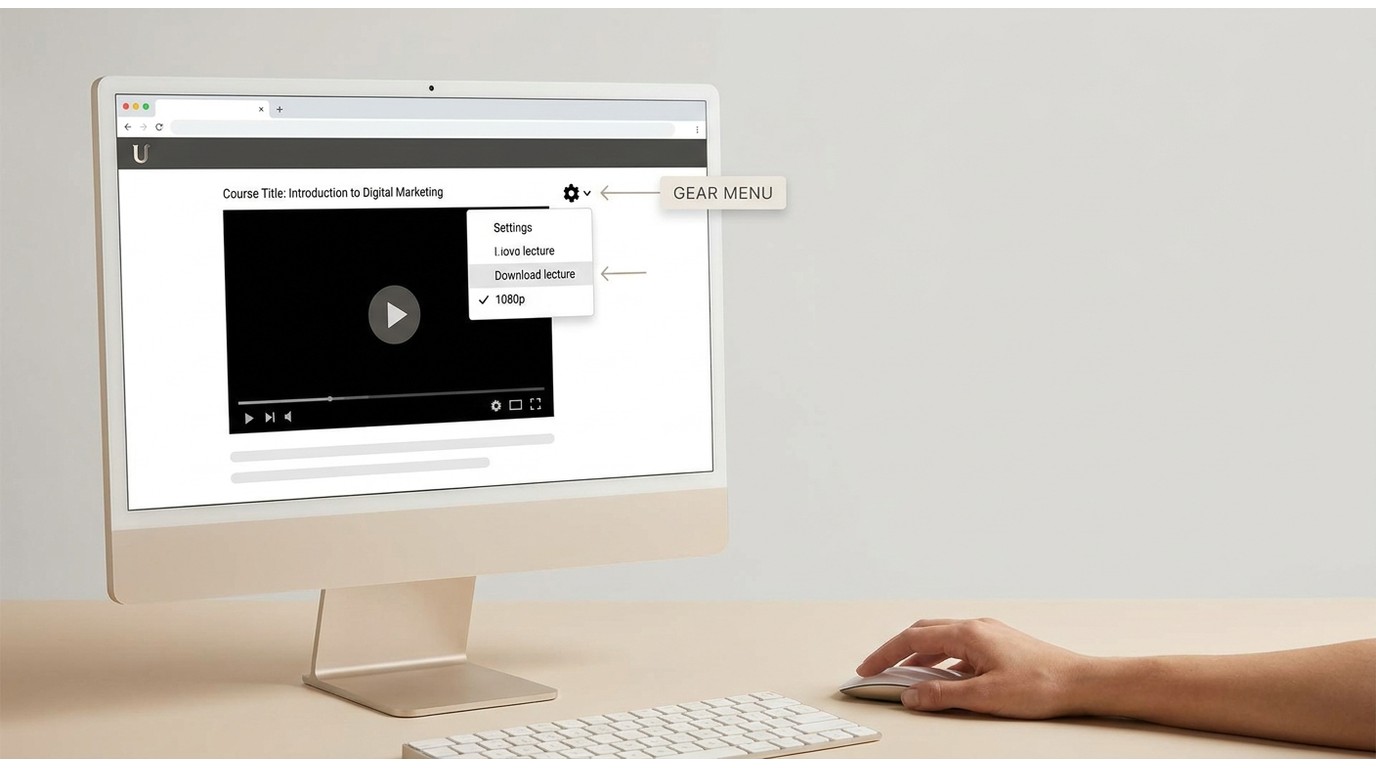
Check Whether Download Lecture Is Enabled
On a computer, open the lecture, select the gear icon, and choose Download lecture when that option is available and not grayed out. This is the best first check when you need a few enabled lectures for offline learning on PC.
Playback Quality Sets Download Resolution
The downloaded lecture uses the playback quality selected when you start the download. This route is practical for individual-enabled lectures, but it does not create a whole-course download when the instructor has not enabled the control.
When Official Downloads Are Unavailable
If a downloaded lecture is unavailable for the course you own, a desktop local-file workflow may fit learners who:
- Prefer learning on a large monitor for coding, design, or detailed demonstrations.
- Have unreliable home internet and need local access for planned study sessions.
- Need to organize authorized course files in a personal study library.
Use Authorized Course Access Responsibly
Use local-file workflows only for courses you are authorized to access, where permitted by Udemy's terms and applicable law.

Save Authorized Courses with StreamFab
For content you're authorized to access, where permitted by platform terms and applicable law, StreamFab Udemy Downloader provides a desktop local-file workflow when the official options do not provide the file setup you need. It runs on Windows and Mac and can save supported Udemy courses in MP4 or MKV at up to 1080p, where the source permits.

With StreamFab Udemy Downloader, you can download 1080p Udemy courses with AAC 2.0 on PC in MP4/MKV formats.
- Batch download entire lessons or lectures quickly
- Support periodic automatic detection and downloading of the latest released courses
- Support selecting multiple subtitle/audio track languages
- Save metadata for local sorting and archiving
You need a valid Udemy account and access to the course. This option suits Windows and Mac learners who need organized local files; it is not ideal if app-only viewing or a single enabled lecture already meets the need.
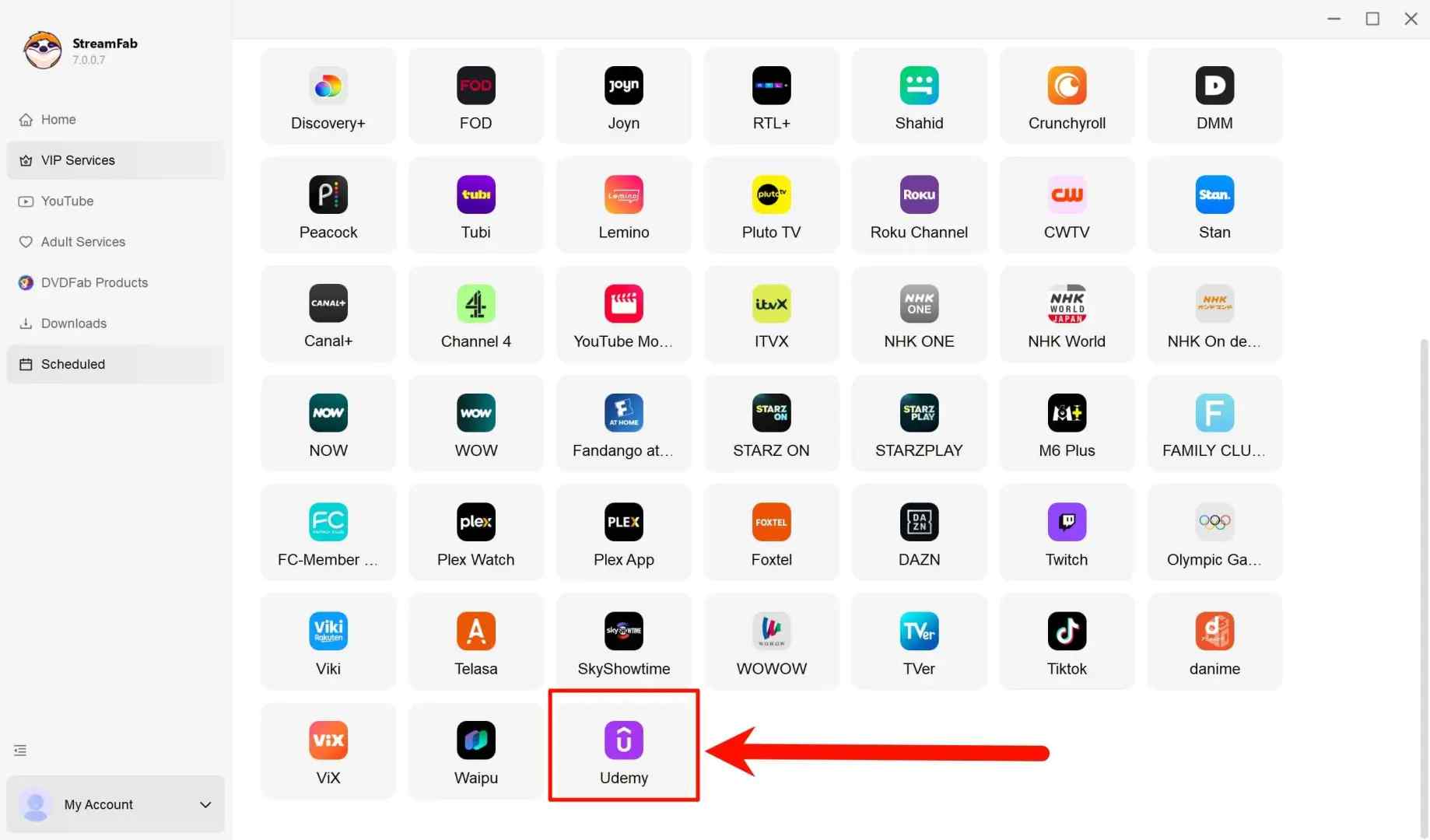
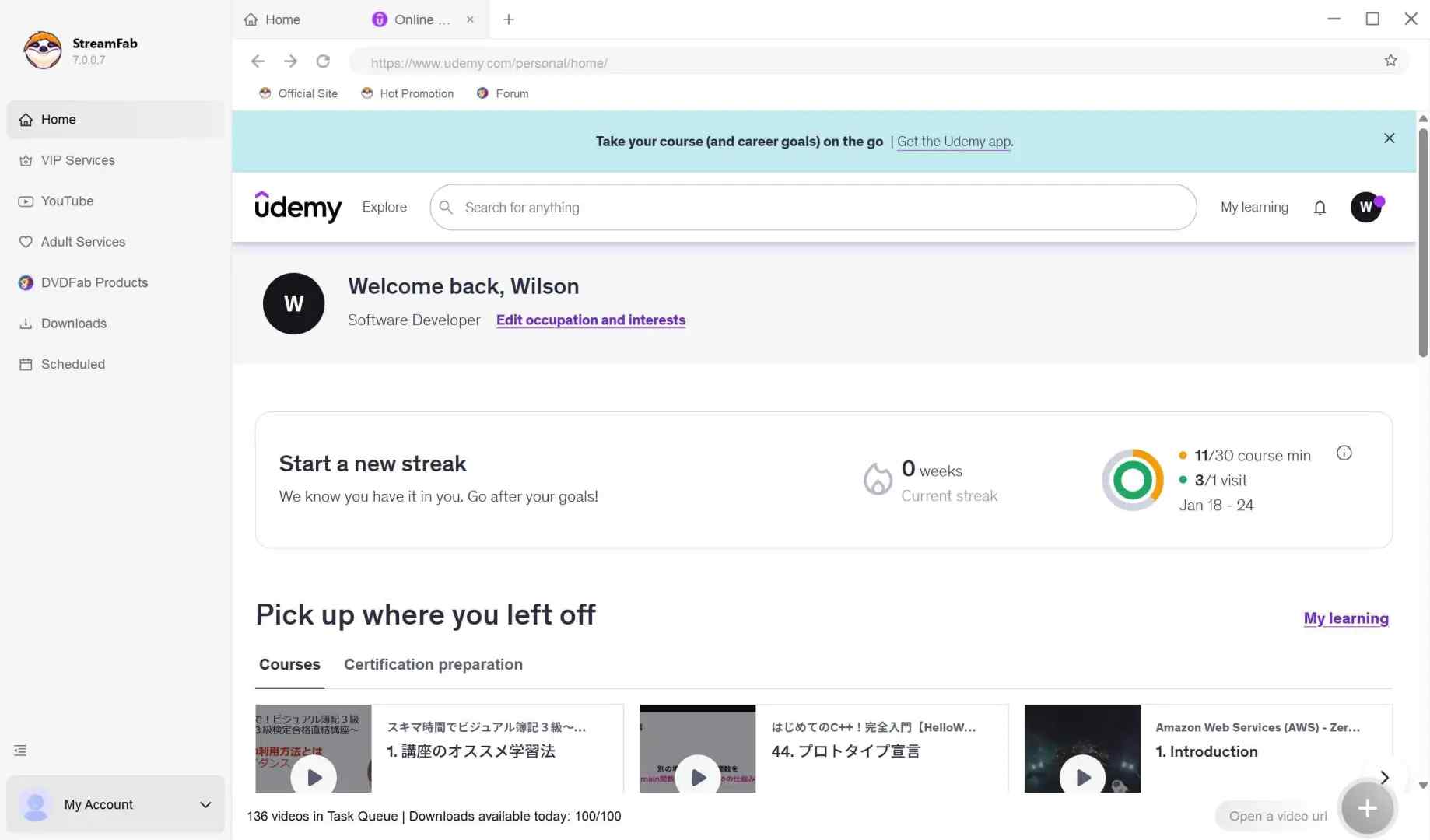
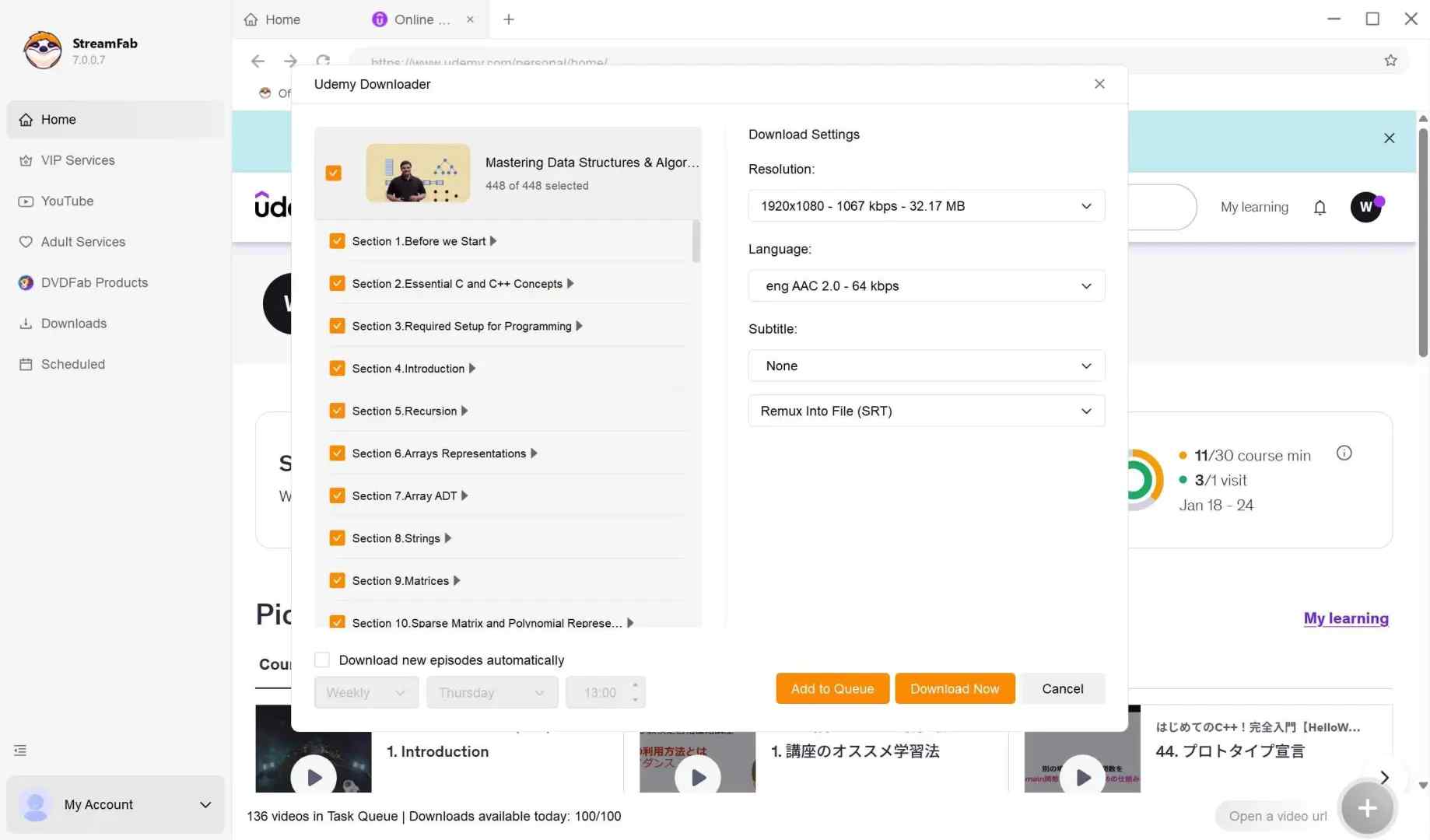
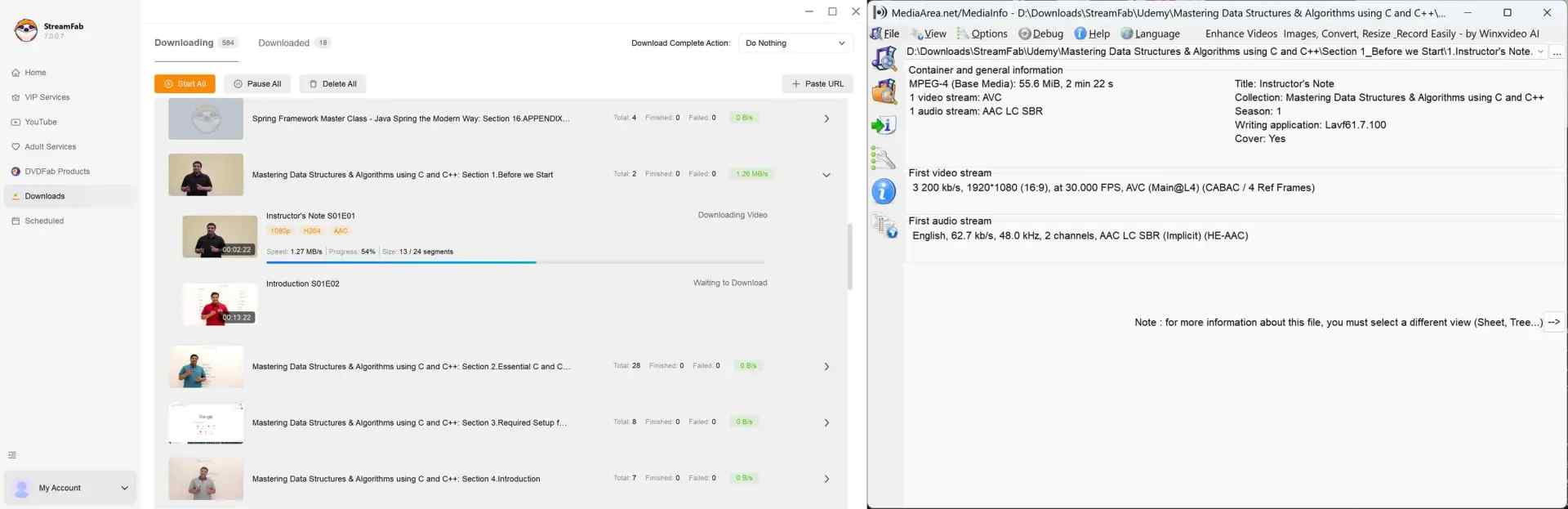
The resulting local files can be organized by course and lecture title for personal study. For a deeper look at how to save Udemy videos for authorized personal backup, keep the platform terms and applicable law in view.
Build a Searchable Study Archive
Preserve Subtitles and Course Structure
For courses with dense terminology, searchable organization can matter more than raw file access. StreamFab can save subtitles as separate SRT files or embedded soft subtitles and preserve course metadata so lectures are easier to sort, find, and revisit in a personal study library.
Compare the Three Offline Methods
This comparison focuses on where each option stores content and who it fits. If you are weighing desktop tools in more detail, the broader range of Udemy downloader options is covered separately.

| Method | Best for | File location | Portability | Main limit |
|---|---|---|---|---|
| Udemy mobile app | Travel and casual viewing | Udemy app storage | App-contained | Not ordinary transferable files |
| Enabled laptop lecture download | A few available lectures | Computer download | Lecture-specific | Instructor must enable it |
| StreamFab local-file workflow | Organized desktop study | Local MP4 or MKV files | Transferable for personal study | Use only for authorized access |
The official mobile app is the best first fit for app-contained travel viewing, and downloading a lecture should be the first laptop check. A desktop local-file workflow fits learners who need portable organization beyond those official options. Screen recording is a separate real-time process; the difference between downloading and recording helps clarify the tradeoff.

Udemy Offline Viewing FAQs
1. Can I move Udemy mobile downloads to Files, USB, or another device?
Not through the official mobile app. Udemy mobile downloads remain in app-managed storage and are not ordinary video files that you can move to Files, a USB drive, or another media player. An authorized desktop local-file workflow is a separate option when portable organization is needed.
2. Does Udemy have a desktop app for offline viewing?
Udemy's offline downloads are centered on its mobile apps rather than a dedicated desktop offline app. On a computer, you can use the browser and select Download lecture from the gear menu when the instructor has enabled that lecture-specific option.
3. Why did my downloaded Udemy course stop working offline?
Some downloaded content can expire after an extended period offline. Reconnect your device to the internet, then open Udemy again to restore access to eligible downloads.
4. Can I watch Udemy offline on a laptop without extra software?
Yes, if the instructor has enabled "Download lecture" for that lecture. Open it in your browser, select the gear icon, and choose Download lecture. Availability is lecture-specific.
Conclusion: Choose the Best Fit for Your Trip
To watch Udemy offline, use the official mobile app for in-app travel viewing and check Download Lecture first on a laptop. Consider StreamFab's authorized desktop local-file workflow when portable organization matters and the official options do not meet that need.
Screen recording is a separate real-time workflow, not the same as an official Udemy download. Consider the tradeoffs first.
It can require uninterrupted playback, use system resources, and may produce results that vary by device, course playback settings, and notifications. For offline study, the official app or an enabled laptop download is usually the simpler first check.
Real-Time Playback: Recording generally takes as long as the lecture itself because the video must play from start to finish.
Playback Dependencies: System notifications, performance issues, and audio settings can affect what is captured.
Use note: Use authorized course access for personal study and respect Udemy's terms and applicable law.

For a planned study session, official downloads are the sensible first choice. A desktop local-file workflow becomes more relevant when those downloads are unavailable and organized files are part of the study setup.

Looking to download ctv video content for unrestricted offline viewing? Based on my 2026 technical tests, here is the ultimate guide to permanently archive CTV videos in crisp 1080p MP4 formats.
By Erika Leen - Aug 19, 2026
Can you save Udemy DRM videos as a local personal backup? Why do you only get a black screen file? This guide addresses the technical hurdles of creating a personal backup, specifically explaining the latest methods in 2026.
By Jacob Harrison - Aug 18, 2026
This guide separates official CBS app viewing from local-file workflows, compares five computer-based options, and explains where each one falls short. It then shows how StreamFab handles authorized MP4 or MKV downloads and provides concise fixes for analysis and quality problems.
By Erika Leen - Aug 7, 2026

Craving for some unique LGBTQ+ cinema right at the comfort of your home? Look no further, GagaOOLala is here. A streaming platform specifically catered to the LGBTQ+ audience, GagaOOLala offers a wide selection of films and series that touch on various themes and storylines, giving you a viewing experience that is all its own.
By Erika Leen - Aug 7, 2026