• Download videos from all CW regional sites

    Download any video from the CW library

  • Download new CW videos at a scheduled time

    Auto-download new CW episodes on schedule

  • Download CW videos in 1080p

    Save CW shows in 1080p with AAC 2.0 audio

  • Explore CW videos with its in-built browser

    Browse and download CW content with built-in browser

Why do you need StreamFab CW Downloader?

Your CW shows won't wait for you

CW episodes disappear without warning — and ads eat into every minute

Imagine you're catching up on All American after a long week, only to find that the episodes you bookmarked last month have been pulled from the CW app. This happens more often than you'd think — the CW regularly rotates its catalog based on licensing windows, and entire seasons can vanish overnight with zero notice. It's the frustrating reality of a free platform that doesn't charge you a dime but also doesn't guarantee anything stays available.


On top of the disappearing content, there's the ad problem. Every CW episode comes loaded with commercial breaks — roughly 4 to 6 minutes of unskippable ads per 42-minute episode. That's nearly 15 percent of your viewing time spent watching commercials you can't skip, fast-forward, or mute. Over a 13-episode season, you're sitting through over an hour of advertising — almost the length of two extra episodes. For anyone who binge-watches CW series on evenings and weekends, that lost time adds up fast. StreamFab CW Downloader solves both problems in one step: it saves CW episodes as permanent local files with every ad stripped out, so your shows are always there when you want them and play without a single interruption.

On-demand videos come and go on streaming services
A tool built by StreamFab — trusted for 8+ years

Save any CW show as a permanent offline file — backed by 8+ years of StreamFab engineering

Picture this: you're about to board a 4-hour flight from New York to LA, and you wanted to catch up on The Flash before the new season drops. But the CW app has no download button, and airplane Wi-Fi can barely load a text email, let alone stream video. You're stuck with nothing to watch — unless you planned ahead.


StreamFab CW Downloader gives you that plan. It lets you save any CW movie or TV episode as a standard MP4 or MKV file on your computer, ready to transfer to a phone, tablet, or USB drive. These files belong to you — no expiration dates, no internet required, no CW app needed for playback. Developed by the StreamFab team with over 8 years of experience in video software, StreamFab receives weekly engine updates that keep pace with streaming platform changes, typically resolving compatibility issues within 24 to 48 hours. Whether you're a college student downloading episodes for your bus commute or a parent saving cartoons for a road trip, the process takes just a few clicks.

cw downloader

What makes StreamFab CW Downloader stand out?

Crystal-clear 1080p quality

Watch your CW downloads in full 1080p with AAC 2.0 audio — just like the original stream

You know that moment in Supernatural when a dark scene shifts to an intense close-up? On a low-quality download, those details turn into a blurry mess of compression artifacts. StreamFab CW Downloader captures the original H.264 stream directly from the CW's servers at 1080p resolution without re-encoding, so every frame keeps its full clarity — from dimly lit horror sequences to fast-paced action shots in The Flash.


The audio side matters just as much. StreamFab preserves the AAC 2.0 stereo track at 192 kbps, delivering clean dialogue and balanced background scores. Whether you're watching on laptop speakers during a commute or through headphones late at night, conversations stay crisp and music hits the way the producers intended. The result is an offline viewing experience that genuinely matches what you'd see streaming on the CW app itself — minus the ads.

cw downloader
MP4 or MKV — your choice

Save CW downloads as MP4 or MKV — ready to play on any device you own

Jacob just downloaded the entire first season of Riverdale for a weekend camping trip with no cell service. He picked MP4 because his older Android tablet plays it without any extra apps or codecs — just drag, drop, and hit play. His roommate Alice, on the other hand, prefers MKV because she runs a Plex server at home and wants each episode to carry its subtitle tracks inside a single file.


StreamFab CW Downloader gives you both options. MP4 is the universal format that works on virtually every device — iPhones, iPads, Smart TVs, gaming consoles, laptops — without compatibility headaches. MKV is the power-user's choice: it supports multiple embedded audio and subtitle tracks, making it ideal for media library software like Plex, Emby, or Jellyfin. Both formats store the original 1080p H.264 video stream without re-encoding, so there's zero quality difference between the two — just a matter of which fits your playback setup better.

Save CW videos as MP4 or MKV format
Subtitles your way

Save CW subtitles embedded in video or as separate SRT files

You're on a crowded morning train heading to work, and playing audio out loud is not an option. Subtitles make the difference between watching your CW show and staring at a silent screen you can't follow. StreamFab CW Downloader lets you choose how subtitles are handled for each download.


The first option embeds subtitles directly into the video file as a selectable track — turn them on or off in any media player without needing an extra file. The second option saves subtitles as a separate SRT file alongside the video, which is perfect if you like keeping things lightweight or want to open the text in a different app. Both options preserve the original timing and formatting from the CW stream, so captions stay perfectly synced with the dialogue. For CW shows with closed captions, this feature ensures you never miss a word.

Download CW videos with subtitles

Downloading features that save you time and hassle

download as mp4

Schedule Mode and Auto Download

Following a CW series week by week? Set StreamFab to check for new episodes on your schedule — daily or weekly — and it downloads them automatically in the background, ad-free and ready to watch.

cw downloader

Batch Mode and Turbo Speed

Want to binge a full season of All American before the finale airs? Select every episode, hit download once, and StreamFab handles the rest. A 13-episode season at 1080p completes in roughly 2 to 3 hours depending on your internet speed.

download as mp4

Preset Audio & Subtitle Language

StreamFab detects your system language and pre-selects matching audio and subtitle tracks by default. You can also manually choose from available options before each download — the setting applies to all files in a batch session.

cw downloader

Remove Ads

The CW runs roughly 4 to 6 minutes of ads per 42-minute episode — that's over an hour of commercials across a 13-episode season. StreamFab strips every ad automatically during download, delivering clean files that play from opening to credits with zero interruptions.

More than just downloading — build your own media library

Save Metadata

Downloaded CW shows arrive with full metadata for instant library organization

Mark downloaded three full seasons of Supernatural last month, and every single episode showed up in his Plex library with the correct title, season and episode number, air date, cast list, and cover art — without him touching a single file name. That's because StreamFab CW Downloader automatically saves metadata alongside each video download.


This metadata integrates with media server apps like Plex, Emby, and Jellyfin, turning a folder of generic video files into a browsable, searchable personal library. Instead of scrolling through files labeled Episode_01.mp4, you see organized seasons with proper artwork and episode descriptions. For anyone building an offline CW collection across multiple shows, metadata is the difference between a messy folder and a professional-looking home streaming setup.

cw downloader

What CW fans say about StreamFab

Launch StreamFab and select CW Downloader
Step 1. Open StreamFab and select CW Downloader

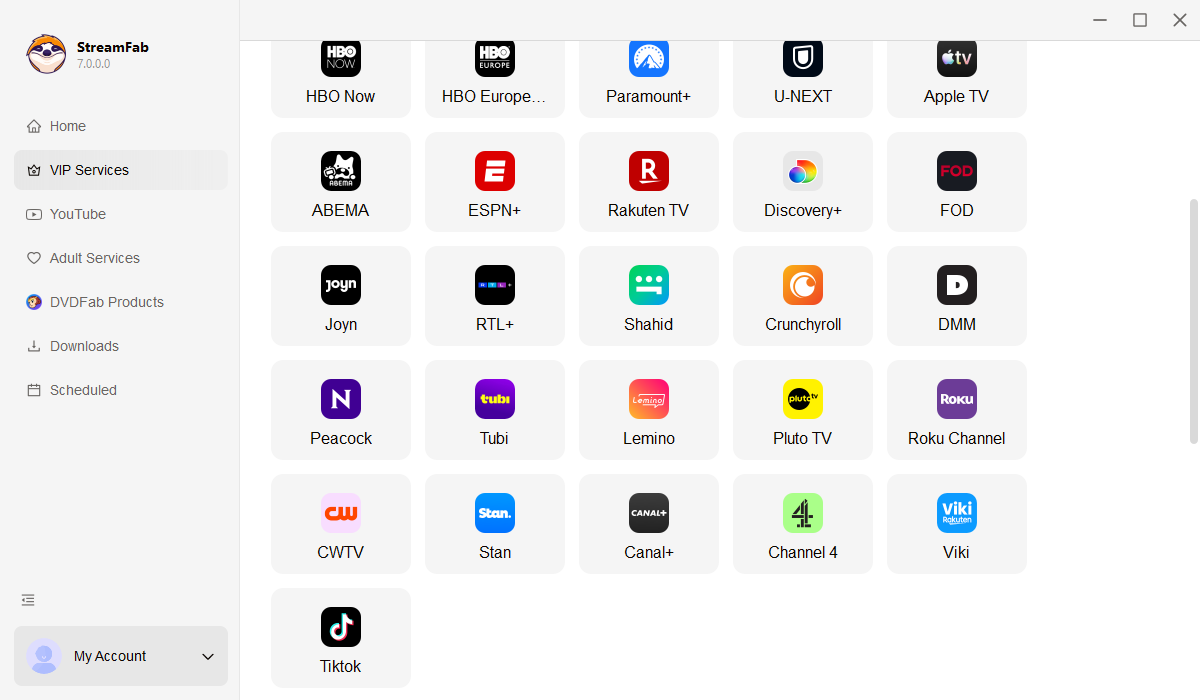
Download and install StreamFab on your Windows or Mac computer. Open the program and navigate to Streaming Services, then click the CW Downloader option to launch the built-in browser.

Step 2. Browse the CW library and pick your content

Use the built-in browser to explore the CW catalog. Search for a specific show or browse by category, then select the episode or movie you want to download.

Step 3. Download ad-free and enjoy

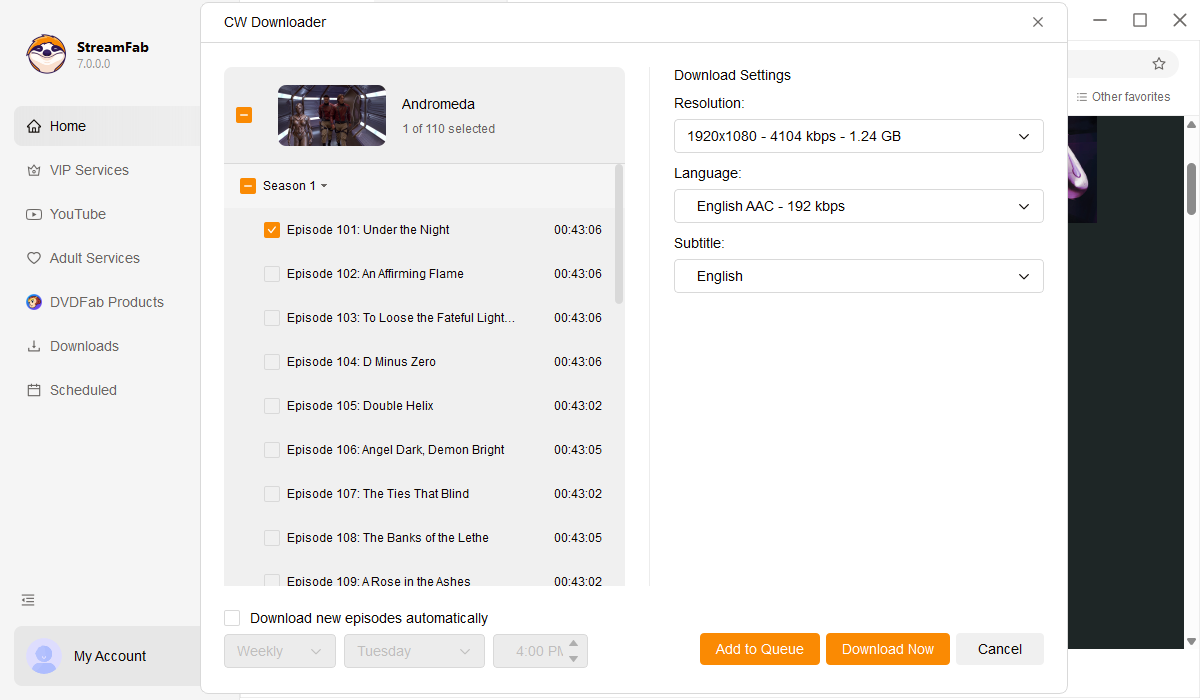
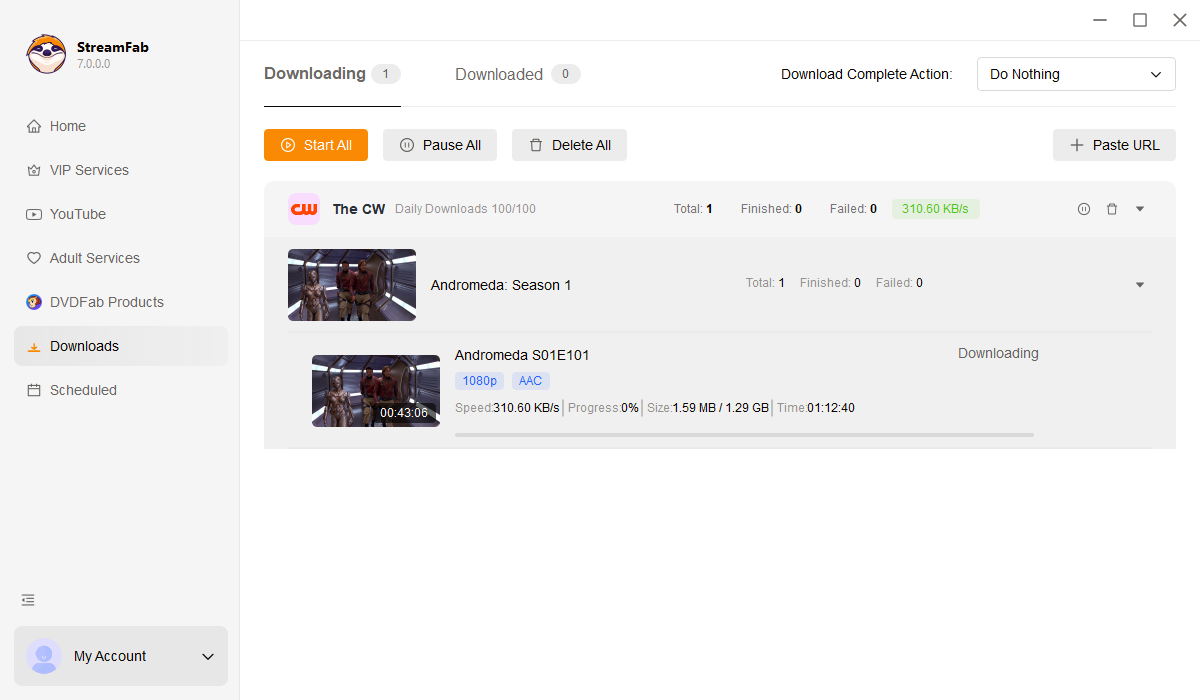
Play the video and a download panel will appear. Choose your resolution, format (MP4 or MKV), and subtitle preferences, then click Download. Ads are removed automatically — your file is ready for offline playback.

System Requirements

Icon
Windows 11/10 (32/64 bit)
Intel i3 or above
4GB of RAM or above
40GB of free hard disk space or above
Live Internet connection required

Related Articles

Fair Use Policy: StreamFab is legal only for personal needs and it's not allowed to share the downloaded content with any third party.

To avoid being blocked by streaming providers, a StreamFab licensed account has a quota of 100 downloads per day, and 700 downloads per week from each supported streaming service. Whenever some of it is used up, it will refill during the next time cycle.