







• Download from all ESPN+ regional sites

    Download ESPN+ games and sports shows for offline viewing

  • Download from all ESPN+ regional sites

    Auto-download new ESPN+ content at a scheduled time

  • Download ESPN+ videos in 720p

    Download ESPN+ videos in 1080p 60fps quality

  • Explore ESPN+ videos with its in-built browser

    Explore ESPN+ videos with the built-in browser

Why Do You Need StreamFab ESPN Plus Downloader?

Videos come and go

ESPN+ replays and exclusive content can disappear at any time

Game replays, exclusive sports documentaries, and event highlights on ESPN+ are not guaranteed to stay on the platform forever. Broadcast rights and licensing agreements determine which events ESPN+ can host and for how long — and when those agreements change, content is removed with little warning. 


A historic championship game replay or a landmark UFC card that you have been meaning to rewatch can disappear before you get the chance. For passionate sports fans, losing access to a moment you watched live is genuinely frustrating. StreamFab ESPN Plus Downloader lets you save any ESPN+ video for offline viewing the moment it is available, so you build a personal sports archive that belongs to you permanently — regardless of any future platform changes.

On-demand videos come and go on streaming services
Save before they leave

Watch your ESPN+ sports videos anywhere without a connection

Sports fans do not get to choose when their favorite team plays, and not every game happens at a convenient time or in a location with a reliable internet connection. International fans deal with time zone nightmares — a crucial playoff game airing at 3 a.m. is not always practical to watch live. Travelers lose access to ESPN+ entirely due to geo-restrictions the moment they cross borders. 


And anyone who has tried streaming a high-intensity match on a shaky airport Wi-Fi connection knows the specific frustration of a stream dropping at the worst possible moment. StreamFab ESPN Plus Downloader solves all of these problems at once. Save the game, the documentary, or the UFC card before you travel, and enjoy smooth 1080p 60fps playback on any device with no buffering.

Save your favorite videos before they leave the service

What Can StreamFab ESPN Plus Downloader Do?

1080p & AAC 2.0 Quality

Download 1080p videos from ESPN+ and ESPN Player

Sports are defined by speed — a sprinter's acceleration, a quarterback's release, a striker's first-touch finish. Standard video at 24 or 30 frames per second can blur those moments into uncertainty. ESPN+ broadcasts sports content at up to 60 frames per second, and StreamFab ESPN Plus Downloader preserves that full frame rate when you save for offline viewing. Every movement is fluid, every replay frame is sharp, and fast-action sequences stay perfectly readable even when you pause or scrub through footage. 


Resolution is preserved at full 1080p, so the picture holds up beautifully on large screens and external monitors. Audio is saved in AAC 2.0 stereo, delivering crisp commentary and crowd atmosphere that put you right in the stadium. For sports, 60fps at 1080p is the difference between watching and experiencing.

espn video downloader
MP4 or MKV

Save ESPN+ Videos as MP4 or MKV Files for Any Device

You want to watch your saved ESPN+ games on your TV, transfer clips to a tablet for a flight, or load a replay onto your laptop for a watch party — and none of that should require converting files or troubleshooting compatibility issues. StreamFab ESPN Plus Downloader exports your downloads as either MP4 or MKV, two formats supported by virtually every device and media player on the market. 


MP4 is the universally compatible choice: smart TVs, iPhones, Android devices, Windows PCs, and Macs all play MP4 natively without any additional software. MKV offers the added benefit of holding multiple audio and subtitle tracks within a single file, which is useful if you want to preserve commentary options or closed captions alongside the video. Either way, your downloaded ESPN+ content never expires — it stays on your drive as long as you choose to keep it.

download espn video
Save 60fps Videos

Save sports videos in high framrate 60fps

Generally speaking, videos are played at 24 frames per second, which means that 24 still images are continuously projected on the screen per second.

However, sports videos downloaded by the ESPN Plus Downloader can reach up to 60 frames per second, ensuring that you will not miss a single moment of your favorite sports videos.
espn video download
Save and Remux SRT Files

Save ESPN+ Closed Captions as SRT or Remux into Your Video

Closed captions and subtitles serve an important purpose for many ESPN+ viewers — whether you are watching game commentary in a second language, following a sports documentary where interviews are subtitled, or simply watching in an environment where audio is not an option. StreamFab ESPN Plus Downloader captures the subtitle and closed caption tracks from ESPN+ content when you save for offline viewing. 


You have two ways to handle these tracks: save them as a separate SRT file, which gives you the flexibility to enable or disable captions in your media player as needed, or remux the subtitle track directly into your video file so that everything stays packaged together. Both options preserve the original timing and formatting, ensuring every caption appears exactly as it did in the original ESPN+ stream.

espn video downloader

A Seamless Downloading Experience Every Time

download as mp4

Schedule Mode and Auto Download

Set your preferred download time once, and the software will automatically detect and download newly available ESPN+ games, replays, and episodes at that hour — whether it is in the middle of the night or during your work day.

download fast

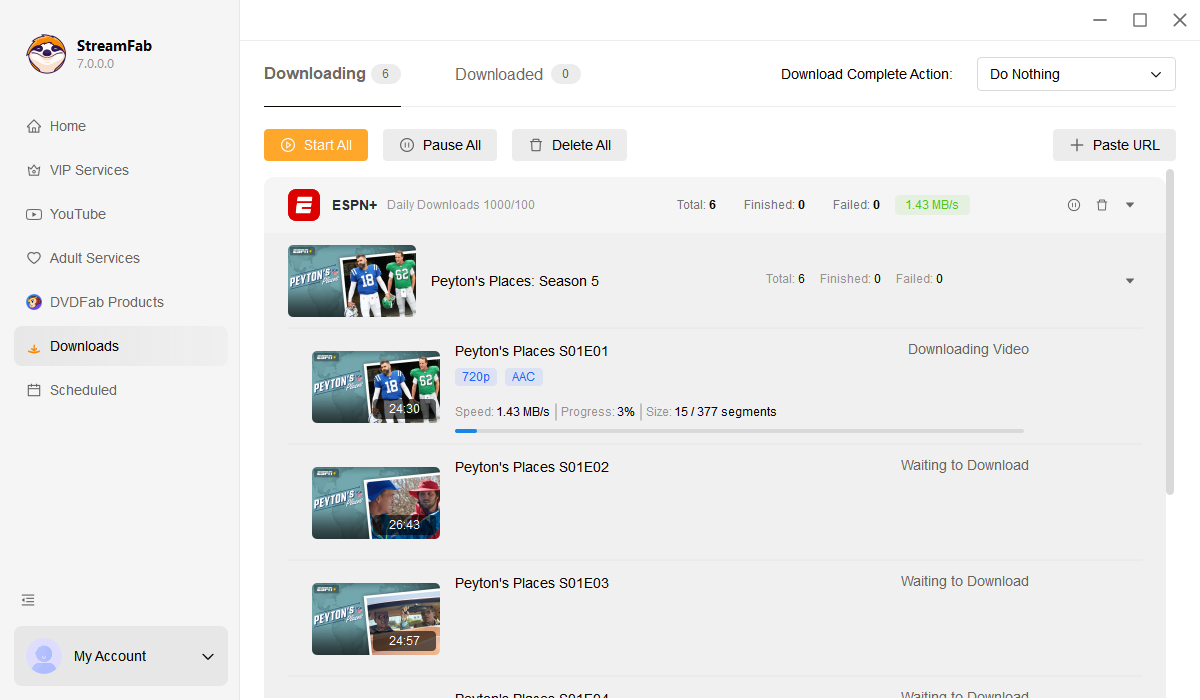
Batch Mode and Fast Speed

Add as multiple ESPN+ videos to the download queue in a single action. Games, episodes, and documentaries download in sequence at high speed — typically a two-hour ESPN+ video completes in around 20 minutes.

download max shows subtitles

Preset Audio & Subtitle Language

Once configured, every ESPN+ video you save for offline viewing automatically comes with the correct audio track and subtitle language, without requiring you to select them individually each time.

More Than Just Downloading

Save Metadata

Organize Your Sports Archive with Automatic Metadata

A personal sports archive grows quickly — dozens of game replays, UFC events, college football seasons, and original ESPN documentaries can accumulate to hundreds of files in a matter of months. Without proper organization, finding that specific game from three seasons ago becomes a frustrating exercise in scrolling through unlabeled folders. 


StreamFab ESPN Plus Downloader automatically downloads and preserves each video's metadata during the saving process: event title, sport type, teams or athletes involved, event date, episode number for series, and cover artwork. This metadata integrates seamlessly with media server applications like PlayerFab, Plex, and Kodi, transforming your stored files into a professionally organized, searchable sports library. Browse by sport, by date, or by event name — your offline ESPN+ archive becomes as easy to navigate as the platform itself, backed by over two decades of StreamFab software engineering.

espn video downloader free

What Our Users Say About StreamFab ESPN Plus Downloader

launch StreamFab ESPN Plus Downloader
Step 1. Download and Launch StreamFab

Download and install StreamFab on your Windows or Mac computer. Double-click the desktop icon to launch the application and get started.

Step 2. Navigate to ESPN+ in VIP Services

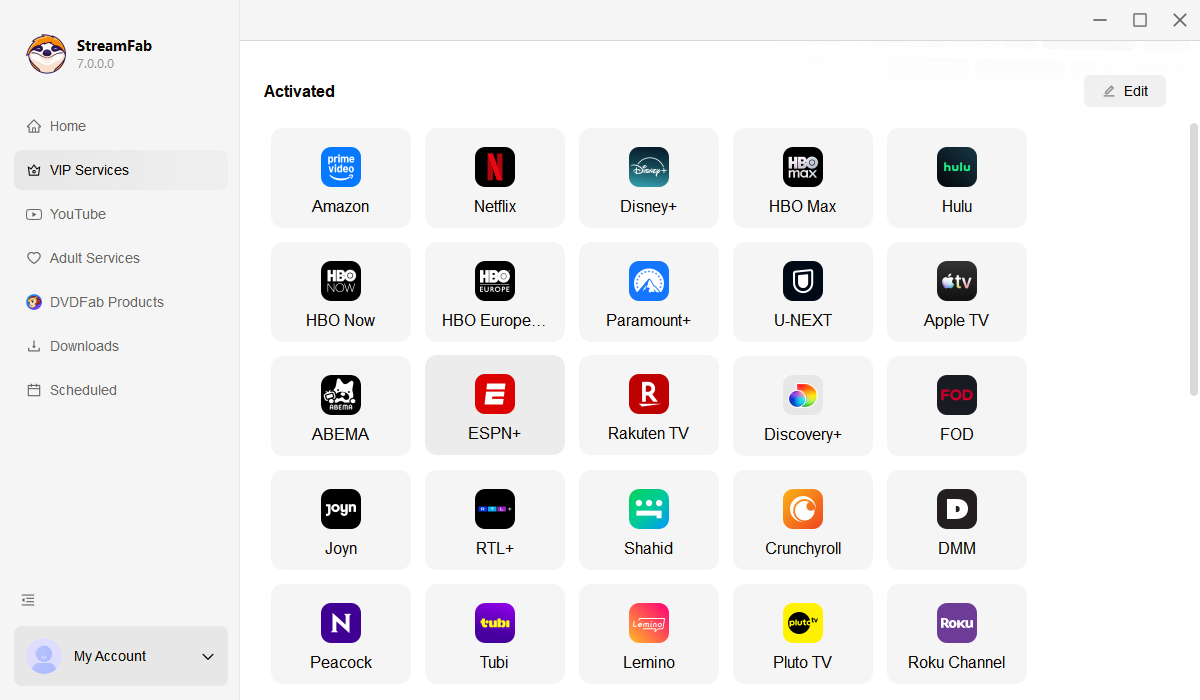
From the StreamFab main interface, go to VIP Services in the left column and select ESPN+. The built-in browser will open the ESPN+ site. Browse or search for the game, documentary, or episode you want to save for offline viewing.

Step 3. Click Download and Save Offline

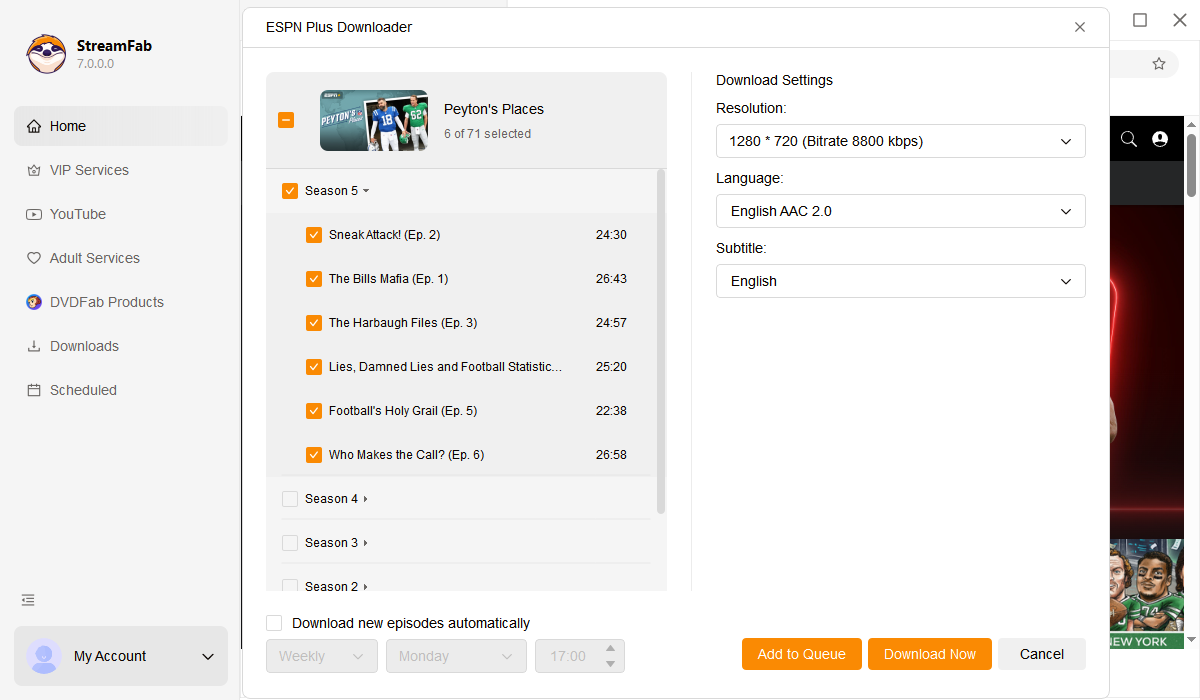
Click the Download button when it appears, choose your preferred resolution, format (MP4 or MKV), and subtitle options, then confirm. StreamFab will download and save your ESPN+ video in 1080p quality, ready for offline playback.

System Requirements

Icon
Windows 11/10 (32/64 bit)
Intel i3 or above
4GB of RAM or above
40GB of free hard disk space or above
Live Internet connection required

Related Articles

Fair Use Policy: StreamFab is legal only for personal needs and it's not allowed to share the downloaded content with any third party.

To avoid being blocked by streaming providers, a StreamFab licensed account has a quota of 100 downloads per day, and 700 downloads per week from each supported streaming service. Whenever some of it is used up, it will refill during the next time cycle.