
Download ESPN Videos on PC: 3 Practical Options (2026)

Summary: Saving ESPN videos on Windows or Mac comes down to three paths with clear limits: the official ESPN app's in-app download for eligible titles (kept in-app, time-limited), a real-time screen recording of unprotected segments, or a third-party desktop downloader for transferable MP4 or MKV files.
I encountered a massive spike in GPU load when attempting to save streams locally. If you searched for a way to download ESPN videos after missing a game or replay, you probably want a usable offline option, not a maze of app-only cache files. Choosing an ESPN video downloader in 2026 comes down to three practical paths: the official ESPN app for eligible in-app downloads, screen recording for short real-time captures, and a desktop ESPN to MP4 workflow on Windows or Mac. The same decision framework applies if you also want to download shows on Fubo for other sports services.
My take after weighing each path: match the method to your goal, not the other way around. A short clip and a full replay archive are different problems, and paying the cost of a wrong choice — real-time capture that stutters, or an in-app cache that expires — is usually avoidable up front.

ESPN Offline Downloads: Availability and Limits
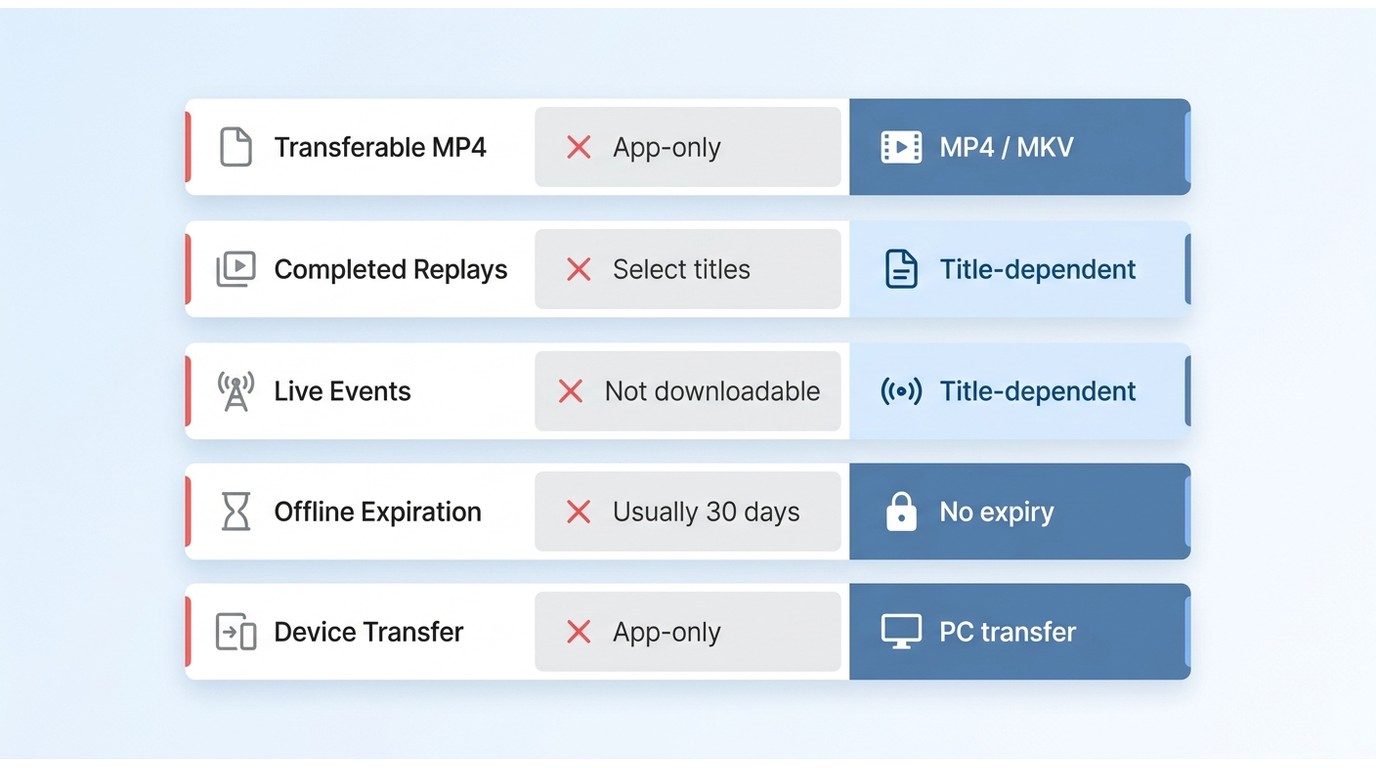
The official ESPN App offers an offline mode, but it severely limits user control through restrictive DRM handshakes and expiration timers. If your goal is flexible, cross-device playback, the mobile application alone will not suffice.
In my recent tests across iOS and Android environments, the official download implementation revealed several strict boundaries:
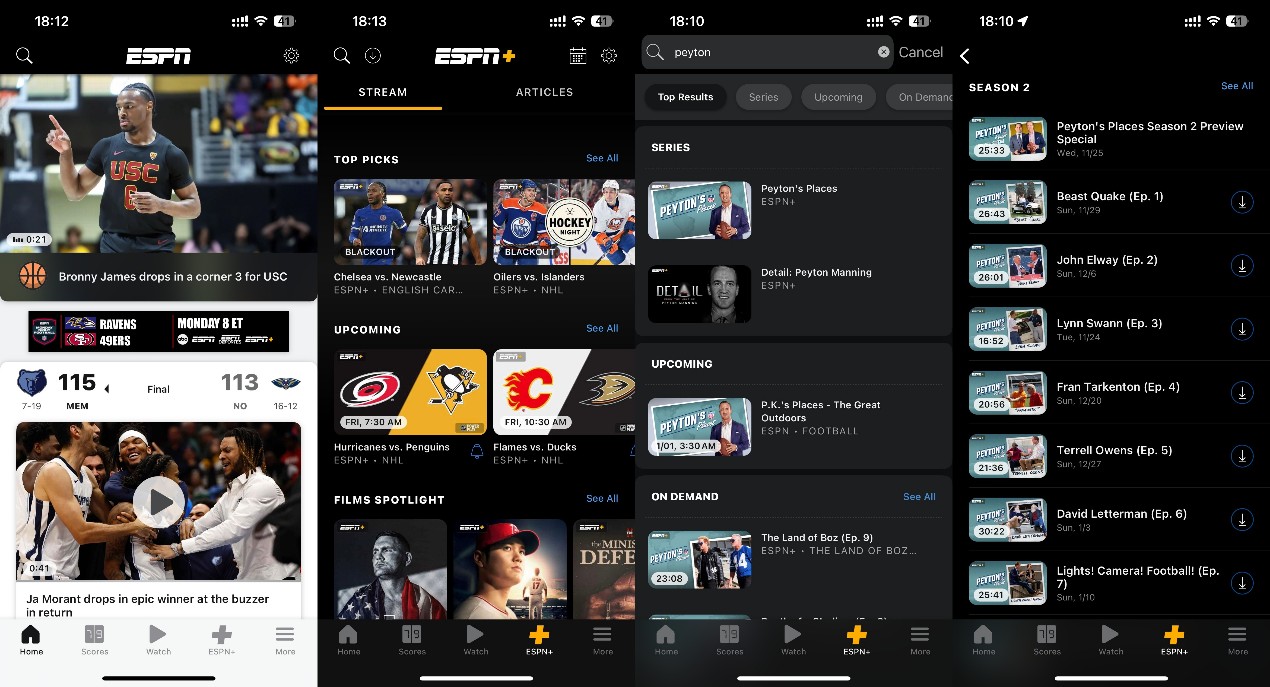
- Eligibility varies by title and device: Only eligible titles on supported devices may show an in-app download option, and expiration can depend on the title and playback state. Third-party observations as of July 2026 cite observation Windows of around 30 days after download and roughly 48 hours after first playback, but these figures do not establish an ESPN-wide rule.
- In-app storage only: The app keeps downloaded content inside its own player rather than as a transferable video file you can move to another device.
- Format restrictions: These downloads are not intended for transfer to a NAS, Plex server, or external display, so they do not fit a local-file archiving workflow.
ESPN Video Download Options for PC
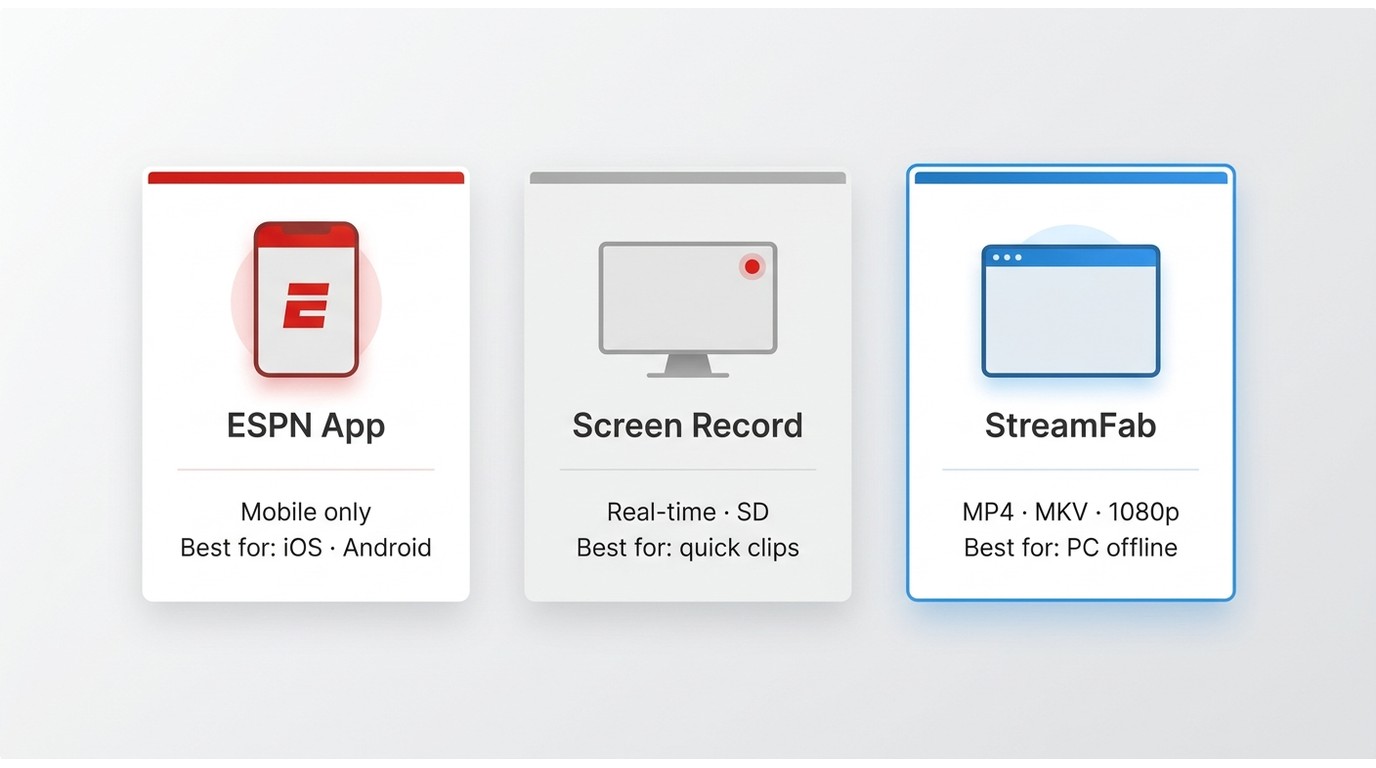
On Windows 11 (as well as Windows 10 and macOS), an ESPN video downloader falls into a few practical categories: a normal browser export (unreliable), screen recording (real-time, potentially recompressed), and a purpose-built desktop app that supports live and VOD ESPN+ content within the boundaries of platform terms and applicable law.
Browser and Command-Line Limits
A normal desktop browser does not provide a supported way to export an ESPN stream as a transferable local video file. Ad-hoc command-line downloaders can behave inconsistently across account regions, session cookies, and platform updates, so they are not a reliable route for building an archive of games or replays.
My take: if you want a file you can play in a standalone player, treat the browser and unofficial command-line routes as unstable, and consider a purpose-built desktop app instead.
Screen Recording Trade-Offs
Screen recording can work in some setups: OBS and similar tools still run on most Windows and Mac machines, and short clips of publicly viewable segments are usually captureable. In other setups, protected playback blocks capture and you see a black frame with audio in the background. Either way, recording runs in real time and the output is typically recompressed, so a full-length 60fps game is a heavy ask.
Readers who specifically want a step-by-step recorder workflow can follow our companion piece on how to screen record ESPN Plus videos for the configuration details; here I focus on when recording is or is not the right fit.
Best for: short clips, informal captures, or when you only need a real-time recording. Not ideal for: long games, batch queues, or archiving a full replay library at source quality.
StreamFab ESPN Plus Downloader
Relative to the official ESPN app, StreamFab ESPN Plus Downloader is a third-party desktop tool, subject to ESPN's terms and applicable law. For content you're authorized to access, it is one practical desktop option for saving a local copy for personal offline viewing. It is a desktop app for Windows 10/11 and macOS that saves ESPN+ live events and VOD replays up to 1080p into MP4 or MKV with AAC 2.0 audio, SRT or remuxed subtitles, event metadata and artwork, and batch queueing (specifications as of August 2026).

Dynamically updates its decryption modules to align with the platform's latest security patches. Instead of screen-recording a lossy image, it captures the 1:1 original AAC 2.0 audio track and highly efficient H.264/H.265 video tracks, instantly multiplexing them into a universal container. This guarantees zero frame drops—crucial for fast-paced sports motions.
Output tops out at 1080p depending on the source stream and your account access. Service-side allowances apply to protect account safety: 100 downloads per day and 700 per service per week, resetting on the next cycle.
Saving an ESPN video as MP4 with matching metadata runs from the integrated browser. Here is my exact 2026 workflow for archiving entire tournament brackets.
Step 1: Launch StreamFab and navigate to the VIP Services panel. Select ESPN+ to load the embedded browser.
Step 2: Log in with your validated subscription credentials to authenticate the session.
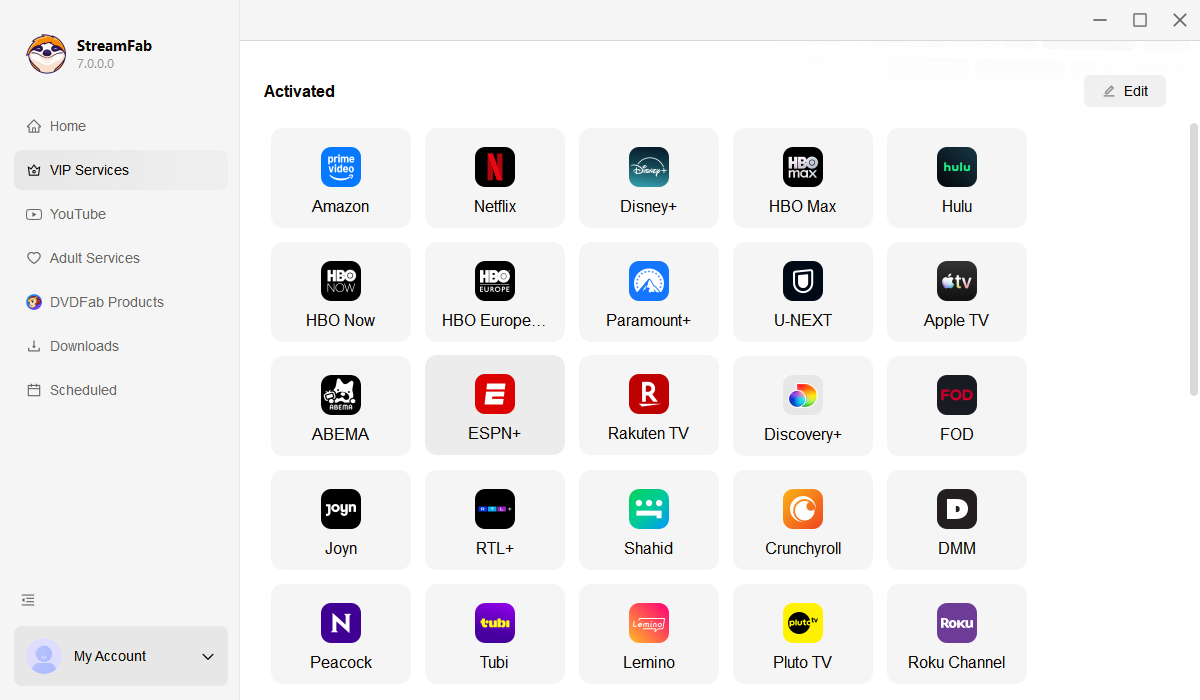
Step 3: Open the target game or replay in the built-in browser. The app then prompts a resolution, audio track, and subtitle selection dialogue for the available options.
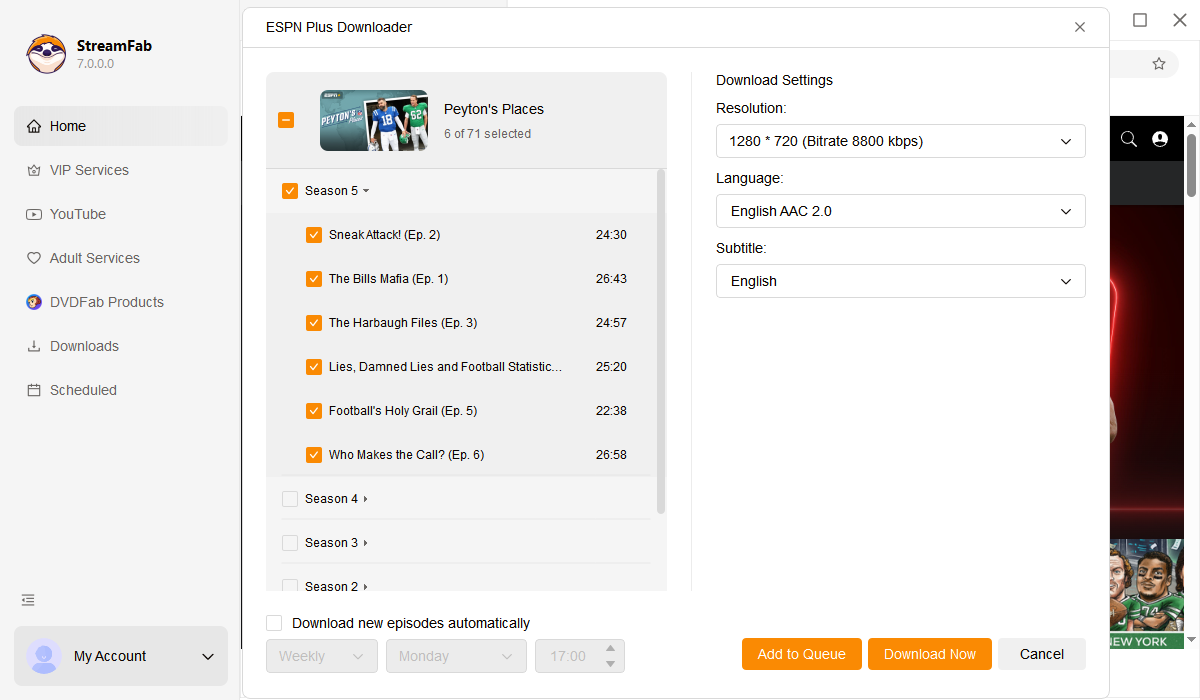
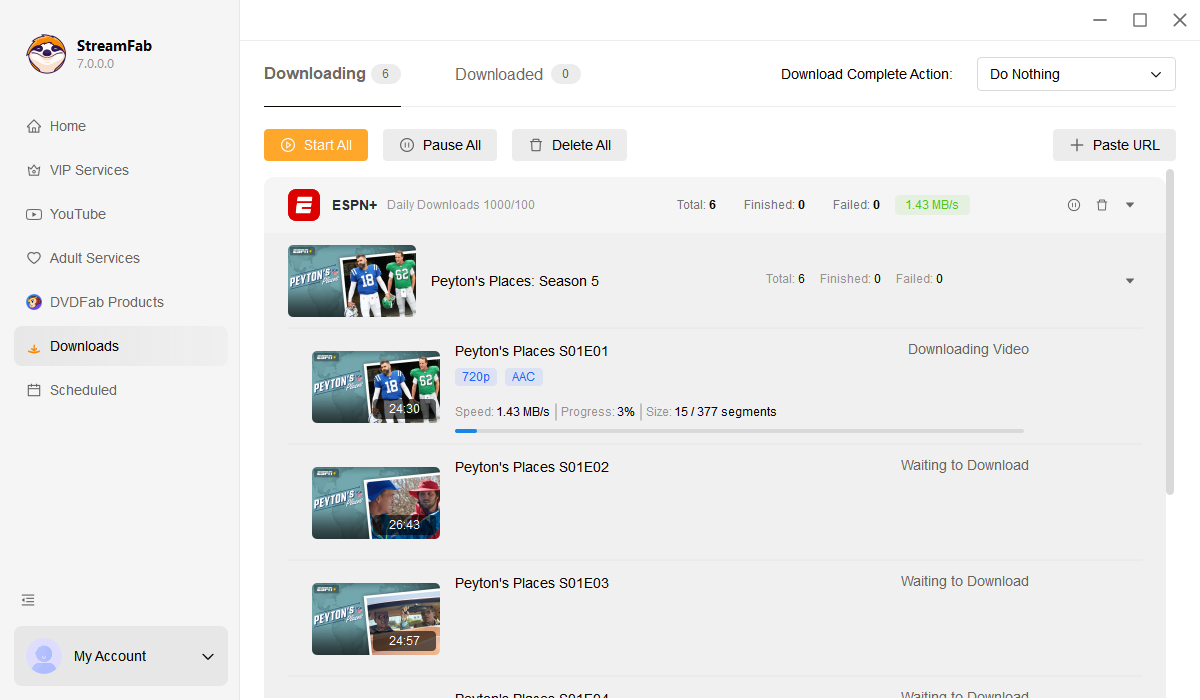
Step 4: Click 'Download Now'. The software starts the batch download and writes standard MP4 files to your chosen output folder.

| Metric (Tested 2026) | Official App Cache | Screen Recording (OBS) | StreamFab Parser |
|---|---|---|---|
| Success Rate | High (Mobile Only) | Low (Blocked by HDCP) | 99.9% (Continuous CDM Updates) |
| Time Efficiency | Variable | 1:1 Real-Time Processing | Up to 10x Turbo Speed |
| Video Output | Encrypted Chunks | Lossy, Variable Framerate | 1:1 Bitstream MP4 (720p/60fps) |
| Metadata Extraction | None | None | Full NFO (Titles, Dates, Posters) |
FAQs
Why does an ESPN+ download stay stuck on Analyzing?
An analysis stall is usually a platform-side change or a local setup issue, not automatically a quota problem. Try this short checklist: update to the latest version, retry one title on its own, confirm your output folder has enough free space and normal read-write permissions, restart the app to clear the analysis queue, and if two or more services keep stalling, contact support with the logs attached.
Is there a legitimate free way to save ESPN videos offline?
Eligible in-app downloads may be included with a valid ESPN subscription on supported devices, which is the built-in free path for offline viewing on that device. A transferable desktop file on Windows or Mac usually requires a separate tool: StreamFab offers a free trial with up to three downloads per streaming service, but ESPN content itself still requires a valid subscription to access.
Which output folder should I use on Windows or Mac?
Pick a dedicated user-owned folder with enough free space and normal read-write permissions, and keep a backup routine for anything you cannot easily re-download. Avoid pointing your output at system directories or a shared cache that other apps may sweep. A clean per-service subfolder also makes it easier to spot which titles finished cleanly and which need a retry.
Does screen recording preserve the same quality as a direct download?
A direct download saves the profile the service offers you, so video and audio arrive as one file with the source frame rate and channel layout intact. Screen recording is a real-time capture: video is re-encoded by the recorder, and audio is captured through the system mixer, which can introduce compression artifacts or channel downmixing. For long games and multi-audio tracks, a direct download is the more predictable path.
Conclusion
The best method depends on what you actually need. If an eligible mobile in-app download covers your commute, the official ESPN app is the simplest path. If you only want short clips and your setup allows capture, screen recording works, with the trade-off that it runs in real time and may recompress the source. For authorized users on Windows or Mac who need transferable MP4 or MKV files that fit into a local library, StreamFab ESPN Plus Downloader is a practical desktop option.
Note: The analysis and tools discussed in this article are strictly for the personal backup of media you legally have access to via a paid subscription. Any circumvention of DRM for commercial distribution, sharing, or piracy violates international copyright laws including the DMCA. Always archive responsibly.


ESPN is on DIRECTV channel 206, while ESPN+ programming, now offered through ESPN Select or ESPN Unlimited, is watched in the ESPN app rather than on a linear channel. That distinction is the quickest way to find the right game before kickoff.
By Marcia Hatcher - Aug 12, 2026

Yes, you can screen record ESPN+ videos, but the practical route depends on timing and device: check ESPN+ replays first, use real-time capture for a live moment, and consider a permitted local-file workflow for personal offline viewing when a replay is available.
By Marcia Hatcher - Jul 27, 2026