StreamFab Fandango Downloader
Purchased a 4K Dolby Vision movie on Fandango but can only download it on your phone? StreamFab saves your Fandango titles as 4K HDR MP4/MKV files with EAC3 5.1 audio for personal offline viewing on any device.

Save Fandango purchases for offline viewing

Auto-download new Fandango releases on schedule

Download Fandango movies in 4K Dolby Vision quality

Browse and download Fandango via built-in browser
Why Movie Lovers Choose StreamFab for Fandango
Fandango locks your paid movies behind device restrictions
Imagine spending $19.99 on a 4K Dolby Vision movie on Fandango — only to discover you can only download it to a single mobile device, with no option to watch it on your laptop or home theater PC. That is the reality for millions of users since Vudu rebranded to Fandango in 2023. Rented titles expire within 30 days of purchase and just 48 hours after you press play, while the free ad-supported tier offers no offline mode whatsoever. Even purchased content is tethered to the Fandango app, and if the service ever shuts down, your entire digital collection could vanish overnight.
StreamFab Fandango Downloader — developed by the StreamFab team with over 8 years of video software expertise — removes these barriers by saving your Fandango movies and shows as standard MP4 or MKV files on your own computer. Your purchased 4K HDR content, complete with Dolby Vision metadata and EAC3 5.1 surround audio, becomes a permanent local file you can watch on any device, at any time, with no expiration dates and no device restrictions.
Backed by StreamFab's 8+ years of video software leadership
When you entrust your movie library to a software tool, reliability matters as much as features. StreamFab has been developing video software since 2003 — over two decades of continuous engineering that has earned the trust of tens of millions of users worldwide. StreamFab, built on this foundation, has accumulated over 100 million downloads and maintains strong ratings on Trustpilot, G2, and Reviews.io. The download success rate for Fandango content sits at 99%, backed by a dedicated QA team that pushes weekly compatibility updates — typically resolving any platform-side changes within 24 to 48 hours.
Beyond the technology, a responsive customer support system and active user forum mean you are never left troubleshooting alone. Whether you are saving a newly released 4K blockbuster or archiving a classic film from your Fandango library, the combination of StreamFab's proven track record and StreamFab's modern engineering gives you the confidence that every download will complete successfully.

Premium 4K Downloads Built for Home Theater Enthusiasts
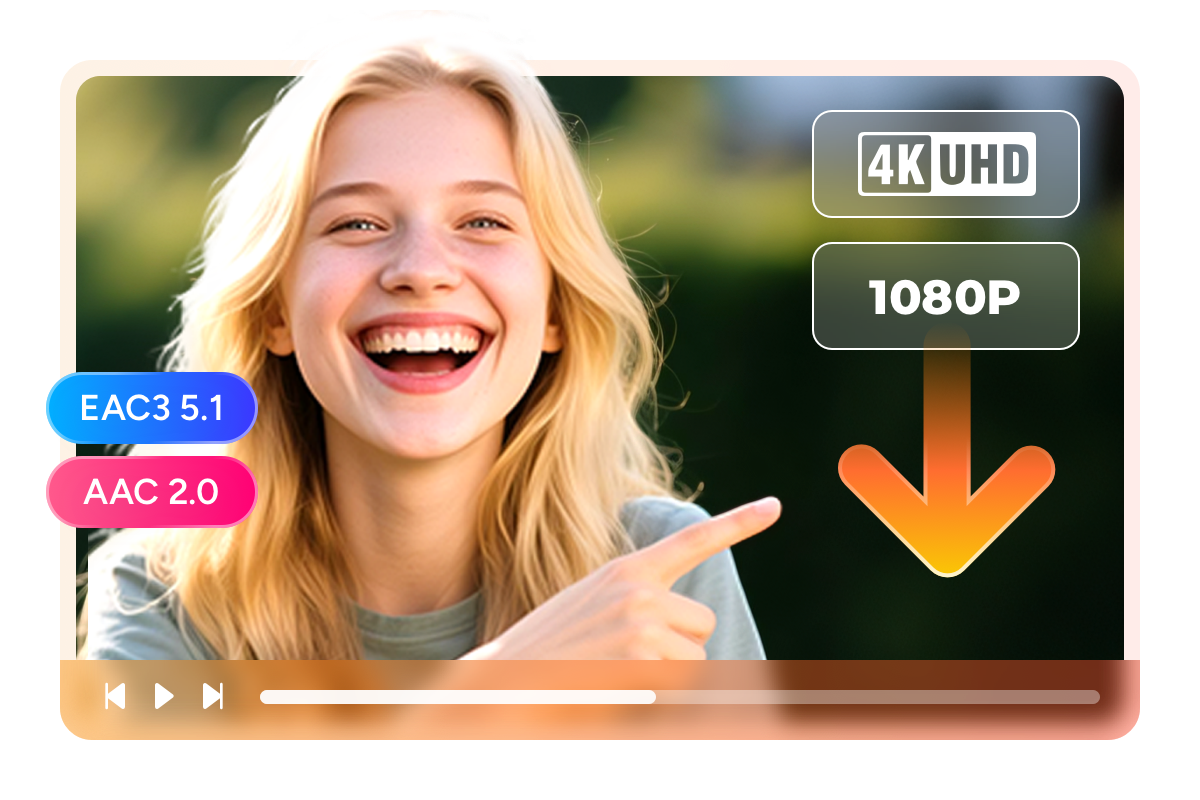
Save Fandango movies in 4K Dolby Vision with EAC3 5.1 surround sound
Picture yourself settling into your home theater for a Friday night movie. You paid $24.99 for a 4K Dolby Vision title on Fandango, but the official app only lets you stream it — and your internet keeps buffering during the climactic scenes. StreamFab captures that same 4K resolution (3840 x 2160) with full HDR10 or Dolby Vision dynamic metadata, preserving the director's intended color grading and contrast on every frame. The audio side is equally faithful: EAC3 5.1 surround sound at 640 kbps delivers six discrete channels of cinema-quality audio, placing dialogue in the center channel while effects and ambient sound move naturally around your room. For portable viewing on headphones, AAC 2.0 stereo at 192 kbps is also available.
The difference between 4K HDR and standard 1080p SDR is not subtle — it is the difference between seeing every thread in a costume and seeing a flat, washed-out image. StreamFab preserves this premium quality exactly as Fandango delivers it, so your investment in content and equipment pays off every time you press play.
Download Fandango movies as MP4 or MKV for any device
You just downloaded a 4K Dolby Vision film from Fandango — now where do you watch it? With StreamFab, you choose. MP4 format works instantly on iPhones, iPads, Android tablets, smart TVs, gaming consoles, and virtually every media player ever made. Load an MP4 onto a USB drive, plug it into any TV, and it plays without codec installation or configuration. MKV format, on the other hand, is the format of choice for home theater enthusiasts running Plex, Kodi, or Emby. MKV supports multiple audio tracks and subtitle streams in a single file, so you can embed both the EAC3 5.1 and AAC 2.0 audio alongside subtitle options within one container.
Both formats preserve the full 4K HDR video quality and surround sound without any re-encoding or quality loss. Your Fandango purchase transforms from a platform-locked stream into a versatile file that plays on your terms.

Save subtitles as SRT files or embed them into Fandango movies
Watching a foreign-language film or a dialogue-heavy thriller late at night with the volume low? Subtitles make the difference. StreamFab Fandango Downloader gives you two options for handling subtitles: embed them directly into the MP4 or MKV video file for a seamless single-file experience, or save them as separate SRT files that you can toggle on and off in any media player. Embedded subtitles are ideal when you want a simple file to copy to a tablet for travel. Separate SRT files give you the flexibility to switch subtitle languages or turn captions off entirely without touching the video file.
Both modes preserve the original subtitle timing and formatting from the Fandango stream, ensuring perfect synchronization throughout the entire film.

Smart Features for a Seamless Experience
Schedule Downloads for New Releases Automatically
Never miss a new release on Fandango again. Set StreamFab to check for new content on a daily or weekly schedule, and fresh titles download automatically in your chosen quality and format.

Batch Download Your Entire Fandango Library
Queue up dozens of Fandango titles and let StreamFab process them all in one session. A typical 2-hour 4K movie downloads in about 30 minutes, so an entire weekend's worth of films can be ready in a couple of hours.

Watch without Ad Interruptions
Viewing experience is interrupted by frequent commercial breaks — roughly 4 to 6 minutes of ads per hour. StreamFab automatically removes these ad segments during download, producing a clean video file that plays without a single interruption.
Build Your Personal Movie Library
Save rich metadata for a fully organized movie collection
A growing collection of downloaded movies quickly turns into a chaotic folder of cryptic filenames unless you have proper metadata. StreamFab Fandango Downloader automatically saves each film's title, release year, genre, director, cast information, cover artwork, and season/episode details for TV series. Import these files into Plex, Emby, or Kodi, and your library organizes itself into a visually rich, fully browseable collection — complete with movie posters, cast lists, and genre categorization.
For home theater enthusiasts who have invested in 4K Dolby Vision titles from Fandango, metadata turns a basic file folder into a Netflix-like browsing experience. Every film displays its poster, synopsis, and cast information, making it easy to find exactly what you want on movie night.

What Fandango Users Say About StreamFab

Mark
Business ConsultantDiana
CopywriterAmber
Home Theater EnthusiastMark
Business ConsultantDiana
CopywriterAmber
Home Theater EnthusiastMark
Business ConsultantDiana
CopywriterAmber
Home Theater EnthusiastMark
Business ConsultantDiana
CopywriterAmber
Home Theater Enthusiast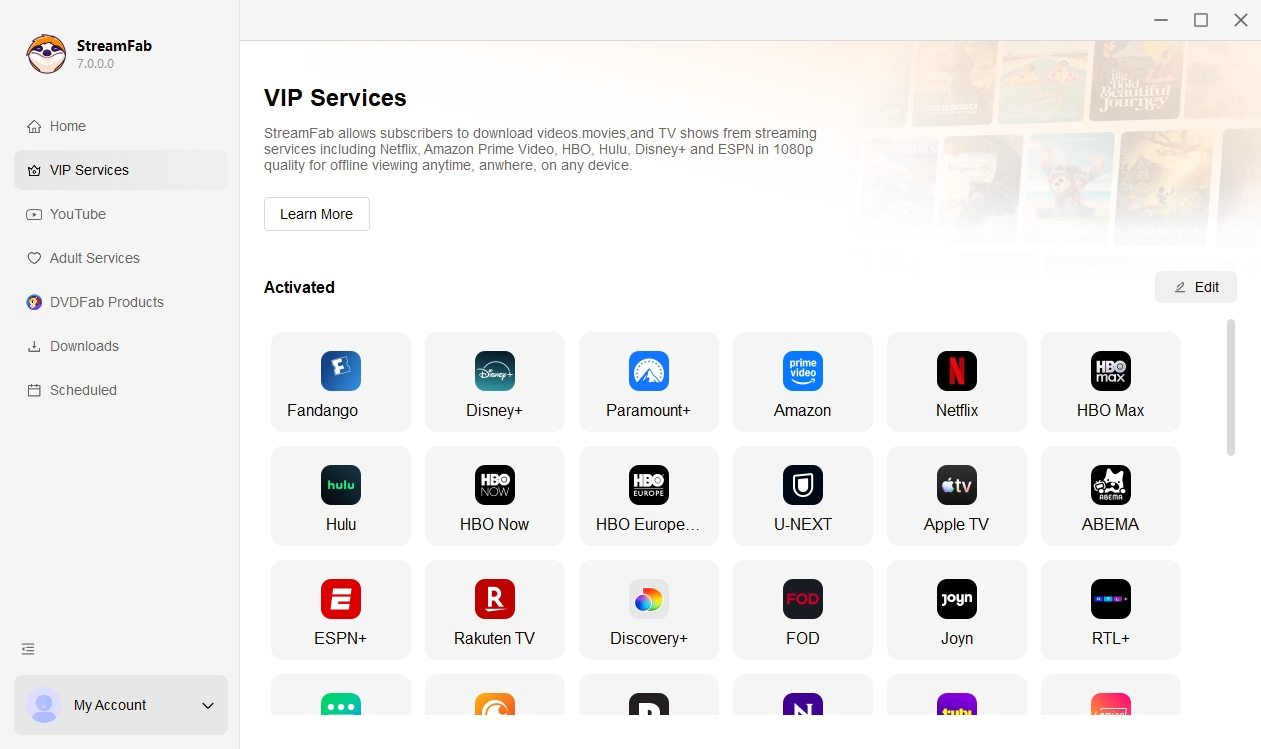
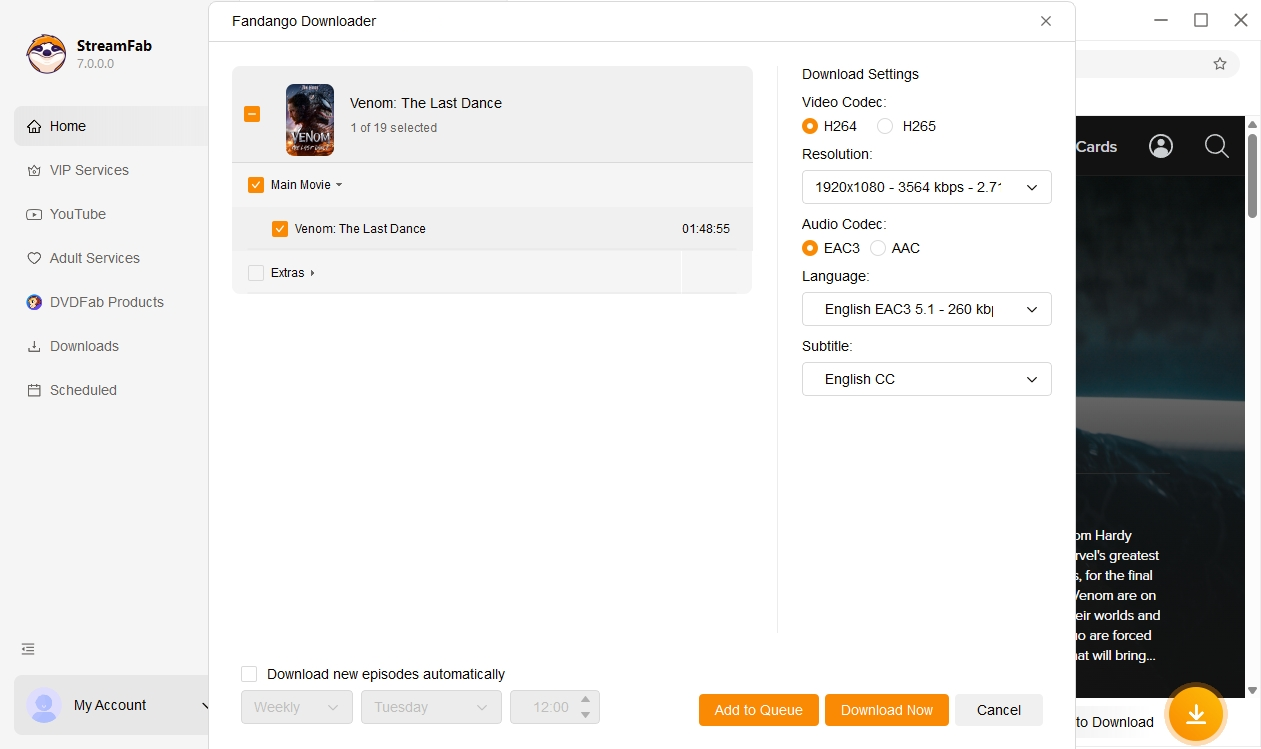
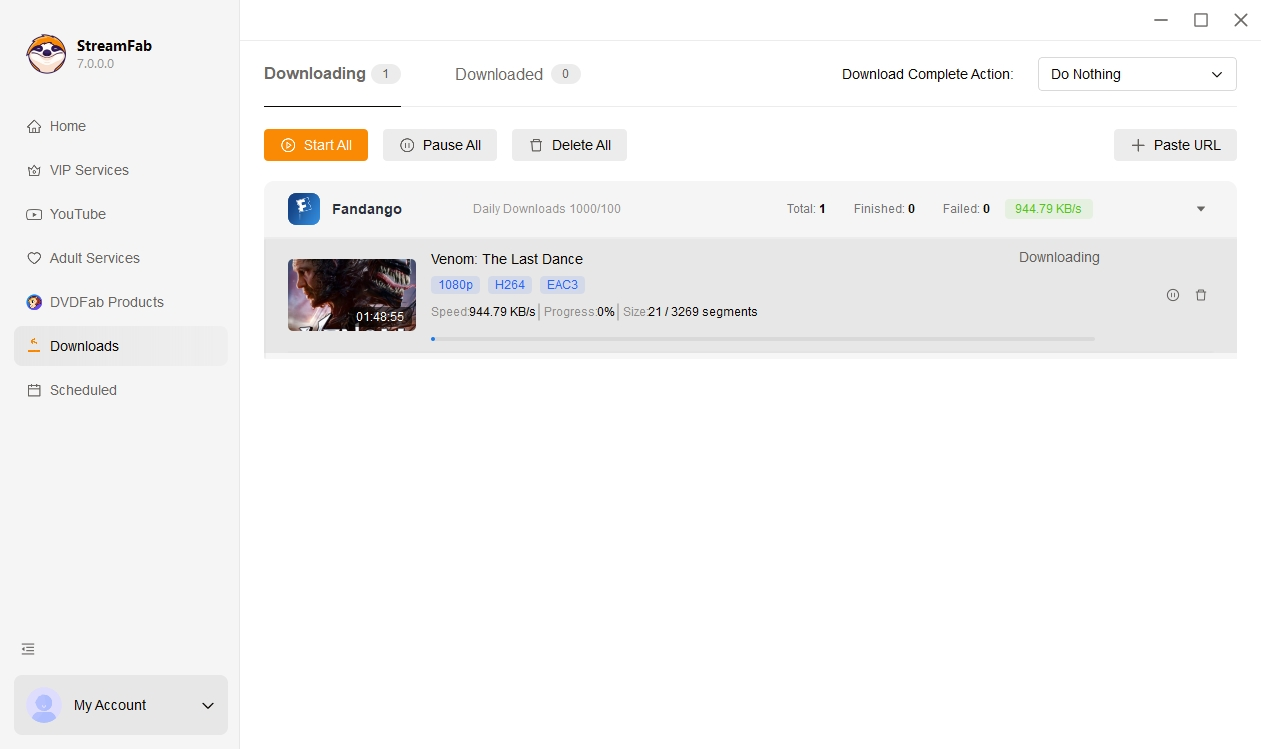
Download and install StreamFab on your Windows or Mac computer. Launch the program and select Fandango from the streaming services panel to open the built-in browser.
Log in to your Fandango account within the built-in browser. Browse or search for the movie or show you want, then configure your preferred resolution (up to 4K), audio format, and subtitle options.
Click Download Now or add the title to your batch queue. StreamFab processes the video and saves it as an MP4 or MKV file on your local drive. Play it anytime on any device with your preferred media player.
System Requirements

Fair Use Policy: StreamFab is intended only for personal use. You should use it solely to save streaming content that you have legally purchased or subscribed to on Fandango, for personal offline viewing and backup. It is not allowed to share the downloaded content with any third party, or to use it for commercial purposes or any activity that may infringe copyright or violate the platform’s terms of service.
To avoid being blocked by streaming providers, a StreamFab licensed account has a quota of 100 downloads per day, and 700 downloads per week from each supported streaming service. Whenever some of it is used up, it will refill during the next time cycle.