StreamFab FANZA Downloader for Browser
Your FANZA subscriptions and purchases represent real value — content you've paid for, that you should be able to keep. StreamFab FANZA Downloader for Browser captures FANZA videos in up to 4K resolution directly from your browser, no separate app window needed.
Also Available on:Desktop SoftwareLast Update: Jun 22, 2026
100% Safe & Clean
4.8(2592)

Download any FANZA subscription or purchase video

Up to 4K resolution with AAC 2.0 audio

Save videos directly from your browser
Why Choose StreamFab FANZA Downloader for Browser
Proven Technology
20+ Years of Download Engine Expertise Behind Every FANZA Save
You've probably encountered free FANZA download tools before. Maybe one worked for a while, then broke completely after a site update. Maybe another delivered low-quality files that didn't reflect the content you actually paid for. When you want a reliable local copy of content you've genuinely purchased or subscribed to, unreliable tools aren't just inconvenient — they cost you time and betray your trust.
StreamFab FANZA Downloader for Browser is powered by DVDFab's proprietary download engine — a technology trusted by tens of millions of users worldwide and continuously refined over 20+ years. Reviewed by major technology publications, the engine captures FANZA video streams at full native quality: up to 4K resolution with AAC 2.0 stereo audio at 192 kbps. The browser extension detects downloadable content automatically as you browse FANZA, and the lightweight CoApp processes every save cleanly in the background — quickly, reliably, without interrupting your session.
StreamFab FANZA Downloader for Browser is powered by DVDFab's proprietary download engine — a technology trusted by tens of millions of users worldwide and continuously refined over 20+ years. Reviewed by major technology publications, the engine captures FANZA video streams at full native quality: up to 4K resolution with AAC 2.0 stereo audio at 192 kbps. The browser extension detects downloadable content automatically as you browse FANZA, and the lightweight CoApp processes every save cleanly in the background — quickly, reliably, without interrupting your session.

Full Catalog Access
Download Any FANZA Video — Subscription or Purchase
Have you ever gone back to find a specific FANZA title you purchased or watched months ago, only to find it unavailable to stream? Or noticed that content you've had on your list might not always be there? The uncertainty of relying entirely on platform availability is real — and it affects content you've already paid for.
StreamFab FANZA Downloader for Browser works with your full FANZA library. Whether you're watching from a monthly subscription, accessing individual purchased titles, or revisiting something from your purchase history, the extension detects downloadable video the moment you land on any FANZA content page. No manual URL handling, no additional configuration. Browse FANZA the way you normally would, and your saved collection becomes a true offline archive — content you've acquired stays available on your terms, regardless of what changes on the platform.
StreamFab FANZA Downloader for Browser works with your full FANZA library. Whether you're watching from a monthly subscription, accessing individual purchased titles, or revisiting something from your purchase history, the extension detects downloadable video the moment you land on any FANZA content page. No manual URL handling, no additional configuration. Browse FANZA the way you normally would, and your saved collection becomes a true offline archive — content you've acquired stays available on your terms, regardless of what changes on the platform.
Browser-Native
Download Right Where You Browse — No App Window to Switch To
Traditional video downloaders break your flow. You'd copy a URL, switch to a separate desktop application, paste the link, set up the download, wait for it to process, then switch back to your browser to find the next title. Disruptive, repetitive, and nobody actually enjoys it.
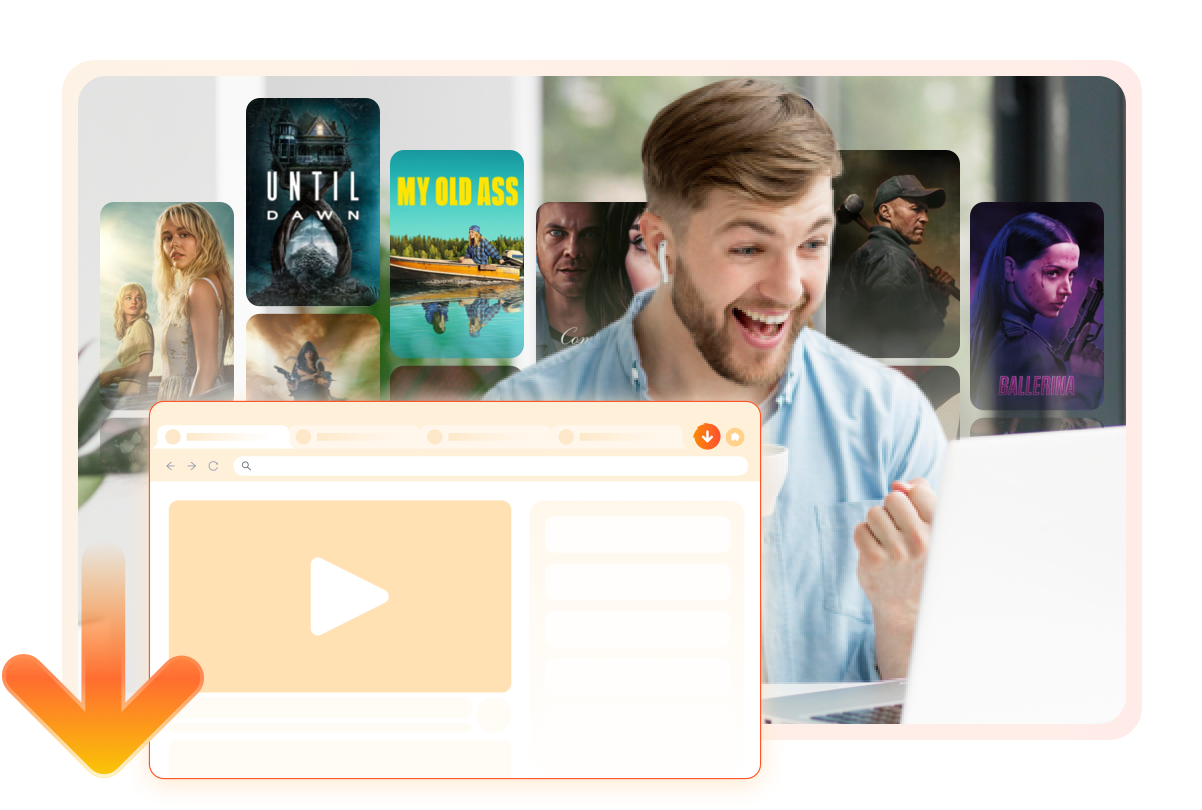
StreamFab FANZA Downloader for Browser lives entirely inside your browser as a lightweight extension. When you want to save a video, you don't need to leave FANZA or open another window. The download button appears right alongside the content you're already browsing. The CoApp companion runs silently in the background, handling all processing and file saving while you stay in your browsing session. It's a seamless experience that feels less like operating a tool and more like a natural part of how you use FANZA every day.
StreamFab FANZA Downloader for Browser lives entirely inside your browser as a lightweight extension. When you want to save a video, you don't need to leave FANZA or open another window. The download button appears right alongside the content you're already browsing. The CoApp companion runs silently in the background, handling all processing and file saving while you stay in your browsing session. It's a seamless experience that feels less like operating a tool and more like a natural part of how you use FANZA every day.
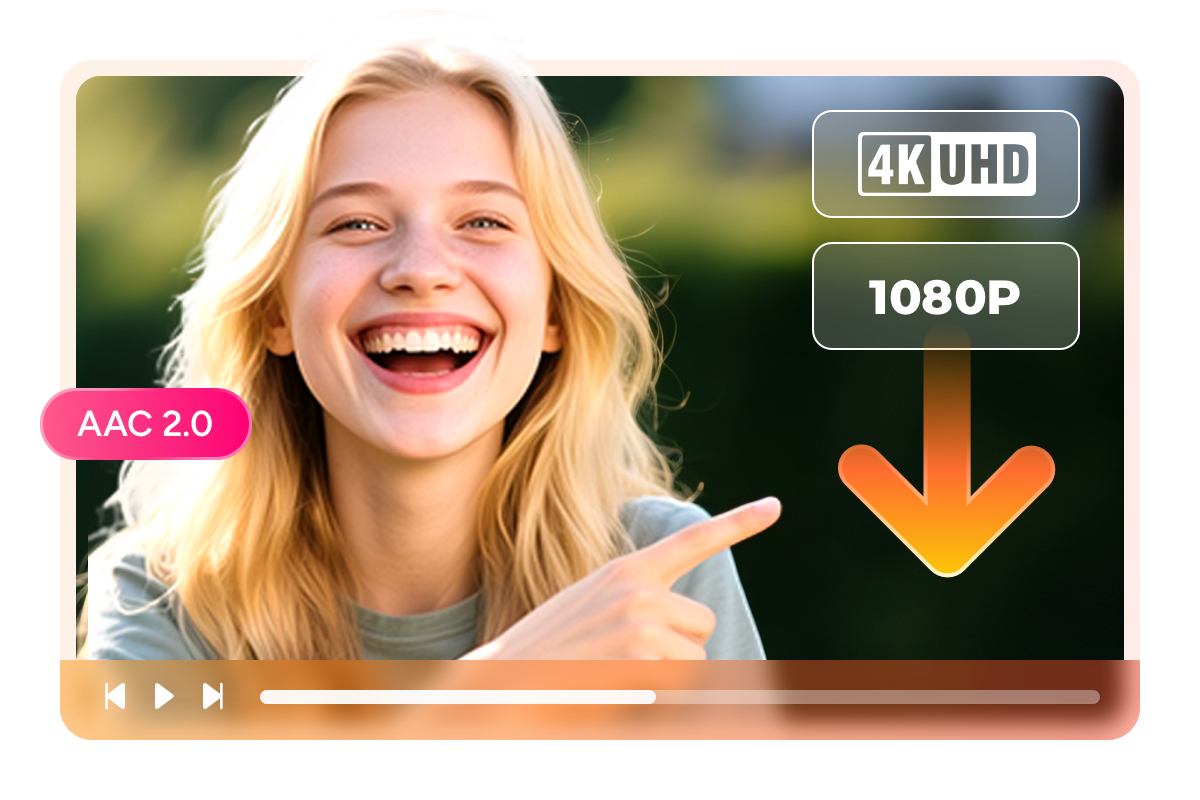
Quality That Does Justice to What You're Watching
4K/1080p・AAC 2.0
4K and 1080p Downloads with AAC 2.0 Audio — True to the Original
You chose FANZA content for its quality. A download tool that delivers a compressed, degraded version of what you paid for defeats the purpose entirely — blurry images, thin audio, visible re-encoding artifacts that remind you with every playback that something valuable was lost.
StreamFab FANZA Downloader for Browser preserves the source quality exactly. For content up to 4K resolution, the video saves at the full resolution FANZA delivers — no re-encoding, no forced quality ceiling. For most content, you're looking at crisp 1080p Full HD with AAC 2.0 stereo audio at 192 kbps: natural, clear sound that delivers the full listening experience. What plays on FANZA is exactly what lands in your local file — a genuine archive copy, not a compressed approximation of the original.
StreamFab FANZA Downloader for Browser preserves the source quality exactly. For content up to 4K resolution, the video saves at the full resolution FANZA delivers — no re-encoding, no forced quality ceiling. For most content, you're looking at crisp 1080p Full HD with AAC 2.0 stereo audio at 192 kbps: natural, clear sound that delivers the full listening experience. What plays on FANZA is exactly what lands in your local file — a genuine archive copy, not a compressed approximation of the original.
MP4/MKV
MP4 & MKV — Play Your FANZA Collection Anywhere
You've built a personal FANZA collection — but a collection only works if you can actually watch it comfortably on any device you choose. Format errors, unsupported codecs, and compatibility issues are exactly the kind of friction that shouldn't stand between you and your own files.
StreamFab covers all of it. Select MP4 for maximum compatibility: your saved videos play natively on Windows PCs, phones, tablets, smart TVs, and gaming consoles with no additional software required. Choose MKV if you prefer richer container features — stronger metadata support, flexible subtitle handling, ideal for organizing a larger personal library. Every download goes straight from FANZA to your chosen format, ready to play on any screen the moment the download completes.
StreamFab covers all of it. Select MP4 for maximum compatibility: your saved videos play natively on Windows PCs, phones, tablets, smart TVs, and gaming consoles with no additional software required. Choose MKV if you prefer richer container features — stronger metadata support, flexible subtitle handling, ideal for organizing a larger personal library. Every download goes straight from FANZA to your chosen format, ready to play on any screen the moment the download completes.

Video Codec Options
Choose H.264 or VP9 — The Codec That Works for Your Setup
The video codec your download uses isn't just a technical detail — it's what determines whether your saved FANZA videos will actually play smoothly on your devices and in your media player. H.264 is the most widely supported codec available: every device, every player, every platform handles it without a second thought. VP9 offers improved compression efficiency, delivering comparable visual quality at smaller file sizes — useful when storage space matters and you're building a larger collection.
StreamFab FANZA Downloader for Browser gives you the choice. Select H.264 for guaranteed compatibility across all your screens, or choose VP9 when you want better storage efficiency without sacrificing quality. The decision is yours before every download — no post-processing, no conversion required, just the file you want in the format your setup handles best.
StreamFab FANZA Downloader for Browser gives you the choice. Select H.264 for guaranteed compatibility across all your screens, or choose VP9 when you want better storage efficiency without sacrificing quality. The decision is yours before every download — no post-processing, no conversion required, just the file you want in the format your setup handles best.
Subtitle Support
Save FANZA Subtitles — In the Format You Prefer
Some FANZA content includes subtitle tracks — Japanese, English, or other languages depending on the production. When those subtitles are part of the content, they're part of the experience you paid for, and they belong in your saved copy alongside the video.
StreamFab FANZA Downloader for Browser downloads available subtitle tracks alongside the video. Save them as external SRT files — a universally compatible format that works with any media player on any device. Or embed them directly into the video container, creating a self-contained file that plays with subtitles already configured and ready, without any extra setup. Whether you use subtitles for language support, accessibility, or simple viewing preference, StreamFab makes sure those tracks are part of your local copy.
StreamFab FANZA Downloader for Browser downloads available subtitle tracks alongside the video. Save them as external SRT files — a universally compatible format that works with any media player on any device. Or embed them directly into the video container, creating a self-contained file that plays with subtitles already configured and ready, without any extra setup. Whether you use subtitles for language support, accessibility, or simple viewing preference, StreamFab makes sure those tracks are part of your local copy.

More Control Over How You Download

Batch Download Multiple Videos at Once
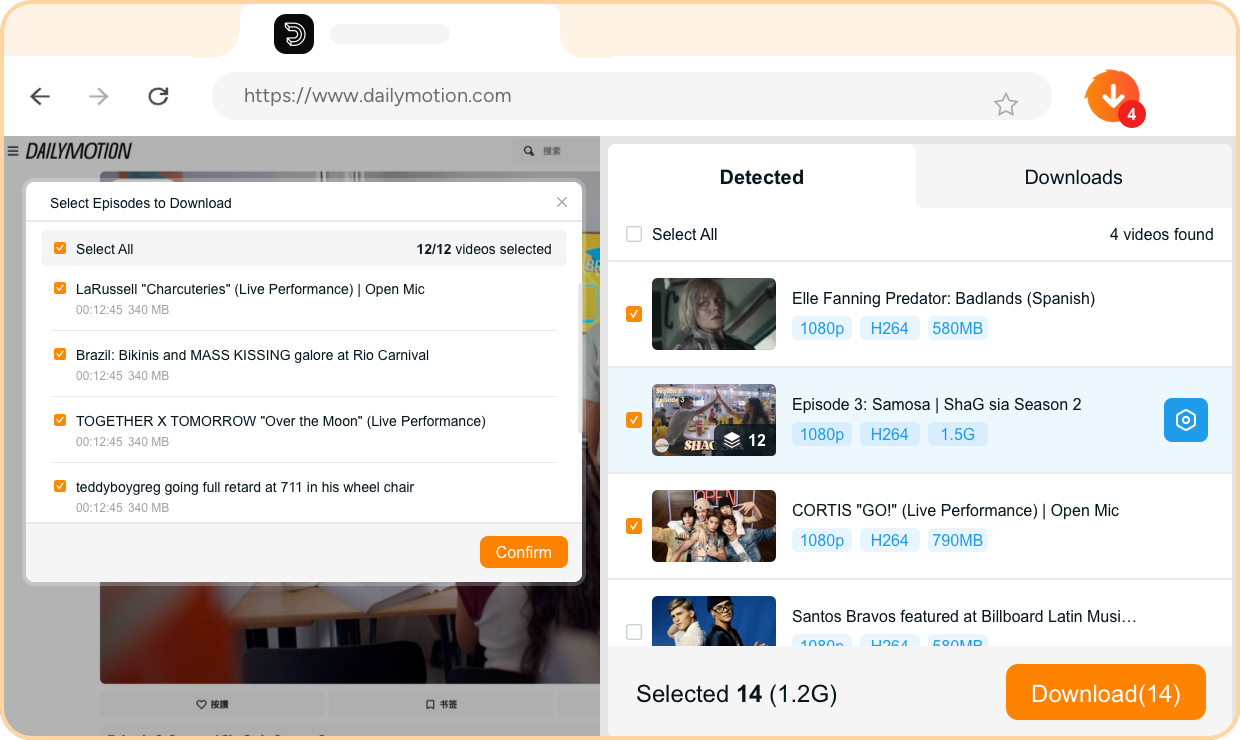
Select multiple titles from FANZA and download them all in a single session — build your personal offline collection without repetitive one-by-one saves.
A Collection Worth Organizing
Smart Metadata
Automatic Metadata — Your FANZA Library Properly Labeled
A local FANZA video collection is only as useful as it is navigable. When downloads arrive with generic filenames and no context, browsing your own archive becomes as frustrating as scrolling through an unlabeled hard drive — especially when you're looking for something specific.
StreamFab FANZA Downloader for Browser automatically retrieves metadata alongside each video: title, release information, studio details, and description. Your files land in your media library already correctly labeled and ready to browse with any media player or library manager that reads standard metadata tags. The difference between a disorganized folder and a properly structured personal collection is just the metadata — and StreamFab handles that automatically, so you never have to.
StreamFab FANZA Downloader for Browser automatically retrieves metadata alongside each video: title, release information, studio details, and description. Your files land in your media library already correctly labeled and ready to browse with any media player or library manager that reads standard metadata tags. The difference between a disorganized folder and a properly structured personal collection is just the metadata — and StreamFab handles that automatically, so you never have to.

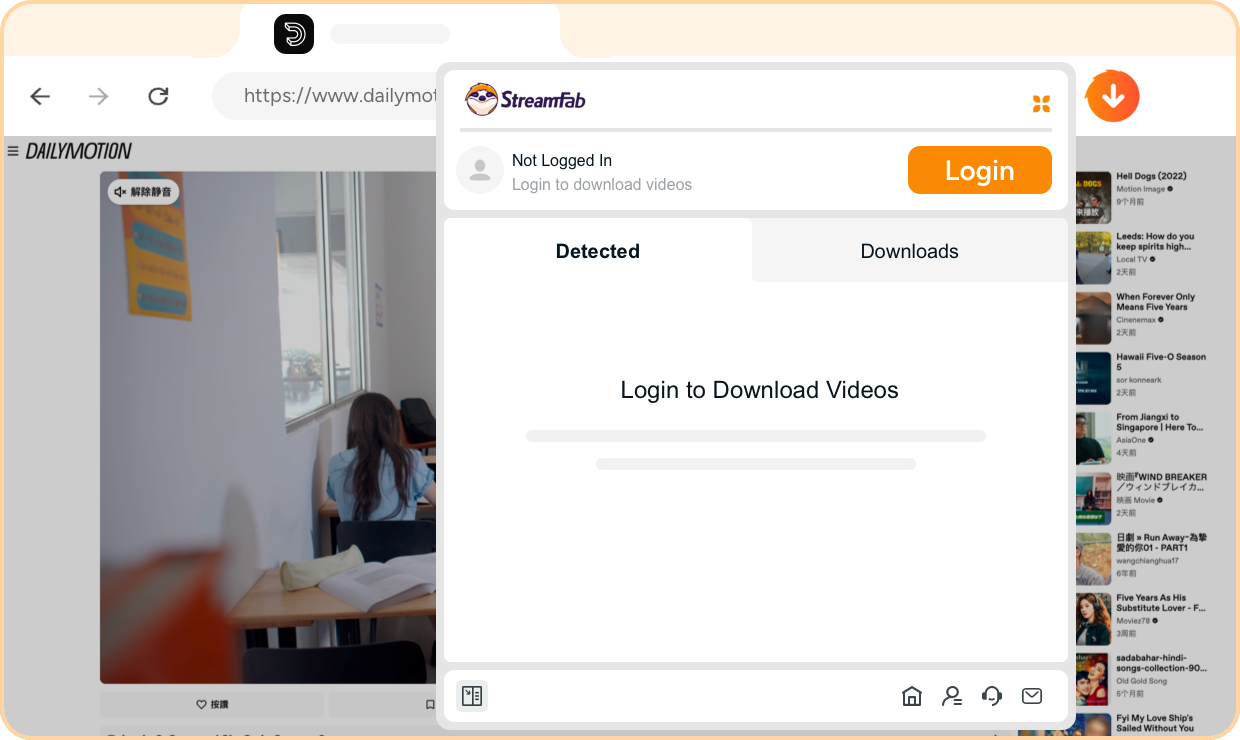
Step 1. Install the Extension and Sign In
Add StreamFab FANZA Downloader for Browser from the official store, then sign in with your StreamFab account to activate your license.
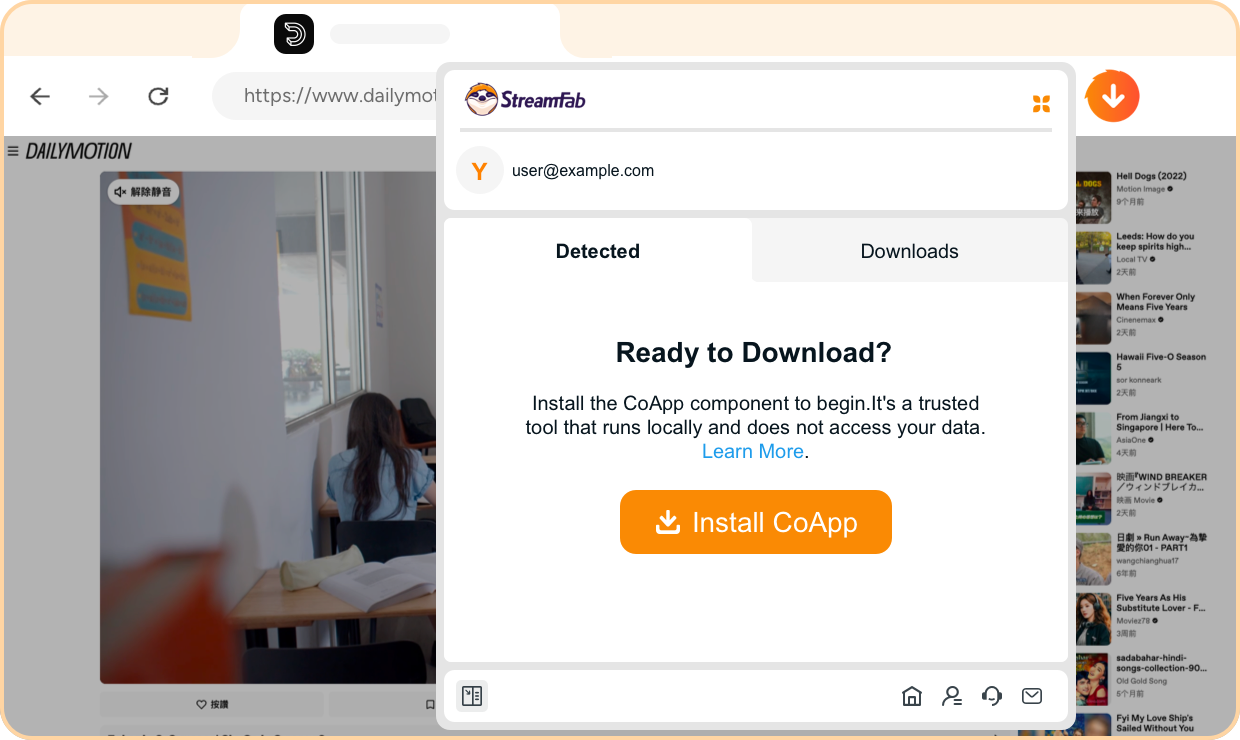
Step 2. Install the CoApp Desktop Companion
Download and install the lightweight CoApp — StreamFab's official desktop companion that securely handles all video processing and file saving in the background.
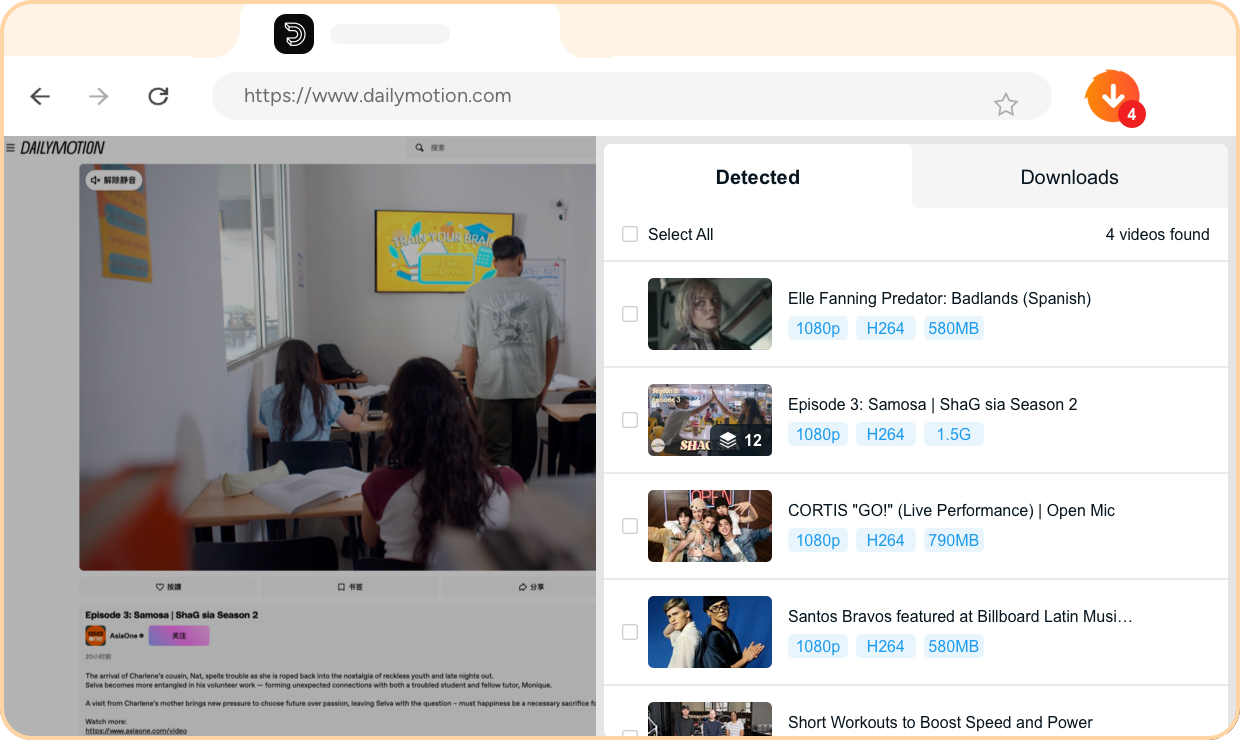
Step 3. Browse FANZA — Videos Detected Automatically
Visit any FANZA content page as you normally would. The extension automatically detects all downloadable videos on the page — no manual input or URL copying required.
Step 4. Select Your Videos and Download
Choose the videos you want, select your preferred quality and format, then click download. Files save to your local drive while you continue browsing FANZA.
System Requirements

Windows 11/10 (32/64 bit)
Intel i3 or above
4GB of RAM or above
40GB of free hard disk space or above
Live Internet connection required
Microsoft Edge 88 or above
Google Chrome (Chromium) 88 or above