

• Download all FANZA videos

    Download any purchased FANZA content

  • Download FANZA videos in 4K

    Save FANZA videos in up to 4K resolution

  • Explore FANZA videos with its in-built browser

    Browse FANZA with the built-in browser

Why FANZA Subscribers Need StreamFab

Proven Technology

You paid for it — your FANZA content should not have an expiry date

Picture this: you have spent months curating the perfect FANZA collection — carefully selecting premium titles and building a personal library of exclusive content. Then one morning, you open the app and three of your purchased titles show "currently unavailable." FANZA, Japan's largest premium adult content platform operated by DMM Group, ties purchased content to its proprietary streaming player and can revoke access when studio licensing agreements change. 


The platform restricts offline viewing to specific devices, requires a constant internet connection for most playback, and offers no guarantee that purchased content will remain permanently available. StreamFab FANZA Downloader, built on StreamFab's 8+ years of media technology expertise, captures FANZA streams at their native resolution up to 4K with AAC 2.0 audio and saves them as permanent MP4 or MKV files. No expiry, no device locks, no streaming dependency — your content stays yours.

On-demand videos come and go on streaming services
Trusted by Millions

A downloader millions trust for their FANZA library

When a premium FANZA title you purchased suddenly vanishes from the catalog, you need a tool you can trust to have captured it correctly the first time. StreamFab's download engine, refined over 8+ years and trusted by millions of users worldwide, receives weekly engine updates resolving FANZA content delivery changes within 24 to 48 hours. The platform has been reviewed by technology publications with a 4.9-star Trustpilot rating. 


The H.264 capture preserves the original encoding without re-compression, and comprehensive metadata — titles, cast, cover art — ensures every download integrates seamlessly into media libraries like Plex, Jellyfin, and PlayerFab. This is not experimental software; it is a mature platform built for reliable, long-term personal archiving. Not sure yet? 3 free downloads available to test before purchase — experience the quality firsthand with no commitment.

fanza video downloader

Flexible Output for Every Viewing Scenario

Native 4K Quality

Up to 4K that preserves every frame of your FANZA content

You are watching a premium FANZA title on your large display and every visual detail matters at that screen size — that is where resolution makes the difference. StreamFab captures FANZA streams at up to the full 4K ceiling using the H.264 codec, preserving the original bitrate profile and encoding structure frame for frame without re-compression. 


Unlike screen recorders that introduce compression artifacts, StreamFab's direct H.264 capture maintains every visual nuance at the native resolution the content was produced in. For 1080p content, the same lossless capture approach applies. The AAC 2.0 audio is preserved without transcoding, delivering clear sound reproduction whether you are watching through headphones for privacy or speakers in your living room. StreamFab offers 3 free downloads to verify the quality meets your standards before purchasing.

fanza video downloader
Universal Format Support

MP4 and MKV files that play on every device you own

FANZA's proprietary player restricts playback to approved devices — no external media players, no TV output, no portable storage flexibility. You paid for the content but cannot watch it the way you prefer. StreamFab saves your downloads as standard MP4 or MKV files that play everywhere. MP4 works natively on iOS, Android, Windows, macOS, smart TVs, and portable players without additional software. 


MKV embeds subtitle tracks in a single self-contained file, perfect for building permanent personal archives. Whether you want to watch on a large monitor at home, a laptop during travel, or transfer files to an external drive for backup, the format flexibility ensures your FANZA content plays wherever the official player cannot reach.

download fanza videos
VP9 / H.264

Supports two selectable video encoding formats (VP9 / H.264) depending on your usage scenario

You can now select your preferred codec (VP9 or H.264) when downloading videos. 'VP9' boasts high image quality and high compression rate, while 'H.264' offers overwhelming compatibility across a wide range of devices.

Choose the optimal codec for your needs:
VP9 (for image quality and storage capacity): Recommended when you want to download high-resolution videos, such as 4K, in beautiful quality while keeping file size low. H.264 (for compatibility): Recommended when you want to smoothly play and use the video without stress in any environment, such as smartphones, tablets, PCs, or video editing software.

You can save and play videos offline in the optimal format according to your playback environment and usage scenario.
Codec selection screen when downloading videos (supports VP9 and H.264)
Subtitle Download

Capture subtitles from your FANZA content

StreamFab downloads subtitle tracks alongside the video as external SRT files or embedded streams within the MKV container. External SRT files let you toggle subtitles on or off during playback, or edit timing with any text editor for maximum flexibility. Embedded subtitles are remuxed directly into the video container as a selectable track, creating self-contained files where subtitles remain perfectly synchronized regardless of which player or device you use.


The SRT option provides standalone subtitle files you can manage independently, while the embedded option suits viewers building permanent archives where single-file simplicity is paramount. Every subtitle is captured with original formatting and precise timing intact from FANZA's stream.

fanza video downloader

The Complete FANZA Downloading Experience

download fast

Batch Mode and Fast Speed

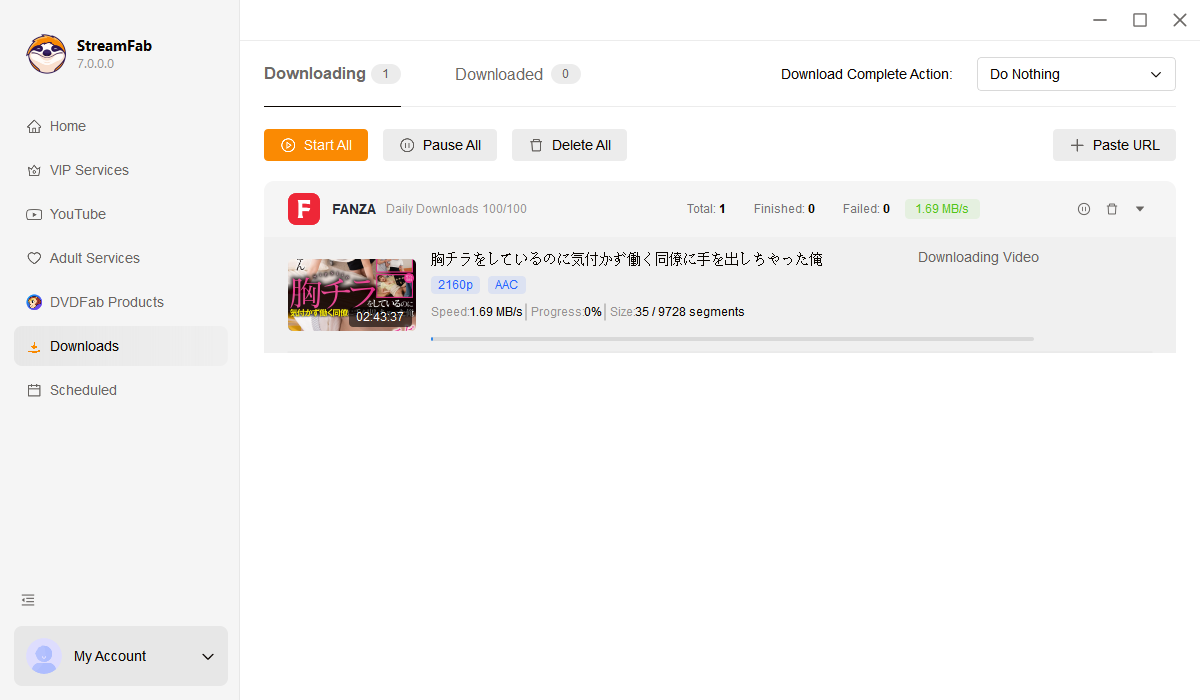
StreamFab's batch mode lets you queue every video with a single selection and processes downloads sequentially without manual monitoring. A standard full-length video at 1080p typically downloads within 8 to 30 minutes, meaning an entire collection can be archived in a single overnight session. 

More Than Just Downloading

Metadata Preservation

Every download comes with rich metadata for organized libraries

After downloading 50 FANZA titles, finding the right one in a folder of generic filenames becomes impossible without proper organization. StreamFab solves this by including comprehensive metadata with every download — title, cast information, genre tags, and cover artwork. 


This structured data integrates seamlessly with Plex, Jellyfin, Emby, and PlayerFab, transforming a plain folder of video files into a beautifully organized personal media library. The cover art and descriptive information replicate FANZA's own polished browsing experience, but within your personal server — accessible permanently even after content leaves the streaming platform.

fanza downloader

What FANZA Users Say About StreamFab

launch fanza downloader
Step 1. Launch StreamFab and enable adult services

Download and install StreamFab on your PC or Mac. Go to Settings and check "Display adult websites on homepage" to enable the FANZA option.

Step 2. Select FANZA and browse content

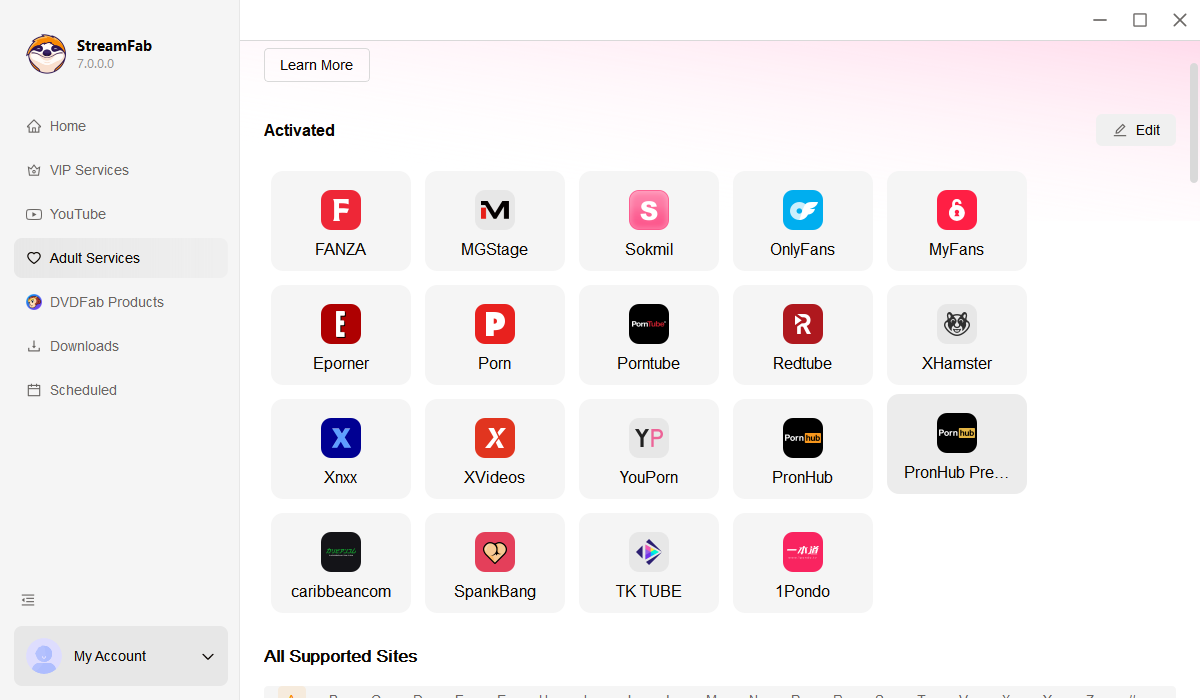
Navigate to the Adult Services section in the left panel and click the FANZA card to open the integrated browser.

Step 3. Play and download your FANZA content

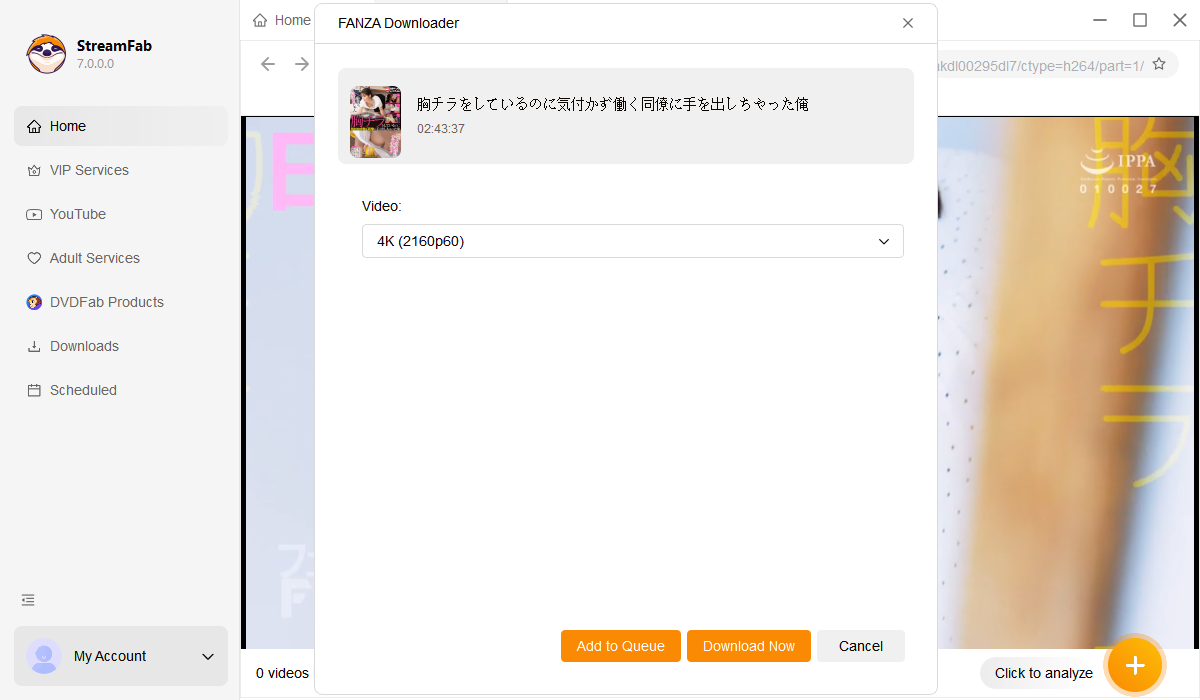
Log in with your FANZA account and play the video you want to save. A download dialog appears — select resolution, subtitle format, and output container, then click Download Now.

System Requirements

Icon
Windows 11/10 (32/64 bit)
Intel i3 or above
4GB of RAM or above
40GB of free hard disk space or above
Live Internet connection required

Related Articles

  • How to Download Fanza Videos without Quality Loss! 2026
    How to Download Fanza Videos without Quality Loss! 2026

    Have you ever viewed FANZA videos online? However, how can one watch FANZA videos without Wi-Fi? Therefore, in this article, we will explore the methods for downloading FANZA videos for offline viewing. If you wish to enjoy FANZA videos without an internet connection, be sure not to miss this!

    By Erika Leen - Apr 13, 2026
  • 2026 Fix | Record FANZA Videos Without Black Screen
    2026 Fix | Record FANZA Videos Without Black Screen

    This article will focus on how to record FANZA videos in stunning 1080p high definition. By utilizing these recording methods, you can preserve your favorite FANZA videos.Verified by real testing.

    By Erika Leen - May 6, 2026
  • How to Convert Fanza DVC Files to MP4? 100% Working Method in 2026
    How to Convert Fanza DVC Files to MP4? 100% Working Method in 2026

    We will demonstrate how to efficiently convert Fanza dcv files into mp4 format. The dcv files from Fanza can only be played on certain players, thus necessitating their conversion to mp4.

    By Erika Leen - Apr 15, 2026
Fair Use Policy: StreamFab is legal only for personal needs and it's not allowed to share the downloaded content with any third party.

To avoid being blocked by streaming providers, a StreamFab licensed account has a quota of 100 downloads per day, and 700 downloads per week from each supported streaming service. Whenever some of it is used up, it will refill during the next time cycle.