StreamFab Netflix Downloader for Browser
Download Netflix movies and shows in 1080p with HDR10/Dolby Vision and Dolby Atmos/EAC3 5.1 audio directly from your browser. One-click saving with no app switching needed.
Also Available on:Desktop Software100% Safe & Clean
4.8(113)


Download Netflix videos from all regional sites worldwide

Download in 1080p HDR with Dolby Atmos audio

Download directly from your browser with one click
Why Do You Need StreamFab Netflix Downloader for Browser?
Advanced Download Technology
Industry-Leading Netflix Download Solution
Netflix's built-in offline feature comes with significant limitations that frustrate many subscribers. Not all titles are available for download, and those that are can only be accessed through mobile apps with strict expiration timers. Downloads typically expire after 30 days, and once you start watching, you must finish within 48 hours or lose access.
StreamFab Netflix Downloader for Browser eliminates these restrictions entirely, giving you flexible access to the content you're already paying for during your valid subscription period. Unlike screen recording which sacrifices quality and takes hours, our proprietary downloading technology captures the original video stream at full 1080p resolution in just 30 minutes for a 2-hour movie. This means you can keep personal local copies that maintain pristine quality and can be watched on any compatible device you choose, without artificial time limits or expiration dates.
StreamFab Netflix Downloader for Browser eliminates these restrictions entirely, giving you flexible access to the content you're already paying for during your valid subscription period. Unlike screen recording which sacrifices quality and takes hours, our proprietary downloading technology captures the original video stream at full 1080p resolution in just 30 minutes for a 2-hour movie. This means you can keep personal local copies that maintain pristine quality and can be watched on any compatible device you choose, without artificial time limits or expiration dates.
Trusted by Millions
Reliable and Verified by 80+ Million Users Globally
As one of the most trusted names in video downloading, StreamFab has been downloaded over 100 million times and serves more than 80 million satisfied users worldwide. Our Netflix Downloader for Browser extension has earned praise on reputable platforms including Trustpilot, G2, and Reviews.io for its reliability and ease of use. The download success rate for Netflix content reaches an impressive 99%, meaning virtually every video you attempt to download will complete successfully.
When you choose StreamFab, you're joining a global community of users who trust our technology to preserve their favorite entertainment for personal offline viewing. Whether you're archiving Netflix Originals like Stranger Things, The Witcher, or Squid Game, or saving classic movies and TV series, our extension ensures your downloads complete reliably every time. This level of dependability sets us apart from browser-based screen recorders that often fail mid-recording or produce corrupted files.
When you choose StreamFab, you're joining a global community of users who trust our technology to preserve their favorite entertainment for personal offline viewing. Whether you're archiving Netflix Originals like Stranger Things, The Witcher, or Squid Game, or saving classic movies and TV series, our extension ensures your downloads complete reliably every time. This level of dependability sets us apart from browser-based screen recorders that often fail mid-recording or produce corrupted files.

Browser-Native Downloading
Download Directly From Your Web Browser
Traditional downloaders force you to copy URLs, switch between applications, and navigate complex interfaces. Screen recording requires you to play the entire content in real-time while hoping no notifications or interruptions ruin the capture. StreamFab Netflix Downloader for Browser revolutionizes this experience by bringing everything into your browser with one-click convenience.
Powered by real-time video recognition technology, the extension detects playable Netflix content automatically as you browse. According to surveys from our test users, 9 out of 10 rated their experience as extremely convenient, reporting an average 90% boost in workflow efficiency compared to traditional download methods. No more context switching, no more copying and pasting URLs, no more waiting hours for screen recordings – just browse your favorite Netflix Originals like Black Mirror or You, click, and download in minutes instead of hours.
Powered by real-time video recognition technology, the extension detects playable Netflix content automatically as you browse. According to surveys from our test users, 9 out of 10 rated their experience as extremely convenient, reporting an average 90% boost in workflow efficiency compared to traditional download methods. No more context switching, no more copying and pasting URLs, no more waiting hours for screen recordings – just browse your favorite Netflix Originals like Black Mirror or You, click, and download in minutes instead of hours.
Enjoy Flexible Output with StreamFab Now
Premium Quality
Flexible Choice on Netflix Video and Audio Quality
HDR technology delivers significantly higher image quality than traditional standard videos, which is why streaming platforms like Netflix offer extensive libraries of 1080p content supporting HDR10 and Dolby Vision. Netflix streams 1080p content at bitrates between 3.5-5.8 Mbps, which is more conservative than Disney+'s 8-12 Mbps or Amazon's 6.0-8.7 Mbps, but still delivers excellent visual fidelity.
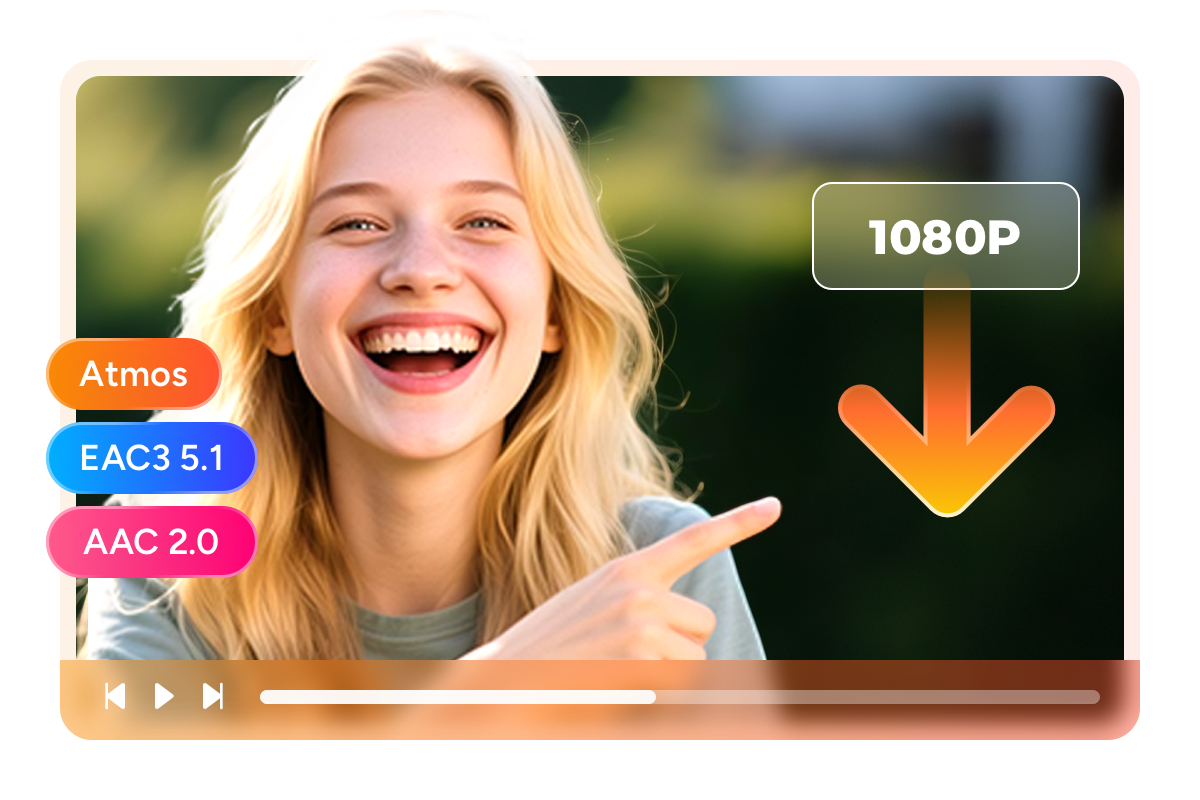
With StreamFab Netflix Downloader for Browser, you can download Netflix movies and shows while maintaining full 1080p quality and preserving the original HDR and Dolby Vision effects for stunning visual fidelity. The audio quality is equally impressive, with support for Dolby Atmos at up to 768 kbps for immersive 3D sound, EAC3 5.1 for surround sound theater experience, or AAC 2.0 for stereo playback based on your specific needs and device capabilities. Please note that content in HDR and Dolby Vision requires a Netflix premium subscription to access.
With StreamFab Netflix Downloader for Browser, you can download Netflix movies and shows while maintaining full 1080p quality and preserving the original HDR and Dolby Vision effects for stunning visual fidelity. The audio quality is equally impressive, with support for Dolby Atmos at up to 768 kbps for immersive 3D sound, EAC3 5.1 for surround sound theater experience, or AAC 2.0 for stereo playback based on your specific needs and device capabilities. Please note that content in HDR and Dolby Vision requires a Netflix premium subscription to access.
Flexible Formats
Download Netflix Movies and Episodes as MP4/MKV Files
Streaming content from Netflix is designed to be played only within the official Netflix app, limiting your flexibility for offline viewing. StreamFab Netflix Downloader for Browser helps you save the titles you can legally watch as local MP4 or MKV files for personal offline viewing on virtually any compatible device during your valid subscription period.
MP4 format offers universal compatibility across smartphones, tablets, smart TVs, and media players, making it ideal for viewing downloaded Netflix Originals like The Witcher or Squid Game on any device. MKV format provides advanced features like multiple audio tracks, subtitle streams, and chapter markers for power users building comprehensive media libraries. This flexibility makes it easy to enjoy the Netflix titles you are entitled to watch offline on the devices you use most often and organize them for personal playback across your entire device ecosystem.
MP4 format offers universal compatibility across smartphones, tablets, smart TVs, and media players, making it ideal for viewing downloaded Netflix Originals like The Witcher or Squid Game on any device. MKV format provides advanced features like multiple audio tracks, subtitle streams, and chapter markers for power users building comprehensive media libraries. This flexibility makes it easy to enjoy the Netflix titles you are entitled to watch offline on the devices you use most often and organize them for personal playback across your entire device ecosystem.

Codec Options
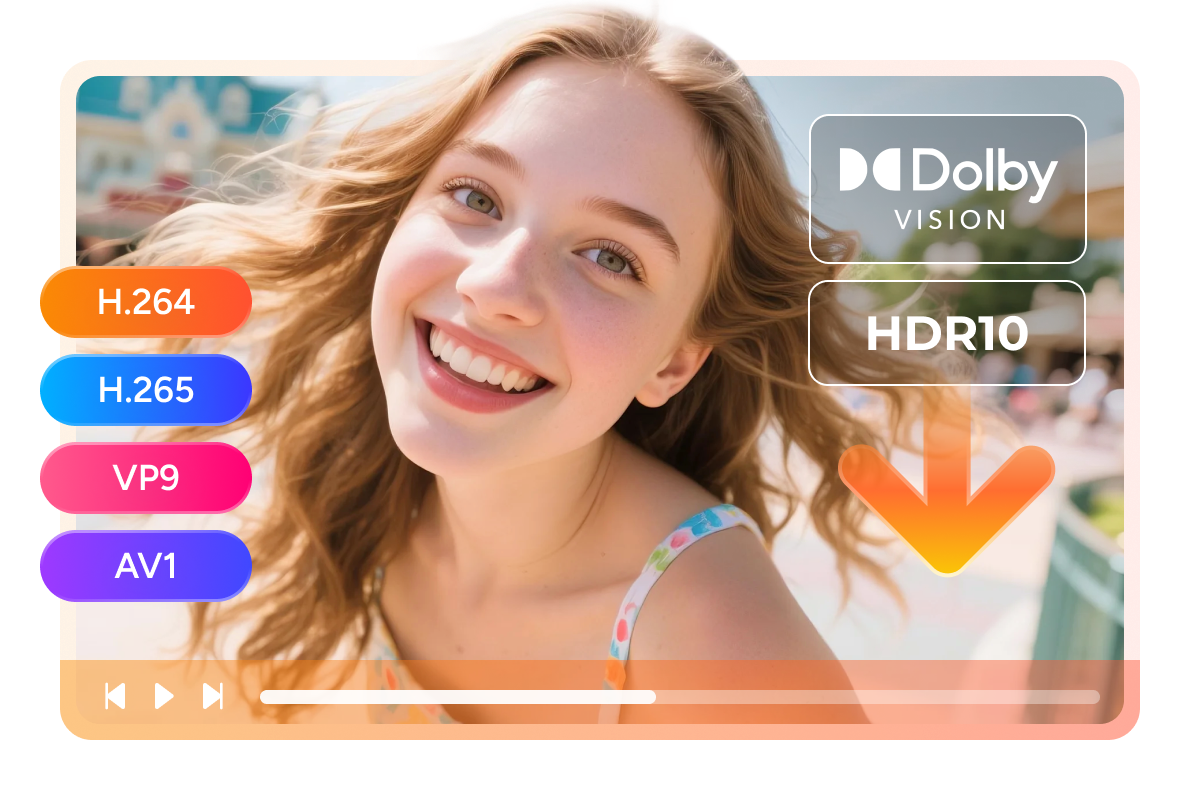
Download Netflix Videos in H.264/H.265/VP9/AV1 Video Codecs
Netflix typically offers videos in four types of video encoding: H.264, H.265 (HEVC), VP9, and AV1. For the same video content, H.265 compression produces significantly smaller file sizes compared to H.264 while maintaining equivalent visual quality, making it ideal if storage capacity is a concern. A typical 2-hour Netflix movie in H.264 might require 4-5 GB, while the same content in H.265 only needs 2-2.5 GB.
When using StreamFab Netflix Downloader for Browser, you have the flexibility to select between H.264, H.265, VP9, and AV1 codecs based on your specific needs. If you have limited storage space or want to archive entire seasons of Netflix Originals like Stranger Things, H.265 is the recommended choice as it can reduce file sizes by up to 50% without quality loss. However, if you prioritize maximum compatibility with older devices or smart TVs, H.264 remains the safest option. Please note that H.265 only supports HDR10 and Dolby Vision formats, not SDR streaming videos.
When using StreamFab Netflix Downloader for Browser, you have the flexibility to select between H.264, H.265, VP9, and AV1 codecs based on your specific needs. If you have limited storage space or want to archive entire seasons of Netflix Originals like Stranger Things, H.265 is the recommended choice as it can reduce file sizes by up to 50% without quality loss. However, if you prioritize maximum compatibility with older devices or smart TVs, H.264 remains the safest option. Please note that H.265 only supports HDR10 and Dolby Vision formats, not SDR streaming videos.
Subtitle Support
Save and Remux SRT Files
When downloading Netflix movies and TV episodes, you have complete control over subtitle handling with StreamFab Netflix Downloader for Browser. The extension not only downloads Netflix subtitles in multiple languages simultaneously but also gives you the freedom to choose how they're saved. This is especially valuable for international content like Squid Game or Money Heist where you might want subtitles in multiple languages.
You can save subtitles as separate SRT files, which is perfect if you want to use them with other media players or edit them for accessibility purposes. Alternatively, you can remux them directly into the video file for seamless playback without managing separate subtitle files. This flexibility ensures your downloaded content remains accessible regardless of your viewing preferences or device capabilities, making it ideal for language learners or multilingual households.
You can save subtitles as separate SRT files, which is perfect if you want to use them with other media players or edit them for accessibility purposes. Alternatively, you can remux them directly into the video file for seamless playback without managing separate subtitle files. This flexibility ensures your downloaded content remains accessible regardless of your viewing preferences or device capabilities, making it ideal for language learners or multilingual households.

Perfect Netflix Downloading Experience You Get

Batch Mode and Fast Speed
Download entire seasons effortlessly with batch mode. Add multiple episodes to the queue and download them sequentially or simultaneously. A typical 2-hour movie can be downloaded in approximately 30 minutes or less.

Pre-Select Audio & Subtitle Language
Pre-select your preferred audio and subtitle languages before downloading. The extension can auto-detect your browser language or let you manually choose from all available options for each title.

Remove Ads
Enjoy completely ad-free offline viewing regardless of your Netflix plan. All advertisements are automatically stripped from downloaded videos, giving you uninterrupted playback from start to finish.
More Than Downloading
Download Metadata
Save Metadata
StreamFab Netflix Downloader for Browser doesn't just download videos – it also captures comprehensive metadata to keep your media library organized and informative. When you download Netflix content, the extension automatically preserves metadata including the title, cast information, cover artwork, detailed descriptions, episode numbers, season information, and release dates.
This rich metadata makes it easier to organize your downloaded titles for personal offline viewing and is especially valuable when building a private media library on platforms like PlayerFab, Plex, Kodi, or Jellyfin. Your downloaded content will display beautifully with proper artwork and information, creating a professional streaming experience from your personal collection.
This rich metadata makes it easier to organize your downloaded titles for personal offline viewing and is especially valuable when building a private media library on platforms like PlayerFab, Plex, Kodi, or Jellyfin. Your downloaded content will display beautifully with proper artwork and information, creating a professional streaming experience from your personal collection.

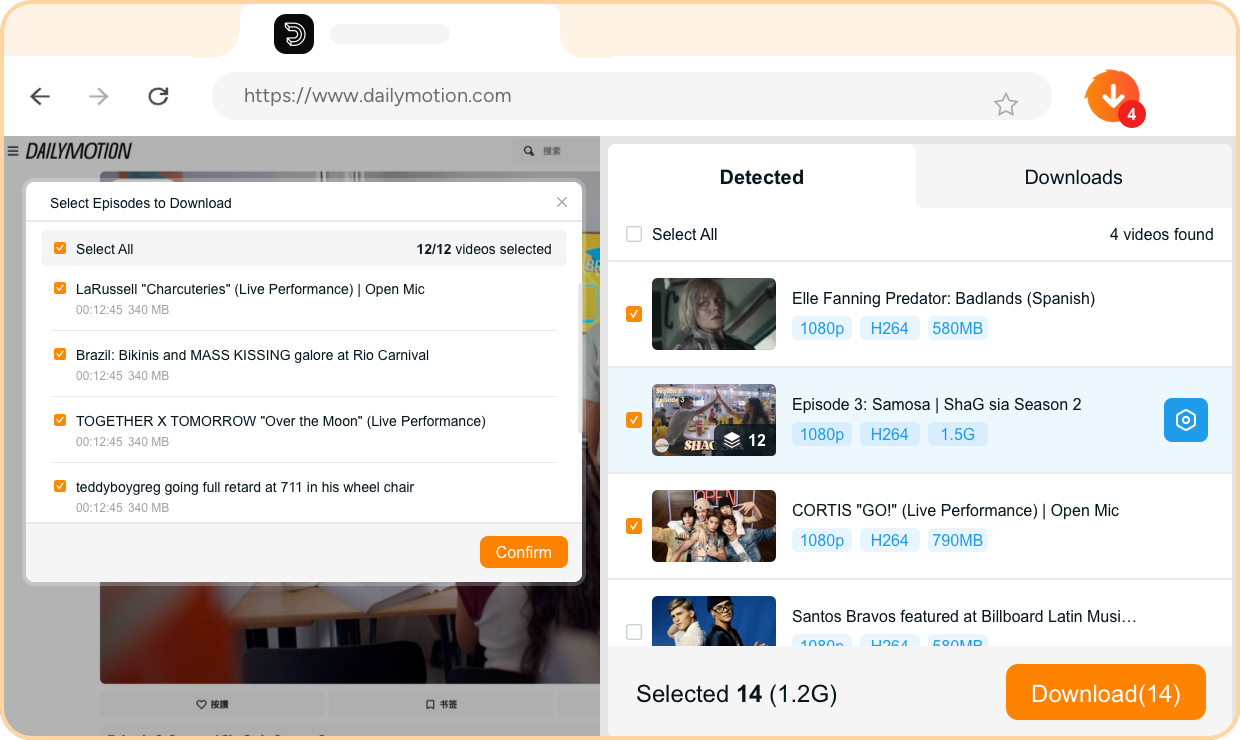
Step 1. Install & Sign In
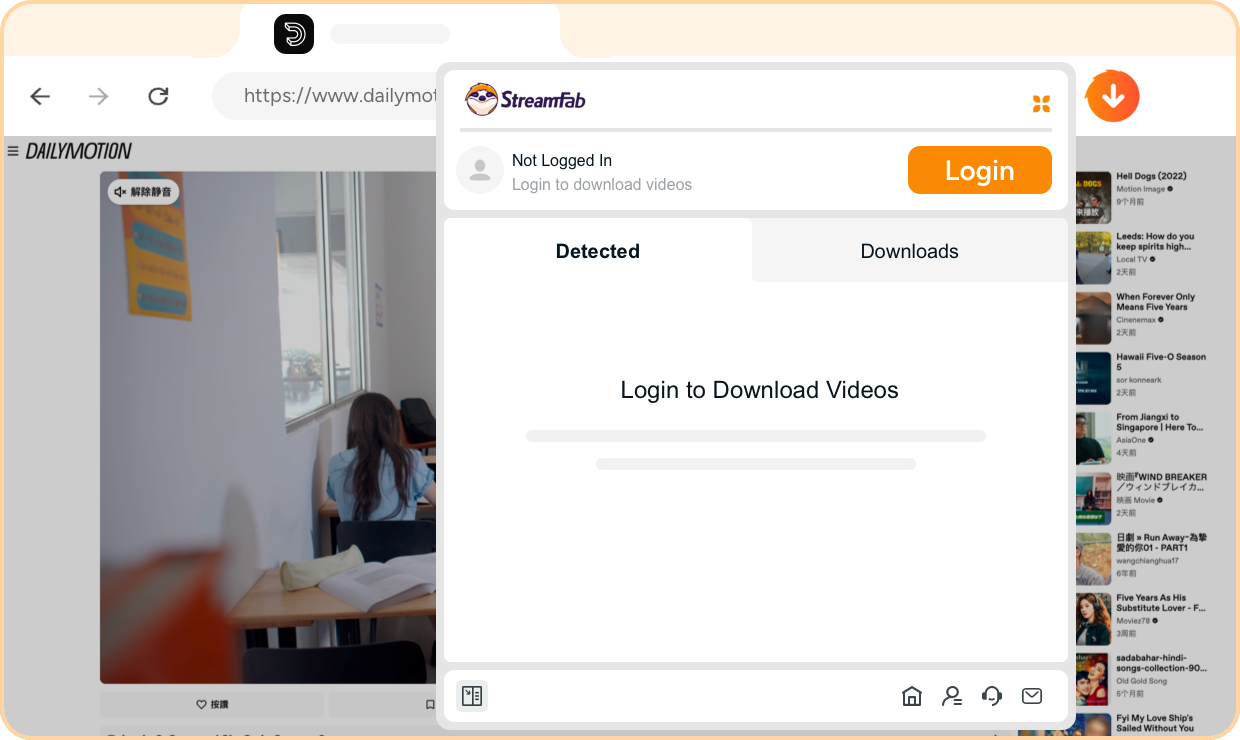
Install the StreamFab Netflix Downloader for Browser extension from the Chrome Web Store or Edge Add-ons store. Once installed, click the StreamFab icon in your browser toolbar and sign in to your account to activate the extension. The extension will automatically detect your subscription status and unlock the corresponding features based on your plan.
Step 2. Install the CoApp
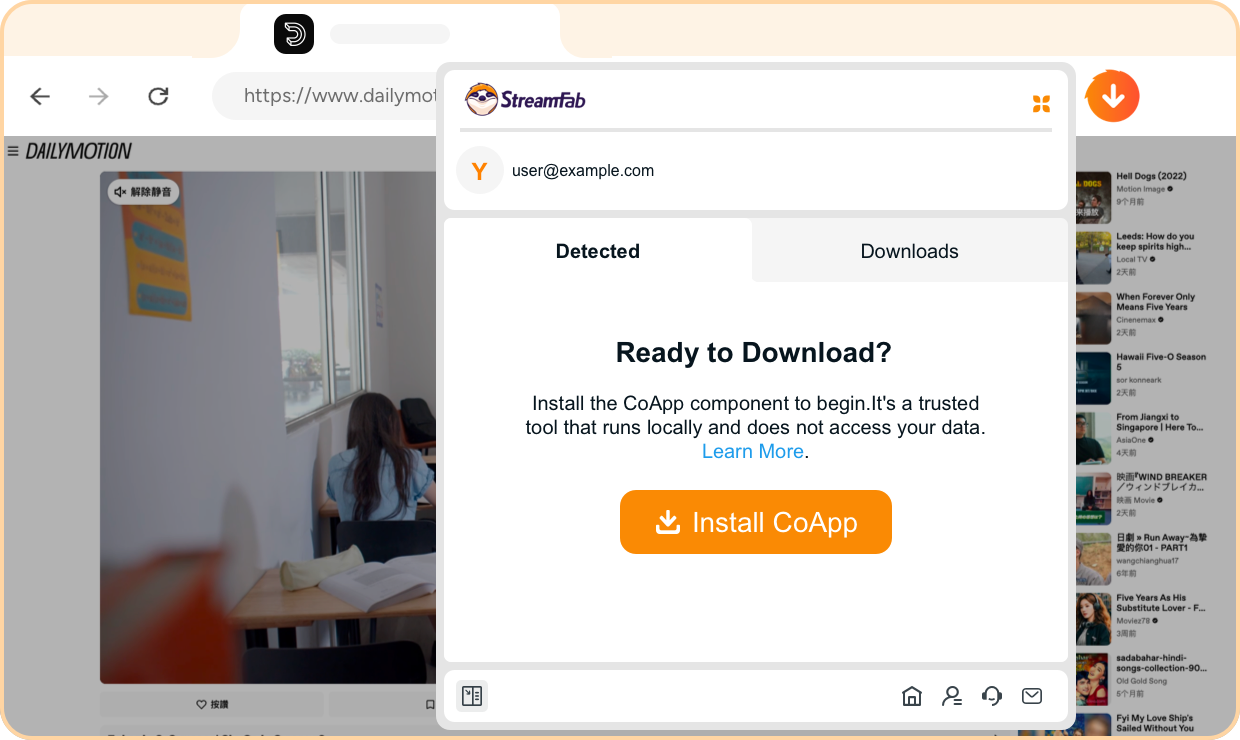
Inside the extension, click Install CoApp when prompted. This companion application runs locally on your computer and handles the actual video processing. After the CoApp finishes downloading, open your browser's Downloads folder and run the installer. The CoApp is a trustful local assistant that runs solely on your computer and does not access any personal data.
Step 3. Open Netflix Website
Navigate to Netflix.com and sign in to your Netflix account. Browse the catalog and find the movie or TV show you want to download. StreamFab Netflix Downloader for Browser will automatically detect available videos on the page as you browse, showing a notification when downloadable content is found.
Step 4. Select & Download
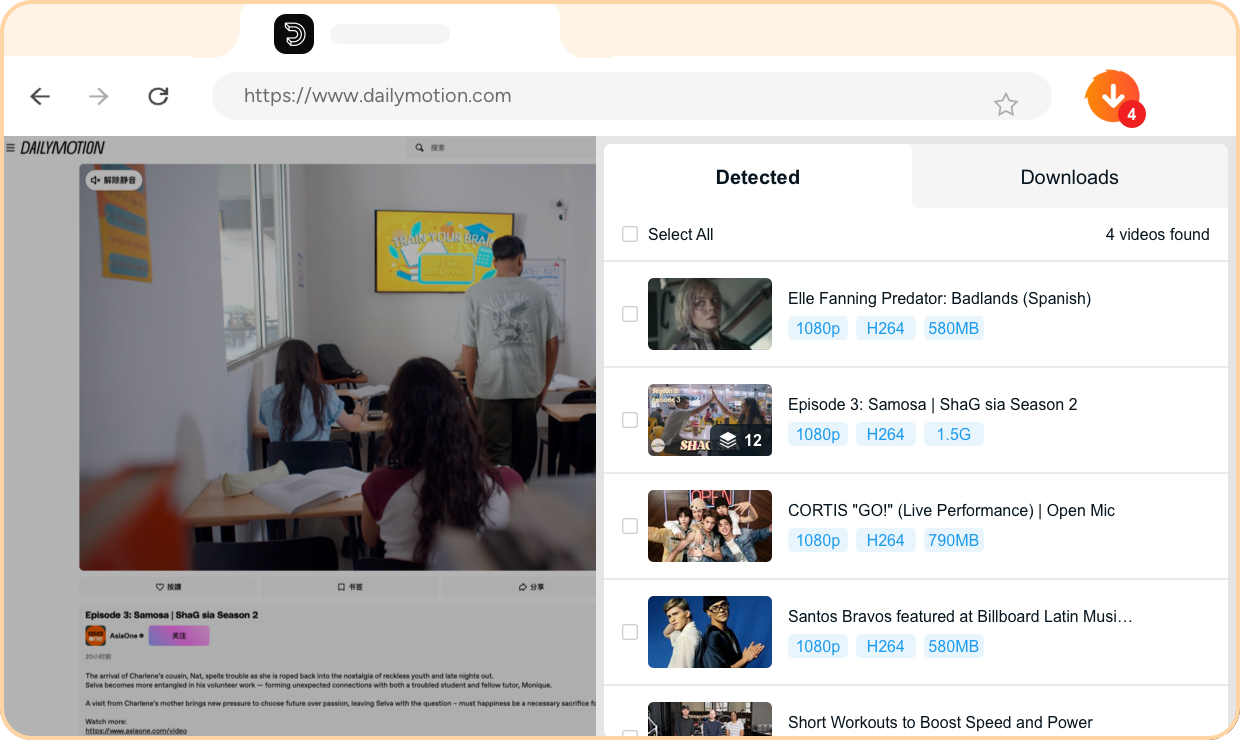
Click the StreamFab Netflix Downloader for Browser icon in your toolbar to view all detected videos on the current page. Choose the specific episode or movie you want, select your desired quality (up to 1080p), format (MP4 or MKV), audio language, and subtitle preferences. Then click Download to start. You can monitor real-time progress in the Downloads tab inside the extension, and your video will be saved to your designated download folder upon completion.
System Requirements

Windows 11/10 (32/64 bit)
Intel i3 or above
4GB of RAM or above
40GB of free hard disk space or above
Live Internet connection required
Microsoft Edge 88 or above
Google Chrome (Chromium) 88 or above