Disney+ Download Limits in 2026: The Rules and How to Keep Downloading

Summary: Disney Plus video download limits disappointed us a lot. Read this post to get what to do when Disney+ download limit reached.
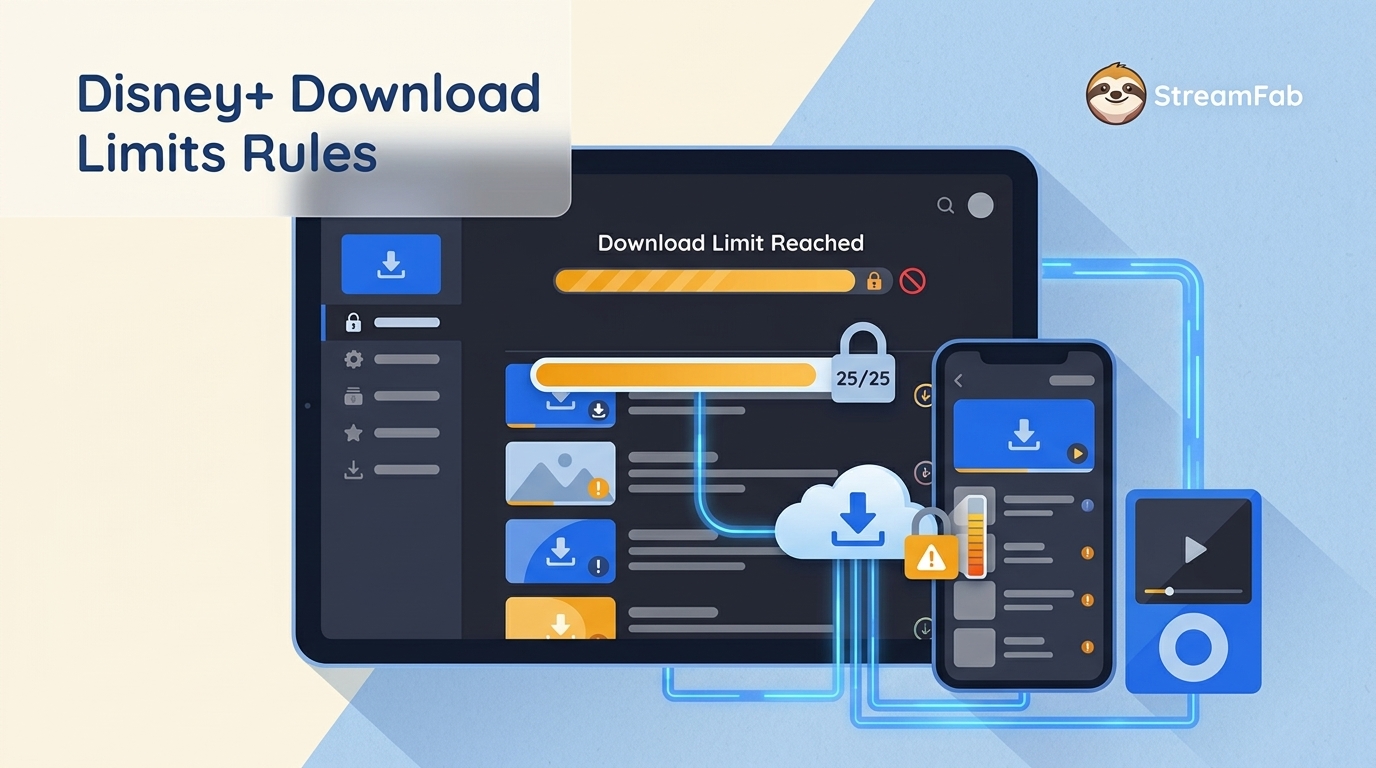
Here is the wall I keep hitting: I pre-load Disney+ on my phone before every flight, and by 2026 the app rejects me for a different reason each trip. The Disney Plus download limit is not one rule — it is a stack of them (25 titles per account, 10 devices, a 30-day check-in, a 48-hour play window, no 4K offline even on Premium), and any one of them can wipe your offline library before takeoff. Below I walk through the rules that actually bite, the fastest way to reset when you see "limit reached," and where a desktop workaround makes sense.
Disney+ Download Limits Explained: The Official Rules (2026)
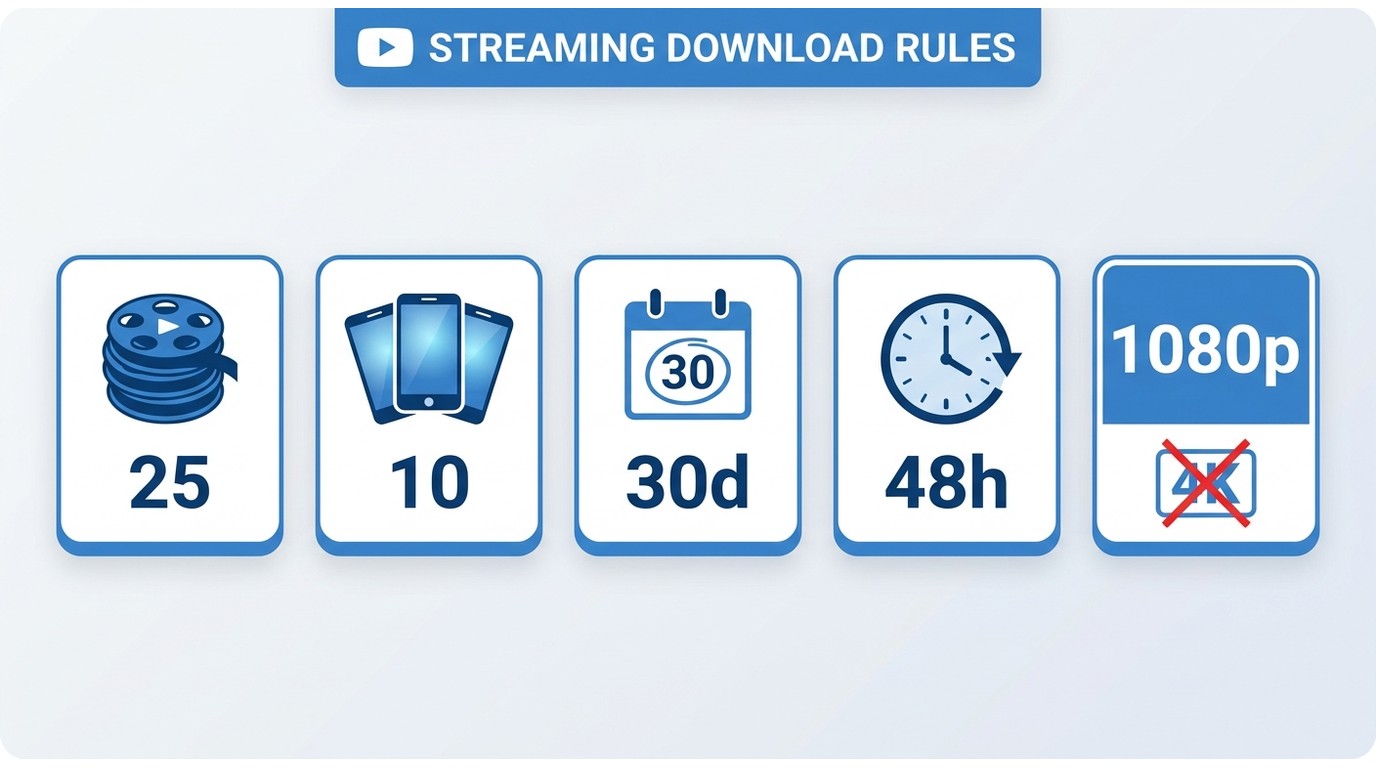
At a Glance: 25 Downloads Across 10 Devices, Per Account
The number people search for and rarely find spelled out: Disney+ lets one account hold up to 25 downloaded titles across up to 10 supported mobile devices — it is one account-level pool, not two separate caps. Episodes each count as a title, so a single 12-episode season eats nearly half your slots. There is no per-device quota under the account ceiling; whichever runs out first is your bottleneck.
Let’s get the reality check out of the way. The official rules aren't just suggestions; they are hard caps that can ruin a long trip if you aren't prepared.
Quality, Audio & Format: No 4K, HDR, or Atmos Offline
I pay for Premium to get 4K, Dolby Vision, and Dolby Atmos when I stream. None of that survives the download. Offline files max out around 1080p SDR with stereo audio — the Premium sticker on your bill does not translate into a Premium file on your phone.
To see what "High" actually buys you, I ran the download from my New York apartment on Verizon 5G (~250 Mbps) with an iPhone 17 Pro Max. The numbers are less impressive than the label suggests.
My Test Data (iPhone 17 Pro Max / NYC 5G)
Here's what I found. "High" quality is a data hog and takes forever. Look at Secret Invasion: 1.4GB for a single 37-minute episode!
| Video Name | Duration | Quality | Download Time | File Size |
| Secret Invasion | 37 mins | Standard | ≈2 mins | 282.5 MB |
| Medium | ≈4 mins | 435.2 MB | ||
| High | ≈14 mins | 1.4 G |
2. Subscription Plan Limit
This is the first gatekeeper. If you're on the "Basic with Ads" plan to save a few bucks, you're out of luck. You get no access to download Disney+ movies.
| Subscription Plan | Download Feature |
|---|---|
| Disney+ Basic (With Ads) | ❌ (No Downloads) |
| Disney+ Premium (No Ads) | ✅ |
| Disney+ Bundle (Legacy) | ✅ (If your plan is ad-free) |
My Pitfall: I have to emphasize this because I fell right into this trap. My family plan was changed to the 'With Ads' tier by a family member, but my phone's app didn't sync immediately. It still showed the download button, but when I excitedly tried to download at the airport, it just gave me a 'No Permission' error. Be warned: If you downgrade from an ad-free plan to one with ads, you don't just lose the ability to download new content; all of your previously downloaded content will be removed.
Which Devices Can Download Disney+?
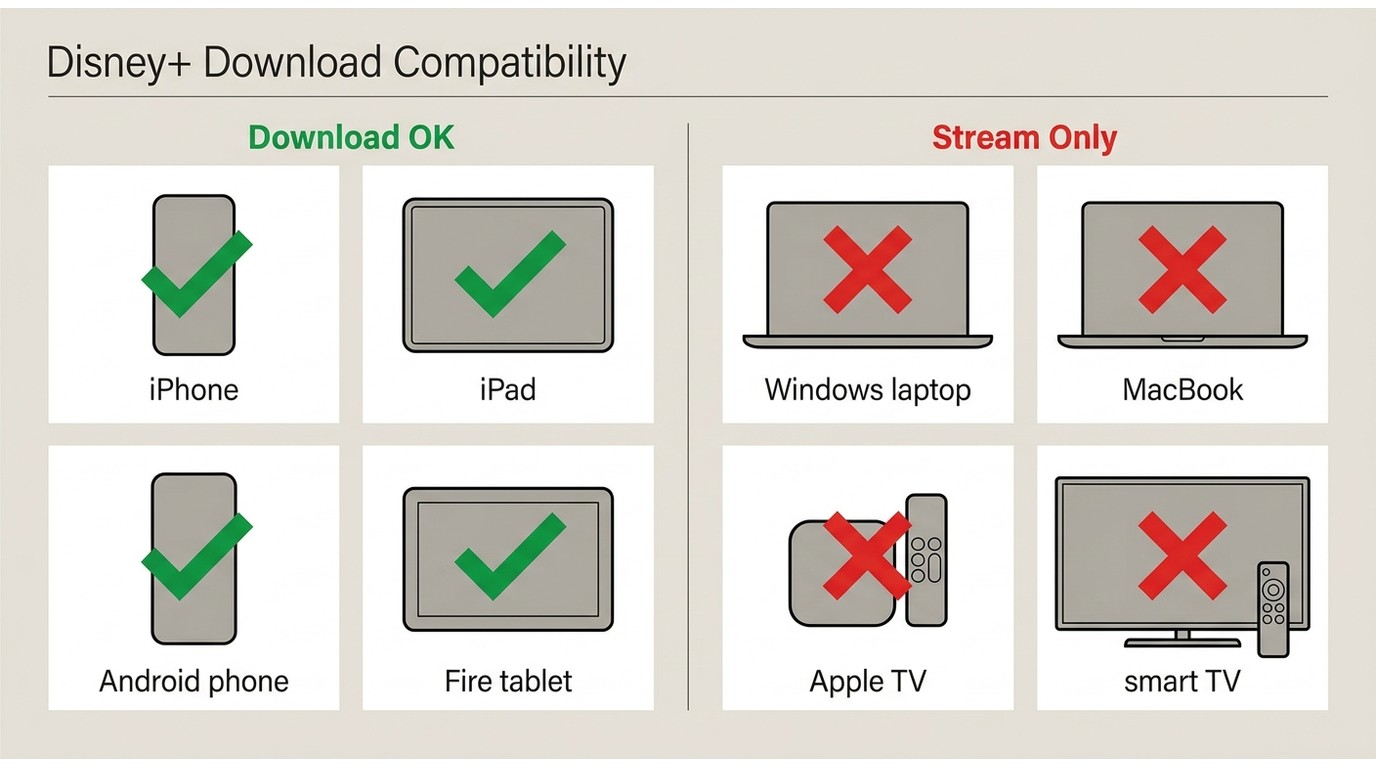
Downloading is mobile-only. I tested my Lenovo Yoga 9i in the Windows 11 app and confirmed what the app itself admits — the download button is not there. Same story on Apple TV and my LG Smart TV. If you want a Disney+ file on a laptop screen for a flight, the official app will not help you.
| Device | Can download from the Disney+ app? |
|---|---|
| iPhone / iPad (iOS) | Yes |
| Android phones and tablets | Yes |
| Amazon Fire tablets | Yes |
| Windows PC / laptop | No (stream-only) |
| Mac | No (stream-only) |
| Smart TVs / Apple TV / streaming sticks | No (stream-only) |
The 10-device ceiling is the other trap. It counts every phone or tablet you have ever tapped Download on — the old iPad you gave your kid, the phone you traded in last year, that Fire tablet in the kitchen. To remove one, you have to go into your account and manually deauthorize it. On top of that, each device must check in online at least once every 30 days or Disney+ wipes its downloads. Fine for weekend travel; brutal on a long deployment or a month-long trip.
The 25-Title Cap (Episodes Count Too)
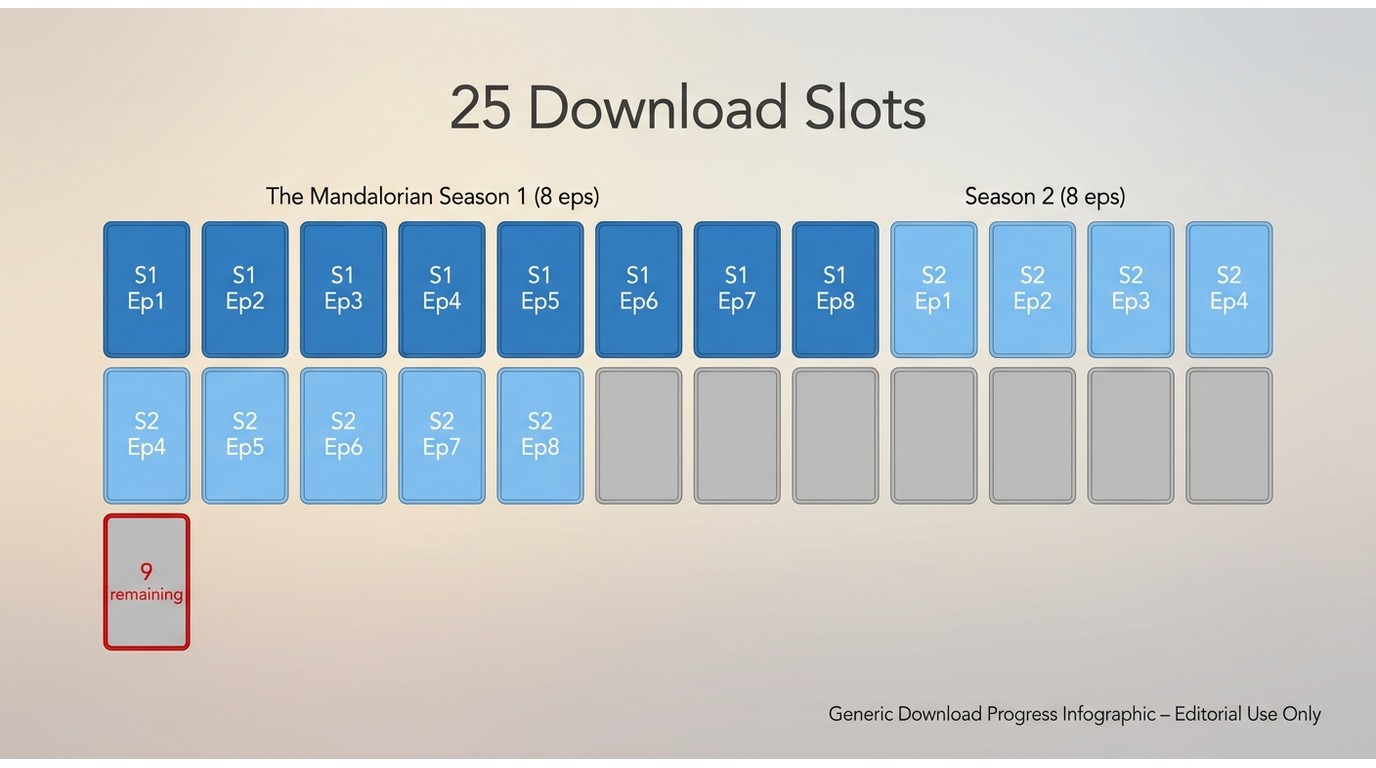
This is the one that catches most people, and the wording is the problem. Twenty-five sounds generous until you realize each episode counts as a title. Two 12-episode seasons of The Mandalorian and you are already at 24 — one movie away from the wall, before you have touched a Marvel binge or the kids' shows. This is not a storage limit; it is an account rule, and your 512 GB phone will not save you.
Time Limits: 30-Day, 48-Hour, and Logout Deletion
There are three ways an offline file can vanish, and most guides only list one of them:
- An unopened download expires roughly 30 days after you saved it. Renew it online and the clock resets.
- The moment you press play, a 48-hour playback window starts. Miss the window and you need to be online to renew.
- Signing out of your Disney+ account on a device deletes every download stored on it — no warning, no undo. Stay signed in until you have watched.

My Pitfall: Don't be smart and pre-load a movie for a flight. I once started a movie during takeoff on a flight to Tokyo, watched 30 minutes, and then slept. When I tried to finish it 10 hours later... "48 hours expired." I had to pay for terrible plane Wi-Fi just to renew it. Start it only when you're ready to watch it all.
Restricted and Unavailable Titles (Including Hulu)
Even on Premium, some titles simply do not show a download icon, or the button greys out when you tap it. These are usually temporary releases or titles with regional rights limits — the download rights sit with the studio, not your subscription tier. Changing region or device will not unlock them; if the button is not there at the source, no client-side fix will summon it.
Pitfall reminder: If changing your account region, device, or network does not work, it means that the download function is not authorized at the source level.
A Hidden Complication: Hulu on Disney+ Downloads
While digging into the restrictions, I did find one "hidden gem," or maybe it's just this "hidden complication." If you have the Disney+ and Hulu bundle, you might be able to download some Hulu content... but the rules are a maze.
Basically, you need both the right Disney+ plan and the right Hulu plan, and even then, it's only "select" content. It’s a niche feature that's more confusing than helpful, in my opinion.
| Item | Conclusion |
|---|---|
| Eligibility (Subscription) | Requires both: ① A downloadable Disney+ plan (No Ads) ② A Hulu Premium (No Ads) plan, linked. |
| Downloadable Content | Only "select" Hulu content is downloadable in the Disney+ app; Hulu + Live TV is not included. |
| Devices | Only on supported mobile devices/tablets. Desktop and TV do not offer this. |
| Common Exceptions | Some Hulu titles are stream-only due to different rights. |
A Frustration Gauge
🚫4K
⌚
🎬
📱
💲
Troubleshooting: Why Is the Download Button Missing?
Rules aside, the most common wall in 2026 is the download button being missing or greyed out on a specific title. Work through these in order — the fix is almost always in the first three.
- Confirm you are on an ad-free plan. Basic with Ads has no download rights, and the button will not appear regardless of the title.
- Check you are on a supported mobile device. The Windows, Mac, Smart TV, and Apple TV apps do not offer downloads at all.
- Update the Disney+ app. Old builds silently break the download button after big platform changes.
- Force-close and reopen the app, then restart the device if the button is still missing.
- Free up storage. Downloads silently fail below a low-space threshold that the app does not always surface.
- Accept the title is region-locked or stream-only. If the button is missing on that one title but works elsewhere, the rights sit with the studio and no client fix helps.
When You Hit the Limit: The Reset Checklist
The Official Reset Order
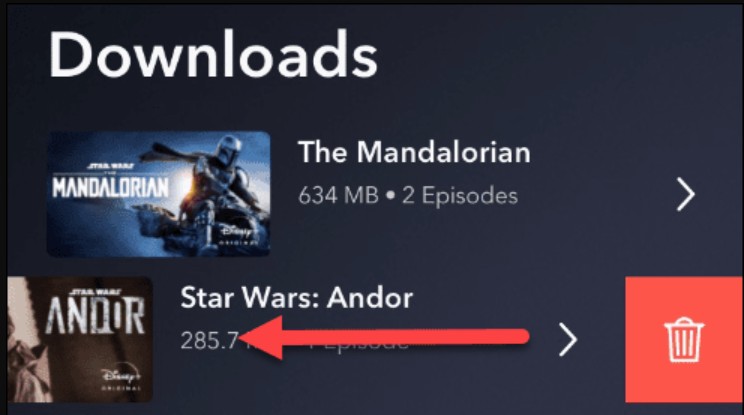
When Disney+ throws "Download limit reached," you are past the 25-title or 10-device ceiling. There is no bulk-clear button — you clear slots in this order:
- Delete titles you have already finished watching.
- Delete the largest downloads next — 4-hour films free more room than a single sitcom episode.
- Open account settings and remove old devices you no longer use (the phone you traded in still counts).
- Confirm the device has free storage before you retry.
It is a manual workaround inside the official app, and honestly, it is the only lever the app gives you.
StreamFab Disney Plus Downloader: A Desktop Alternative
Once you have run the reset checklist twice on the same trip, the honest question is whether the official app is the right tool for how you actually watch. For content you're authorized to access, where permitted by platform terms and applicable law, StreamFab Disney Plus Downloader is one practical workaround for Windows and Mac users — the platform the official app leaves out entirely.
The quality gap is where I actually notice the difference. Remember the offline cap: ~1080p SDR stereo, no matter what your Premium plan promises. StreamFab can save up to 4K with HDR10 and Dolby Atmos as an MP4 or MKV, so the file on your laptop matches what you were paying to stream. Because it is a local file — not a leased copy inside the Disney+ app — it does not answer to the 30-day check-in or the 48-hour play window, and it plays in VLC, IINA, or any player you already use. If you need it on multiple devices, you can save Disney+ as an MP4 once and copy it where you want.

Here is the side-by-side against everything the official app puts in your way — the quality ceiling, the file format, the device scope, and the expiry clocks.
| Feature | Disney+ Official Download | StreamFab (Disney+ Module) |
|---|---|---|
| Supported Platform | Mobile App Only (iOS / Android); No PC/TV | PC (Windows/Mac) Client |
| Quality/Resolution | 3 Tiers (Standard/Medium/High); Max ~1080p (SDR) | Up to 4K (Selectable 720p/1080p/4K) |
| HDR / Dolby Vision / Atmos | Not Supported (SDR, Stereo) | Downloadable (HDR10 / Atmos) |
| Video Codec / Container | DRM Protected; Not selectable | Output MP4/MKV; H.264 / H.265 support |
| Multi-language Audio/Subs | Cannot pre-select | Can keep multiple audio & sub tracks (Muxed or External) |
| File Portability | Playable in-app only | Local file, play on any device/player |
| Device & Validity Limit | Max 10 devices; Must check-in every 30 days | No device limit or 30-day check-in |

The row that matters to me is quality: on the same episode I tested earlier at 1080p SDR in the app, the desktop client gives me the 4K file with HDR10 and Atmos intact. The MP4 lives on my Lenovo Yoga, my iPhone, or a USB drive interchangeably, and because it is a local file the 30-day and 48-hour clocks simply do not apply to it. Best for Windows and Mac users who want higher-quality offline copies for travel; not needed if the official mobile app already covers your trip.
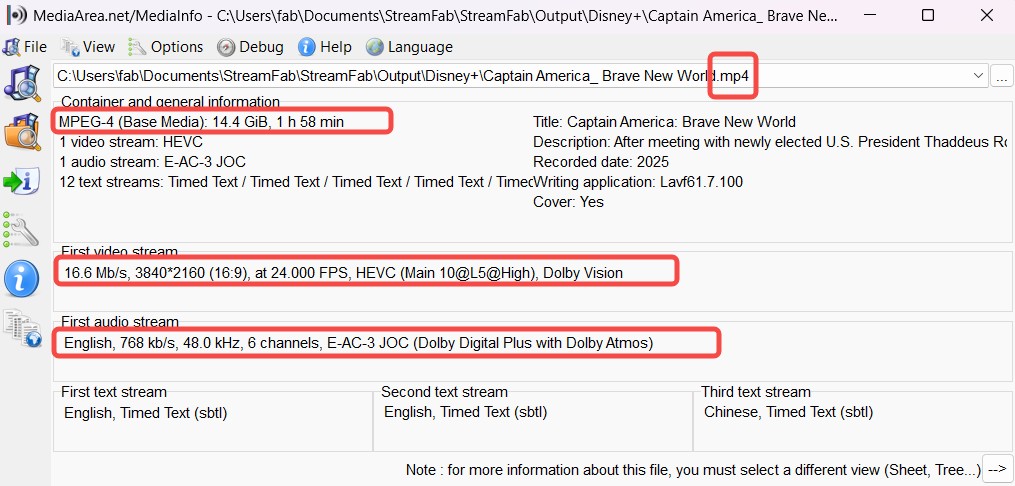

If you've subscribed to Disney+ or purchased movies on Disney+, you can use StreamFab to archive what you get access to stream to watch offline on your device in 4K resolution.
Boundaries and self-restraints (important)
- Personal use only: no redistribution, no public dissemination, no commercial use.
- Respecting terms: Copyright and platform terms vary significantly across regions; I will first confirm local laws and the Disney+ Terms of Service and use only within permitted boundaries.
- Account security: I only use my account locally in a trusted environment, avoiding exposing my account information to third parties; I do not share or rent my account.
- Not seeking "permanent ownership": Streaming and discs/digital copyrights are two different concepts; if I truly want to collect, I will purchase digital or physical copies.
How to Use StreamFab Disney+ Downloader
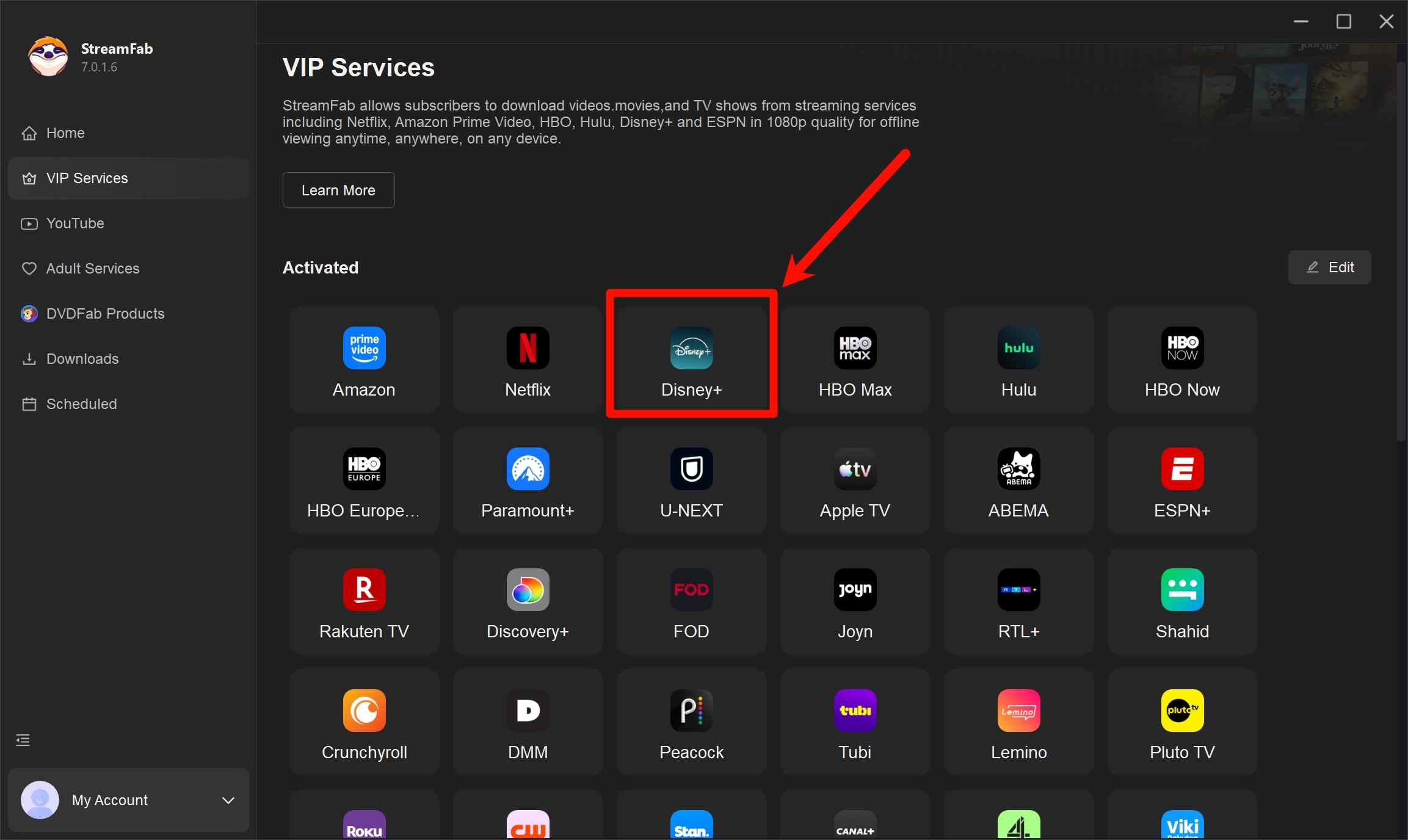
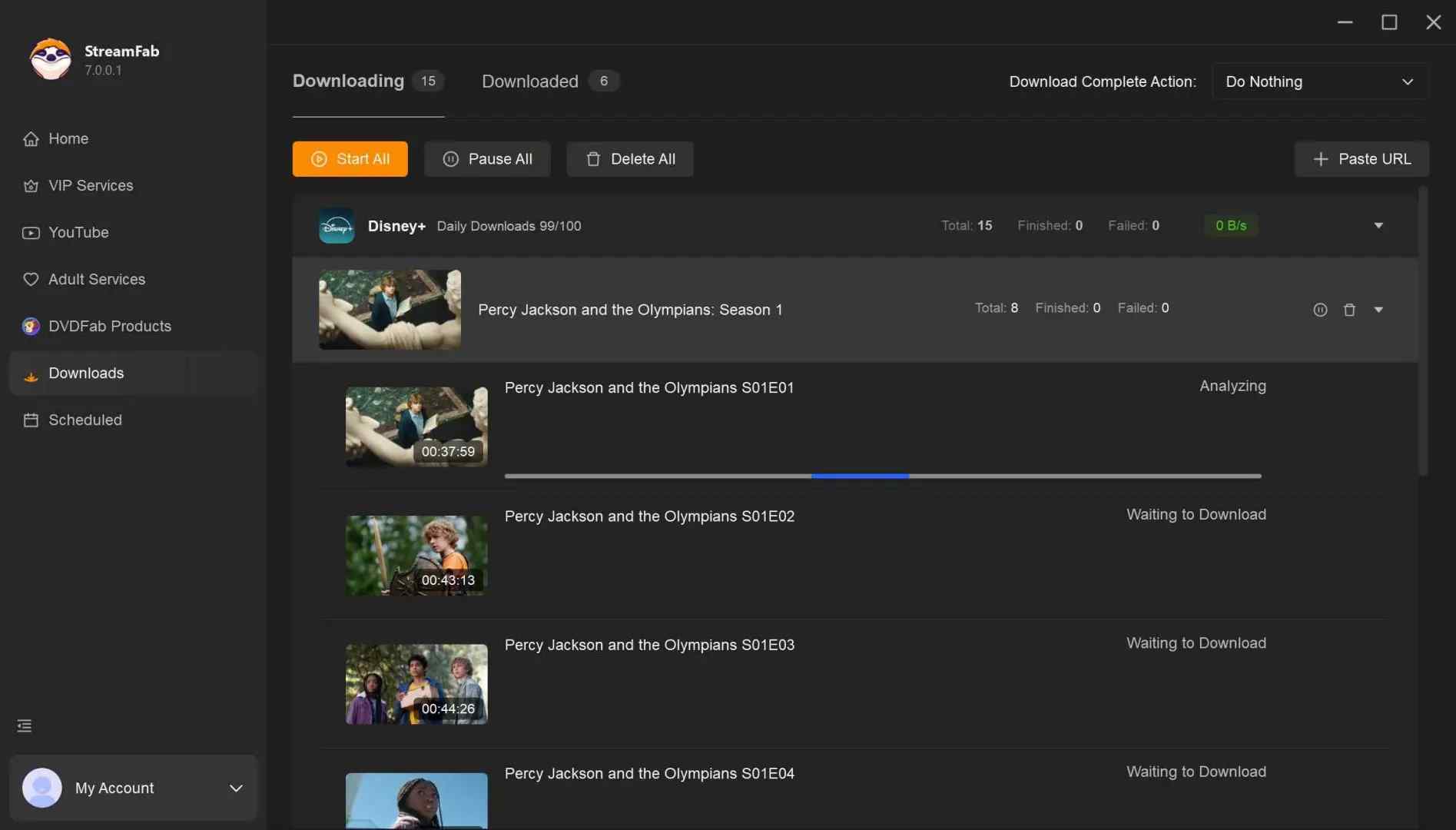
Install StreamFab Disney Plus Downloader on your device (I use it on my Lenovo) and open the interface. Choose 'Disney+'.
Log into your Disney+ account, search for the Disney+ video you want to download without limits, and play it. StreamFab will identify the content automatically.
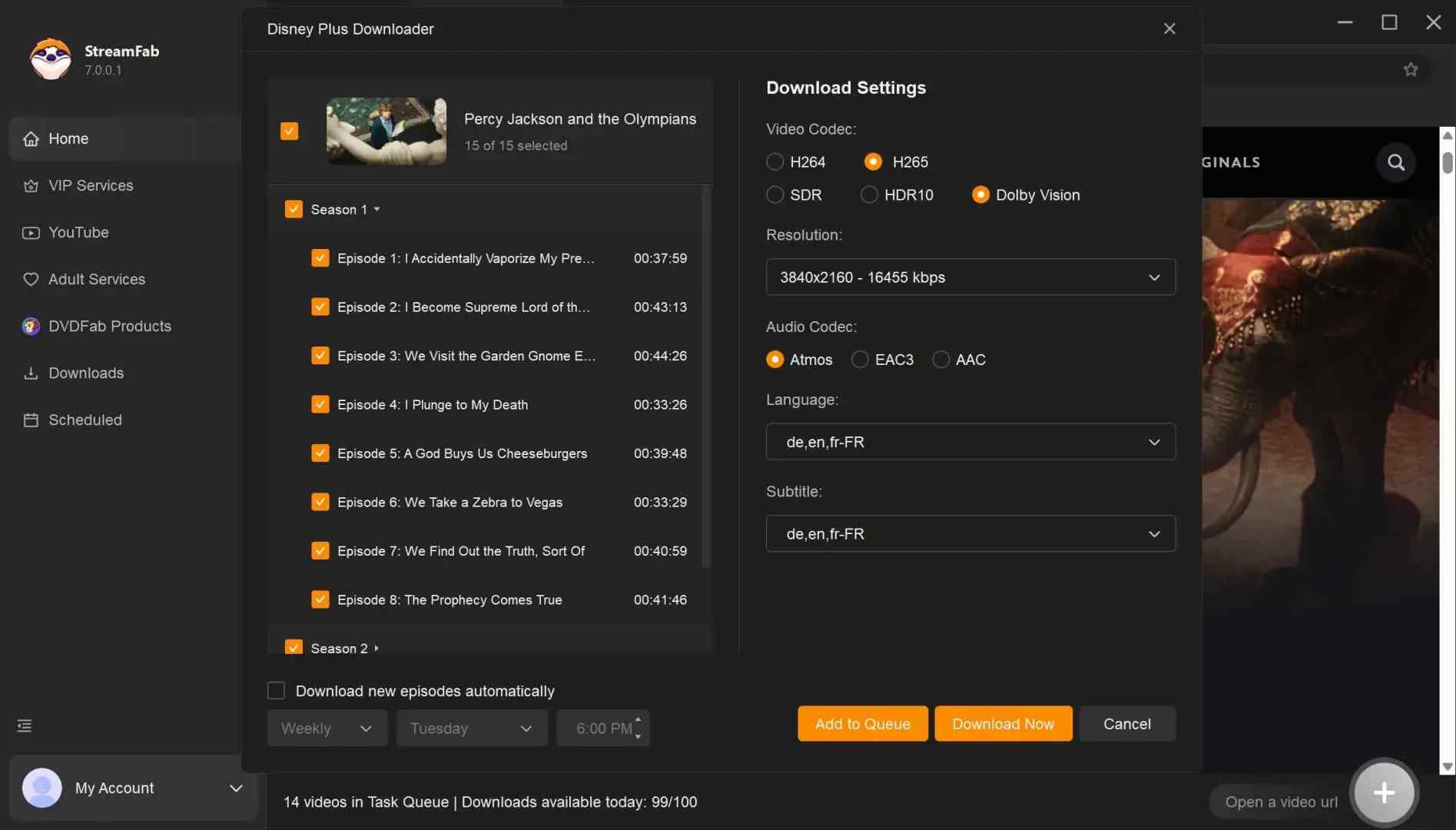
A pop-up window will ask for your video options. This is where you can select 4K, your audio (Atmos, EAC3 5.1), and subtitles. After customization, you can download it right now or add it to the queue.
Disney+ Downloads vs Netflix, Max, and Hulu
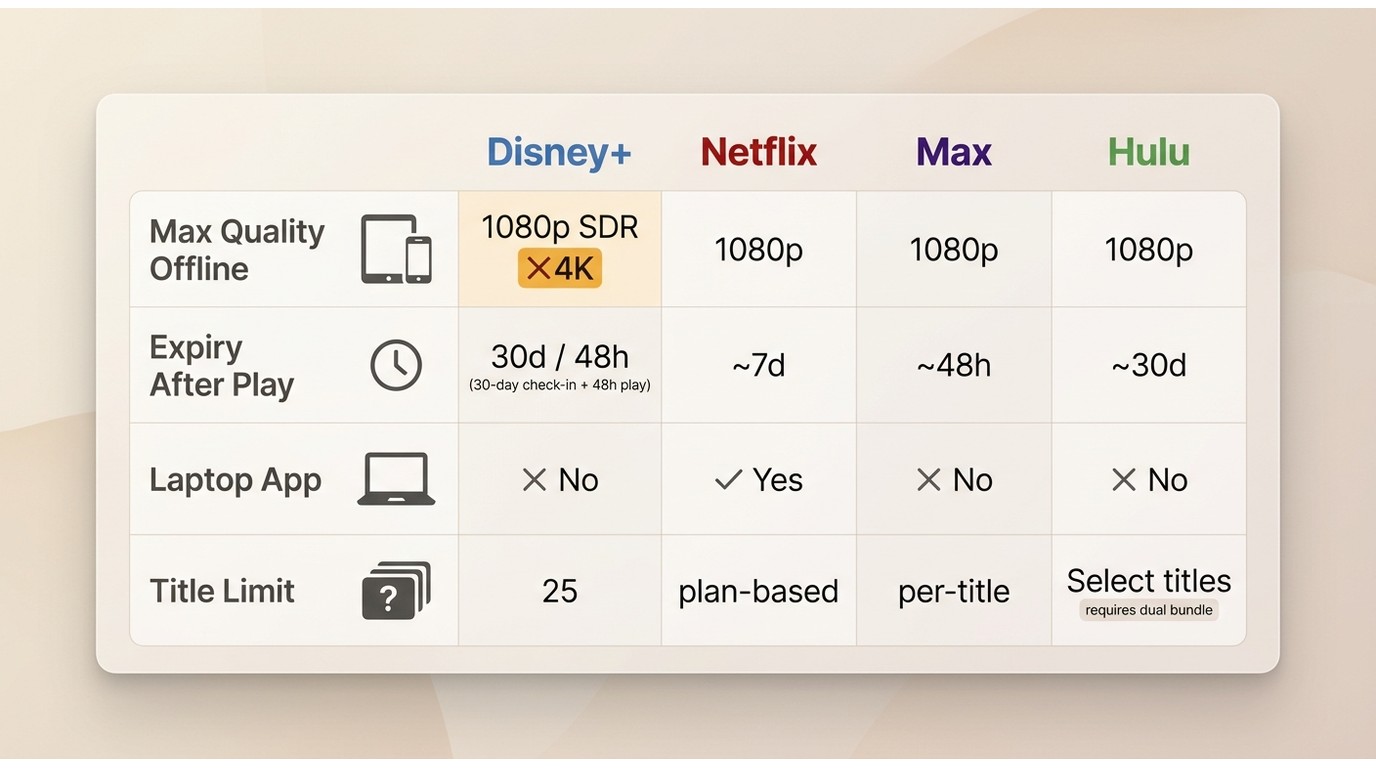
Zooming out across the services I actually subscribe to, Disney+'s limits are middle of the pack on quantity and strict on quality — the 1080p SDR ceiling is the real outlier.
| Service | Offline downloads allowed? | Expiry behavior | Device scope |
|---|---|---|---|
| Disney+ | Yes, on ad-free plans | 30-day unopened, 48-hour after play, logout deletes all | Mobile only; 10 devices, 25 titles per account |
| Netflix | Yes, on Standard and Premium | Most titles expire ~7 days after play; some ~48 hours | Mobile and Windows app; limits per plan tier |
| Max | Yes, on ad-free tiers | ~30-day unopened, ~48-hour after play | Mobile only; per-title concurrent-device caps apply |
| Hulu | Only some titles, on ad-free plans | ~30-day unopened, ~48-hour after play | Mobile only; Live TV content not downloadable |
The takeaway I keep coming back to: Disney+ is fine on the mechanics — the 4K/HDR/Atmos gap is what pushes me to keep a desktop workaround for the trips that actually matter.
FAQs
Conclusion
The Disney+ download feature works, but the fine print does most of the talking: 25 titles per account, 10 devices, mobile-only, 30 days to open, 48 hours to finish, and no 4K anywhere. For a weekend flight the official app is enough. For a long trip, a season binge, or a laptop screen, run the reset checklist first — and when the ceiling itself is the problem, a desktop tool used within your subscription and local law is the practical way out.
Reflects the 2026 household sharing check-in behavior and the current Hulu-in-Disney+ download rules.
- Hulu Integration: Hulu content sits inside the Disney+ app; only select Hulu titles are downloadable.
- Household Sharing: Primary residence check-in expectation is in effect for the 10-device pool.
- Device Testing: Benchmarks captured on iPhone 17 Pro Max and Lenovo Yoga 9i.
- Software Verification: StreamFab desktop client tested for 4K HDR10 output on Disney+ content.
The editorial team has manually tested each solution to ensure safety and performance. The author assumes full responsibility for the technical accuracy of the 2026 updates presented here.

Officially, you cannot download Disney Plus movies on a laptop natively. This post explores solutions to batch download Disney Plus series and movies in 4K HDR10 for personal offline viewing without black screen errors.
By Erika Leen - Sep 16, 2026
No online converters work due to recent DRM CDM updates. Discover the definitive technical method to bypass hardware acceleration black screens and securely archive Disney Plus to MP4 in true lossless 4K for your Plex library or USB storage.
By Erika Leen - Sep 15, 2026
This article will explain to you what the protected content license error of Disney Plus is, and then teach you eight ways to resolve this problem.
By Jacob Harrison - Aug 26, 2026
You may encounter balck screen when recording Disney+ movies. Here, we will tell how to screen record Disney Plus on iPhone, Android, PC, and Mac. without errors
By Nicole Lopez - Aug 25, 2026