How to Download Pornhub Videos in 4K: 4 Methods Compared

Summary: Want to download Pornhub 4K video? Follow our detailed guide for a seamless download experience and enjoy ultra-high-definition content offline anytime, anywhere.
If a Pornhub video appears to offer 4K but the menu stops at 1080p or the saved file will not play, the issue is usually source availability, sign-in status, or method choice. This guide compares Pornhub 4K download options, steps, and common fixes.
4K availability varies by video, account entitlement, region, authentication, and what the source manifest exposes. Before you download Pornhub Premium videos in 4K, confirm the available resolution and make sure your intended offline use is authorized by the platform and rights holder.

Does Pornhub Have 4K Content?
Some Pornhub videos can expose 4K quality, but availability depends on the individual upload, account entitlement, region, authentication, and the source manifest. A downloader cannot create true 4K when the source exposes only 1080p.
Check the resolution menu before choosing a method. My practical rule is simple: if the source does not expose 4K, changing tools will not improve it. For content you are authorized to save for personal use, the same permission-first approach applies when considering how to download 4K movies legally.
Safety & Compliance Notice
For content you’re authorized to access, where permitted by platform terms and applicable law, save a local copy only for personal offline viewing. Do not distribute, sell, repost, or share creators’ work without authorization.
Use official installers, and distinguish a local desktop workflow from a web service that asks you to submit a URL to its servers. Never enter account credentials into an unknown downloader. Pop-ups, forced redirects, and unexpected registration prompts are practical red flags. You must also meet the legal age requirements in your jurisdiction and keep adult content away from minors.
Pornhub 4K Download Methods and Steps
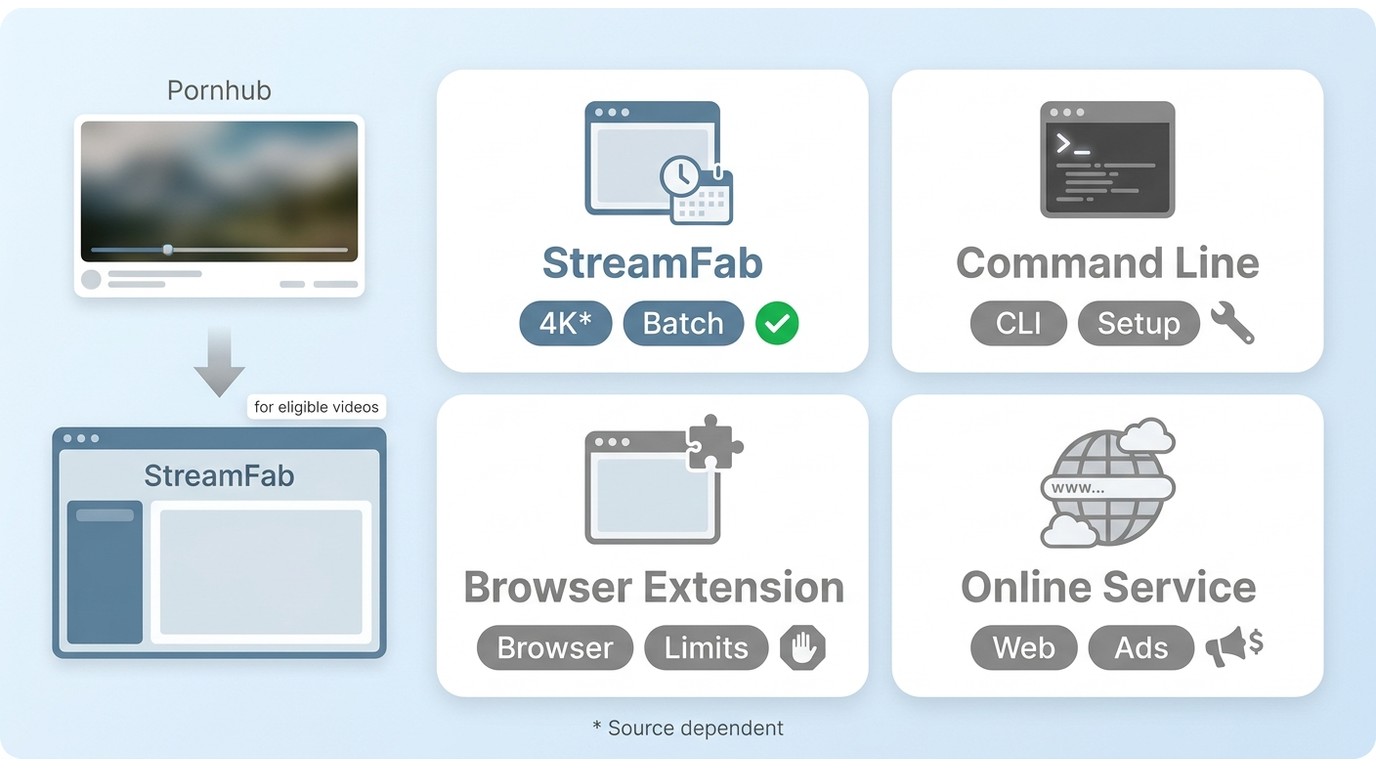
Method and Device Comparison
| Method | 4K fit | Setup | Account handling | Privacy |
|---|---|---|---|---|
| Desktop software | When the source offers it | Install required | In-app sign-in | Local workflow |
| Command-line tool | Source-dependent | Technical setup | Session setup may vary | Local workflow |
| Browser extension | Often inconsistent | Quick install | Browser session | Review permissions |
| Online service | Often limited | No install | May request URLs | Server-side exposure |
Desktop software fits users who want a guided local workflow. Command-line tools suit readers who prefer direct technical control, while browser extensions and online services can be lighter options but deserve closer scrutiny for resolution limits, permissions, and privacy.
My tradeoff is straightforward: StreamFab fits Windows and Mac users who want an authenticated in-app workflow and local MP4 or MKV output. It is less suitable if you want no installation or prefer command-line control.
1. StreamFab Pornhub Downloader: Best Fit and Limits
StreamFab Pornhub Downloader is a local workflow for Windows, Mac, and Android that can save supported sources in up to 4K with MP4 or MKV output and AAC 2.0 audio. For content you’re authorized to access, where permitted by platform terms and applicable law, save a local copy only for personal offline viewing. As of August 2026, its 30-day trial allows three videos per service with the same feature set and a quantity limit.

Process eligible videos in up to 1080p or 4K, saving them in universal MP4/MKV formats with AAC 2.0 audio. The latest StreamFab 7 update offers a streamlined interface with dark/light themes and a centralized download manager for an optimal offline viewing experience.
- Saves supported Pornhub sources in up to 4K with AAC 2.0 audio.
- Supports batch handling for multiple eligible videos.
- Supports certain VR sources; learn how to
- Ad handling depends on the source and selected workflow.
- Exports supported sources as
- Retains available video metadata for local library organization.
2. How to Use StreamFab Pornhub Downloader for 4K Offline Viewing
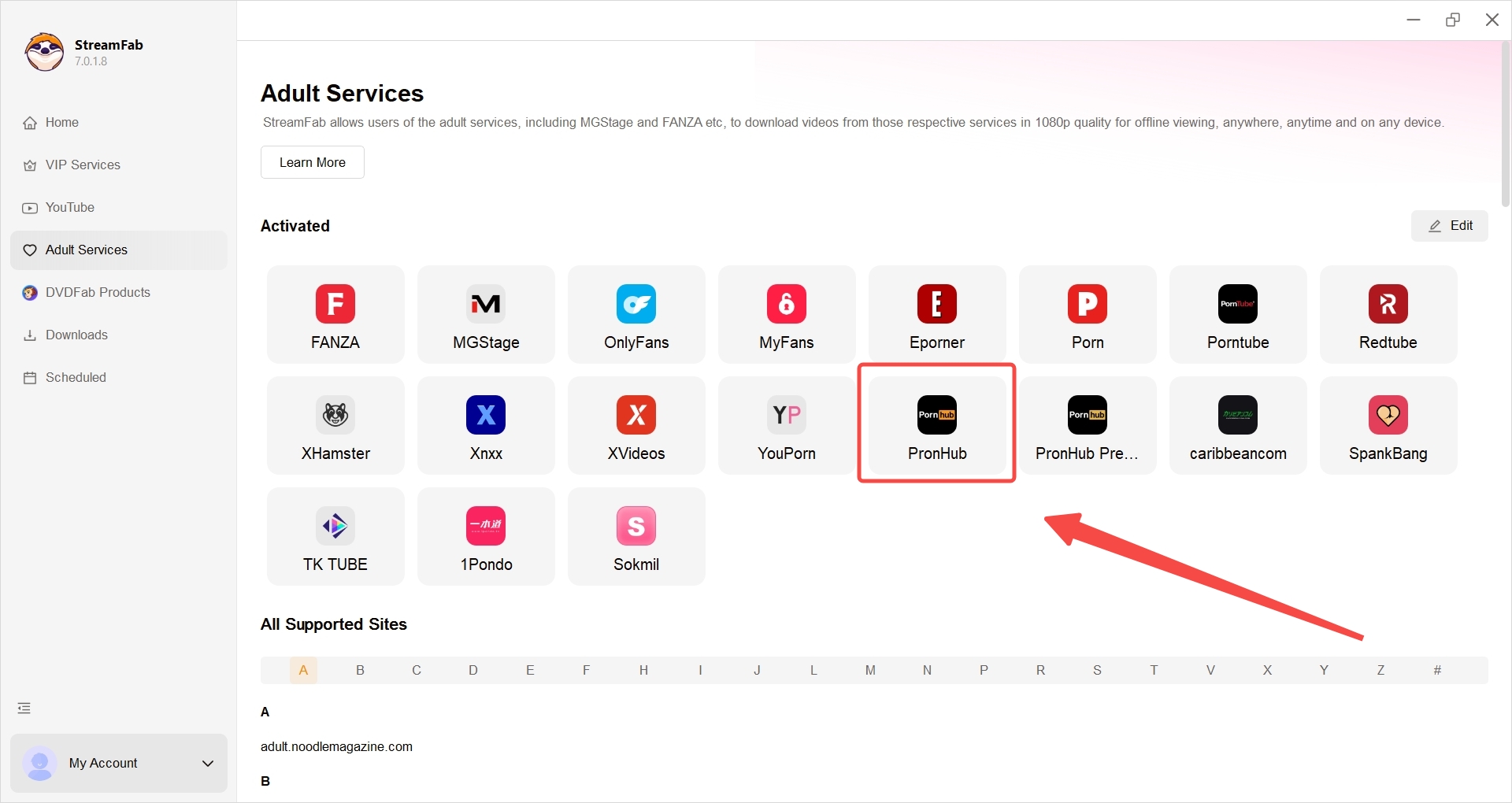
Step 1: Install and Launch StreamFab Pornhub Downloader
Begin by downloading and running the official installer. Once the application is open, navigate to the adult services tab and access Pornhub using StreamFab’s built-in browser. Sign in through the normal site flow if the video requires an authenticated session.
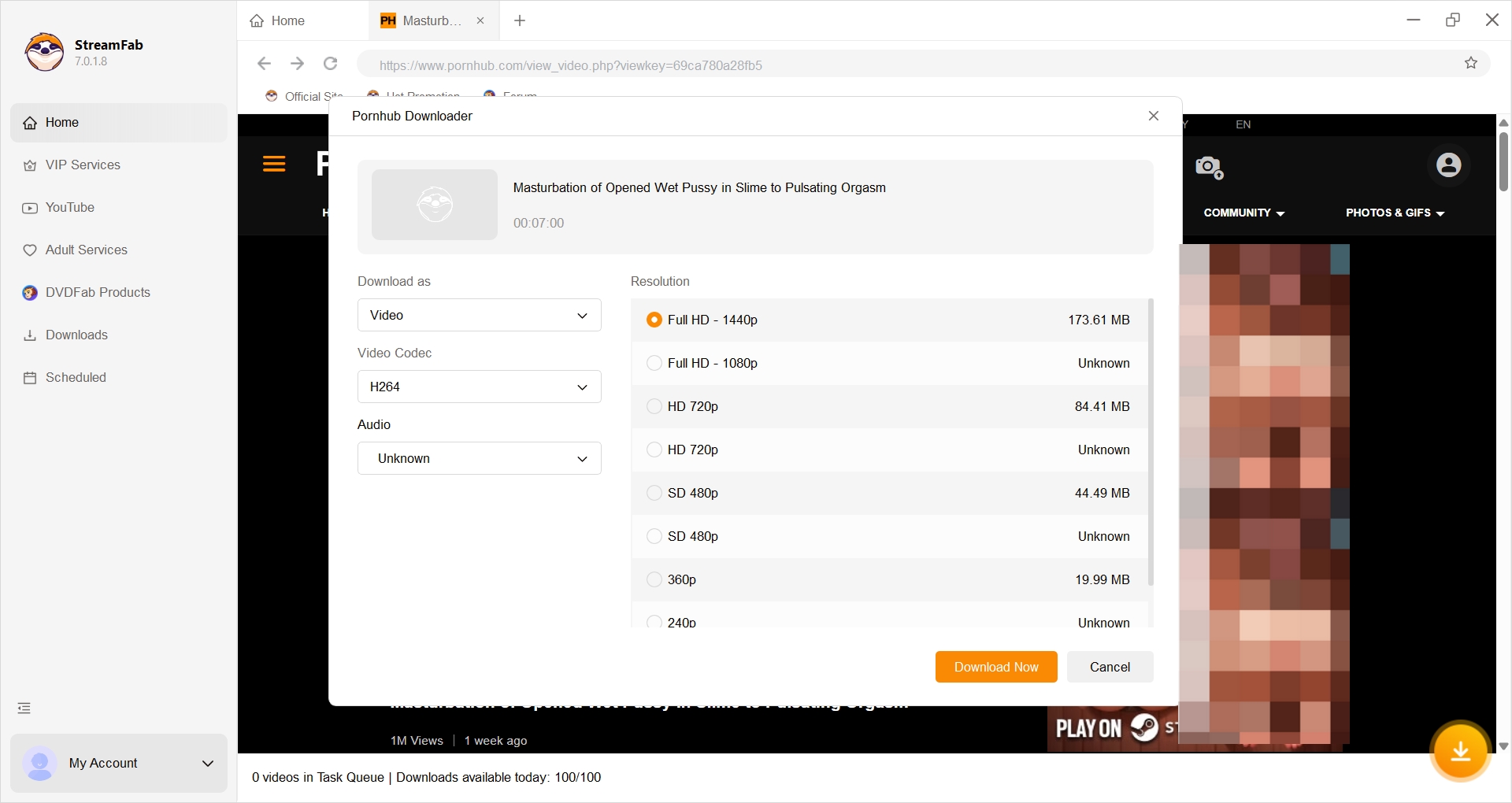
Step 2: Choose Video Format and Quality
Search for your desired content using the integrated browser. Once you start playing a video, a prompt will automatically appear, allowing you to select your preferred resolution (up to 4K) and output format.
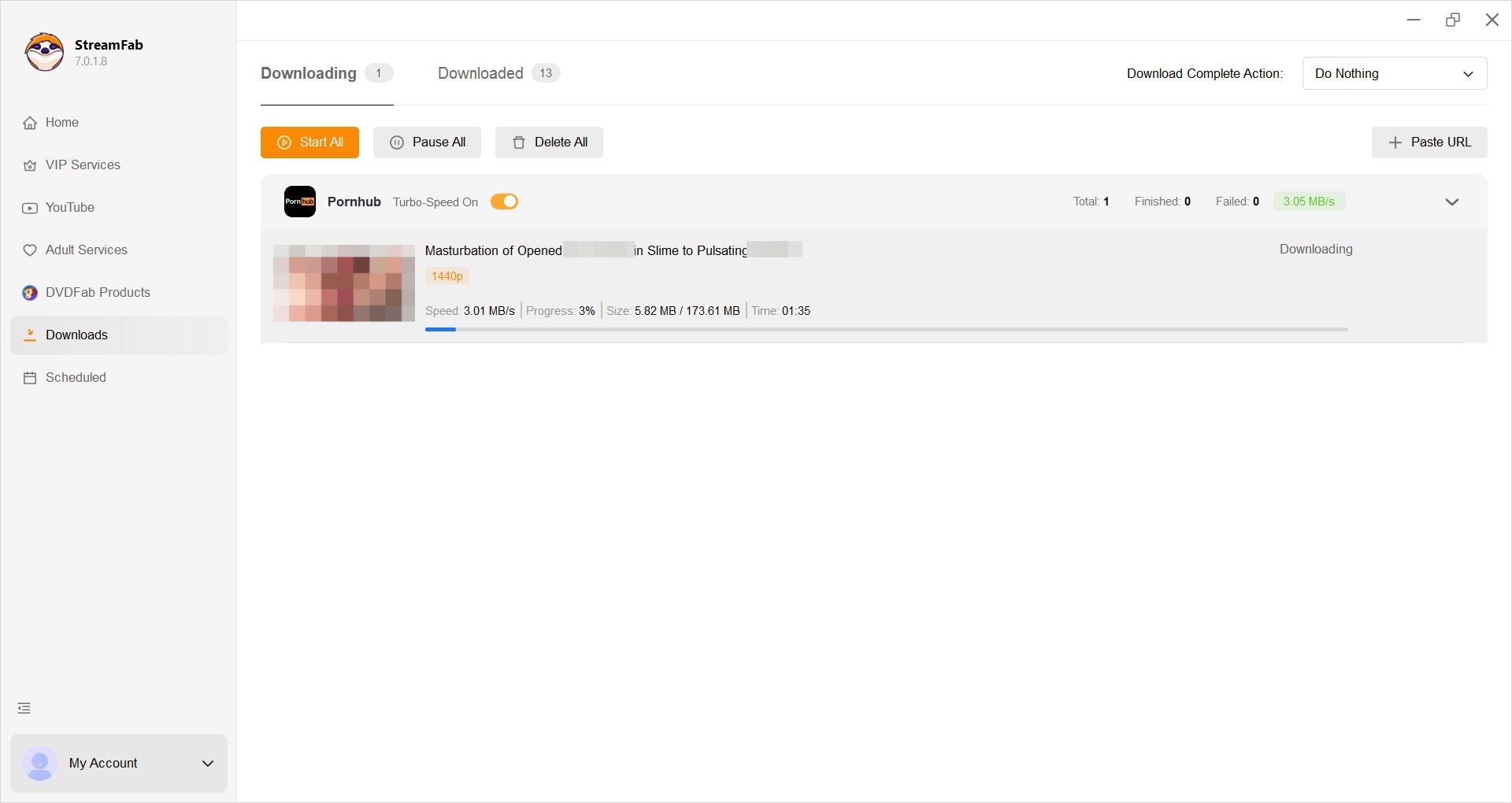
Step 3: Initiate the Download
After confirming your settings, click the download button. You can process the file immediately or add it to your queue. You can track all progress seamlessly under StreamFab 7's consolidated 'Downloads' tab.
Pornhub 4K Download Troubleshooting and FAQ
1. Why is the 4K option missing or limited to 1080p?
Visible resolution depends on the upload, account entitlement, region, authentication, and source manifest. If the source exposes 1080p, a downloader cannot turn it into true 4K. Repeated HTTP 404 errors usually point to an unauthenticated session or platform compatibility before they point to video quality.
2. Can I share a video saved for offline use?
No blanket permission is created by saving a file. Limit offline use to content you are authorized to access; follow applicable law and Pornhub's terms; and do not redistribute, repost, or share creators' work.
3. Why are downloads partial, corrupted, or unplayable?
Segmented streams, including some Shorts and VR videos, can produce partial files, incorrect resolution, HTTP 403 errors, playlist parsing failures, or damaged conversions when a method cannot authenticate, parse, combine, or play the source correctly. If the file opens with a green screen or freezes, check the selected container, available storage, codec support, player, and hardware capability.
4. What affects 4K download speed and storage?
No downloader can guarantee faster completion. Source delivery, available bandwidth, authentication, file size, free disk space, and the selected method all affect the result. Leave sufficient storage before starting, because 4K files can be substantially larger than lower-resolution versions.
Conclusion
Verify that the source exposes 4K, then choose the lightest method that meets your device, privacy, account, and setup needs. My practical tradeoff is to use StreamFab when a local Windows or Mac workflow with MP4 or MKV output and less manual setup is the better fit. Start with the official installer if that workflow matches your needs.


In July 2026, I tested 5 ManyVids video downloaders on a 47-title Vid Bundle archive project. Only one delivered consistent 1080p with batch automation. Here's the ranked breakdown — with legal context, safety checks, and a full comparison table.
By Jacob Harrison - Oct 13, 2026
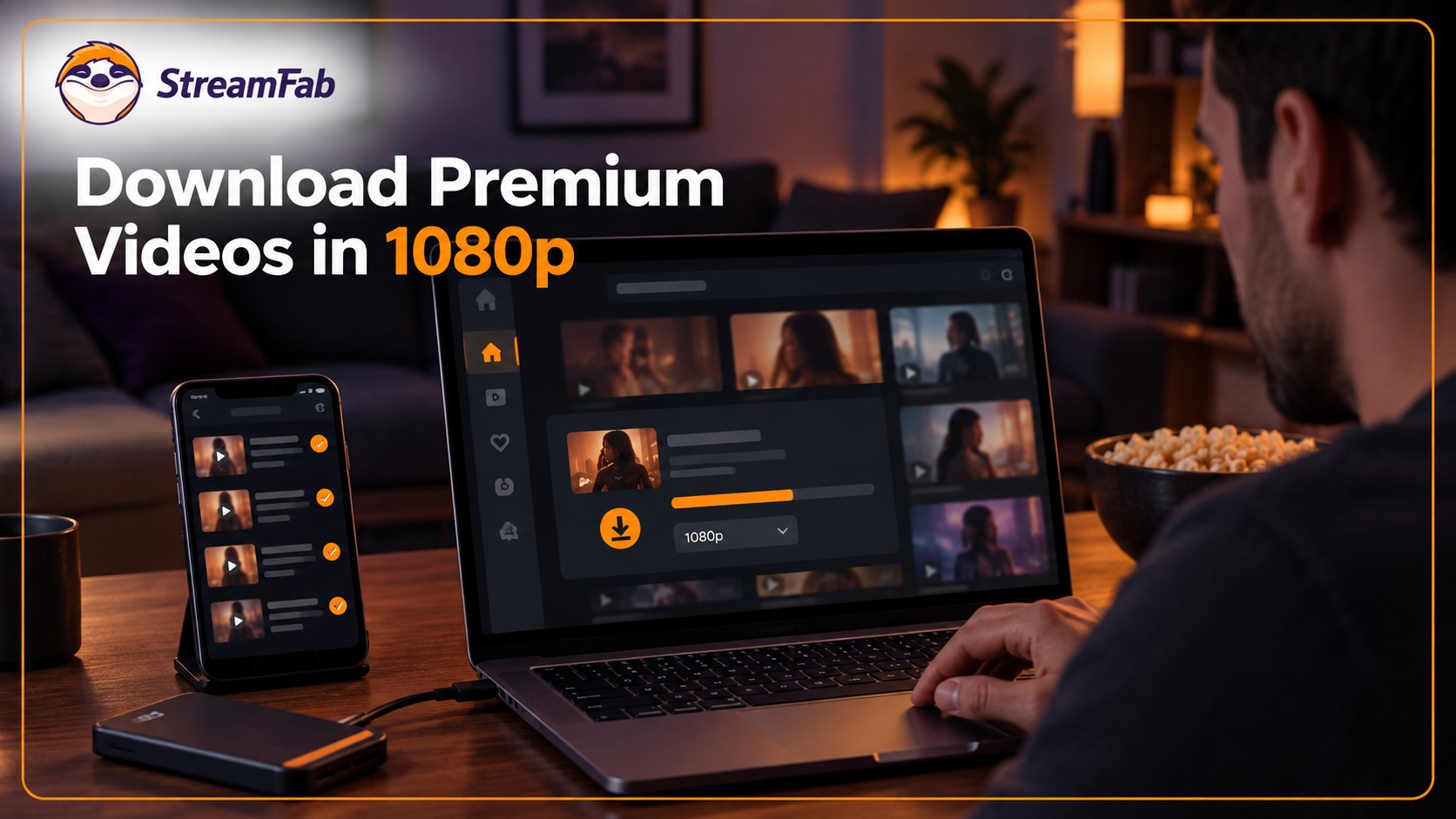
Pornhub Premium has no official download button. Compare local-file methods by device, understand 1080p and 4K output, and follow the StreamFab workflow. Practical checks address access errors, incomplete files, wrong resolution, and blank or green playback.
By Erika Leen - Sep 24, 2026
R18.com was closed in 2022 and is no longer accessible. It is advisable to consider other alternatives.
By Erika Leen - Aug 19, 2026

When satisfying porn fantasy is not so pocket friendly in reality, Pronhub VR download can be your constant companion in reality and fantasy.
By Erika Leen - Aug 19, 2026