
How to Download Shows on Fubo & Save World Cup 2026 Games in 4K

Summary: FuboTV lacks an official download feature, but tools like StreamFab (for on-demand shows) and RecordFab (for live events) let you save videos in high quality. This guide compares both methods, explains setup steps, and covers Fubo’s pricing and legal safety—ideal for sports fans who want offline access to World Cup games and highlights.
Table of Contents
As we move into summer 2026, the sports world is reaching an all-time high. FIFA World Cup 2026 — hosted across the US, Canada, and Mexico — is delivering all 104 matches via Fox, FS1, and Telemundo, and Fubo carries every one of them. Whether you're following the group stage or want to re-watch a classic knockout round, saving that content offline has never mattered more. With the NBA and NHL playoffs and the MLB season also in full swing, fans are looking for the best way to capture every game-winning moment. While subscribing to individual league passes like NBA League Pass or MLB. TV can easily cost you 50 dollars or more each month. Fubo has established itself as the premier all-in-one hub for sports enthusiasts.
The biggest draw for Fubo users has always been the ability to catch live streams of high-stakes games. That’s the hook; it always has been. But if you’re anything like me (the kind of person who can watch highlight reels over and over and still get chills), just one live viewing isn’t enough. You want to keep those moments. Fubo has finally rolled out some native offline stuff, but the limitations are honestly kind of frustrating.
Can You Download Shows on Fubo Officially?
By 2026, Fubo’s changed a bit. It now lets you download some stuff, but only sort of. If you’ve shelled out for the 4K Plus add-on, you can grab a few episodes and movies to watch when you’re offline, but the official download feature still manages to annoy a lot of us with its weird, stubborn restrictions.
- Expiration Dates: Even if you record content to the cloud or download it, the video will be automatically deleted after 9 months.
- Subscription Lock: Your access to any saved content is tied strictly to an active subscription. If you cancel your plan or switch to a lower tier, your library disappears.
- Resolution Gaps: While Fubo offers 4K resolution for live broadcasts, the native recording feature often does not support full 4K playback for offline files.
- Device Restrictions: Official downloads are generally locked to the Fubo app and cannot be transferred to a computer, a home media server, or a USB drive for long-term storage.
- Geographical Blocks: If you travel outside of your home region, you may find yourself unable to play back even your recorded content due to licensing restrictions.
These restrictions hit especially hard during major tournaments. A World Cup 2026 group stage replay stored in Fubo’s cloud DVR could quietly expire months before you decide to revisit it — and there’s no way to renew the clock. That’s why a lot of us just turn to stuff like StreamFab Video Downloader. More freedom, fewer headaches, and you don’t lose your favorite games just because Fubo got grumpy.
StreamFab Download Fubo Shows in 4K for Permanent Offline Access
StreamFab Video Downloader provides a reliable way to create personal backups of your favorite sports events and shows. With all 104 FIFA World Cup 2026 matches streaming on Fubo via Fox and Telemundo, this is particularly valuable for sports fans who want a permanent archive of every game.
While Fubo limits your cloud recordings to a nine-month window, StreamFab allows you to download streaming videos and save them to your hard drive forever. This tool is compatible with both Windows and Mac systems and ensures you never lose access to a game even if your subscription plan changes or expires.

- Losslessly save Fubo content to maintain the highest visual quality for live sports.
- With the built-in browser, you can find and save videos directly within the application.
- For those who follow entire series or seasons, the bulk download feature saves time by capturing multiple episodes at once.
- You can even schedule the software to automatically download new episodes at specific times.
- Learn more about it in this StreamFab review!
How to use StreamFab to download shows on Fubo?
Download the StreamFab installation file from the official site and launch the program on your computer. Make sure to select the version that matches your operating system.
Free Download Windows 11/10/8.1/8/7
Free Download macOS 12.0 or newer
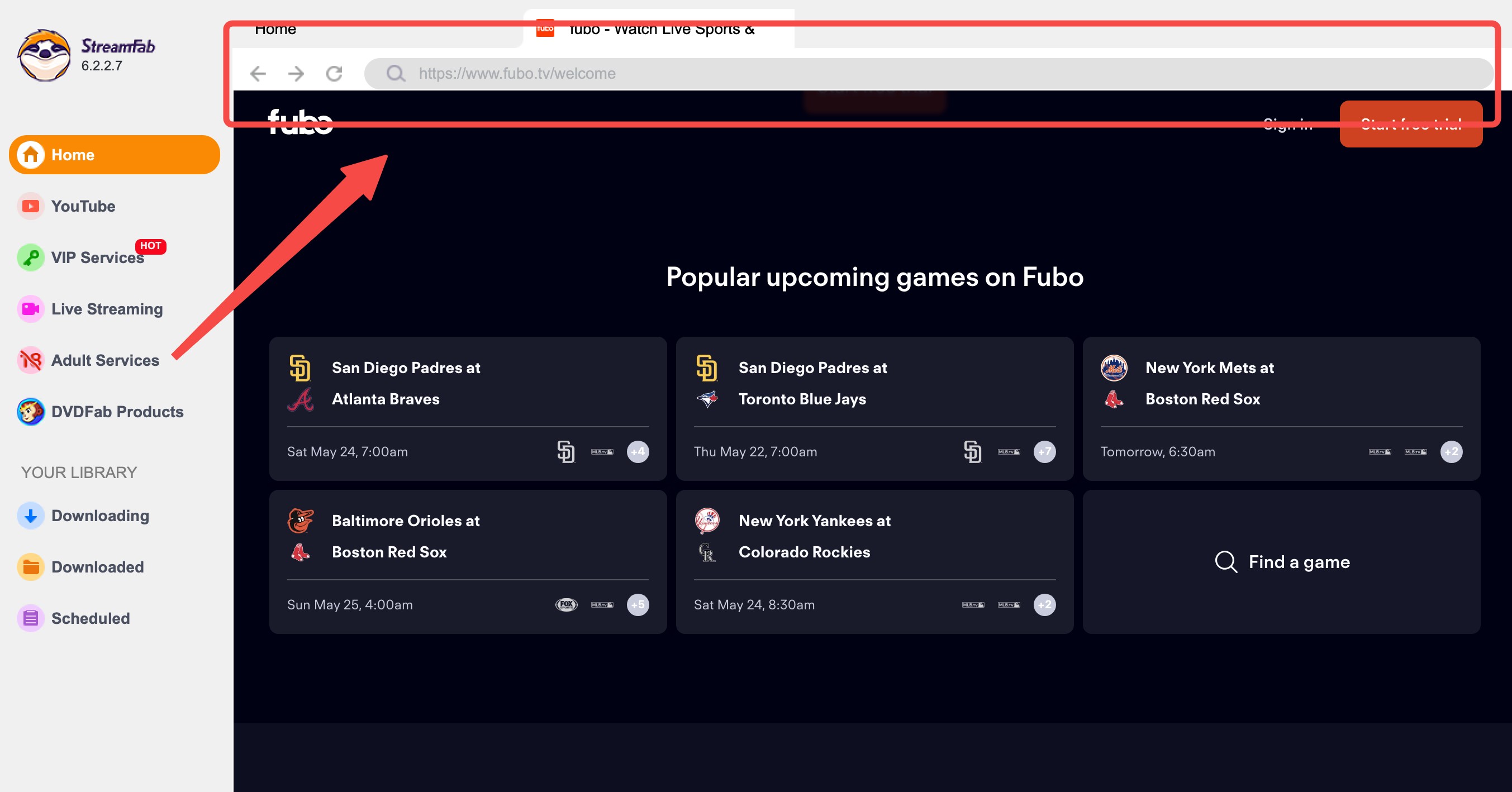
Use the internal browser to log into your Fubo account, or paste the specific video link into the search bar to locate the content you want to save.
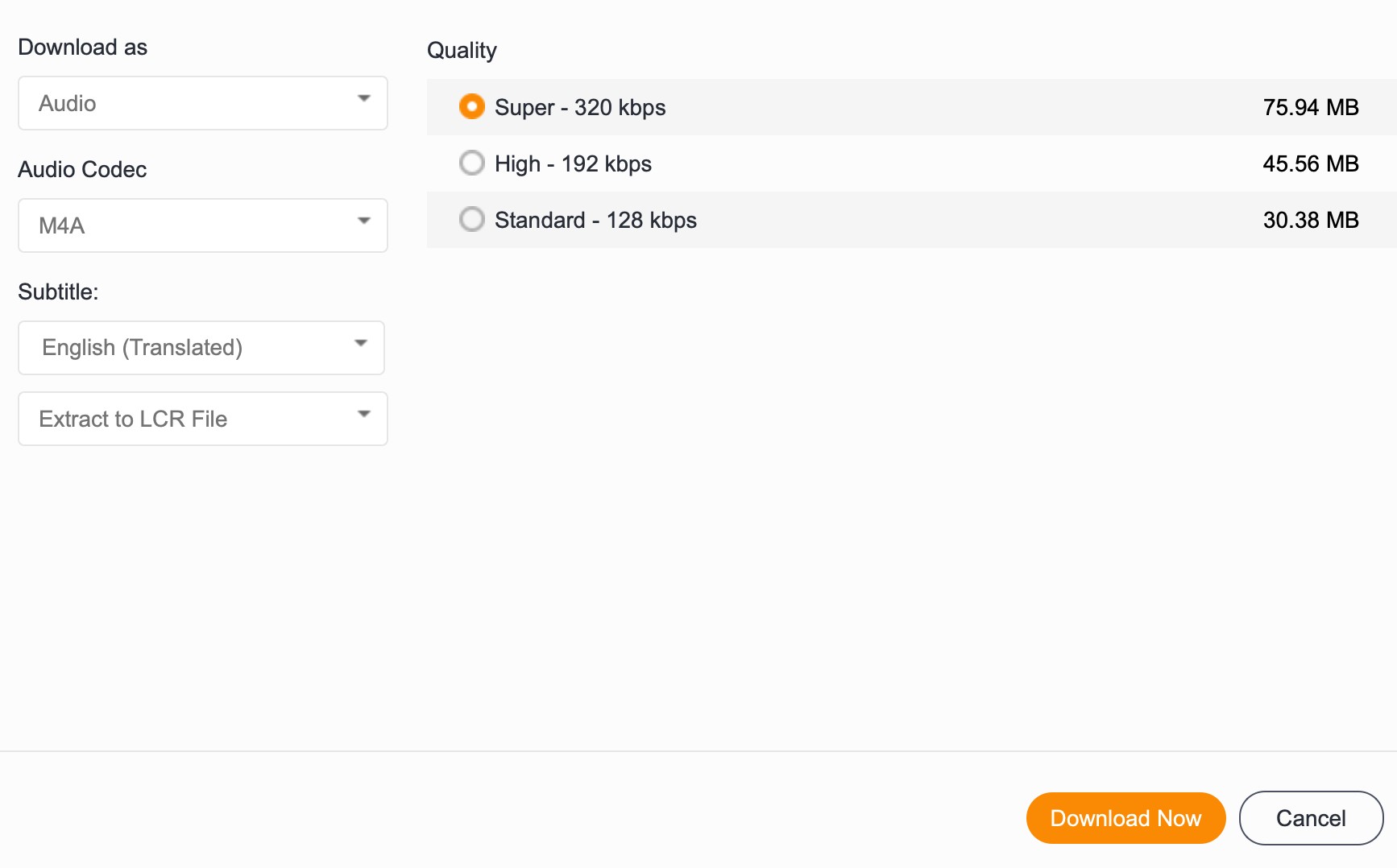
Play the video, and a settings window will appear. Choose your preferred resolution and format, then click Download Now to start the local backup process.

RecordFab Capture Live Fubo Events for Flexible Offline Viewing
RecordFab acts as a specialized video recorder that helps you save live sports and specific clips that official Fubo tools might miss. This makes it a strong option for World Cup 2026 fans who need to capture a live Fox or Telemundo broadcast the moment it airs on Fubo.
Note that RecordFab is Windows-only and records in real time; for on-demand match replays, StreamFab is the faster choice and supports both Windows and Mac. While Fubo has its own cloud DVR, using RecordFab provides more flexibility by creating local files that you own. This method is especially useful for Windows users who want to keep short highlights or specific game segments without worrying about deletion dates.

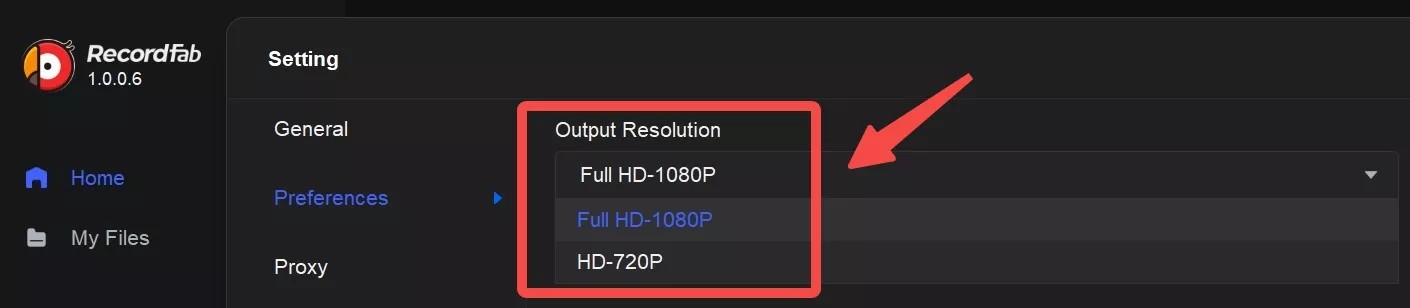
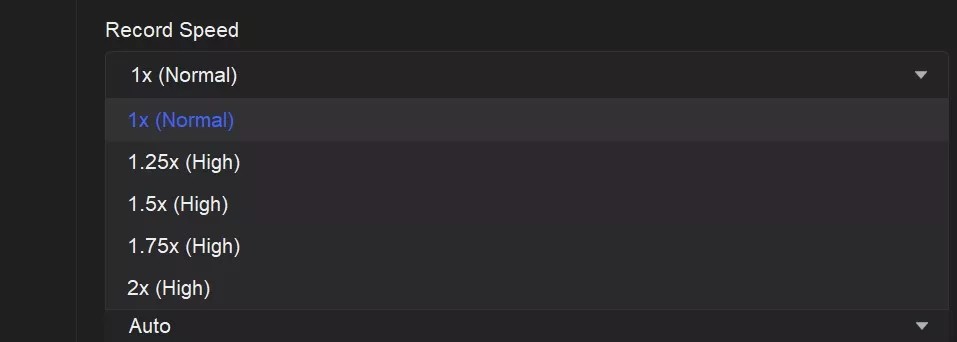
Includes an internal browser so you can manage your recordings without opening multiple windows. Support recording in the background while using your computer for other tasks and ofers a high-speed recording mode that lets you capture content at up to 5x speed to save time. Learn more about it in this RecordFab review!
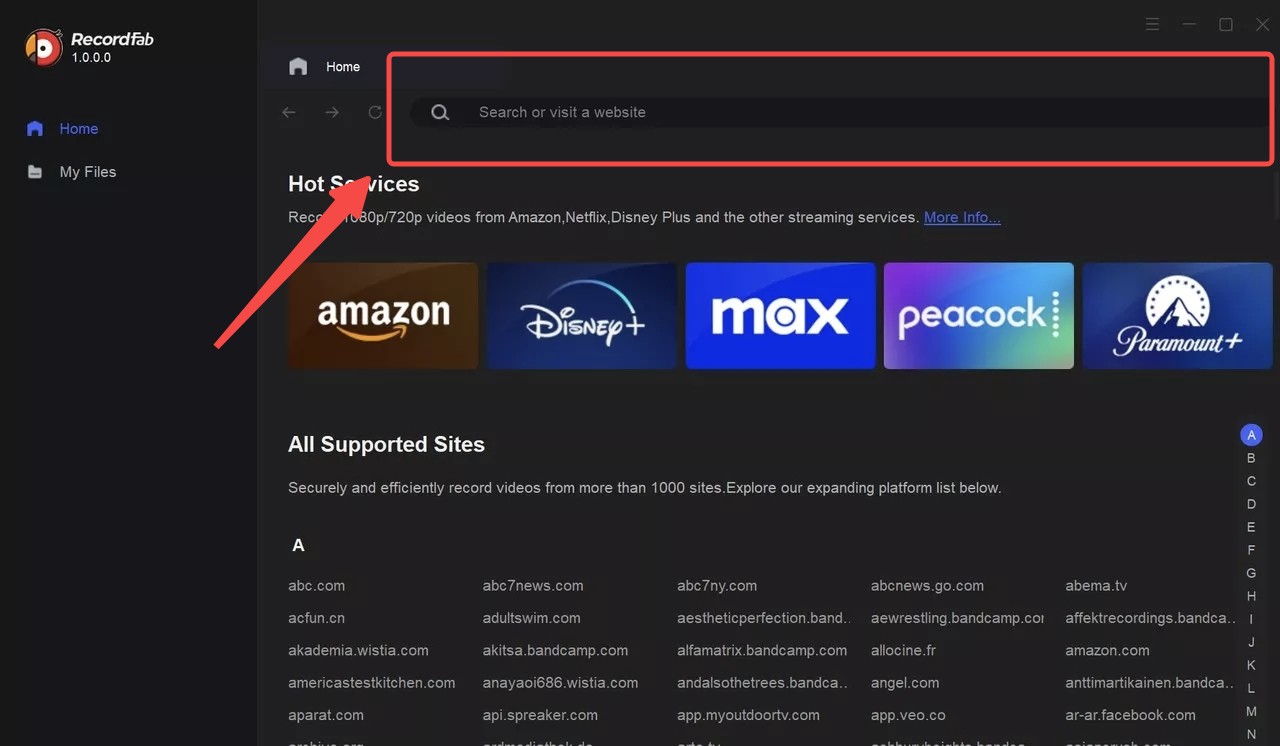
How to use RecordFab to save Fubo shows?
FAQs
Can I download Fubo content directly to my laptop or PC for offline viewing?
The official Fubo application currently restricts offline downloads to mobile devices such as smartphones and tablets. It does not provide a native way to save videos directly to a Mac or Windows computer. If you want to keep a show or two tucked away on your computer, you’ll need to get a little creative and use something like StreamFab. It’s a proper tool for grabbing high-quality videos to stash wherever you like.
Why am I seeing a Recording Not Allowed message for certain sports games?
Certain leagues and broadcasters enforce strict licensing agreements that block the Cloud DVR function for specific live events. This means you cannot use the official record button for those games. A background recording tool can help you capture these restricted moments as a personal backup so you can watch them at a later time.
Can I save FIFA World Cup 2026 matches from Fubo for offline viewing?
Yes. Fubo streams all 104 FIFA World Cup 2026 matches live and on demand via Fox, FS1, and Telemundo channels. Because Fubo’s official downloads expire after 9 months and are locked to mobile devices, StreamFab Video Downloader is the recommended solution for a permanent offline archive — it supports both Windows and Mac and saves files in up to 4K as standard MP4. For capturing a live broadcast the moment it airs, RecordFab can record any Fubo livestream in real time, though note it is currently Windows-only.
Conclusion
With FIFA World Cup 2026 in full swing on Fubo — all 104 matches live via Fox and Telemundo — there’s never been a better reason to build a permanent offline sports library. In conclusion, if you want to download shows on Fubo, you have three choices, but I recommend you choose StreamFab Video Downloader, because it can help you bypass the restrictions and it both supports Windows and Mac systems. Hope this article can help you solve the questions!
This article is part of our ongoing effort to maintain the highest standard of accuracy for streaming guides. We commit to regular updates as Fubo and third-party tools evolve throughout 2026.
July 2026 Optimization Summary
- Corrected the Fubo official download status to include the 2026 4K Plus add on requirements and mobile limitations. Updated subscription pricing to reflect current 2026 market rates for Pro and Elite tiers.
- Added a new FAQ section based on the latest user insights regarding 4K DVR resolution and file expiration rules.
- Removed outdated FanDuel plan references and corrected the official 9-month auto-deletion policy.
- FIFA World Cup 2026 Integration — Added World Cup context across the article.
The editorial team has fully audited this content for accuracy as of June 2026. We stand by these recommendations for personal backup solutions and ensure all mentioned software is compatible with current video protocols.

Identify protected and unprotected M4V files, use authorized Apple TV playback, convert compatible files, or choose a separate supported-streaming workflow.
By Erika Leen - Sep 8, 2026
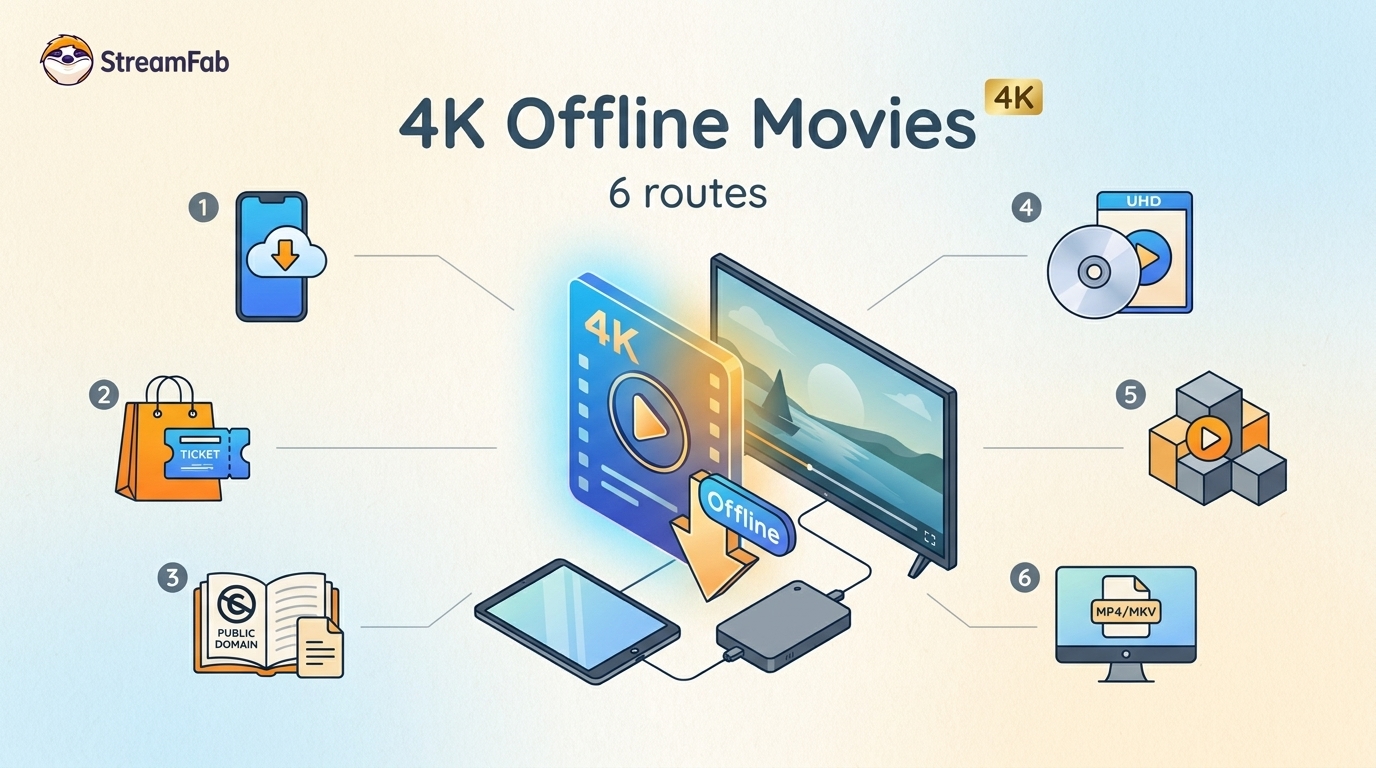
Legal 4K movie downloads do not all provide the same kind of offline access. Most mainstream services offer app-locked downloads, while portable movie files, UHD Blu-ray, public-domain media, and authorized desktop workflows involve different quality, cost, device, and licensing limits.
By Jacob Harrison - Aug 12, 2026
To get straight to the point, you can download a BitChute video as MP4 through its download icon: open the video, then use Save As. For authorized content where permitted, this guide explains when desktop, Android, or browser alternatives make sense.
By Marcia Hatcher - Aug 11, 2026
Looking to convert a link to MP4 in 2026? I've systematically tested top desktop and online converters to bypass Widevine DRM, dynamic tokens, and geoblocking for seamless PC and Android extraction.
By Jacob Harrison - Aug 7, 2026