How to Download RTBF Auvio Videos in 4 Steps (1080p MP4)

Summary: This comprehensive technical guide explores how to download RTBF Auvio content for offline archiving, featuring the most effective auvio downloader solutions.
Table of Contents
RTBF Auvio Offline Limits
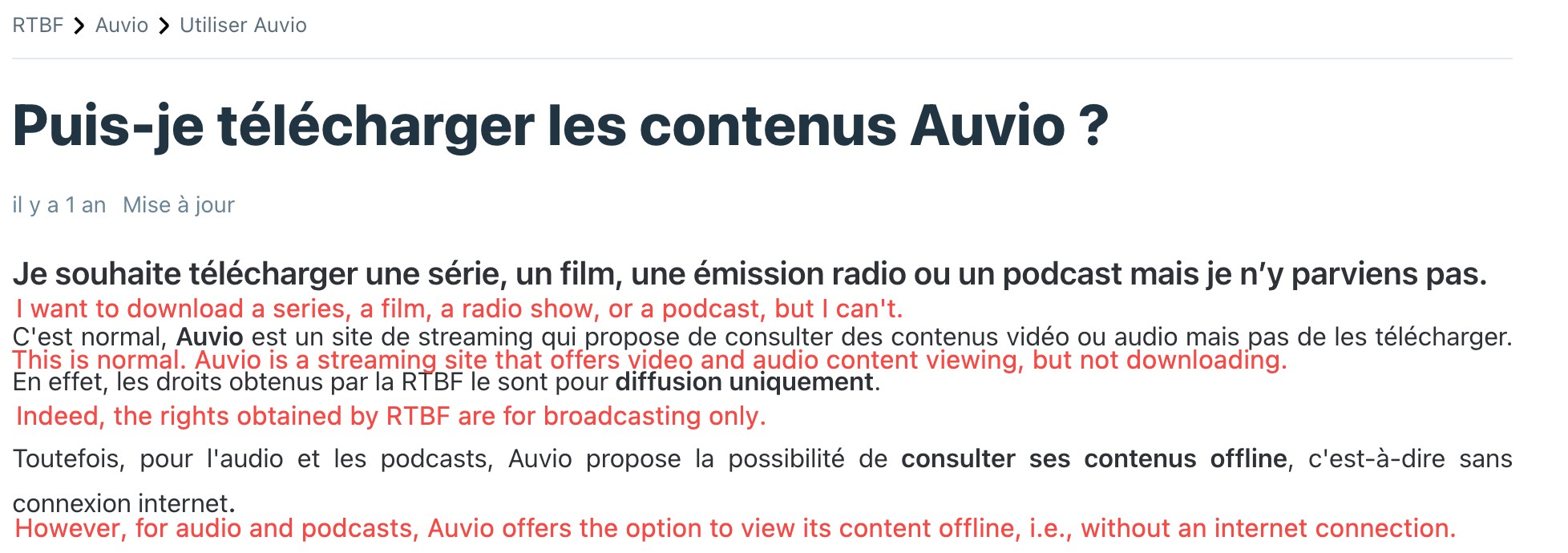
As someone who regularly archives European public broadcasters for offline viewing, I get the frustration: RTBF Auvio is the Belgian public broadcaster's streaming service for live channels and replay programming, and while the official Auvio app on iOS and Android streams that catalog fine, its public listings do not document a native offline download feature for keeping episodes as local files. That gap is what pushes most US-based viewers to look for a workaround.
Below I walk through why access itself is the first hurdle, then compare the routes readers actually try (free online grabbers, yt-dlp, the desktop workflow) before landing on a four-step method for saving authorized Auvio content as an MP4 you control.
Regional Access Limits
RTBF Auvio availability varies by location and program rights, and many titles are geo-restricted outside Belgium. Before you pick an offline method, sort out lawful access first: if you cannot legitimately stream a program in the Auvio app or web player, no downstream tool is going to fix that for you. Assume region and rights are gating conditions, not obstacles to route around.
Legal Disclaimer: Downloading RTBF content is strictly for personal, non-commercial archiving purposes. Always respect local copyright regulations and do not redistribute downloaded materials.
Download RTBF Auvio Videos in 4 Steps

Instead of relying on lossy real-time screen capturing—which inevitably drops bitrates and loses multi-channel audio — StreamFab extract the 1:1 bitstream directly from Auvio's servers.
- Saves authorized Auvio videos as MP4 or MKV at up to 1080p, subject to what the source stream provides.
- Preserves available audio tracks such as EAC3 5.1 or AAC 2.0 when the source offers them.
- Keeps subtitles (French or other available languages) as external SRT files or embedded tracks.
- Queues multiple episodes for batch downloads across a full season.
- Writes basic show, season, and episode metadata for use with media servers like Plex or Jellyfin.
For content you're authorized to access, where permitted by platform terms and applicable law, StreamFab DRM MPD Downloader offers a guided desktop workflow: paste an Auvio page URL into its built-in browser, pick the audio and subtitle tracks you want, and the app saves the video as a local MP4 or MKV file. It uses MPD stream capture as the underlying delivery format for adaptive streams like Auvio's. Best for Windows or Mac users who want a local-file library; not ideal if you're mobile-only or looking for a purely free browser-based option.
Operation Steps
Download the video downloader
Install the software on your device and open the interface. You can free try this downloader without registration.
Choose the streaming service
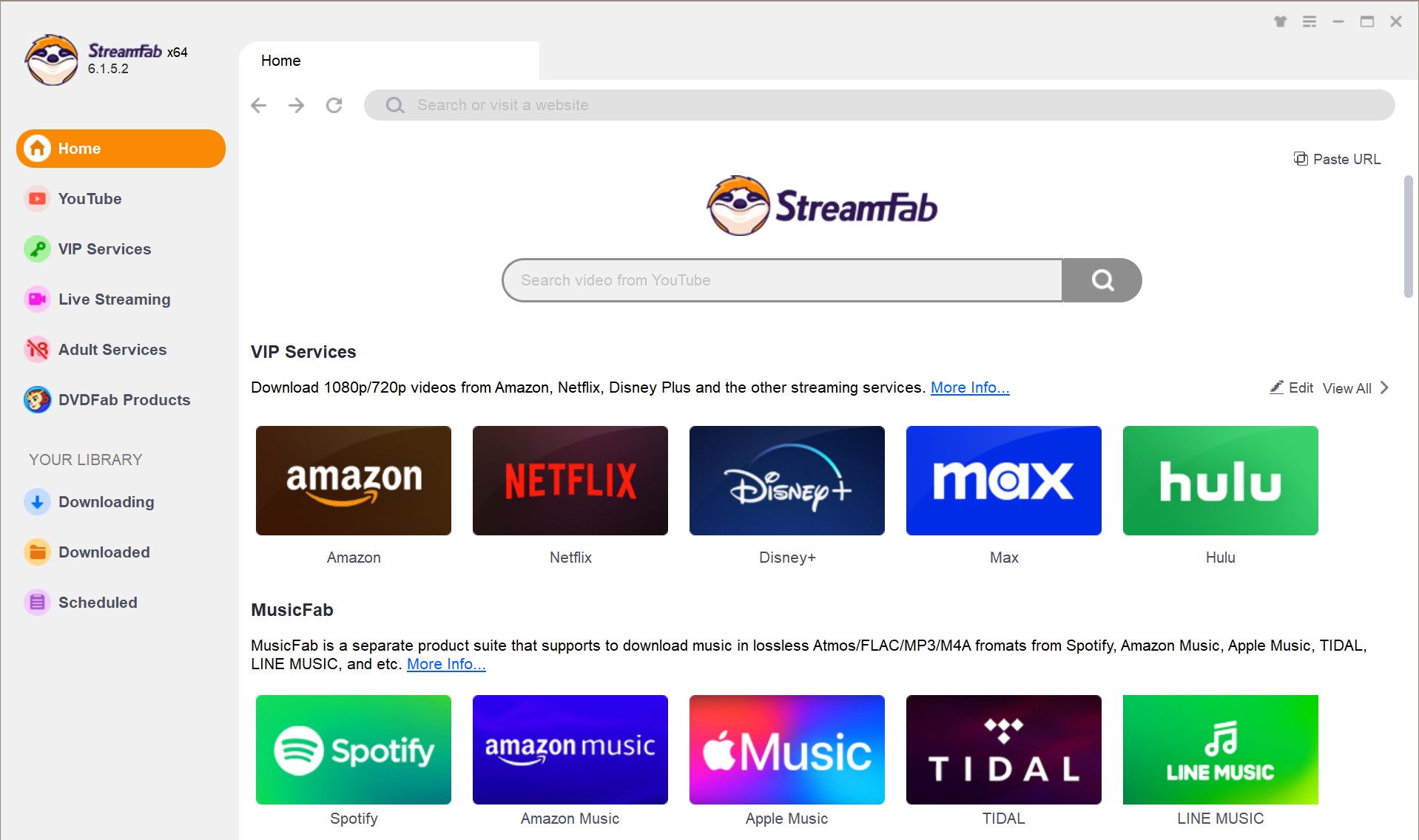
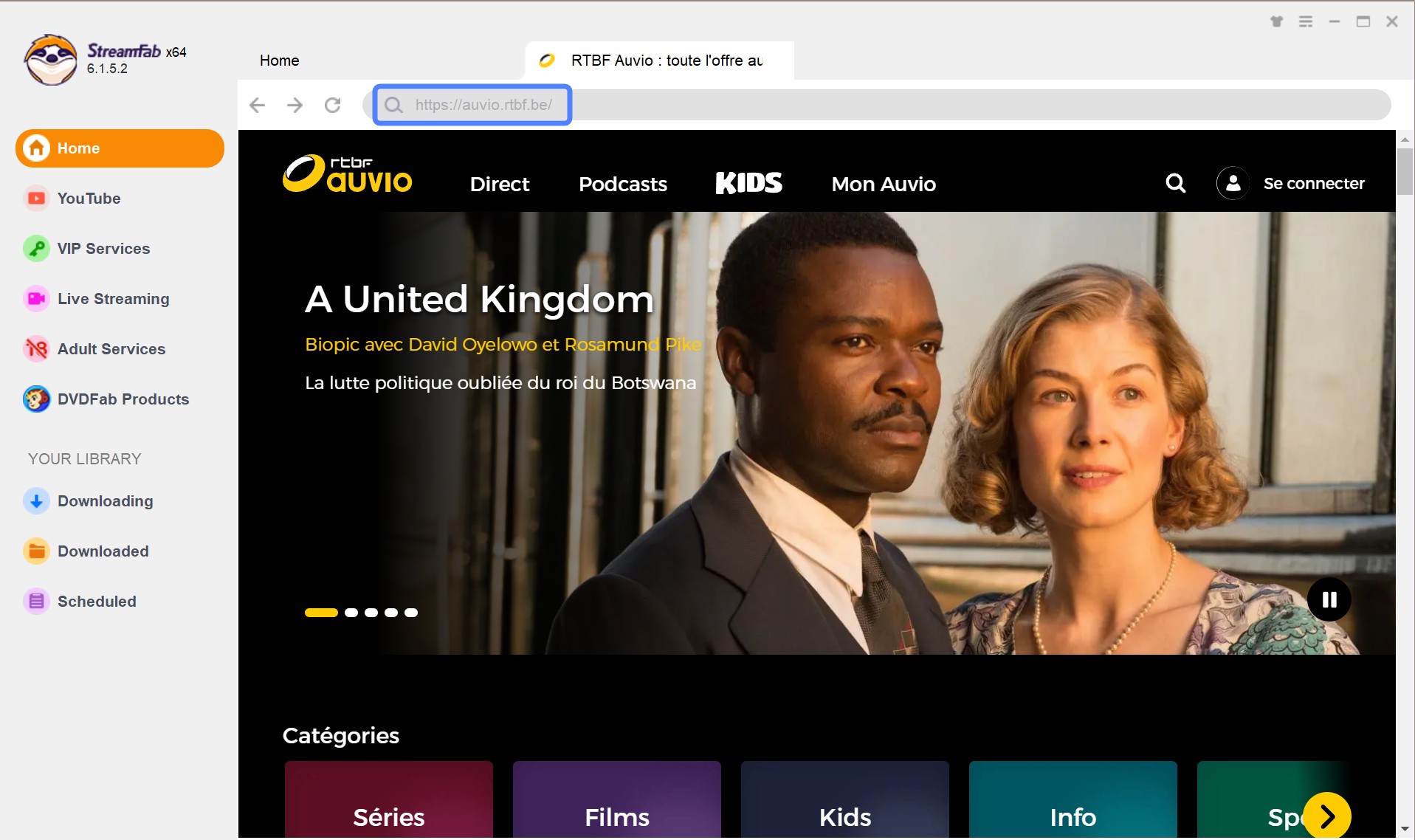
Tap the VIP Services or the YouTube icon on the left channel to find the streaming website you want. You can also copy and paste your video URL of RTBF Auvio directly into the address bar on the Homepage.
Customize the file
Search for the video and play it, then a pop-up window will ask for your video options. You can choose the audio and subtitle language.
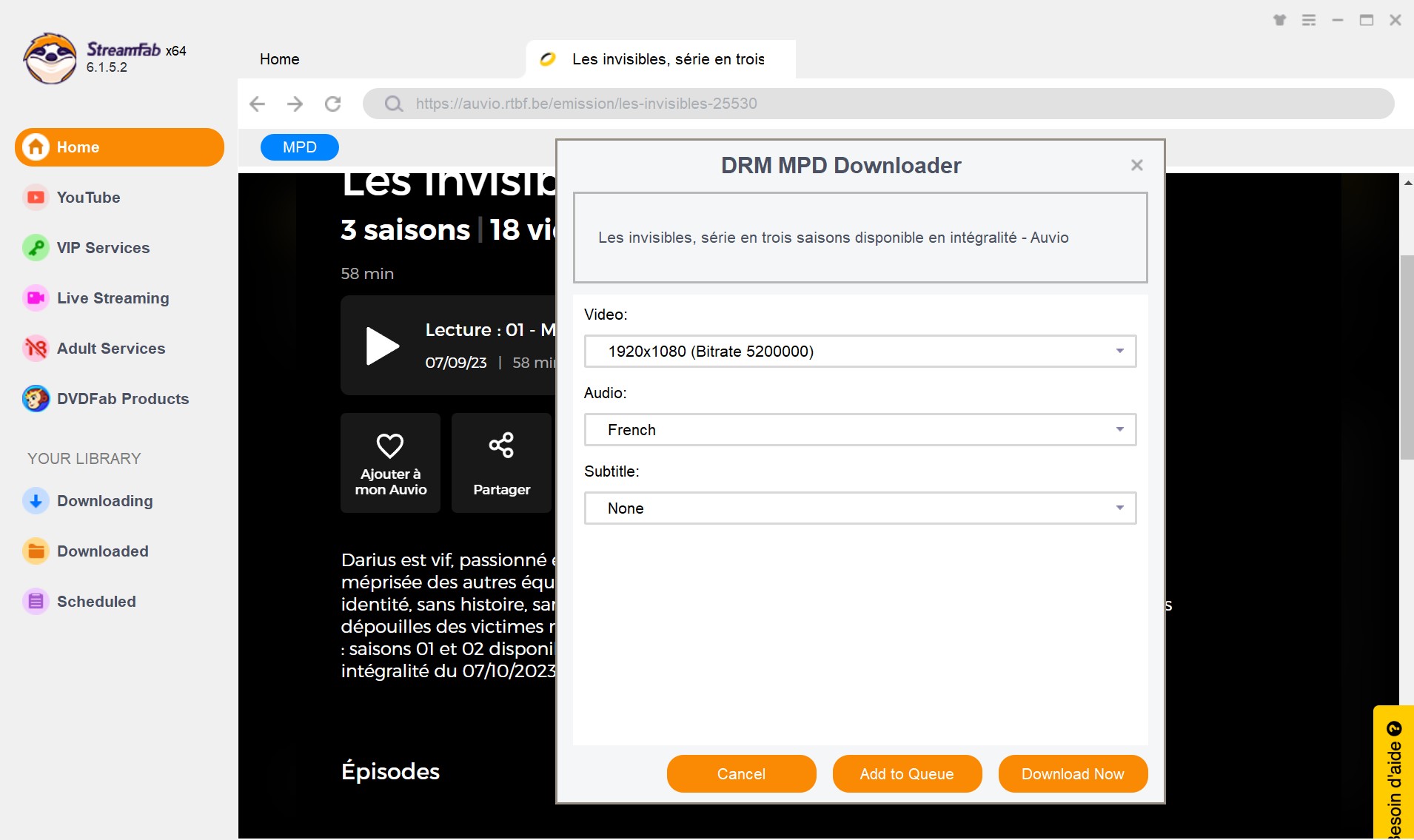
Click the download button
After customization, you can download it right now or add it to the queue.

RTBF Auvio Download Methods Compared
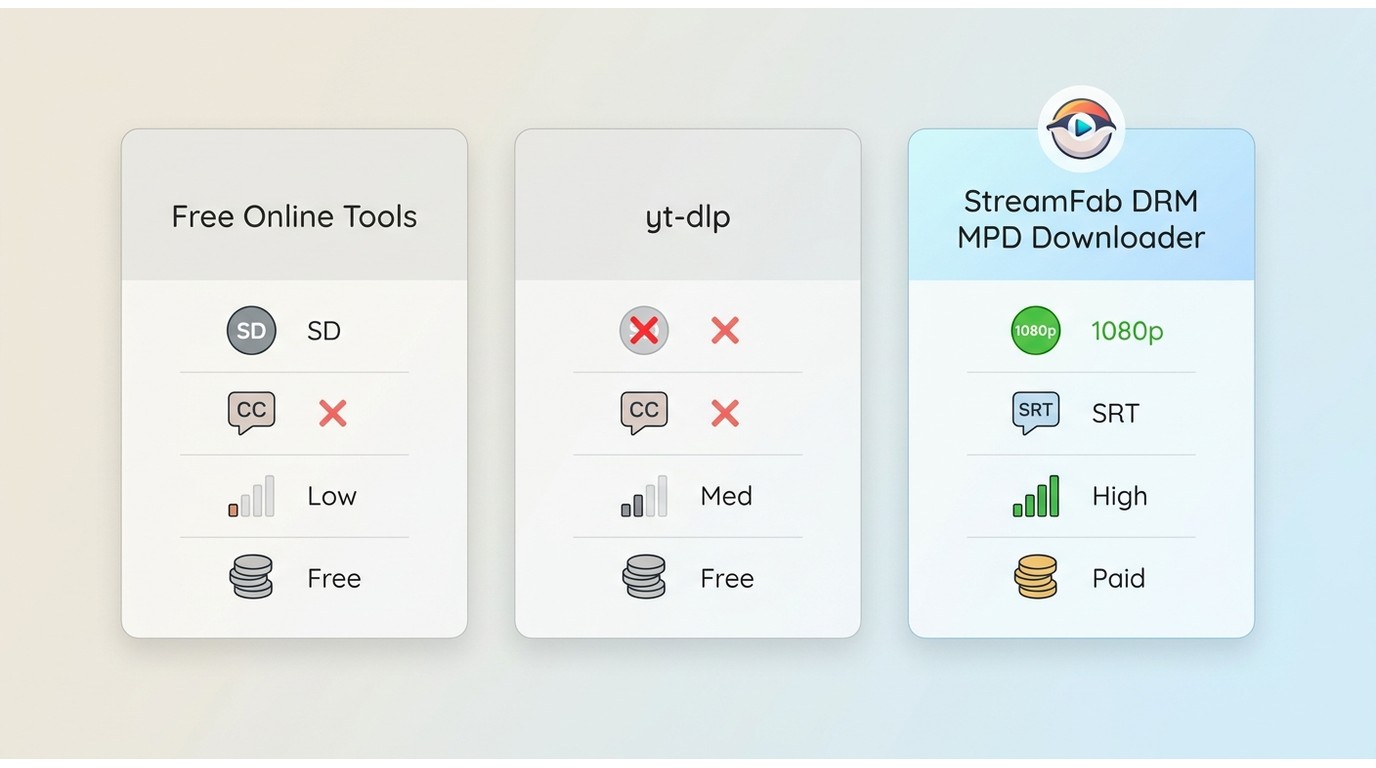
| Method | Current Auvio compatibility | Output quality | Setup difficulty | Main limitation |
|---|---|---|---|---|
| StreamFab MPD Downloader | Works with authorized Auvio pages | Up to 1080p MP4/MKV, source-dependent | Low (guided desktop app) | Paid app; desktop-only (Win/Mac) |
| Free online downloaders | Inconsistent on Auvio replay pages | Often capped at lower quality | Very low (paste URL in browser) | Unreliable; frequent failures on protected streams |
| yt-dlp | Community reports show "Unsupported URL" for Auvio | N/A when the URL is rejected | Medium (command line) | Not a supported extractor for Auvio |
FAQs
Conclusion
My honest take, based on how each route actually behaves today: if you're mobile-only and mainly want to watch on the go, stick with the official Auvio app and its built-in playback. If you're comfortable on the command line and your budget for tools is zero, try yt-dlp first, but be ready for the "Unsupported URL" wall and have a fallback in mind. If you want a stable local MP4 or MKV file in your library with subtitles and season metadata intact, the desktop StreamFab DRM MPD Downloader workflow is the most predictable path for authorized personal viewing.
If your archiving habits extend beyond European public broadcasters into art-house catalogs, a similar authorized local-file workflow applies when you download from MUBI.

The Criterion Channel is full of classic movies, and there is no official way to get them. This article introduced several third-party tools to help you dealing with this problem. And the downloader is the best one with advanced functions and outstanding quality.
By Nicole Lopez - Sep 16, 2026
Looking to download ctv video content for unrestricted offline viewing? Based on my 2026 technical tests, here is the ultimate guide to permanently archive CTV videos in crisp 1080p MP4 formats.
By Erika Leen - Aug 19, 2026

Can you watch Udemy offline? How to watch Udemy courses offline on PC? This guide covers everything you want to know about Udemy offline viewing on different devices.
By Jacob Harrison - Aug 19, 2026
Can you save Udemy DRM videos as a local personal backup? Why do you only get a black screen file? This guide addresses the technical hurdles of creating a personal backup, specifically explaining the latest methods in 2026.
By Jacob Harrison - Aug 18, 2026