
How to Download Videos from GagaOOLala for Offline Viewing in 2026

Summary: Craving for some unique LGBTQ+ cinema right at the comfort of your home? Look no further, GagaOOLala is here. A streaming platform specifically catered to the LGBTQ+ audience, GagaOOLala offers a wide selection of films and series that touch on various themes and storylines, giving you a viewing experience that is all its own.
GagaOOLala Officially Supports Streaming Only
Short answer: GagaOOLala has no official download button in its web player or apps, so a desktop GagaOOLala video downloader is one practical route to a local MP4 or MKV for personal offline viewing. Below, I cover two desktop options with different reliability, plus where the phone workflow ends.
I spent a weekend trying to save a Taiwanese BL series before a flight with spotty Wi-Fi, so I know the frustration; the rest of this guide covers the official limit, the two desktop paths, and the device boundary readers hit next.
GagaOOLala is an Asian streaming site focused on LGBTQ+ dramas, documentaries, and films, and its service is designed around online streaming rather than file export. Saving a title locally is a separate workflow from official app playback, and it presupposes an active subscription plus personal, authorized use only.
GagaOOLala Plans and Supported Devices
Free membership rotates a limited selection of titles you can browse without paying. Full-library access requires a paid plan, and any longer trial window is tied to a qualifying promotion code rather than a standing US-wide offer. The table below lists current US-eligible plans as of August 2026, plus how the free tier compares.
GagaOOLala officially supports web browsers, its iOS and Android apps, Android TV, Roku, Fire TV and Fire TV Stick 4K Max, plus Samsung and LG smart TVs. Device support is broad, but individual titles still follow regional licensing and release status, so a supported device does not guarantee every title plays in every country. If you only want to watch inside the app on one device, official streaming is the simpler fit; a local file becomes useful when you want the same episode on a laptop offline and later on a phone.
| Plan | Price (USD) | Content access | Video quality | Language | Payment & trial |
|---|---|---|---|---|---|
| Free Member | Free | Selected content (rotated) | SD–720p | Mainly English & Chinese | No |
| VIP Member | $6.99/month | Full library + weekly updates | Up to 1080p | Multi-language & switchable | Yes (7 days) |

I checked every corner of the web player, the iOS app, and the Android app before writing this: there is no Download button on GagaOOLala, not even for VIP subscribers. The service is designed for online streaming, so if you want an episode on a plane or a subway, you are looking at a desktop-side workflow, not an in-app save. no official way to save videos for offline watching.
GagaOOLala Safety and Regional Availability
Is GagaOOLala safe? The more honest answer is: it is a licensed streaming service with published privacy and data-safety disclosures on the App Store and Google Play, run by a real Taipei-based company with paid subscriptions and standard card or PayPal billing. That is a much stronger trust signal than a security guarantee anyone can print. I still recommend paying with a card that offers chargeback protection, the same rule I use for any regional streamer.
The bigger practical issue is not safety, it is licensing. GagaOOLala buys rights on a title-by-title, region-by-region basis, so an episode you watched last month can quietly drop out of your country's catalog when a deal expires. That is exactly the gap an authorized local file fills for a subscriber who wants to keep watching a specific title offline.
Official GagaOOLala Subtitle Languages List
Subtitles are where a personal archive stands or falls, especially if you feed a Plex or Emby library. English, Traditional Chinese, and Simplified Chinese are the options I see on most GagaOOLala titles, and additional tracks such as Thai, Bahasa Indonesia, Vietnamese, Spanish, or Portuguese appear on specific releases rather than the whole catalog. Because coverage varies release by release, I always open the subtitle menu on the title page before I commit to a save, whether that is for streaming or for a local copy.
How to Download GagaOOLala Videos on PC or Mac
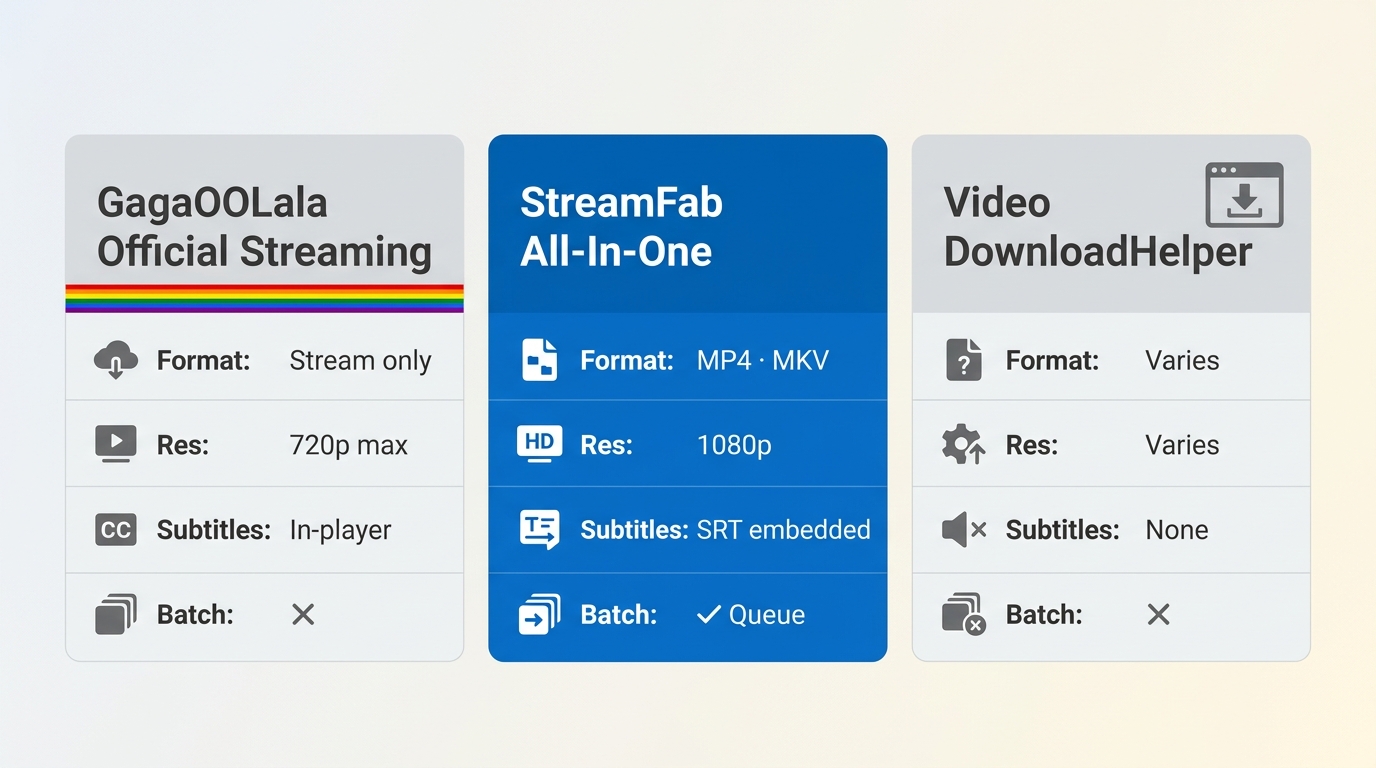
Two desktop options carry different reliability. The table below compares them against official GagaOOLala streaming so you can match a workflow to your device, format, and subtitle needs.
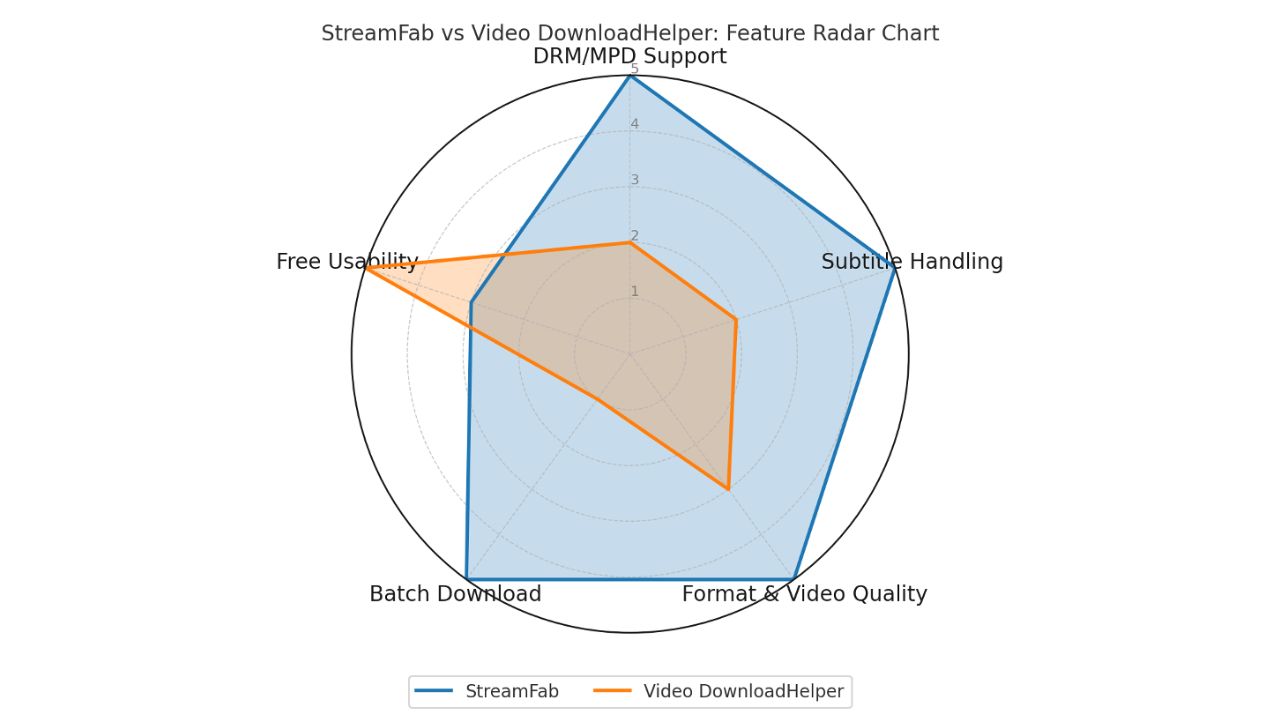
| Dimension | Official GagaOOLala streaming | StreamFab All-In-One | Video DownloadHelper |
|---|---|---|---|
| Best fit | In-app viewing on a supported device | Selected episodes as compatible local files | Occasional one-off clip on detectable media |
| Device workflow | Web, iOS, Android, Android TV, Roku, Fire TV, Samsung / LG TV | Windows 10/11 or macOS desktop app | Chrome, Firefox, or Edge extension |
| Output format | Stream only, no file | MP4 or MKV | Depends on what the page exposes |
| Resolution | Up to 1080p per plan | Up to 1080p | Varies by source |
| Audio | Per plan (up to EAC3 5.1 where source provides) | EAC3 5.1 or AAC 2.0 where source provides | Varies; often stereo AAC |
| Subtitles | In-player selection | SRT sidecar or embedded, language selectable | Not reliably supported |
| Batch queue | N/A | Yes, queue multiple episodes | No native queue |
| Known limitation | No offline file; regional licensing | Desktop-only; requires an active subscription | Protected streams may not expose a usable file |
Method 1: StreamFab All-In-One Workflow
For content you're authorized to access, where permitted by platform terms and applicable law, StreamFab All-In-One is a Windows and macOS desktop app that pairs its built-in browser with GagaOOLala's MPD stream workflow to save an authorized title as a local MP4 or MKV file. It sits alongside its sibling MPD video download guide for readers who need the underlying mechanics; here I stay focused on the GagaOOLala side. Best for viewers who want selected episodes as compatible local files with the subtitle track they actually picked. Not ideal for phone-only users or anyone who just needs official in-app streaming on a TV.
- Built-in browser to sign in and locate authorized GagaOOLala titles.
- Save output up to 1080p with EAC3 5.1 or AAC 2.0 audio where the source provides it.
- Choose MP4 or MKV for playback on laptops, phones, or media servers.
- Pick the subtitle track you want and keep it as an SRT sidecar or remuxed into the file.
- Queue several episodes and let them run in the background.
Download the video downloader
Install the software on your device and open the interface. You can free try this downloader without registration.
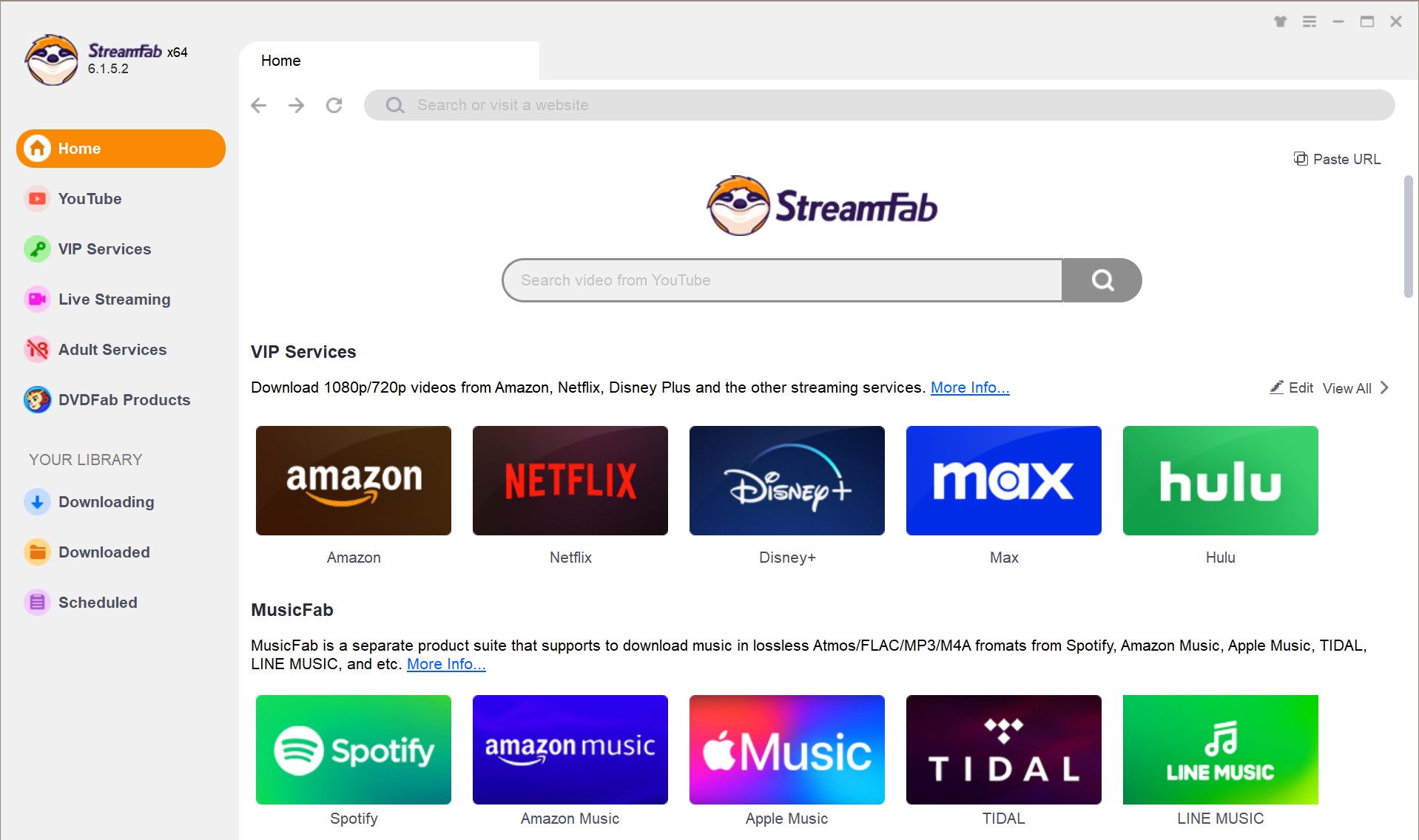
Browse GagaOOLala to find the video you want to download
You'll need to copy and paste the website of GagaOOLala directly into the address bar on the Homepage. Then sign in to your Gagaoolala account and search for the videos you want to download with StreamFab's in-built browser.
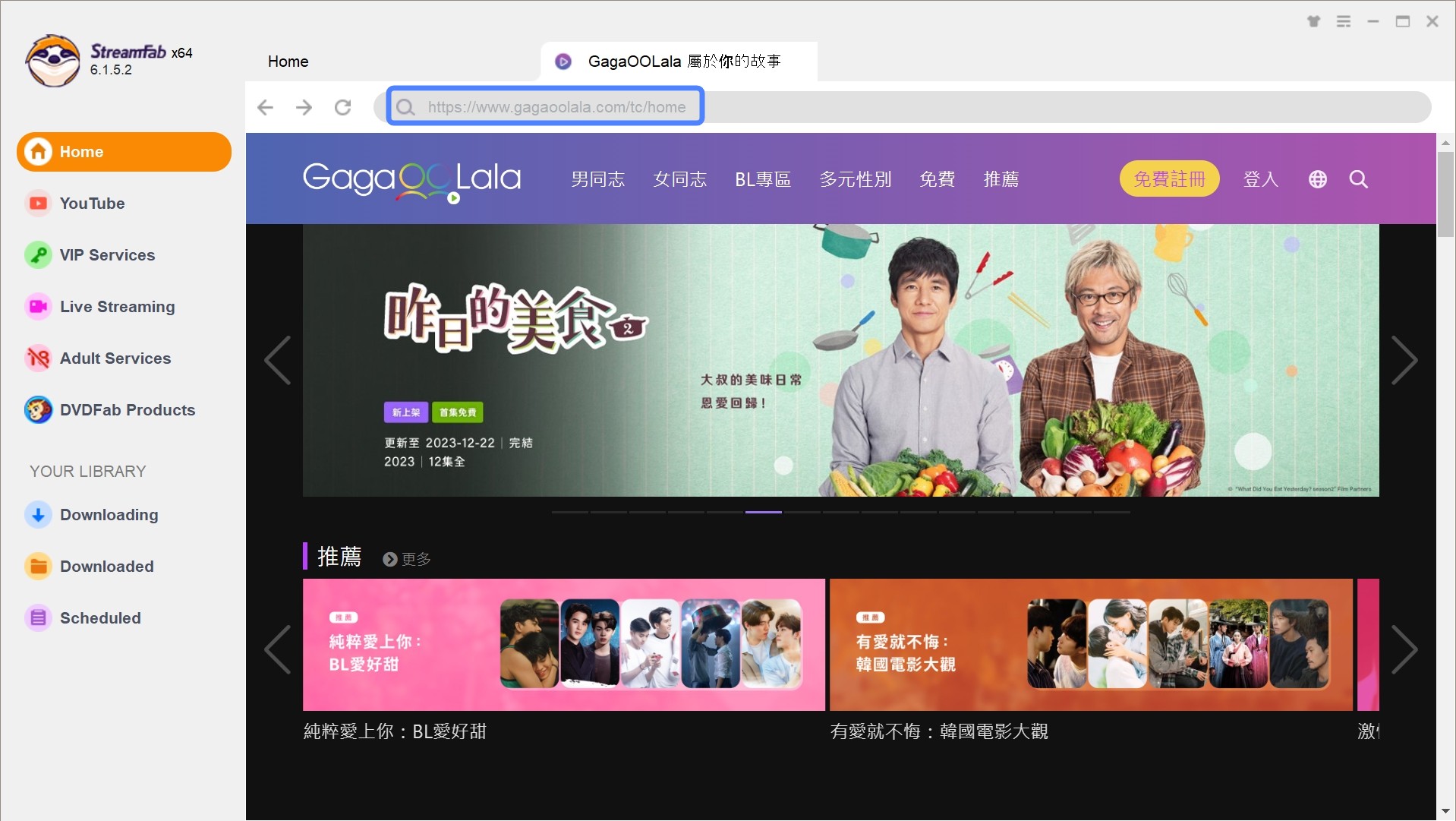
Customize the Gagaoolala video
Next, play that Gagaoolala video, then a pop-up window will ask for your video options. You can choose video resolution, audio and subtitle language.
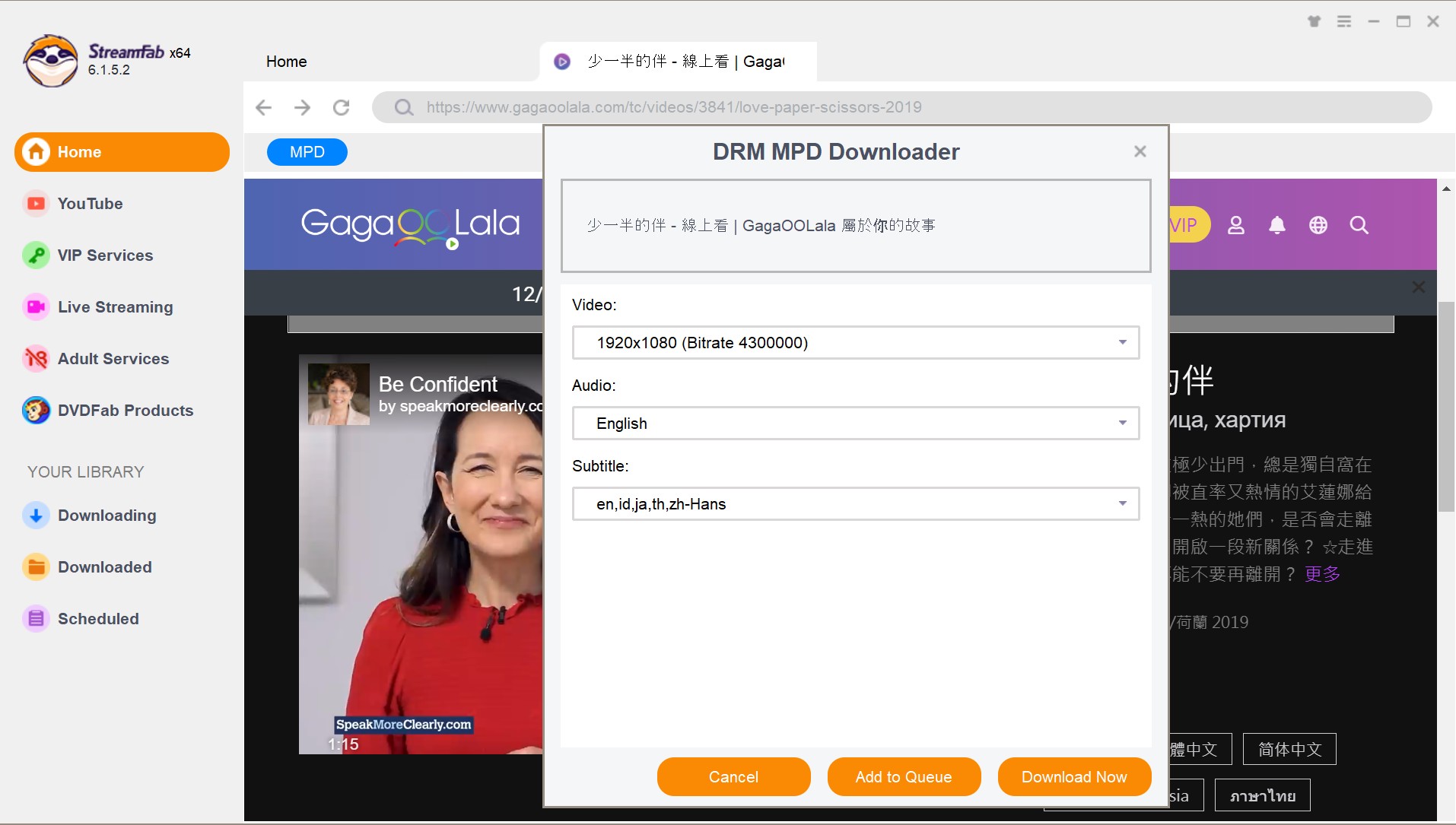
Click the download button
After customization, you can download it right now or add it to the queue.
Method 2: Video DownloadHelper Limits
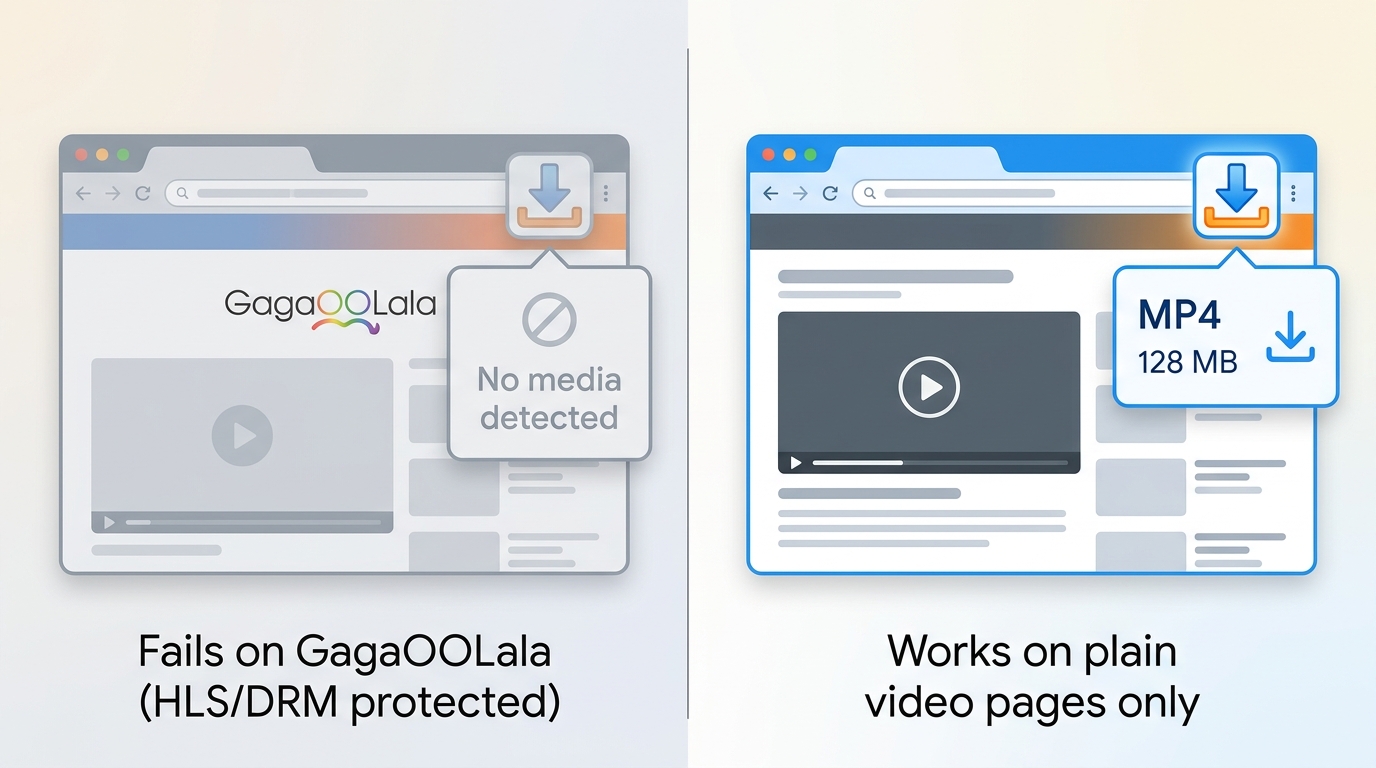
If you only need to grab one clip and do not want to install a desktop app, Video DownloadHelper is a browser extension available for Chrome, Firefox, and Edge. It is worth a try when the video is a simple media file, but its own help center notes that site detection depends on how the page delivers the stream, so a protected GagaOOLala segment may not surface a usable file at all. Best for occasional attempts on detectable media. Not ideal when you need predictable 1080p output, a specific subtitle track, or a queue of episodes.
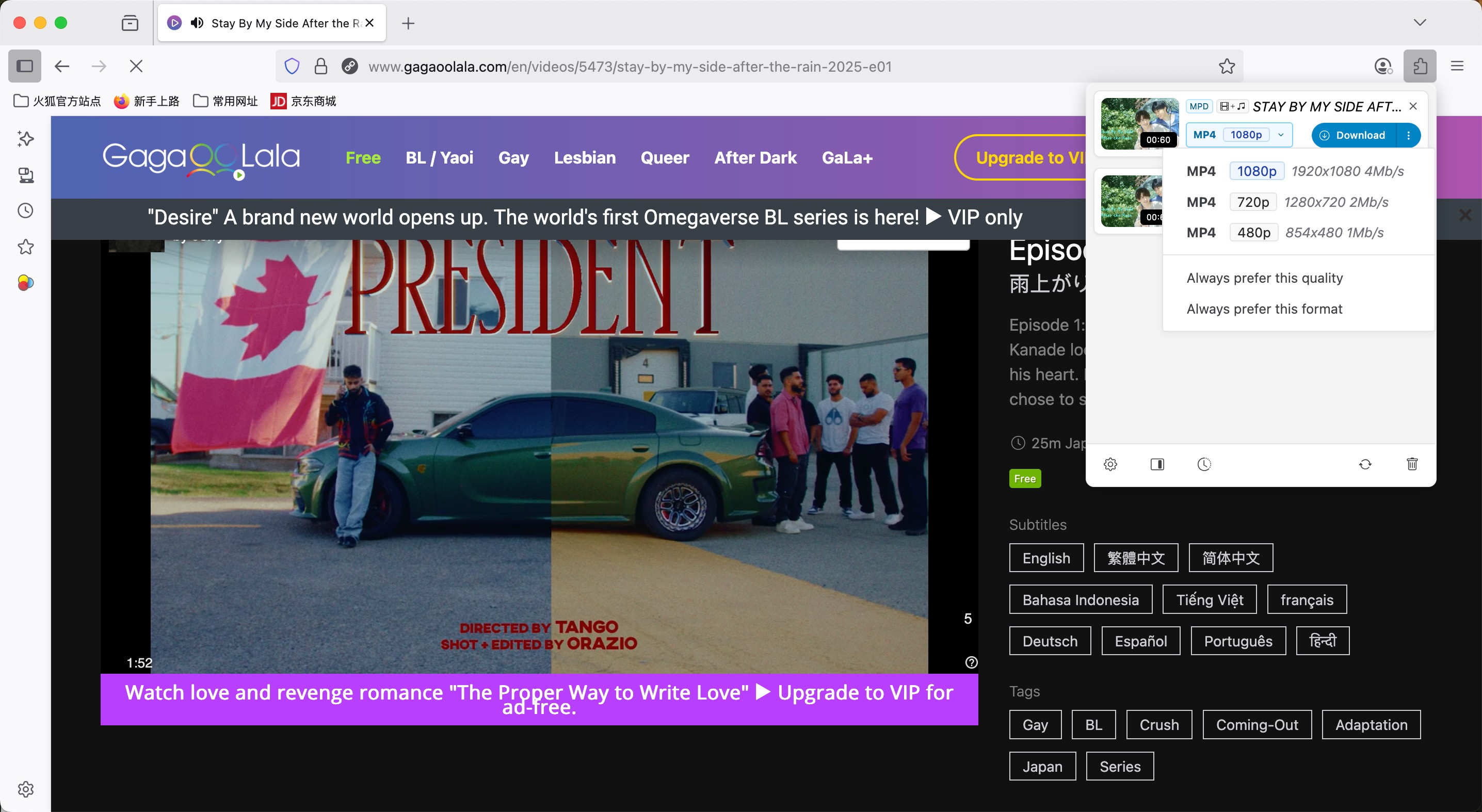
- Installs as a browser extension in Chrome, Firefox, or Edge, no separate app required.
- Handles common media formats when the page exposes a downloadable file.
- Free to use, with an optional companion app for extra format handling.
- Detection is site-specific and may not surface a usable file for protected GagaOOLala streams.
- Speed and quality depend on how the browser fetches the source.
- Predictable subtitle track selection and batch queues are outside its scope.
FAQs
Conclusion: Choose the Right Offline Workflow
The right answer depends on what you actually need. If you only watch at home on a phone, tablet, or supported TV, official GagaOOLala streaming is the simplest fit and nothing else is required. If you want authorized episodes as compatible local files, with the subtitle track you chose and a queue you can leave running overnight, StreamFab All-In-One is the desktop route to compare against your device and subtitle needs. Video DownloadHelper is worth a shot for a one-off clip that happens to be detectable, but its results vary by stream. Pick the workflow that matches your device, your commute, and the titles you actually rewatch.
Legal Disclaimer: The technical methodologies and software mentioned in this guide are intended for personal offline viewing by subscribers with authorized access. Whether a specific personal use qualifies as fair use depends on your jurisdiction and the specific circumstances; distributing or commercially exploiting copyrighted content is not permitted under platform terms of service or copyright law.

The Criterion Channel is full of classic movies, and there is no official way to get them. This article introduced several third-party tools to help you dealing with this problem. And the downloader is the best one with advanced functions and outstanding quality.
By Nicole Lopez - Sep 16, 2026
Looking to download ctv video content for unrestricted offline viewing? Based on my 2026 technical tests, here is the ultimate guide to permanently archive CTV videos in crisp 1080p MP4 formats.
By Erika Leen - Aug 19, 2026
Can you watch Udemy offline? How to watch Udemy courses offline on PC? This guide covers everything you want to know about Udemy offline viewing on different devices.
By Jacob Harrison - Aug 19, 2026
Can you save Udemy DRM videos as a local personal backup? Why do you only get a black screen file? This guide addresses the technical hurdles of creating a personal backup, specifically explaining the latest methods in 2026.
By Jacob Harrison - Aug 18, 2026