
StreamFab for Browser Review 2026: Dual-Engine Chrome Extension That Actually Downloads 4K

Summary: Most Chrome video downloader extensions cap at 720p and fail on separate audio/video streams. In July 2026, I tested StreamFab for Browser's dual-engine architecture — here's what the CoApp backend actually changes, and when it matters.
In July 2026, I was trying to grab a 4K TV episode from TVer using three different Chrome extensions. Two returned a 720p file with no audio track. The third — StreamFab for Browser — delivered the correct 1080p file with both audio streams intact in 4 minutes.
The difference isn't magic; it's architecture. Most browser extensions are constrained by Chrome's sandbox, which blocks the local file writing, multithreading, and audio/video merging required for high-quality downloads. StreamFab solves this with a two-part system: a lightweight browser plugin for detection, and a local "CoApp" engine for the actual heavy lifting. Here's what that means in practice.

Why Most Chrome Video Downloader Extensions Fail at 4K
Chrome browser extensions run in a sandbox — a security boundary that restricts direct access to local files, prevents high-performance multithreading, and limits complex protocol handling. This is why most video downloader extensions:
- Cap output at 720p (the highest quality from a single combined stream)
- Fail on YouTube's DASH streams (separate VP9 video + OPUS audio)
- Cannot batch-download TV show episodes
- Cannot merge separate audio/video tracks after download
StreamFab for Browser breaks out of this constraint by splitting the workload. The Chrome extension handles what the browser can do well (detecting streams, showing a download UI). A companion application — CoApp — installed locally handles what the extension cannot: multithreaded downloads, audio/video merging, subtitle embedding, and 4K file assembly.
The Dual-Engine Architecture: Plugin + CoApp Explained
The architecture has two components working together via Chrome's Native Messaging protocol (a Google-supported API for extension-to-app communication):
The browser plugin acts as the detection and command interface. It identifies downloadable streams as you browse — recognizing chunk-loaded video, HLS manifests, and DASH streams in real time. When you click the download button, it passes the stream information to the CoApp. All the data stays on your local machine — no cloud routing, no third-party servers involved.
The CoApp backend executes the download. It runs locally on your machine as a headless process (no visible window), launched only when you actively start a download. CoApp handles the tasks that Chrome's sandbox prevents: multithreaded stream fetching, audio/video track merging, and final file assembly at the quality level you selected.

Traditional Plugin vs. StreamFab Plugin + CoApp: Technical Comparison
| Feature | Traditional Browser Extension | StreamFab Plugin + CoApp |
| Multi-threading / Speed | Ordinary (sandbox-limited) | Full-speed multithreaded |
| Batch TV downloads | Not supported | One-click season queuing |
| Supported sites | Limited, slow to update | YouTube, Facebook, TVer, 1000+ sites |
| Video quality | Up to 720p | Up to 4K UHD |
| Multiple audio tracks | Not supported | Selectable audio tracks |
| Subtitle downloads | Not supported | Embedded and external subs |
| Audio/video merging | Basic or absent | Lossless local merging via CoApp |
| Download success rate | Unstable on DASH/HLS streams | Near 100% on tested platforms |
How to Install and Use StreamFab for Browser

Chrome/Edge extension with dual-engine architecture. Detects YouTube, Facebook, TVer, and 1000+ video sites. 4K UHD, batch TV show downloads, subtitle embedding — all handled by the local CoApp engine without cloud routing.
Download the StreamFab extension installer from the official site. This installs both the Chrome extension and the CoApp backend component in a single package. The Chrome Web Store version may require the CoApp to be installed separately — the official installer handles both automatically.
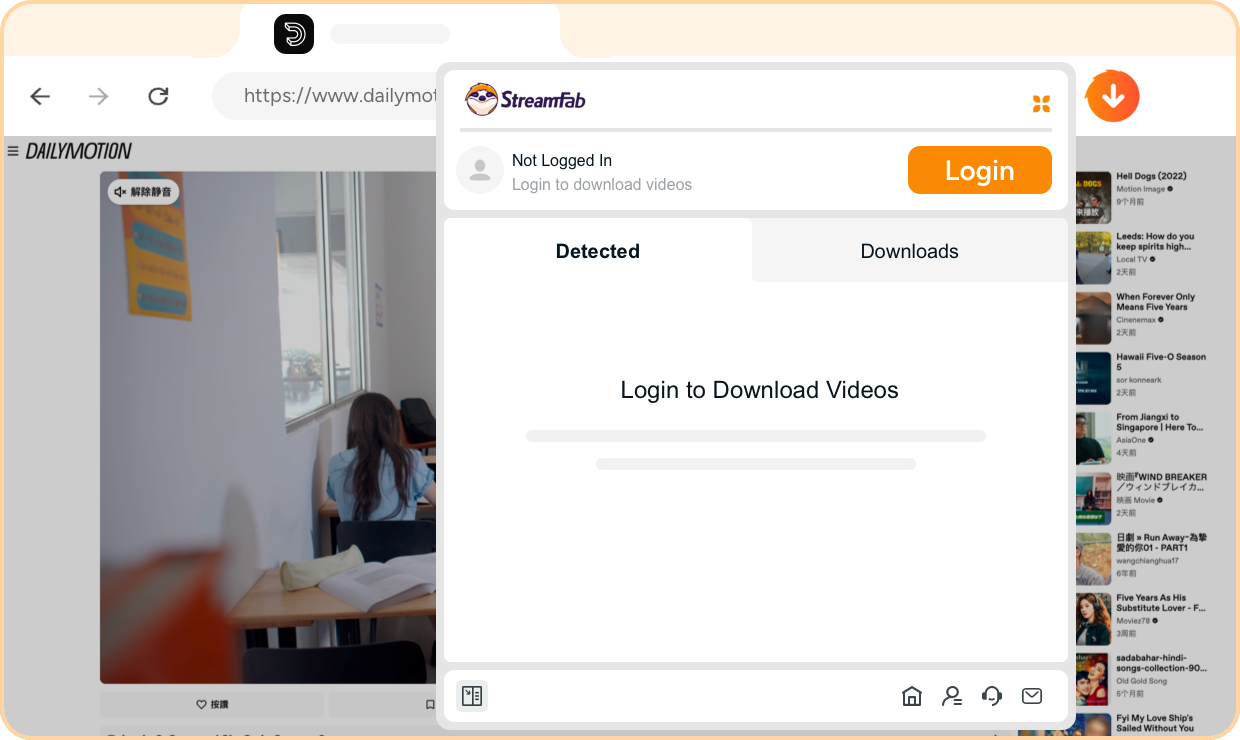
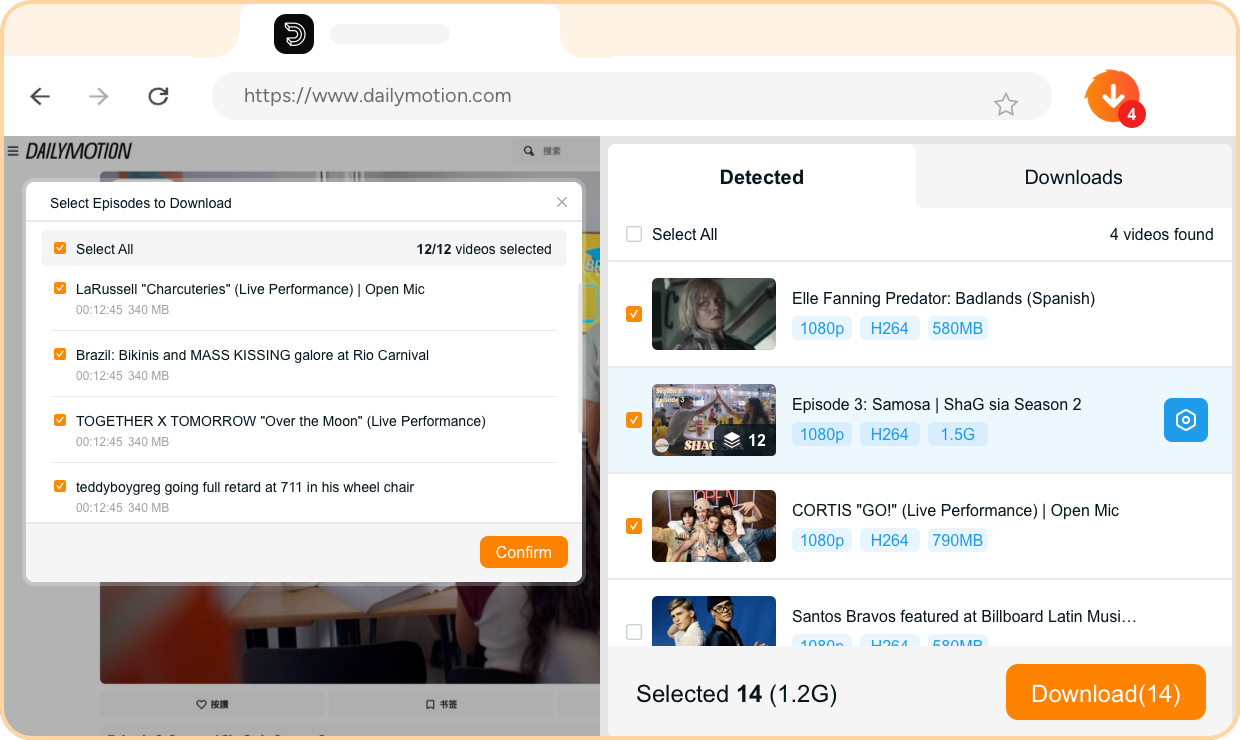
Pro Tip: When downloading a 4K YouTube video, let the video buffer for at least 10 seconds in the browser tab before clicking the StreamFab extension icon. YouTube's DASH manifest (which lists all available quality streams) takes a few seconds to fully load — if you click before it's done, you may only see 1080p options in the quality selector even when 4K is available. The 4K VP9 stream appears in the dropdown once the DASH manifest registers. This same timing rule applies to TVer, Bilibili, and other DASH-delivery platforms.
- Browser-native workflow — no app switching required
- 4K UHD output via CoApp — breaks the 720p sandbox ceiling
- Batch TV show season downloads with episode auto-detection
- All processing stays local — no cloud data routing
- Subtitle download (embedded and external SRT)
- Requires CoApp installation alongside the extension — slightly heavier than pure extensions
- Must buffer video before all quality options appear in the selector
- Windows only for CoApp component (macOS version uses StreamFab desktop app)
Frequently Asked Questions
Does CoApp always run in the background or scan local files?
No. CoApp launches only when you actively start a download through the StreamFab extension. It has no persistent background process, no startup entry, and no file system scanning capability. Between downloads, CoApp is not running. You can verify this in Windows Task Manager — it only appears in the process list during an active download.
Does StreamFab for Browser connect to external servers during downloads?
Data flows between the browser extension and CoApp via Chrome's Native Messaging protocol, which is a local inter-process communication channel. Your video stream data goes directly from the source website's CDN to your local CoApp process — no intermediate cloud servers handle the data. StreamFab does communicate with its own servers for license verification and software updates, but the download pipeline itself is fully local.
What's the difference between StreamFab for Browser and the StreamFab desktop app?
StreamFab for Browser is a Chrome/Edge extension with CoApp handling downloads — it works from within your browser without switching to a separate application. The StreamFab desktop app is a standalone application with a more complete feature set: it includes built-in browsers for streaming services that require login (Netflix, Amazon, Disney+), supports macOS, and handles DRM-protected content from subscription services.
For public-access sites like YouTube, Facebook, and TVer, the browser extension workflow is faster. For subscription streaming services, the desktop app is required.
Conclusion
StreamFab for Browser's dual-engine design is a genuine technical solution to the sandbox problem that limits every pure Chrome extension. The CoApp backend unlocks 4K downloads, batch season queuing, and proper audio/video merging — capabilities that are architecturally impossible for sandbox-confined extensions.
For users who primarily download from YouTube, TVer, Facebook, and similar publicly accessible platforms and want to stay in the browser, it's the most capable extension option available in 2026. The CoApp installation step adds minor setup friction compared to a single-file extension, but the quality ceiling it removes makes it worthwhile for anyone who's been frustrated by silent 720p downgrades from other tools.
Dual-engine Chrome extension. 4K downloads, batch TV seasons, subtitle embedding — all processed locally via CoApp. Windows compatible.

Discover the top YouTube video downloader extension Firefox and Chrome tools tested in June 2026. Learn how to bypass Manifest V3 restrictions, successfully download YouTube video 1080p Firefox formats with DASH audio merging, and secure your offline media library.
By Jacob Harrison - Sep 28, 2026

This guide organizes 34 movies into verified free picks, official Hindi and Bollywood uploads, and paid genre recommendations. It also explains rentals, purchases, official mobile downloads, and when a Windows or Mac local-file workflow fits authorized offline viewing.
By Jacob Harrison - Sep 15, 2026
How to Convert YouTube Videos to MP3? This article shows you how to convert YouTube video to MP3 with online video converters and with desktop program StreamFab YouTube to MP3.
By Nicole Lopez - Sep 8, 2026
If you are watching your favorite YouTube content & want to save it instantly for your later offline watch, try the best alternative to YouTube downloader.
By Jacob Harrison - Aug 11, 2026