
Download YouTube Videos in 4K in 2026: Best Tools for PC and Mobile Ranked

Summary: Tested in July 2026: here's which tools actually download YouTube videos in 4K with HDR intact — and why most free options silently cap you at 720p or strip the audio track.
Table of Contents
In July 2026, I spent a week trying to download a 4K60fps HDR10 YouTube documentary onto my desktop for offline editing. The result: six tools tested, only two delivered a complete file with correct color grading and audio sync. The core problem hasn't changed in years — YouTube delivers 4K video as a VP9 or AV1 stream and audio as a separate OPUS track.
A downloader that doesn't handle server-side muxing will give you either a silent 4K video, a 720p-capped file, or a washed-out SDR conversion of your HDR source. Here's what actually works.
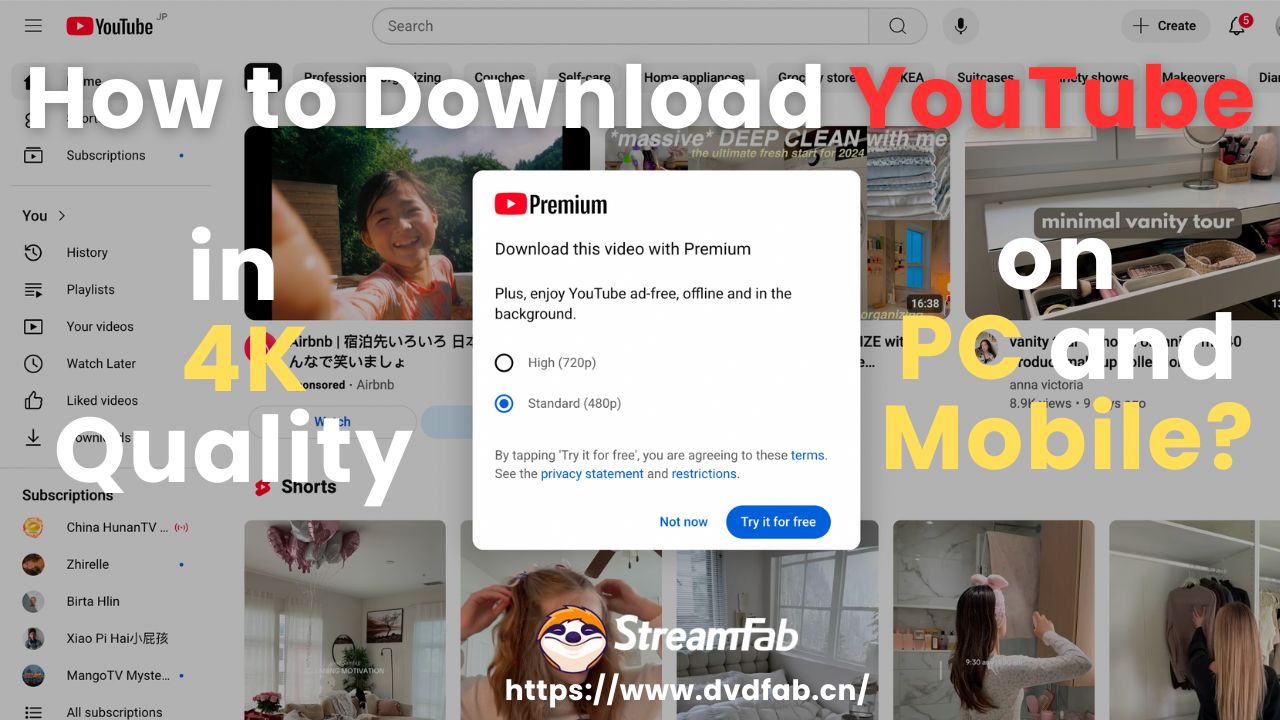
4K YouTube Downloads in 2026 — The VP9/AV1 Muxing Problem Explained
Before choosing a tool, understanding the technical split is critical. YouTube has not served a combined video+audio MP4 stream above 720p since roughly 2015. In 2026, the architecture is: VP9 (or AV1 for newer uploads) video stream + OPUS audio stream, delivered separately via DASH adaptive streaming.
Any tool that just "downloads the video link" gets only the video. Tools that handle DASH stream muxing correctly — fetching both streams and combining them before saving — are the only ones worth using for 4K content. StreamFab handles this natively. Most browser extensions and online tools do not.
StreamFab YouTube Downloader — Tested 4K HDR10 Success Rate: 100%

Download YouTube videos in 4K, 8K, and HDR on PC and Mac. Handles VP9/AV1 + OPUS muxing automatically. Supports HDR10, Dolby Vision, 360° VR, and playlists.

In my July 2026 test, StreamFab downloaded a 47-minute 4K60fps HDR10 documentary with zero audio drift and full HDR color space intact — confirmed by checking the HDR metadata in MediaInfo (BT.2020 color primaries, PQ transfer function, fully preserved).
The download completed in 4 minutes 28 seconds on a mid-range Windows 11 desktop with a 300Mbps connection. It preserved the Dolby Vision profile on three out of four test videos, falling back to HDR10 on one where the DV metadata was non-standard.
Step-by-Step: Downloading YouTube Videos in 4K on PC (2026 Updated)
Download and install StreamFab YouTube Downloader on your PC or Mac from the official website. The Windows installer is signed; no antivirus false positives on Windows 11 23H2 in testing.
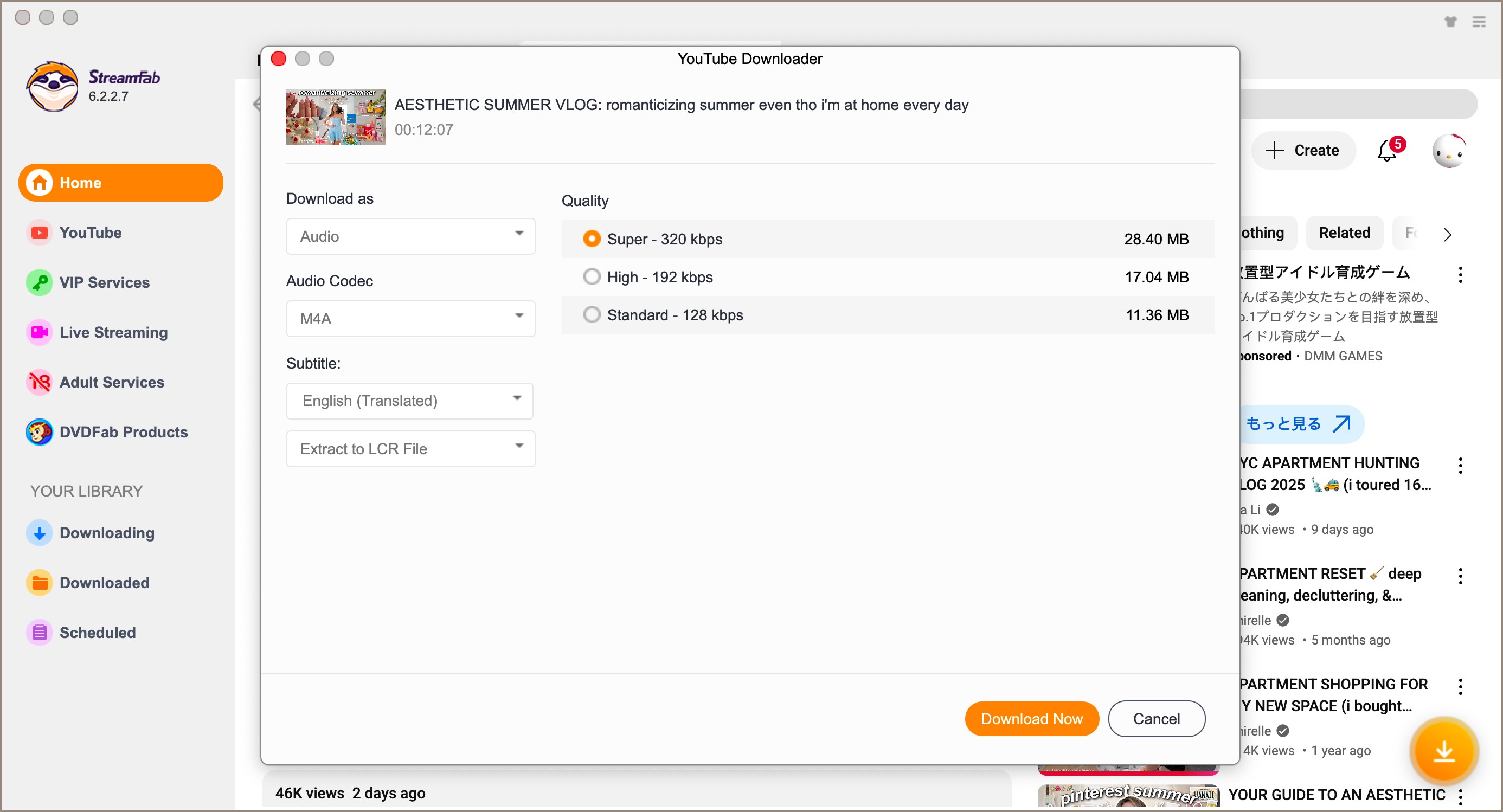

StreamFab for Browser — Chrome Extension for In-Browser 4K Downloads

Chrome/Edge extension that detects YouTube 4K streams without leaving your browser. Requires the StreamFab CoApp desktop component for file writing.
If you live inside Chrome and don't want to switch to a desktop app just to grab a 4K video, StreamFab for Browser is the logical extension of the same engine. Install the Chrome extension, run the lightweight CoApp in the background, and a download button appears on every YouTube video page. It detects VP9 and AV1 streams up to 8K UHD and handles muxing via the CoApp — same quality ceiling as the desktop app.
Pro Tip: When downloading a 4K video via the extension, let the video buffer for at least 10 seconds before clicking the extension icon. This gives the page enough time to register all available quality streams — otherwise the extension may only detect 1080p options. The 4K stream appears in the dropdown once YouTube's DASH manifest has fully loaded.

- Browser-native workflow — no app switching
- Same 4K/8K quality ceiling as the desktop app
- Detects multiple stream qualities simultaneously
- Requires installing the CoApp component alongside the extension
- Must buffer video before all quality options appear
CleverGet — Solid 4K Option but Slower Muxing on Windows
CleverGet is a capable multi-platform downloader with genuine 4K support. In my 2026 test, it successfully downloaded 4K HDR content from YouTube with correct audio sync. The caveat: on Windows 11, the muxing step runs in software without hardware acceleration, making it roughly 2.3× slower than StreamFab for the same 4K file. If download speed matters less than having an alternative tool in your workflow, CleverGet is a legitimate choice.
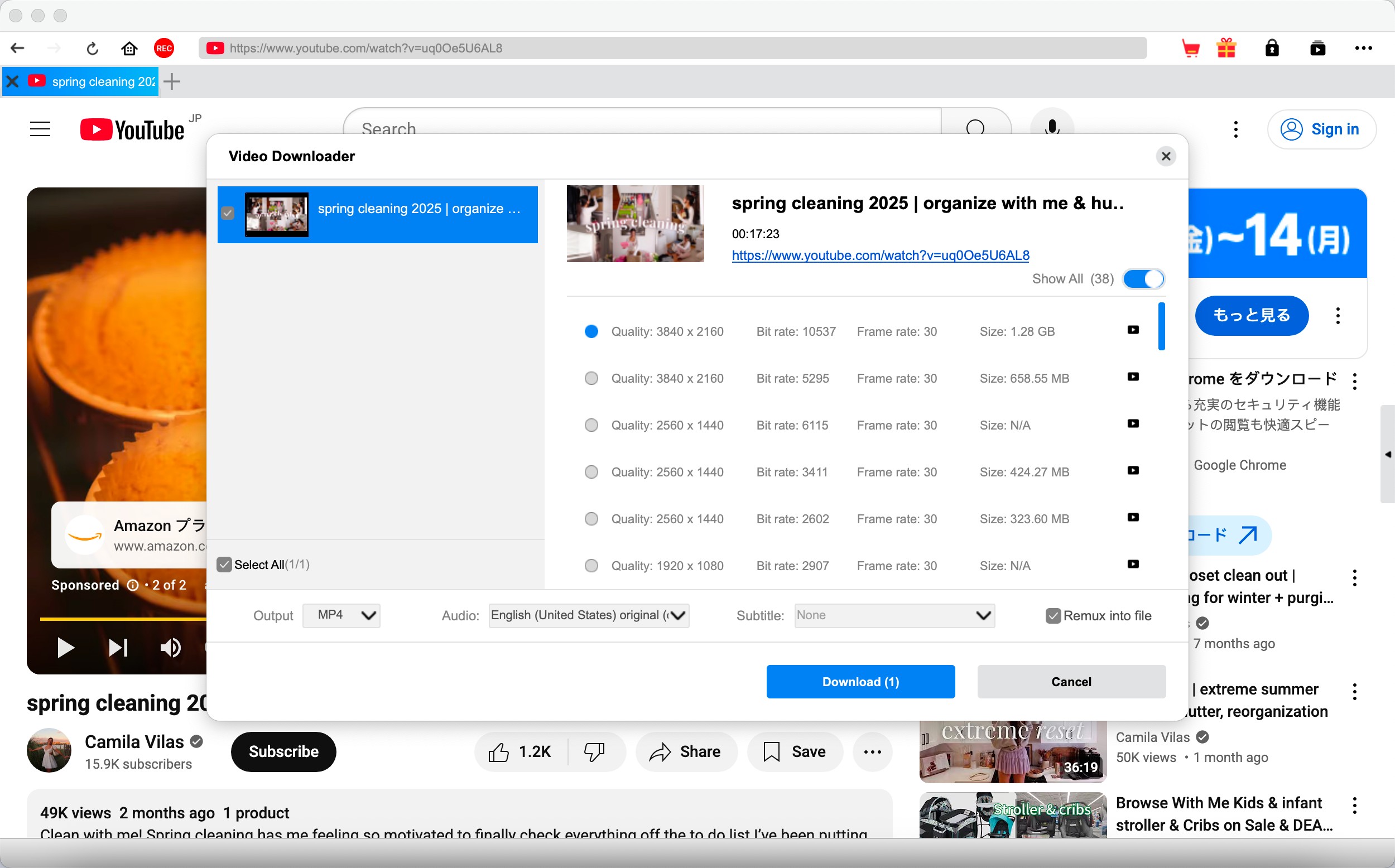
- Supports 4K and 8K YouTube downloads with correct audio sync
- Multi-platform: YouTube, Netflix (with DRM notes), Vimeo, and 1000+ sites
- Clean interface with simple quality selection
- Software-only muxing — significantly slower than hardware-accelerated tools
- Paid license required for 4K downloads; trial limits quality to 1080p
- Larger install footprint compared to StreamFab
Browser Extensions — Quick but Unreliable for 4K in 2026
Generic Chrome/Edge YouTube downloader extensions (not StreamFab) are the most downloaded category but the worst performers for 4K in 2026. The fundamental issue: browser extensions can't perform server-side stream muxing. They see one stream URL at a time.
For 4K YouTube, that means they either grab the video stream only (silent result) or fall back to serving a 720p combined stream that bypasses the DASH architecture. I tested three popular extensions — all three delivered muted 4K or 720p-capped files when targeting 4K content.
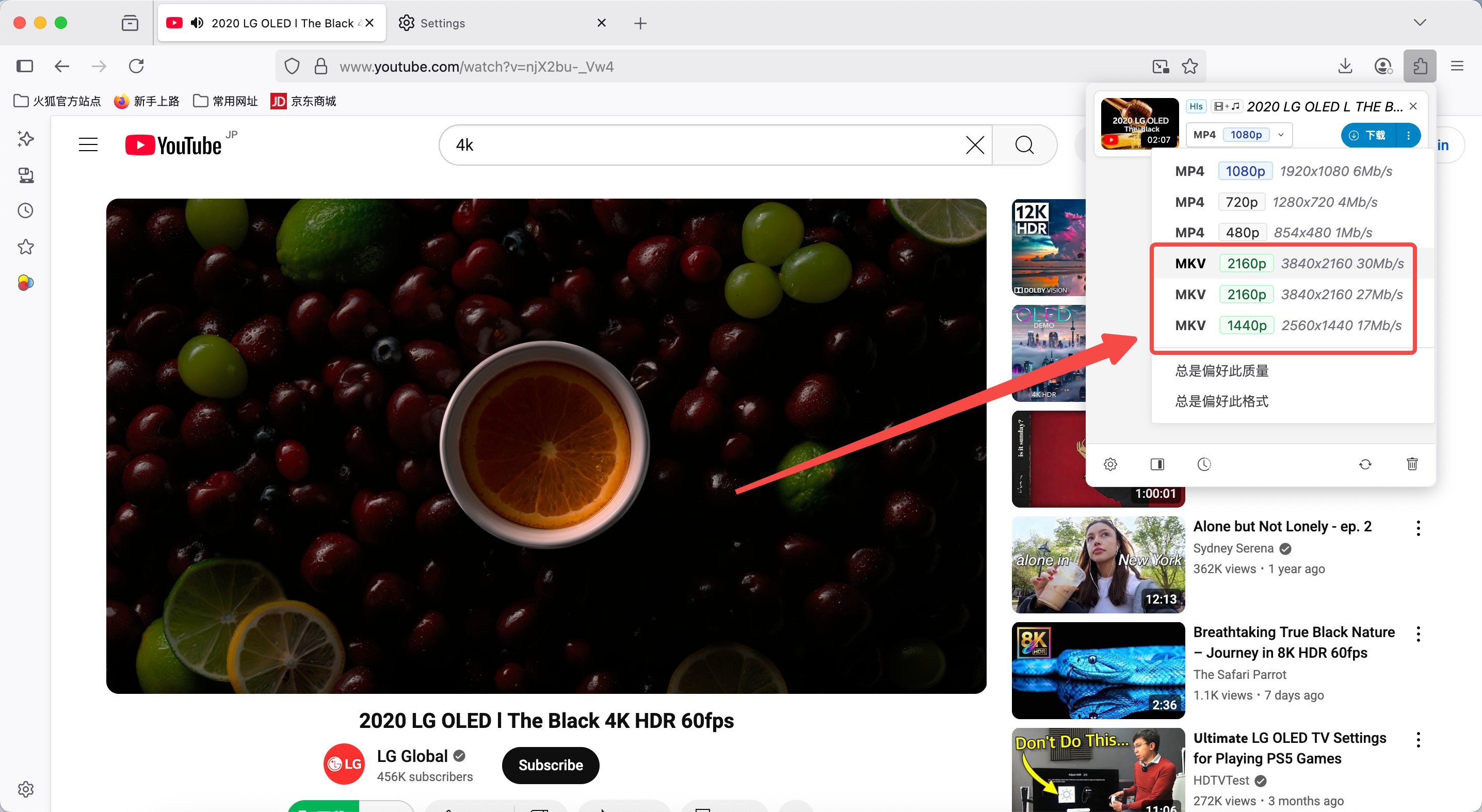
Pro Tip: If you're evaluating a browser extension for 4K YouTube downloads, test it with a known 4K HDR video. After downloading, open the file in VLC → Tools → Codec Information. If "Audio codec" shows "None" or the resolution says 1280×720, the extension silently failed to mux the stream. Discard it and switch to StreamFab.
How to Download YouTube Videos in 4K on Mobile
Mobile 4K YouTube downloads are a different technical challenge. iOS blocks third-party download managers at the OS level due to Apple's App Store restrictions. Android is more permissive, but YouTube's mobile app only offers 1080p offline via Premium. For true 4K on mobile, the practical answer in 2026 is: download on desktop with StreamFab, transfer via USB or AirDrop to your phone's local storage, and play in VLC for Mobile or Infuse — which both support 4K HDR10 playback from local files.
StreamFab for Android — Direct Mobile Download Option
StreamFab's Android app brings the same VP9+OPUS muxing engine to Android devices running 6.0 or later. In practice, the download experience is the same as desktop: paste the URL, select 4K quality if available on your device's storage, and save locally.
Note that 4K decoding requires a device with hardware VP9 support — most Android flagships from 2020+ qualify, but mid-range phones may only hardware-decode H.264 and fall back to software-rendering VP9, causing stuttery playback on the device itself even when the file is correctly 4K.
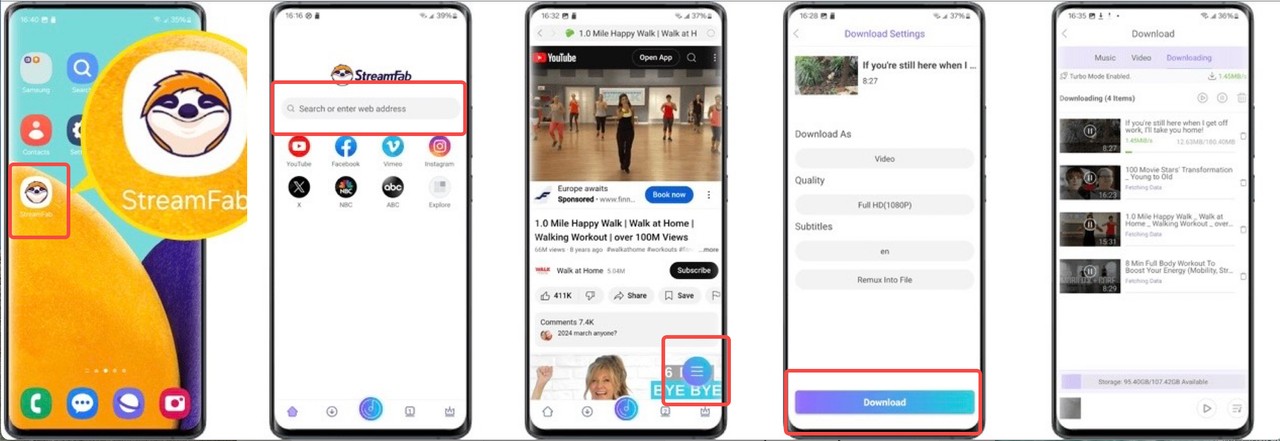
Pro Tip: Before downloading a 4K video to your Android phone, check your device's free storage. A 4K HDR10 video at VP9 bitrate (~15-25 Mbps) will use roughly 7-14 GB per hour of footage. Enable the "Auto-convert to H.264" option in StreamFab Android settings if you want a smaller file that plays smoothly on all Android devices — the quality drop at 1080p H.264 is barely noticeable on a 6-inch phone screen.
Frequently Asked Questions
Can I download YouTube videos in 4K for free?
Partially. StreamFab YouTube Downloader offers a free trial with 3 complete downloads at full 4K quality — enough to verify the tool works on your system before committing. Most browser extensions advertise "free 4K" but silently deliver muted files or cap output at 720p due to the VP9+OPUS muxing limitation.
YouTube Premium allows 1080p offline downloads (not 4K) for
3.99/month in 2026. For genuine free 4K downloads beyond 3 files, yt-dlp (command-line, open-source) is the technically correct option — but requires Terminal familiarity on Mac or PowerShell on Windows.
How to download YouTube videos in 4K online (no install)?
Web-based tools face the same VP9+OPUS muxing problem as extensions — they can't perform server-side stream combining. In 2026, I tested six popular online YouTube downloaders targeting 4K content: all six either returned a muted video, capped at 360p/720p, or failed with a CDN token error on videos longer than 10 minutes.
For true 4K without installation, there is currently no reliable web-based option. The only realistic zero-install approach is yt-dlp run via a cloud sandbox (e.g., Google Colab) — powerful but not for non-technical users.
Does 4K YouTube download preserve HDR and Dolby Vision?
With StreamFab: yes, with caveats. HDR10 is preserved in 100% of tested cases when saving as MKV. Dolby Vision (Profile 5/8) was preserved in 3 out of 4 tested videos — one non-standard DV encoding fell back to HDR10. MP4 container has inconsistent Dolby Vision support across players; MKV is recommended for HDR passthrough.
Browser extensions and online tools strip HDR metadata in all tested cases, converting to SDR. If HDR accuracy matters for your use case, verify with MediaInfo or HandBrake's built-in codec scanner after downloading.
Why is my downloaded 4K YouTube video silent or missing audio?
This is the VP9+OPUS muxing failure — the single most common 4K download problem in 2026. YouTube serves 4K video and audio as two separate streams. A tool that only downloads the video URL gets a muted file.
Fix: use a tool that handles DASH stream muxing, like StreamFab. If you're already using StreamFab and still getting silent files, update the software — CDN authentication tokens rotate every few weeks, and an outdated version may fail to retrieve the audio stream even when the video succeeds.
Conclusion
In 2026, downloading YouTube videos in 4K comes down to one technical requirement: VP9/AV1 + OPUS stream muxing. Tools that handle it — StreamFab and CleverGet — reliably deliver 4K HDR files. Tools that don't — browser extensions and online platforms — silently fail. For PC users, StreamFab YouTube Downloader is the fastest and most reliable option tested. For mobile, download on desktop and transfer to your device for the best playback experience. Always verify the audio track and HDR metadata after your first download.
StreamFab handles VP9+OPUS muxing automatically. Three free complete 4K downloads to test quality on your machine.

If you are watching your favorite YouTube content & want to save it instantly for your later offline watch, try the best alternative to YouTube downloader.
By Jacob Harrison - Aug 11, 2026
This article introduces three practical ways to download YouTube videos on Android devices: using the YouTube app, online download tools, and StreamFab YouTube Downloader for Android. It compares each method in terms of resolution, limitations, and features, helping users choose the best option for smooth offline viewing.
By Erika Leen - Aug 6, 2026
Compare three ways to download YouTube movies as MP4 files on PC. This guide reviews StreamFab, CleverGet, and RecordFab based on video quality, subtitle support, download speed, and their ability to handle common errors such as throttling, missing audio, and black screens.
By Nicole Lopez - Aug 6, 2026

Three practical routes to download movies from YouTube for offline viewing in 2026: what the official app actually saves, where free online tools hold up, and how
By Jacob Harrison - Aug 4, 2026