
StreamFab HLS M3U8 & DASH MPD Streaming Video Download Solutions

Summary: When a streaming site hides or greys out its Download button, most people end up digging through the browser's network traffic for a raw .m3u8 or .mpd link, then wondering why it still won't turn into a file that plays. The practical goal is simple: get that HLS (M3U8) or DASH (MPD) stream saved as a clean MP4 you can actually open.
Table of Contents
In 2026 this is easier to reason about than it used to be, because HLS and DASH have largely converged on CMAF/fMP4. The encrypted media segments are often identical, and only the manifest differs: an M3U8 playlist for HLS, an MPD file for DASH. So the real questions are how to find the stream, which tool to use, and what to do when digital rights management (DRM) blocks the save.
As a product manager who works on streaming tools, I'll keep this hands-on: we'll cover locating the stream URL, the free routes and where they stop, how to download M3U8 to MP4 (and convert MPD to MP4) with a desktop app, the DRM cases, and the output quality that separates the options.
Note: This guide goes straight to the practical problem: how to save an HLS (M3U8) or DASH (MPD) stream as a playable MP4. StreamFab Product Manager Wilson Wang explains how the two protocols now share the same CMAF/fMP4 segments, why free tools like yt-dlp or VLC work for open streams but stall on protected ones, and where a desktop app fits the DRM and 4K cases.
HLS and DASH: What M3U8 and MPD Really Are
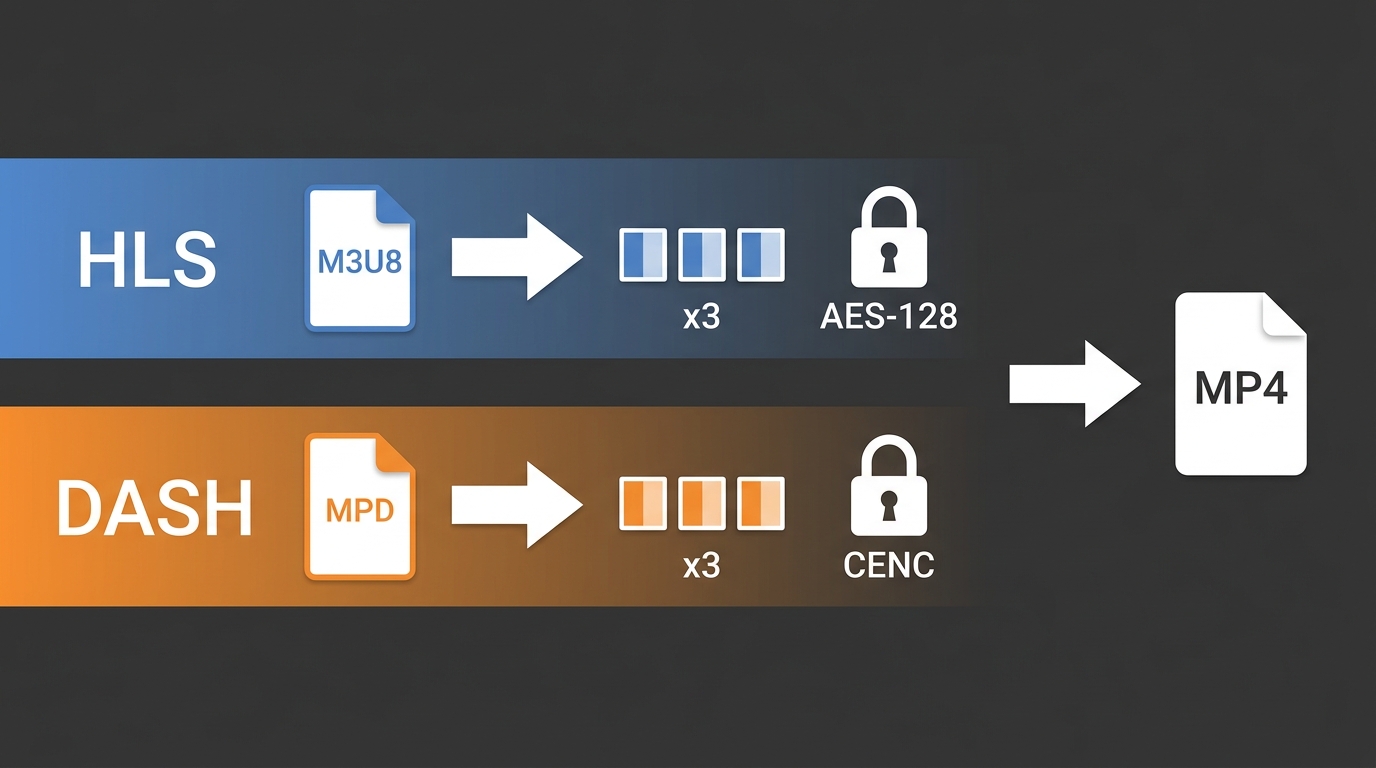
HLS and DASH both chop a video into small segments and describe them in a manifest. HLS uses an M3U8 playlist and comes from Apple; DASH uses an XML MPD file and is the MPEG standard behind Netflix, Amazon, and YouTube. Both adapt quality on the fly and both can be encrypted. The short version of HLS vs DASH is that the pipes have merged; the labels haven't.
The comparison at a glance
Here is how the two protocols line up across the details that actually affect downloading.
Comparison Table: HLS (M3U8) vs. DASH (MPD)
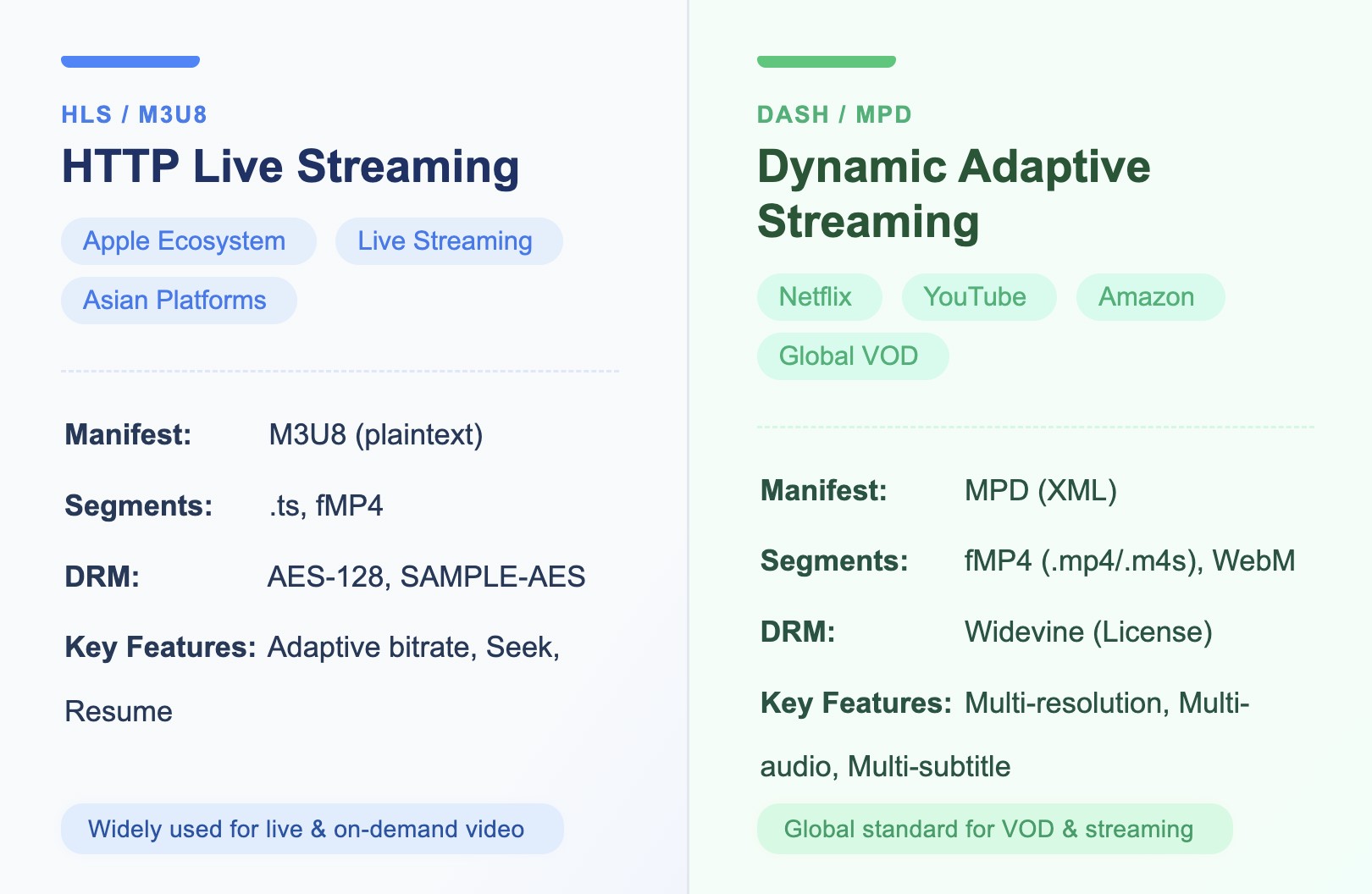
| Detail | HLS (M3U8) | DASH (MPD) |
|---|---|---|
| Manifest format | .m3u8 playlist (text) | .mpd manifest (XML) |
| Segment type | TS, increasingly fMP4 | fMP4 (.MP4/.m4s), rarely WebM |
| Origin / standard | Apple HLS | MPEG-DASH, open standard |
| DRM scheme | AES-128 or SAMPLE-AES; FairPlay | Widevine or PlayReady |
| Codec & quality support | H.264/H.265, up to 4K, multi-bitrate | H.264/H.265/VP9/AV1, up to 4K, HDR, multi-track |
| Typical platforms / devices | Apple devices, live streams, many regional apps | Netflix, Amazon, YouTube, global VOD |
What's inside an M3U8 or MPD file
Both files are just maps. They list the segments, the quality options, and where to fetch keys or licenses, so a player knows what to request and in what order.
An M3U8 playlist uses a handful of tags to describe the stream:
#EXTM3U: Playlist header#EXT-X-STREAM-INF: Multi-bitrate/resolution#EXTINF: Segment duration and URL#EXT-X-KEY: Segment encryption info (DRM keys)#EXT-X-MAP: fMP4 initialization
#EXTM3U #EXT-X-STREAM-INF:BANDWIDTH=400000,RESOLUTION=1280x720 https://example.com/720p/index.m3u8 #EXT-X-KEY:METHOD=AES-128,URI="https://example.com/key" #EXTINF:10, https://example.com/720p/segment1.ts
An MPD manifest describes the same idea in XML, grouping video, audio, and subtitle tracks:
Between them, a manifest tells you:
- Segment start and end times, sizes, and the URLs to fetch them
- The list of resolutions, audio tracks, and subtitles you can choose
- Encryption details and license URLs for DRM-protected streams
- Media type, languages, and durations
Finding the .m3u8 or .mpd Stream URL
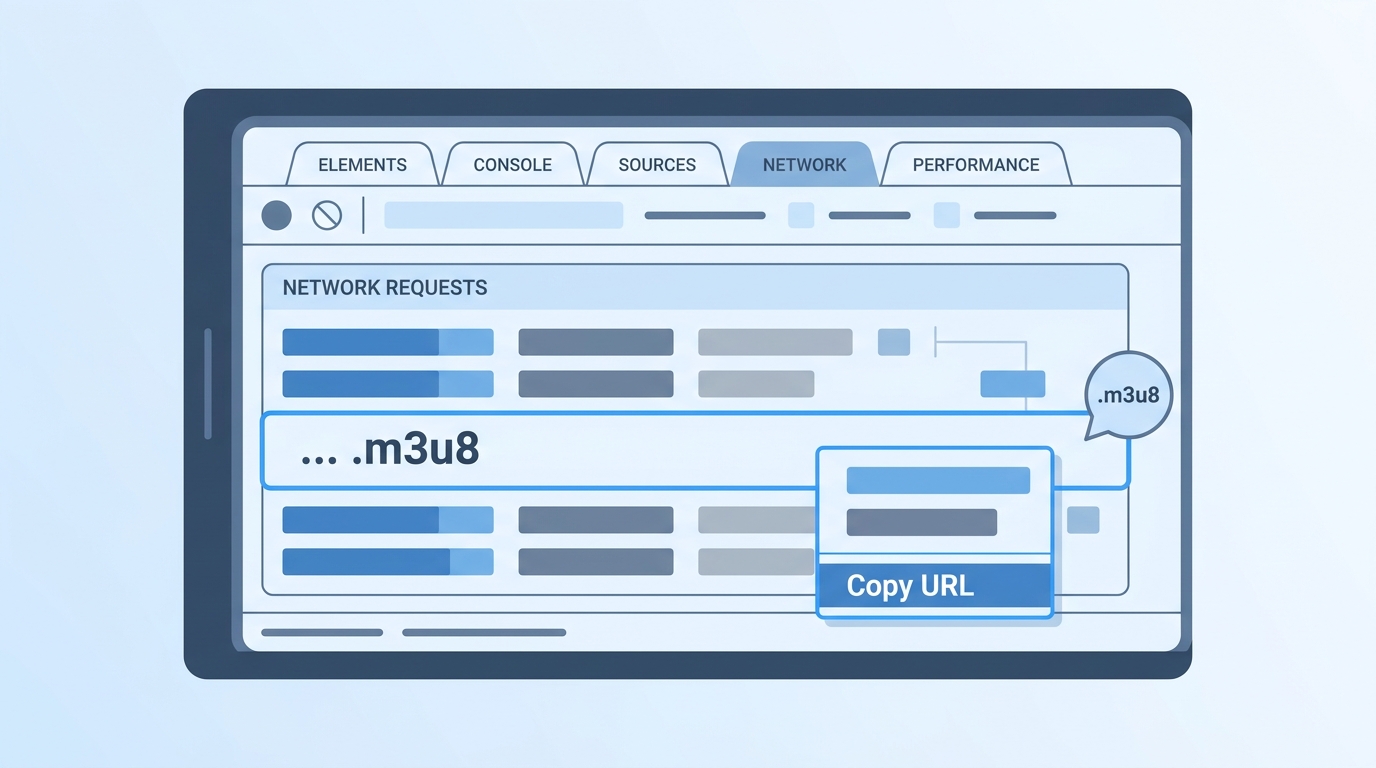
You find a stream's real address in the browser's developer tools, where every media request is logged. Once you have that manifest URL, any download method has something to work with, though protected streams also need the right request headers and cookies to go with it.
Using Chrome DevTools (Network tab)
- Open the video page, press F12 to open developer tools, and select the Network tab.
- Type m3u8 or mpd into the filter box.
- Reload the page or press play so the manifest request appears.
- Right-click the matching request and copy its URL; that is your stream link.
- For a private stream, also note the request headers and cookies, since the URL alone often expires or returns a 403 without them.
Reading the manifest to pick quality
Opening the manifest shows the quality ladder. In an M3U8 playlist, each #EXT-X-STREAM-INF line lists a bitrate and resolution; in an MPD, each representation does the same. Pick the highest resolution and bitrate you actually want before you download, so you are not re-fetching later.
Free Methods and Where They Fall Short
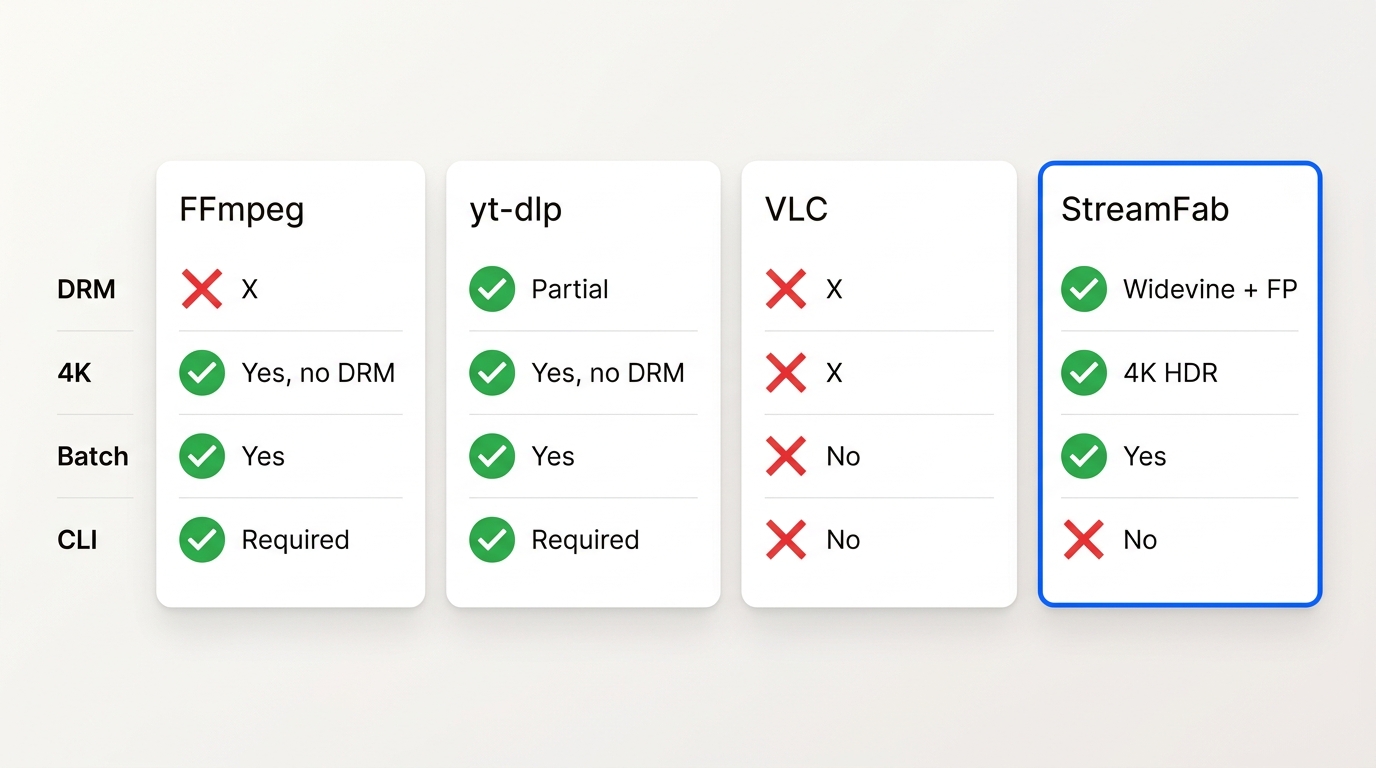
For open, unencrypted streams, free tools do the job well. FFmpeg, yt-dlp, and VLC can each pull an HLS or DASH stream into a file, and for a one-off unprotected clip they are the right choice. Their limits show up with DRM and with quality caps.
FFmpeg, yt-dlp and VLC
Each tool has a sweet spot:
- FFmpeg can download and remux an open HLS or DASH stream to MP4 in a single command, which makes an FFmpeg M3U8 download reliable for unprotected playlists.
- yt-dlp handles many HLS and DASH sources, including MPD manifests, and picks formats automatically.
- VLC can save some unencrypted streams through Media > Open Network Stream > Convert/Save, though it stalls on live or heavily segmented playlists.
The common wall is DRM. None of these can save a Widevine- or FairPlay-protected stream, and several will re-encode or cap the quality below the source. That is the honest dividing line: for open streams, reach for the free routes first; for protected or 4K/HDR content, a desktop app is the steadier fit.
Browser extensions and online tools
Browser extensions and online M3U8 downloaders can grab an open stream URL and convert it, and for a quick, unprotected clip an online M3U8-to-MP4 tool is convenient. Treat them with care: many cap resolution, inject ads, or fail outright on encrypted streams, and pasting a private URL into a third-party site is a privacy trade-off.
Saving a Stream to MP4 with StreamFab
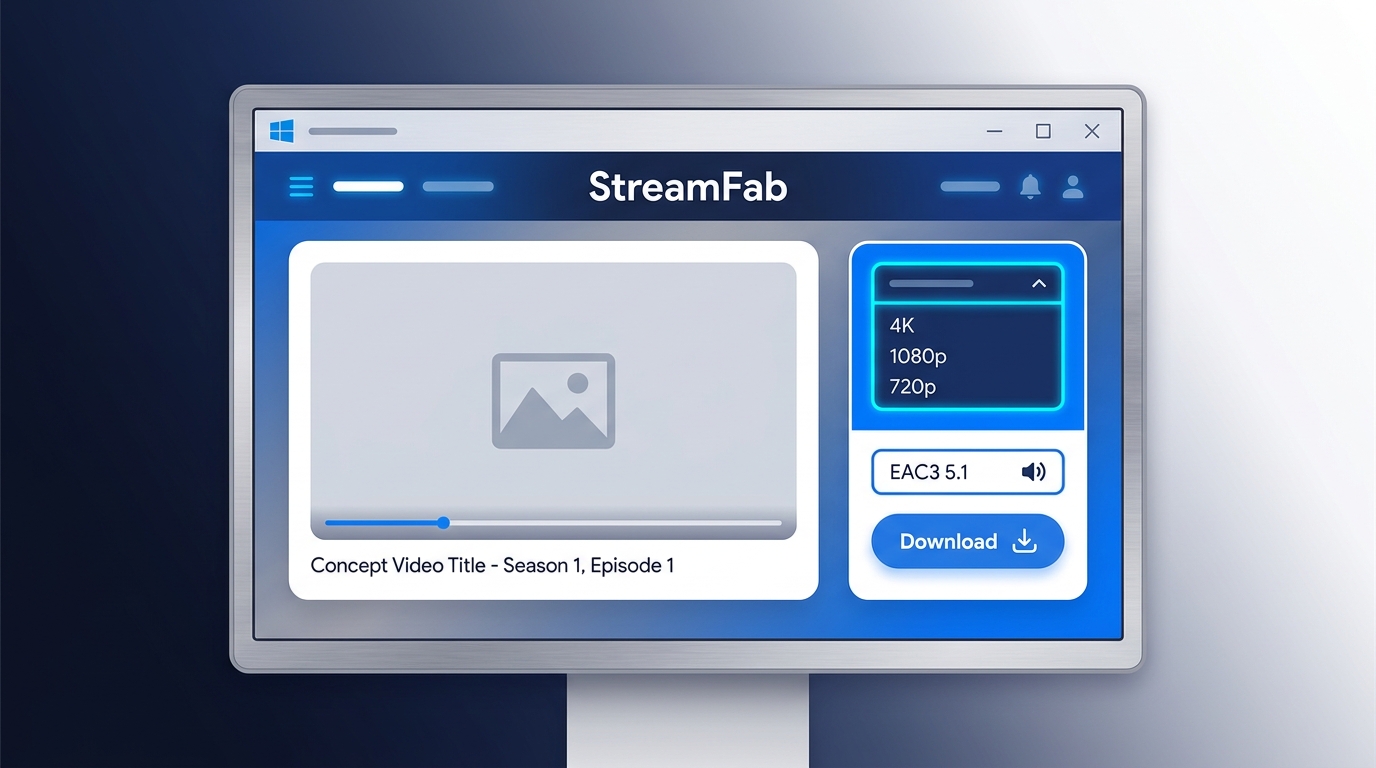
Before you start, you'll need a valid subscription or other authorized access to the content, a stream you can already play in your browser, and a workflow that stays within the platform's terms and your local law. With those in place, StreamFab is a desktop app for Windows and Mac that saves HLS and DASH streams to MP4 or MKV, supporting resolutions up to 4K with HDR10 or Dolby Vision video and multi-channel EAC3 5.1 or AAC 2.0 audio, plus SRT, VTT, or TTML subtitles where the source provides them.
It splits the work into two modules: the DRM M3U8 Downloader for HLS playlists and the DRM MPD Downloader for DASH manifests.
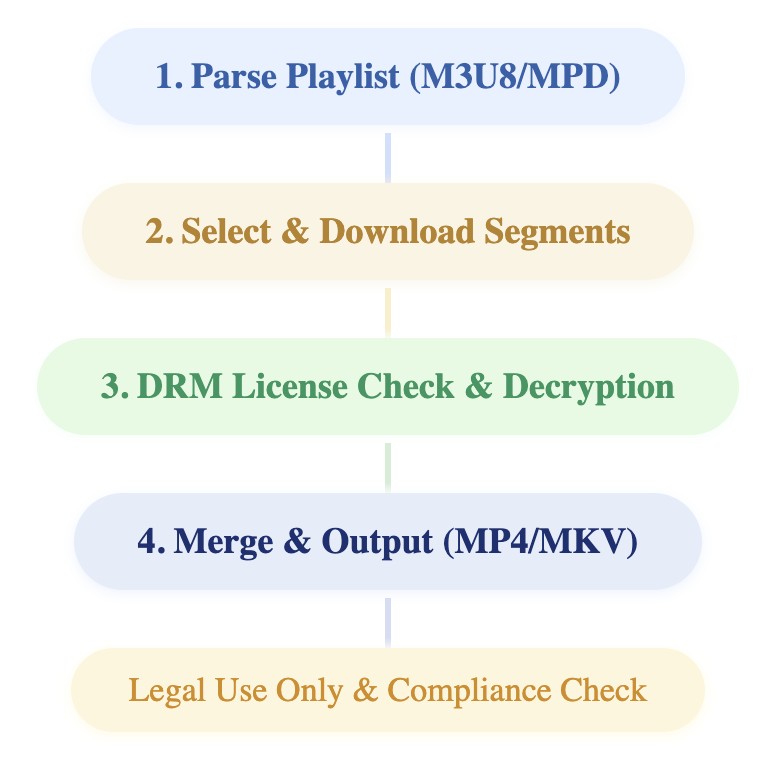
StreamFab Download Workflow:
Step-by-step for M3U8 and MPD
The flow is the same whether the source is an M3U8 playlist or an MPD manifest:
- Open StreamFab and let it detect the stream, or paste the .m3u8 or .mpd URL you copied earlier.
- Choose a resolution up to 4K, then select the audio and subtitle tracks you want to keep.
- Save the result as an MP4 or MKV file.
The first time you run it, StreamFab walks you through sign-in and stream detection, and the general steps in how to use StreamFab apply to both modules. I reach for this over the free routes mainly on protected or 4K streams, where its reliability matters more than raw speed.
Batch and overnight downloads
For a full season, you can queue several episodes and let StreamFab run them as a batch, including overnight. DASH manifests often carry multiple audio and subtitle tracks, and StreamFab's step-by-step DRM MPD Downloader guide shows how to pick the right ones before a large batch.
Downloading DRM-Protected (Widevine) Streams
When a stream refuses to save, DRM is usually why. The segments are encrypted so that only an app with a valid license can play them, which is exactly why a browser can show the video while a generic grabber gets nothing usable.
Understanding how to download DRM-protected audio/video for personal use starts with recognizing which protection a stream applies, because the two families behave a little differently.
How Widevine and AES-128 encryption work
HLS commonly uses AES-128 or SAMPLE-AES, with the key referenced by the #EXT-X-KEY tag. DASH commonly uses Widevine (and sometimes PlayReady), where a licensed player requests permission from a license server before playback. In both cases the protection is what a Widevine DRM download has to respect: an authorized app plays back the content the same way your browser does.
For content you're authorized to access, where permitted by platform terms and applicable law, StreamFab saves a local copy for personal offline viewing, using stream-recording technology on a stream you can already play. Think of it as a desktop alternative for personal backup when a platform's own download option isn't offered.
When a stream still won't save
If a stream still won't save, the cause is usually one of two things. Either the URL relies on an expiring token or specific headers and cookies that are missing, or the content uses DRM that a general tool can't handle. Confirm you can play the video in your own browser first; if playback works but the save fails, the protection or the headers are the place to look.
Output Quality: 4K HDR, Dolby Vision and Audio Tracks
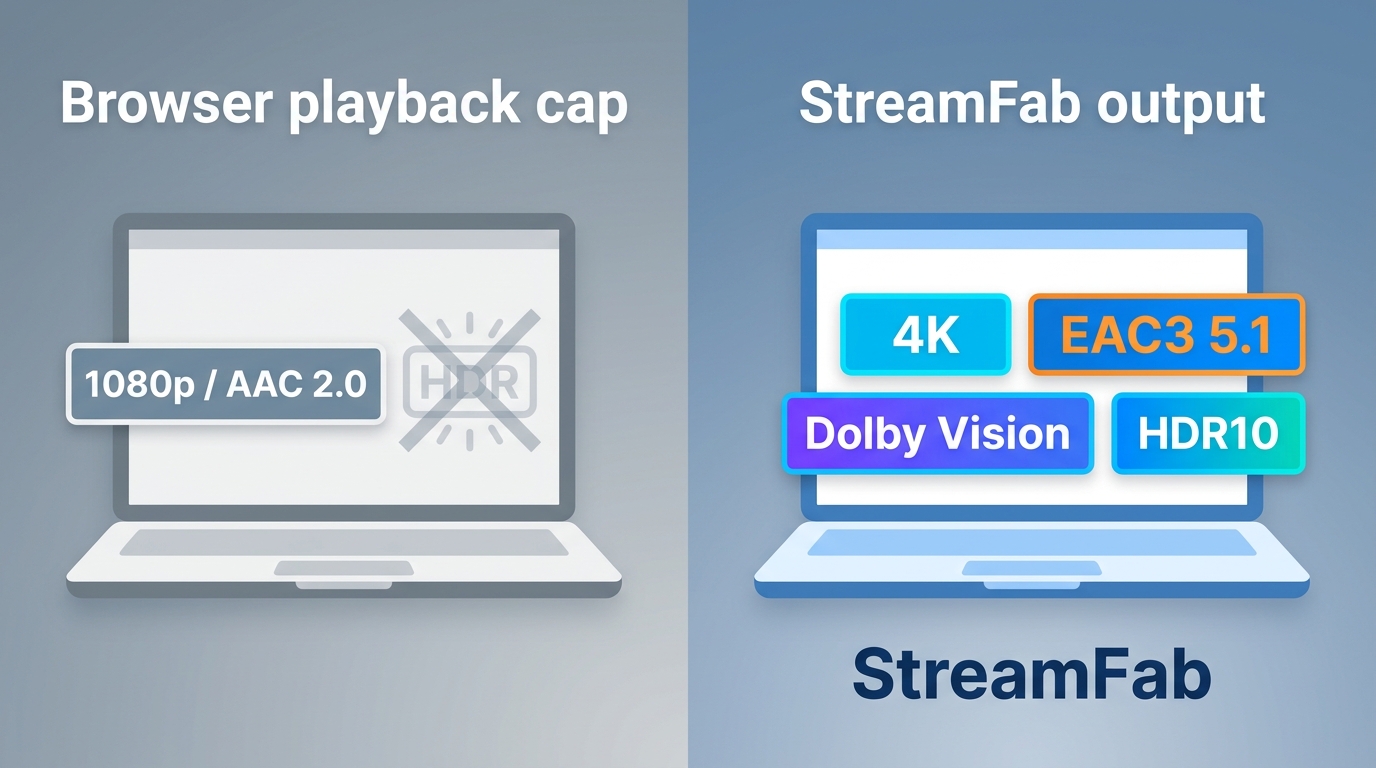
Output quality is where a dedicated downloader pulls ahead of browser-capped playback. Where the source and your subscription allow it, you can keep up to 4K with HDR10 or Dolby Vision, HEVC (H.265) for smaller files at similar quality, and multi-channel EAC3 5.1 audio, instead of a re-encoded 1080p copy.
Formats, codecs and multi-channel audio
You can set StreamFab's output quality per download, choosing the resolution along with the audio and subtitle tracks you want to keep. As of 2026, many platforms still cap in-browser playback at 1080p, so a tool that saves the higher stream is the practical way to keep 4K plus multi-track audio and subtitles.
Typical output covers:
- Video: up to 4K, HDR10 and Dolby Vision, H.264 or HEVC (H.265)
- Audio: EAC3 5.1 multi-channel or AAC 2.0, kept without re-encoding where the source allows
- Container: MP4 or MKV
- Subtitles: embedded, or external SRT, VTT, and TTML
| DRM M3U8 Downloader | DRM MPD Downloader | |
|---|---|---|
| Input Types | HLS (M3U8) | DASH (MPD) |
| Segment Types | TS, fMP4 (rare) | fMP4 (.mp4/.m4s), WebM (rare) |
| Audio | AAC, (MP3/AC3 in some cases) | AAC, AC3, EAC3, Opus |
| Subtitle | Embedded, external VTT/SRT/TTML | Embedded, .vtt, .srt, .ttml, etc. |
| Output File | Usually MP4 | MP4 or MKV |
Compliance and Responsible Personal Use
Keep this to personal study and backup of content you're authorized to access, and follow your local law and each platform's terms — this article doesn't make a legal call for your jurisdiction. If you're weighing whether StreamFab is safe to use, the practical framing is that personal, authorized offline copies are a narrower use case than sharing or commercial redistribution, which sit outside what this workflow is meant for.

FAQ
How do I download an M3U8 stream to MP4 with VLC?
VLC can save some unencrypted HLS streams through Media > Open Network Stream, then Convert/Save. It struggles with live or heavily segmented playlists and can't handle Widevine-protected content, so for those streams use a dedicated downloader instead.
What is the best downloader for M3U8 and MPD streams?
It depends on the stream. For open HLS or DASH, yt-dlp or FFmpeg are hard to beat and free. For DRM-protected or 4K/HDR content, a desktop app such as StreamFab is a more reliable fit. Best for open streams: the free tools; best for protected or high-fidelity saves: a dedicated app.
Why won't a video download even after I find the .m3u8 URL?
Usually because the stream is encrypted with Widevine or AES-128, or because the URL depends on an expiring token and specific headers or cookies. An open stream saves easily; a protected one needs an app that can work with that protection under a valid login.
Can I download M3U8 or MPD streams on iPhone or Android?
Mobile browsers and extensions are heavily restricted, so a desktop workflow on Windows or Mac is more dependable. On Android, the StreamFab for Android app is an option; on iPhone, saving is more limited, and a computer stays the more consistent route.
Conclusion
HLS and DASH have converged on CMAF/fMP4, so the download problem now comes down to three things: find the manifest, match the tool to the stream, and respect the protection on it. Among the streaming video download solutions here, free tools cover open streams, while a desktop app earns its place on DRM-protected or 4K content where quality and reliability matter. Pick the lightest tool that actually saves what you need.
Wilson Wang
StreamFab Product Manager

Staring at an error code and wondering what StreamFab is actually telling you? In July 2026, I mapped every code against the real failure it represents — here's the reference guide that skips the corporate jargon and tells you exactly what to do in under 2 minutes.
By Erika Leen - Oct 12, 2026
StreamFab 7 marks the first major update in nearly three years. This review looks beyond surface-level changes and examines what actually matters in everyday use based on real testing, community feedback
By Erika Leen - Sep 28, 2026
Choose between StreamFab’s local file workflow, Audials’ Windows recording and editing, and PlayOn’s local or cloud recording. Compare queue behavior, picture quality, audio and subtitles, and recurring costs, with a repeatable way to check one authorized title before building an offline library.
By Marcia Hatcher - Sep 28, 2026
This article is an official response to users asking regarding the safety and legality of StreamFab. Written by StreamFab team, it moves beyond simple assurances to provide a transparent technical and legal analysis.
By Nicole Lopez - Sep 24, 2026