





• Download m3u8 videos from worldwide

    Save M3U8 videos from any HLS streaming website worldwide

  • Save m3u8 videos in 2160P MP4 format

    Save M3U8 videos in up to 2160p MP4 or MKV format

  • Explore m3u8 videos with its in-built browser

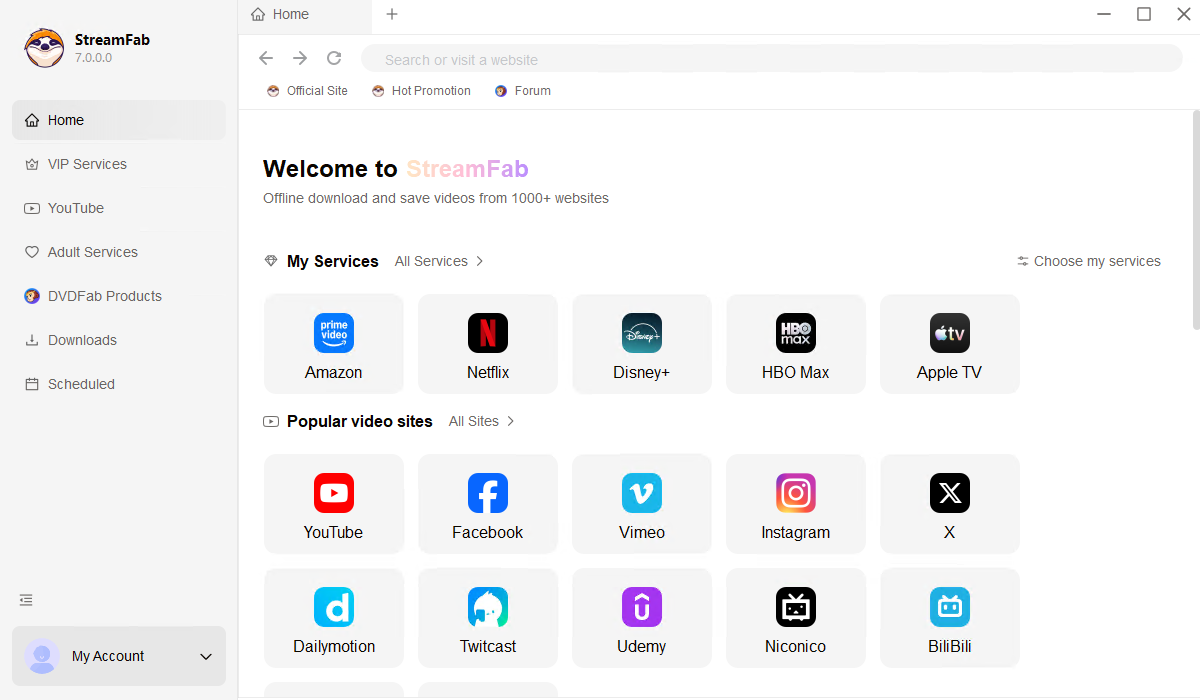
    Browse and download M3U8 videos with StreamFab built-in browser

Why Thousands of Video Fans Trust StreamFab for M3U8 Downloads

Universal M3U8 Compatibility

One Tool for Every M3U8 Site, No Guesswork Required

Picture this: you subscribe to a smaller streaming service — maybe a fitness platform like Beachbody On Demand, a regional sports broadcaster, or a niche educational site — and you want to keep a personal offline copy of a video before your subscription ends or the content rotates out. Most download tools only work with the big names like Netflix or Disney+, leaving you stuck with screen recorders that produce grainy, low-quality files.

StreamFab DRM M3U8 Downloader was built for exactly this situation. Instead of targeting a single platform, it works with any website that streams video through the M3U8/HLS protocol — the same technology used by thousands of sites worldwide. The built-in browser detects the M3U8 stream automatically the moment you press play, and the download begins without any manual URL copying or technical configuration. Developed by the DVDFab team — a video software company with over 20 years of experience — the StreamFab engine receives weekly compatibility updates, so even when streaming sites change their delivery methods, your downloads keep working.

download m3u8 videos
Trusted by Millions

A Track Record That Speaks for Itself

When you install software that handles video content, you want to know it comes from a team you can trust — and that your login credentials stay safe. StreamFab is developed by DVDFab — a name that has been in the video software business for over 20 years, trusted by tens of millions of users worldwide. The built-in browser uses an isolated session environment so your streaming account credentials are never transmitted to DVDFab servers; all authentication happens directly between your machine and the streaming site over SSL-encrypted connections. 

The StreamFab installer itself is virus-free and contains no bundled adware, toolbars, or third-party software — a claim verified by the product being featured and reviewed by technology publications including PCMag and TechRadar. With over 100 million downloads globally and weekly engine updates that resolve compatibility changes within 24 to 48 hours, StreamFab's reputation is backed by a two-decade history of consistent software delivery and a community of users who rely on it every day.

streamfab users

Your Videos — Your Format — Your Quality

Source-Faithful Video Quality

Get the Full Quality the Source Provides, Up to 2160p

If you have ever tried saving a streaming video with a screen recorder, you already know the frustration: blurry playback, choppy motion, and audio that drifts out of sync. The root problem is that screen recorders capture what you see on screen rather than the original video data — so every imperfection on your display becomes baked into the recording. A typical screen-recorded file ends up at roughly half the bitrate of the original stream, turning crisp detail into a muddy, artifact-riddled mess on anything larger than a phone screen.

StreamFab takes a completely different approach. Instead of recording your screen, it captures the original M3U8/HLS video stream directly from the server, preserving the full resolution, video encoding, and audio track that the source provides. If a site streams at 1080p, you get a genuine 1080p file; if the source offers 2160p 4K content, StreamFab saves it at full 2160p quality. Audio is handled with the same fidelity — whatever the source delivers, whether stereo AAC or multi-channel surround sound, is saved intact without re-encoding or downmixing. The output quality always matches what the streaming site delivers — no artificial downgrading, no compression artifacts, just a clean local copy that looks and sounds exactly like the original stream.

DRM M3U8 downloader
Flexible Output Formats

MP4 or MKV — Choose the Format That Fits Your Setup

Not every device and media player handles video formats the same way. Maybe you want to watch your saved video on an iPhone during a commute — MP4 is the universally compatible choice that plays on virtually any phone, tablet, smart TV, or laptop without extra software. Or perhaps you prefer organizing your library in Plex or Kodi, where MKV containers offer better support for multiple audio tracks and subtitle streams in a single file.

StreamFab lets you choose between MP4 and MKV before each download, so your files are ready to play the moment they land on your device. There is no need for a separate format converter, no waiting for re-encoding, and no quality loss from an extra processing step. You pick the format, StreamFab handles the rest.

DRM M3U8 downloader
Subtitle & Language Selection

Keep Your Preferred Subtitles and Audio Language

Imagine downloading a foreign-language documentary only to find the subtitles are missing, or saving a tutorial video and discovering the audio is in a language you do not speak. With streaming video, subtitles and audio tracks are delivered as separate streams — and most generic download tools simply ignore them, leaving you with a video file that is incomplete.

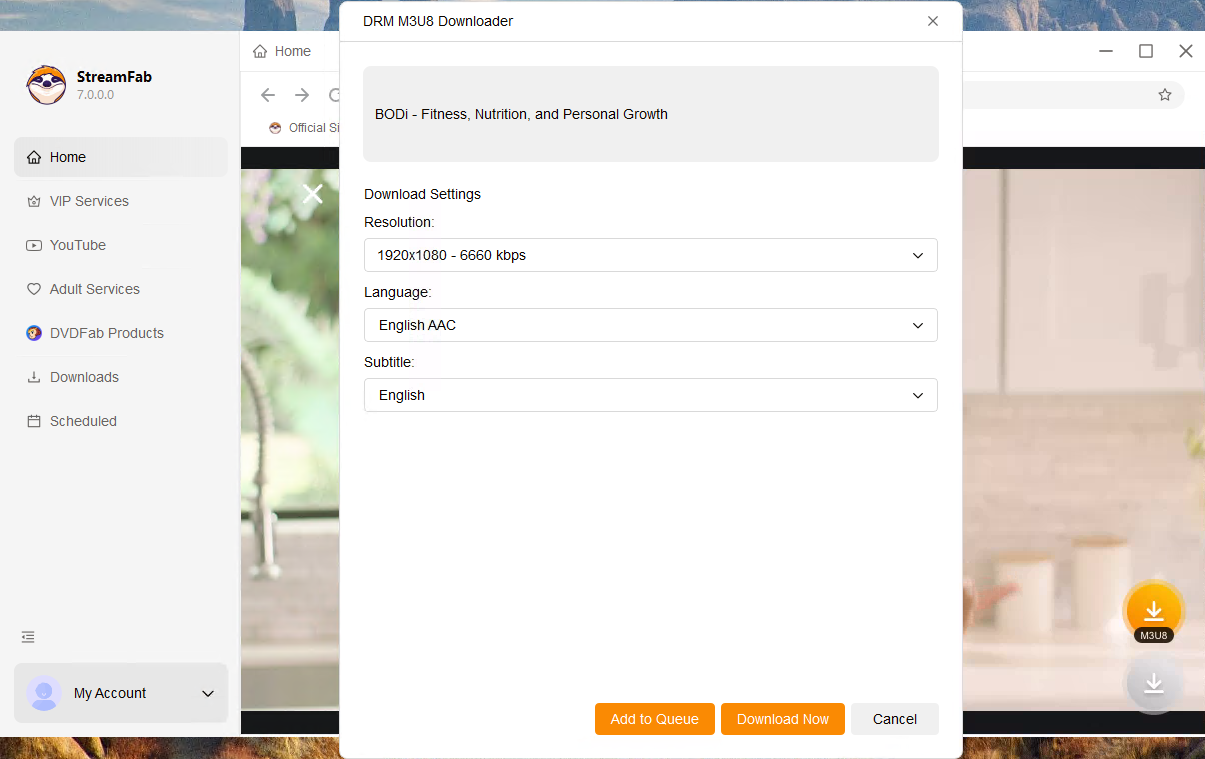
StreamFab DRM M3U8 Downloader gives you control over which subtitle tracks and audio languages to include before the download begins. Want English subtitles remuxed directly into your MP4? Done. Prefer the original Japanese audio with Spanish captions? Select them from the dropdown and they are embedded right into the file. This means your offline copies are fully self-contained — no hunting for separate SRT files, no subtitle-syncing headaches, just a complete viewing experience every time you press play.

DRM M3U8 downloader

Perfect Downloading Experience You Get

DRM M3U8 downloader

More Sites More Stable

StreamFab DRM M3U8 Downloader spares no efforts to improve the downloading stability and supproted sites.

DRM m3u8 downloader

Batch Mode and Fast Speed

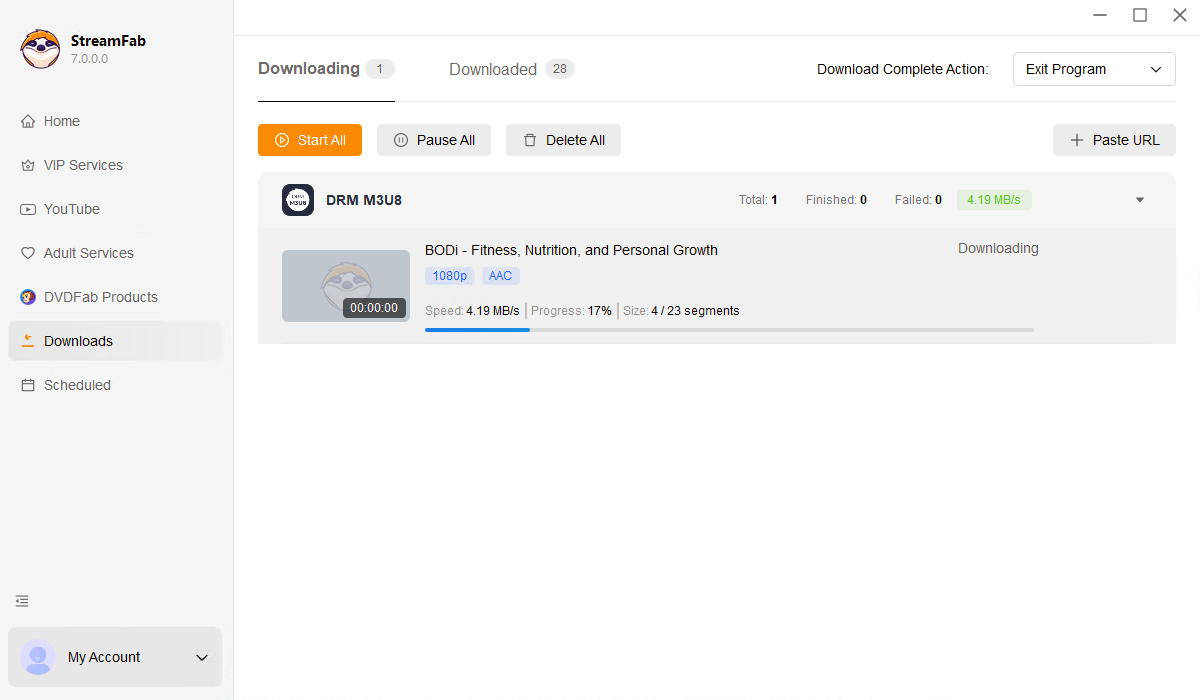
Add m3u8 videos in task queue and download them simultaneously at super-fast speed to save your precious time.

DRM M3U8 downloader

Remove Ads

 Automatically detects and removes embedded advertisements during the download process, so your offline copies play back cleanly.

More Than Just a Download — Your Personal Media Library

Metadata That Keeps Your Library Organized

Video Titles, Episode Numbers, and Cover Art — All Saved Automatically

Nothing breaks the flow of a good video like a mid-roll ad that pops up right at the climax. Many M3U8 streaming sites insert ads directly into the video stream — and if you use a basic download tool, those ads get baked into your saved file permanently.

StreamFab automatically detects and removes embedded advertisements during the download process, so your offline copies play back cleanly from start to finish. No ad segments, no interruptions, just the content you actually wanted to watch.

DRM M3U8 downloader

80+ Millions of People Like Us

launch DRM M3U8 downloader
Step 1. Download and Install StreamFab on Your Computer

Visit the official DVDFab website and download the StreamFab installer for Windows or Mac. Installation takes about two minutes and requires no technical setup — just follow the on-screen prompts. The installer is virus-free with no bundled adware or toolbars.

Step 2. Browse to Your Video Using the Built-In Browser

Open StreamFab and use the built-in browser to navigate to any website that streams M3U8/HLS video. Log in to your streaming account if needed, then play the video you want to save. StreamFab automatically detects the M3U8 stream and displays download options including quality, format (MP4 or MKV), and subtitle/audio language preferences.

Step 3. Choose Your Settings and Start the Download

Select your preferred video quality (up to 2160p depending on the source), output format, and subtitle options, then click Download. StreamFab saves the video to your chosen folder with full metadata. For multiple videos, add them to the batch queue and download them all at once.

System Requirements

Icon
Windows 11/10 (32/64 bit)
Intel i3 or above
4GB of RAM or above
40GB of free hard disk space or above
Live Internet connection required

Tips & Tricks for M3U8 Video Download
  • Best M3U8 Downloaders in 2026: Playlist Supported (Tested & Rated)
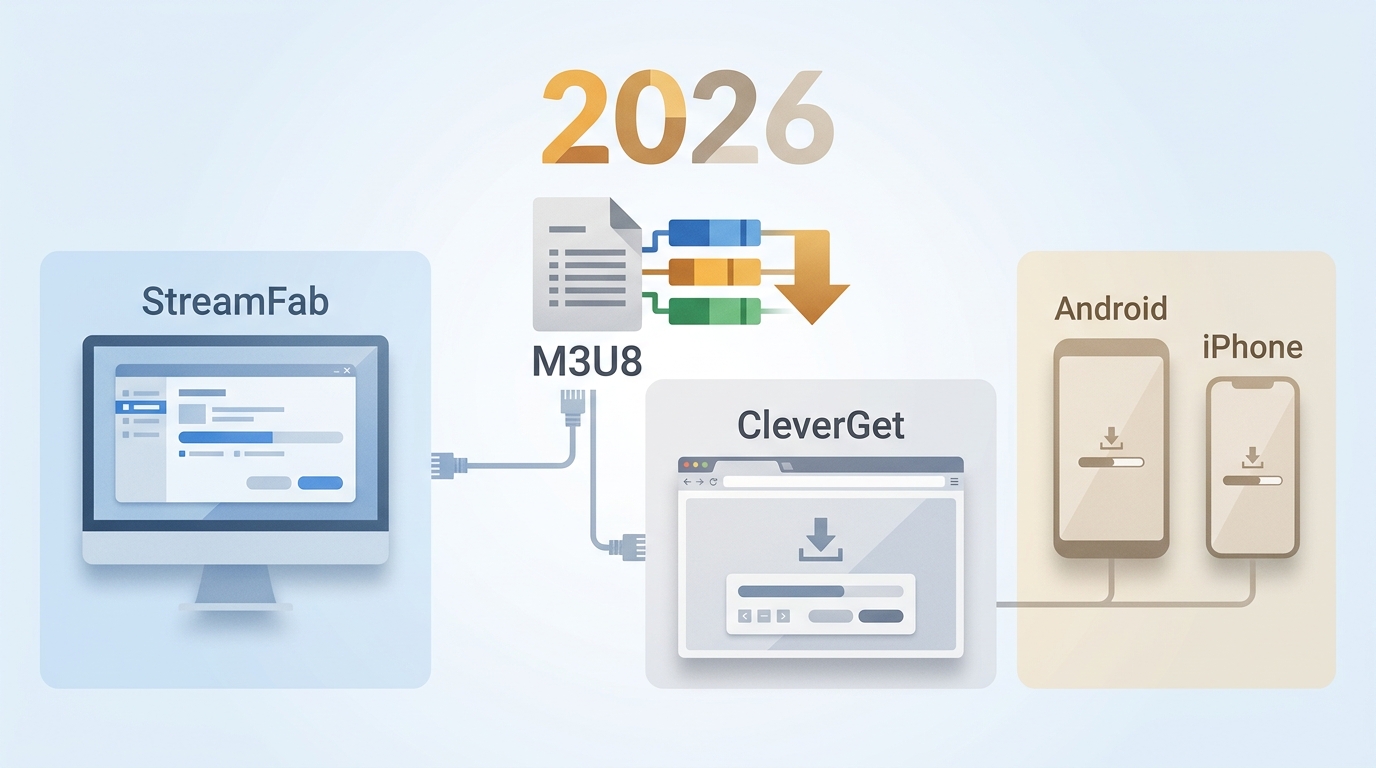
    Best M3U8 Downloaders in 2026: Playlist Supported (Tested & Rated)

    This guide explains how to download M3U8 playlist files and videos on both computers and mobile devices, comparing top tools, covering features like batch downloads, ad removal, and 4K quality—so you can save and watch your favorite streaming content offline anytime.

    By Jacob Harrison - Feb 13, 2026
  • How to Download DRM-Protected Videos from Website | 2026 Tech Guide
    How to Download DRM-Protected Videos from Website | 2026 Tech Guide

    Streaming video content is often protected by DRM (Digital Rights Management) technology to prevent users from downloading and recording. This article explains what is DRM-protected content and how to download videos without DRM for personal use.

    By Nicole Lopez - Jun 4, 2026
  • How to Convert iTunes to MP3 in 2025 [Includes Free/Paid Tools]
    How to Convert iTunes to MP3 in 2025 [Includes Free/Paid Tools]

    To help you out, we have tried and tested some free options and robust paid solutions. Learn how to download MP3 from iTunes to deal with DRM-free tracks and protected Apple Music files.

    By Jane Chen - Nov 6, 2025
Fair Use Policy: StreamFab is legal only for personal needs and it's not allowed to share the downloaded content with any third party.

To avoid being blocked by streaming providers, a StreamFab licensed account has a quota of 100 downloads per day, and 700 downloads per week from each supported streaming service. Whenever some of it is used up, it will refill during the next time cycle.