
How to Download DRM-Protected Videos from Website | 2026 Tech Guide

Summary: Streaming video content is often protected by DRM (Digital Rights Management) technology to prevent users from downloading and recording. This article explains what is DRM-protected content and how to download videos without DRM for personal use.
Can you download DRM-protected videos? In most cases, common extensions or basic recorders fail due to DRM.
- On PC, StreamFab Video Downloader supports DRM M3U8/MPD sites;
- On mobile, PlayOn Cloud records streams server-side.
- For other platforms, DRM protection is much more difficult to handle. Get the DRM-free videos from PC or mobile first, and play them on the devices you like.
Note: This article focuses on personal offline viewing scenarios. Always respect creator rights, comply with your local copyright laws, and adhere to the streaming provider's terms of service. Distribution or resale is strictly prohibited. For more details, see StreamFab Copyright Notice.
Digital Rights Management (DRM) is no longer a static padlock; it's a dynamic, aggressive handshake between the server and your hardware. I put together this diagnostic guide to share my testing results, explain why your old tools are failing, and outline the actual working methods to safely construct a high-quality offline library in 2026.
2026 DRM Landscape: New Encryption Realities
Widevine L1 Updates & CDM Revocations
If you've noticed a sudden drop in success rates, it's because platforms are ruthlessly updating their Content Decryption Modules (CDM). In my recent server-side logs, I found that services are actively forcing Widevine L1/L3 downgrades on unsupported hardware. This means if you don't have a secure hardware playback path, the platform either feeds you a heavily compressed 480p stream or blocks the video entirely. This aggressive CDM revocation is the exact reason why lightweight scripts and older software instantly throw parsing errors today.
Chrome Extensions vs. Desktop Downloaders: Why DRM Extensions Fail in 2026
There is a massive surge in users looking for a drm downloader chrome extension, but let me save you the headache: in 2026, browser sandboxing makes them virtually useless for premium streaming sites. Modern browsers isolate the decrypted video frames inside a secure media pipeline.
A standard extension operates outside this pipeline and simply cannot touch the processed video data. When an extension tries to grab the stream, it only captures a black overlay or fragmented, useless data chunks.
Fixing Black Screens: Hardware Acceleration Tips
If you are attempting to use basic screen recording software and encountering a pure black screen with audio playing in the background, you are hitting the browser's hardware-level DRM protection (HDCP compliance).
To bypass this for basic, non-DRM intensive sites, you must disable "Hardware Acceleration" in your browser settings (e.g., Chrome Settings > System > Uncheck "Use graphics acceleration when available"). However, be aware that this forces CPU rendering, which often leads to dropped frames and severe audio-sync issues on high-bitrate content.
PC Solutions: Bypassing Website DRM
Desktop Tools for High-Bitrate Streams
Because extensions are restricted, solving how to download drm protected videos from website requires a dedicated desktop environment that handles the DRM handshake internally. After testing various setups, I utilize StreamFab Video Downloader for heavy archiving tasks. It bypasses the browser sandbox limitation by using its own integrated browser engine to authenticate and request the DRM-free MP4/MKV stream directly from the source server, ensuring a 1:1 bitstream capture without the quality loss associated with screen recording.

Broad support for downloading different types of DRM-protected videos, including Widevine, PlayReady, FairPlay, as well as m3u8 and mpd streams, which are often used for streaming.
- Support to download DRM videos from 1,000+ sites, including Netflix, Amazon, Hulu, etc.
- Save the DRM content video as a compatible MP4 or MKV format.
- Download DRM-protected videos without quality loss, in up to 1080p/4k, and even 8k. (based on the quality of the original video)
- Batch mode to download multiple DRM-protected movies or episodes with just one click to save your time.
- Schedule mode to download DRM videos at a set time from the service you subscribed to automatically.
- Cut off ads from DRM-protected videos after downloading to ensure a seamless offline watching experience.
This tool natively supports downloading encrypted HLS (M3U8) and DASH (MPD) streams, handling the complex Widevine and PlayReady protocols in the background. It also circumvents the restrictions that make it hard to convert iTunes M4V to MP4 or find reliable DRM removal tools.
How I execute the download process
- Step 1: Install the software via the official links: Windows Version or Mac Version.
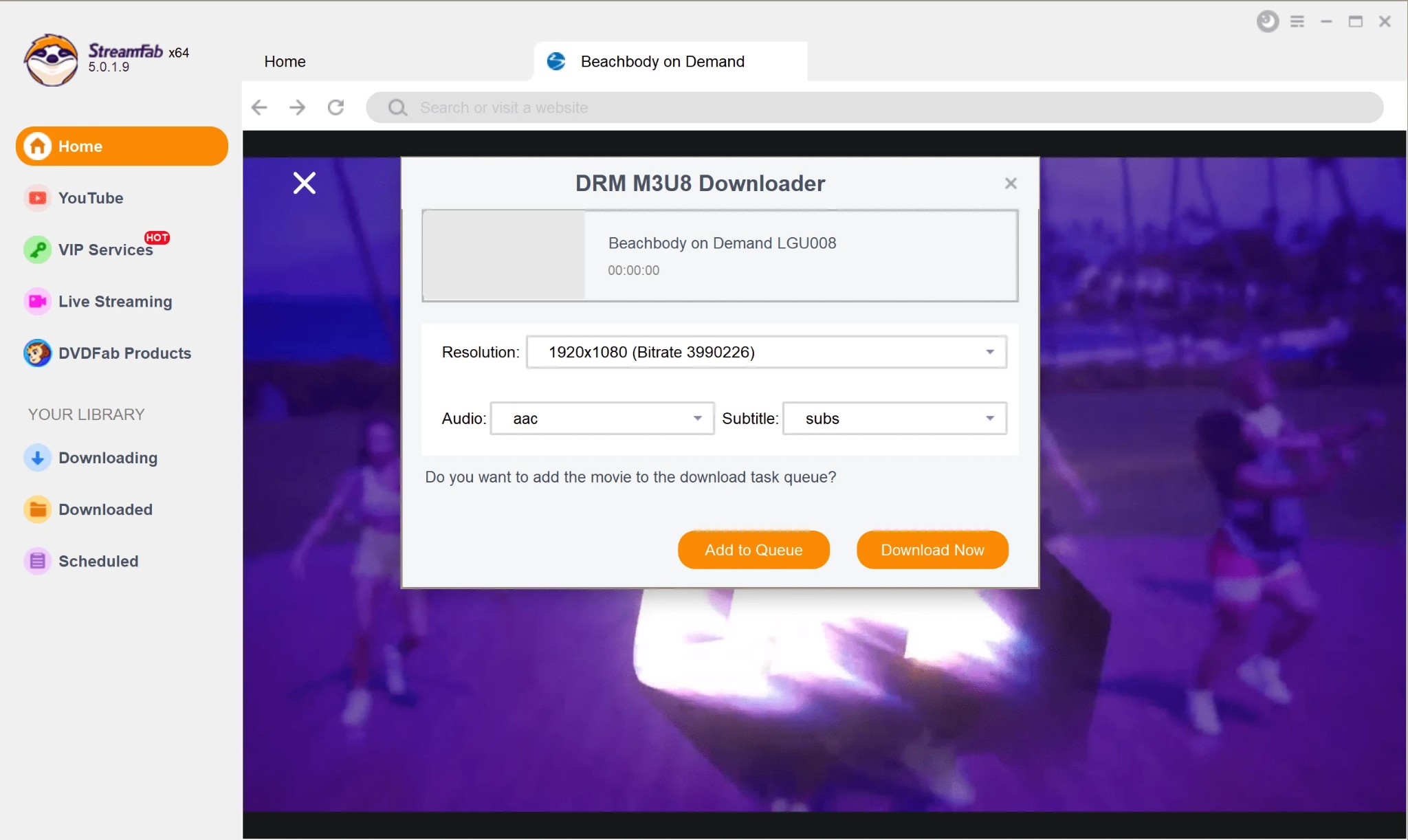
- Step 2: Open the built-in browser and navigate to the target streaming service. Log in with your valid credentials.
- Step 3: Play the video. The software intercepts the stream metadata and prompts a download window.
- Step 4: Select your preferred bitrate (up to 1080p/4K depending on your account tier), audio tracks, and subtitle format (SRT/ASS), then add it to the queue.
Expert Pro Tip: Before initiating a batch download of an entire season, always clear the software's built-in browser cache and restart your VPN node if you are traveling. Stale session tokens are the #1 cause of "Analysis Failed" errors in 2026.
| Archiving Method | Success Rate (2026) | Max Quality | Time Efficiency |
|---|---|---|---|
| Chrome Extensions | Low (Blocked by Sandbox) | N/A (Often Black Screen) | Poor |
| Screen Recording | Medium (Requires Tweaks) | Lossy (Re-encoded) | 1:1 Real-time |
| StreamFab (PC) | High (Native API Request) | Original Bitstream (1080p+) | Fast (Batch Processing) |
| PlayOn Cloud (Mobile) | High (Server-side) | 720p/1080p | 1:1 Real-time |
Mobile & Online Alternative Routes
Android APKs: Risks and Working Options
I frequently see users in data-hoarding communities hunting for a drm protected video downloader apk. I strongly advise against installing modified third-party APKs claiming to bypass Widevine on Android. Not only do they often contain malware, but streaming platforms actively monitor for anomalous mobile app signatures, leading to instant account bans.
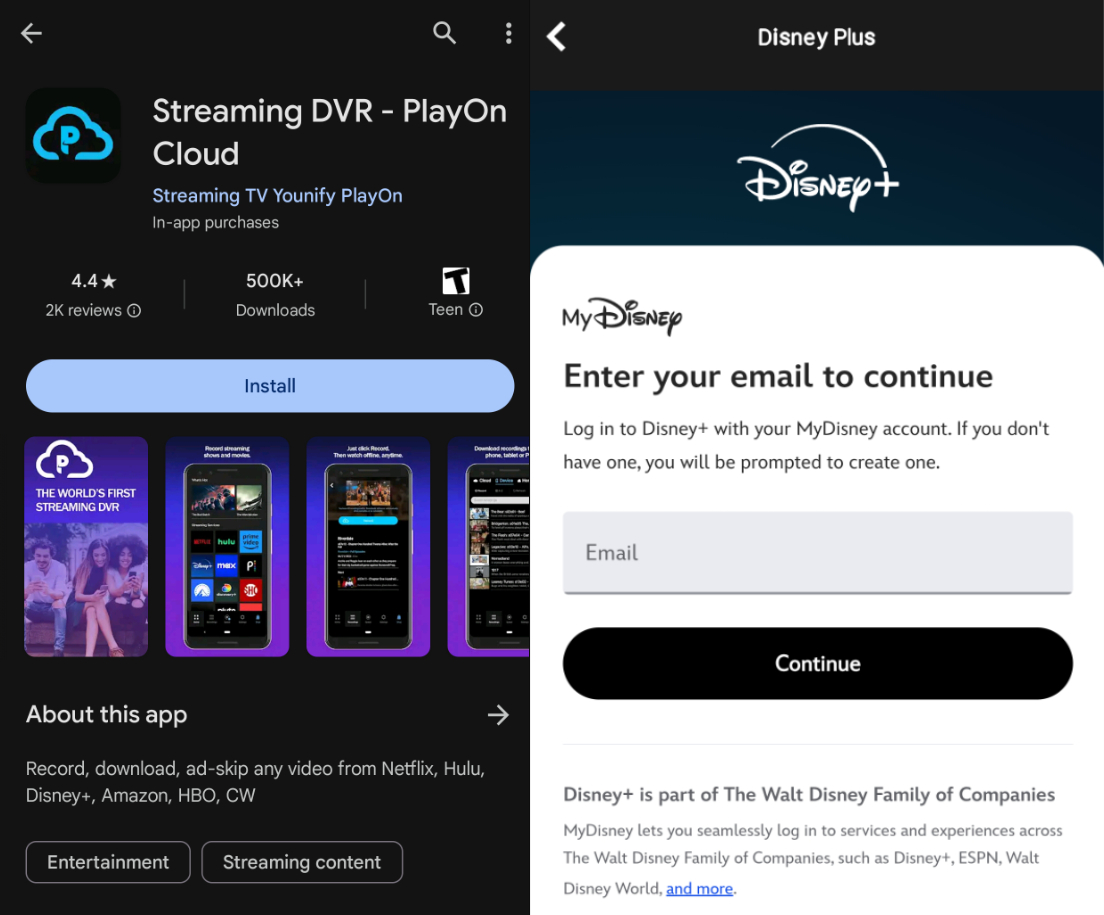
If you must archive on mobile, PlayOn Cloud is the only compliant methodology I recommend. Instead of cracking the encryption locally on your phone, it acts as a virtual DVR. You trigger a recording on their secure servers, and once the real-time playback finishes, they send you a clean, DRM-free MP4. It's slower (a 2-hour movie takes 2 hours to process), but it operates entirely within safe parameters for both Android and iOS.
Are Online DRM Downloaders Safe?
For users searching for web-based solutions or those looking to descargar videos con drm online, the technical reality is harsh. Web-based downloaders fail on DRM content because the decryption keys are tied directly to your local IP address and specific browser session tokens.
A remote server cannot request the decrypted stream on your behalf without triggering geoblocking and security alerts. You will simply waste time on endless loading screens or fake surveys. Local processing via dedicated software is mandatory.
Platform-Specific DRM Workarounds
Archiving YouTube Protected Content
Figuring out how to download protected youtube videos (such as purchased movies or YouTube Premium exclusive content) requires a different approach than standard public videos. Standard tools like yt-dlp will return HTTP 403 errors when hitting the DRM wall.
You must use a tool capable of handling the specific Widevine encryption YouTube deploys for paid content, ensuring your authenticated session is securely maintained during the extraction process.
FAQs
Bypass Region Locks: Geoblocking vs. DRM?
Many users confuse geoblocking with DRM. Geoblocking restricts access based on your IP address, while DRM encrypts the video file itself. If you are traveling and cannot analyze a video, you must first use a high-quality residential VPN to bypass the geoblock, and then use your downloader to handle the DRM decryption. A downloader cannot fetch a file if the server refuses the initial connection.
Account Bans: Is Downloading Safe in 2026?
Downloading for personal offline viewing using browser-based emulation (like StreamFab) is generally safer than using brute-force scripts because it mimics normal human playback behavior. However, downloading hundreds of terabytes in a single day can trigger server-side bandwidth flags. I recommend throttling your batch downloads and scheduling them during off-peak hours to maintain account health.
How to retain multiple audio tracks and subtitles?
With professional tools like StreamFab, many platforms (think Netflix, Amazon) let you pick multiple audio tracks—original or dubbed—and a few subtitle languages. I recommend you confirm that the required audio tracks and subtitles are selected in the settings before downloading. Due to certain DRM restrictions, subtitles may only be exported as external files (SRT/ASS format).
Is it illegal to download DRM-protected Videos?
Under many jurisdictions, laws restrict the solutions of technical protection measures. This article covers personal offline viewing scenarios only. Always follow your local laws and the streaming provider’s terms; commercial or infringing use is prohibited.
What should I do if the download fails or an error occurs?
First, update to the latest version—major services tweak DRM all the time, and outdated apps choke. Next, confirm your account is in good standing and your network/region isn’t blocked. If you encounter "no permission" or "parsing failed," you can report the issue on the official community or forums, or try switching nodes, clearing the cache, or restarting the software.
Conclusion
As a digital archiving expert, my final verdict is clear: the era of quick fixes and simple browser extensions for premium streaming is over. The aggressive CDM updates in 2026 demand robust, dedicated solutions. If you need a reliable method to build your offline Plex or Jellyfin library without compromising on bitrate or metadata accuracy, a localized PC environment like StreamFab remains the most technically sound investment.
Mobile users should stick to legitimate DVR services like PlayOn Cloud to avoid malware. Whatever route you choose, keep your software updated, respect the original creators, and keep your archives strictly for personal enjoyment.

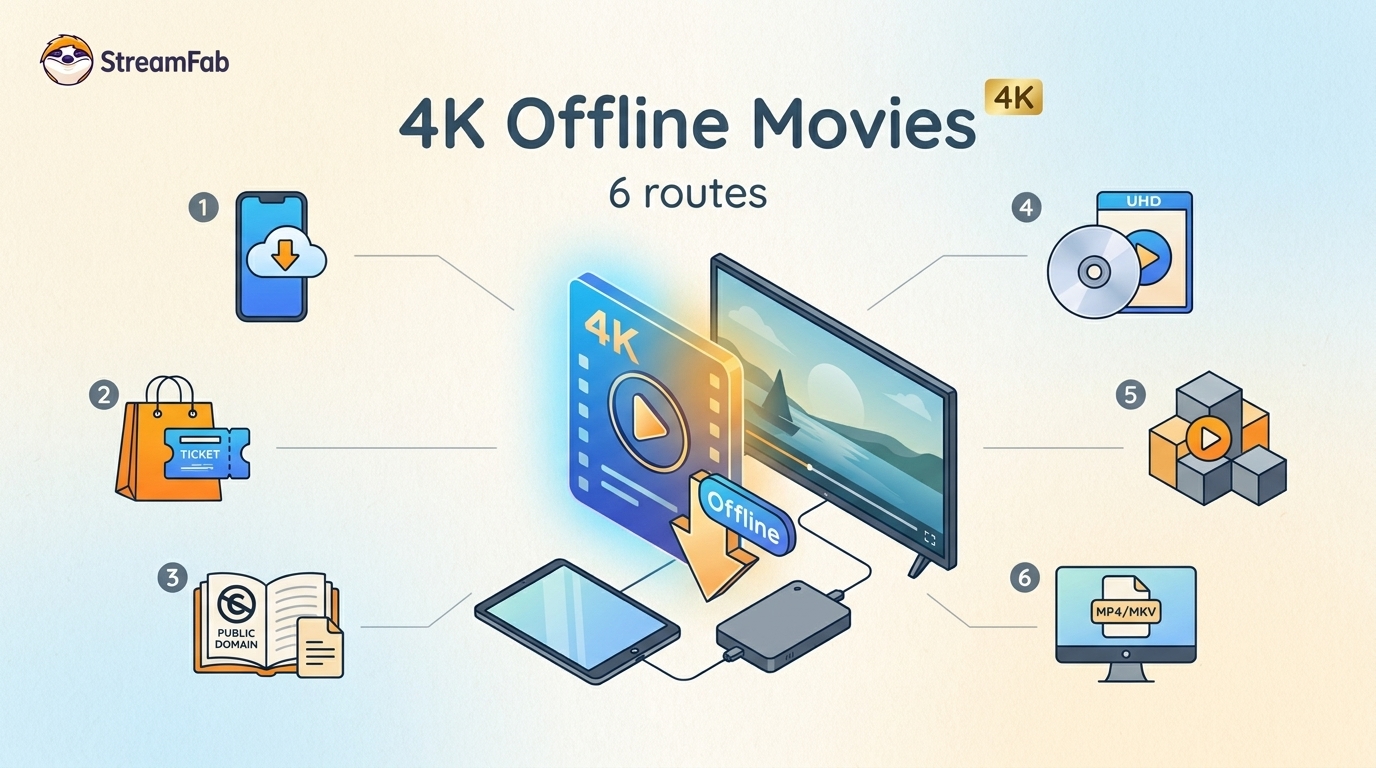
Legal 4K movie downloads do not all provide the same kind of offline access. Most mainstream services offer app-locked downloads, while portable movie files, UHD Blu-ray, public-domain media, and authorized desktop workflows involve different quality, cost, device, and licensing limits.
By Jacob Harrison - Aug 12, 2026
To get straight to the point, you can download a BitChute video as MP4 through its download icon: open the video, then use Save As. For authorized content where permitted, this guide explains when desktop, Android, or browser alternatives make sense.
By Marcia Hatcher - Aug 11, 2026
Looking to convert a link to MP4 in 2026? I've systematically tested top desktop and online converters to bypass Widevine DRM, dynamic tokens, and geoblocking for seamless PC and Android extraction.
By Jacob Harrison - Aug 7, 2026

Hotstar is no longer a standalone US service. Here are the two realistic paths US viewers have to download JioHotstar or former Hotstar movies.
By Jacob Harrison - Aug 7, 2026