
Paramount Plus Download Limit Reached? 25-Title Rules and 2026 Fixes

Summary: Paramount Plus limits its download library to 25 titles, with 30-day and 48-hour viewing windows on supported mobile devices. This guide explains the official rules, a seven-step fix for ghost limit errors, and when Windows or Mac local-copy tools make sense for authorized offline viewing.
Table of Contents
If the "Download Limit Reached" message appears on your phone, even when the library looks empty, Paramount Plus may still be counting saved titles or stale device records. This guide explains the Paramount Plus download limit, official fixes, and desktop options for offline copies.
The fastest path is to confirm the 25-title, 30-day, and 48-hour rules, work through the account fixes in order, then decide whether the official mobile download system fits the trip or library you are planning.
Paramount Plus Download Limits Explained (2026 Rules)
Is there a download limit on Paramount Plus? Yes: the account download library holds up to 25 titles, and official offline viewing is restricted by plan, device, time, and region.
The 25-Title, 30-Day and 48-Hour Rules
How long do Paramount downloads last? How long do downloads last on Paramount Plus after you press play? An unwatched title remains available for up to 30 days; after playback begins, you have 48 hours to finish it.
How much can you download on Paramount Plus? The library holds 25 titles per account, and attempting a 26th download triggers the limit message.
| Rule | Value | Notes |
|---|---|---|
| Download library | 25 titles per account | The 26th title triggers the "Download Limit Reached" error. |
| Unwatched expiry | Up to 30 days | The window applies before playback starts. |
| After playback starts | 48 hours | Finish the title within this viewing window. |
| Required plan | Ad-free Premium | Official offline downloads are not included with ad-supported access. |
| Downloadable devices | iOS, Android, and Amazon Fire tablets | Phones and tablets are supported; web browsers and smart TVs are not. |
| Region limit | Title and market dependent | Licensing can make a title unavailable for download or offline playback in another region. |
The practical takeaway is that deleting a watched title creates space, but it does not extend the 30-day or 48-hour Windows on titles already saved.
Which Devices Can Download Paramount Plus
Can I download shows on Paramount Plus? Yes: supported iOS and Android phones and tablets and Amazon Fire tablets can save titles, but a laptop browser or smart TV cannot.
To download Paramount Plus offline on a computer, StreamFab provides a Windows and Mac route to a local copy, while the Paramount Plus download workflow for mobile and PC explains the device-specific setup.
In practice, choose the official app for short mobile viewing Windows; a desktop workflow matters when you need a file that can be organized outside the app.
'Download Limit Reached' With No Downloads?
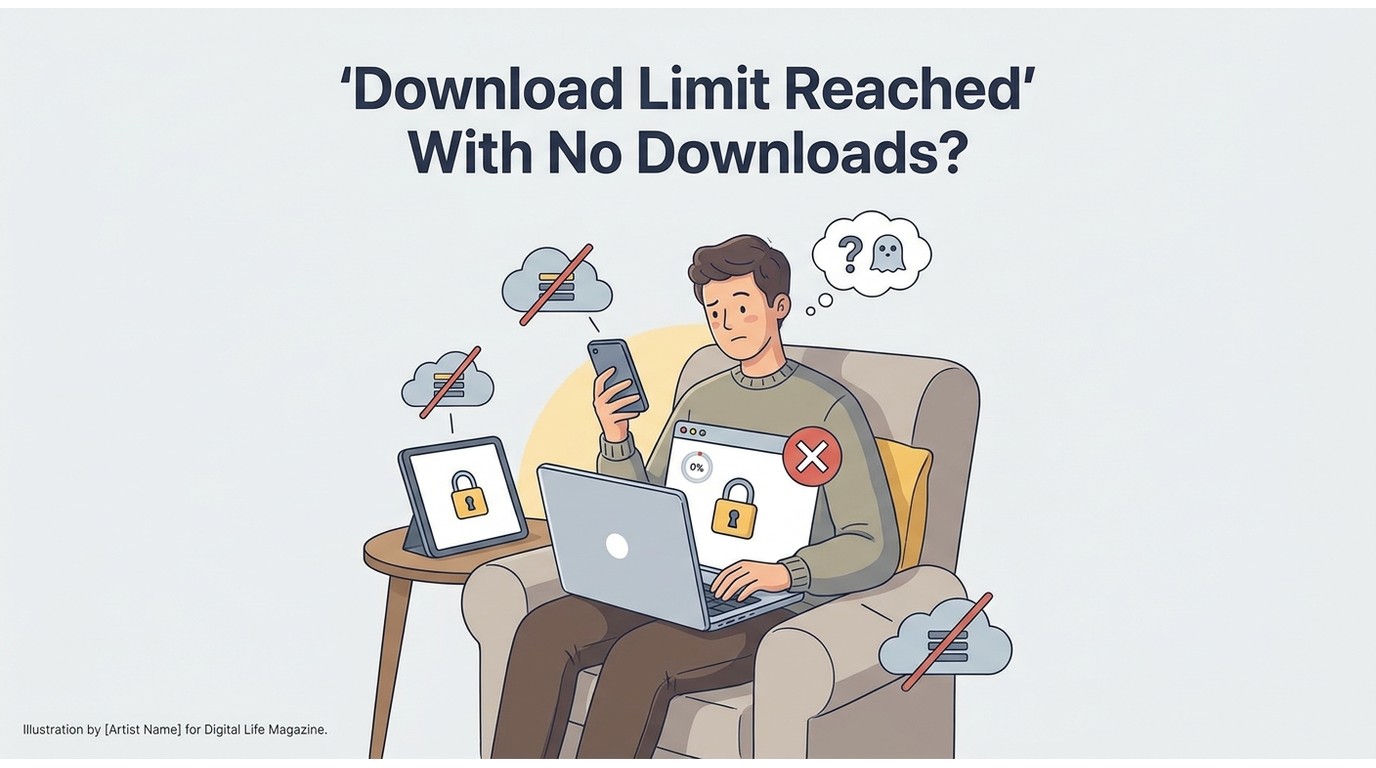
A limit error with an empty-looking library usually calls for account and device cleanup, not repeated deletion. Work from the app outward so you can separate quota issues from playback or network failures.
Official Fix Checklist for the Limit Error
Run these steps in order and test one new download after each change, so you know which account or app action cleared the error.
- Delete episodes or movies you have already watched.
- Confirm the account uses the ad-free Premium plan.
- Update the Paramount+ app through the device's app store.
- Clear the app cache and data, where the operating system provides those controls.
- Sign out, sign back in, and reauthorize the device.
- Reinstall the app only after the lighter fixes fail.
- Open account Device Management and remove phones or tablets you no longer use.
In my experience the two steps that actually clear the error most often are signing out and back in, and then pruning stale devices from Device Management.
If the problem changes into a connection or title-loading failure, treat it as Paramount Plus downloads not working rather than continuing to delete library items.
Clearing a Ghost Limit via Device Management
When the library shows no downloads but the message remains, a stale device or account-library record is a troubleshooting hypothesis worth checking, not proof of a server fault.
- Open Paramount+ account settings in a browser.
- Review Device Management and remove devices that are no longer active.
- Sign out of the affected phone or tablet.
- Restart the device, sign in again, and try one eligible title.
The app may display: "Download Limit Reached, To continue downloading, delete an episode or movie from one of your devices and try again." If deleting does not clear it, device cleanup helps force a fresh account check.
A 403 message or offline playback failure points to a separate issue because watching Paramount Plus offline can fail even when the library count is valid.
Saving Paramount Plus Offline Past the 25-Title Cap
Screen recording is the other route, but it can be slow and may introduce dropped frames or audio-sync problems, so I only fall back to it when nothing else works.
For personal offline viewing of content you're authorized to access, where permitted by platform terms and applicable law, a desktop downloader is one practical workaround when official downloads are unavailable or the 25-title cap is too restrictive.
These are the two desktop options I actually reach for.
StreamFab Paramount Plus Downloader
StreamFab Paramount Plus Downloader is a Windows and Mac desktop app that saves supported Paramount+ titles at up to 4K in MP4 or MKV, with HDR10+ or Dolby Vision and Dolby Atmos when the source and plan provide them.
The 30-day trial allows three video downloads per supported service. For each supported streaming service, paid plans cap downloads at 100 per day and 700 per week; both limits reset on their respective cycles.
It supports batch and full-season queues, and a Paramount Plus to MP4 workflow on a laptop creates files that can be placed in Plex, Jellyfin, or NAS folders. Playback support for HDR and multichannel audio still depends on the chosen container, codec, and player.
Best for: Windows or Mac users who want organized local files, full-season queuing, selectable audio, and subtitles.
Not ideal for: viewers who only watch on a phone and are comfortable with the official app's limits.
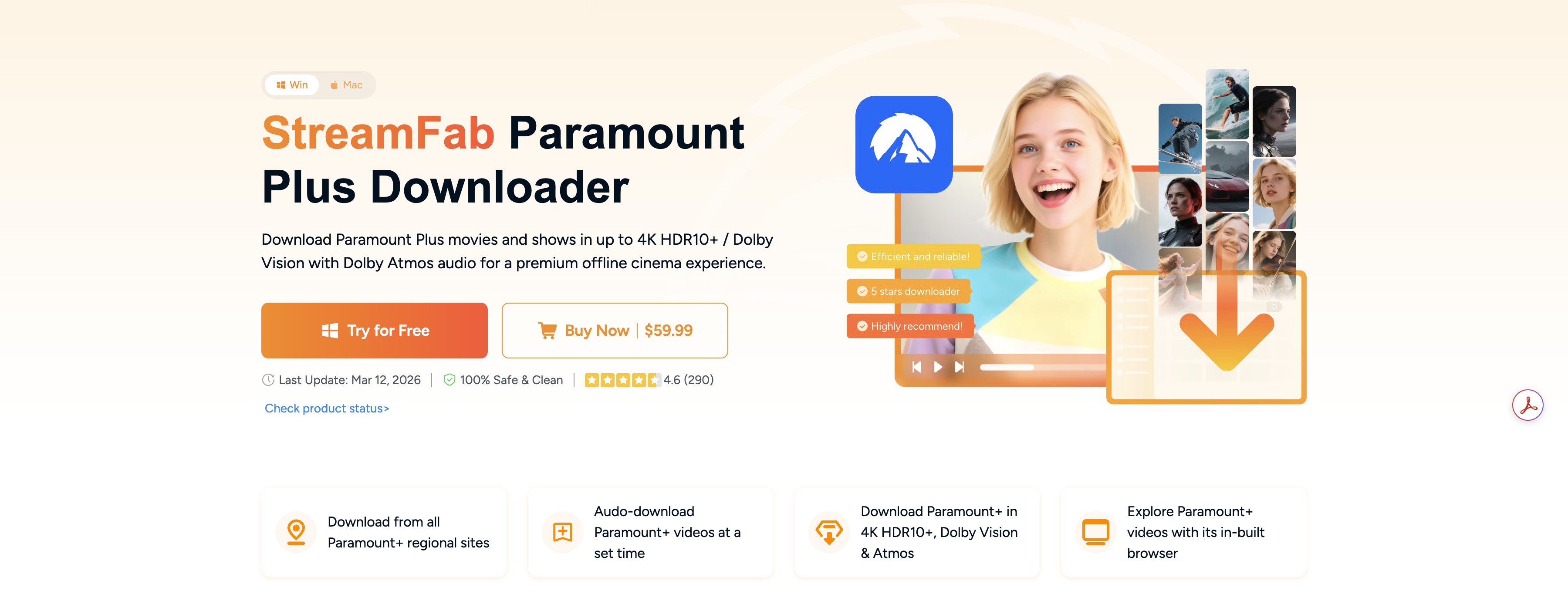
- Open StreamFab, select VIP Services, and choose Paramount+.
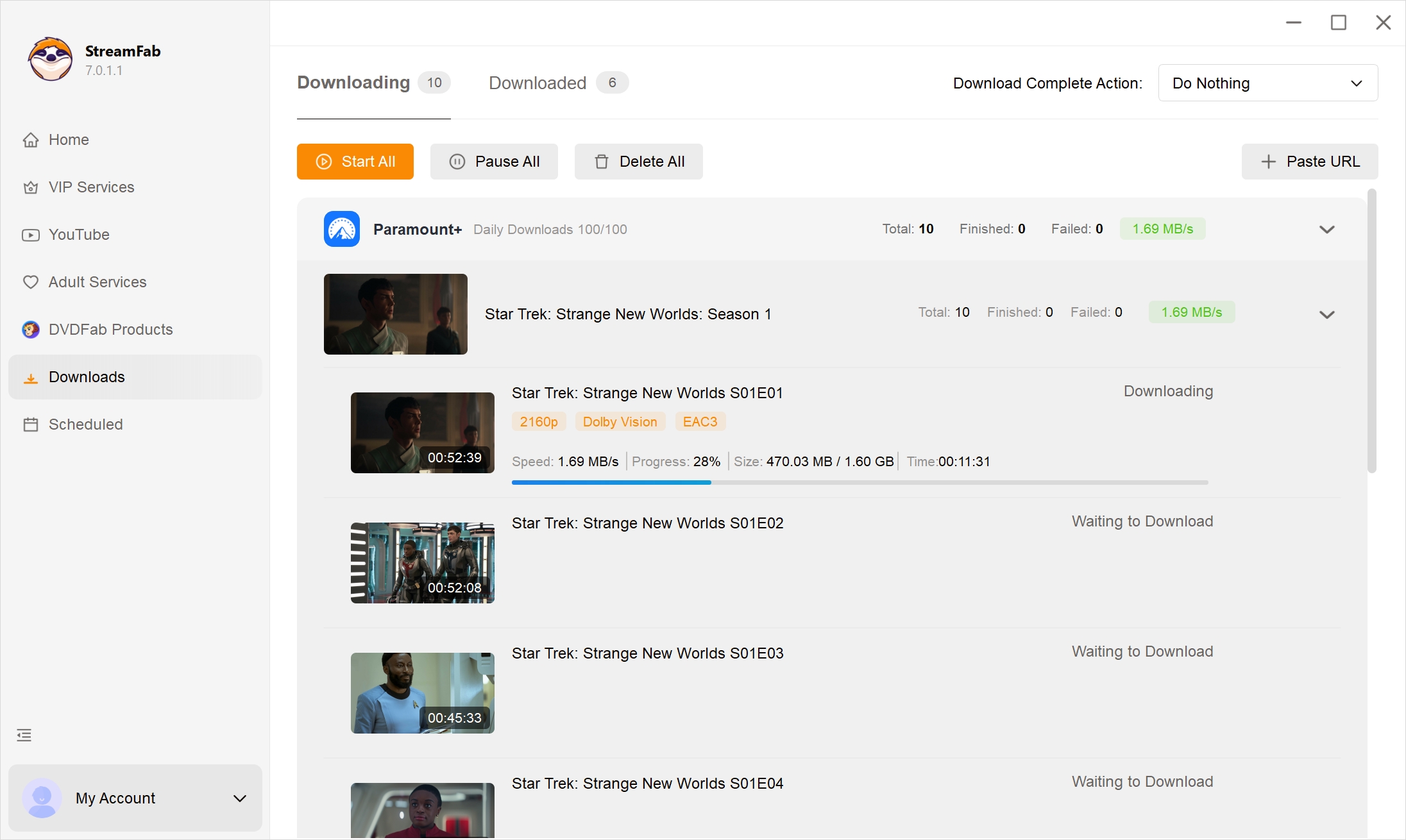
- Sign in, open the title, choose the format, audio, subtitles, and output folder, then select Download Now.
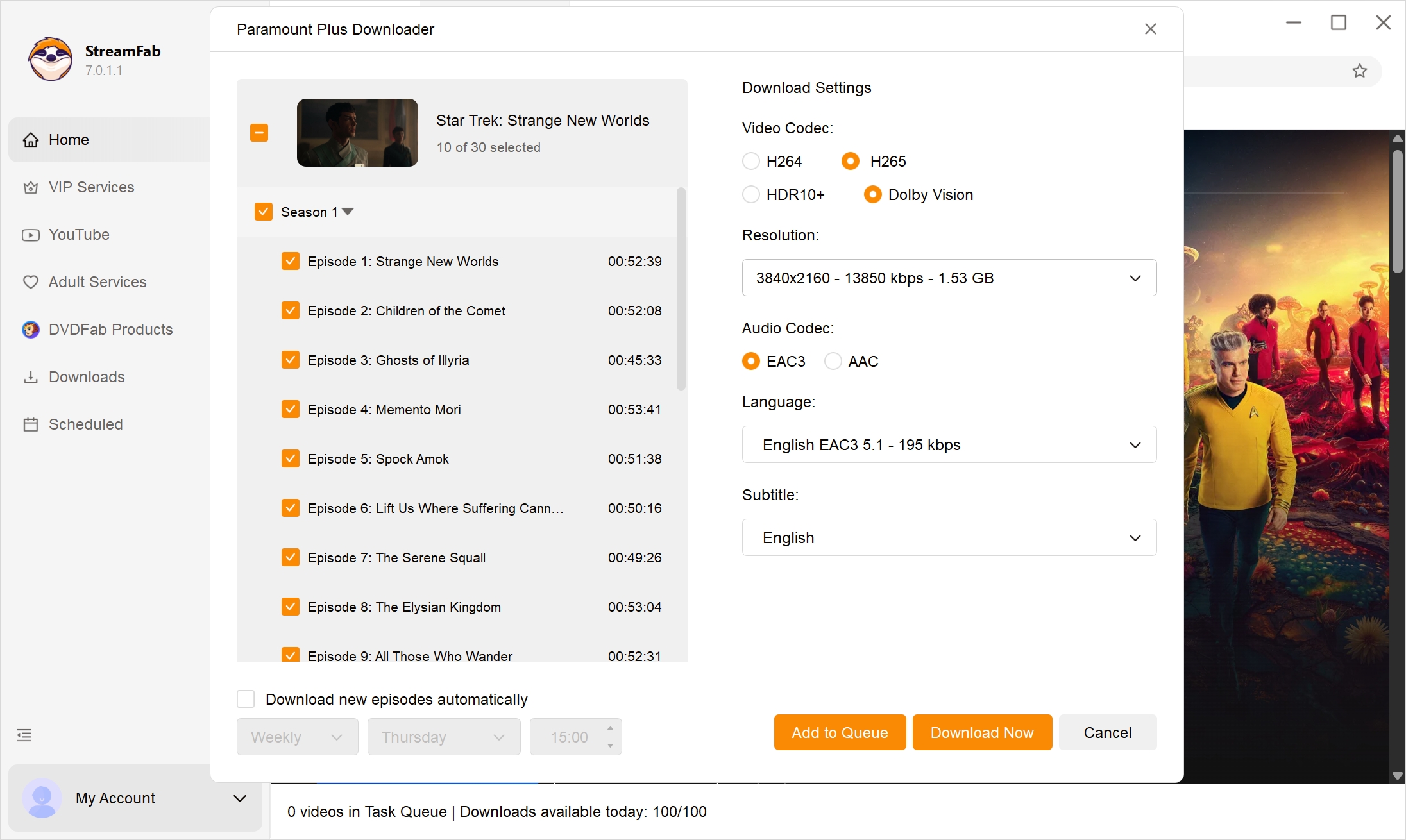
- Track the job in the download queue and open the completed file from the Downloaded tab.
SameMovie: An Alternative Desktop Option
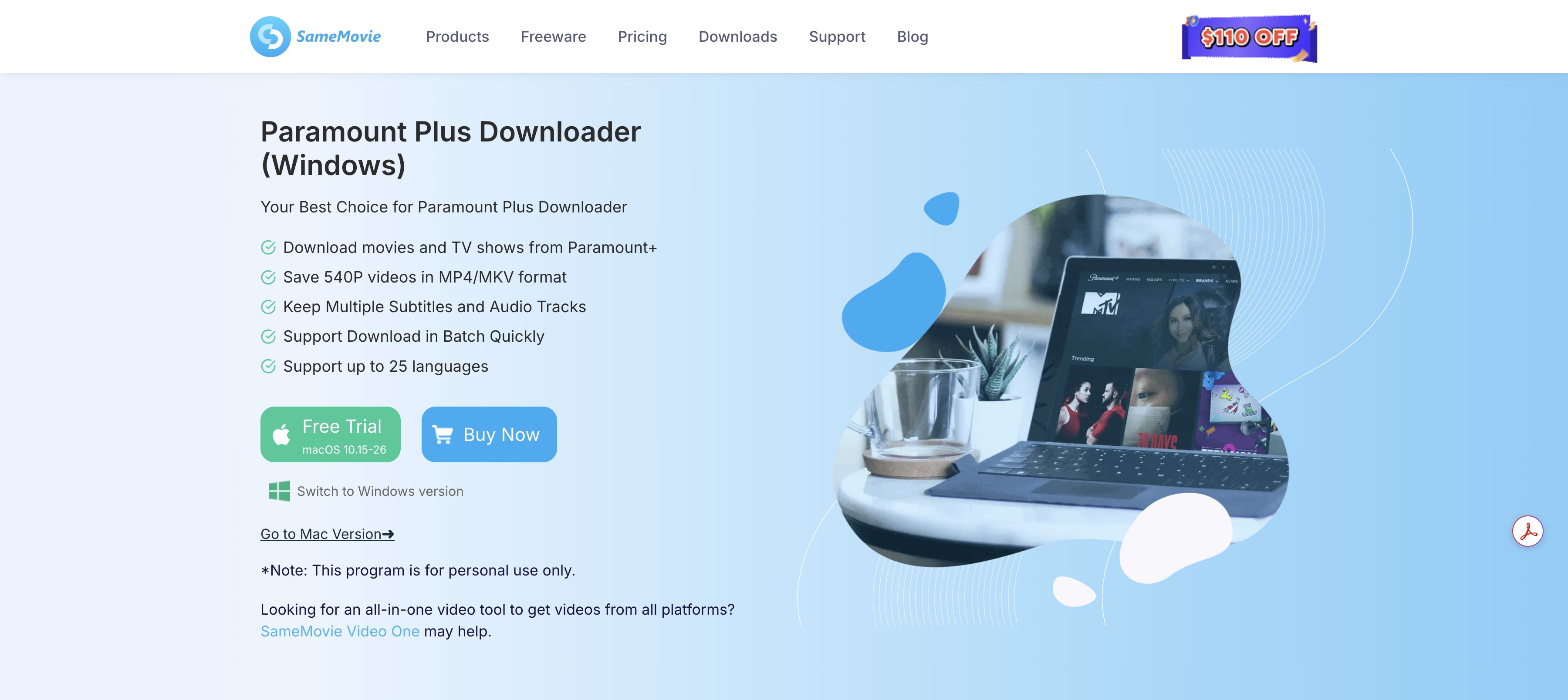
SameMovie is a secondary desktop option that preserves metadata, multiple audio tracks, and multilingual subtitles in MP4 or MKV, although its processing can place a heavier load on the PC.
Best for: viewers who prioritize episode metadata and subtitle choices in a familiar desktop interface.
Not ideal for: lower-spec computers or anyone who needs the 4K, HDR, and Dolby Atmos combination listed for StreamFab.
A broader Paramount Plus downloader comparison is more useful when you want to evaluate a wider field rather than solve only the 25-title limit.
Downloader vs Official App: Quick Comparison
The comparison below separates portable local-file workflows from Paramount+'s app-managed downloads without turning the options into a best-downloader ranking.
Specifications and plan availability are current as of August 2026. Desktop-tool pricing varies by license and promotion.
| Option | Max resolution | Audio | Output format | Batch / full-season saving | Runs on |
|---|---|---|---|---|---|
| StreamFab Paramount Plus Downloader | Up to 4K | Dolby Atmos, EAC3 5.1, or AAC 2.0 | MP4 or MKV | Yes | Windows and Mac |
| SameMovie | Up to 1080p | AAC or 5.1 audio | MP4 or MKV | Yes | Windows and Mac |
| Official Paramount+ app | Up to 1080p on supported titles and devices | App-selected audio | App-managed offline download | No full-season queue | iOS, Android, and Amazon Fire tablets |
The practical difference is file control: the official app manages access and expiry, while desktop options create MP4 or MKV files that can be named, moved, and indexed in a personal library.
FAQs
Conclusion
My honest rule of thumb after living with these limits is simple: use the official app for short trips, then consider a local copy when the 25-title, 30-day, or 48-hour Windows do not fit your plans.
The official app is the simpler choice for casual mobile viewing. If its device support or expiry rules do not match your needs, compare the desktop workflow against your playback devices, storage, and authorized personal-use requirements before choosing it.

In this guide, I'll show you how to easily watch and download your favorite shows from Paramount Plus to MP4 format.
By Marcia Hatcher - Aug 25, 2026

Paramount+ allows SHOWTIME subscribers to download content on mobile devices, but with limitations like no PC support. StreamFab Paramount Plus Downloader removes these restrictions, enabling permanent 1080P downloads in MP4/MKV format for both Essential and SHOWTIME users.
By Jacob Harrison - Aug 7, 2026
Whether your internet connection is not strong, or you don't have enough space in your device, there are many other reasons why you might not be able to download shows and films from Paramount Plus. Hence, we hope you can resolve these issues with the help of this article.
By Marcia Hatcher - Aug 5, 2026
Paramount+ supports selected downloads in eligible mobile apps, but Windows and Mac laptops do not offer the same official workflow. For Paramount Plus offline viewing on a flight, compare desktop methods carefully and verify that the finished local file plays correctly.
By Marcia Hatcher - Jul 28, 2026