
Is Paramount Plus Free on Xfinity? Deals & Setup in 2026

Summary: Does Xfinity include Paramount Plus? Usually, no: standard Xfinity service does not automatically include a standalone Paramount+ subscription. Limited promotions may offer temporary access, but the real source of confusion is whether you have an app subscription, a cable add-on, or two billing providers charging you at once.
Is Paramount Plus Free with Xfinity?
Paramount+ ended its standard direct free trial in 2026, and standard Xfinity plans do not include a standalone Paramount+ account. Some customers may see limited, eligibility-based promotions, but these are temporary offers rather than a universal Xfinity Paramount Plus bundle.
The January 2025 Paramount-Comcast distribution agreement made Paramount+ with SHOWTIME available through Comcast for qualifying customers. It did not create a free standalone Paramount+ subscription for every Xfinity customer. Treat Free This Week and similar programming as short-term promotions, not account benefits that apply to everyone.
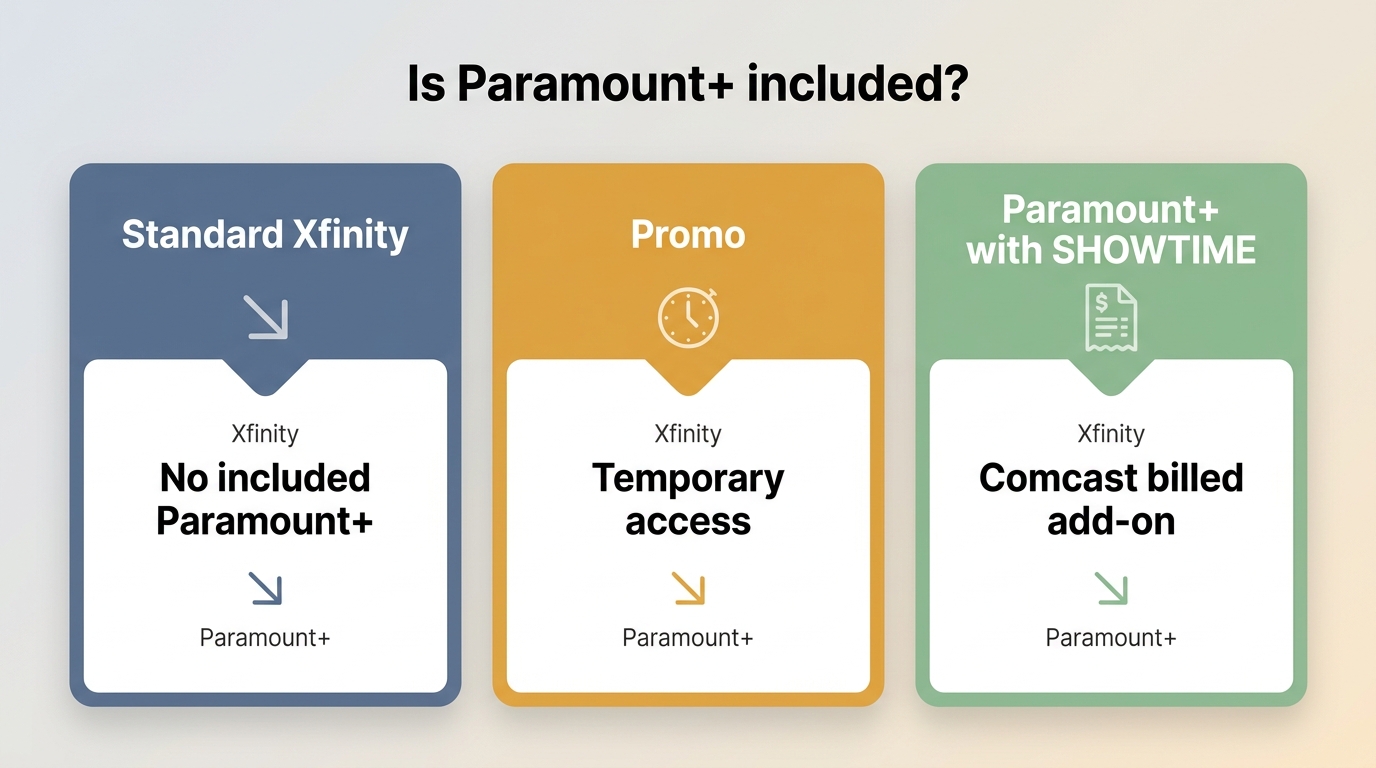
- What app availability means:Seeing Paramount+ in Xfinity Apps does not mean a subscription is included with your Xfinity service.
- Temporary promotions:Eligibility-based offers may provide limited access, but they do not create a standard account benefit for all Xfinity customers.
- Before you activate:Identify whether you need a standalone Paramount+ subscription or an Xfinity cable add-on, then confirm who will bill you.
Note: A temporary promotion can have its own eligibility rules and billing terms. Confirm the product and billing provider before starting or canceling a subscription. 
Current Plans, Prices, and Promotions
For Paramount Plus with Xfinity, the key difference is not simply ads or live TV. You need to know whether you are choosing a standalone streaming plan or an Xfinity-billed cable add-on, because they can have different billing, playback, and login paths.
| Product or plan | Monthly price | Billing, access, and cancellation |
|---|---|---|
| Paramount+ Essential | $8.99/month | Billed by Paramount+ or the marketplace where you subscribed. Plays in the Paramount+ app with the account used to subscribe. Cancel through that billing provider. |
| Paramount+ Premium | $13.99/month | Billed by Paramount+ or the marketplace where you subscribed. Plays in the Paramount+ app with the account used to subscribe. Cancel through that billing provider. |
| Xfinity Paramount+ with SHOWTIME cable add-on | $13/month | Billed through Xfinity. Provides cable-channel and On Demand access through the Xfinity path; it does not automatically create standalone Paramount+ app credentials. Cancel through Xfinity if Xfinity bills it. |
*US pricing and plan details are current as of July 2026. Promotions and availability can vary by account and location.
Standalone App vs. Xfinity Cable Add-On
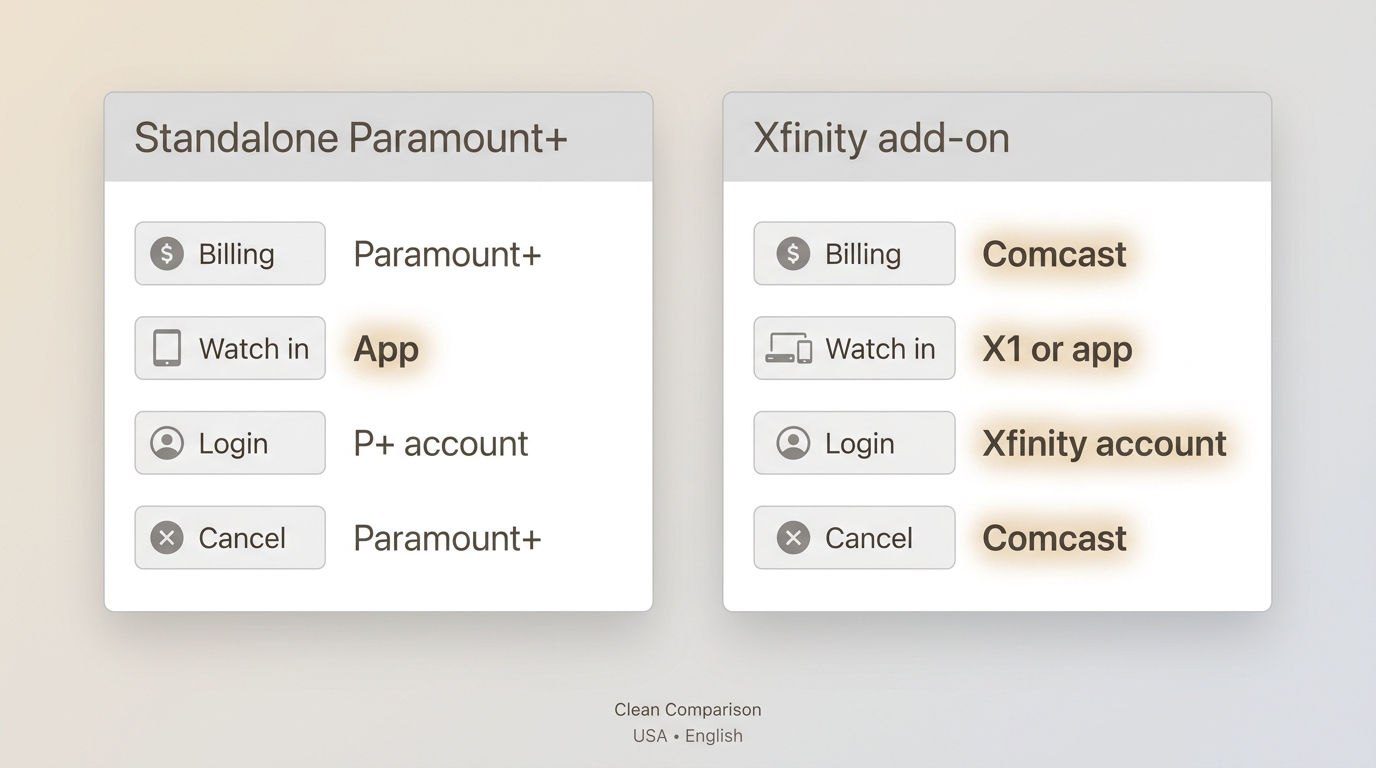
Having Paramount+ available on an Xfinity device does not mean the standalone app subscription is included. A direct Paramount+ plan uses the credentials and billing provider tied to that streaming account, while an Xfinity Paramount+ with SHOWTIME add-on follows Xfinity's cable and On Demand path. The practical rule is simple: identify the product and who bills it before you activate, change, or cancel anything.
Check, Activate, and Manage Paramount Plus
Don't overcomplicate the setup. If you've got an X1 or Flex box, you're halfway there.
Requirements by Xfinity Device
| Device path | What to confirm first |
|---|---|
| X1 | Confirm that your X1 equipment has access to Xfinity Apps and that your Paramount+ subscription is active. |
| Compatible Flex equipment | Check that your specific Flex device supports the Paramount+ app and is connected to the required Xfinity service. |
| Xumo Stream Box | Open the app catalog, sign in with the correct Paramount+ account, and confirm that your plan includes the content you expect. |
| External streaming device | Use the Paramount+ app on the device and manage billing through the provider that sold the subscription. |
Activation Steps for X1, Flex, and Xumo
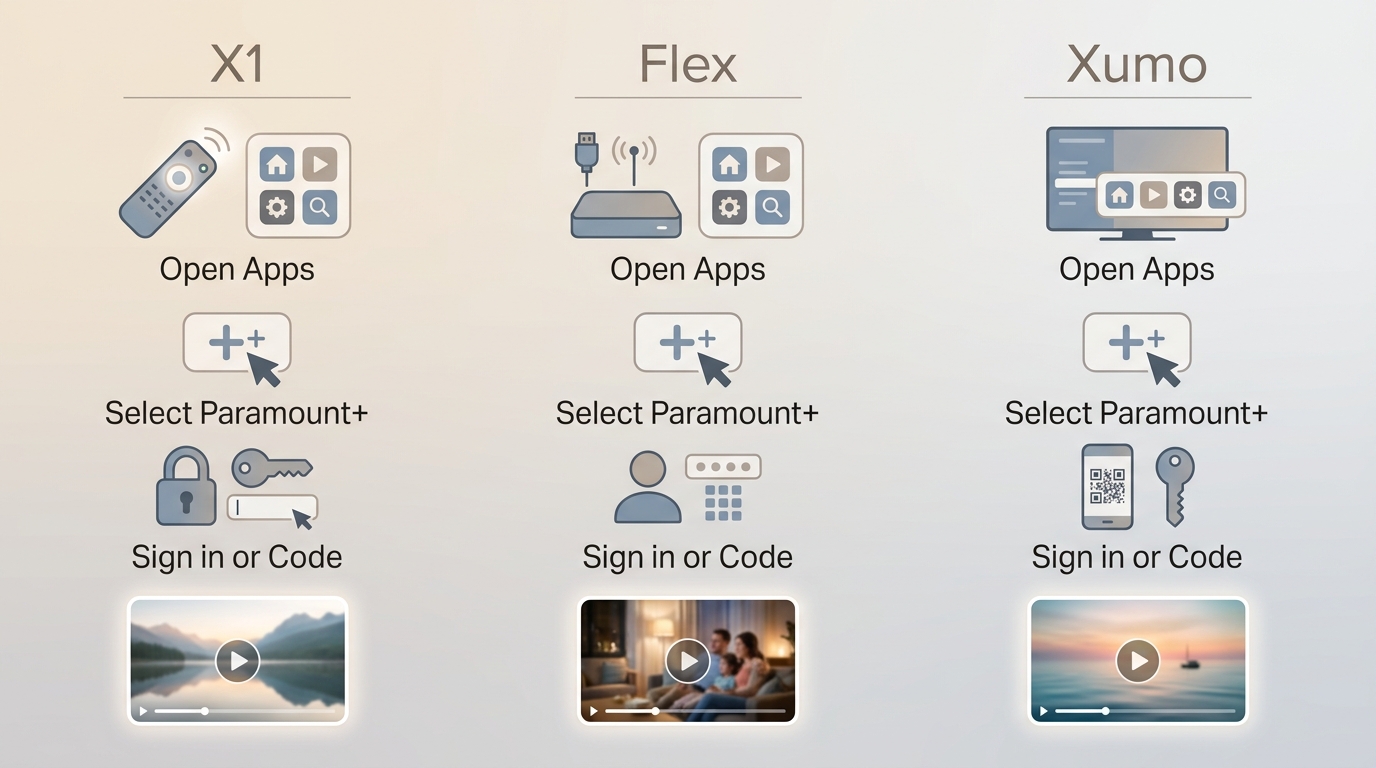
Before starting, confirm supported hardware, any required Xfinity Internet connection, and an active Paramount+ subscription. The activation steps below work best once those requirements are clear.
Check Billing and Avoid Duplicate Charges
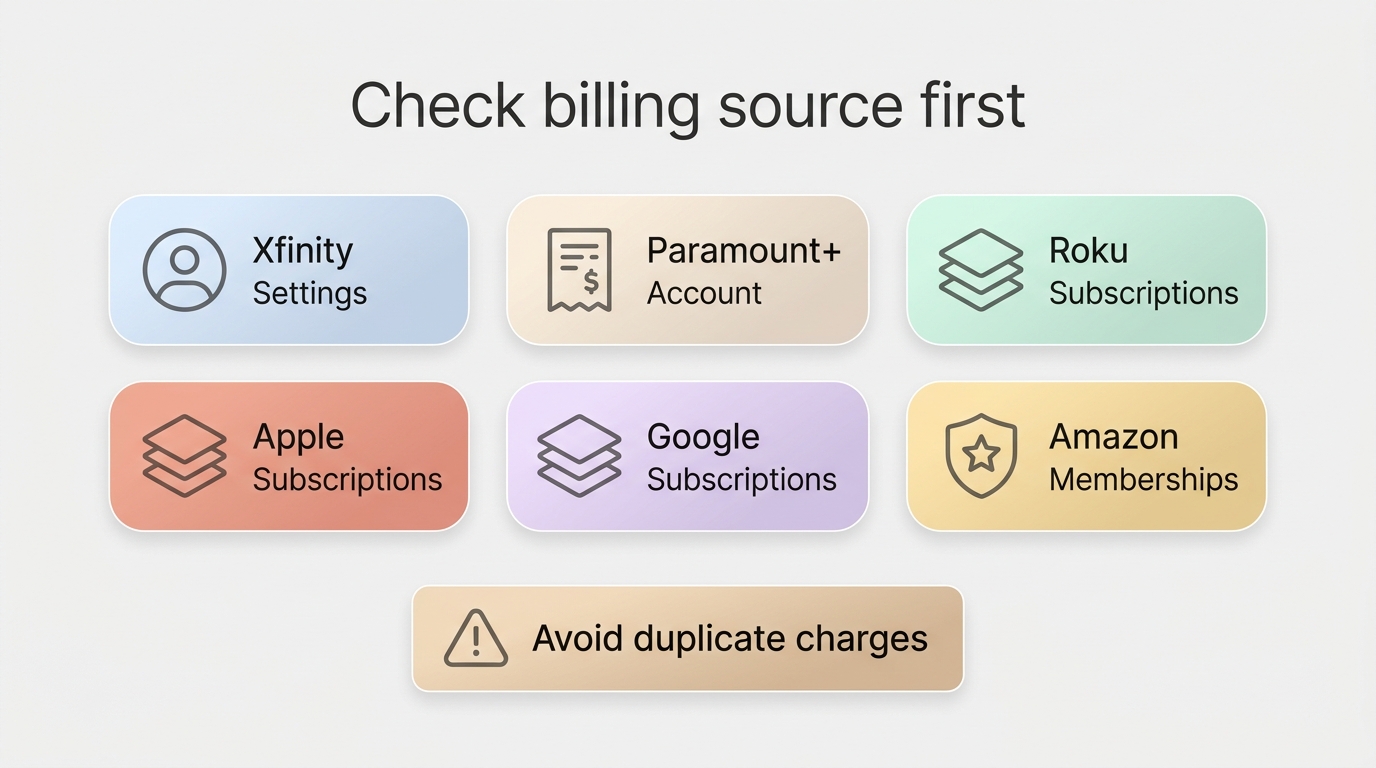
Before canceling Paramount Plus with Xfinity, identify the active billing provider. Check Xfinity Settings > Apps & Subscriptions, Paramount+ Account > Subscription & Billing, and any Roku, Apple, Google, or Amazon account you may have used to subscribe. Cancel an Xfinity-billed add-on through Xfinity; cancel a direct or marketplace subscription through the provider that bills it.
Fix Activation and Playback Problems
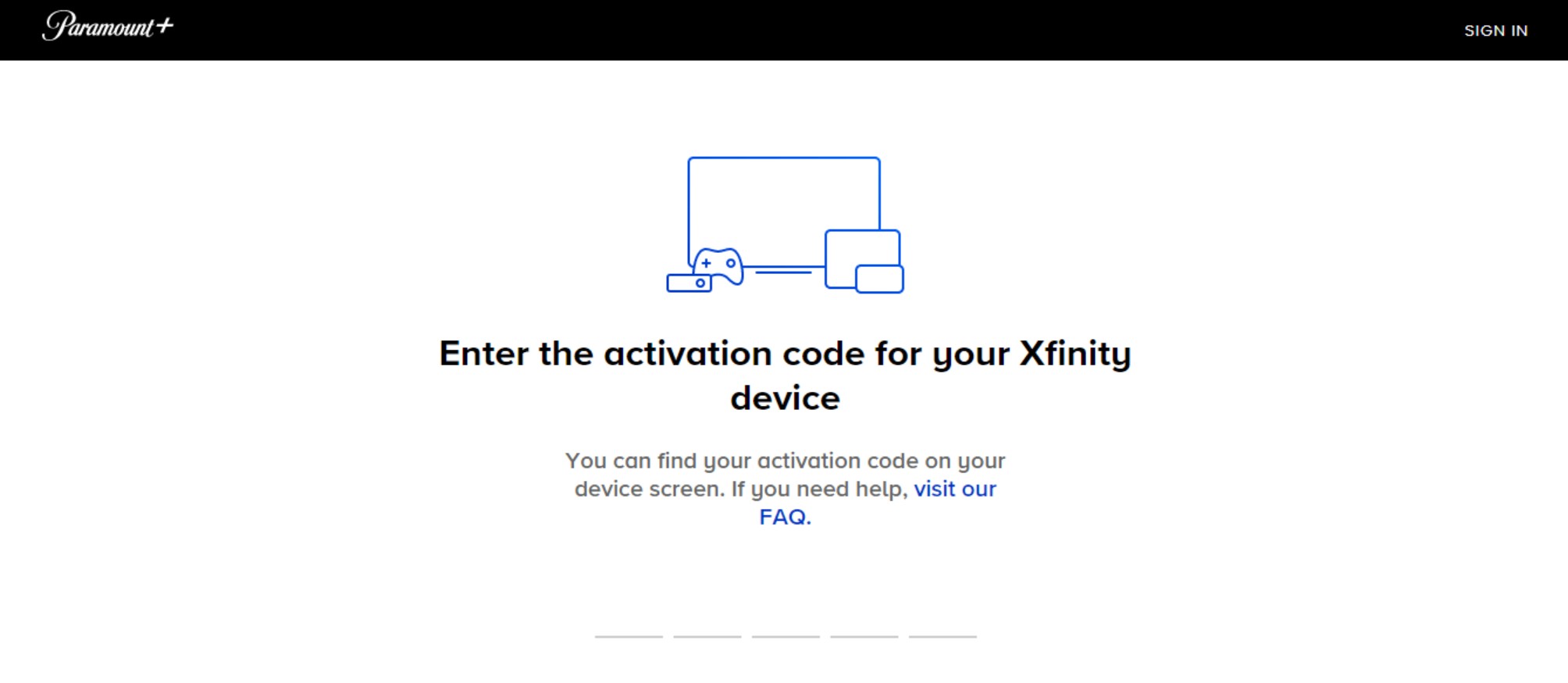
First confirm that the subscription is active and the device is supported. Then update or restart the app and device, request a fresh activation code, and determine whether the message points to account entitlement or device-specific playback. A specific issue such as Paramount Plus error code 3205 is more likely to need targeted playback troubleshooting than another subscription purchase.
A Desktop Local-File Option
Who This Workflow Fits
For content you're authorized to access, where permitted by platform terms and applicable law, a desktop workflow can be a practical supplement when official app downloads are unavailable or unreliable. If you need to watch Paramount Plus offline, start with the platform's own options and consider a local-file workflow only when it fits your authorized personal viewing needs.
Best for: viewers who need a Windows or Mac file they can manage locally for authorized personal viewing. Not ideal for: anyone who needs a universal device guarantee, access outside the platform's terms, or a substitute for an active Paramount+ subscription.
Local Files and Batch Downloads
StreamFab Paramount Plus Downloader is a desktop option separate from Paramount+'s official download feature. It can download from Paramount Plus to local MP4 or MKV files, with available audio, subtitles, batch selection, and scheduled downloads subject to the title, plan, and availability. For format-specific choices, see the guide to Paramount Plus to MP4.

StreamFab Paramount Plus Downloader
- Save supported titles in MP4 or MKV format on Windows or Mac.
- Select available audio tracks and subtitles for local files.
- Use batch selection or scheduled downloads when supported by the title and plan.
Choose the streaming service
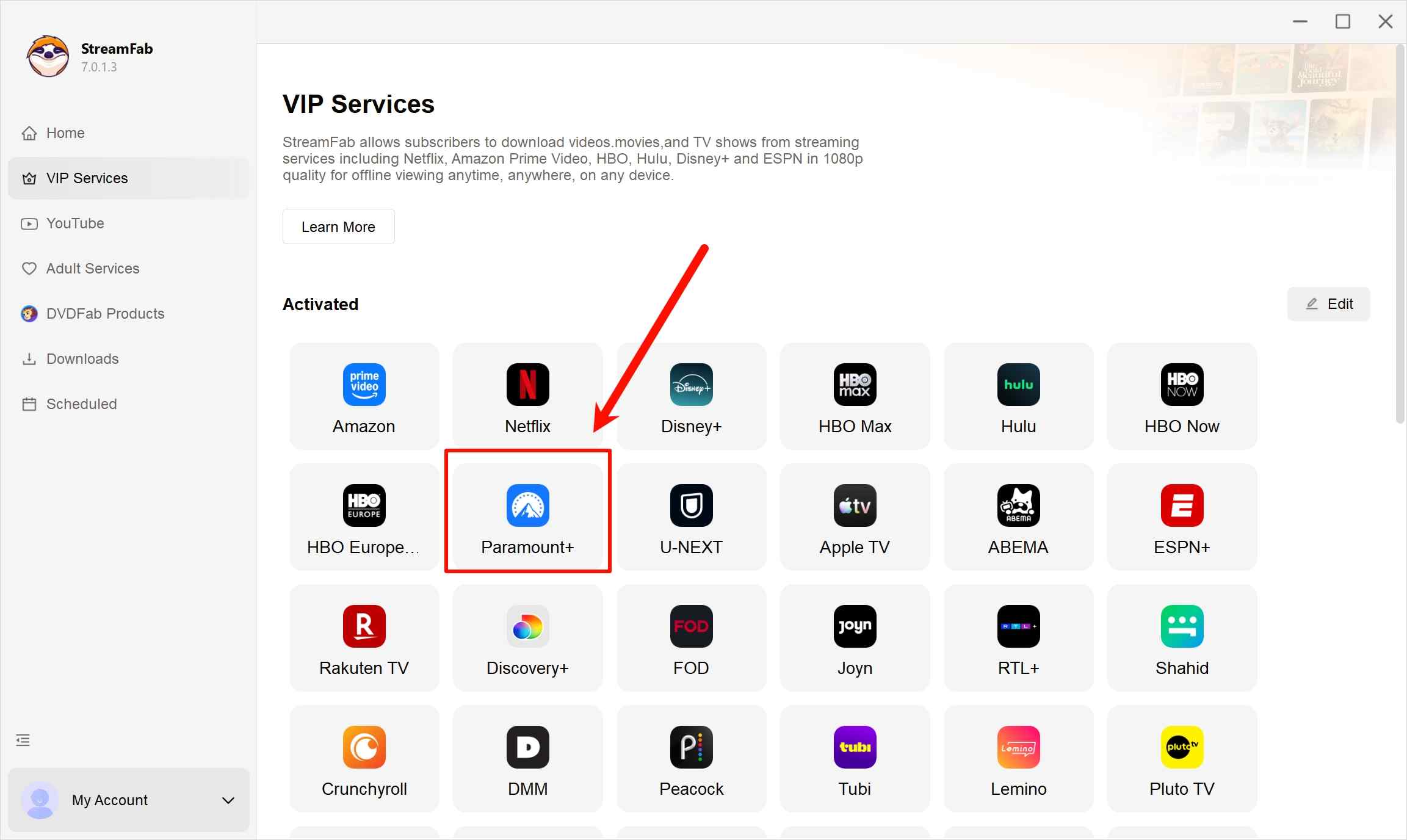
Find the "Paramount Plus" icon, or simply copy and paste your video URL directly into the address bar on the Homepage.
Customize the file
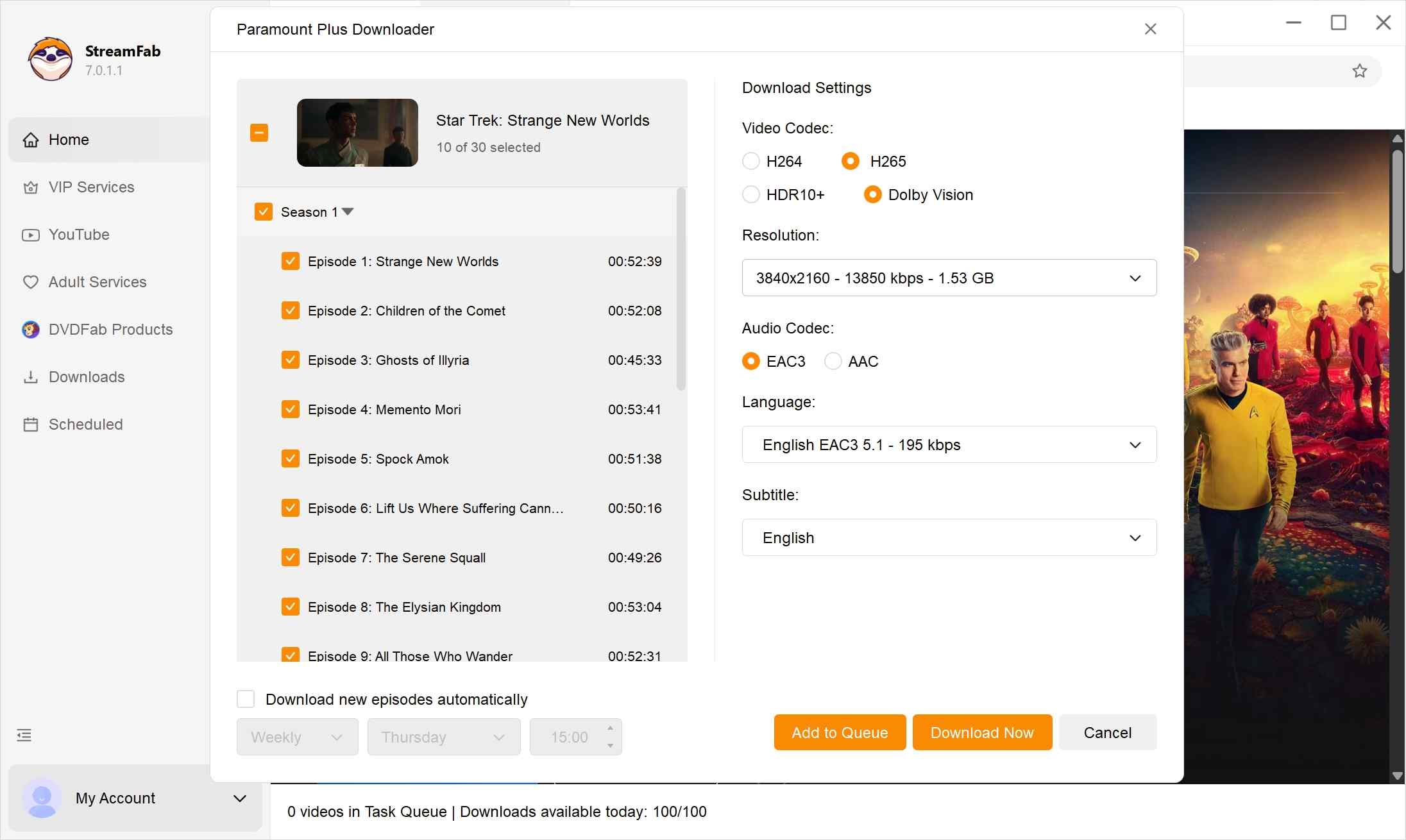
When you play the video, StreamFab will analyze it automatically. Then a pop-up window will ask for your video options. You can choose the audio and subtitle language.
Click the download button
After customization, you can download it right now or add it to the queue.
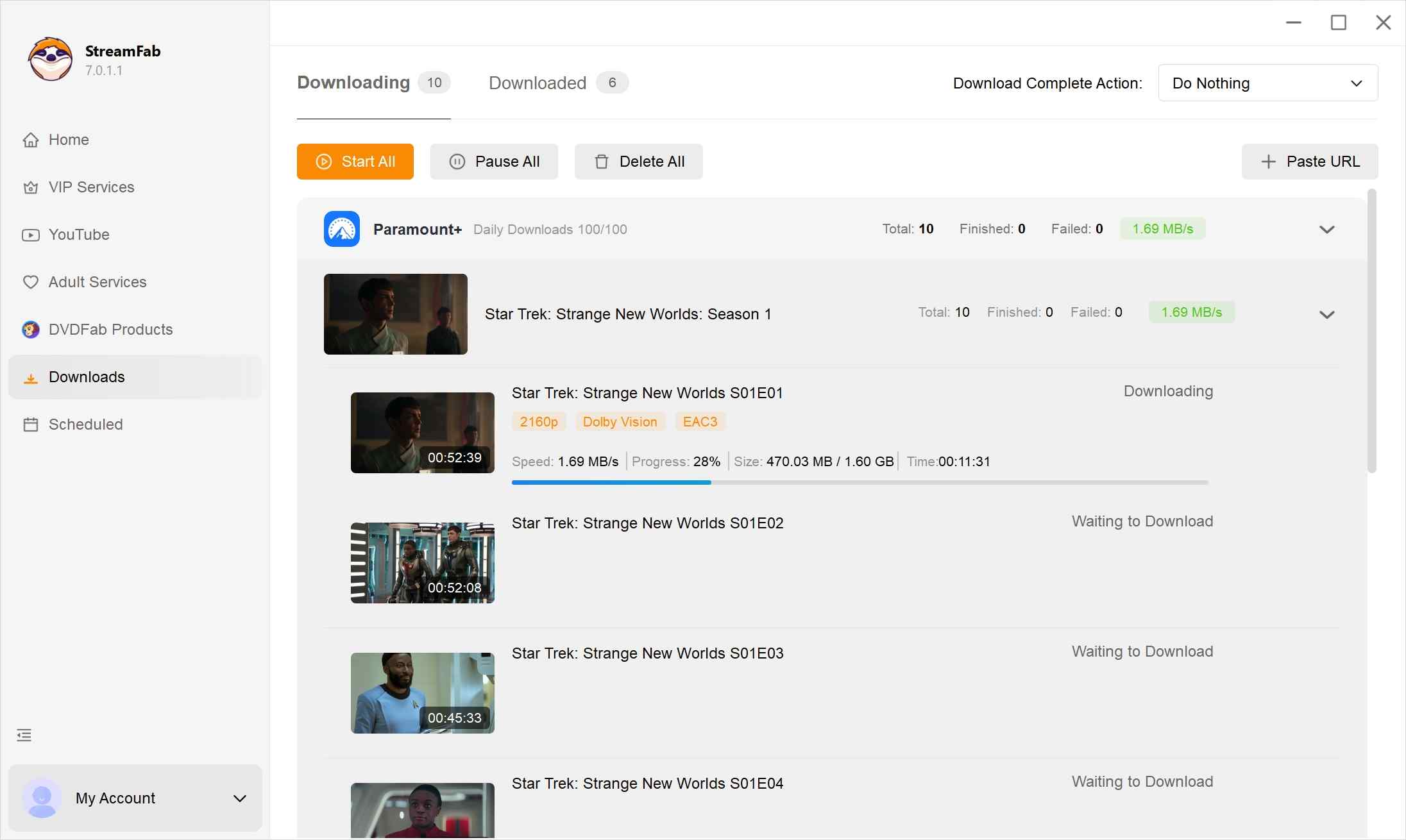
Since the default output format will let StreamFab Paramount Plus Downloader download Paramount Plus to MP4My practical advice is to settle the subscription and billing question first. A local-file option is a supplement for authorized personal viewing, not a replacement for the official service. watch Paramount Plus offline wherever we want.
FAQs
Does Xfinity Membership include a free Paramount+ subscription?
No. Xfinity Membership does not include a standalone Paramount+ subscription for every customer. Free This Week and similar offers may provide temporary, eligibility-based access, but they are promotions rather than a standard account benefit.
Why is Xfinity missing from Connect Your Provider?
Xfinity may not appear because an Xfinity cable add-on and a standalone Paramount+ account use different access paths. Having Paramount+ with SHOWTIME through Xfinity does not necessarily provide standalone Paramount+ app credentials or a provider-linking option.
How can I identify my Paramount+ billing provider?
Check Xfinity Settings > Apps & Subscriptions, Paramount+ Account > Subscription & Billing, and any Roku, Apple, Google, or Amazon account you may have used. Cancel only through the provider shown as the active billing source.
Why is Paramount+ not working on my Xfinity device?
Start by confirming that your subscription is active and your Xfinity device supports the Paramount+ app. Then restart and update the app and device, request a fresh activation code, and determine whether the issue is account entitlement or device-specific playback.
Conclusion
Standard Xfinity service does not automatically include a standalone Paramount+ subscription. Before activating or canceling, identify the exact plan and billing provider; if official app downloads do not meet an authorized personal viewing need, the desktop local-file workflow is a supplemental option.
Subscription access: Standard Xfinity service does not automatically include a standalone Paramount+ account.
- Identify the provider charging you before canceling or changing a subscription.
- Confirm supported hardware, account status, and app updates before requesting a new activation code.
- Use it only for content you are authorized to access, where permitted by platform terms and applicable law.
Start with the plan and billing path, then troubleshoot the device or choose the supplemental workflow that fits your situation.

In this guide, I'll show you how to easily watch and download your favorite shows from Paramount Plus to MP4 format.
By Marcia Hatcher - Aug 25, 2026

Paramount Plus limits its download library to 25 titles, with 30-day and 48-hour viewing windows on supported mobile devices. This guide explains the official rules, a seven-step fix for ghost limit errors, and when Windows or Mac local-copy tools make sense for authorized offline viewing.
By Marcia Hatcher - Aug 7, 2026

Paramount+ allows SHOWTIME subscribers to download content on mobile devices, but with limitations like no PC support. StreamFab Paramount Plus Downloader removes these restrictions, enabling permanent 1080P downloads in MP4/MKV format for both Essential and SHOWTIME users.
By Jacob Harrison - Aug 7, 2026
Whether your internet connection is not strong, or you don't have enough space in your device, there are many other reasons why you might not be able to download shows and films from Paramount Plus. Hence, we hope you can resolve these issues with the help of this article.
By Marcia Hatcher - Aug 5, 2026