


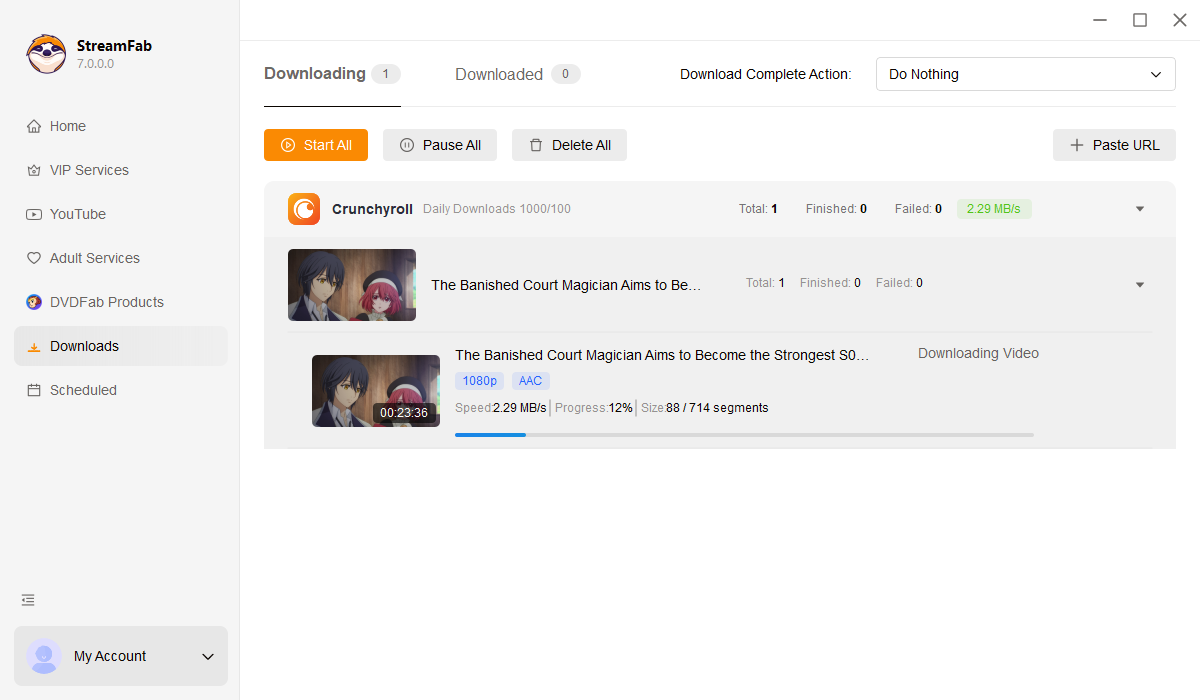
• Download all Crunchyroll videos

    Access Crunchyroll's entire 45,000+ episode library

  • Download new Crunchyroll videos automatically

    Auto-download new episodes the moment they air

  • Download Crunchyroll videos in 1080p

    Crystal-clear 1080p with studio-grade AAC audio

  • Explore Crunchyroll videos with its in-built browser

    Browse safely with the built-in encrypted browser

Why Do You Need StreamFab?

Videos come and go

Anime libraries vanish without warning, and Crunchyroll is no exception

You've just discovered the perfect anime series. Three seasons in, you're hooked, and then it disappears from Crunchyroll overnight. Licensing agreements between streaming platforms and Japanese studios are notoriously unstable: a title available today can vanish tomorrow, often without any advance notice. In 2025 alone, dozens of beloved series rotated out of Crunchyroll's catalogue, leaving fans scrambling for alternatives.

StreamFab solves this problem at its root. Create permanent personal backups of every episode in true 1080p quality while your subscription is active. Once downloaded, your anime library belongs to you and is immune to licensing disputes, platform policy changes, or sudden catalogue purges. This is the peace of mind that comes from owning your media outright, ready for offline viewing whenever and wherever you choose.

Streaming videos often expire and leave the platforms
Save before they leave

Official downloads come with frustrating fine print

Crunchyroll's official offline feature sounds convenient until you read the restrictions. Downloads expire just 7 days after saving or 48 hours after you press play. Miss that window, and you're re-downloading everything. Worse, offline viewing is limited to mobile devices only: no PC, no Mac, no living room TV. Cross a border during international travel, and geo-fencing can disable your entire downloaded library mid-flight.

StreamFab removes every single limitation. Your downloaded anime never expires. Play it on any device, any screen, anywhere in the world. No periodic internet check-ins, no geographic restrictions, no arbitrary 48-hour countdowns. The software receives weekly engine updates to maintain compatibility with Crunchyroll's evolving DRM, typically resolving any streaming protocol changes within 24-48 hours. Developed by the DVDFab team with over 20 years of video software expertise and trusted by tens of millions of users globally.

Secure your favorite anime before it leaves the platform

What StreamFab Delivers

Powerful Downloading Quality

True 1080p quality with AAC 2.0 audio without any compression artifacts

Anime fans know the difference between genuine Full HD and upscaled video. Crunchyroll streams at up to 1080p H.264 with AAC 2.0 stereo audio, and StreamFab captures every pixel exactly as the studio intended. Unlike screen recorders that introduce compression artefacts and audio sync issues, StreamFab performs a direct stream capture that preserves the original bitrate, a technical approach consistently praised by video enthusiast communities.

Watch on a 65-inch 4K TV and the difference is immediately visible: crisp line art, vibrant colors, and dialogue that stays perfectly synchronized with lip movements. Your downloaded files are indistinguishable from the original stream.

crunchyroll video downloader
Seamless Universal Formats

MP4 and MKV formats for universal device compatibility

Different devices prefer different containers. Your iPhone plays MP4 flawlessly; your Plex server handles MKV with multiple subtitle tracks better. StreamFab lets you choose the format that fits your setup. Both options maintain the full 1080p H.264 video stream and AAC audio without any quality loss during the remux process. Whether you're building a Plex library, transferring to a tablet for a long commute, or archiving to an external drive, your files play instantly without codec compatibility headaches.

crunchyroll video downloader
Flexible Subtitle and Audio Control

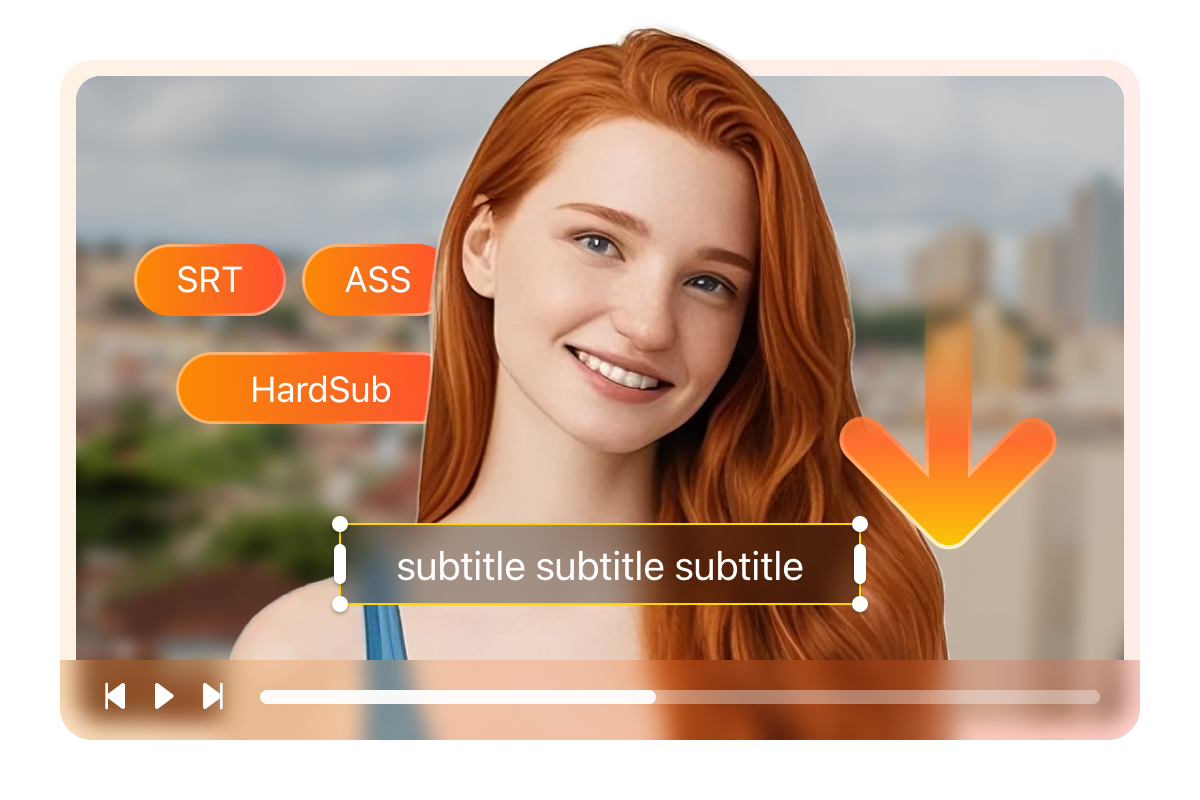
Flexible subtitle options: SRT, ASS, or hardcoded

Anime subtitles are an art form, and StreamFab honours that craft with complete control over how they're handled. Extract subtitles as standalone SRT files for maximum flexibility: switch languages mid-episode in VLC, edit timing, or apply custom fonts.

Prefer the stylised ASS format that preserves Crunchyroll's typesetting, positioning, and karaoke effects? StreamFab captures every formatting detail intact. For fire-and-forget convenience, hardcode subtitles directly into the video, perfect for devices that don't support soft subs or when sharing files with less technical family members.

free crunchyroll video downloader

A Powerful, Seamless Downloading Experience

download as mp4

Automated Schedule and New Episodes

Reliably auto-download the latest Crunchyroll episodes to MP4/MKV based on your customised schedule.

download fast

Batch Downloading and Hardware Acceleration

Powerfully download multiple episodes simultaneously at blazing speeds using our exclusive acceleration technology.

download max shows subtitles

Smart Audio and Subtitle Automation

Seamlessly pre-select your preferred audio and subtitle languages to automate all future downloads.

Organize Your Anime Library Like a Pro

Save Complete Metadata

Rich metadata for Plex, Jellyfin, and media servers

A folder full of episode_01.mp4 files is a nightmare to navigate. StreamFab automatically embeds the series title, episode number, original air date, and cover art into every downloaded file. Import your collection into Plex, Jellyfin, or Emby and watch it organise itself: beautiful poster artwork, proper season groupings, and accurate episode descriptions.

download videos from crunchyroll

Trusted by Anime Collectors Worldwide

launch crunchyroll downloader
Step 1. Launch and select Crunchyroll

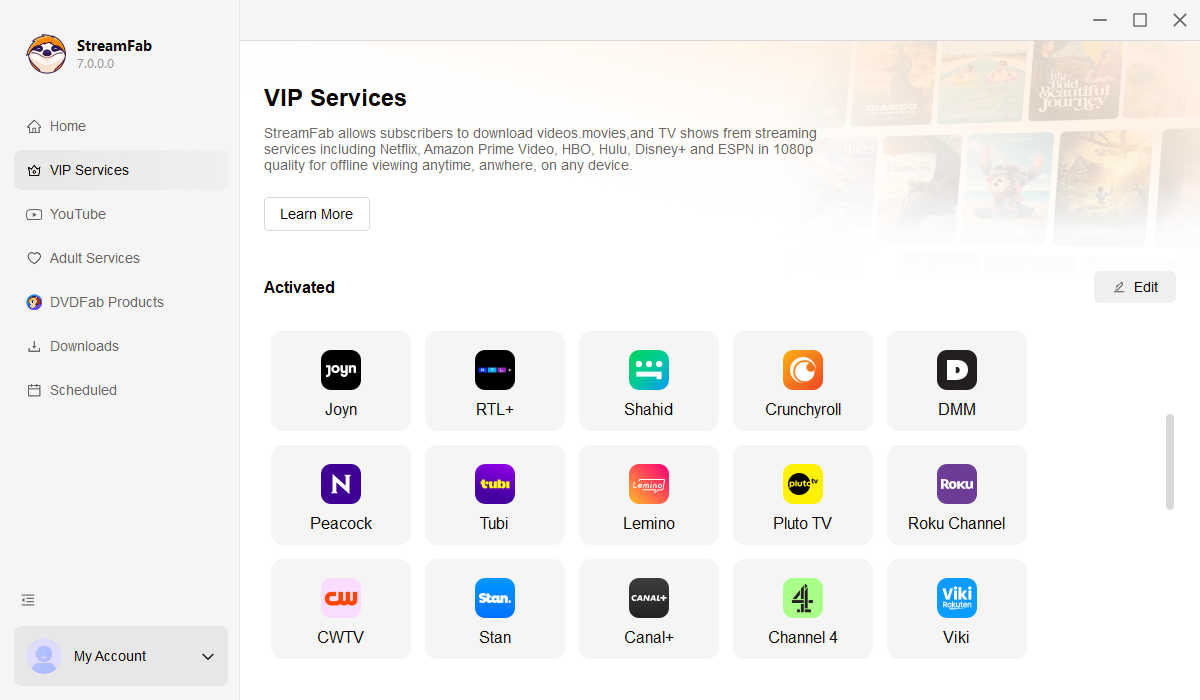
Open StreamFab and find Crunchyroll in the Streaming Services panel. The built-in browser loads Crunchyroll directly with no external browser required.

Step 2. Browse and pick your anime

Log into your Crunchyroll account. Navigate to any series, season, or episode you want to save permanently to your computer.

Step 3. Play to download automatically

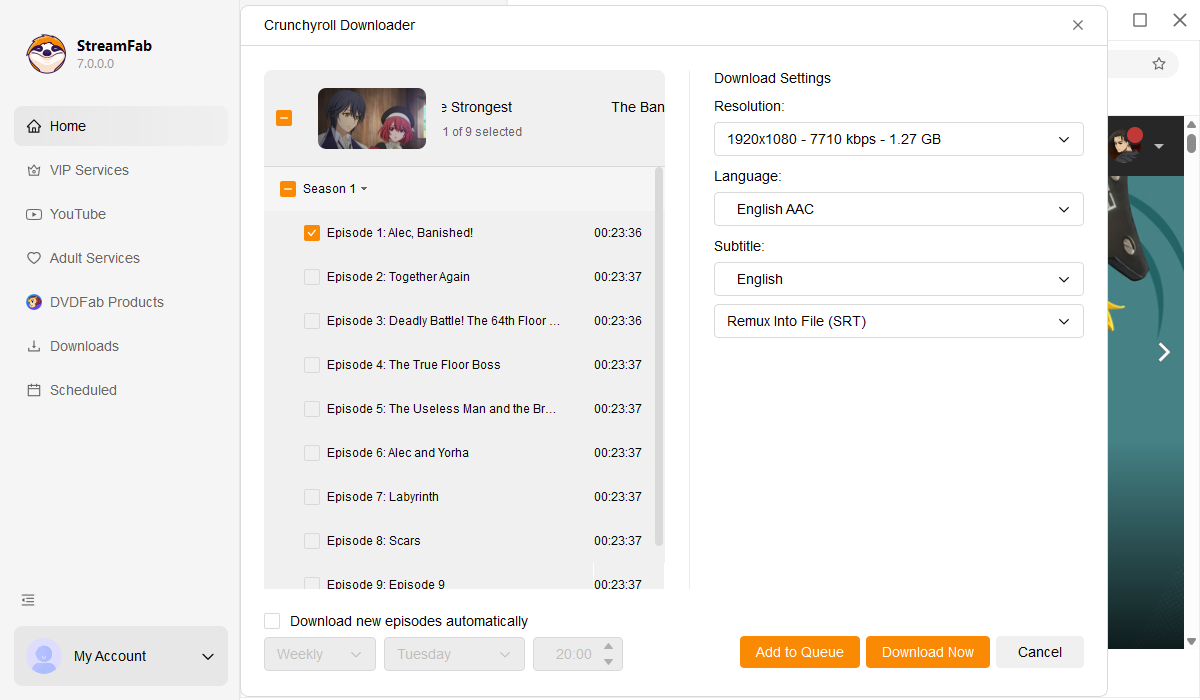
Start playing the video. StreamFab detects the stream and captures it automatically. Choose quality, format, and subtitle options, then let the download complete in the background.

System Requirements

Icon
Windows 11/10 (32/64 bit)
Intel i3 or above
4GB of RAM or above
40GB of free hard disk space or above
Live Internet connection required

Related Article

  • How to Download Crunchyroll Episodes on PC: 2026 Reality Check
    How to Download Crunchyroll Episodes on PC: 2026 Reality Check

    With Crunchyroll eliminating its free tier in 2026, offline viewing has become a core benefit for paid members. This article provides a technical breakdown of how to download Crunchyroll videos based on recent changes.

    By Erika Leen - Mar 25, 2026
  • Crunchyroll to MP4 2026: Best Converter for Safe 1080p
    Crunchyroll to MP4 2026: Best Converter for Safe 1080p

    With 2026 subscription hikes, saving anime locally is essential. This guide explains why generic online tools fail due to DRM updates and provides a technical review of top-rated solutions to help you safely convert Crunchyroll videos to MP4 in 1080p for a permanent offline library.

    By Marcia Hatcher - Mar 3, 2026
Fair Use Policy: StreamFab is legal only for personal needs and it's not allowed to share the downloaded content with any third party.

To avoid being blocked by streaming providers, a StreamFab licensed account has a quota of 100 downloads per day, and 700 downloads per week from each supported streaming service. Whenever some of it is used up, it will refill during the next time cycle.