
Crunchyroll to MP4 in 2026: 4 Methods Compared

Summary: Crunchyroll can support offline viewing inside eligible apps, but those downloads are not a portable MP4 file for a TV, media server, or ordinary desktop player. The useful decision is not simply how to download. It is which local file workflow fits your playback needs, subtitle priorities, and tolerance for setup or failure.
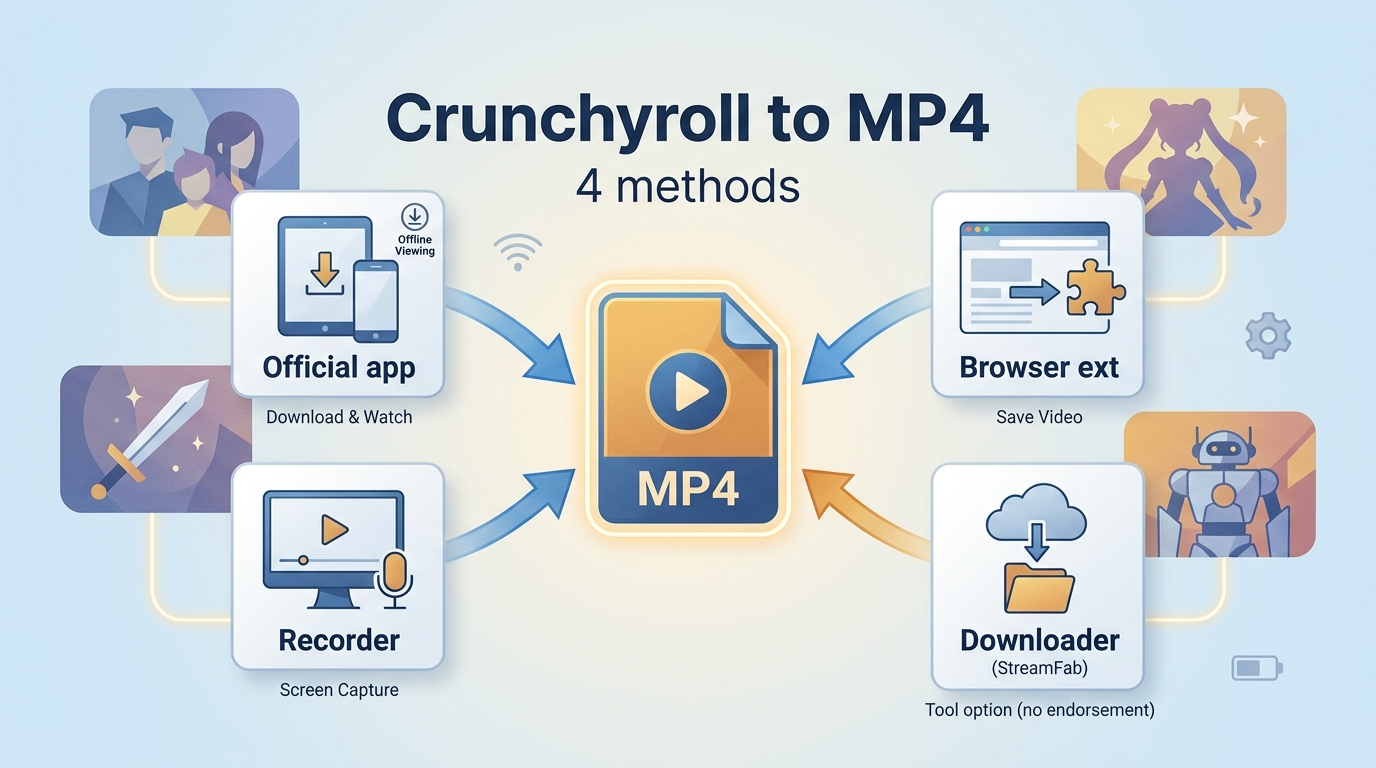
Table of Contents
This guide first establishes the official baseline, then compares MP4 or MKV, four workflow categories, a cautious desktop process for Windows and Mac, anime subtitle choices, and common reliability problems.
My editorial view is straightforward: the lowest-cost workflow is the one that produces a file you can validate early, rather than a large queue you discover was configured incorrectly.
Official Downloads and Portable MP4 Files Differ
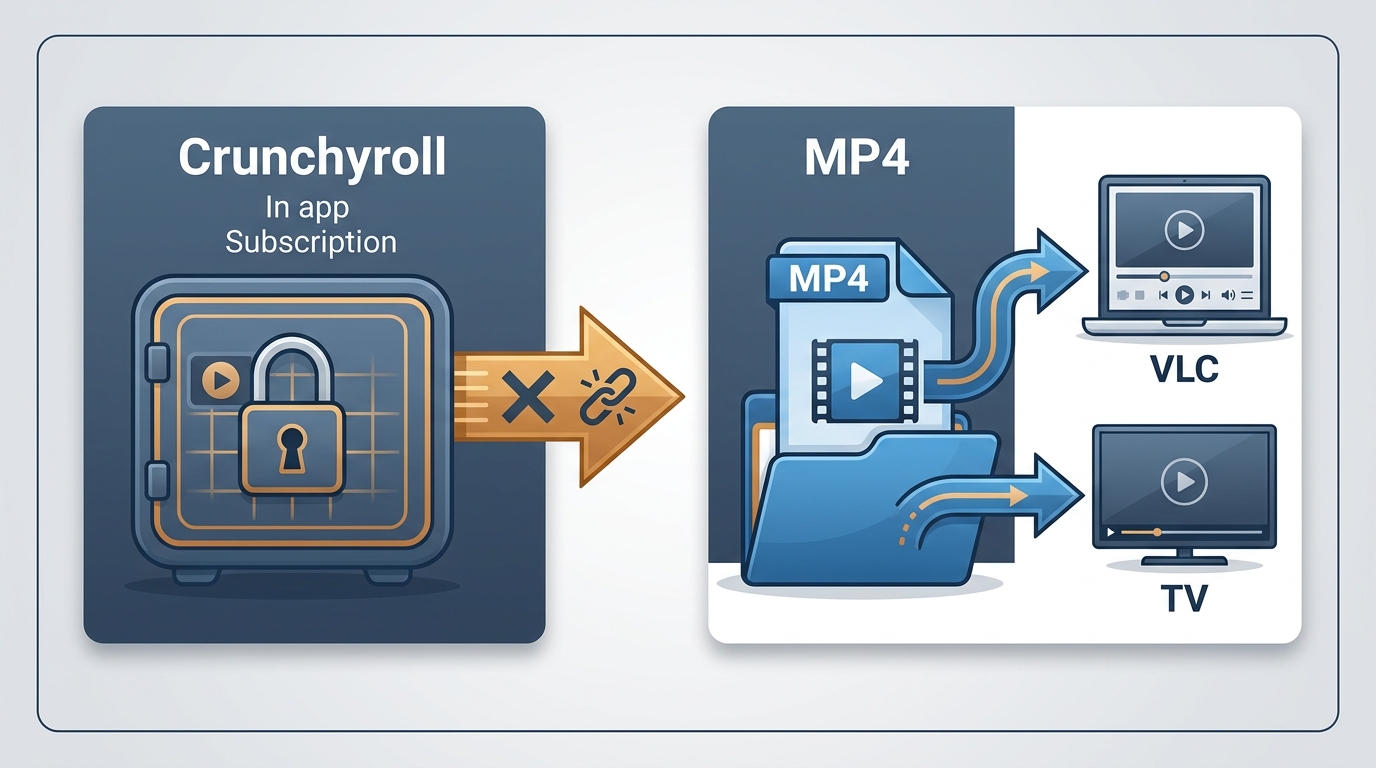
Crunchyroll’s official offline feature saves app-managed viewing data, while a Crunchyroll to MP4 workflow aims to create a portable file that opens outside the service app. The two options solve different problems and should not be described as interchangeable.
What the Crunchyroll App Saves
As of July 2026, eligible Crunchyroll apps support offline viewing, but the saved titles remain inside the app. Typical access allows about seven days before an unplayed download needs to reconnect, with a shorter window after playback begins. Eligibility and device support can change; Crunchyroll’s Help Center lists the current app rules.
For readers who simply want supported travel viewing, the official app is the most direct route to download Crunchyroll episodes. It does not export a general-purpose video file, and its managed data should not be labeled as MP4 or MKV.
What a Portable File Changes
A portable file changes where playback happens, not the rights attached to the episode. An MP4 can be opened by many players and devices, while MKV can hold more track combinations. Either choice still requires an active, authorized source account and use consistent with the service terms and applicable law.
The practical benefit is control over the player, container, audio track, and subtitle presentation. In my view, that control matters most when the destination device or subtitle setup cannot use Crunchyroll’s app, not when app-managed offline viewing already meets the need.
MP4 or MKV: Match the Playback Need
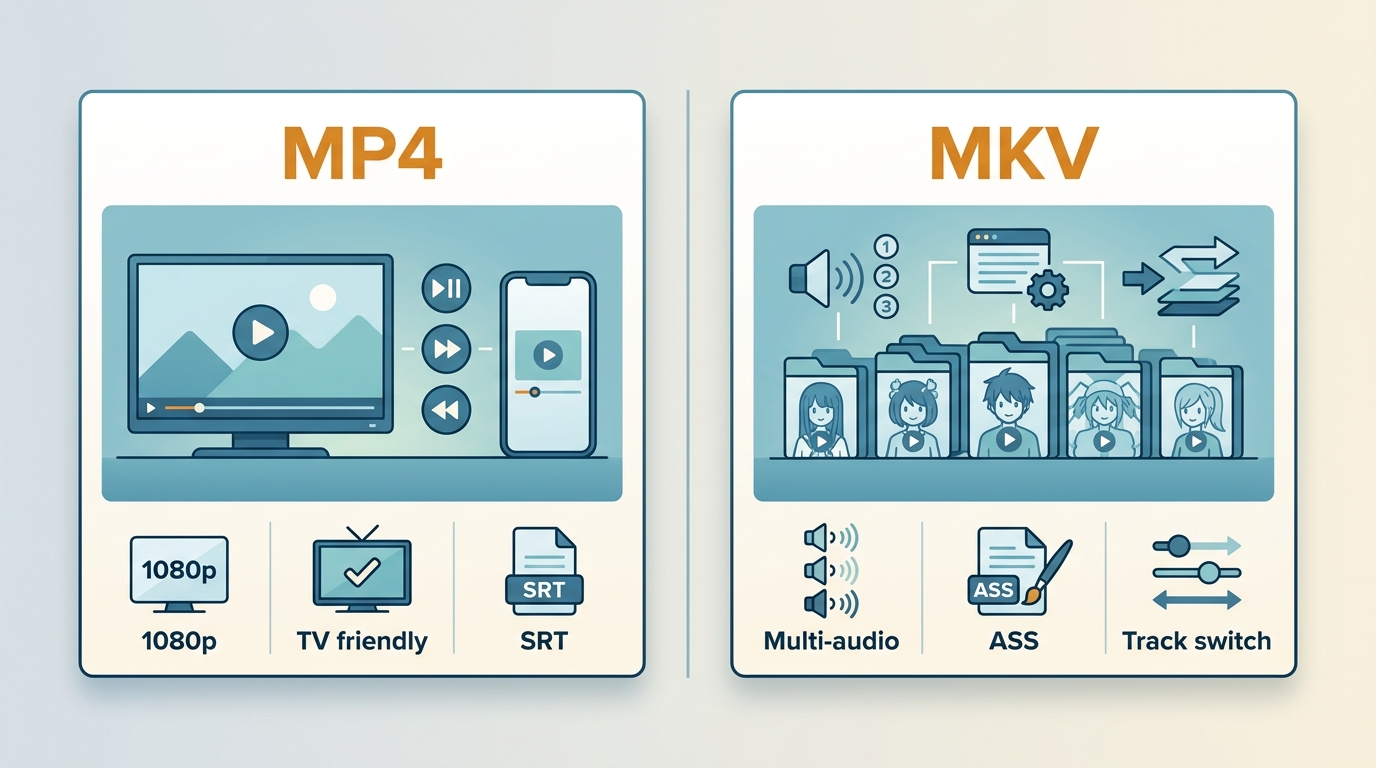
Choose MP4 for broad playback compatibility and MKV when multiple audio or subtitle tracks need to stay together. Neither container proves that a file is source-identical; resolution, codec, track selection, and the actual episode must still be checked.
| Choice | What it preserves | Where it fits | Main limitation |
|---|---|---|---|
| MP4 | Video, selected audio, and compatible subtitle options | TVs, phones, consoles, and ordinary desktop players | Less flexible for several styled subtitle and audio tracks |
| MKV | Multiple audio and subtitle tracks in one container | Anime libraries that need track switching | Some devices and built-in TV players offer weaker support |
| SRT | Plain, widely supported subtitle text | Simple playback and editing | Limited styling and positioning |
| ASS subtitles | Styling, placement, and richer typesetting | Anime signs, songs, and on-screen text | Player support varies |
| Hardcoded subtitles | Subtitles rendered into the picture | Players that cannot load separate tracks | They cannot be switched off |
| Closed captions | Caption information when the title exposes it | Accessibility-focused playback | Availability differs from ordinary subtitle tracks |
MP4 Favors Broad Compatibility
A Crunchyroll MP4 download is usually the compatibility-first choice. MP4 works across a wider range of consumer players, and a single selected audio track with SRT subtitles keeps the file simple. That makes it a sensible default for ordinary playback on mixed devices.
Do not treat a 1080p label as proof of identical source data. A converter can advertise or provide up to a stated resolution while using a defined video and audio codec. The file itself is the evidence, so inspect its resolution, audio language, subtitle behavior, and playback before expanding the queue.
MKV Favors Multiple Tracks
MKV is often a better match when several dubs, SRT or ASS subtitles, and selectable tracks need to remain in one file. This is particularly relevant to anime, where signs, songs, dialogue, and closed captions can be separate assets.
Track availability still depends on the title, language, region, and source. My rule of thumb is MP4 for straightforward cross-device playback and MKV for an anime-specific multi-track setup, provided the intended player handles MKV and styled subtitles correctly.
Choose the Right Local-File Workflow
A Crunchyroll MP4 converter should be chosen by workflow fit, not by a single ranking. Supported app downloads, guided desktop software, CLI projects, online converters, and screen recording differ in output portability, track control, setup effort, and typical failure points. The sections below show how to convert Crunchyroll to MP4 without pretending that every category serves the same user.
| Workflow | Official app | Guided desktop app | CLI tool | Online converter | Screen recorder |
|---|---|---|---|---|---|
| Output | App-managed offline view | Advertised MP4/MKV options | Depends on current support and setup | Service-dependent MP4 claim | Recorded video file |
| Track control | App-selected tracks | Audio and subtitle selectors | FFmpeg-dependent configuration | Usually limited | Captured as played |
| Batch behavior | App download queue | Available in supported desktop apps | Requires scripting and maintenance | Usually one link at a time | Real-time capture |
| Setup effort | Low | Low to moderate | High | Low, with reliability trade-offs | Moderate and time-intensive |
| Fit | Supported mobile offline viewing | Guided Windows and Mac workflow | Technical users | Occasional low-stakes attempts | Short clips when playback records correctly |
Desktop Apps Suit Guided Conversion
Desktop apps suit users who want visual controls for format, language, subtitles, and a batch download queue on Windows and Mac. They are less suitable for an occasional short clip when installing and maintaining another application costs more effort than the task justifies.
For personal offline viewing of content you’re authorized to access, where permitted by platform terms and applicable law, StreamFab Crunchyroll Downloader is one guided desktop example. Its verified specifications list up to 1080p H.264 video, AAC 2.0 audio, MP4 or MKV output, subtitle selection, batch downloading, scheduling, and metadata support.


StreamFab Crunchyroll Downloader supports up to 1080p H.264 video with AAC 2.0, MP4 or MKV output, plus subtitle, batch, scheduling, and metadata controls.

My Honest Experience:
For a multi-episode anime workflow, I prioritize a first-file check over a large queue because subtitle and track errors are cheaper to catch early. One Piece, went to sleep, and woke up to find them all sitting on my hard drive in 1080p HEVC. The biggest surprise? The support for .ASS Soft Subtitles. For those of us who care about font styling and karaoke effects, this is a deal-breaker feature that others lack.

Useful for: Guided format selection; audio and subtitle controls; multi-episode queues.

Less suitable for: A one-off short clip; users who expect each episode or subtitle track to work without software updates.
NoteBurner Crunchyroll Video Downloader and CleverGet Crunchyroll Downloader are also active desktop examples. Their current product pages advertise guided downloading features, but without comparable hands-on data here, the responsible comparison is fit and documented capability rather than a winner.
My Honest Experience:
NoteBurner is often cited as a solid crunchyroll video converter, but my testing revealed some glaring issues. While the interface is clean, it feels overly basicNoteBurner is a guided desktop option for readers who prefer a visual workflow. Confirm that its current output and subtitle choices match the specific title and destination player before committing to a large queue.
Useful for:Readers who prefer a graphical interface and guided setup.
Less suitable for:Decisions based on unverified speed, subtitle, or synchronization claims.
My Honest Experience:
CleverGet works like a "browser with a sniffer." You have to open the page inside the software and play the video for it to detect the link. This brings up a major issue: It doesn't always "download"; sometimes it feels more like "high-speed recording." CleverGet is another desktop option with a guided interface. Treat its advertised features as product-page claims and evaluate the actual title, track choices, and completed output rather than relying on broad category assumptions.
Useful for:Readers comparing visual desktop workflows and supported output controls.
Less suitable for:Anyone seeking a conclusion based on unsupported competitor defect claims.
CLI Tools Suit Technical Users
CLI tools suit readers who are comfortable maintaining commands, dependencies, cookies, and FFmpeg-based media merging. They are not ideal for someone who expects current Crunchyroll compatibility to be automatic or wants support through a conventional desktop interface.
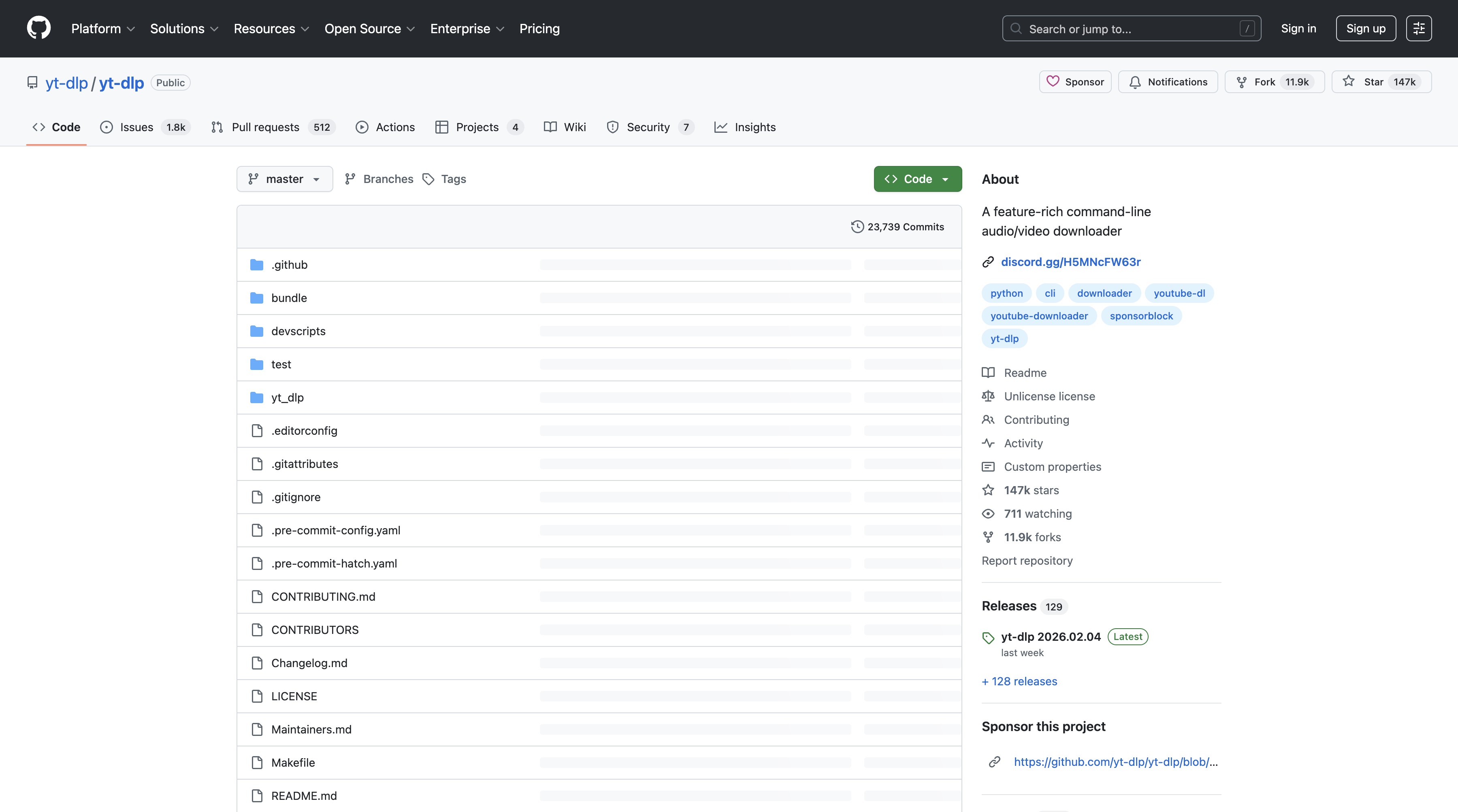
yt-dlp is an actively maintained open-source project with broad media and subtitle features, but current plug-and-play Crunchyroll support should not be assumed. Setup requirements and platform changes can make the workflow maintenance-heavy even for experienced users.
My Honest Experience:
yt-dlp offers a scriptable command-line workflow with FFmpeg-dependent merging and subtitle features. Its value is flexibility, while its cost is ongoing setup and compatibility maintenance.
Active open-source developmentFFmpegmay be needed for container merging and subtitle handling.
Useful for:Repeatable scripts, technical inspection, and users comfortable with command-line maintenance.
Less suitable for:A guided interface, predictable support, or unattended use without periodic adjustments.
Online Tools and Recorders Have Limits
A Crunchyroll online converter may look convenient, but link analysis can fail, output controls are often limited, and the service may expose little information about tracks or processing. Screen recording is a different category: it captures playback in real time rather than creating a direct downloader workflow.
OBS Studio is active recording software, not a direct Crunchyroll downloader. Real-time capture consumes the episode’s full playback time, subtitles appear as displayed, and protected playback can produce a blank recording; the focused guide on how to screen record Crunchyroll covers that separate troubleshooting intent.
My Honest Experience:
OBS records playback in real time, so a full episode takes the episode’s running time to capture. The result also reflects whatever audio, subtitles, notifications, or playback problems appeared during recording.
Useful for:Short, low-volume recording tasks when direct file workflows are unnecessary.
Less suitable for:Multi-episode queues, selectable subtitle tracks, unattended work, or protected playback that records as a blank image.
Save Crunchyroll as MP4 on Desktop
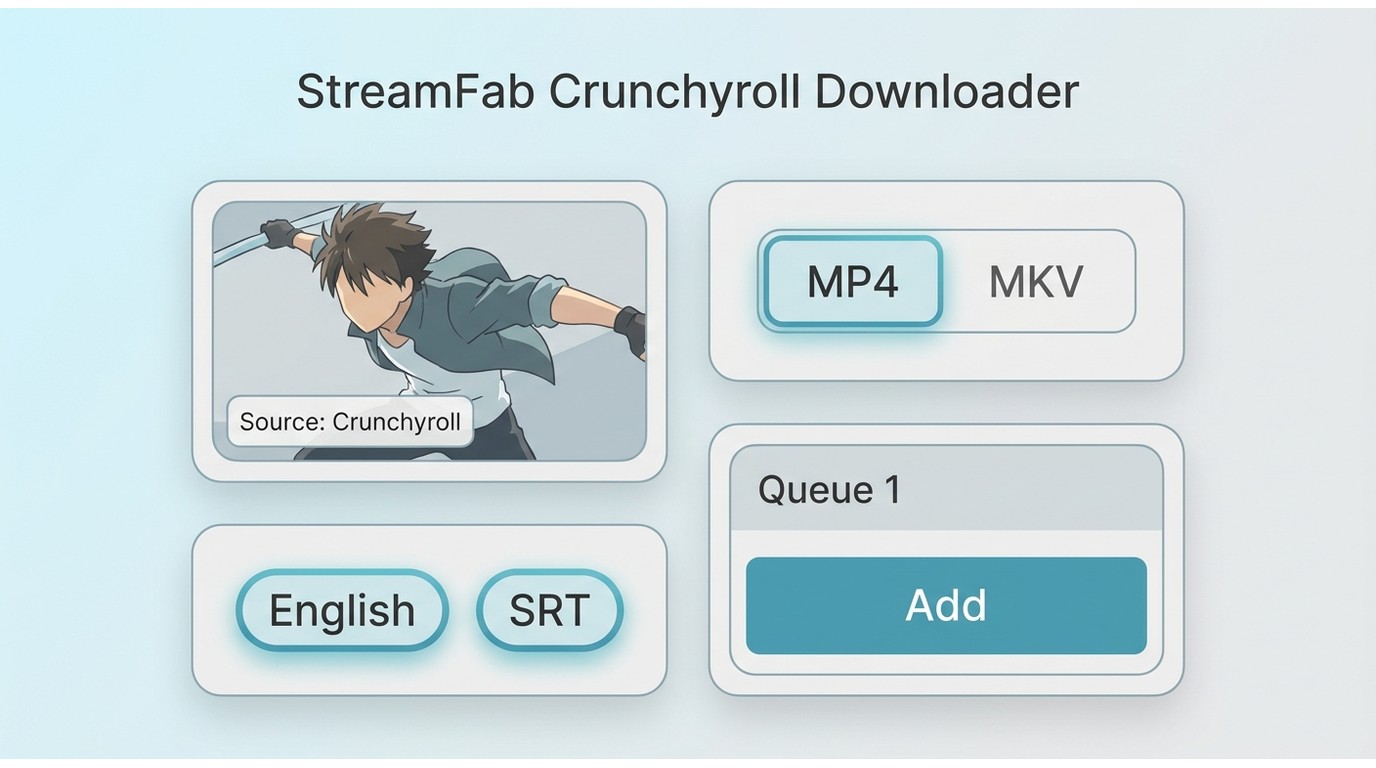
A cautious desktop workflow selects the container and tracks, starts with a small queue, and checks the first completed file. That sequence reduces the cost of a wrong subtitle language, an unsupported player, or an episode-specific failure.
The StreamFab example below applies to authorized viewing on Windows and Mac. Its relevant controls are format, audio, subtitles, queue behavior, scheduling, and metadata; extra product features are not needed to answer this article’s decision.
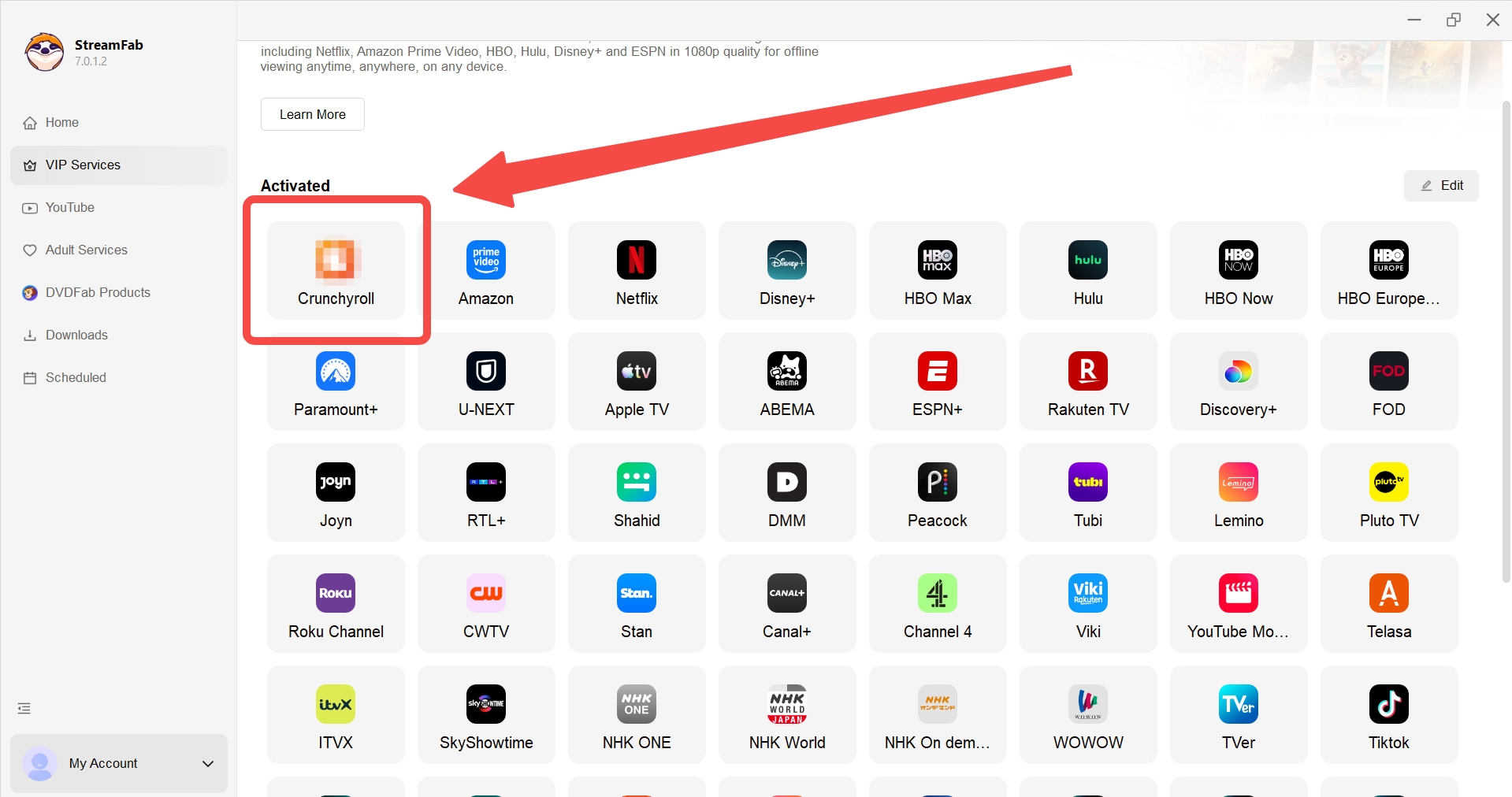
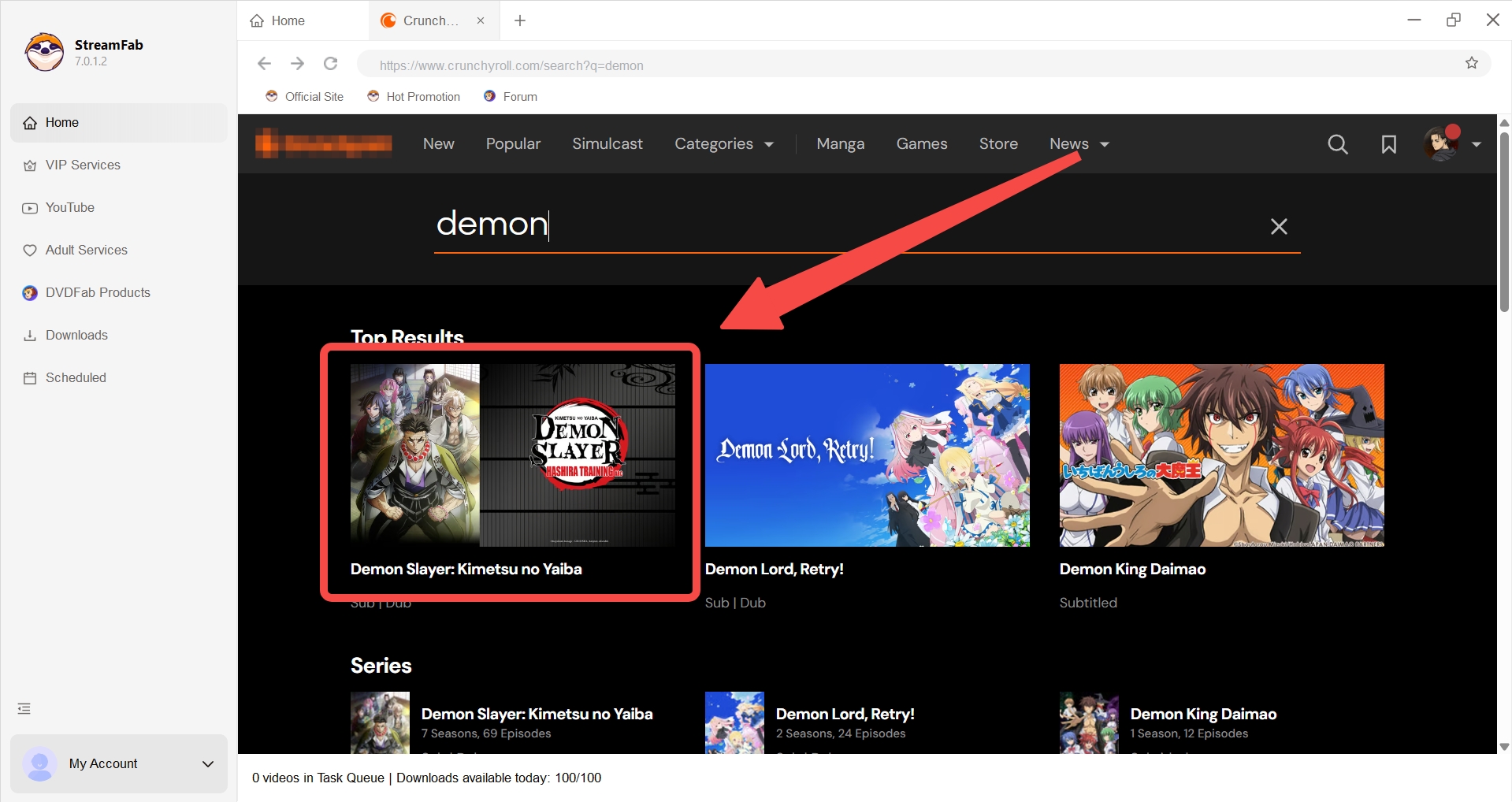
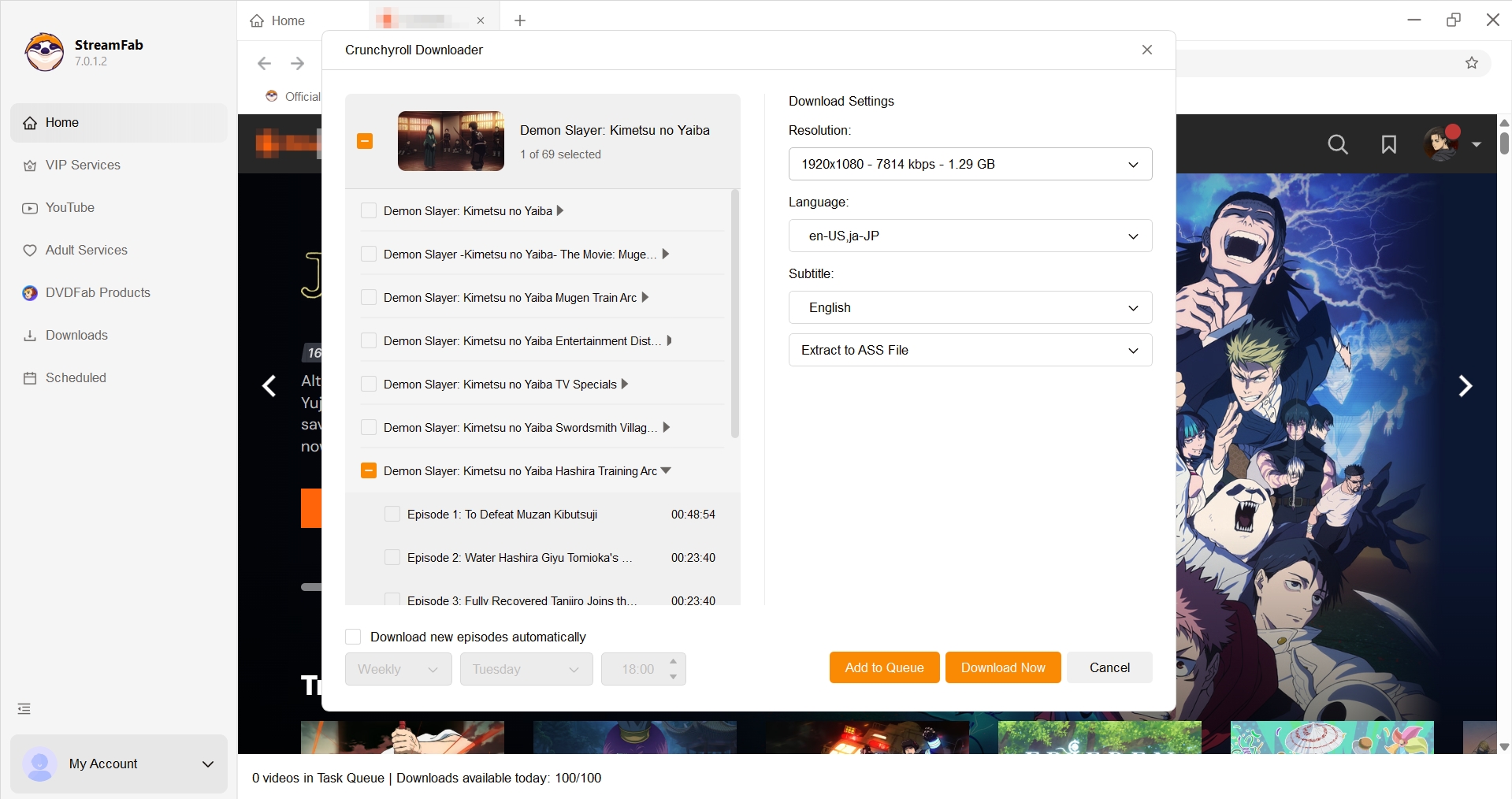
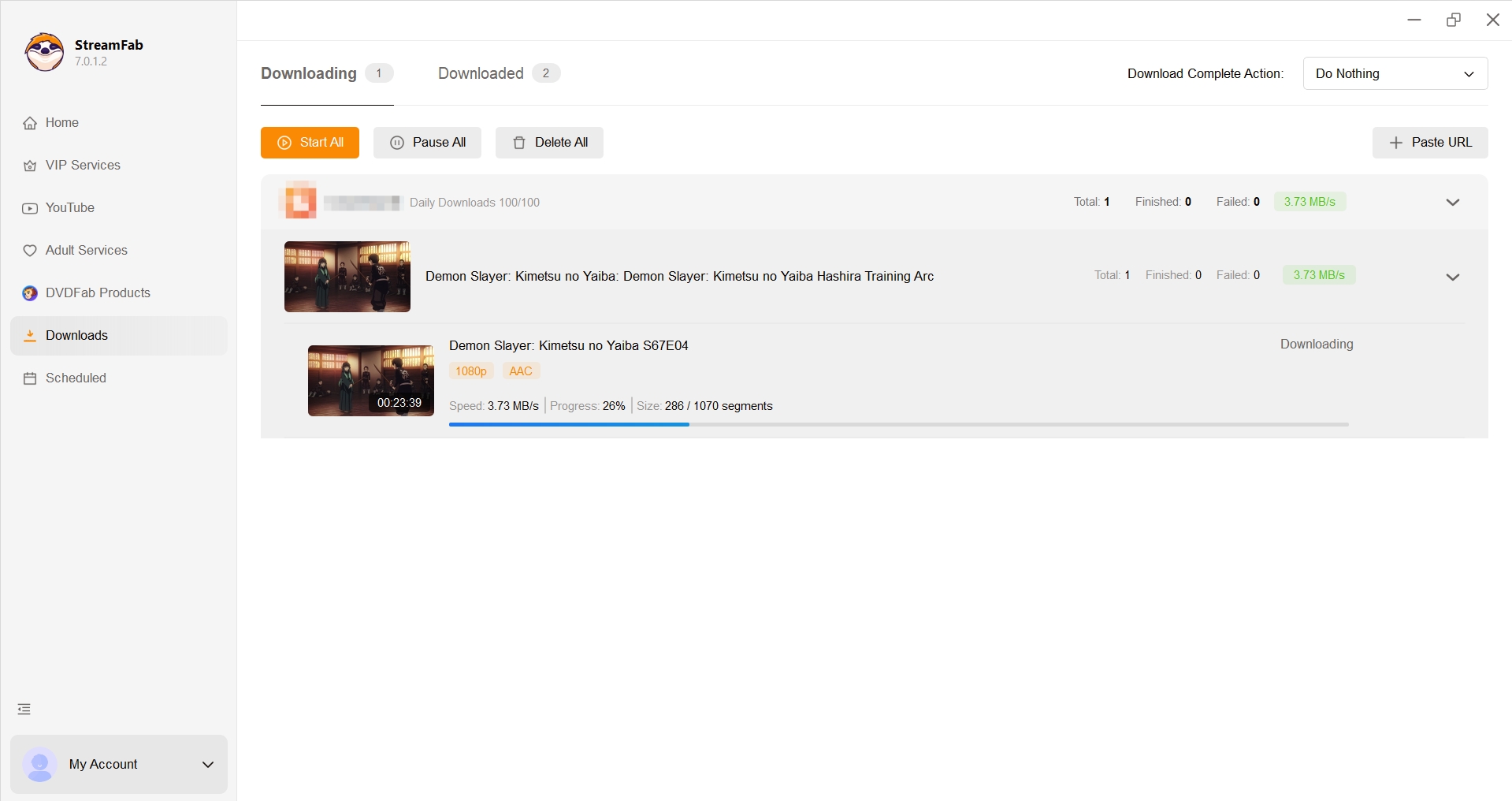
Select Format, Audio, and Subtitles
Begin by signing in through the application and opening the Crunchyroll title you can access. Select MP4 for broad playback or MKV for multiple tracks, then choose the available audio language and subtitle mode. Keep the destination player in mind before starting the job.
- Confirm that the account can play the selected episode normally.
- Choose MP4 or MKV based on the destination player and track needs.
- Select the audio language and an available SRT, ASS, hardcoded, or caption option.
- Add one episode first and start the job.
- Open the completed file, check the ending, switch tracks, and confirm subtitle timing.
The verified ceiling for this product is up to 1080p H.264 video with AAC 2.0 audio. That is a concrete specification, not a claim that each title is identical to the service source. I would reject any workflow that asks the resolution badge to stand in for an actual playback check.
Queue Episodes at a Conservative Pace
A batch download is useful only after the first file passes inspection. Add a small group of episodes, keep the selected tracks consistent, and review the queue for duplicate or mismatched entries before leaving it unattended.
Large season-sized queues multiply the impact of a single wrong setting. If an episode fails analysis or a subtitle track is incomplete, reduce the queue, retry later, and document the exact season, episode, language, and output choice before contacting support.
Audio and Subtitle Choices Matter
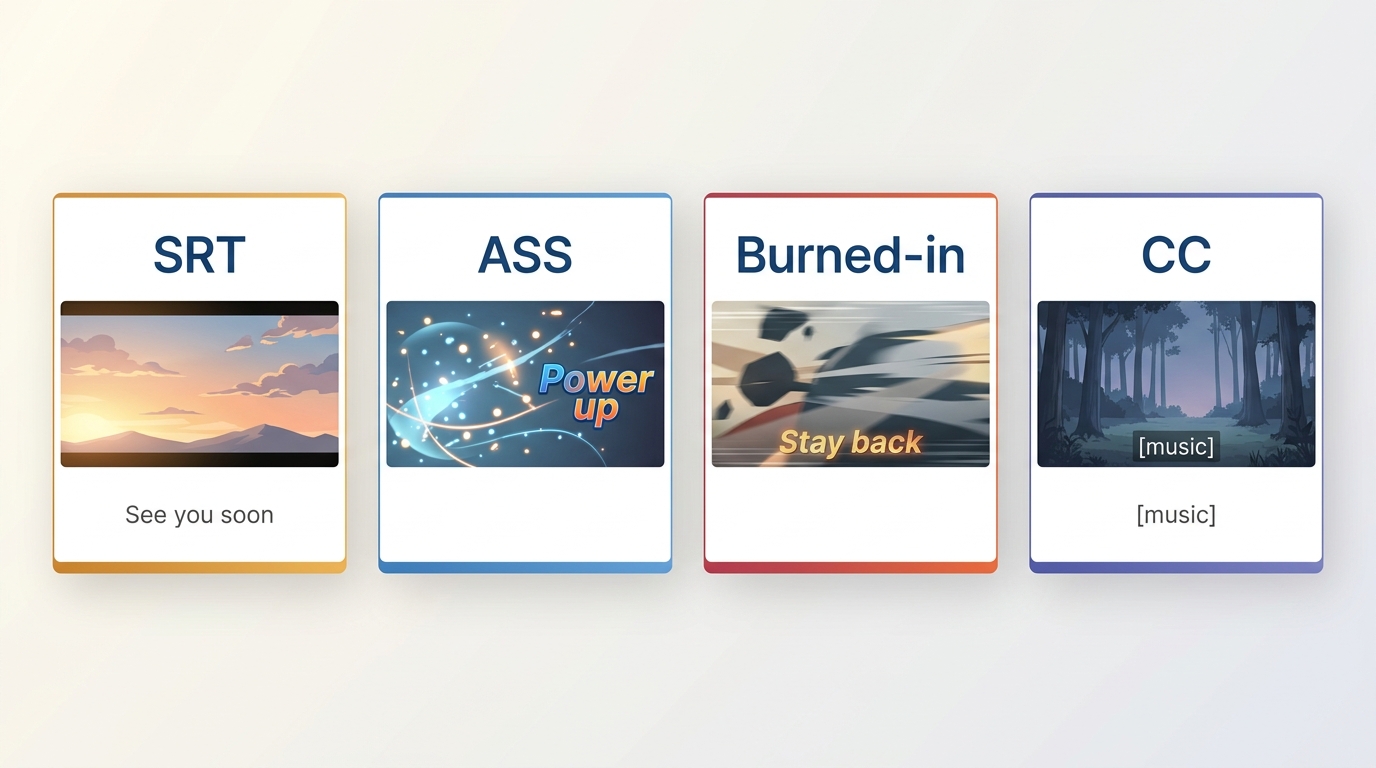
Crunchyroll subtitles are not one interchangeable track type. SRT, ASS subtitles, hardcoded text, ordinary subtitles, and closed captions differ in styling, switching, accessibility information, and player support.
SRT, ASS, and Hardcoded Subtitles
SRT is the compatibility-oriented choice: it is plain, editable, and widely recognized. ASS can preserve richer positioning and styling for signs, songs, and overlapping dialogue. Hardcoded subtitles are rendered into the picture, which helps on limited players but prevents track switching.
The desired combination may not exist for a particular title. A Japanese audio track does not guarantee every English subtitle variant, and a dubbed track may expose a different caption set. Before a batch, check punctuation, line breaks, signs, song lyrics, and the final scene of one episode.
Closed Captions May Differ
Closed captions can include sound cues and speaker information, while ordinary subtitles primarily translate or transcribe dialogue. A title may provide one without the other, and an application cannot select a track that the source does not expose.
My practical judgment is to treat the episode ending as part of the subtitle test. Missing final lines are easy to overlook during a quick opening check, but they are expensive to discover after a full season has finished.
Common Failures and Account Checks
Repeated analysis, isolated episode failures, subtitle defects, and account verification prompts should be handled as specific symptoms. A successful episode does not prove that the rest of a season will behave the same way.
Analysis and Episode Failures
If analysis repeats or one episode fails, update the application, confirm that the episode plays in the source account, retry later, and test the title outside a large queue. A title-specific issue can persist even when neighboring episodes complete.
- Restart the application and repeat the analysis once.
- Reduce the queue to the failing episode.
- Keep the selected language, container, and subtitle mode unchanged for comparison.
- Record the exact title and episode information for support.
Subtitle Gaps and Version Fixes
Missing punctuation, incomplete final lines, or an unavailable caption track may be tied to the episode, selected source track, or application version. Update first, then repeat a one-episode test and compare the subtitle near the beginning and the ending.
A format change can solve player compatibility, but it cannot create a source track that was not available. If SRT loses needed styling, try ASS in a compatible player; if the destination device cannot display ASS, use SRT or a carefully checked hardcoded option.
Batch Pace and Verification Prompts
Account checks or possible network limits are reasons to slow down, not invitations to search for a magic queue size. Pause the batch, complete any legitimate account verification, and resume with fewer episodes after normal playback works again.
The dependable pattern is one file, then a small batch, then a larger queue if the same settings remain valid. This staged approach takes a little longer at the start and usually wastes less time than repeating a season after a track or account problem.
Legal and Platform Boundaries
Copyright fair use and rules governing access controls are separate legal questions. Paying for a subscription does not automatically settle either issue, and personal use is not a universal legal safe harbor. This section provides general information, not legal advice.
Use any local-file workflow only for content you are authorized to access, subject to Crunchyroll’s terms and applicable law. Do not share, sell, or publicly distribute saved episodes. The phrase rip from Crunchyroll is often used loosely online, but it should not be treated as permission or as a substitute for understanding the platform and legal boundaries.
For a branded desktop workflow, the relevant boundary remains authorized access and personal offline viewing where the service terms and law permit it. The technical convenience of MP4 or MKV does not change the copyright status of the underlying anime.
FAQs
These quick answers cover the narrow questions left after choosing a format and workflow.
Can I Create a Portable MP4 on Android?
Crunchyroll’s supported Android downloads remain inside the app rather than exporting a portable MP4. This guide focuses on Windows and Mac local-file workflows; it does not promise an Android export path.
Can I Save Only the Subtitle File?
Some desktop or CLI workflows can save a subtitle track separately, but the available SRT, ASS, or closed-caption track depends on the title and source. Check the actual episode before assuming that a subtitle-only export is available.
Why Does One Episode Fail?
An isolated failure can come from title analysis, a particular audio or subtitle track, an application version, or a temporary account check. Update the software, retry later with that episode alone, and report the exact title, episode, and selected tracks if the problem continues.
Conclusion
The right Crunchyroll MP4 converter workflow depends on the outcome you actually need. Use the official app for supported mobile offline viewing, MP4 for broad device playback, MKV for multi-track anime files, a guided desktop app for visual controls, or a CLI project if you are prepared to maintain it.
StreamFab fits users who value a guided Windows and Mac process with documented MP4/MKV, subtitle, batch, scheduling, and metadata controls. It is not the natural fit for an occasional short clip or for anyone expecting every episode and subtitle track to complete without updates or verification.
The central judgment is simple: choose the workflow with the lowest failure cost for your playback goal. Validate one episode, confirm the file and tracks on the destination player, and expand the queue only after that evidence is in hand.

Want to screen record and watch your favorite Crunchyroll anime offline? This guide explores how to save your legally subscribed content for personal backup and offline viewing on your own devices by screen recording.
By Erika Leen - Aug 3, 2026

Crunchyroll has several worthwhile BL anime in its US catalog, but the best pick depends on whether you want an English dub, higher spice, low angst, or a short movie. This guide compares eight current choices and flags relationship cautions before you press play.
By Nicole Lopez - Jul 22, 2026

In short, “rip from Crunchyroll” is used here as search language for comparing offline options, not for defeating access controls. Crunchyroll’s official feature keeps downloads inside supported apps, while desktop local-file workflows are for authorized personal offline viewing under platform terms and applicable law.
By Marcia Hatcher - Jul 22, 2026
Crunchyroll downloads work in eligible apps, but laptop users need a different workflow. This guide explains plan and device limits, fixes missing or stuck downloads, compares desktop options, and shows how StreamFab handles local files and anime subtitles for authorized personal viewing.
By Erika Leen - Jul 20, 2026