
Download Crunchyroll Episodes in 2026: App Limits and PC Options

Summary: Crunchyroll downloads work in eligible apps, but laptop users need a different workflow. This guide explains plan and device limits, fixes missing or stuck downloads, compares desktop options, and shows how StreamFab handles local files and anime subtitles for authorized personal viewing.
Table of Contents
Crunchyroll lets eligible subscribers download episodes inside supported apps, but it does not provide native desktop browser downloads. On Windows or Mac, authorized viewers need a separate local-file workflow if mobile app limits, expiration Windows, or subtitle controls do not meet their needs.
I would start with the official app whenever it fits the device and viewing window. It is the simplest route for short-term Crunchyroll offline viewing, while desktop options make more sense when laptop playback and file organization are the actual priorities.
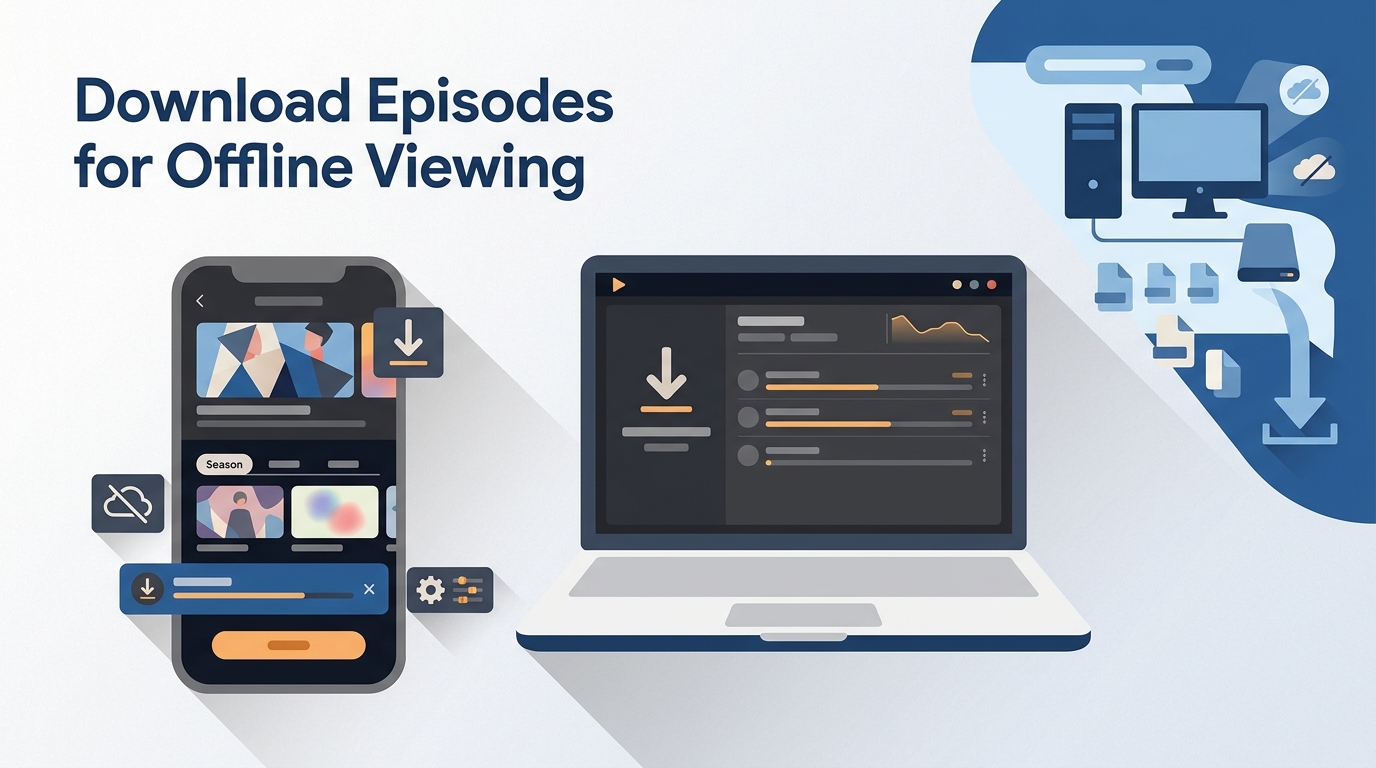
Crunchyroll Downloads Work on Supported Apps
To download Crunchyroll episodes officially, use an eligible paid plan, a supported app, and a title available for offline viewing in your region. The files remain managed inside the Crunchyroll app rather than becoming ordinary desktop video files.

Plans, devices, and expiration rules
Crunchyroll app downloads are designed for supported iOS, Android, and Nintendo Switch experiences. Windows and Mac users can stream through the official service, but the Crunchyroll download button is not a native desktop-browser feature.
Unplayed downloads generally require online validation within seven days. Once playback begins, the usual viewing window is 48 hours. Title licensing and regional availability can shorten or prevent access, so a valid plan does not mean every episode will show a download option.

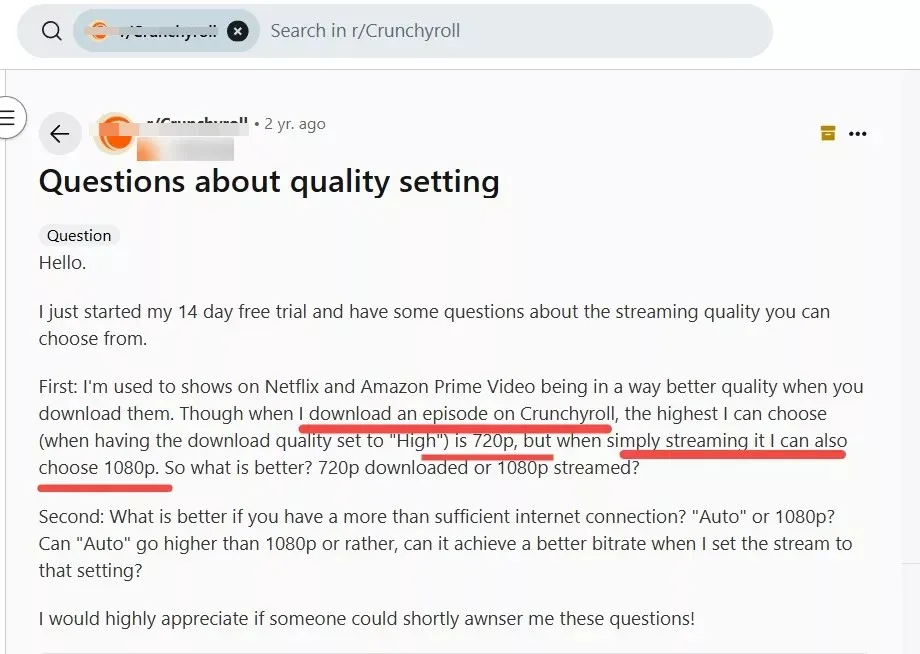
What viewers are actually trying to solve is consistent: laptop support gaps, unreliable Wi-Fi, confusion about paid-plan eligibility, short viewing windows, repeated offline validation, and limited control over subtitle or dub tracks. These are pain signals, not guarantees that one workflow fits every account. crunchyroll download episodes pc support does not exist natively. The upcoming sections explain why PC browsers cannot download directly and what specialized tools you need.
The same concerns recur in this discussion of offline viewing on PC, but I treat community posts as troubleshooting clues rather than verified platform policy.
Mobile app steps that still work
Before using the Crunchyroll app download flow, confirm the plan is eligible, update the app, connect to stable Wi-Fi, and check that the device has enough storage. Then use the episode's download control and validate playback before going offline.
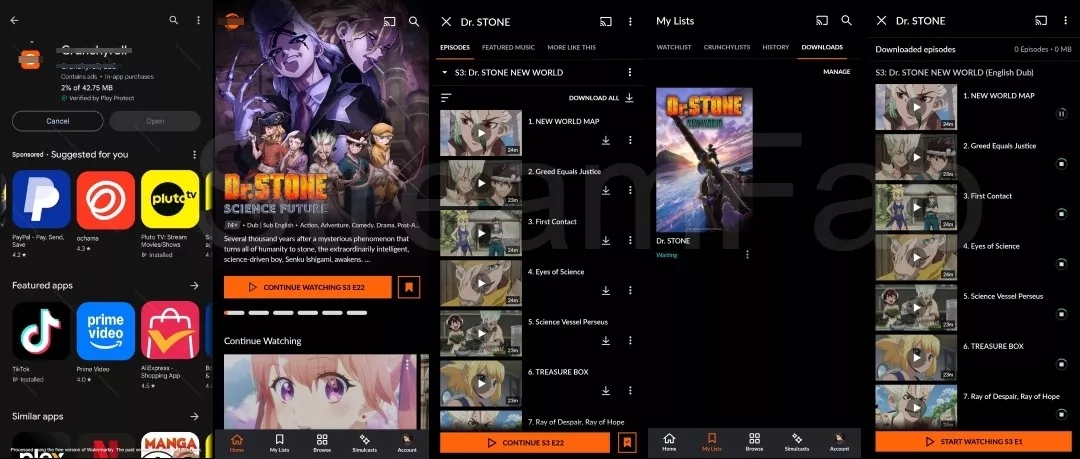
My practical check is simple: open one downloaded episode with the connection briefly unavailable before queuing a full season. That catches account-validation or storage problems while they are still easy to fix.
| Platform | Official Offline Support | Storage Model | Validation Window | Subtitle Control |
|---|---|---|---|---|
| iOS / Android | Eligible plans and titles | Managed inside the app | 7-day unplayed / 48-hour started | App-provided tracks |
| Nintendo Switch | Eligible plans and titles | Managed inside the app | Periodic account validation | App-provided tracks |
| Windows / Mac | No native browser download | Official streaming experience | Not applicable | Playback selections only |
Missing Download Buttons Have Fixable Causes
A missing Crunchyroll download button usually points to plan eligibility, title licensing, region, device support, account status, or an outdated app. Check those causes in order before assuming the episode cannot be saved for offline viewing.
Check plan, title, region, and device
- Confirm the account uses an eligible paid plan and that billing is active.
- Open another downloadable title to separate an account issue from a title-specific restriction.
- Check that the device and app support Crunchyroll downloads; a desktop browser does not show the mobile download control.
- Update the app, restart the device, and sign in again so account eligibility can refresh.
- Confirm the title is available in the current region and respect the service's regional licensing rules.
My troubleshooting order starts with a second title and a second supported device. That two-check split quickly shows whether the problem follows the account, the episode, or the hardware.
Fix stuck downloads and offline playback
- Switch to a stable Wi-Fi connection and pause other large transfers.
- Free storage space, then retry one episode instead of restarting an entire season.
- Update Crunchyroll, sign out, restart the device, and sign back in.
- Delete an expired or incomplete app download, then download it again while online.
- Open the episode once before travel to confirm audio, subtitles, and offline validation.
If Crunchyroll downloads are stuck after these checks, the next useful step is official support with the title name, device model, app version, and error message. That is more actionable than repeatedly clearing the same queue.
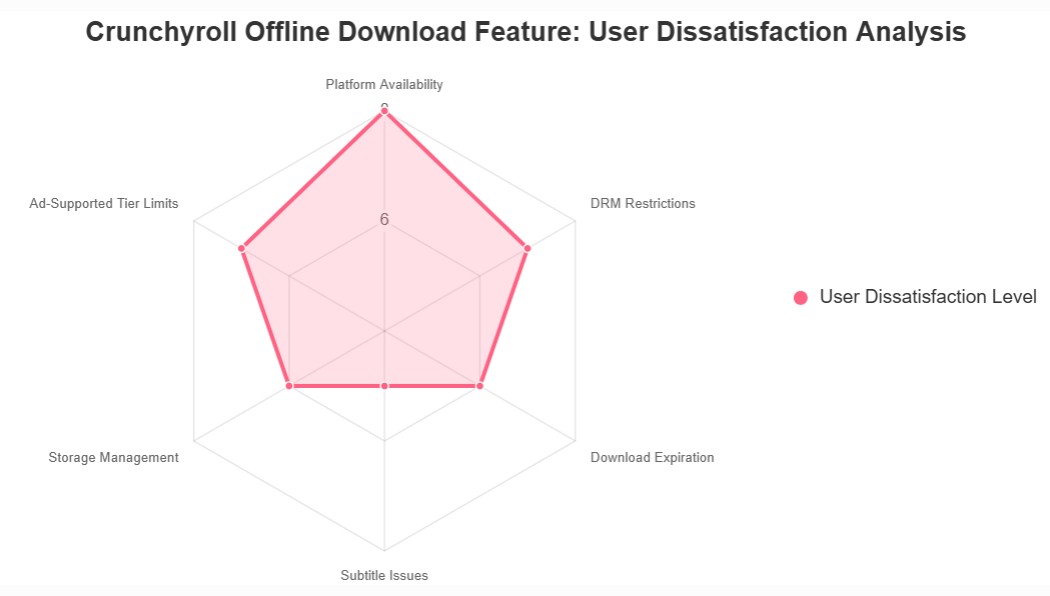
Web Downloaders Fail for Safety Reasons
Generic browser extensions and online download sites are not dependable ways to download Crunchyroll videos. They can stop working after site changes, deliver incomplete audio or video, ask for unnecessary credentials, or expose the browser to aggressive ads and unwanted software.
Searches for a Crunchyroll downloader free of charge often surface tools with unclear ownership and no useful support path. I would not enter a Crunchyroll password into a random web form, and I would leave immediately if a site asks for unrelated extensions or notification permissions.
Screen recording is a separate workflow with real-time capture and possible blank-output or audio issues. For a focused explanation, use the separate Crunchyroll local-copy explainer rather than turning this guide into a recording tutorial.
Use offline features and desktop software for content you are authorized to access, for personal viewing, and within Crunchyroll's terms and applicable law. Do not share or redistribute saved material.
PC Offline Viewing on Windows and Mac
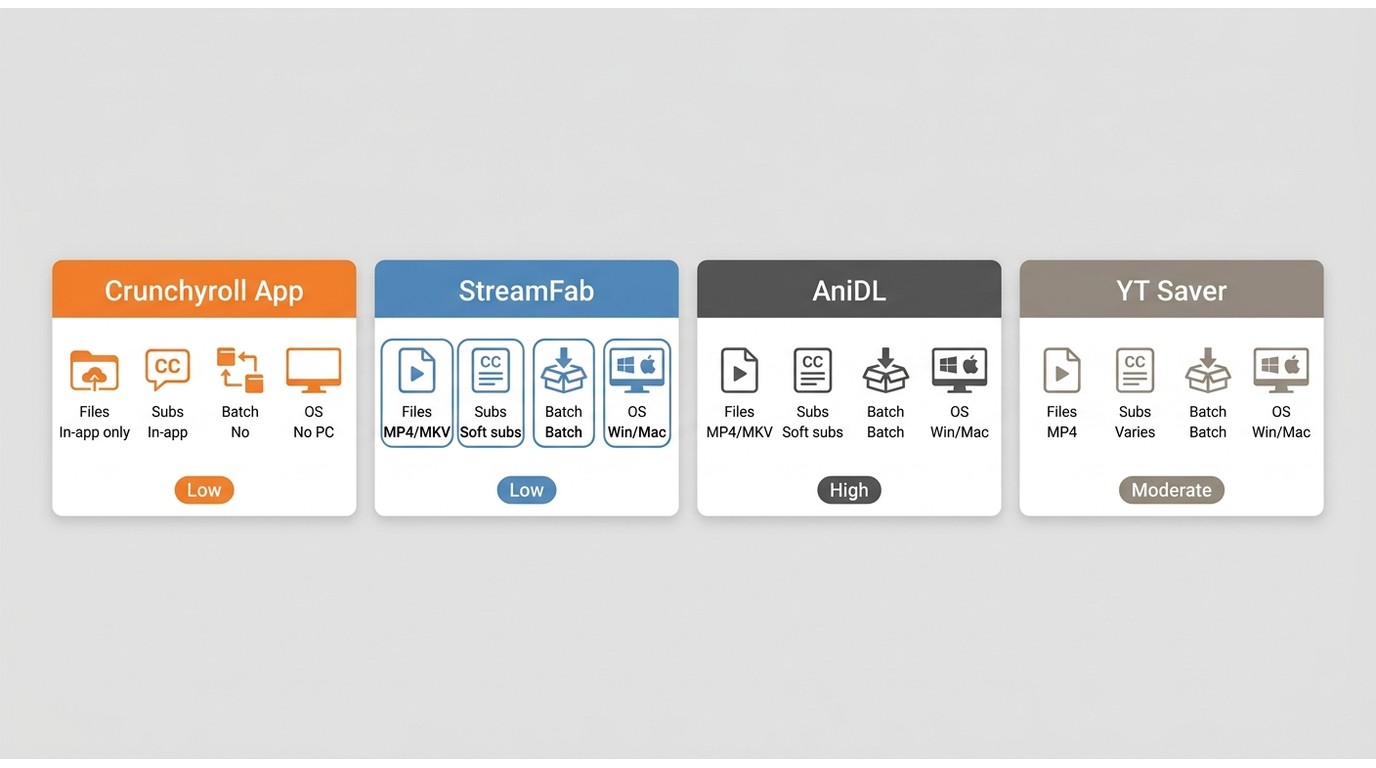
Crunchyroll laptop downloads require a different decision than mobile app downloads. Windows and Mac users can compare the official streaming experience, consumer desktop software, and technical command-line workflows based on file needs, subtitle control, and setup difficulty.
Official app, StreamFab, and CLI options
The best Crunchyroll downloader depends on fit. The official app serves supported-device viewing, StreamFab serves an authorized Windows or Mac local-file workflow, AniDL targets technical users comfortable with a CLI, and YT Saver is an active commercial alternative checked for this comparison.
| Option | Best Fit | Platform / Status |
|---|---|---|
| Crunchyroll Official App | Short mobile or console viewing | Supported apps; managed in-app |
| StreamFab Crunchyroll Downloader | Authorized Windows or Mac local-file workflow | Active desktop product |
| AniDL multi-downloader-nx | Technical users comfortable with a CLI | Open-source command-line workflow |
| YT Saver Crunchyroll Downloader | Users comparing commercial desktop apps | Active checked commercial option |
| Status note | StreamGaGa's checked page was unavailable | FlixPal and Allavsoft were not verified in this run |
StreamGaGa's checked Crunchyroll page was unavailable during this review, while FlixPal and Allavsoft could not be verified. I would not present those pages as equal current recommendations without a working product path.
Fit summary:
- Better for supported-app viewers:The official app fits a few episodes on a phone or console when the viewing window is acceptable.
- Better for Windows and Mac organization:StreamFab fits subscribers who need local files, batch queues, and subtitle choice; it is less suitable for people who need only a few mobile episodes or do not want paid desktop software.
StreamFab fit and anime-specific specs
StreamFab is separate from Crunchyroll's official download feature. It fits authorized subscribers who need a Windows or Mac local-file workflow for personal offline viewing where permitted by platform terms and applicable law, especially when batch season queues and anime subtitle control matter.
It is not the logical choice for someone who needs two episodes on a supported phone and is comfortable with the official viewing window. My fit test is whether the user needs files outside the Crunchyroll app; if not, the official option is usually less work.
| StreamFab specification | Verified capability | Why it matters here |
|---|---|---|
| Systems | Windows and macOS | Supports a Crunchyroll laptop-download workflow |
| Video | MP4 or MKV, H.264, up to 1080p where available | Works with common desktop players |
| Audio | AAC 2.0 with selectable available languages | Helps match a preferred dub or original track |
| Subtitles | SRT, ASS, hardcoded, or remuxed options | ASS can retain anime styling; SRT favors broad compatibility |
| Organization | Batch download, scheduled new-episode tasks, and metadata | Reduces repetitive work across a season |
| Trial and purchase | Free trial and a 30-day money-back guarantee | Provides a limited evaluation path before purchase |
For a deeper format comparison, keep the Crunchyroll to MP4 converter question on the dedicated format page. Here, the practical choice is simple: MP4 favors compatibility, while MKV is useful when multiple tracks need to stay together.

A Windows and Mac option for subscribers who need a local-file workflow. For detailed format guidance, see the dedicatedCrunchyroll to MP4guide. Verified output supports MP4 or MKV, H.264 video, AAC 2.0 audio, and selectable subtitle options.
- Laptop playback:MP4 and MKV avoid lockingsaved episodesto the Crunchyroll app,while H.264favors compatibilityacross common players.Subtitle choice:
- ASS can preserve styled signs; SRT favors broad player support.Season workflow:Batch queues and metadatareduce repetitive setup
- when saving several episodesfor authorized personal offline viewing.
Save episodes with StreamFab
To download Crunchyroll episodes on PC or download Crunchyroll episodes on Mac with StreamFab, prepare a valid Crunchyroll subscription, enough local storage, and the audio and subtitle choices you want before adding a season to the queue.
- Install the Windows or Mac version and open the Crunchyroll service inside StreamFab.
- Sign in with an active Crunchyroll account and open an episode your account is authorized to access.
- Select the available resolution, audio language, subtitle format, and MP4 or MKV output.
- Add one episode or a season to the queue, then choose the destination folder.
- Start the task and check one completed file for video, audio, and subtitle playback before running a larger batch.
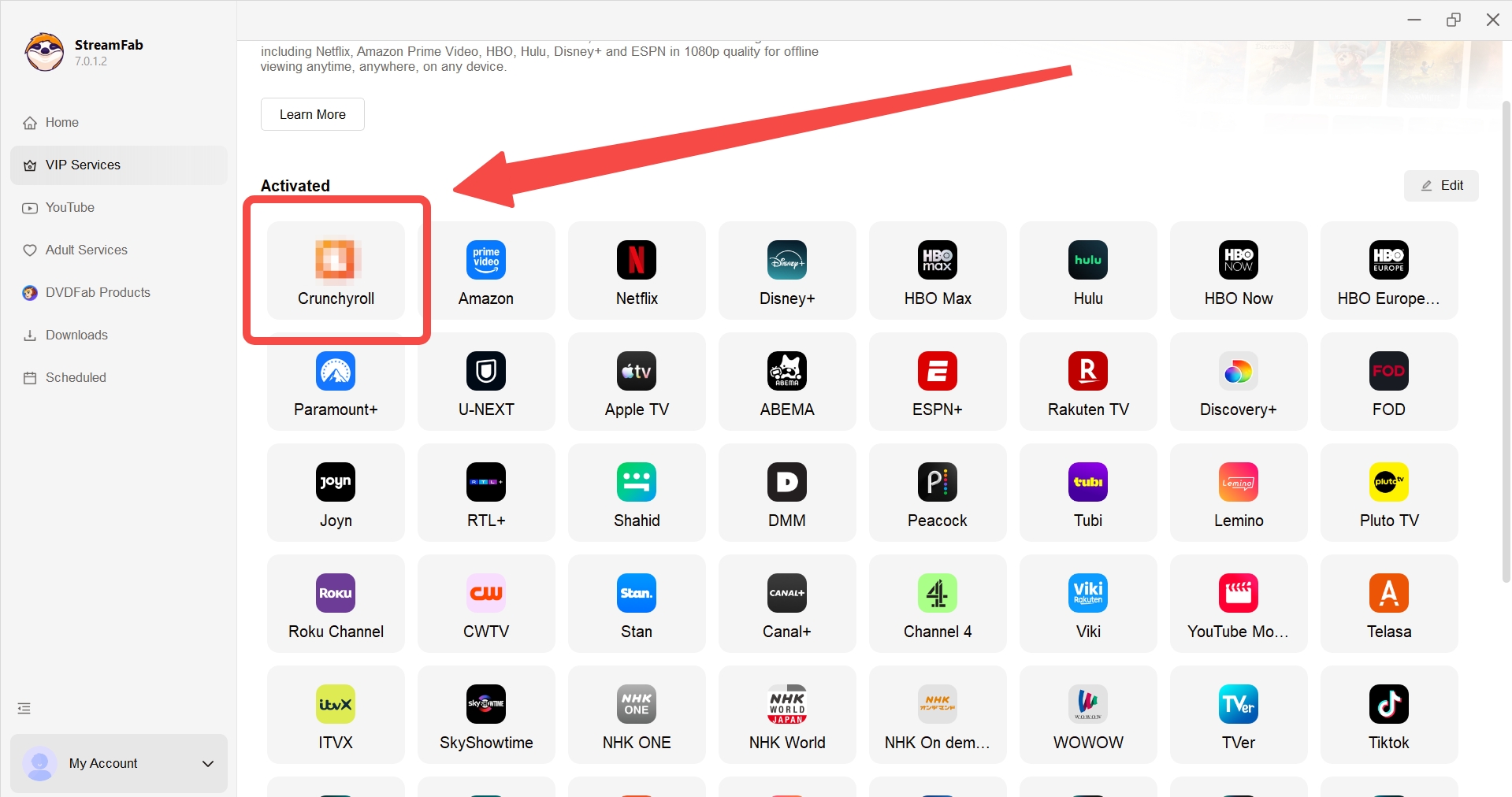
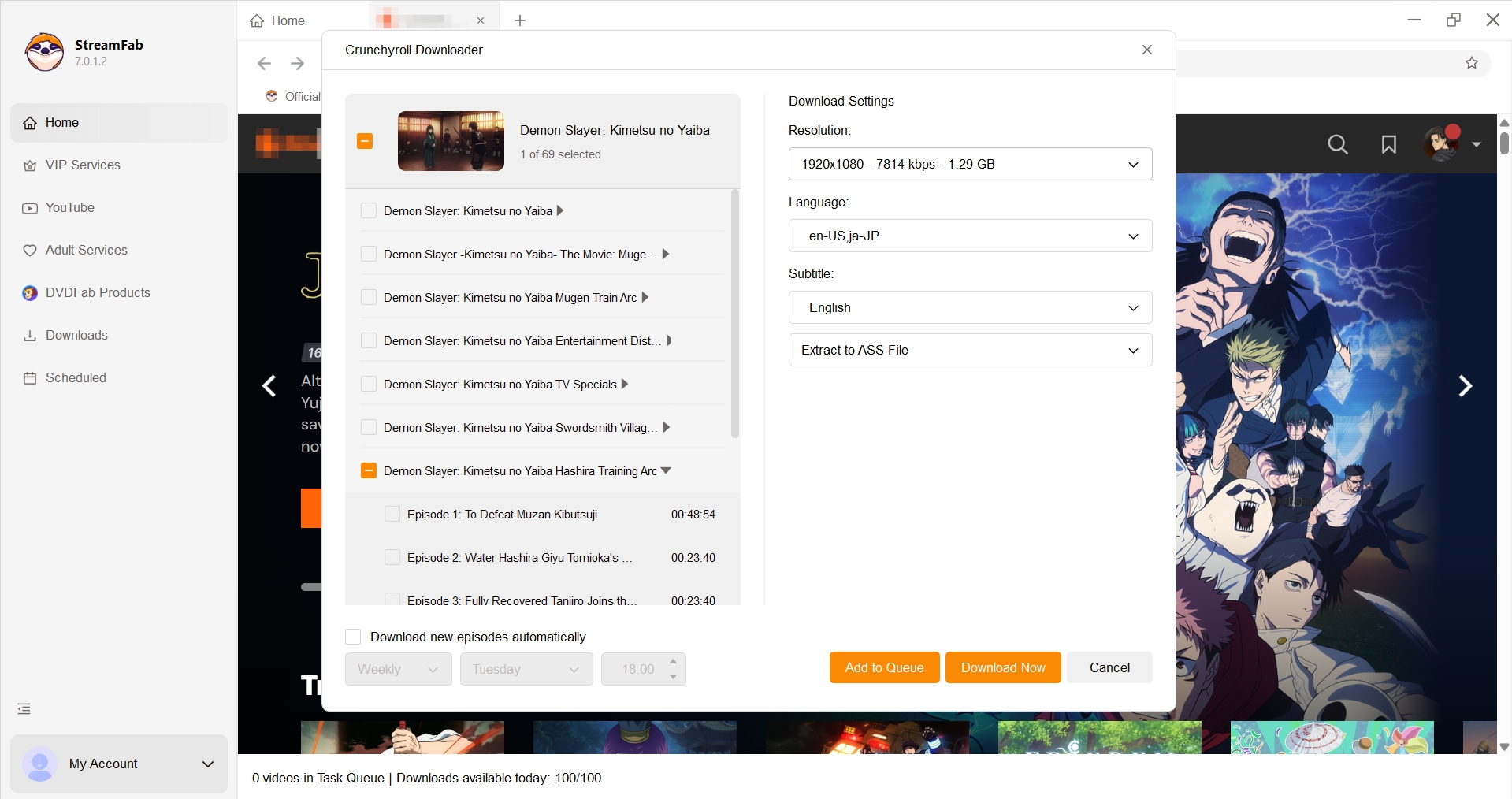
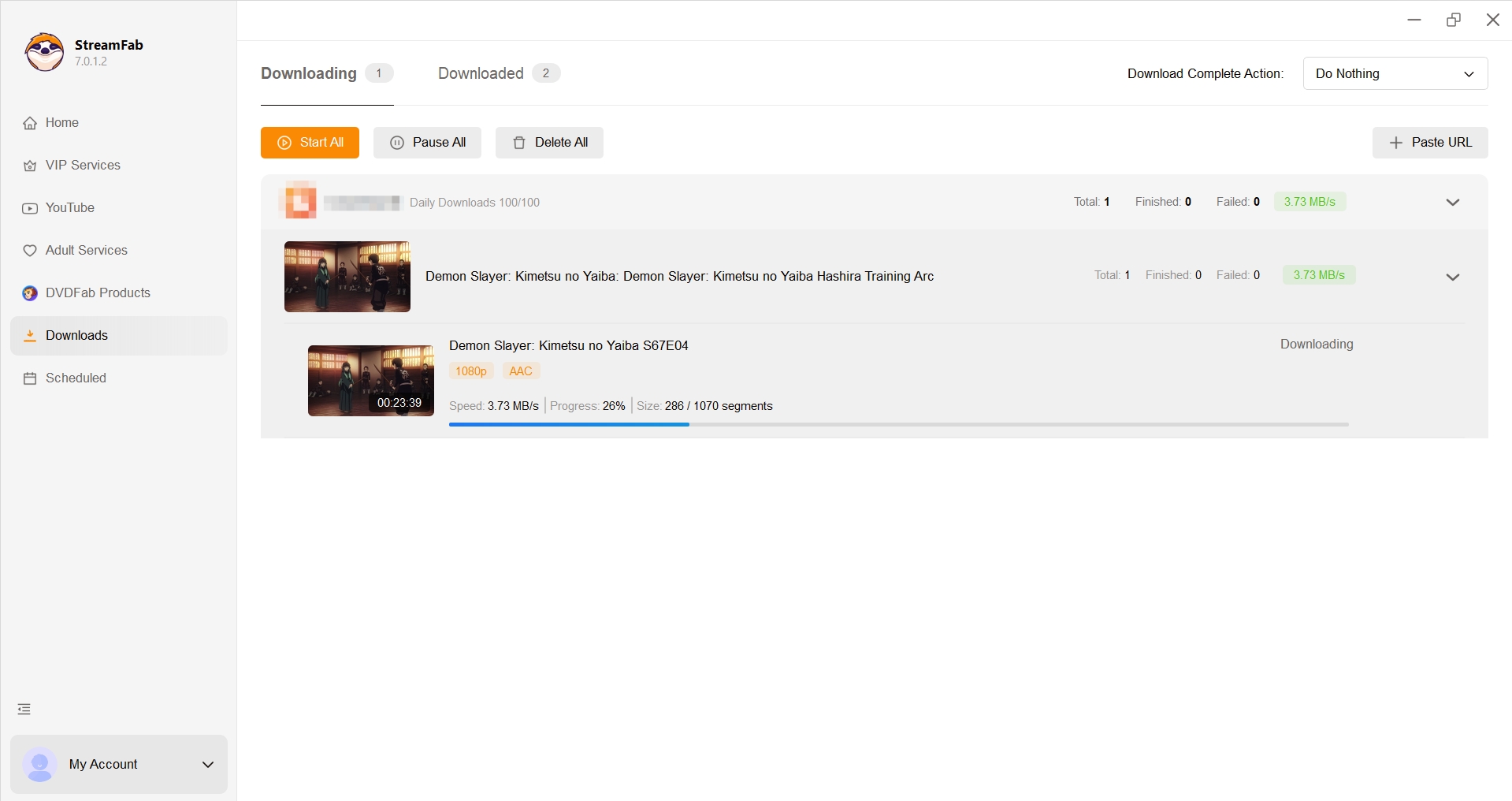
In my workflow reviews, the last check matters most: test one episode before a season queue. It verifies the selected dub, Crunchyroll subtitles, and player compatibility without wasting storage or repeating the same setup.
- Login or 403 error:Refresh the session, sign in again, and confirm the subscription is active.
- Missing subtitles?Reopen the title and match the selected audio and subtitle languages before adding it to the queue.
- Queue failed?Check available storage, update the app, and retry one episode before restarting a full season.
- Region or title unavailable?Do not try to work around regional licensing.Follow Crunchyroll's availability rules, terms, and applicable lawand choose content your account is authorized to access.
StreamFab provides a trial option. I would use it to confirm that one authorized episode, the selected audio track, and the preferred subtitle format work in the intended desktop player before considering a larger season queue.
FAQ
Can I download Crunchyroll episodes on a laptop?
Crunchyroll's official offline feature is app-based and does not provide native downloads in a Windows or Mac browser. Laptop users can use the desktop-options section to compare an authorized local-file workflow with technical CLI tools.
Why is the download button missing on some episodes?
Check plan eligibility, account status, device support, app version, region, and title licensing. If another eligible title shows the button, the issue is probably specific to that episode or region.
What can I do when Crunchyroll downloads are stuck?
Stabilize Wi-Fi, free storage, update the app, sign out and back in, then retry one episode. Delete and download an expired item again if offline validation has lapsed.
Is it safe to use a Crunchyroll downloader?
Use established software for content you are authorized to access, keep it for personal offline viewing, follow platform terms and applicable law, and avoid sites that request unnecessary credentials or browser permissions.
Can I keep Crunchyroll subtitles when watching offline?
The official app uses the subtitle tracks it provides inside the app. StreamFab can save available subtitles as SRT, ASS, hardcoded, or remuxed options; ASS is useful for styled anime signs, while SRT works with more players.
Conclusion
Download Crunchyroll episodes through the official app when a supported device, eligible title, and short viewing window meet the need. For Crunchyroll laptop downloads, compare desktop options by authorization, setup effort, file format, subtitles, and batch organization rather than treating any downloader as a universal answer.
My recommendation is conditional: mobile viewers should keep the official workflow, while Windows and Mac subscribers who genuinely need local files can evaluate StreamFab's H.264 MP4 or MKV workflow. Technical users may prefer AniDL, and commercial alternatives should be judged by current availability and clear support.
Whichever route you choose, keep the use personal, maintain an active account for the content being accessed, respect regional availability, and do not redistribute saved episodes.

Want to screen record and watch your favorite Crunchyroll anime offline? This guide explores how to save your legally subscribed content for personal backup and offline viewing on your own devices by screen recording.
By Erika Leen - Aug 3, 2026
Crunchyroll can support offline viewing inside eligible apps, but those downloads are not a portable MP4 file for a TV, media server, or ordinary desktop player. The useful decision is not simply how to download. It is which local file workflow fits your playback needs, subtitle priorities, and tolerance for setup or failure.
By Marcia Hatcher - Jul 28, 2026

Crunchyroll has several worthwhile BL anime in its US catalog, but the best pick depends on whether you want an English dub, higher spice, low angst, or a short movie. This guide compares eight current choices and flags relationship cautions before you press play.
By Nicole Lopez - Jul 22, 2026

In short, “rip from Crunchyroll” is used here as search language for comparing offline options, not for defeating access controls. Crunchyroll’s official feature keeps downloads inside supported apps, while desktop local-file workflows are for authorized personal offline viewing under platform terms and applicable law.
By Marcia Hatcher - Jul 22, 2026