
5 Best M3U8 Downloaders in 2026: Desktop, Browser, Mobile

Summary: The right M3U8 downloader depends on whether the stream is public, login-required, or access-controlled, plus whether you need a quick file, a playlist, or a reusable local format. This guide compares desktop apps, browser extensions, and mobile options so you can choose the fit before you download an M3U8 playlist.
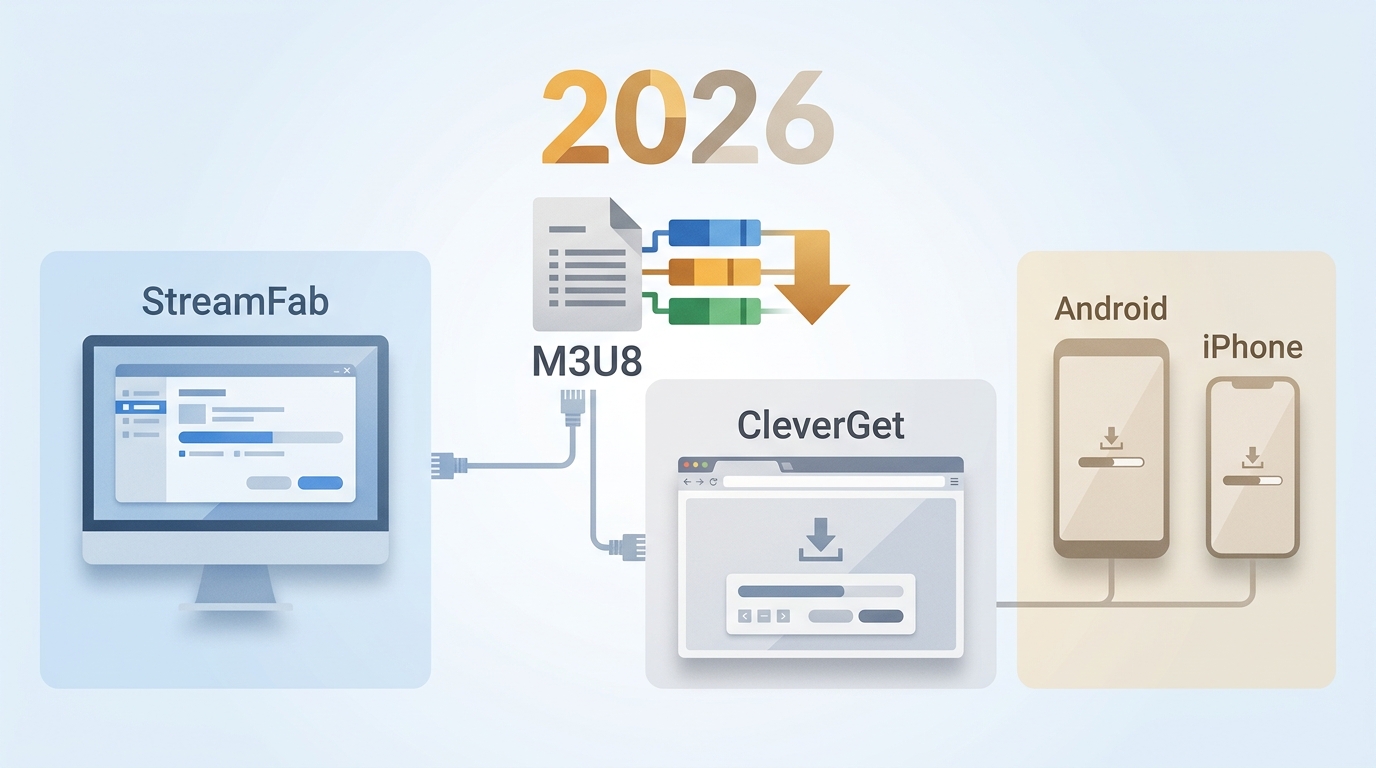
If you are in a hurry and wanna get quick answer, see the shortcuts:
- StreamFab DRM M3U8 Downloader: Desktop option for authorized, login-required workflows that need MP4 or MKV output and batch handling.
- CocoCut: Browser option for exposed public HLS streams in Chrome or Edge, with limits for signed URLs and login-required playback.
- Comparison on TOP M3U8 downloaders: Compare stream fit, output handling, live-stream behavior, permissions, and operating systems in the feature table.
Choose the Right M3U8 Downloader
An M3U8 file is a text playlist used by HLS players to locate video segments, not a standalone video file. For a deeper format explanation, see what M3U8 is.
Online tools, browser extensions, and command-line utilities can suit exposed public HLS streams. Browser extensions can work for exposed, unprotected HLS streams, but they often fail when a site uses access controls, CORS restrictions, authentication, or expiring signed URLs. For content you’re authorized to access, a desktop workflow can be a better fit when login context, batch handling, or MP4 and MKV output matter.
Identify the stream type before choosing a tool: a blob URL may be a browser-generated reference rather than an M3U8 playlist, and DASH segments are not necessarily M3U8 streams. In the Network panel, look for a master playlist or media playlist and remember that signed URLs can expire. For the full URL-identification workflow, see how to download video from an M3U8 URL.

Desktop and Browser M3U8 Downloaders
An M3U8 downloader for PC and a browser extension solve different download problems. Desktop tools are generally better suited to authorized, login-required workflows and batch tasks, while extensions are more practical for exposed streams detected in the browser. The reviews below focus on stream fit, output handling, permissions, and limitations rather than unsupported speed claims.
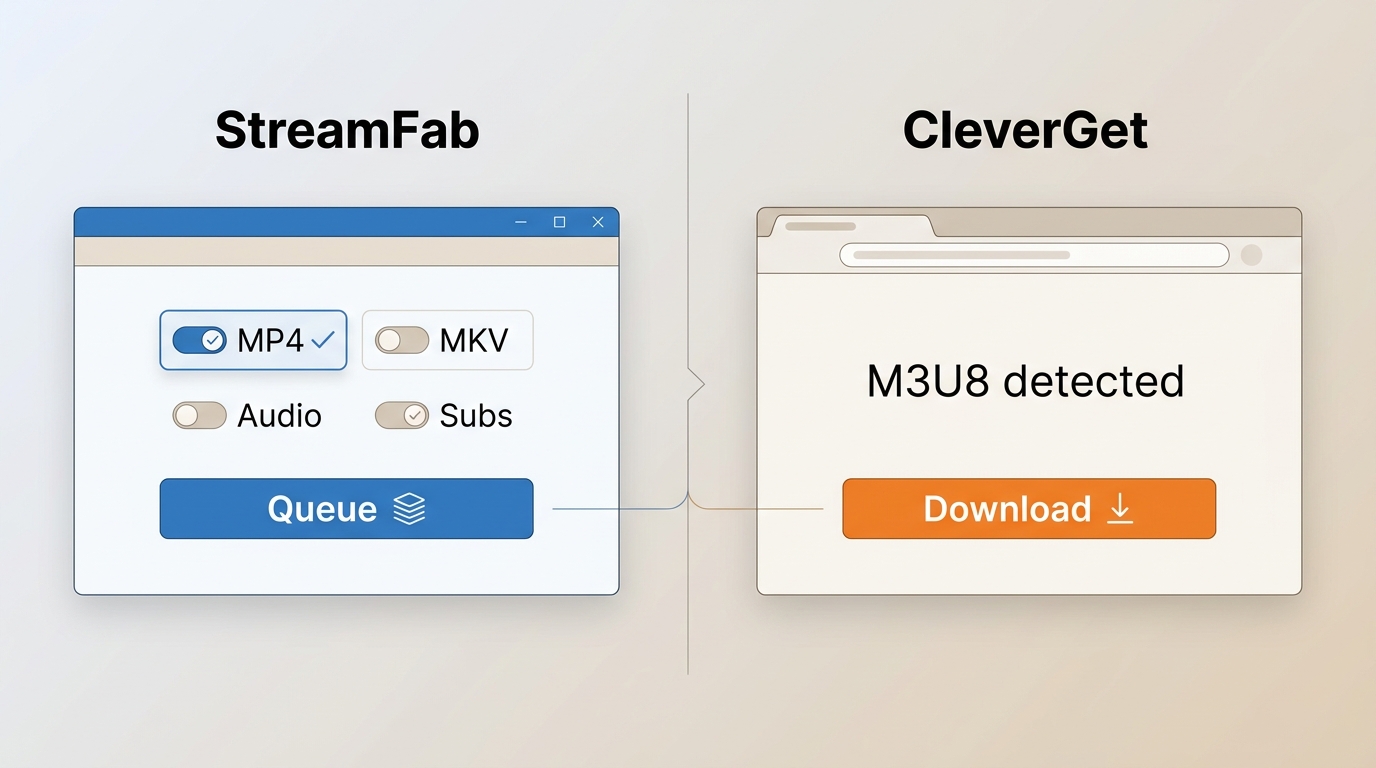
1. StreamFab for Authenticated Desktop Workflows
- • Stream fit: Authorized, login-required desktop workflows and M3U8 playlist tasks.
- • Output: MP4 or MKV local files, with audio-language and subtitle options.
- • Quality: Up to 4K when available from the source and service conditions.
- • Best For: Users who need desktop batch queues and controllable MP4 or MKV output.

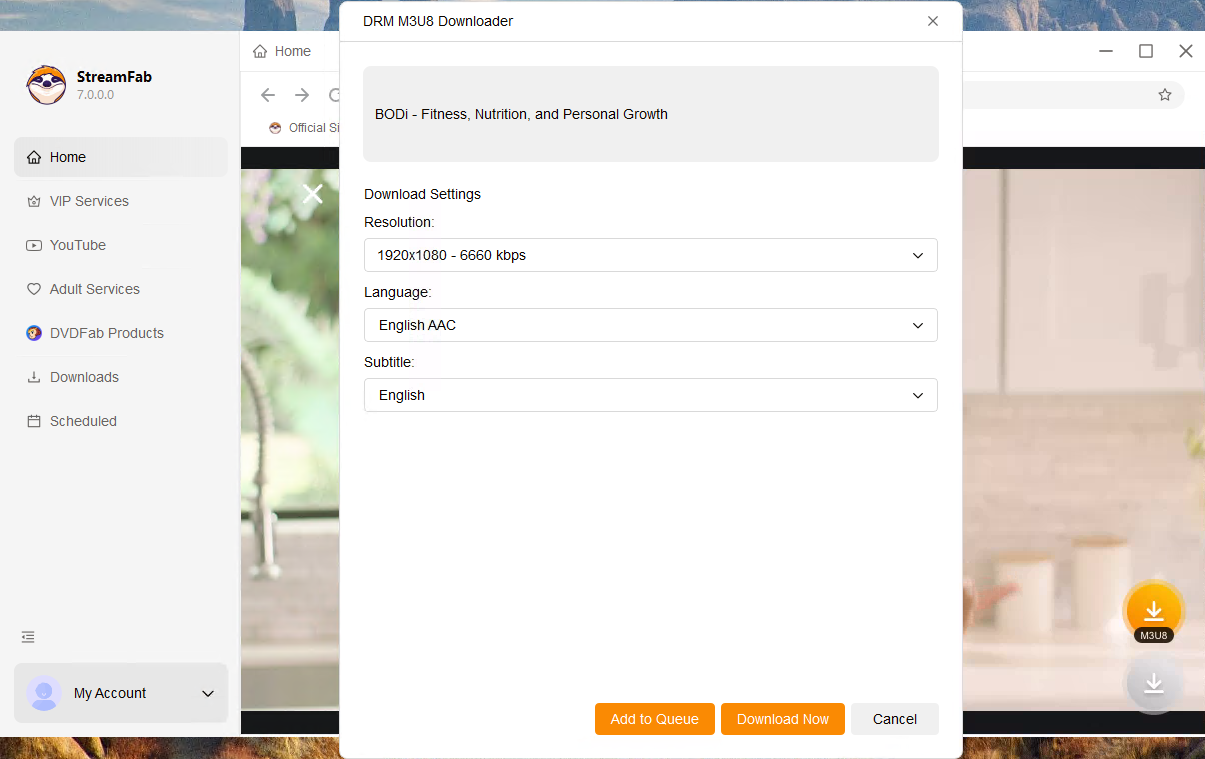
A desktop option for authorized M3U8 workflows that supports MP4 or MKV output, batch queues, audio-language selection, and subtitle downloads.
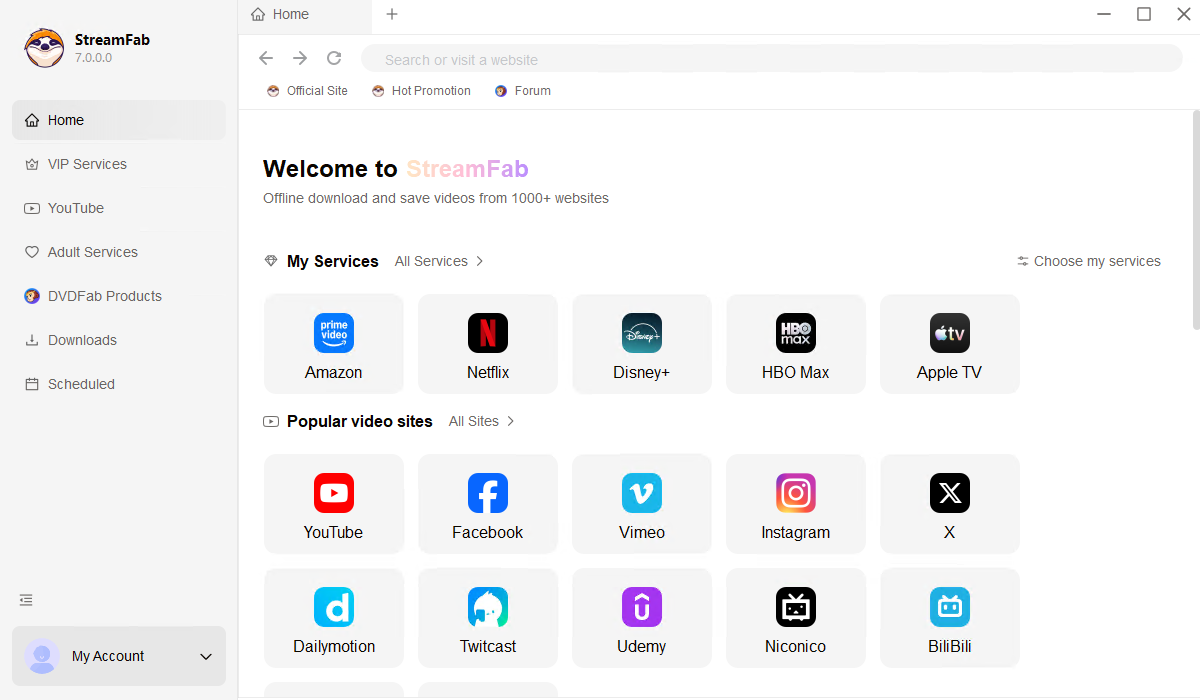
To let you know how to use StreamFab DRM M3U8 Downloader, we use the steps to download videos from Beachbody on Demand as the example:
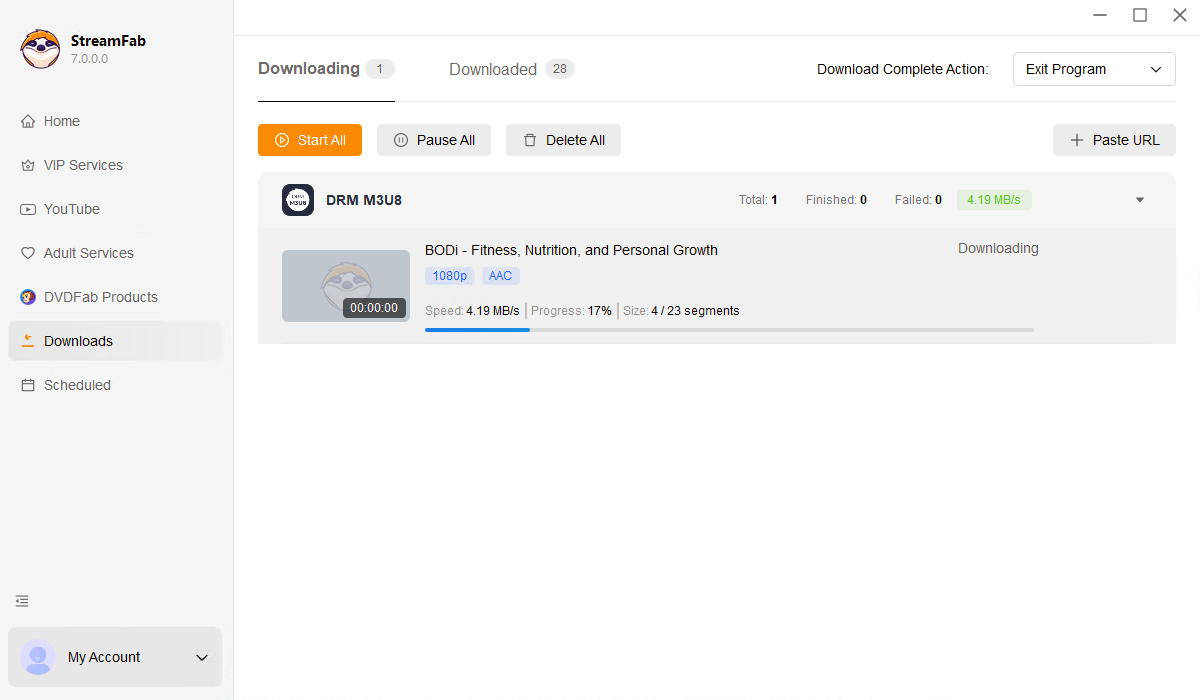
- Handles local-file workflows for personal offline viewing
- Quality can reach up to 4K when the source makes it available
- Supports batch queues for multiple selected items
- Ad handling depends on the service and selected workflow
- With a built-in browser
- You need to register your M3U8 platform account to get the content
- A free trial is available with feature limits.

For content you’re authorized to access, where permitted by platform terms and applicable law, StreamFab is a desktop alternative for personal offline viewing and local-file workflows. Its fit is strongest when you need MP4 or MKV output, batch handling, audio choices, or subtitle options.
It is not ideal if you only need a quick public-stream download in a browser. Choose MP4 for broad device compatibility, or consider MKV when your player and workflow benefit from keeping more media tracks together.
2. CleverGet for Built-In Browser Detection
- • Success Rate: Current performance figures are not stated here because no reproducible test record is provided.
- • Output and quality conditions:Not stated in this comparison.
- • Quality: Source and service conditions determine available quality.
- • Best For: Users looking for an easy-to-use interface with built-in ad-stripping capabilities.
CleverGet remains an active desktop M3U8 downloader with built-in browser detection. Detailed current specifications and performance claims are not stated here because they require direct verification before publication.
CleverGet uses an internal browser to detect the M3U8 playlist file as it loads on the webpage.
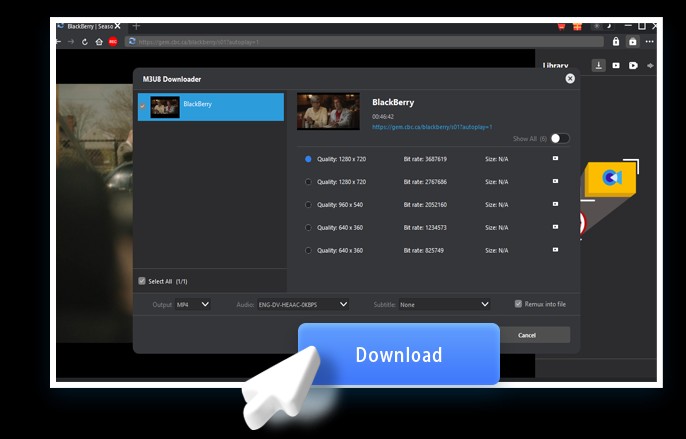
- Support batch downloading
- Built-in Ad removal
- Download speed is slower than advertised
- Unstable video parsing speed
- Limited and unsupported free trial
CleverGet may suit users who prefer a desktop interface with built-in browser detection. It is less suitable when you need independently documented performance, quality, or retry details before choosing a tool.
Treat batch behavior, live-stream support, and permissions as tool-specific details rather than assuming they match another desktop application.
3. CocoCut for Exposed Chrome Streams
- • Stream fit: Exposed public HLS streams detected in Chrome or Edge.
- • Output: Container and quality availability depend on the detected stream.
- • Quality: Quality depends on the exposed source stream.
- • Best For: Casual users who need a quick, one-off archive of unprotected social media videos.
CocoCut appears active through its official Chrome and Edge links. A current rating and update date were not available in the research, so this review does not treat the older rating as a current fact.
It is most practical for a quick public HLS task in the browser, not for login-required, access-controlled, or long high-bitrate jobs.

CocoCut works by sniffing the network traffic of your active browser tab to identify the .m3u8 index file.
- Convenient Chrome/Edge browser extension
- High user ratings and ease of use
- Premium features required for quality downloads
- Unreliable performance and error issues
- Limited compatibility with certain platforms
If a browser extension reports an error or produces a short file, first confirm that the detected URL is a current media playlist and that the site does not require login context or signed requests.
Browser extensions use browser-managed permissions, so review the extension’s requested access before installing it or entering account details.
4. Live Stream Downloader for Firefox
- • Success Rate: Support for protected streams is not stated.
- • Live and retry behavior:Supports HLS live streams, resumable downloads, and retries.
- • Quality: Available quality follows the detected HLS stream.
- • Best For: Firefox users who need a quick tool for non-protection streams or simple VOD content.
Live Stream Downloader is a Firefox option for HLS detection and live-stream tasks. As of July 2026, Mozilla lists version 0.5.5, updated April 9, 2025, with a 3.7/5 rating from 85 reviews and 16,613 users; support for protected streams is not stated.
It is best suited to Firefox users who need browser-based HLS detection and may benefit from retry or resume behavior. It is not ideal when a stream depends on access controls that the extension does not document support for.
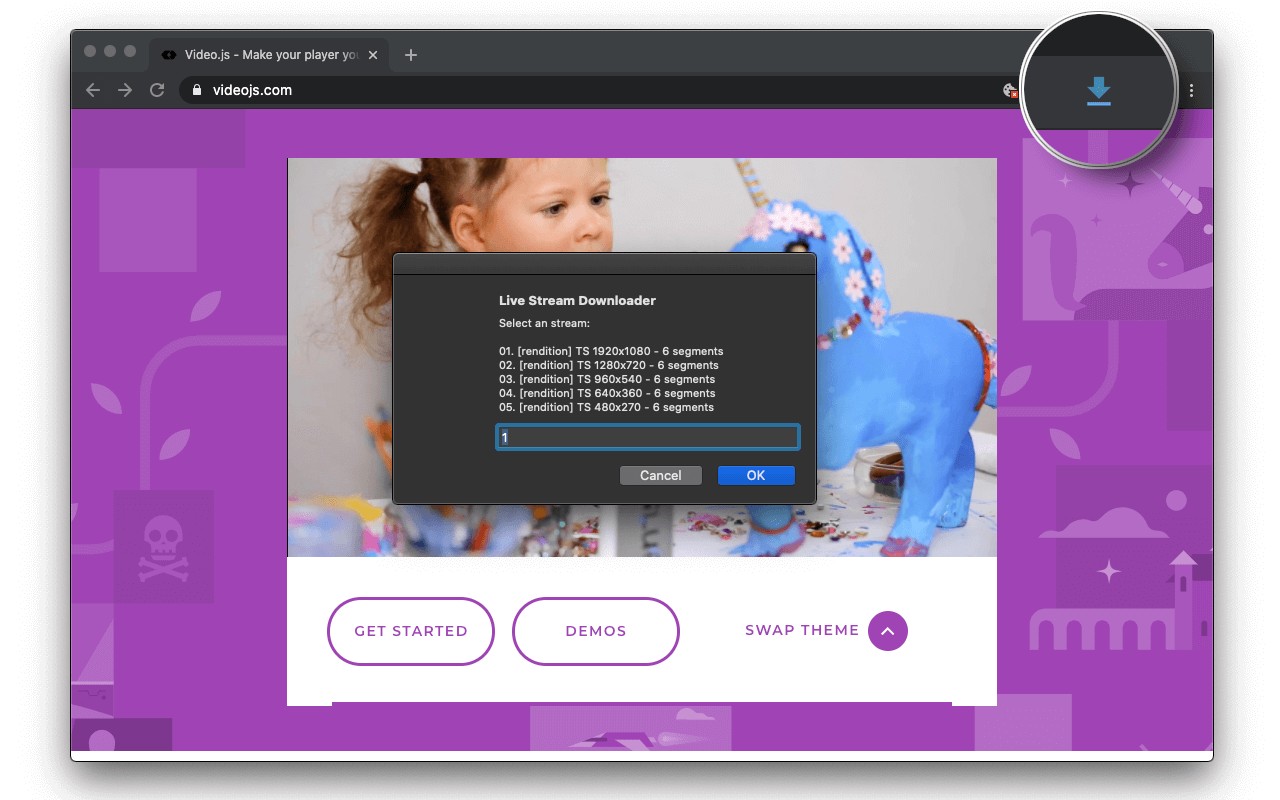
After installing, users should refresh the Play in HLS tab once so the extension can identify streams. The toolbar button's badge will display the detected media link count. Clicking it opens a pop-up for quality selection, after which the download starts. Keep this dialog open until the download finishes.
- Supports Firefox browser
- Allows batch downloads
- Limited stability and compatibility
- Incomplete video capture
For live HLS, keep the source session available until the job completes and use the extension’s documented retry or resume options when they apply.
If output is truncated, check for an expired playlist URL, missing login context, or failed segments before treating the issue as a Firefox performance problem.
Mobile M3U8 Downloaders for Android and iOS
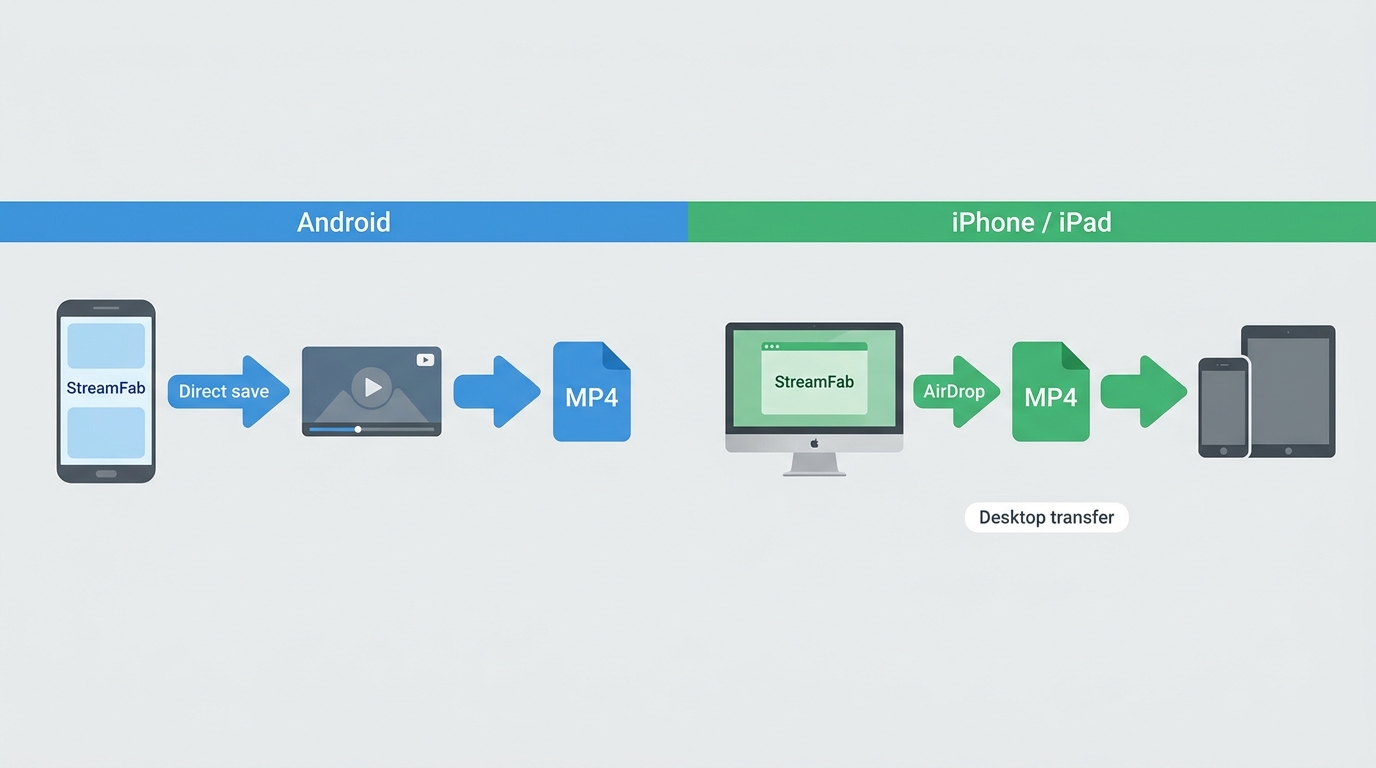
Mobile M3U8 options are more limited than desktop workflows. Android apps can suit public-stream tasks, while iPhone and iPad workflows depend more heavily on the stream, app permissions, available storage, and whether the service requires a login.
1. StreamFab for Android
- • Stream fit: Mobile public-stream tasks where the app supports the source.
• Playlist-file support: Not verified in the current evidence.
• Quality: Depends on the supported source and device conditions.
• Best For: Android tablet and smartphone users who want high-fidelity archives without a PC.
Use Android download apps only with streams you are authorized to access. Before installing, review the app’s storage, network, and account permissions, and avoid entering credentials into tools whose data-handling practices are unclear.
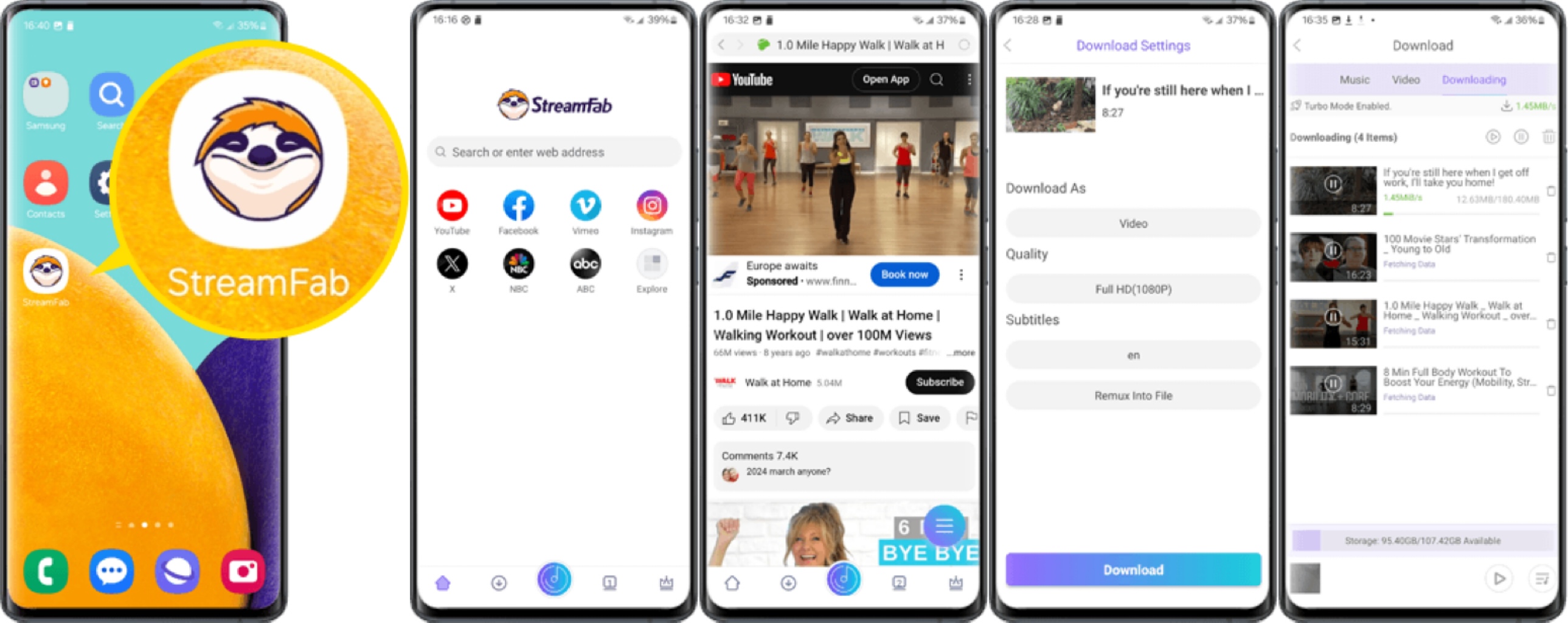
- Mobile workflow for supported public streams
- Check requested browser, storage, and network permissions
- Batch and playlist behavior are not verified in this comparison
- Source availability and output options can vary by service
- Not available for iOS users
- Requires manual login on some platforms
Best for: Android users handling simple supported streams on mobile. Not ideal for readers who need verified playlist support, detailed retry controls, or a desktop-style batch workflow.
Keep enough free storage for the expected file size, and confirm output, playlist, and subtitle behavior for the specific stream before starting a long mobile job.
2. Practical Options for iPhone and iPad
Direct M3U8 download choices are more limited on iPhone and iPad, particularly for authenticated streams. Desktop transfer is one practical route, while shell-based workflows may suit advanced users but can be fragile on mobile devices.
1. Desktop transfer: Create a local file with an appropriate desktop workflow, then transfer it to an iPhone or iPad using a method that fits your devices and storage setup.
2. Advanced local workflows: Shell-based tools can be an option for experienced users, but long jobs may be fragile and require careful storage and permission management.
Compare M3U8 Downloader Features and Output
| Product | Best stream fit | Output | Batch or playlist behavior | Live or retry behavior | Privacy and permissions | Operating systems |
|---|---|---|---|---|---|---|
| StreamFab DRM M3U8 Downloader | Authorized, login-required desktop workflows | MP4 or MKV | Batch queues supported; playlist handling available | Live and retry behavior not stated here | Local desktop workflow; account access may be required | Windows and Mac |
| CleverGet M3U8 Downloader | Desktop browser-detection workflows | Not stated in this comparison | Current batch and playlist details not stated | Current live and retry details not stated | Review requested browser and account permissions | Windows and Mac |
| CocoCut | Exposed public HLS streams in Chrome or Edge | Depends on the detected stream | Not ideal for confirmed playlist or batch needs | Live and retry behavior not stated | Browser extension permissions apply | Chrome or Edge browsers |
| Live Stream Downloader | Firefox HLS and live-stream tasks | Not stated in this comparison | Batch behavior not stated | Supports resumable downloads and retries | Firefox extension permissions apply | Firefox |
| StreamFab for Android | Supported mobile public-stream tasks | Not stated in this comparison | Playlist-file support not verified | Live and retry behavior not stated | Review mobile storage, network, and account permissions | Android |
MP4, MKV, or TS Output
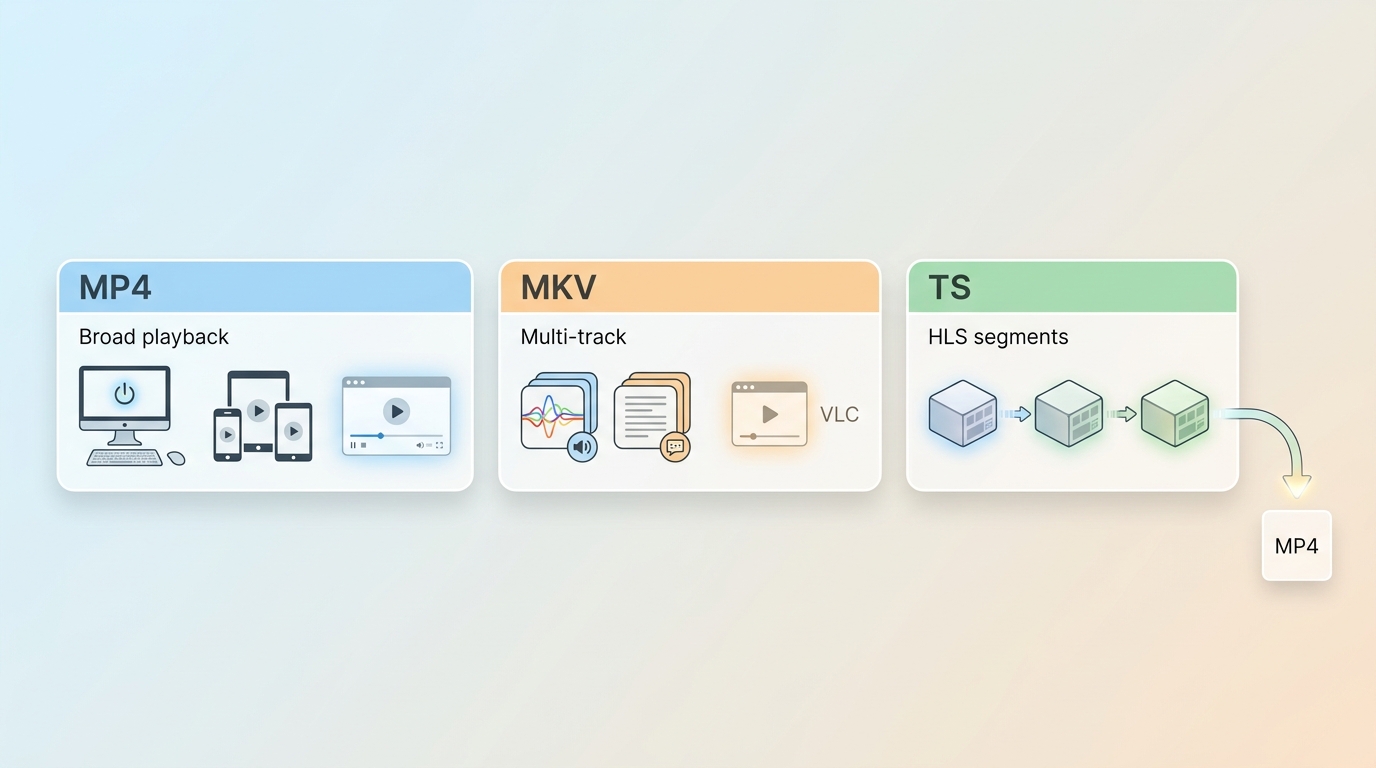
MP4 is usually the simplest choice for broad playback, while MKV can be useful when a compatible player benefits from keeping multiple media tracks together. TS is commonly associated with transport-stream delivery and may need further handling after download. If you need conversion instructions rather than a tool comparison, see how to convert M3U8 to MP4.
Privacy, Permissions, and Local Processing
Before using any M3U8 downloader, consider whether the playlist URL contains session tokens, whether processing is local or routed through a service, and what browser, storage, network, or account permissions the tool requests. For most readers, protecting a private playlist URL matters more than a claimed speed advantage.
Best Fit by Stream Type
Use a browser extension for an exposed one-off stream, choose a Firefox extension when its live and retry features match the task, and consider a desktop workflow for authorized login-required streams or when MP4, MKV, batch, audio, or subtitle options matter.

For authorized, login-required desktop workflows, StreamFab DRM M3U8 Downloader is a practical fit when you need MP4 or MKV output, batch queues, audio-language selection, or subtitle downloads. It is not the most convenient choice for a quick public-stream task in a browser.

For an occasional exposed public HLS stream, a browser extension can be the lighter option. Check the extension’s permissions and expect limitations with signed URLs, access controls, and login-required playback.
For mobile viewing, Android can suit supported public-stream tasks, while desktop transfer is one practical option for iPhone and iPad users who need a local file. Neither route removes the need to account for stream access, storage, and service conditions.
Fix Common M3U8 Download Failures
Start by confirming that the captured URL is the correct master or media playlist. A blob URL may not expose the underlying playlist, and a signed M3U8 URL can expire quickly.
HTTP 403 and Expired Playlist URLs
Refresh the page, capture a current playlist URL, and retry while the authorized session is still active. Repeated HTTP 403 errors after refreshing the URL usually point to an access-context problem, not a container-format problem.
CORS, Login, and Request Headers
CORS restrictions, login requirements, and request headers can prevent a tool from reaching segments that play in a browser. Use a workflow that supports the stream’s authorized access context rather than assuming a copied URL will work elsewhere.
Missing Audio, Failed Segments, and Truncation
Audio and video may use separate playlists, so a file with missing sound is not necessarily a bad M3U8 URL. For long or live jobs, check whether the selected tool documents retries or resume support, then retry failed segments before changing output containers.
FAQs
1. Why Can VLC Play an M3U8 Stream but Save Only a Few Seconds?
Playback can tolerate a changing playlist, while a local job may stop when a signed URL expires, separate audio is missed, or a segment fails. Refresh the source session, confirm the current media playlist, and use retry or resume support when the selected tool provides it.
2. Is It Safe to Paste a Private Playlist URL Into an Online Downloader?
Treat a private playlist URL as sensitive when it includes session tokens or account-linked parameters. Consider whether processing happens locally or through a proxy, and review the service’s data handling and requested permissions before submitting it.
My recent security audit of three "top" online converters showed that they often inject tracking scripts or fail to merge more than 10 minutes of video. Furthermore, they cannot handle encrypted playlists, meaning they are useless for 90% of modern streaming content.
3. Can I Download an M3U8 Playlist Directly on an iPhone?
Direct options on iPhone are more limited, especially for streams that require an active login. Simple public streams may work with a suitable app, while desktop transfer is a practical alternative when you need a local file on an iPhone or iPad.
4. Can an M3U8 Downloader Save a Live Stream That Is Still Running?
That depends on the tool’s live HLS support, retry behavior, and final output handling. Keep the authorized source session available until the job finishes, and compare the table’s live-stream and retry or resume details before starting a long recording.
Conclusion
The best M3U8 downloader depends on the stream’s access requirements, your device, and the output you need. A browser or online tool can suit an exposed one-off stream, Chrome or Firefox extensions can suit in-browser detection, and Android can suit supported mobile tasks.
For authorized login-required desktop workflows that need batch handling, audio or subtitle options, and MP4 or MKV output, StreamFab DRM M3U8 Downloader is a practical fit. It is not the most convenient choice for a quick public-stream download.
- This article is updated as M3U8 tools and browser listings change. Recent updates include:
- • Removed unsupported success-rate, speed, and segment-merging metrics from the comparison cards.
- • Phased out outdated products, removed the incorrect recommendation of Seal for iOS.
The comparison now emphasizes documented capabilities, scoped limitations, and practical stream-type fit. - Jacob Harrison


Instagram offers three practical download routes: its native Download action, a no-login browser tool for accessible public posts, and a Windows or Mac desktop workflow for repeated authorized saves. This guide explains access limits, file-quality checks, safety warnings, and fixes for missing buttons, muted audio, and failed links.
By Nicole Lopez - Aug 6, 2026

This article explains how to download videos from M3U8 files, covering what M3U8 is and introducing main methods along with their pros and cons, helping users choose a safe and effective solution for offline viewing.
By Jacob Harrison - Aug 6, 2026

Struggling with encrypted M3U8 streams? Learn how to extract live URLs, fix VLC playback errors, and bypass 2026 DRM protections easily with advanced downloading solutions.
By Marcia Hatcher - Aug 5, 2026
M3U8 files store video links, not content—hence the need to convert to MP4. Three methods: StreamFab (high-quality, Android support), online tools (risky, limited), and VLC (open-source). Table compares platforms, quality, and users; FAQs answer format differences. Recommend StreamFab for reliability.
By Jacob Harrison - Aug 4, 2026