
Record 1080p FANZA Videos on PC: 2 Black-Screen Fixes

Summary: If you want to record 1080p FANZA videos on a PC, a black screen usually means the player and capture method are incompatible, not that playback has failed. The practical choice is a real-time recorder for live playback or a local-file workflow for eligible VOD.
Quick note: this article addresses adult visual content. The methods shared here are strictly tailored for readers 18+ and intended solely for personal, authorized offline digital archiving.
This guide explains why the symptom happens, when browser checks are worth trying, and how a FANZA to MP4 workflow differs from real-time recording for authorized personal use.
In short, confirm access and playback first, then diagnose the FANZA black screen before choosing a workflow. That sequence prevents hours of changing browser settings when the real issue sits at a different layer.

FANZA Access and Free Content in the U.S.
FANZA is an 18+ Japanese streaming and purchase platform. From the United States, reaching the FANZA official site, registering an account, completing payment, and playing a title can each fail for different reasons. Access outside Japan can be inconsistent, and a VPN may not resolve account, payment, or playback issues.
Separate access problems from recording problems before changing tools. If the title will not load or play normally, fix that first; a recorder or local-file workflow cannot make an unavailable session reliable.
FANZA Accounts, VODs, and Regional Limits
Some viewers register a FANZA free account to explore promotional clips or free VOD offers. A successful registration does not necessarily mean that playback or payment will work from the United States, so treat those as separate checks rather than assuming a recording failure.
Promotional content can still use protected playback, so a generic extension may show the same black-screen symptom. Start with a short authorized clip and confirm that the account, player, and browser are working before troubleshooting the capture method.
Why FANZA Recordings Show a Black Screen
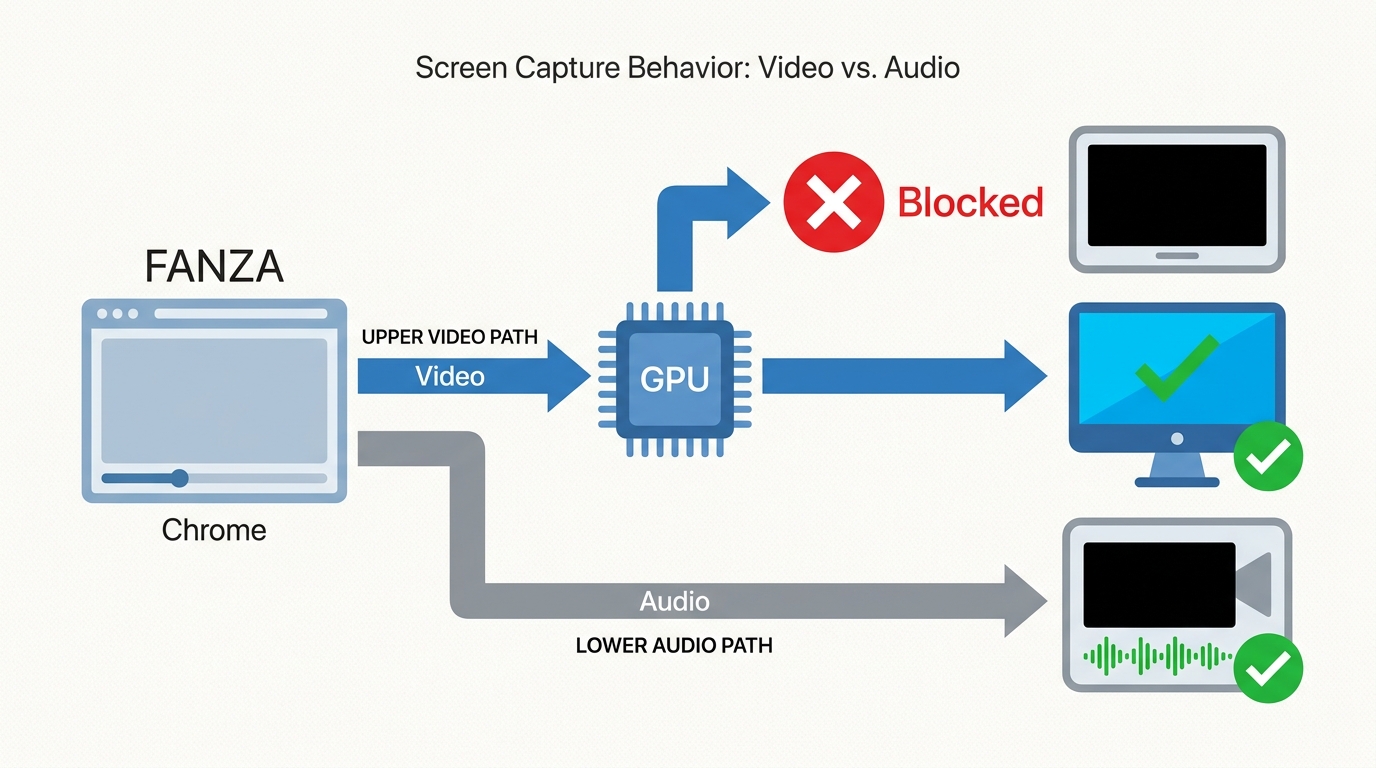
A FANZA black screen with audio still present can occur when the browser sends protected video through a GPU-rendered playback path that a conventional recorder cannot capture. The audio and image may travel through different paths, which is why normal playback does not prove that a screen capture will include video.
Connection changes can also interrupt playback, especially when a session is already unstable. Choose a recorder for real-time or live playback, or a local-file workflow for eligible VOD.
Browser Hardware-Acceleration Checks
Use hardware acceleration as a reversible diagnostic step, not a universal fix. In Chrome, open Settings, search for “hardware acceleration,” switch it off or on, then relaunch the browser. In Edge, use Settings and search the same term. In Firefox, open Settings, uncheck “Use recommended performance settings,” then test the available hardware-acceleration option. Some protected players require acceleration, so revert the setting if playback gets worse.
My rule is simple: if one clean browser retry does not change the symptom, stop cycling through settings. Move to the workflow that matches the content type instead of treating every black screen as a browser problem.
Recorder or Downloader: Compatibility and Fit
The two approaches solve different problems. StreamFab FANZA Downloader and RecordFab are separate products for different workflows, while a conventional recorder is mainly a diagnostic or last-resort option.
| Method | Best fit | OS and content | Quality | Speed and output |
|---|---|---|---|---|
| StreamFab FANZA Downloader | Eligible VOD libraries | Windows, Mac; VOD | Up to 4K | Batch MP4 or MKV files |
| RecordFab | Live or stubborn playback | Check current support; live or VOD | Depends on playback settings | 1x to 5x where supported |
| Conventional recorder | Basic screen capture | Windows/Mac varies by recorder | Depends on display settings | Usually real-time capture |
As of August 2026, RecordFab advertises 1x to 5x recording on supported sites, while unsupported sites fall back to 1x. FANZA-specific accelerated capture is not promised here. StreamFab FANZA Downloader supports Windows and Mac, with selectable MP4 or MKV output for eligible VOD. RecordFab and conventional-recorder device availability varies by app and may change; confirm current support on the recorder's official site.
RecordFab for Live and Stubborn Players
RecordFab fits live events and stubborn players that need real-time visual capture. It is less efficient for long VOD queues.

Instead of hooking into your entire desktop, it records strictly what is playing inside its own browser engine at up to 1080P, effectively neutralizing audio desync and blank visual outputs.
Quick setup: Open RecordFab, load the authorized live video in its internal browser, confirm the capture prompt, choose the available settings, and start recording.
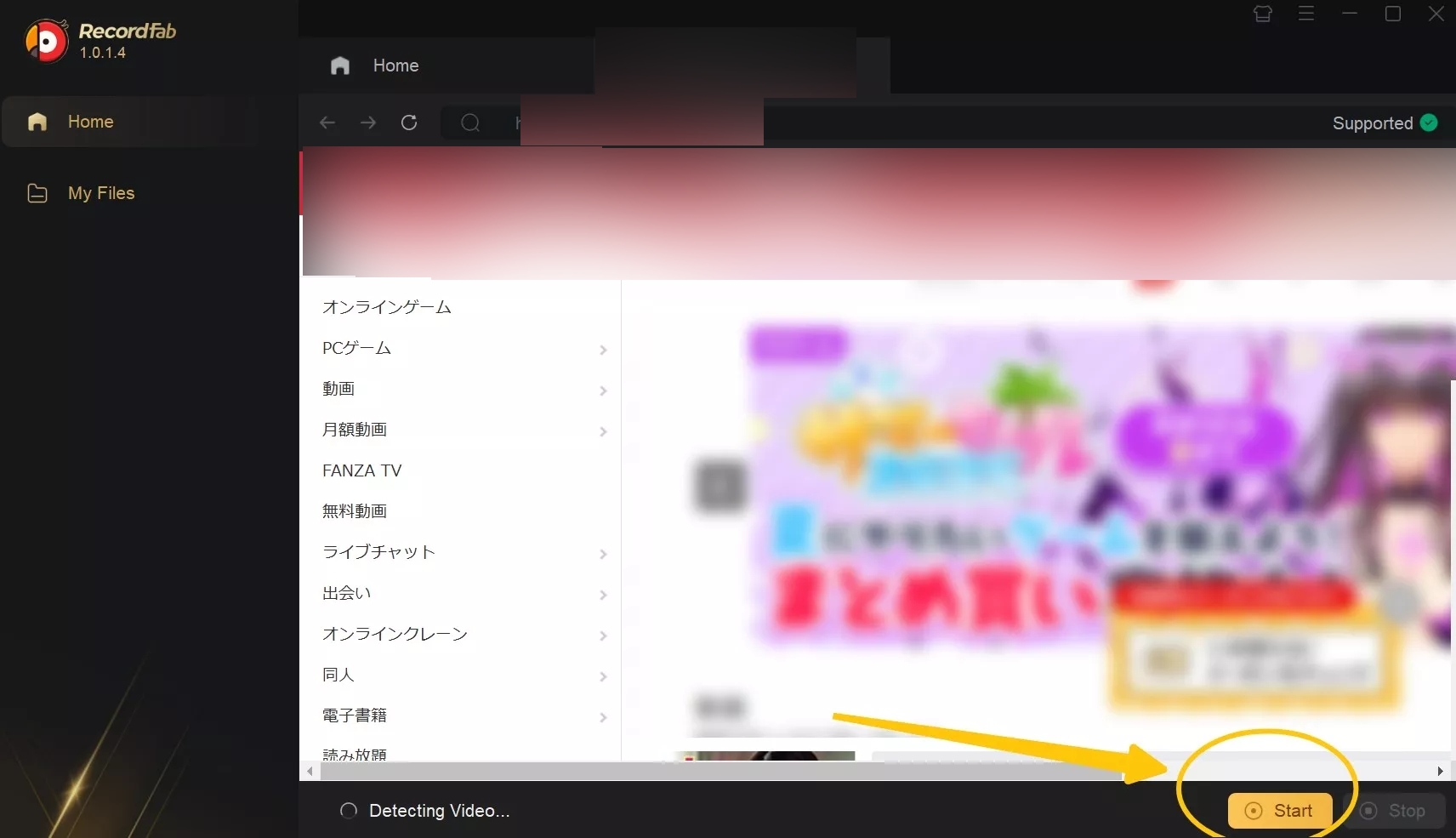
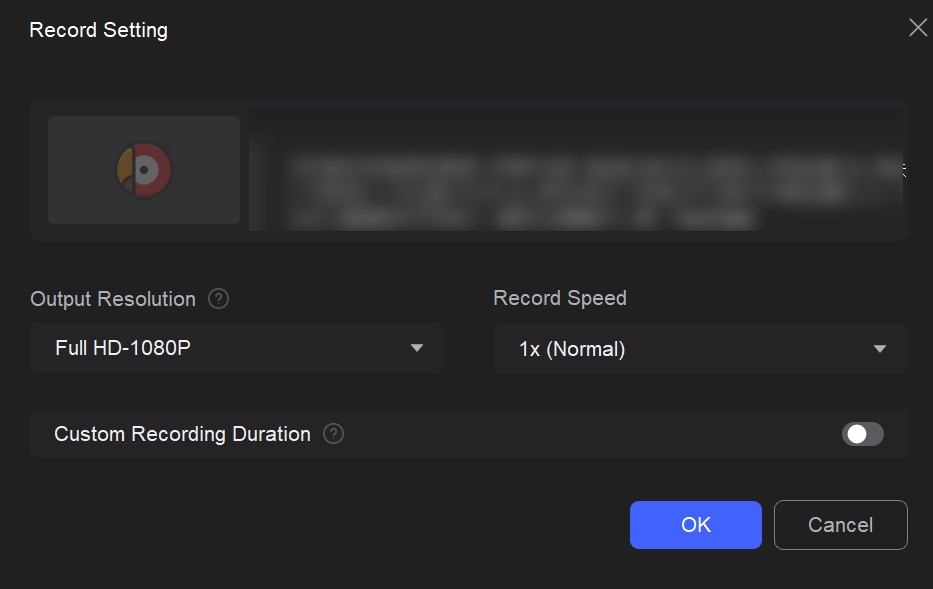
FANZA live recording has different constraints from VOD. Start early, use stable networking, leave sufficient storage space, and monitor the first minutes of playback. Any buffering that appears during playback can also appear in the recorded result.
StreamFab for 1080p Local Files
For eligible VOD, StreamFab FANZA Downloader is a local-file workflow rather than real-time screen capture. It supports H.264 or VP9 video, AAC 2.0 audio, MP4 or MKV output, subtitle downloads, metadata writing, and batch processing on Windows and Mac.
Choose MP4 when broad playback compatibility matters most. Choose MKV when you want a flexible container for subtitle and track organization, including embedded subtitles or external SRT files where supported. For a Plex, Jellyfin, Emby, or PlayerFab library, prioritize the format and subtitle setup your intended player handles well instead of selecting the largest available file by default.

This tool supports saving original data up to 2160P or 1080P natively. By bypassing the display layer entirely, it ensures your offline backup maintains the original audio tracks and crystal-clear picture quality without tying up your screen.
Use the official installer and update the software before troubleshooting.
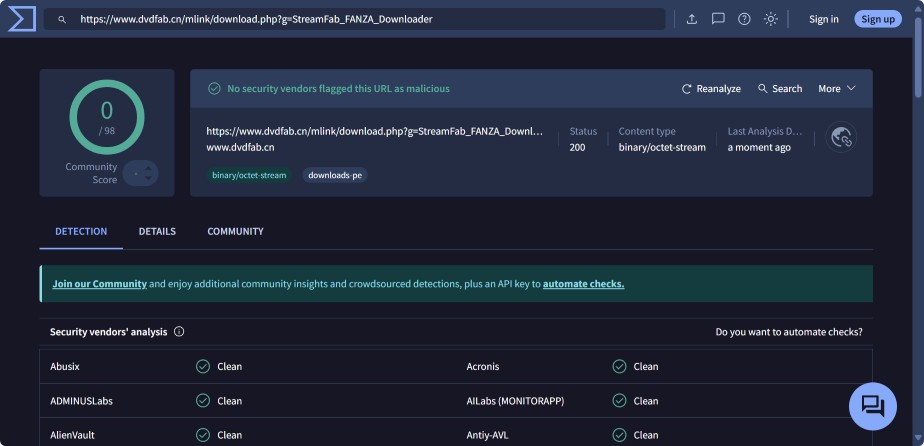
Quick setup: Open FANZA in the Downloader, sign in with valid credentials, then select the available resolution, format, subtitle option, and batch settings before adding the title to the queue.
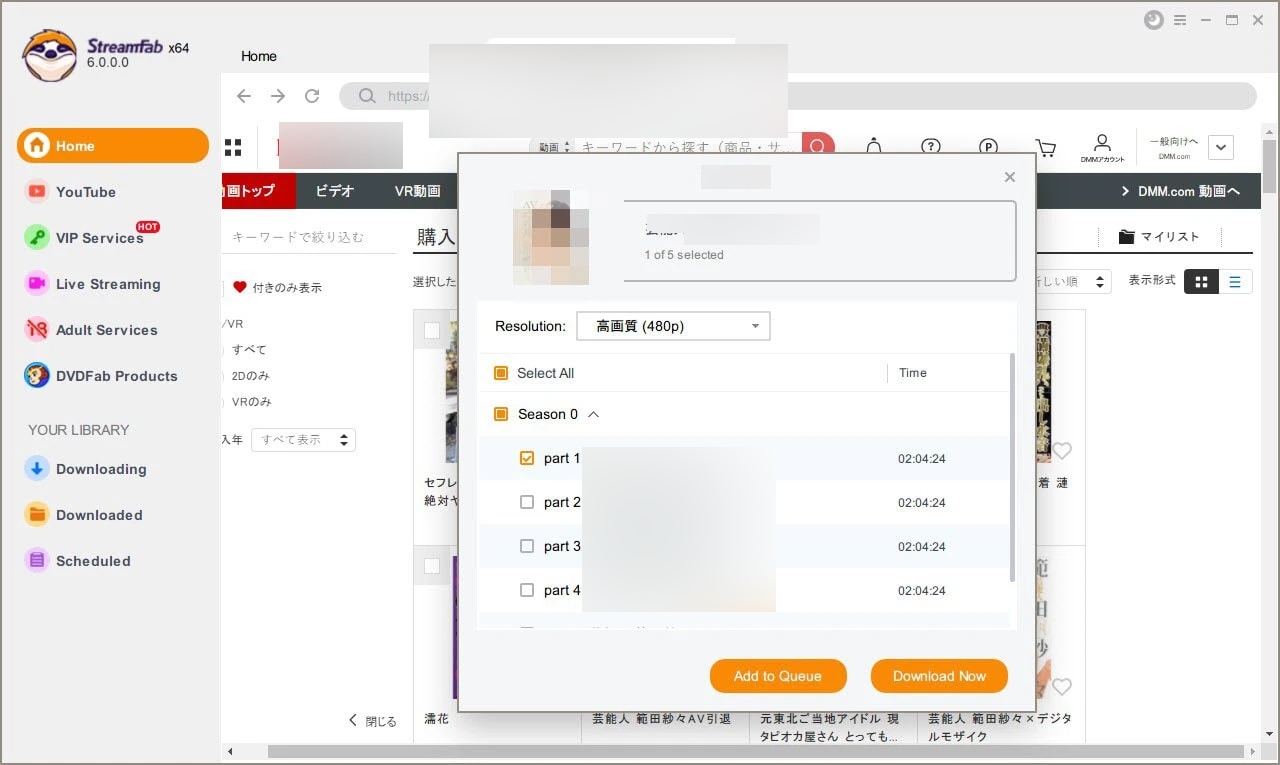
If a title plays but analysis fails, reload the player, confirm that you are signed in, update the software, and retry with one title before building a larger queue. If a detected task remains at 0.0 Mbps, stop the task, reload the title, and retry after confirming that playback is still available. These checks can isolate a stale session or temporary playback issue, but they may not resolve every failure.
Before starting a batch, validate the first saved file in the app you actually plan to use. Check picture, audio, subtitles, seeking, and playback from beginning to end. I treat this as the fastest quality-control step because a broken first file is a much cheaper problem than a broken queue.
FANZA Recording FAQs
Why can FANZA play normally but still fail video analysis?
Playback and analysis are separate checks. Reload the player, confirm that you are signed in, update the software, and retry one title. If the problem returns, note the title and error message to distinguish a session issue from a title-specific one.
What should I check if a saved FANZA file has no audio?
First confirm the selected audio track and container, then try the file in a second compatible player. If audio works elsewhere, the original app or its track support is the more likely cause. Validate one file before starting a larger batch.
Does disabling hardware acceleration always fix a FANZA black screen?
No. If changing the setting harms normal playback, restore it rather than continuing to switch browser settings. At that point, use the workflow that fits the content type.
Can FANZA live streams be recorded faster than real time?
Speed depends on site support. RecordFab advertises accelerated recording on supported sites, while unsupported sites can fall back to real-time capture; this article does not promise an accelerated FANZA-specific speed.
Conclusion
For live events or stubborn playback, RecordFab is the more practical fit because it records what is playing in real time. For eligible VOD, StreamFab FANZA Downloader fits local MP4 or MKV files, batch work, and library organization.
Neither is the right fit for an unavailable live stream or a title that cannot be analyzed. Use either workflow only with authorized access for personal use where platform terms and applicable law permit; the FANZA download setup explains the local-file process.



We will demonstrate how to efficiently convert Fanza dcv files into mp4 format. The dcv files from Fanza can only be played on certain players, thus necessitating their conversion to mp4.
By Erika Leen - Aug 18, 2026
Have you ever viewed FANZA videos online? However, how can one watch FANZA videos without Wi-Fi? Therefore, in this article, we will explore the methods for downloading FANZA videos for offline viewing. If you wish to enjoy FANZA videos without an internet connection, be sure not to miss this!
By Erika Leen - Aug 18, 2026