Download FANZA Videos to Local Devices in 4 Steps: 2026 Latest

Summary: Have you ever viewed FANZA videos online? However, how can one watch FANZA videos without Wi-Fi? Therefore, in this article, we will explore the methods for downloading FANZA videos for offline viewing. If you wish to enjoy FANZA videos without an internet connection, be sure not to miss this!
- Play fair and stay legal. I follow each site's rules, including Fanza's Terms of Service. I view only what I've paid for. I don't resell, share, or "lend" purchases; kids deserve protection, creators deserve respect, and frankly, I like my privacy intact.
- Safety, but make it practical. I keep devices patched: the latest antivirus, up-to-date OS, and modern browsers. I buy only from sources I trust and can verify. For extra armor, I encrypt backups, and I double-check every download before opening. Paranoid? Maybe, but happily uninfected. Access stays limited, too; only a few people use my machine, and only when I say so.
That's the gist: be lawful, protect others, and protect yourself. Not flashy, just adulting.
FANZA Downloads for US Users
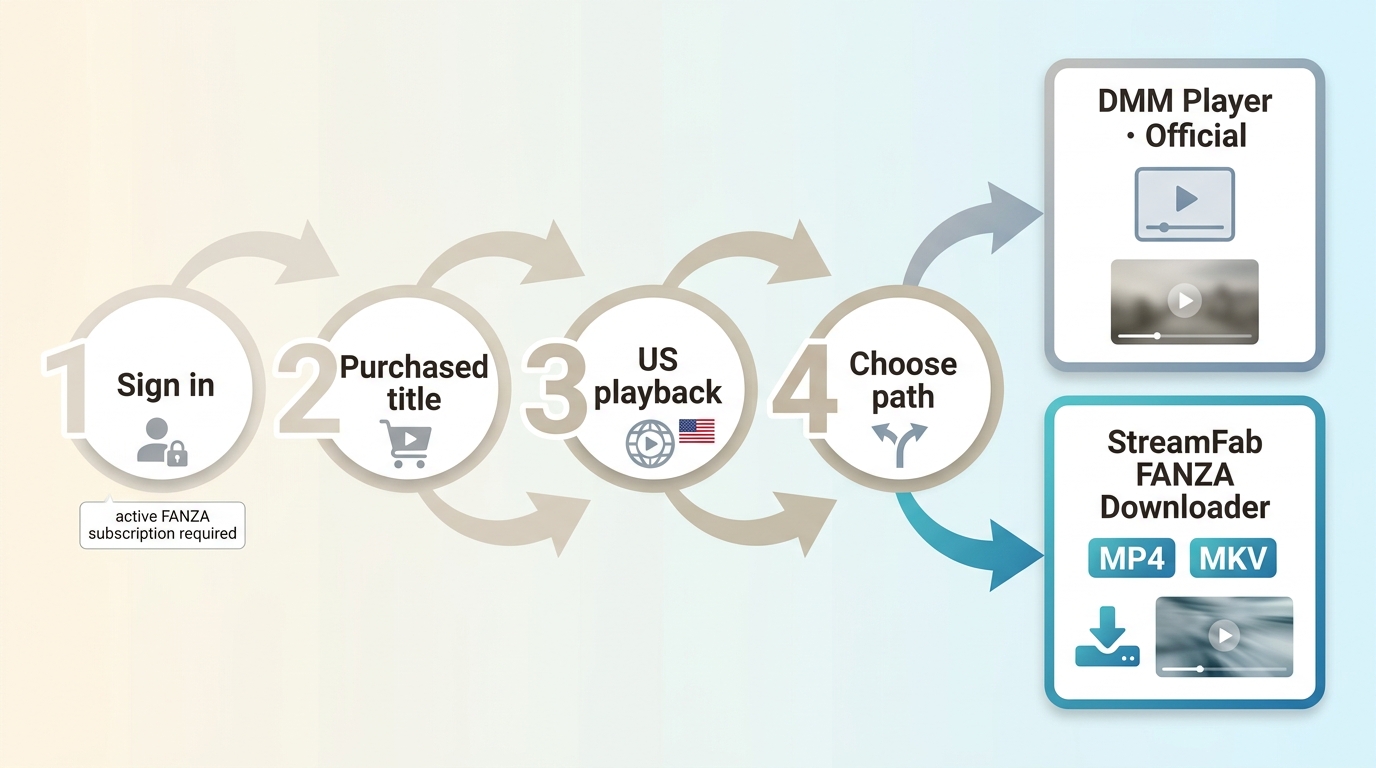
If you want to download FANZA videos from the United States, first confirm that you can sign in, open the purchased title, and meet FANZA’s regional requirements. That check separates FANZA offline viewing through an official player from a local-file workflow for authorized personal viewing.
My practical rule is to confirm that a purchased title plays before troubleshooting a downloader. Access to a purchase and having a portable local video file are different questions, and mixing them creates most of the confusion.
Official FANZA Downloads and Portable Files
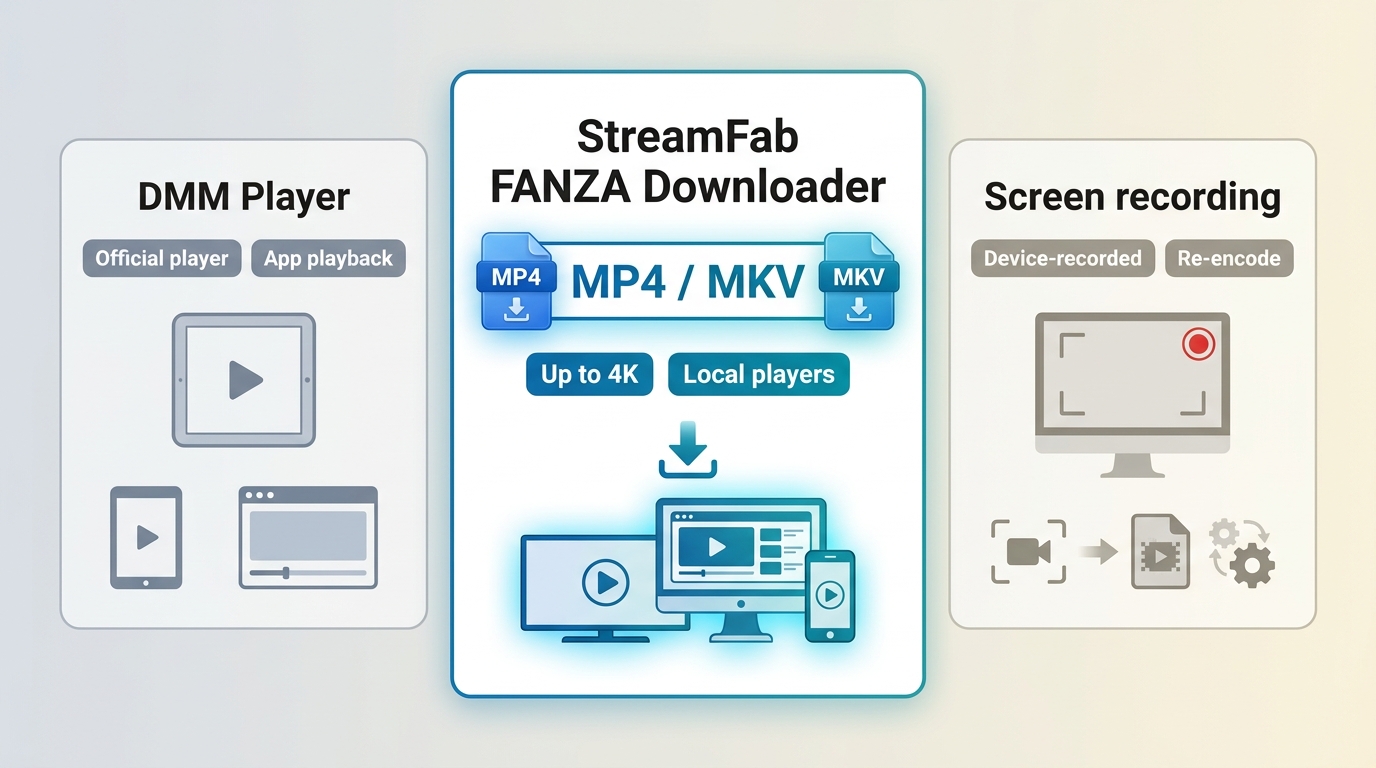
FANZA offers adult video, manga, and some VR content through the DMM Group. A purchase may provide account-based viewing access, but that does not automatically mean you receive a portable video file that works in any player.
For US viewers: FANZA availability can depend on your account, title, and region. Confirm that you can sign in and play the purchased title through the supported service before choosing an offline-viewing workflow.
But here’s the funny part: despite all its abundant resources, the platform also sets up quite a few "obstacles" for us video enthusiasts (similar to how people often ask, "Can you download on the Criterion Channel?"):
• A purchase does not necessarily include an official download option for every title.
• Official offline access can be tied to a supported player, account, file type, or service rules.
• Playback availability may change if a title, account status, or service policy changes.
• A portable MP4 or MKV file is different from an official in-app download.
• VR titles can have additional file, headset, app, and regional requirements.
| Method | Output or player | Portability | Quality | Best fit |
|---|---|---|---|---|
| Official DMM Player download | Supported official player | Player-dependent | Service-controlled | Official in-app viewing |
| StreamFab FANZA Downloader | MP4 or MKV | Compatible local players | Up to 4K | Desktop local playback |
| Screen recording | Device-recorded file | Player-dependent | Device-dependent | Separate recording workflow |
The better choice depends on the playback goal. My take: choose official playback when it already fits your device and viewing routine; use a local-file workflow when compatible-player playback matters more. If you need a separate recording workflow, see how to record FANZA videos on a PC, including its device and black-screen limitations.
StreamFab FANZA Downloads for Local Playback
For content you’re authorized to access, where permitted by platform terms and applicable law, StreamFab FANZA Downloader is a third-party desktop local-file workflow for personal offline viewing. It is designed for Windows and Mac users who want portable files, not for viewers who need only official in-app playback or a mobile-only workflow.
StreamFab Output and Device Support
- Use the official installation file and keep your operating system, browser, and security software current.
- Remember to download only from the [official website]. That way, you won't get any unwanted bundled software installed.
As of August 2026, StreamFab FANZA Downloader supports output up to 4K in MP4 or MKV, with AAC 2.0 audio, subtitle downloads, metadata writing, and batch handling. MP4 is the practical default for broad compatible-player playback; MKV can suit viewers who prefer a flexible media container. Supported systems and availability may change, so verify current status on the official product page.

Tired of FANZA purchases that only work through the proprietary player? StreamFab FANZA Downloader saves your content in up to 4K with AAC 2.0 audio as permanent MP4/MKV files, with no device locks, no streaming dependency, and no limits.
Download FANZA Videos in 4 Steps
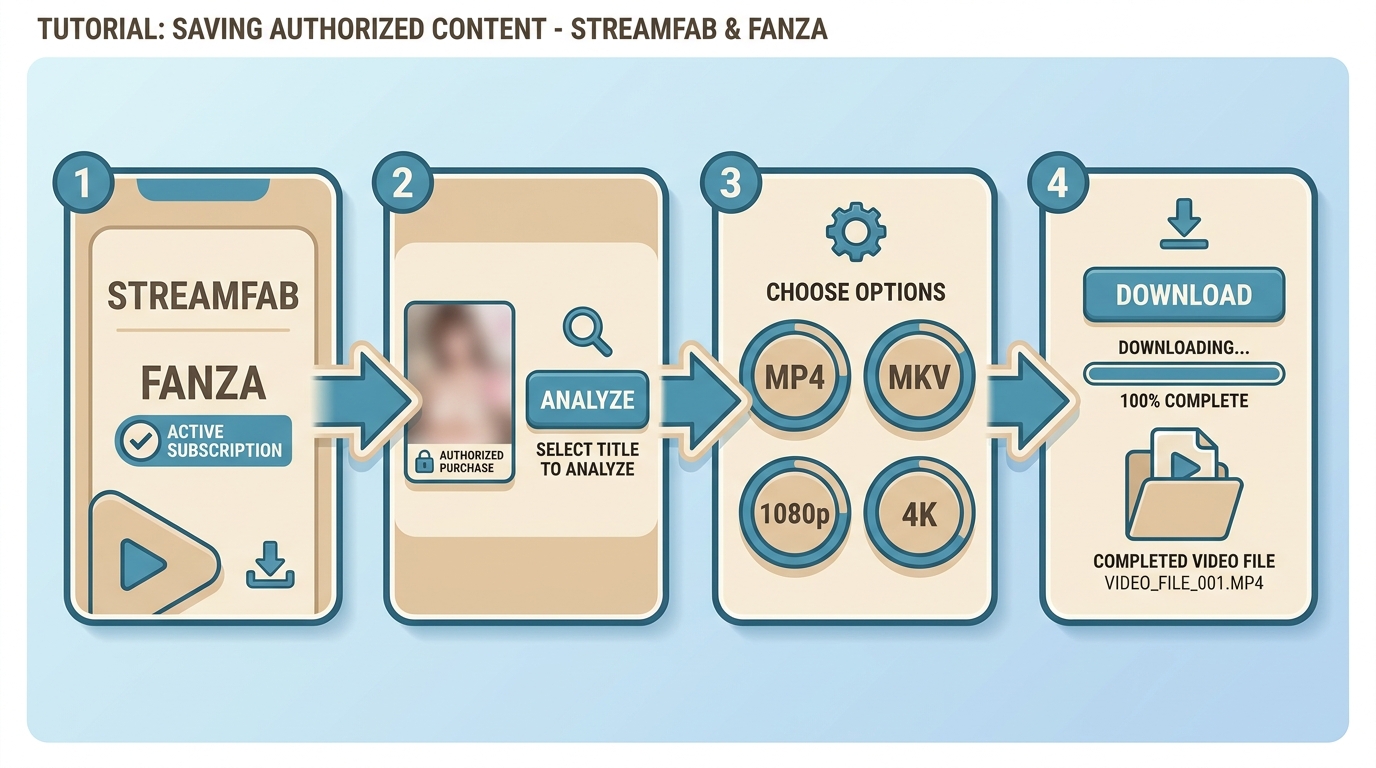

Start by launching StreamFab, enabling FANZA, signing in to access the title you are authorized to watch, and then selecting and monitoring the download. If you already have a DVC file, converting FANZA DCV to MP4 is a separate format task.
Now, follow my pace and unlock the entire operation process of this amazing tool step by step!
1. Install the application from the official site, then launch StreamFab—just click "Start StreamFab."
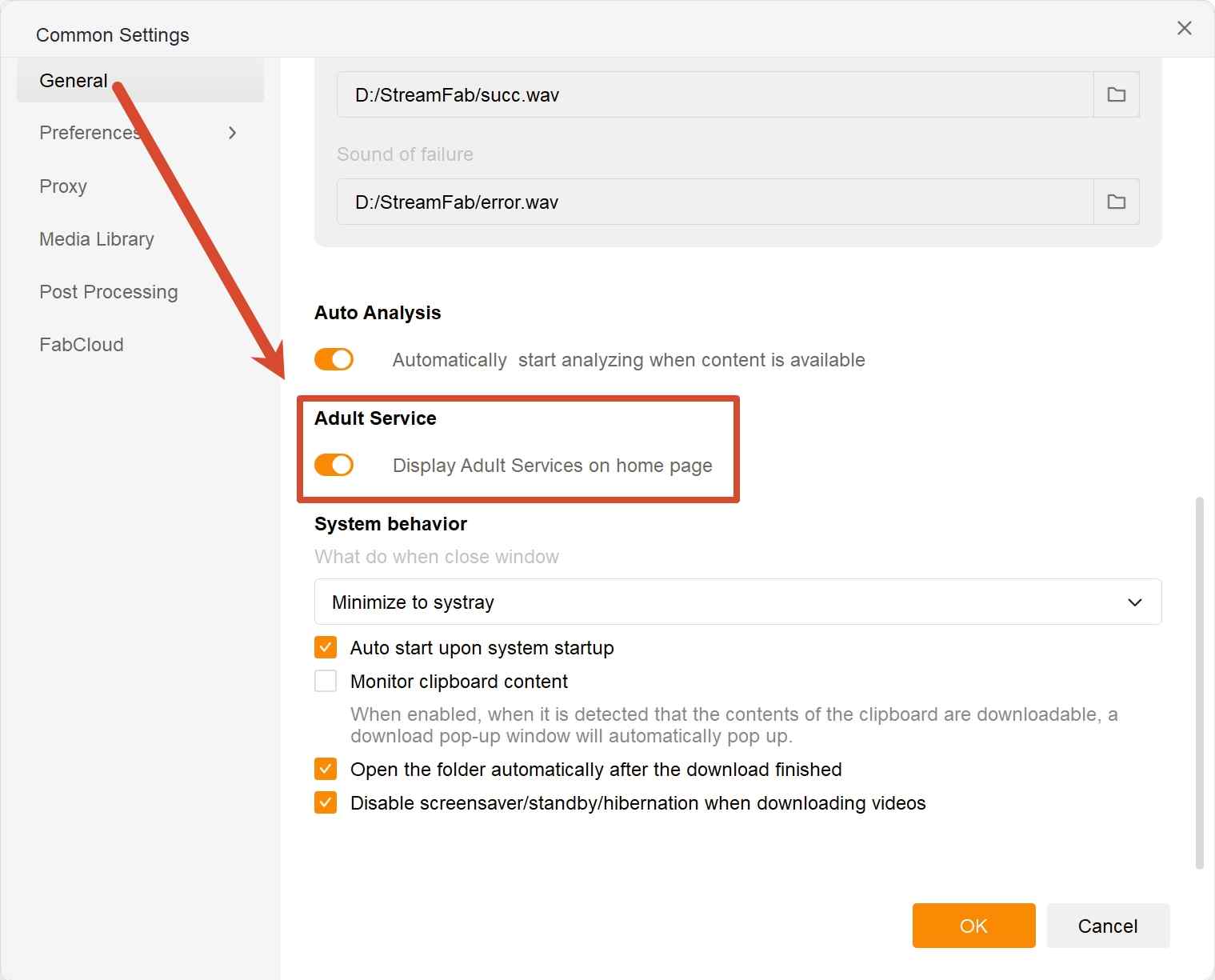
2. Head to Settings → General, then check the "Show Adult Services" box. This will enable the display of the FANZA Downloader. Under the "Adult Services" tab, locate the FANZA Downloader and click on it.
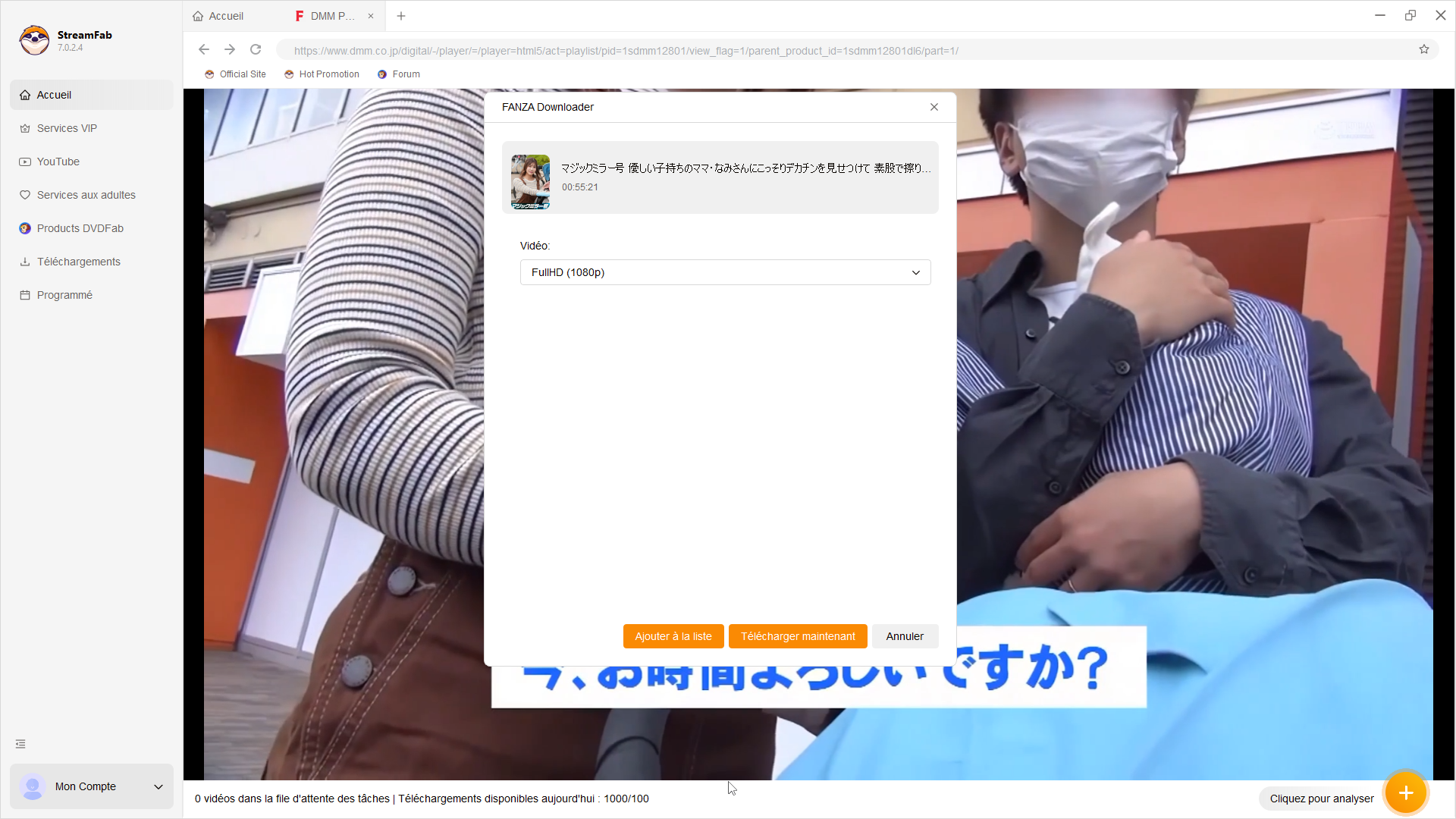
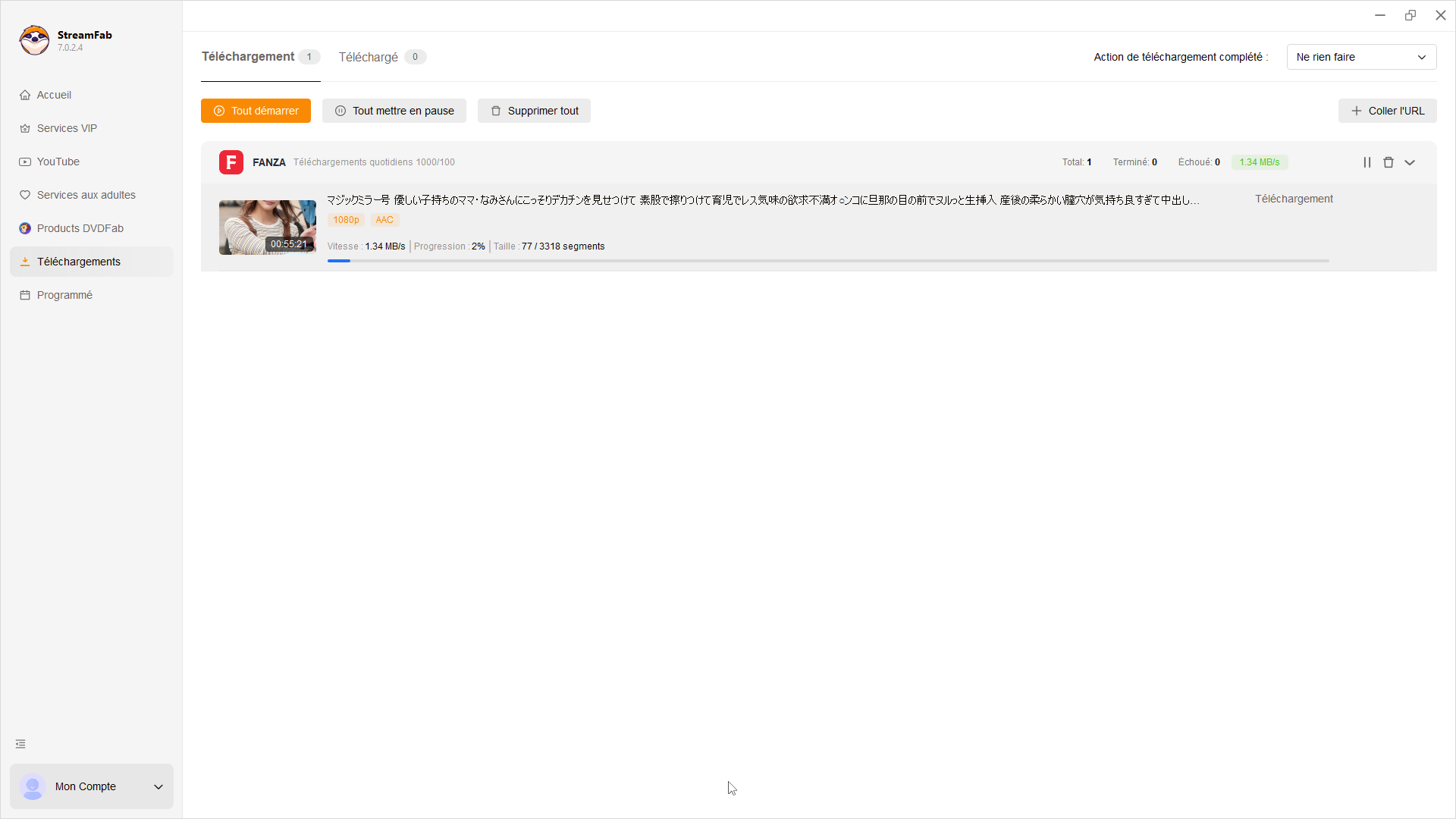
If a FANZA download fails:
- Playback error: Update StreamFab, then confirm that the signed-in account can play the selected title.
- Analysis fails: Retry analysis after confirming playback access and the selected title.
- Download stays at 0 MB/s: Update the app, retry the analysis, and rebuild the affected queue.
- Wrong title in the queue: Inspect the selected title, remove the incorrect item, and add the intended title again.
When playback works but analysis fails, I would check the app version and analysis state before repeating login steps. Those are separate checks, and retrying the same sign-in loop rarely changes the queue.
FANZA Download FAQs
1. Is it legal to download FANZA videos?
That depends on applicable law, FANZA's terms, and the circumstances of access. The cautious approach is to use only content you are authorized to access, keep offline copies strictly personal and noncommercial, and never share or redistribute files.
2. Why can playback work while video analysis fails?
Browser playback and downloader analysis are separate checks. First update StreamFab, confirm that the signed-in account can play the selected title, retry analysis, verify the title selection, and then inspect or rebuild the queue. A title that plays normally can still need a fresh analysis pass after an app or service change.
3. Does a FANZA purchase include a portable video file?
Not necessarily. Purchase access, official offline viewing, and a portable MP4 or MKV file are separate things. Official options can depend on the title, account, file type, and supported player, while a local-file workflow is intended for compatible-player playback.
4. Can saved FANZA videos play on phones or VR headsets?
Ordinary MP4 or MKV playback depends on a compatible media player and device. VR playback adds more requirements: the purchased title, file format, headset, app availability, and region can all matter. Do not assume that every FANZA VR title follows the standard video workflow.
Conclusion
Confirm access to the purchased title first, then choose official playback when it meets your needs. If authorized personal viewing calls for portable MP4 or MKV files on compatible desktop players, StreamFab FANZA Downloader is the better fit. Keep the workflow private, use supported titles, and start with the four-step process above.
- Keep access personal: use only titles you are authorized to view, follow the service's terms, and do not resell, share, or lend copies.
- Keep your device updated, use reputable software from official sources, and limit account access to people you trust.

We will demonstrate how to efficiently convert Fanza dcv files into mp4 format. The dcv files from Fanza can only be played on certain players, thus necessitating their conversion to mp4.
By Erika Leen - Aug 18, 2026
If you want to record 1080p FANZA videos on a PC, a black screen usually means the player and capture method are incompatible, not that playback has failed. The practical choice is a real-time recorder for live playback or a local-file workflow for eligible VOD.
By Erika Leen - Aug 11, 2026