



• Download all Tubi videos

    Save any movie or show from Tubi's 200k+ library

  • Save new episodes at scheduled time

    Never miss new Tubi releases with scheduled downloads

  • save tubi videos in 1080p/720p hd quality with aac 2.0 audio

    Download Tubi videos in 1080p/720p with AAC 2.0 audio

  • Explore Tubi videos with its in-built browser

    Browse and download Tubi content with the built-in browser

Why do Tubi fans choose StreamFab?

Your favorite Tubi titles can vanish overnight

That movie you loved on Tubi? It might be gone tomorrow

Imagine this: you discover an incredible indie film on Tubi and add it to your watchlist for the weekend. Saturday comes, you grab your popcorn, open Tubi — and it's gone. No warning, no explanation. Licensing agreements between Tubi and content studios expire on schedules viewers never see, and when they do, titles vanish from the catalog overnight. 


Unlike paid platforms, Tubi's free model means content rotates even faster as deals come and go. That obscure documentary, that classic 90s thriller, that foreign film a friend recommended — any of them could disappear before you press play. StreamFab Tubi Downloader lets you save titles the moment you discover them, so your personal collection never shrinks because of a licensing deadline you had no control over.

Tubi titles disappear when licensing agreements expire
Download all Tubi videos

Finally watch Tubi movies the way they were meant to be seen

You're curled up watching a thriller on Tubi when a loud car insurance ad blasts through mid-chase. It happens every 12 minutes — up to 12 minutes of unskippable ads over a 2-hour film. Unlike Netflix or Hulu, Tubi offers no premium tier to escape them. 


StreamFab Tubi Downloader, backed by StreamFab's 20+ years of trusted development, strips every ad during download and saves your movies as clean, uninterrupted files. Your privacy stays protected too: 256-bit SSL encryption secures every session, your credentials are never stored on servers, and the built-in private browser keeps browsing data local. No buffering, no commercials, no security worries — just press play.

tubi downloader

How StreamFab transforms your Tubi offline experience

Excellent Downloading Quality

Every scene in stunning detail — 1080p/720p video, AAC 2.0 audio

You just found a visually stunning nature documentary on Tubi — sweeping aerial shots, vivid wildlife closeups — but streaming over spotty hotel Wi-Fi turns it into a pixelated slideshow. That frustration disappears when you download it ahead of time with StreamFab. Every title saves at up to 1080p resolution, preserving the sharp details and vibrant colors that make movies worth watching on a big screen. The 720p option works beautifully for tablets and phones where you need smaller files without sacrificing clarity. 


On the audio side, AAC 2.0 delivers balanced stereo sound that keeps dialogue crisp and soundtracks immersive — whether you're listening through headphones on a plane or plugged into a Bluetooth speaker at a cabin. What you download is what Tubi streams, with zero quality loss.

download tubi videos in 1080p/720p with AAC 2.0 audio
Multiple Format Available

MP4 for any device, MKV for your media library

Your daughter wants to watch her favorite Tubi cartoon on the tablet during a road trip. Your partner prefers the living room smart TV. You watch on a laptop at the gym. The challenge with downloaded video files is making sure they actually play everywhere — and that's where format choice matters. StreamFab saves Tubi downloads as MP4 or MKV, giving you the flexibility to match each situation. 


MP4 is the universal choice: plug a USB stick into any device and it just works — no codecs to install, no compatibility headaches. MKV shines when you're building a home media library with Plex or Jellyfin, because it can hold multiple subtitle tracks in a single file. Either way, you get the full video quality Tubi delivers, stored in a file you own permanently.

free tubi downloader
Save and Remux SRT Files

Keep subtitles embedded or separate — whatever works for you

Late-night movie watching is a ritual in many households — except when you have a sleeping baby in the next room and need to keep the volume almost silent. Subtitles become essential, and StreamFab makes sure they're always available. When you download Tubi content, you choose how subtitles are handled: embed them directly into the video file so they appear automatically on any player, or save them as separate SRT files you can toggle on or off. 


The SRT option is perfect for foreign films in Tubi's international collection where you might want captions for one viewing but not the next. Embedded subtitles keep things simple when you're loading files onto a USB drive for the kids' tablet. Either way, the original caption timing stays perfectly synchronized.

free tubi video downloader
Smart storage — two codec choices

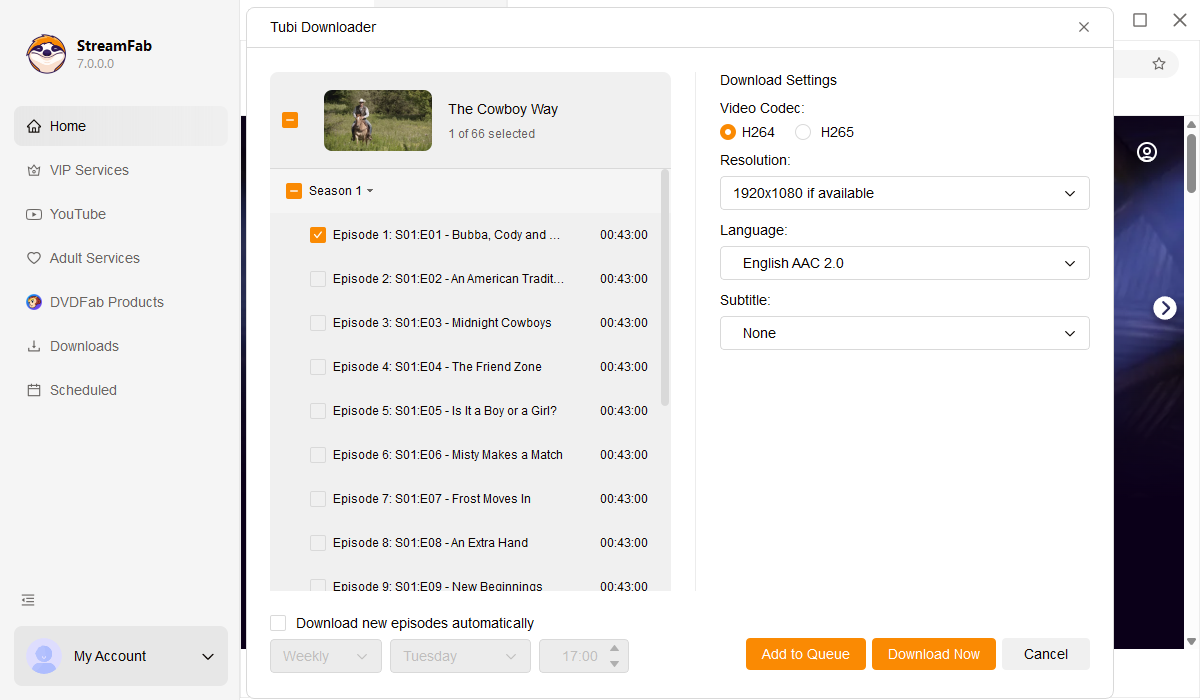
H.264 for compatibility or H.265 for space — you decide

You've been downloading Tubi movies for weeks and suddenly your laptop says storage is nearly full. Sound familiar? This is where codec choice makes a real difference. StreamFab lets you pick between H.264 and H.265 for every download. H.264 is the safe bet — it plays on virtually any device you own, from a ten-year-old tablet to the newest smart TV. 


Choose it when compatibility matters most. H.265 is the space saver — it delivers the same picture quality at roughly half the file size. A movie that takes 3 GB in H.264 shrinks to about 1.5 GB in H.265, meaning your hard drive holds twice as many films. If you're building a big library of Tubi content for road trips or offline binge sessions, H.265 lets you fit hundreds of titles where H.264 would only fit half as many.

download tubi videos with H.264 or H.265 codec

Every convenience you've been wishing for

download as mp4

Schedule Mode and Auto Download

Following a Tubi series? Schedule StreamFab to check for new episodes and download them automatically — so they're ready when you are.

download videos from tubi

Batch Download at a High Download Speed

Heading on a long trip? Select a dozen movies at once and let StreamFab batch download them all — your entertainment is packed before your suitcase is.

download as mp4

Preset Audio & Subtitle Language

Prefer Spanish subtitles or a different audio track? Set your language preferences once and every future download follows your choice automatically.

download from tubi

Exclude Ads When Downloading Tubi Videos Offline

No more pausing for 30-second commercials every 12 minutes. StreamFab strips all ads during download so your movies play clean from start to finish.

More than just downloading — build your personal library

Save Metadata

Downloaded movies that organize themselves into a beautiful library

You've downloaded 50 Tubi movies and now your folder is a mess of generic filenames you can barely recognize. Sound familiar? StreamFab solves this by saving complete metadata alongside every download — movie title, cover art, cast info, genre, release year, and full season-episode details for TV shows. 


Connect your collection to a media server like Plex, Emby, or PlayerFab and it transforms into a beautifully organized library with movie posters and episode guides. StreamFab has spent 20+ years perfecting tools that make digital media management effortless, and this metadata feature is a prime example. Your Tubi collection looks and feels like a premium streaming service — except every title is yours to keep offline, permanently.

download videos from tubi

Real stories from StreamFab Tubi Downloader users

launch tubi downloader
Step 1. Install StreamFab and open the Tubi Downloader

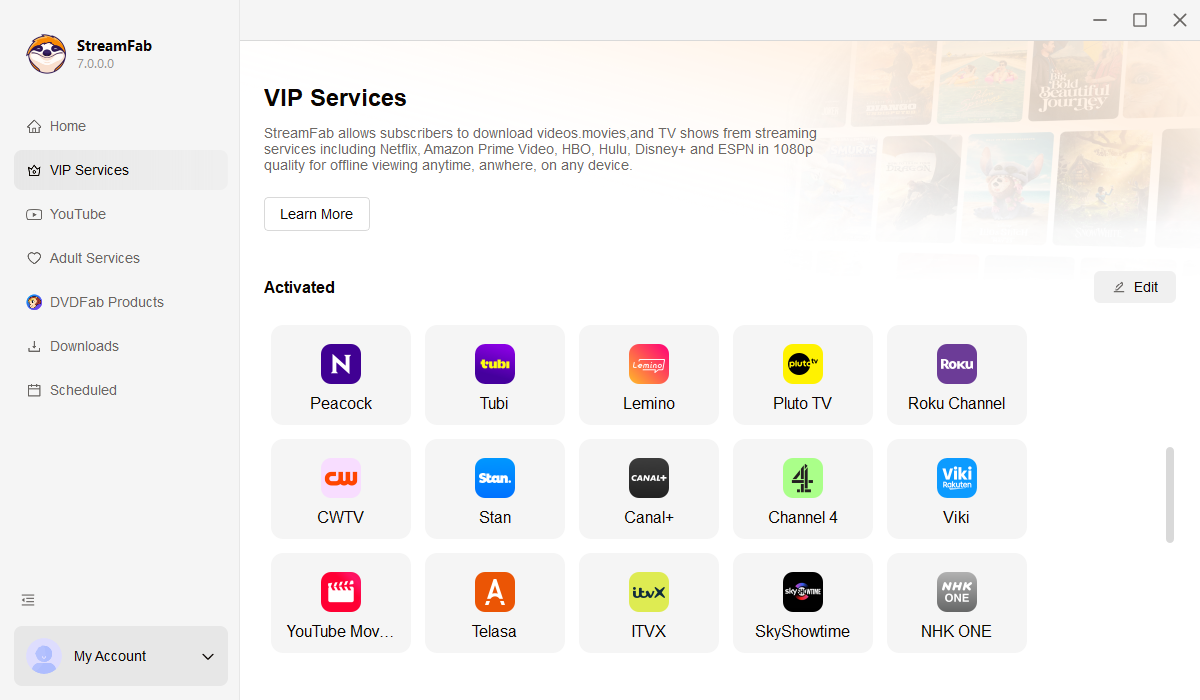
Download StreamFab on your Windows or Mac computer and install it. Open the program, then navigate to Streaming Services and select the Tubi Downloader.

Step 2. Browse Tubi and pick what you want to save

Use the built-in browser to explore Tubi's catalog. Search for a specific title or browse by genre to find the movies and shows you want to save.

Step 3. Hit play and let StreamFab do the rest

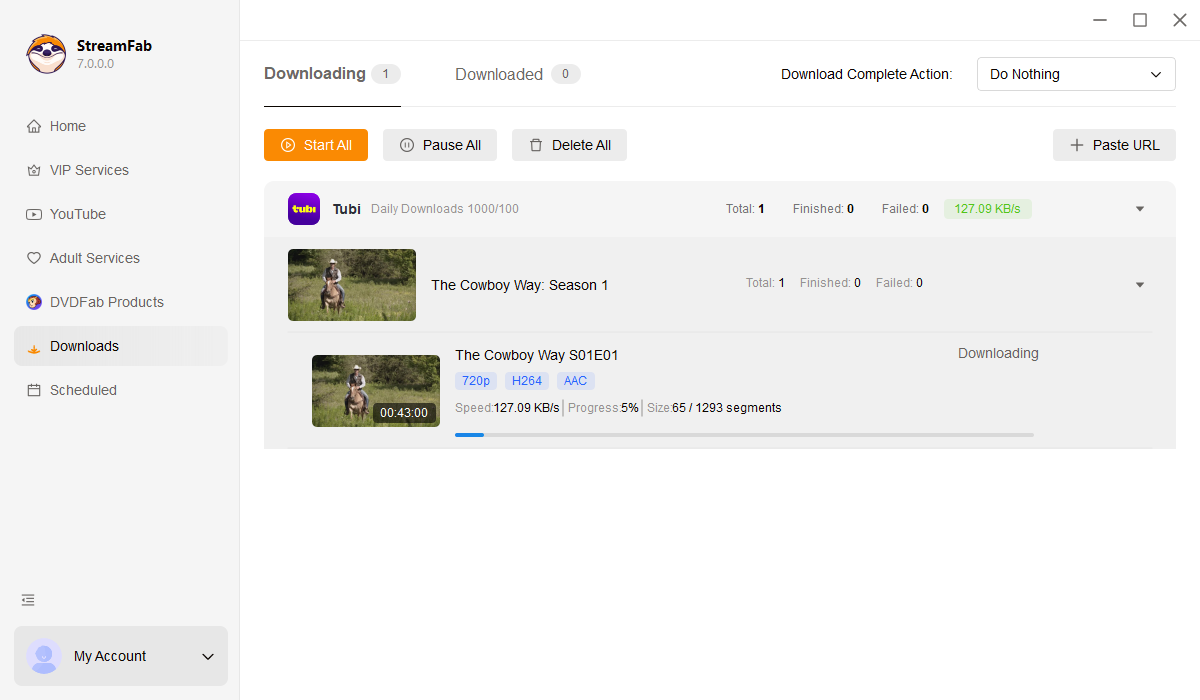
Play the video and StreamFab will detect it automatically. Choose your preferred resolution and format, then click Download. Ads are removed during the process — your file is ready to watch ad-free.

System Requirements

Icon
Windows 11/10 (32/64 bit)
Intel i3 or above
4GB of RAM or above
40GB of free hard disk space or above
Live Internet connection required

Related Articles

  • Best Tubi Video Downloaders 2026: Tubi to MP4 and Offline Viewing Options
    Best Tubi Video Downloaders 2026: Tubi to MP4 and Offline Viewing Options

    Tubi is primarily a streaming service and does not offer a standard movie-download workflow for offline viewing. For local playback, this guide compares desktop downloaders, command-line tools, and recorders for content you are authorized to access, subject to Tubi’s terms and applicable law.

    By Jacob Harrison - Jul 22, 2026

  • Can You Watch Tubi Offline? What Works in 2026
    Can You Watch Tubi Offline? What Works in 2026

    Planning a flight or dealing with unreliable Wi-Fi makes one question unavoidable: can you watch Tubi offline? Tubi does not provide a native offline download option, so its normal streaming experience is not designed for airplane mode.

    By Erika Leen - Jul 28, 2026
  • Can You Download on Tubi? 2026 PC & iPhone Solutions
    Can You Download on Tubi? 2026 PC & iPhone Solutions

    Find out if you can download movies on Tubi to watch offline in 2026. Discover the top TubiTV downloader tools for PC, and learn how to seamlessly transfer high-quality MP4 files to your iPhone or Android.

    By Nicole Lopez - Jun 24, 2026
Fair Use Policy: StreamFab is legal only for personal needs and it's not allowed to share the downloaded content with any third party.

To avoid being blocked by streaming providers, a StreamFab licensed account has a quota of 100 downloads per day, and 700 downloads per week from each supported streaming service. Whenever some of it is used up, it will refill during the next time cycle.