
4K Video Downloader Review 2026: Is It Safe and Worth Using?

Summary: This review explains how to identify the official 4K Video Downloader source, assess installer warnings, and judge the app's current fit for supported video and playlist tasks. It also covers free-tier value, common reliability limits, and when StreamFab may suit a different authorized desktop workflow.
Introduction
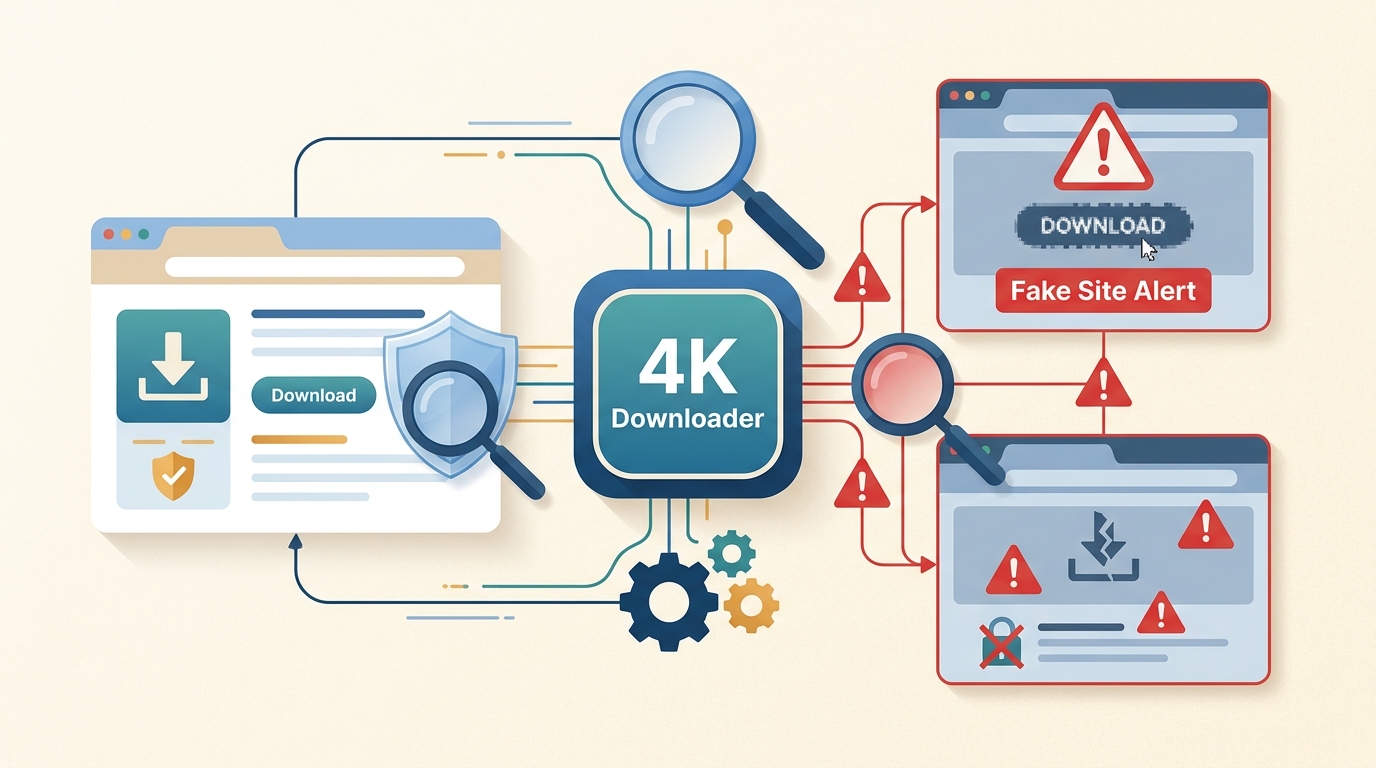
This review covers the official-site check, installer warning signs, current features, free-tier value, 2026 reliability, and the situations in which a different desktop workflow may fit better. 4K Download remains focused on supported video sites rather than every online service.
Official Site and Fake-Site Checks
The safest starting point is the exact vendor-controlled source, followed by basic file checks. Questions about 4K Video Downloader fake sites are justified because search results and modified installers can imitate a familiar product name, but a suspicious-looking domain is a risk signal, not automatic proof of malware.
The Verified Download Source
The 4K Video Downloader official website is 4K Download. Type or inspect the domain carefully instead of trusting a sponsored result, download mirror, or repository that advertises modified premium access. A useful 4K Video Downloader warning should identify the exact source and file behavior rather than declaring every hyphenated address malicious.
Fake repositories have been used to distribute altered installers under popular software names. That supports a cautious source-first approach, but it does not establish that every similar domain or search result is harmful.
A One-Minute Safety Checklist
A one-minute check cannot promise zero risk, but it can catch the most common source and installer problems before execution.
- Confirm the domain: Make sure the download originates from the vendor-controlled 4kdownload.com domain, not a mirror or modified-software page.
- Inspect the file: Check the file name, extension, and operating-system security prompt. A digitally signed installer is useful evidence only when the publisher identity can be independently confirmed.
- Run an optional scan: Use the installed security software or a multi-engine service such as VirusTotal. Treat a detection as a reason to stop and investigate, not as something to dismiss.
- Stop when details conflict: Delete the file if the source, signature, requested permissions, or scan result does not match expectations, then obtain a fresh copy from the verified source.
Reports framed as 4K Video Downloader malware should be evaluated against the exact URL and file involved. An alert tied to a modified installer does not automatically describe the official application, while an official-looking page does not remove the need for normal security checks.
Safety Verdict for the Official App
Whether 4K Video Downloader Plus is safe depends mainly on obtaining the authentic installer and using standard file checks. The official app is a reasonable choice for its supported tasks, but no software deserves an absolute safety guarantee.

- Start with the exact vendor-controlled 4kdownload.com domain.
- Review the operating-system security prompt and file details before installation.
- Download content only when you are authorized to access and save it. Follow the platform's terms and applicable law.
- Avoid modified installers, unofficial mirrors, and repositories that promise paid access without a valid license.
If your search is phrased as “Is 4KDownload safe?”, the useful answer is conditional: source integrity, file verification, and authorized use determine the risk more reliably than the product name alone.
Full Review of 4K Video Downloader Plus
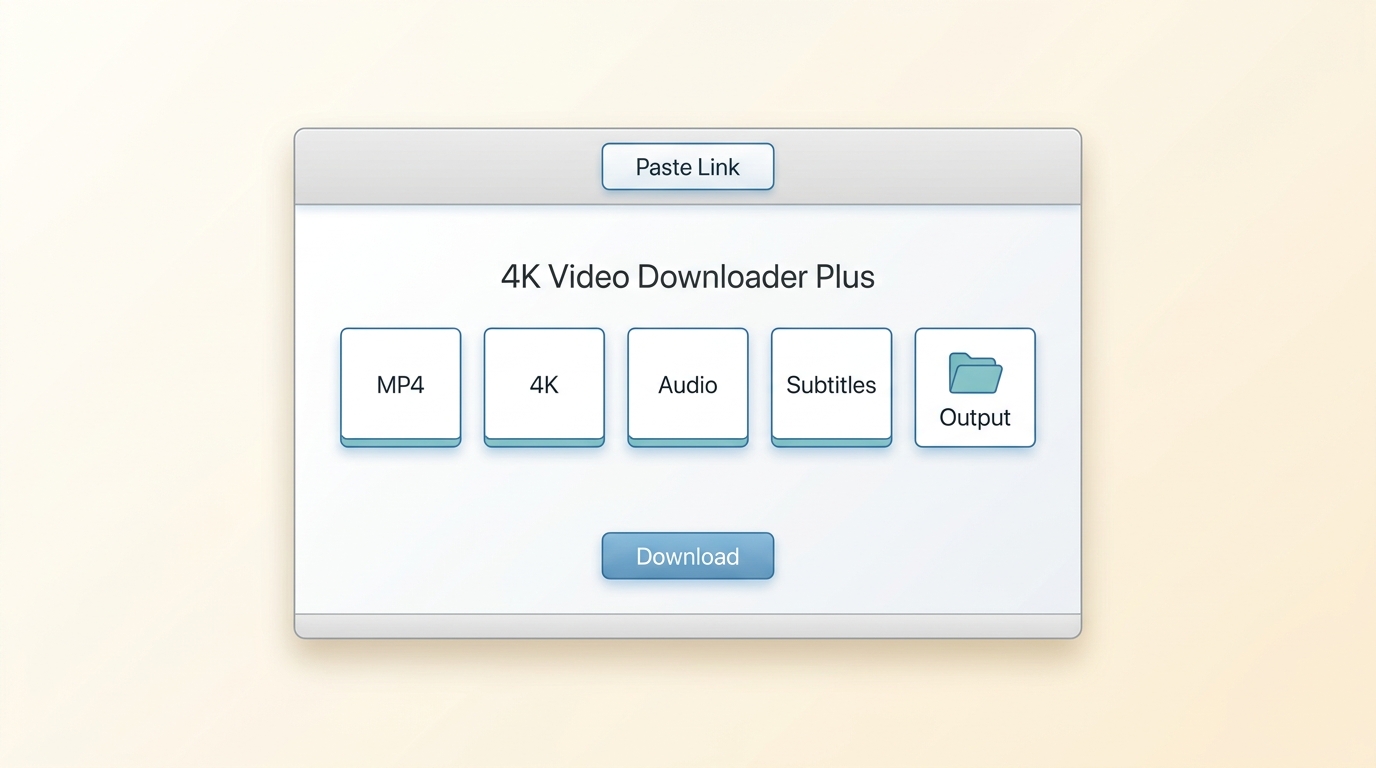
This 4K Video Downloader review 2026 edition finds an active app with a straightforward paste-link workflow, useful playlist and subtitle options, and a recurring dependency on site changes. Readers comparing 4KDownload reviews should separate official feature claims, aggregate ratings, and community-reported failures from fresh hands-on results.
Review Method and Verdict Scorecard
This is a documented-source review rather than a fresh performance benchmark. It distinguishes vendor documentation, aggregate review data, and community reports, then provides a reproducible test card readers can run on their own Windows or macOS system.
| Check | Reproducible method | Pass signal | Evidence label |
|---|---|---|---|
| Source and installer | Download from the verified domain, inspect the security prompt, and run an optional multi-engine scan. | Source and file details are consistent, with no unresolved warning. | Vendor guidance plus reader-verifiable check |
| Public video URL | Use a public video you own or are permitted to save on Windows or macOS. | The app parses the URL and offers an output choice without an unexpected error. | Reproducible reader test |
| Playlist and subtitles | Use an authorized playlist with captions and inspect the available item and subtitle choices. | Expected items and available captions appear before download. | Reproducible reader test |
| Format and playback | Save one permitted item, then open it in a standard local player. | The selected output opens and matches the chosen settings. | Reproducible reader test |
| Reliability | Repeat the same permitted URL after an application or site update. | Success remains consistent, or the failure is clearly tied to a supported-use limitation. | Community pattern plus reader test |
- Safety: Reasonable when obtained from the verified source and checked normally.
- Ease of use: The paste-link workflow is easy to understand.
- Coverage: Useful for supported video sites, not a universal downloader.
- Reliability: Dependent on app updates and changes made by supported sites.
- Value: The free tier suits occasional use; paid access is more relevant to recurring playlist or channel workflows.
Features and Practical Limits
The useful feature set centers on supported video URLs, playlist or channel handling, subtitle options, and local output choices. The main limit is coverage: a feature shown for one supported site should not be generalized to every social platform or protected premium-streaming service.
- Offers audio extraction for supported sources when that option is available.
- Supports playlist and channel workflows on compatible sites.
- Subtitle and metadata options depend on the source and selected output.
- Available quality depends on the original source, current app support, and chosen settings.
- Output formats and transfer options should be checked in the app for the selected source.
My editorial judgment is simple: evaluate the app against the exact site and workflow you use most, not against a long feature list. A shorter 4K Download review can miss this distinction and make broad compatibility sound more certain than it is.
Pros, Cons, and Best Fit
4K Video Downloader Plus is best for people who regularly save supported public videos, playlists, channels, subtitles, or authorized private media. It is less suitable when the target service is unsupported, login access is restricted, or the workflow depends on protected premium-streaming content.
Advantages
- Clear paste-link workflow with scannable output choices.
- Playlist, channel, subtitle, and audio-oriented options for compatible sources.
- Free-tier entry point for occasional use.
Limitations
- Site changes can temporarily break parsing or downloads.
- Coverage is not universal, and some account-restricted media may remain unavailable.
- Current free limits and paid value need to be judged against the user's actual frequency of use.
What Current Users Report
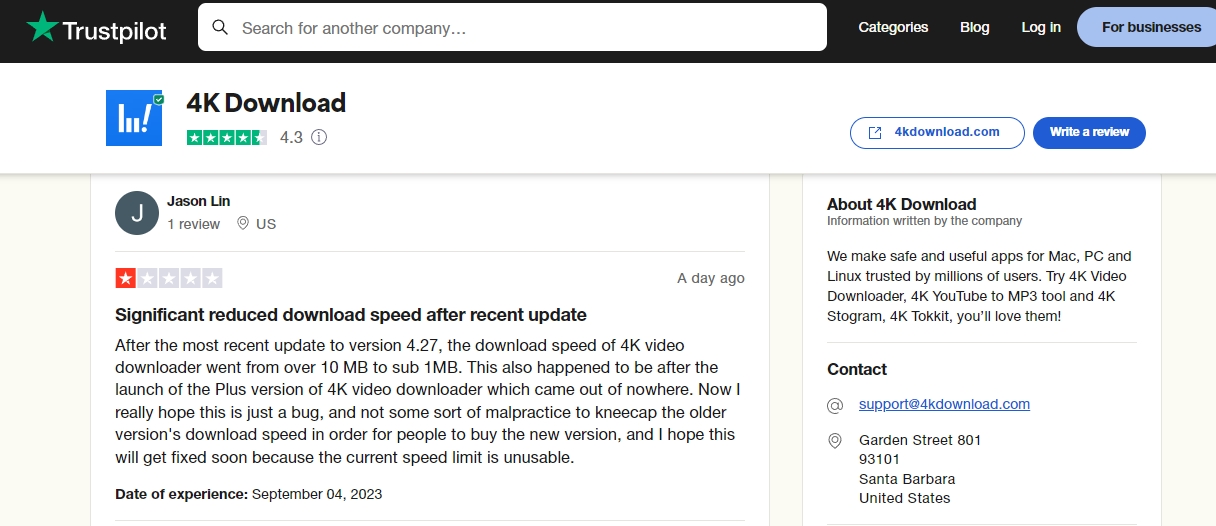
User feedback is positive overall but not uniform. As of July 2026, Trustpilot displayed an aggregate rating of 4.5 out of 5 from about 13,000 reviews, while community discussions continued to report parsing failures, update regressions, and activation or support frustrations.
Recurring praise focuses on the simple link-paste workflow and useful playlist handling. Recurring complaints focus on reliability after platform changes. Vendor-community updates can clarify known incidents, while independent reports are more useful for spotting repeated failure patterns than for proving that every installation behaves the same way.
Free Limits, Licenses, and Value
The app has a free tier and paid license options, but current US prices and numerical free limits are not stated here because they can change. For occasional single-video use, the free tier may be enough; recurring playlist or channel use is the point at which paid access becomes easier to justify.
- Free tierAvailable with feature limits; current numerical limits are not listed here.
- Paid licensesAvailable for users who need broader or more frequent use.
- Best fitThe free tier suits occasional supported-video tasks.
- Consider paid accessWhen recurring playlist, channel, or batch use justifies the added cost.
A 4K Video Downloader cost decision should be based on repeat use, not a feature count. If you download rarely, start with the free tier; if limits repeatedly interrupt a legitimate workflow, compare the current license terms with alternatives before paying.
Does It Still Work in 2026?
Yes, the product remains active, but reliability can change when supported sites alter their pages, login flows, or media delivery. A 4K Video Downloader update may restore compatibility, introduce a temporary regression, or require a follow-up fix.
| Symptom | Likely category | Practical response |
|---|---|---|
| Link will not parse | Site parser change, temporary outage, unsupported page, or regional/network condition | Update the app, retry a known supported public URL, and rule out network filtering. |
| Private item is unavailable | Login, account permission, age, region, or private-video restriction | Confirm that the account can view the item in the browser and that the app supports that access path. |
| Download stops after an update | Application regression or changed site behavior | Check the vendor's release notes and community status posts, then retry after the next maintenance release. |
| Playlist is incomplete | Free-tier limit, unavailable items, or parser mismatch | Test one item, inspect playlist visibility, and compare behavior with the current license tier. |
| Premium service fails | Unsupported protected service or workflow mismatch | Use the service's official offline feature or compare a supported desktop alternative for authorized access. |
The practical takeaway is that update responsiveness matters more than any promise of flawless operation. Detailed parse-link troubleshooting belongs in a dedicated repair guide; here, the key is to identify whether the failure is source-specific, account-specific, network-related, or a current app issue.
Using 4K Video Downloader Plus
The basic workflow is appropriate for content you are authorized to save where the platform permits it. Before starting, confirm that the source is supported, the content is viewable in your account or browser, and you have enough local storage for the selected output.
- Install the app from the verified vendor source and complete the normal operating-system security checks.
- Copy the URL of a supported video, playlist, or channel that you are permitted to save.
- Use the Paste Link control, review the available format, quality, audio, and subtitle choices, then start the download.
- Open the saved output and confirm that playback, captions, and audio match the selected options.
Download the video downloader
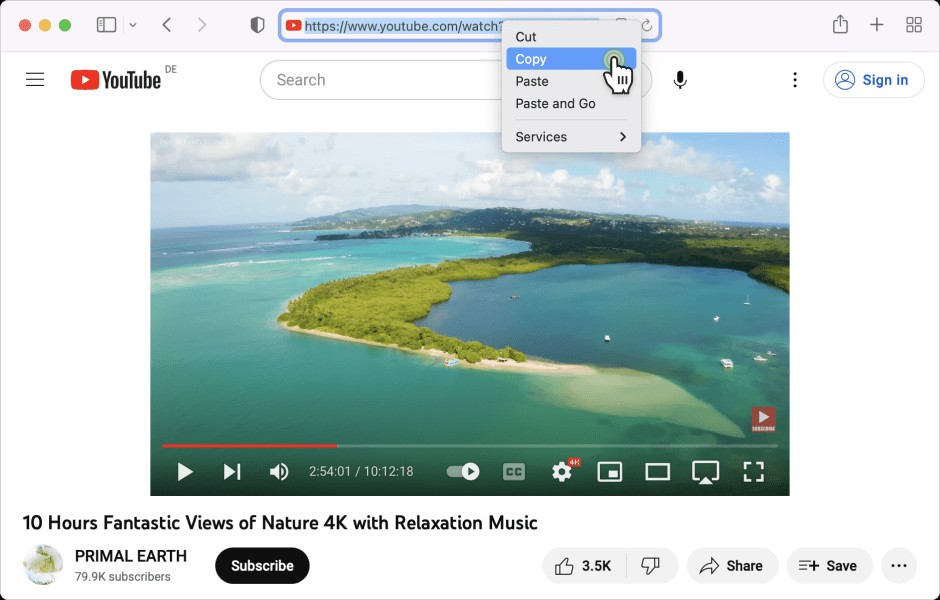
After installing & launching the 4K Download app on your system, open it to reach the home screen.
Choose the streaming service
Now, head to the website you like and save the video for offline streaming. Next, copy the video URL of your selected content.
Customize the file
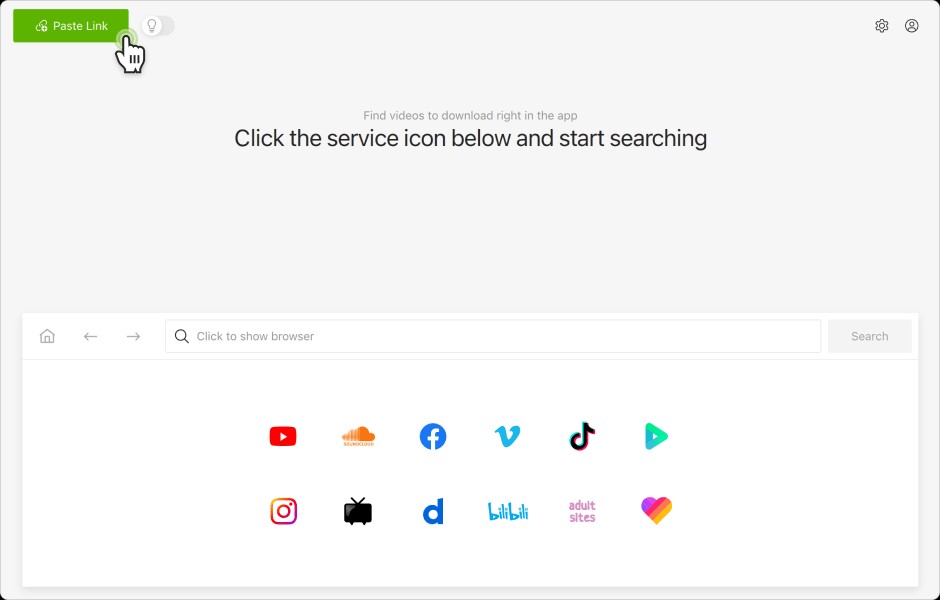
Select the "Paste Link" option in the upper left corner, and the program will automatically paste the link once it is copied into the clipboard.
Click the download button
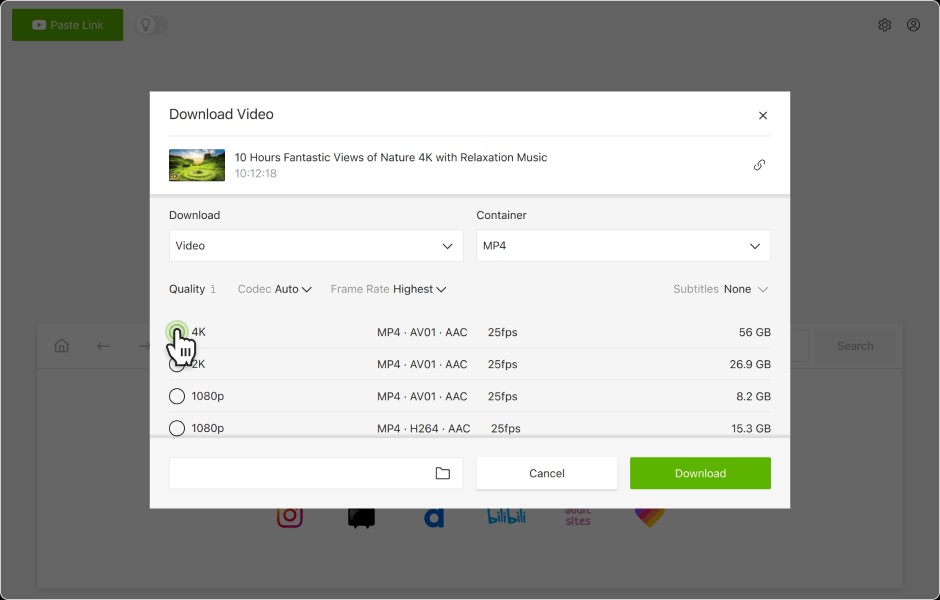
Select the available video format or quality and then "Download." The downloaded video will be stored in a particular location. There is also an "Audio only download" option available.
Download the video downloader
Once the download is done, it will be opened directly through the app or its storage location.
Best for supported public-video, playlist, subtitle, and authorized private-media tasks. Not ideal for readers who expect one app to handle every site or a premium-streaming workflow outside the product's supported scope.
When StreamFab Fits Better
For content you are authorized to access with a valid subscription, where permitted by platform terms and applicable law, StreamFab is a desktop alternative when official downloads are unavailable. It is designed for supported streaming workflows on Windows and Mac, with local MP4 or MKV output, selectable audio or subtitles, and batch or scheduled processing where supported.
StreamFab Video Downloader is a better fit when the reader's authorized source appears in its supported service coverage and a managed in-app workflow is more useful than pasting a public-video URL. It is not ideal for someone who needs a mobile-only tool, uses an unsupported service, or only saves an occasional public clip.

StreamFab supports authorized personal offline viewing on covered services, with results shaped by the source, subscription plan, product support, and service rules.
- Quality can reach 4K where the source, service, subscription plan, and product support allow it.
- Selectable audio tracks are available when provided by the supported source.
- MP4 and MKV output is supported.
- Batch and scheduled processing are available for compatible tasks.
- Downloadable subtitles and language choices depend on source availability.
A Brief StreamFab Workflow
Keep the workflow short: install StreamFab on Windows or Mac, open the supported service in the app, sign in with a valid subscription, choose authorized content and available output options, then monitor the local task.
A dedicated StreamFab tutorial is the better place for detailed settings and troubleshooting.
Install and launch the StreamFab software
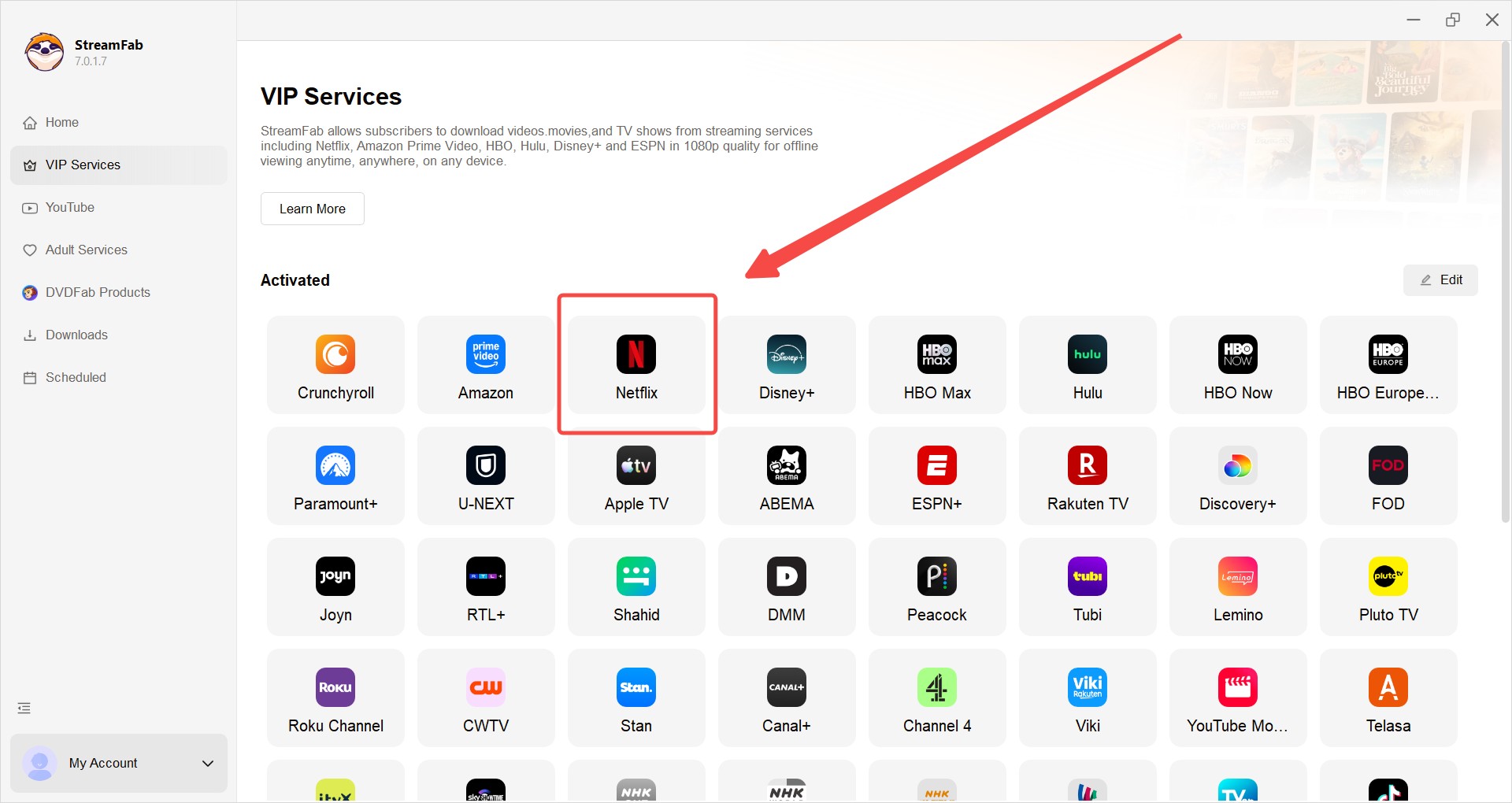
Install StreamFab Video Downloader on your device and open the interface.
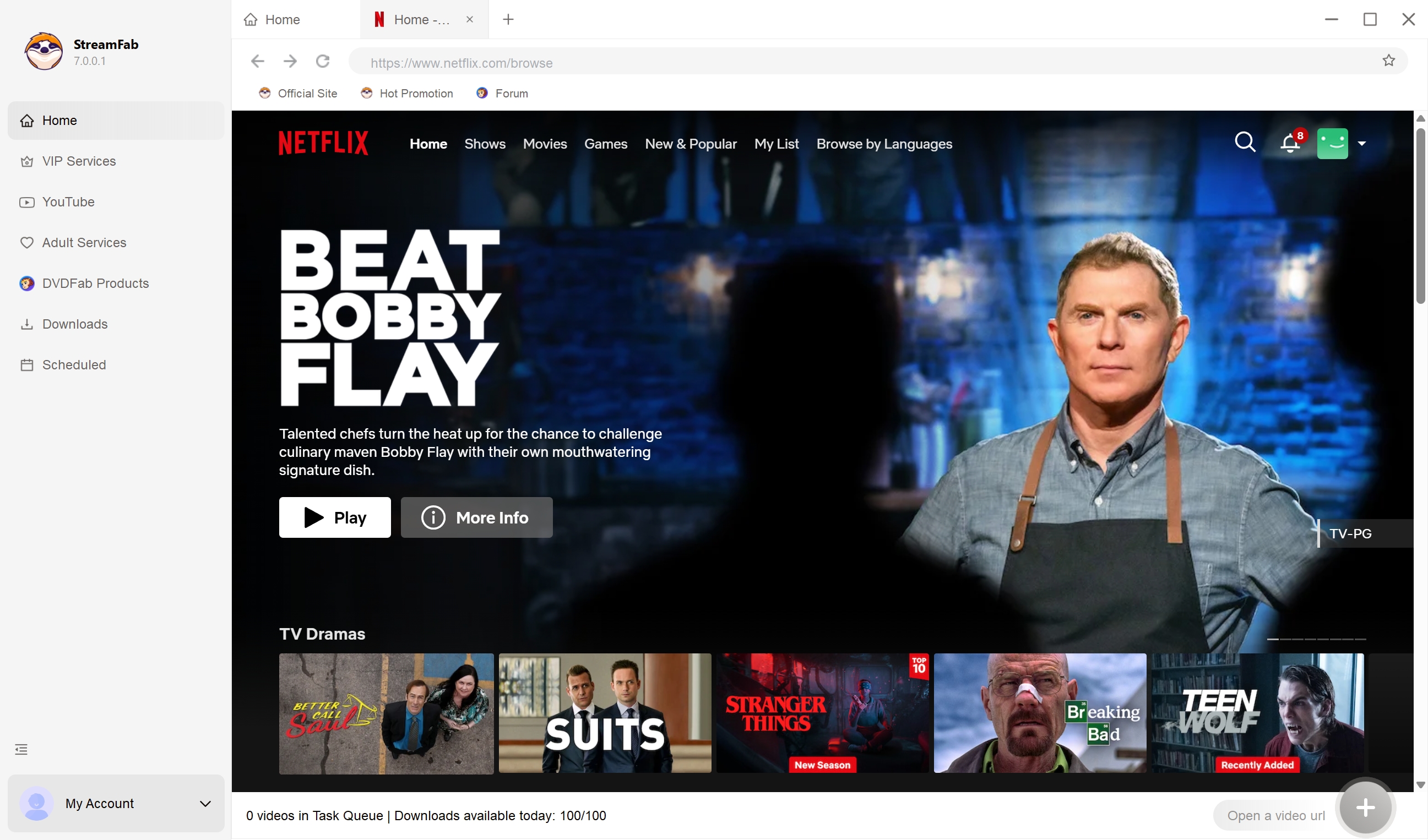
Choose a website to download videos
Tap the VIP Services or the YouTube icon on the left channel to find the streaming website you want. You can also copy and paste your video URL directly into the address bar on the Homepage.
Customize the file
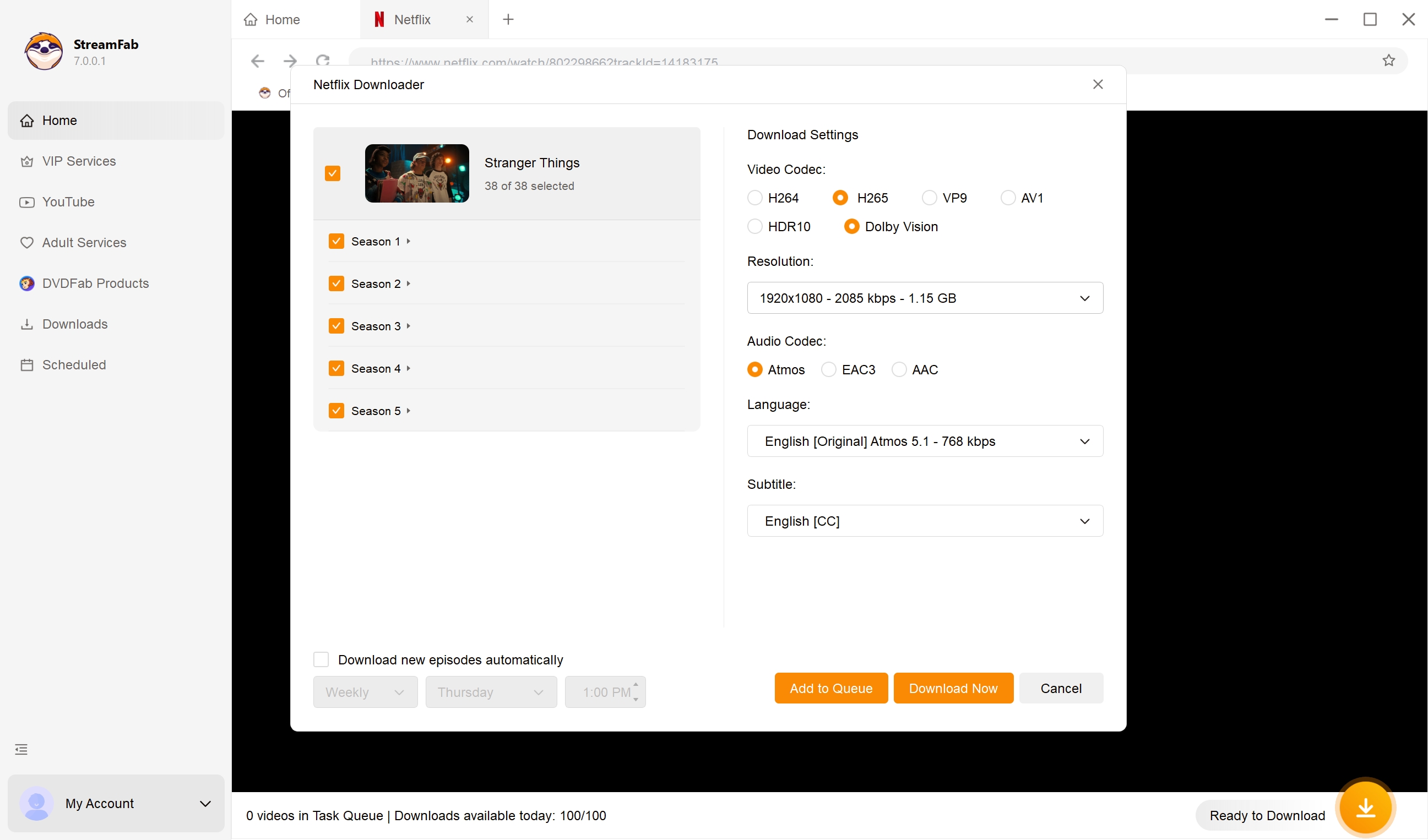
Search for the video and play it, then a pop-up window will ask for your video options. You can choose the audio and subtitle language.
Click the download button
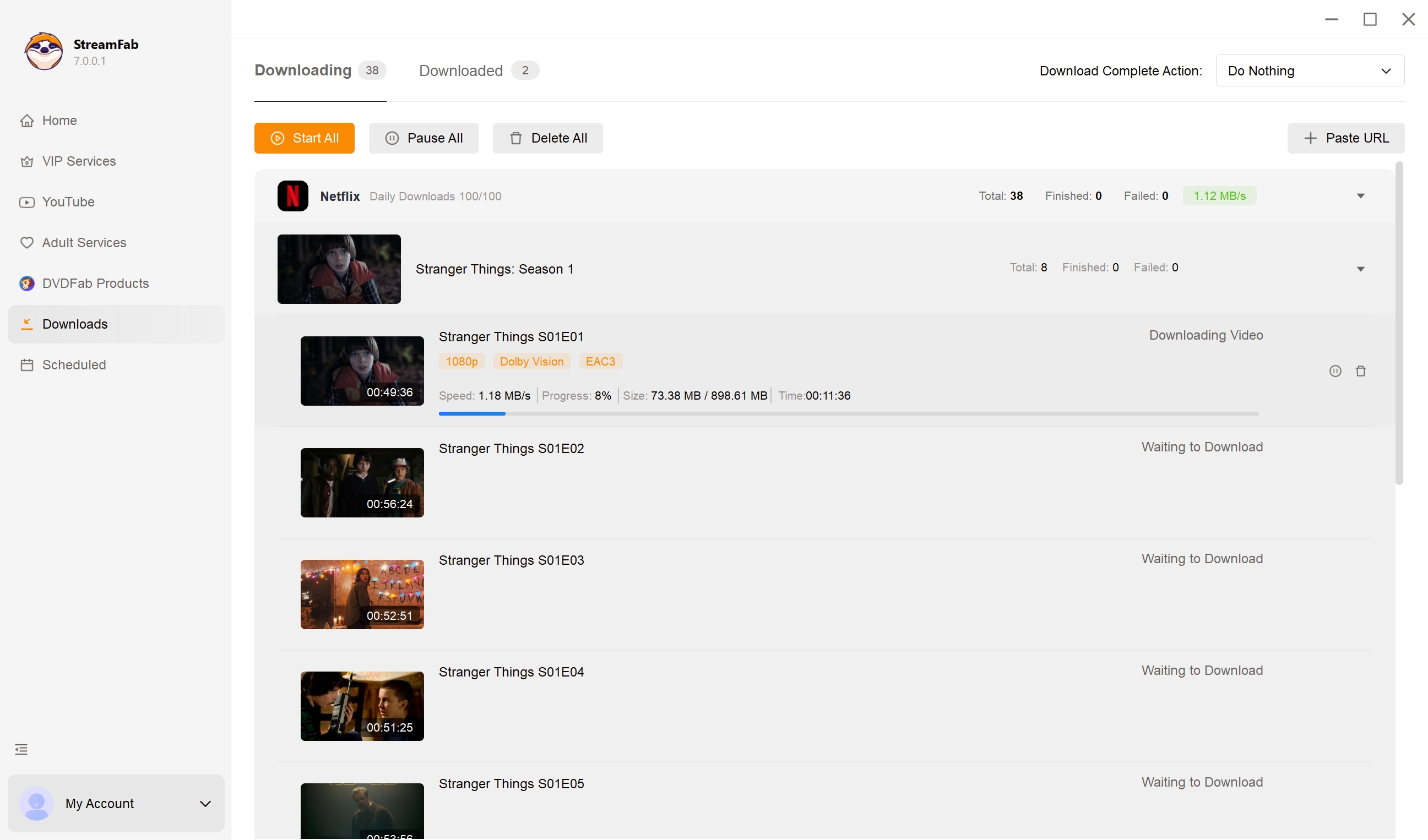
After customization, you can download streaming video right now or add it to the queue.
StreamFab vs. 4K Download: Best Fit
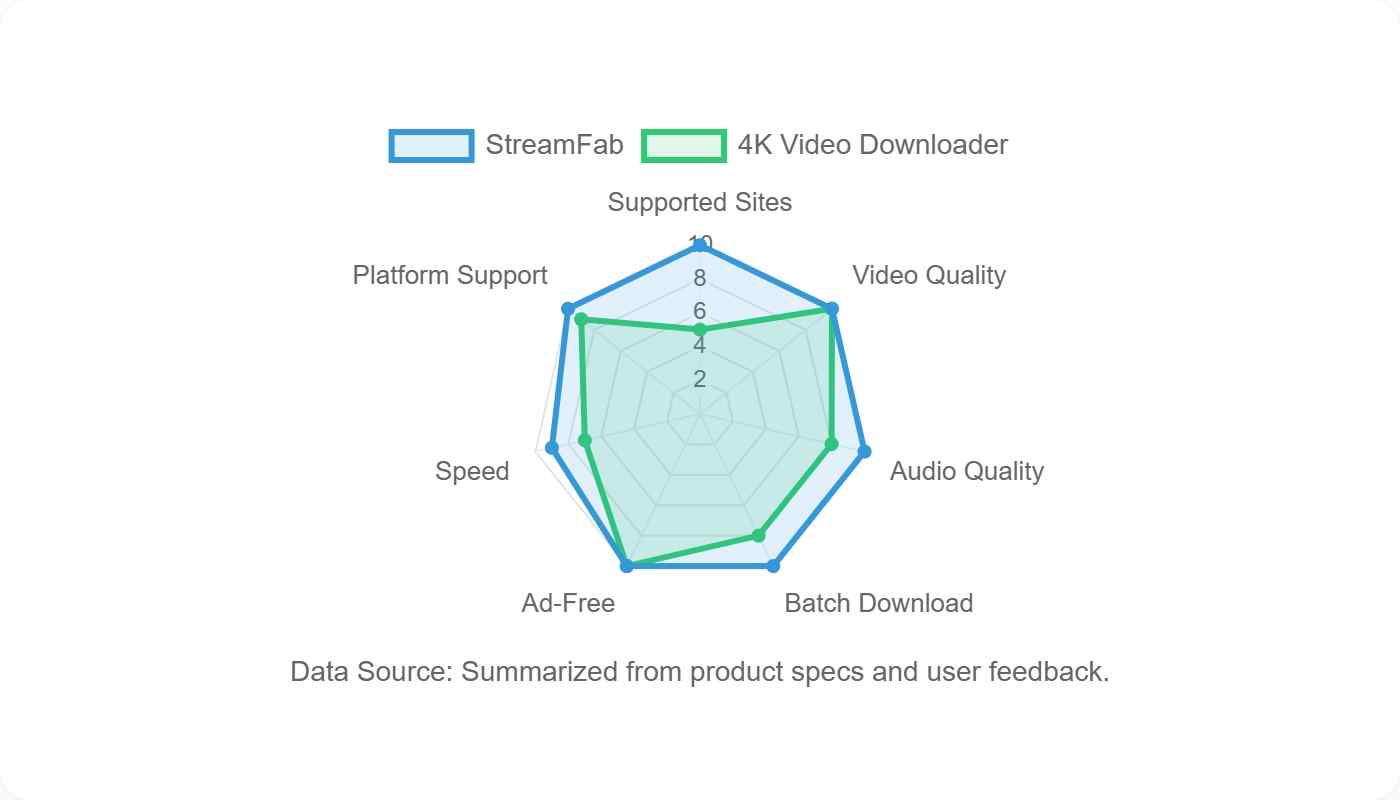
The products solve different problems. 4K Video Downloader Plus centers on supported video URLs, playlists, channels, and authorized private media, while StreamFab centers on supported desktop streaming-service workflows for subscribers who need local files.
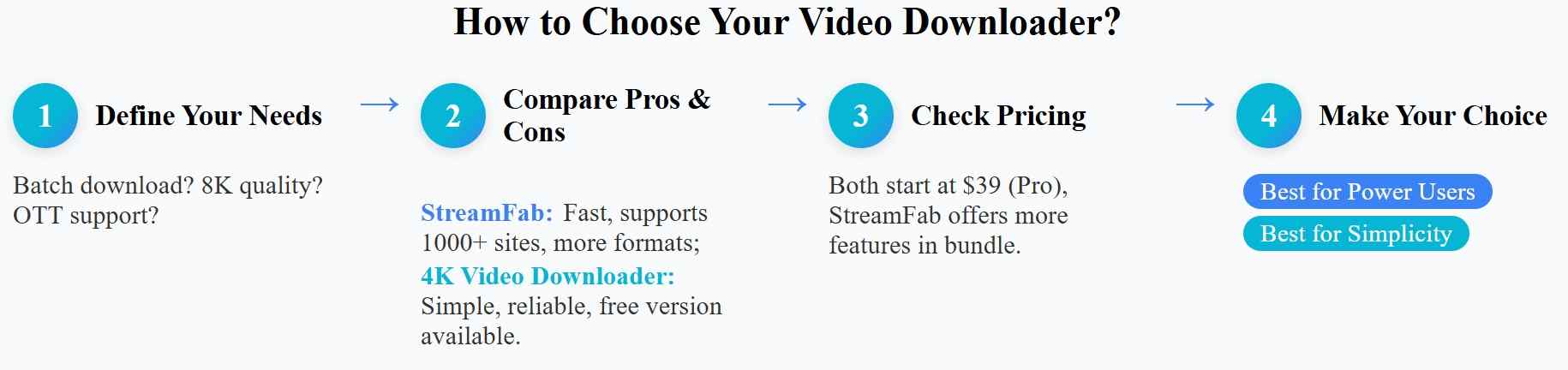
The balanced verdict is that neither app replaces the other across every scenario. Choose 4K Video Downloader Plus for supported URL-based video and playlist tasks; compare StreamFab when a covered streaming-service workflow, MP4 or MKV output, and batch handling are the more relevant requirements.
FAQs
Can the Official Installer Trigger Antivirus Warnings?
Yes, a security product can flag an installer for several reasons, and a detection needs investigation rather than an automatic conclusion. Confirm the source, inspect the file details, and use an optional multi-engine scan. Stop if the warning remains unexplained.
Is Downloading Videos With the App Legal?
It depends on the content, authorization, platform terms, and applicable law. Save only material you own or are permitted to access, keep the use personal and non-commercial, and do not redistribute copyrighted files without permission.
Can You Use 4K Video Downloader Plus Without Paying?
It has a free tier and paid license options. The free tier is the sensible starting point for occasional supported tasks, while paid access is easier to justify when recurring playlist, channel, or higher-volume use runs into current free limitations.
Conclusion
This 4K Video Downloader review 2026 verdict is favorable for supported public-video and playlist workflows when the app is obtained from the official source and used with realistic expectations. The interface is approachable, but reliability still depends on site changes, updates, account access, and product coverage.
Readers who need a different supported desktop workflow can compare StreamFab, especially when authorized streaming-service access, MP4 or MKV output, and batch processing matter. It is not the right fit for every reader, so the better choice depends on the source, platform coverage, workflow, and budget.

CleverGet offers separate downloading and recording workflows for Windows and Mac, with different file options. Compare MPD limits, annual and lifetime licenses, and trial use before choosing a workflow. The review also covers StreamFab for recurring episode downloads and explains the personal-use boundaries for local copies.
By Erika Leen - Oct 14, 2026
AnyStream (RedFox AnyStream) shut down in June 2024 and remains gone in 2026. I tested every major replacement — here are the 5 best anystream alternatives, including free options, ranked by real-world performance.
By Erika Leen - Oct 12, 2026

Evaluating the Audials One 2026 free trial? I tested its 720p caps, examined if is audials legal under Fair Use
By Erika Leen - Sep 29, 2026

Are you thinking of purchasing NoteBurner and unsure if it’s worth the investment? In this NoteBurner review, let’s delve into its product lines, particularly the NoteBurner Video Downloader’s pros and cons.
By Marcia Hatcher - Sep 28, 2026